


Peloton is making a couple of small but significant changes as a part of their migration to a new studio booking system. Moving forward, waitlist classes will count towards members’ weekly in-person studio limit of four classes; and waitlist spots will no longer be automatically converted when a spot opens up. Members will have to claim the newly opened spot within two hours.
In case you missed it, last week Peloton announced that they were migrating to a new studio booking system. The studio booking site was unavailable from December 11-13, and the first round of studio bookings under the new site occurred today, December 14. One of the major changes about this new system is that members no longer need to pre-purchase studio credits before attempting to book an in-person class at Peloton Studios New York (PSNY) or Peloton Studios London (PSL).
One thing that isn’t changing? The virtual queue is still in place on the booking system – and classes will still be added each Thursday @ 12:00pm ET.
In a significant change, and a direct reversal of a policy implemented earlier this year, Peloton is now counting waitlist classes towards the weekly in-person class limit. Since the studios reopened in 2022, Peloton has maintained a limit that members cannot take more than four classes per week within the Thursday through Monday timeframe.
In February of 2023 Peloton quietly decided that waitlist spots would not count towards the overall limit. Since then, some members have been able to bypass this limit by registering for additional waitlist spots on top of the four classes that fall within the limit. If a waitlist class opened up, it did not end up counting towards the four class limit, allowing some members to participate in more than four classes within a bookable period.
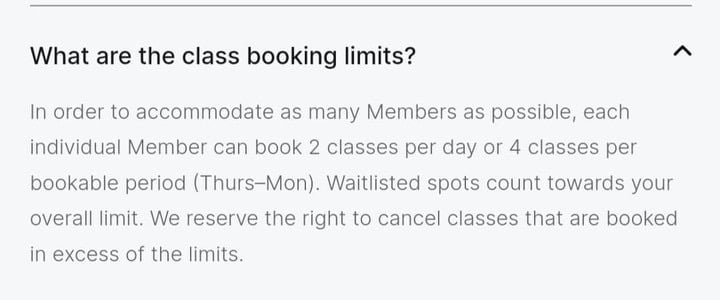
However, moving forward, any waitlist spots will count towards the weekly class limit. The studio booking site FAQ has been updated with the below language regarding class booking limits:
In order to accommodate as many Members as possible, each individual Member can book 2 classes per day or 4 classes per bookable period (Thurs-Mon). Waitlisted spots count towards your overall limit. We reserve the right to cancel classes that are booked in excess of the limits.
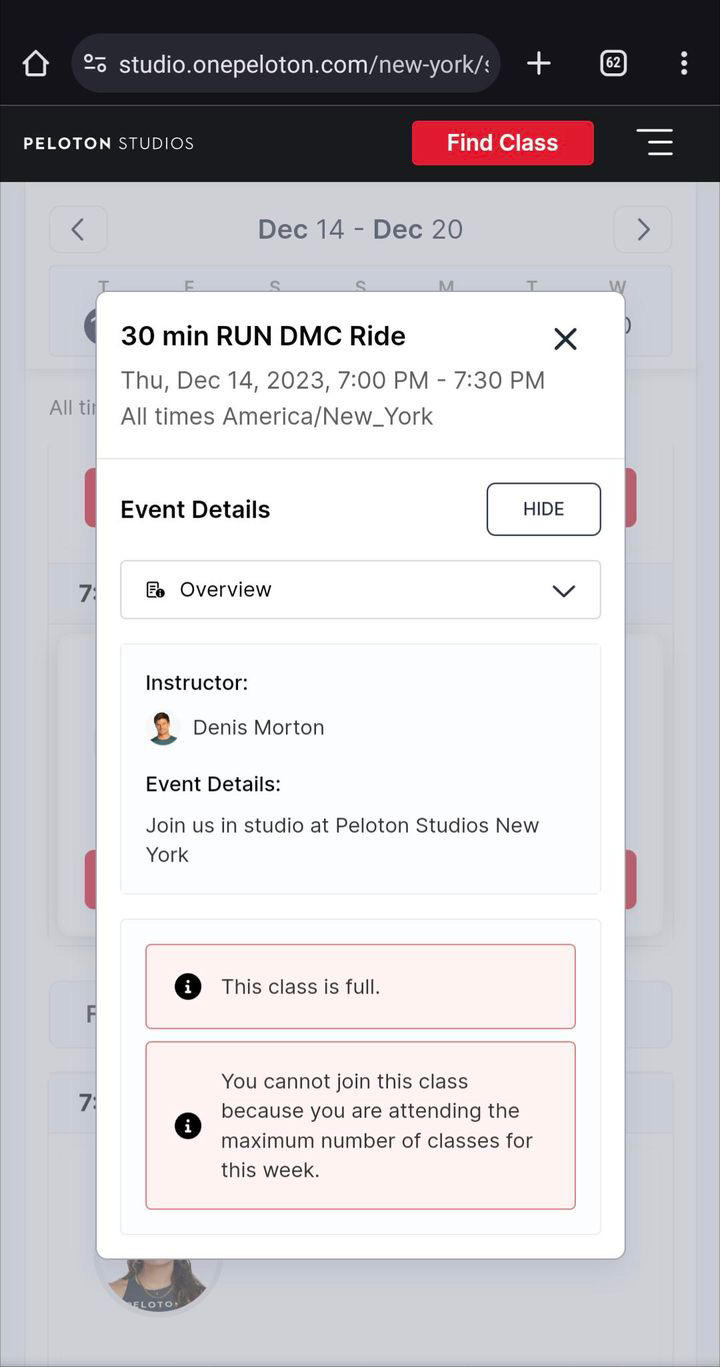
This means that if you’re booked in four Peloton classes within a bookable period, and you try to secure a waitlist spot, you will be unable to do so. You will receive an error message that states: “You cannot join this class because you are attending the maximum number of classes for this week.”
In another significant change, Peloton has also done away with the automatic conversion of waitlist spots. Previously, if you secured a waitlist spot for an in-person class and a spot in that class opened up, you would receive an email that you were booked in the class. There was no action needed in order to convert that waitlist spot.
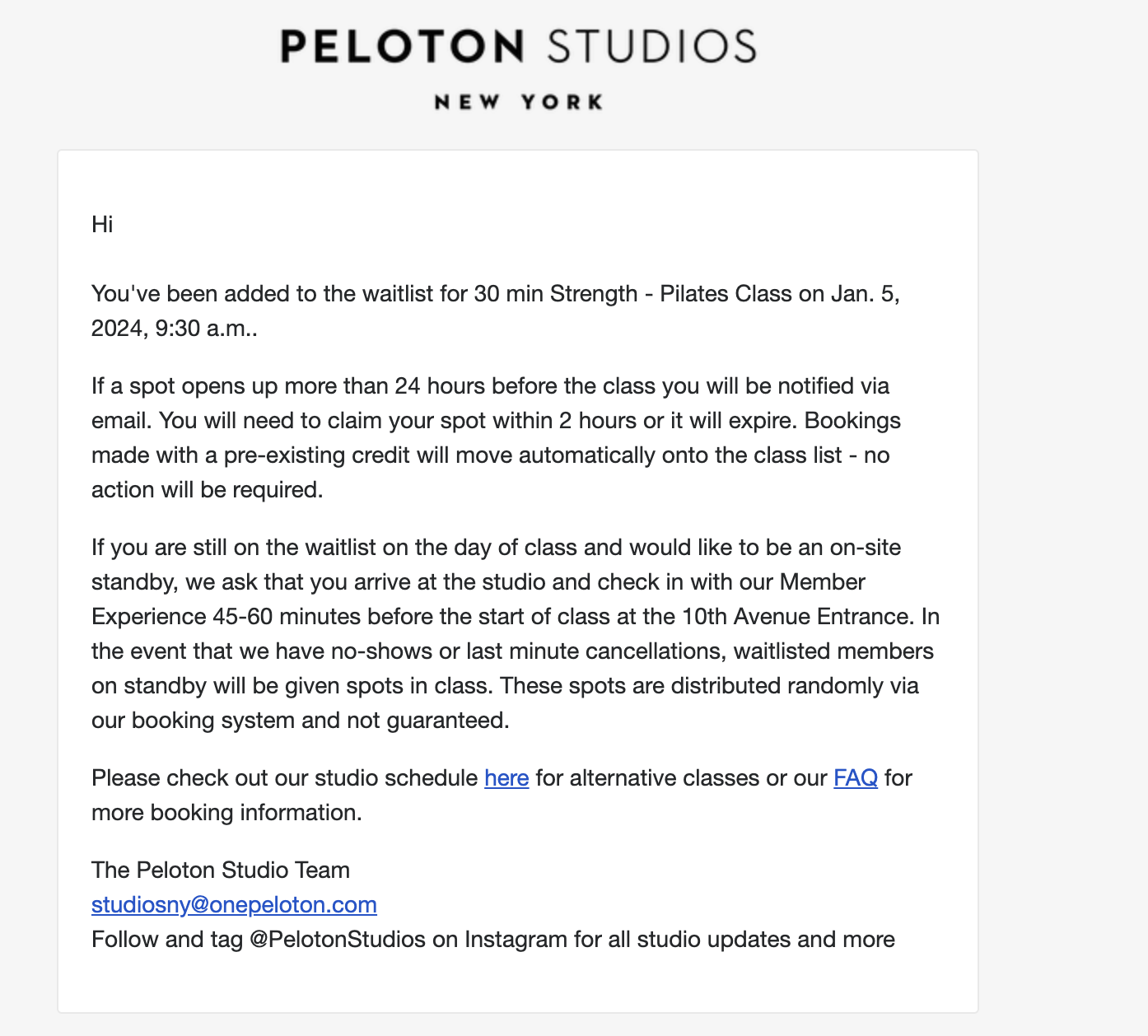
However, moving forward, members will have a two hour window in which they must claim the newly opened spot – their spot will not be converted automatically. The new studio booking site FAQ now contains the below information:
The waitlist opens up when the class is full. If a spot opens up more than 24 hours before the class, you will be notified via email. You will need to claim your spot within 2 hours or it will expire.
If you’re unsuccessful in securing a waitlist or class spot we encourage you to check back as any cancellation in the system will automatically release class spots.
This means that if you receive a spot off of the waitlist but do not take the necessary action within two hours, the spot will expire and you will remain on the waitlist. This policy appears to already be in place at Peloton Studios, as members have already begun receiving these new communications regarding the waitlist – both within the waitlist confirmation email, which now contains a notice about the two hour claim window, as well as the email notifications sent when a reserved spot opens up.
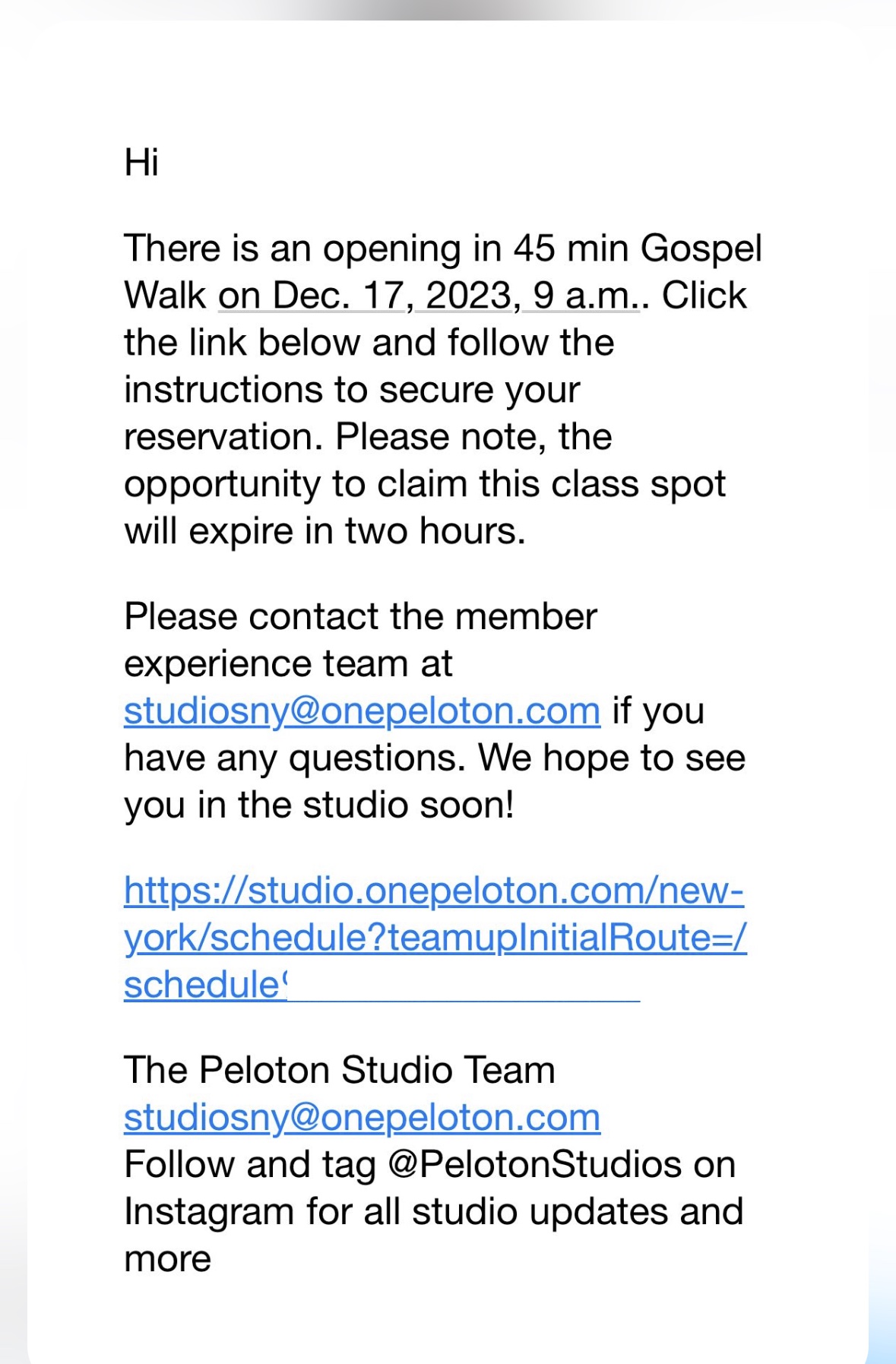
The notification emails informing members that a reserved spot has become available contain the following language:
Hi [Name],
There is an opening in 45 min Gospel Walk on Dec. 17, 2023, 9 a.m. Click the link below and follow the instructions to secure your reservation. Please note, the opportunity to claim this class spot will expire in two hours.
Please contact the member experience team at studiosny@onepeloton.com if you have any questions. We hope to see you in the studio soon!
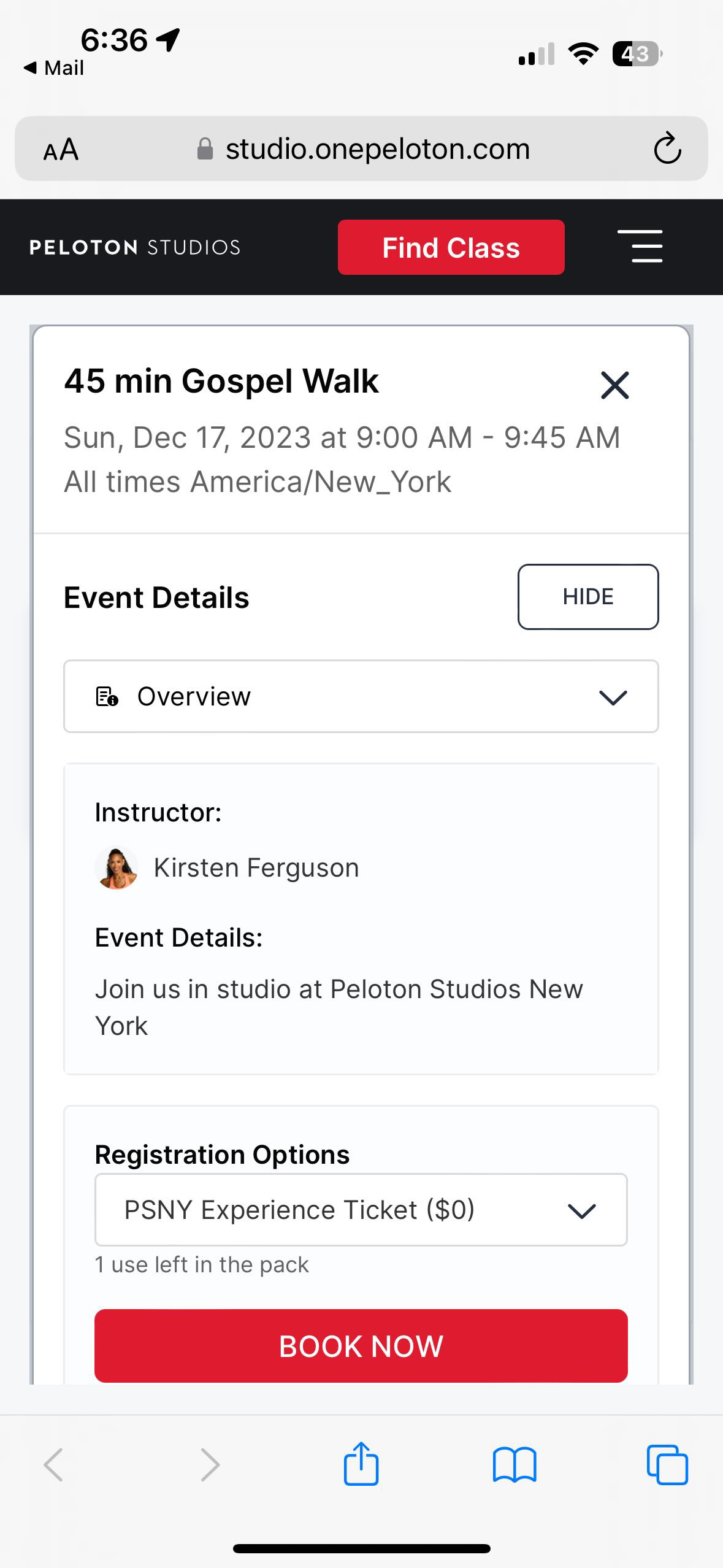
Clicking the link takes the member to a new page in which they can view the class information and confirm their reserved spot.
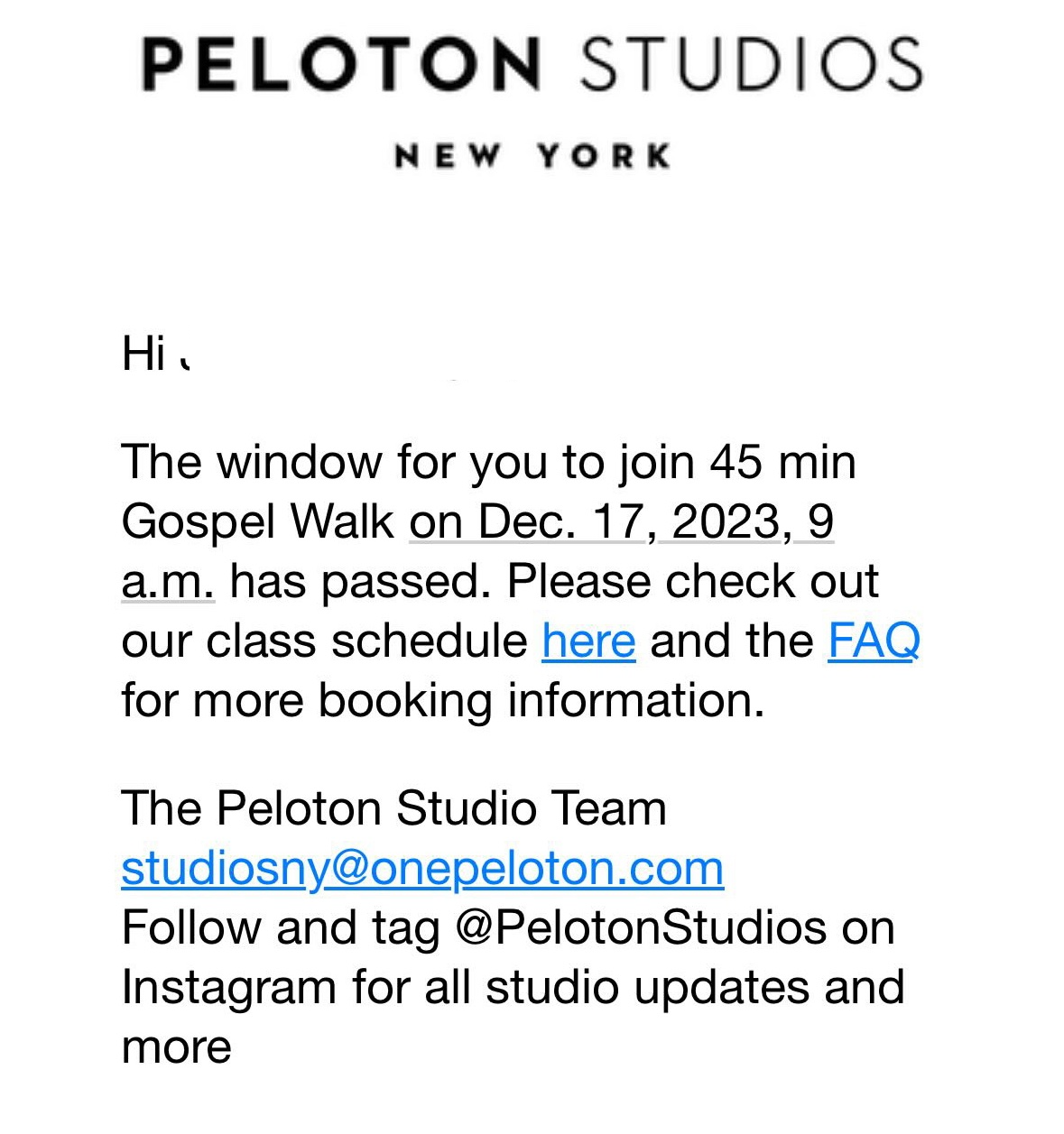
If you don’t claim the spot within 2 hours, you get a follow-up email telling your time has passed – and you will not be in the class.
As stated via the support page, these policies are intended to allow more members to visit the studios in-person. Well over a year after their grand reopening, the Peloton Studios booking process is still extremely competitive, with classes in both New York and London typically fully booked within minutes (or seconds) of going live and the queue filling up more than 30 minutes before classes go live. There are undoubtedly members within the Peloton community who want to visit the studio, but have been unable to secure a spot in a class. These new changes may help more members successfully secure a booking if waitlist spots count towards the overall limit, and members need to take a specific action within a time limit to convert their waitlist spot.
As always, we have a full guide for booking and taking in-person classes at Peloton Studios available via our site. If you missed the initial news regarding the new studio booking system, you can find all the details via our overview article.
What do you think of these new changes regarding the waitlist being implemented at Peloton Studios?
Support the site! Enjoy the news & guides we provide? Help us keep bringing you the news. Pelo Buddy is completely free, but you can help support the site with a one-time or monthly donation that will go to our writers, editors, and more. Find out more details here.
Get Our Newsletter Want to be sure to never miss any Peloton news? Sign up for our newsletter and get all the latest Peloton updates & Peloton rumors sent directly to your inbox.

also wondering if they’re doing away with the latest iteration of the color card boarding system. i read this in the FAQ as well. i know there’s been some variation out of it each time in the past, but this seems more specific, like they’re gonna assign bikes at check-in (based on FIFO, milestones, birthdays, who knows)?
Can I choose my spot in class in advance?
Bookings are for general admission to each class. As we’re a live production studio, a member of our team will assign you a spot when you arrive at the studio for class.