

Peloton has made a number of announcements today, including upgraded hardware products (available globally), AI enhancements, increasing monthly subscription pricing, and more in what they are calling the “biggest reinvention in the history of Peloton.”
We have had a chance to get a brief look at the new devices and the Peloton IQ features – so will share what we have learned so far.
These are the highlights of what was announced today – but we will go into much more detail on each item below.
- An increase to the monthly subscription cost, for both App & All-access users (hardware owners)
- The new “Peloton Cross Training” hardware (a refresh of every device getting rotating screens & more) – all at increased prices
- New Peloton Accessories – A redesigned seat, a built-in fan, and a phone holder
- The launch of Peloton IQ – the integration of AI into all of the Peloton devices (with the “Plus” series of devices getting more features).
- Integrations with Apple Health, Garmin Connect, and Google Fitbit for importing workouts
- An upgraded “Movement Tracking Camera” and the addition of a Peloton-Guide like user interface via Peloton IQ for the Cross Training “Plus” series of devices
- New Self-Paced Strength Classes & Strength Workout Generator
- The acquisition of the Breathwrk app
- More Health & Wellness content being offered through new partnerships
- A “Club Peloton” recognition program to encourage members to stick with their workouts
The overarching theme behind all of this is that Peloton is aiming to help people not just live longer, but to live healthier. Research shows that in addition to cardio, strength is an important component in maintaining health as you age. As such, CEO Peter Stern is aiming to have the company help people engage in both strength, cardio, and other supplemental health & wellness offerings – leading to all of the announcements today.
Peloton Membership Cost Increasing
The biggest announcement impacting existing members is that Peloton is increasing the price of their monthly memberships for everyone (both hardware owners and app users). This is the first price increase for the All-Access members since April 2022, when the price was increased from $39 to $44.
In the US, today’s price increase will see the monthly cost for Peloton hardware owners (or “All-Access members”) increase by $5.99 per month – raising from $44 to $49.99/month.
The price of the Peloton app is increasing as well. The basic Peloton App One membership is getting a $3/month increase, going from $12.99 to $15.99. The premium Peloton App+ membership is increasing by $4.99/month – increasing from $24 to $28.99/month.

There are no changes being announced for the Peloton Guide membership ($24/month) or the Peloton Strength+ memberships ($9.99/month) at this time.
These price increases are going into effect for all markets. In Canada, the all-access membership increases from $55 CAD to $59.99 CAD, and App+ goes from $30CAD to $34.99 CAD.
In the UK, the all-access membership increases from £39 to £45, and App+ goes from £24 to £28.99.
In Australia, the all-access membership increases from $59 to $65, and App+ goes from $35 to $39.99.
In Germany & Austria, the new pricing information is not live yet.
Peloton said that they are “committed to delivering world-class fitness and wellness content that supports Members in reaching their goals, now enhanced with advanced personalized insights.” These price adjustments are therefore said to allow them to “continually enhance these experiences.”
These price changes go into effect of October 2025. They will show up for all members on their first billing date on, or after, October 31st.
New “Peloton Cross Training” Devices
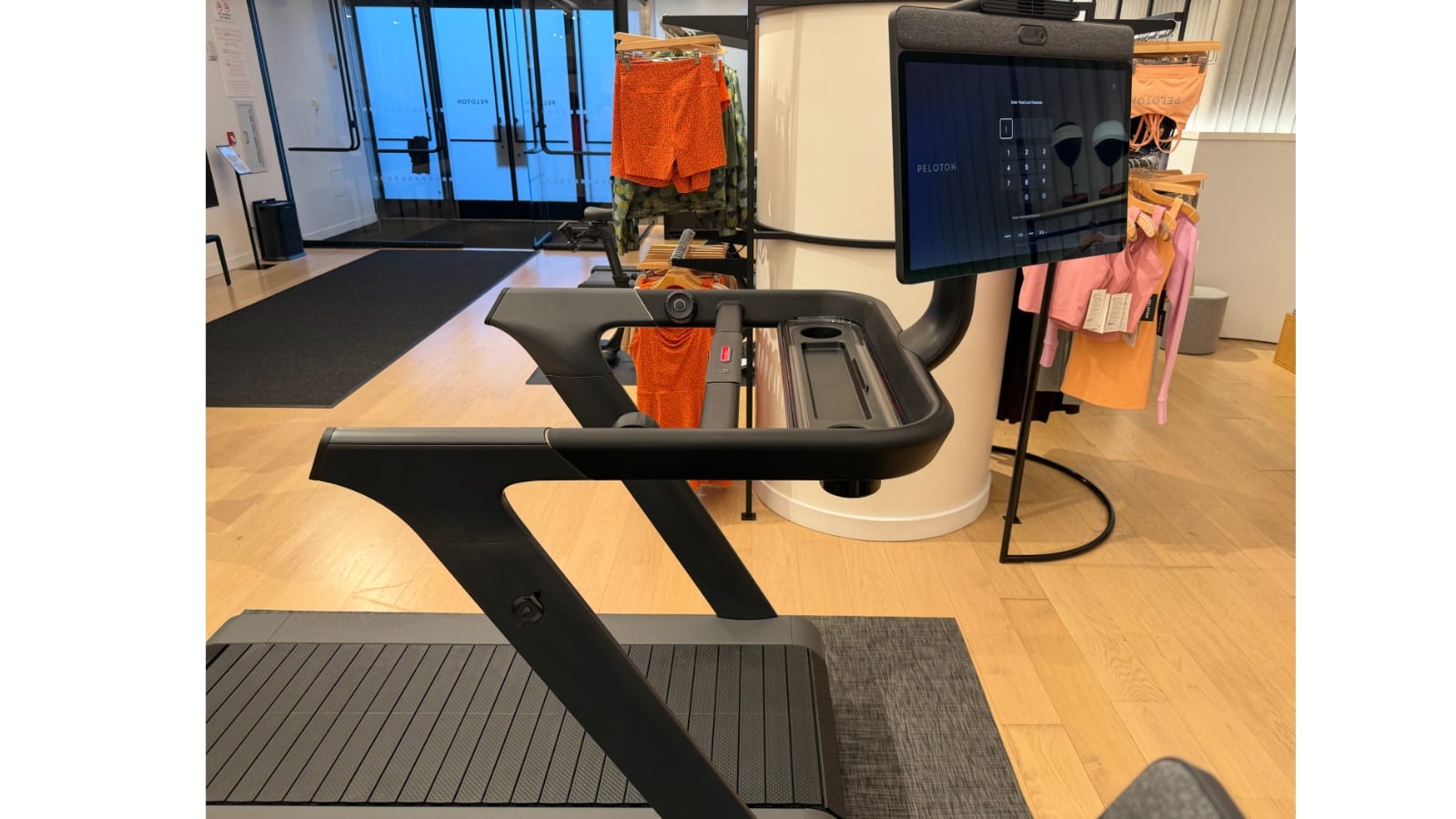
Peloton has also announced a complete overhaul of their hardware offerings. All of the Peloton hardware devices are being rebranded as the “Peloton Cross Training Series”, with some upgrades to both the hardware (and screens) and software to go along with that.
All of the new devices available to purchase now at Peloton website (affiliate link). Several of them are also available at both Amazon and DICK’S Sporting Goods.
These new products are available in all of Peloton’s markets globally.
Peloton Cross Training Pricing
With the new features, all of the Peloton devices are getting new prices – and they are all price increases. The prices for the new Peloton Cross Training devices are:
- Peloton Cross Training Bike – $1,695
- Peloton Cross Training Bike+ – $2,695
- Peloton Cross Training Tread – $3,295
- Peloton Cross Training Tread+ – $6,695
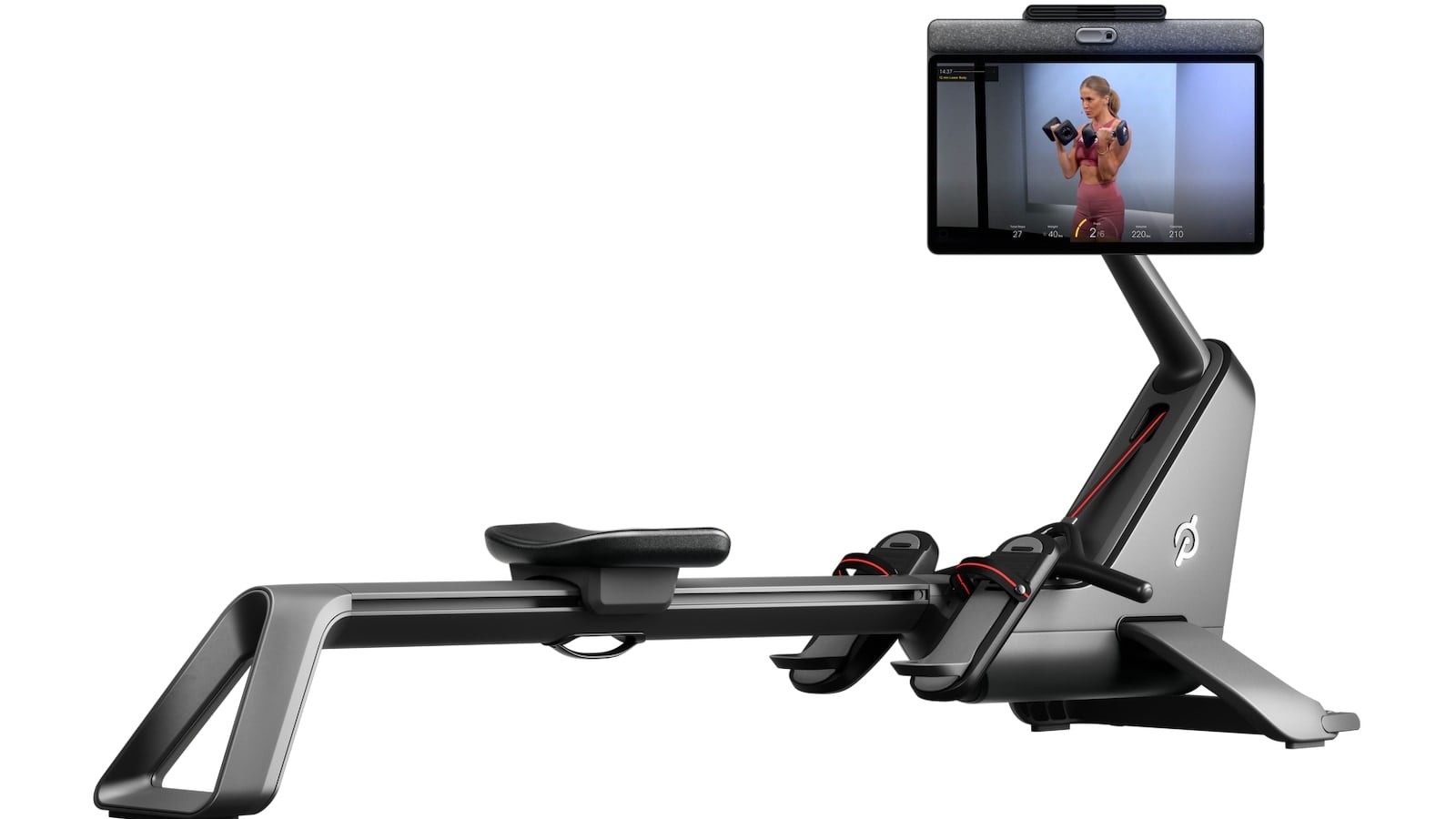
- Peloton Cross Training Row+ – $3,495
In addition, there is also the additional expert assembly fee that was recently added on to top of the above prices if you do not want to do the assembly yourself.
Starting today, these will be the only devices offered for sale by Peloton (they are offering original bikes still through the rental & refurbished programs for the time being). For comparison, these were the prices of the previous generation in the US (with the price increase for the corresponding Cross Training device shown after):
- Peloton Bike – $1,445 (+$250)
- Peloton Bike+ – $2,495 (+$200)
- Peloton Tread – $2,995 (+$300)
- Peloton Tread+ – $5,955 (+$700)
- Peloton Row – $3,295 (+$200)
Just like before, Peloton is going to have a regular version of some devices, and a “Plus” version of their devices (note that the Peloton Row is being shifted in category, and is now being called the Peloton Cross Training Row+ – whereas before it was just the “Peloton Row”).
Trade-In or Upgrade Program for the Peloton Cross Training Devices
For people who own a Peloton device already, you may be wondering about how to upgrade your device. At this time, we have been told that there is not a way to upgrade your existing device to become a Cross Training Device – even just by ordering a new screen. The internal wiring may require changes as well, so makes this not feasible.
Peloton is offering discounts to members at launch. In the US, the discounts are as follows:
- Peloton Cross Training Bike – $300 off ($1,395)
- Peloton Cross Training Bike+ – $700 off ($1,995)
- Peloton Cross Training Tread – $500 off ($2,795
- Peloton Cross Training Tread+ – $1,200 off ($5,495)
- Peloton Cross Training Row+ – $200 off ($3,295)
Members should receive an email with their discount code – but you can find more details here.
There are no plans to bring back a trade-in program at this time.
Peloton Cross Training Overview & What Is Different
All 5 of the new Peloton Cross Training devices will have Peloton IQ enabled – which is also being added to the original generation (non Cross-training) Peloton devices. Peloton IQ is described as “AI and computer-vision driven intelligence center for Peloton hardware and software that delivers personalized cardio and strength training with dynamic plans, progress tracking, and real-time insights.”
To further differentiate the product lines, the Cross Training Plus series of devices will be getting some additional unique Peloton IQ features (basically, all of the Guide-like features including rep counting, form feedback, voice control & more) – which we’ll cover in more detail in a future section.
In addition, the Peloton Cross Training Plus devices (Bike+, Row+, and Tread+) are getting hands free control features (a.k.a. voice control). You can use voice commands to search for classes, pause or stop workouts, adjust your weights during strength classes and more.
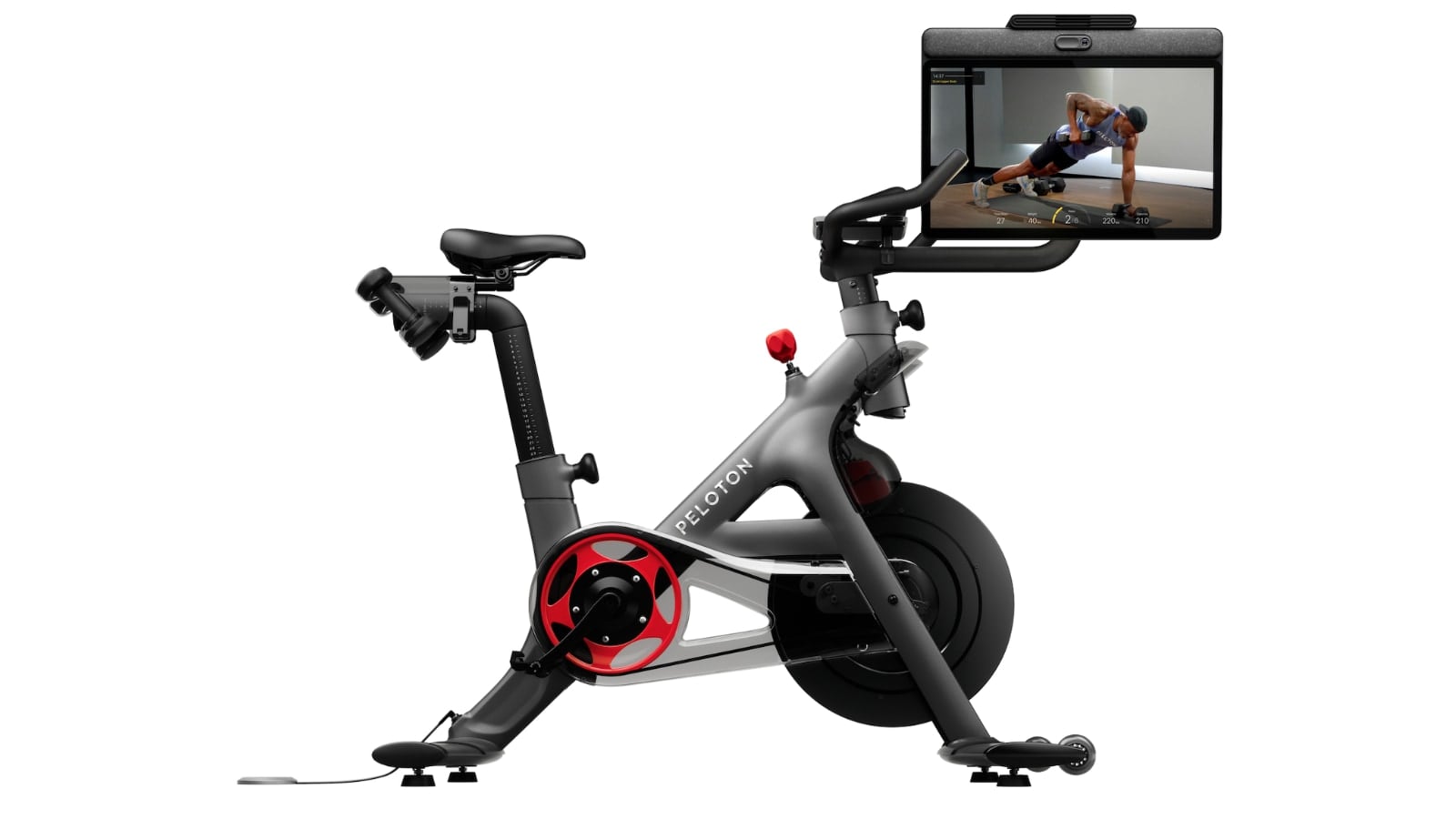
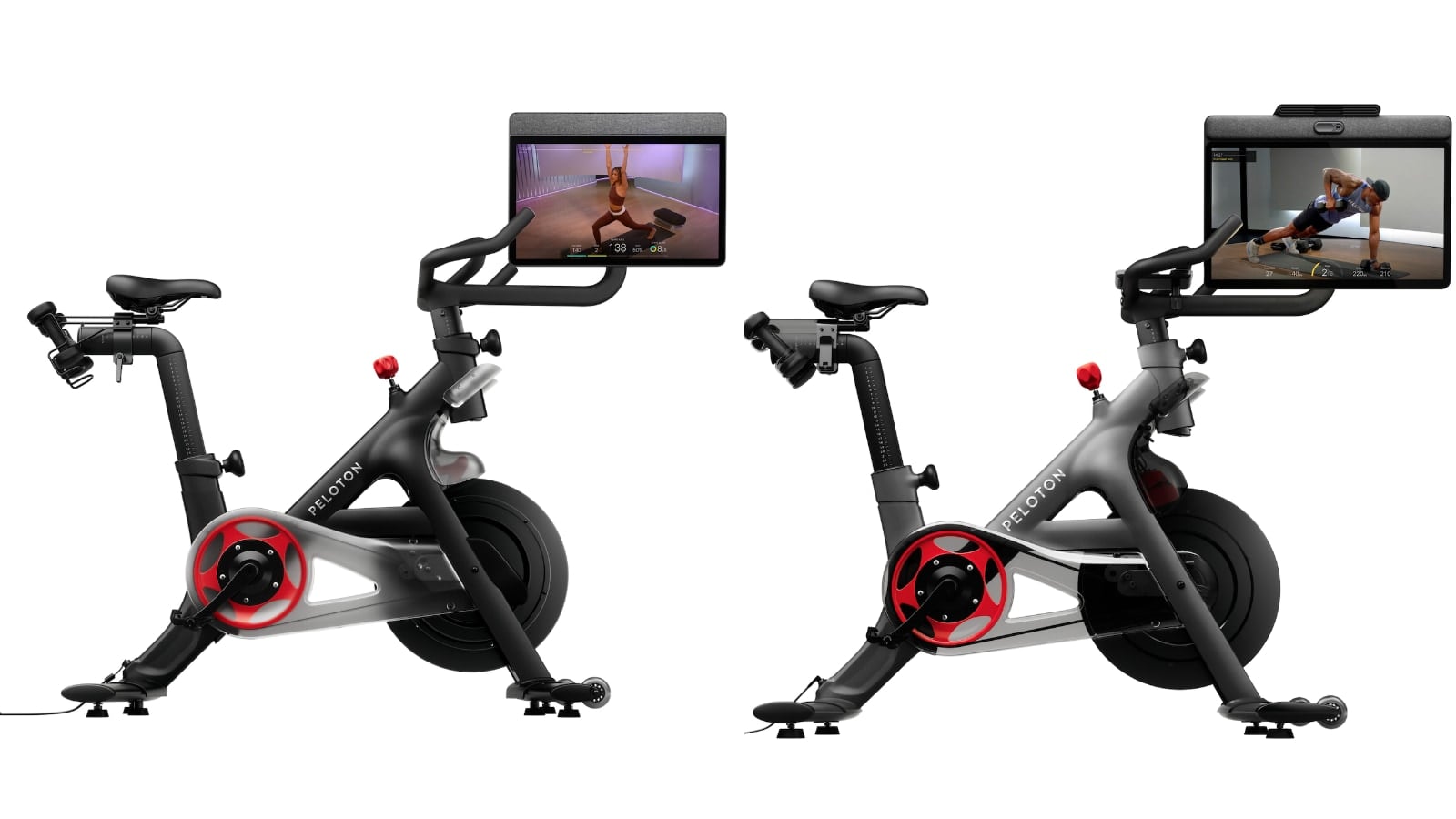
The frames of all of the Cross Training devices look mostly the same as before – with most of the upgrades coming from new screens and internal wiring and components. All 5 of the devices (both the plus and non-plus) are getting a rotating, or swivel screen. This will allow people to use any Peloton device to do floor classes, such as strength. This includes both the lower end Cross Training Bike and Cross Training Tread. In other words – both the Cross Training Bike & Cross Training Bike+ now have rotating screens.
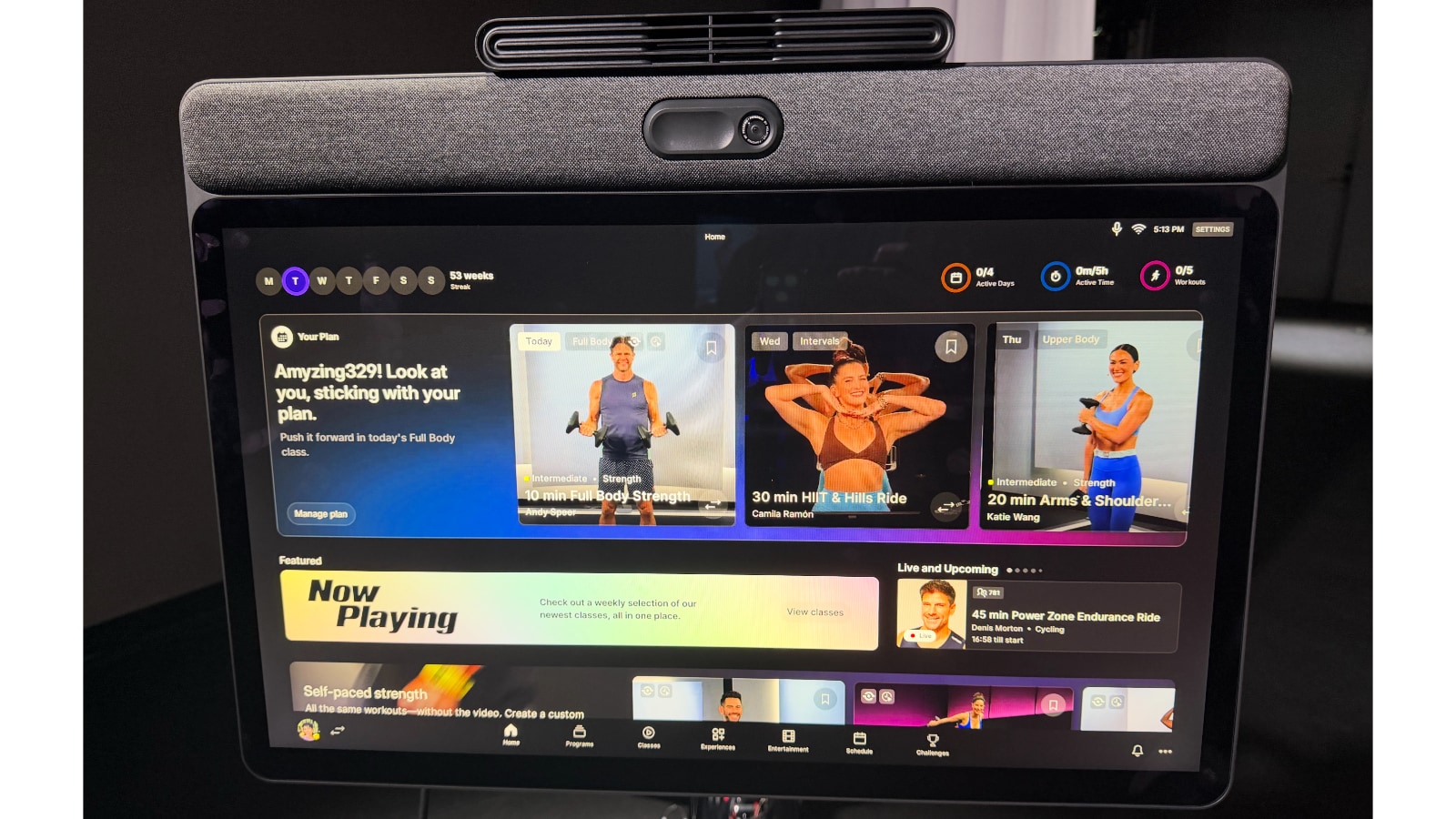
The majority of the devices (Bike/Bike+/Tread/Tread+) have a new screen that can rotate a full 360 degrees in any direction. The new Row+ screen can only rotate 45 degrees in either direction – and not do a full 360 degrees of rotation like the other devices. This is due to how the Row is designed, and the way frame connects to the screen at a angle on the Row.
The swivel being expanded to all devices is to try to help make strength & floor classes easier to take. If members can just rotate the screen to follow their cardio workout up with a strength workout – Peloton hopes it will increase the number of people taking strength classes.
While all of the devices are getting new screens, the new Peloton Cross Training device screens are not 4K tablets. They have the same Full HD (FHD) resolution as the previous generation of Peloton device screens they are replacing.
The Peloton Bike & Tread screens are both be a 21.5″ screen. The Peloton Bike+, Tread+, and Row+ screens are all getting slightly larger screens of 23.8″. This is a big change for the Peloton Tread+, which originally had a much larger 32″ screen – whereas now it will have the same size screen as the Bike+ and Row+.
Peloton is referring to these two different screens as the “21.5” Screen 2.0″ and the “23.8” Screen 2.0″ – to differentiate them from the models used on the previous generation of Peloton devices.
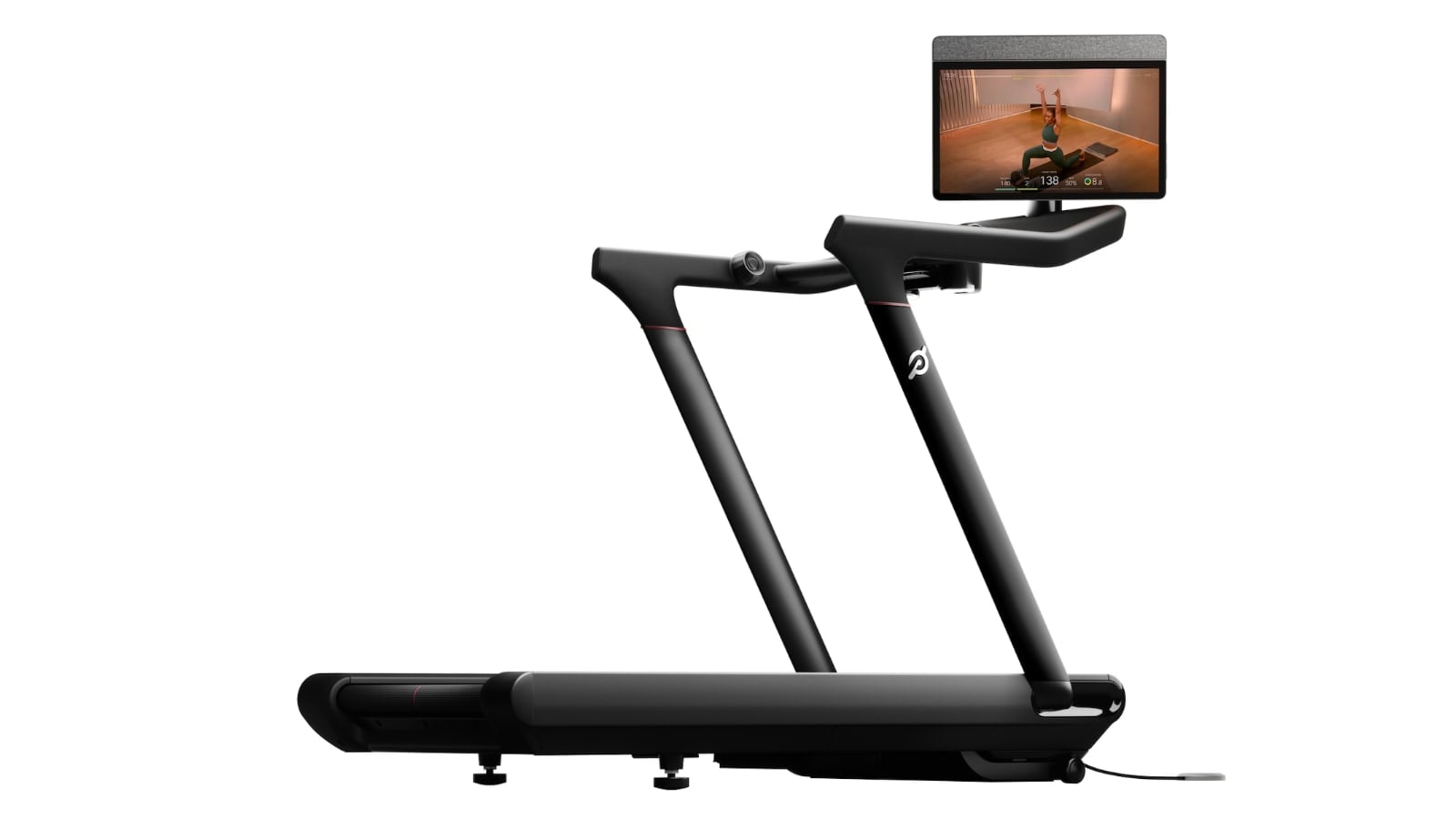
Peloton is also updating the internals of all the devices (both regular and plus) with upgraded speakers, better processors & CPUs, more storage space, and upgraded Wifi & Bluetooth chips (now supporting Bluetooth 5.2). This should lead to better screen responsiveness, streaming audio more smoothly, better pairing to headphones and heart rate monitors, and more.
Peloton also now has a neural chip (or Neural Processing Unit) in their screens, helping to power & enable some of the Peloton IQ feature. This chip should be powerful enough to continue to allow more innovations & new features in the years to come.
The Peloton Cross Training Bike+, Tread+, and Row+ are all getting their speakers upgraded to include the addition of a subwoofer – plus “expert tuning by Sonos”.
The Peloton Cross Training Bike is getting front-facing speakers (until now, it had been the only device not to have them). The Peloton Cross Training Bike is also getting an upgrade to the knobs that adjust the seat and handlebar heights. The original Peloton Bike had a lever system for making these adjustments. The Cross Training Bike is getting the same knob adjustment that the Peloton Bike+ had (and the Cross Training Bike+ is keeping). These knobs are both easier to adjust and less prone to breaking. The Cross Training Bike keeps the lever for the adjustment for the seat-depth, however.

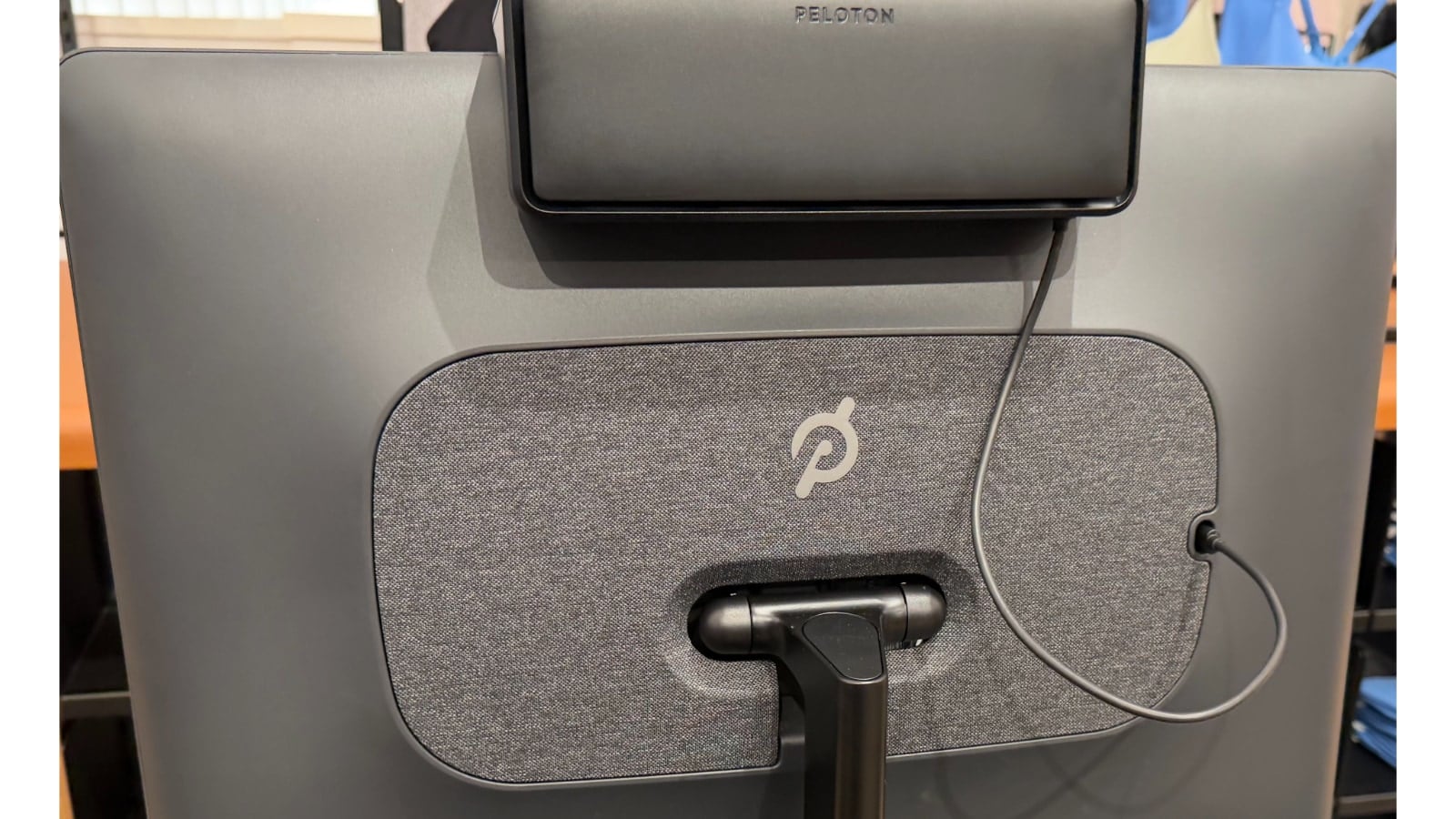
As we’ll cover later on, the Peloton Cross Training Tread+, Bike+, and Row+ now have voice control features. This means the screen also has a microphone to support those features. There is a physical switch you can use to disable the microphone, but it is hidden under the fan.
New Peloton Accessories – Fan, Saddle, and Phone Holder
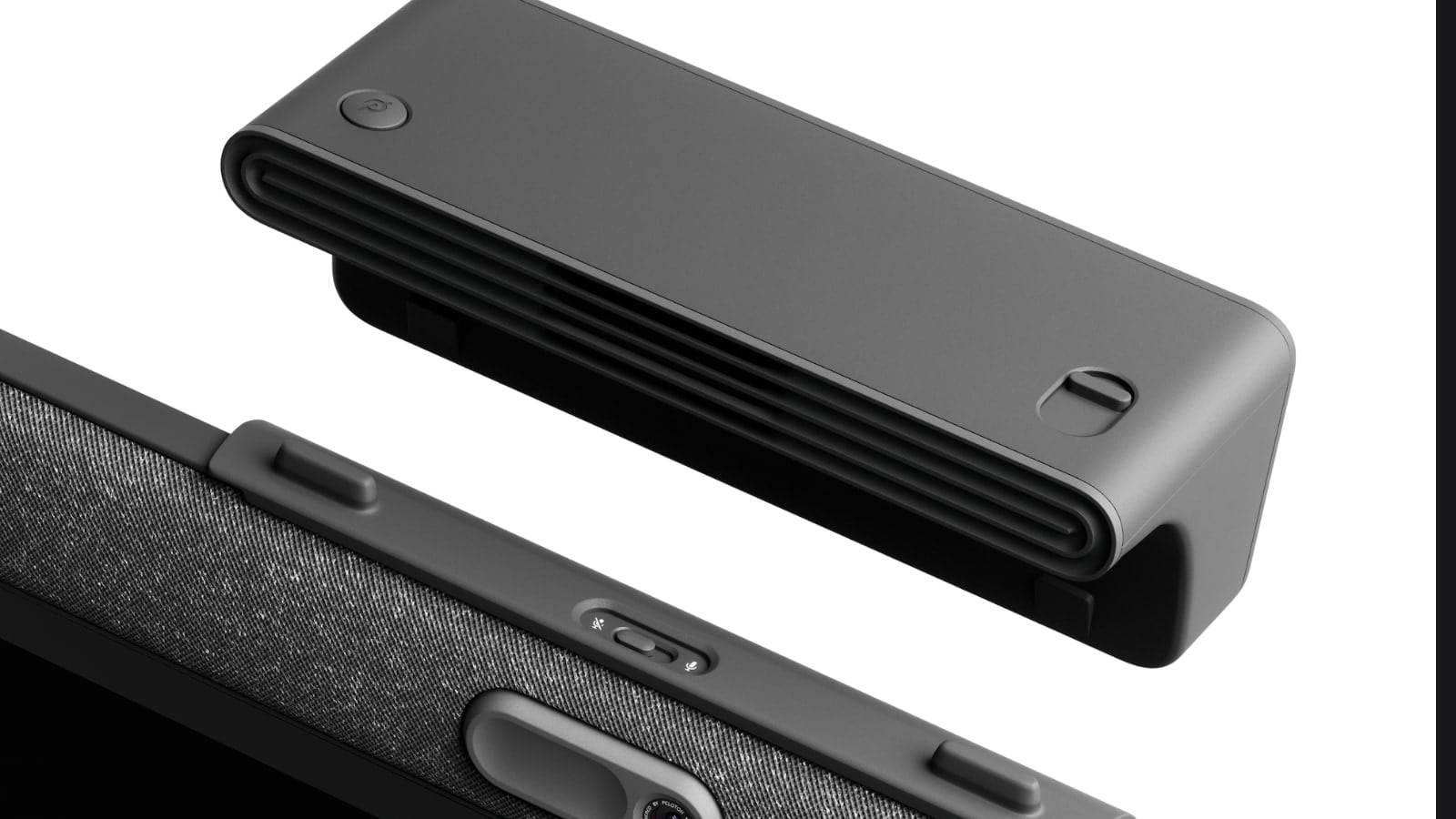
Another new feature for the plus line of devices (Cross Training Bike+, Tread+, and Row+) is the addition of a built-in fan. This sits on top of the screen. The fan is three speeds, and can be controlled through the press of a physical button on the top left of the fan, or, through on-screen menu options.

There is also a slider on the right side of the fan to control the angle the air is blowing to compensate for the height of different riders, rowers, and runners.
The one downside of this new fan addition is that the Cross training tablets no longer have an open USB-C port on the back of them like the previous generation of devices. The Peloton Fan does plug into a USB-C port, so one would have the option of unplugging that and plugging something else in.
Another new accessory is the addition of the Peloton Phone Tray. This is exclusive to the Cross Training Bike+, and sits below the handlebar to hold your phone.
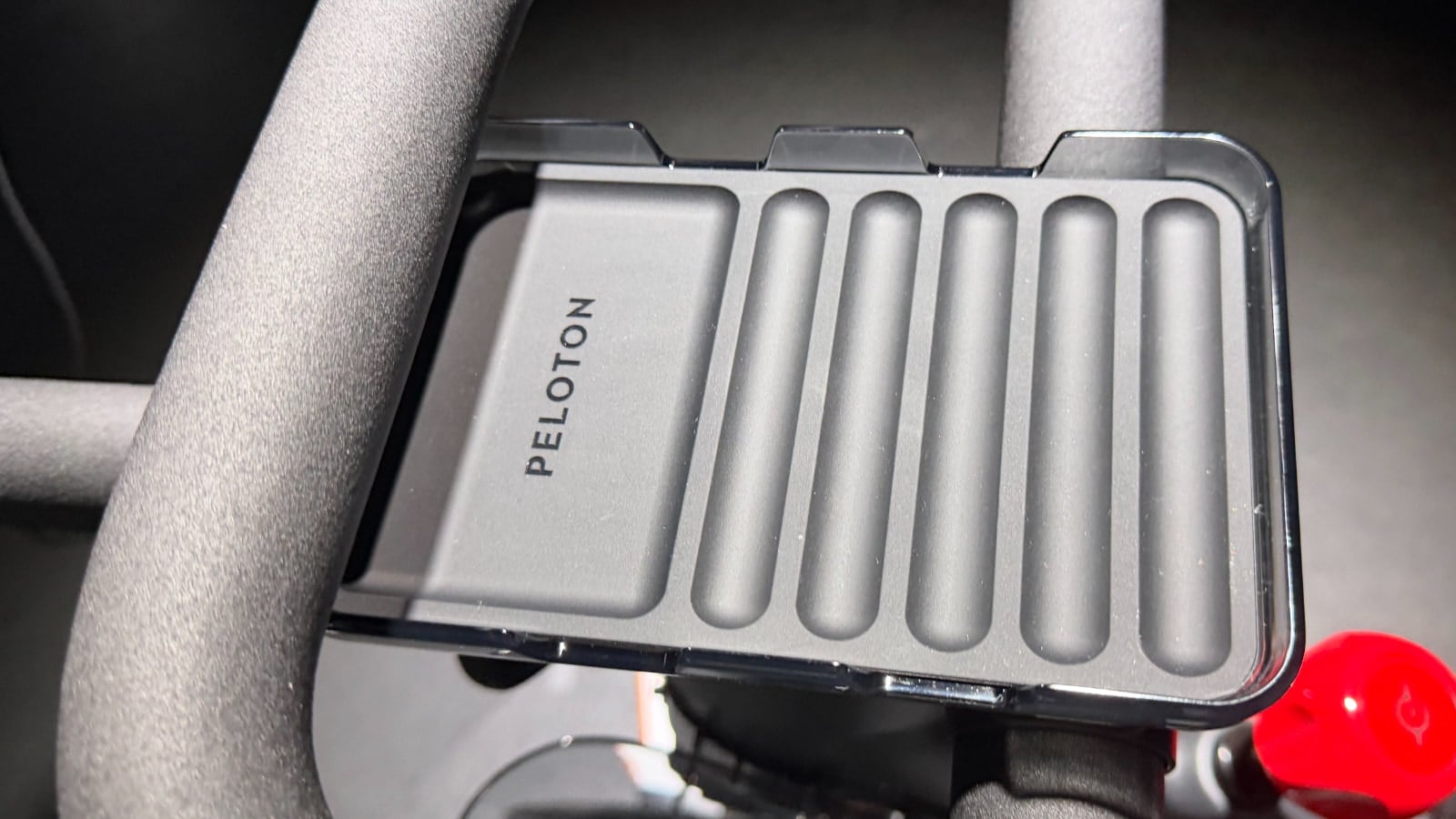
Finally, both the Peloton Cross Training Bike and Bike+ are getting an upgraded seat, or saddle. This is said to provide greater cushioning.
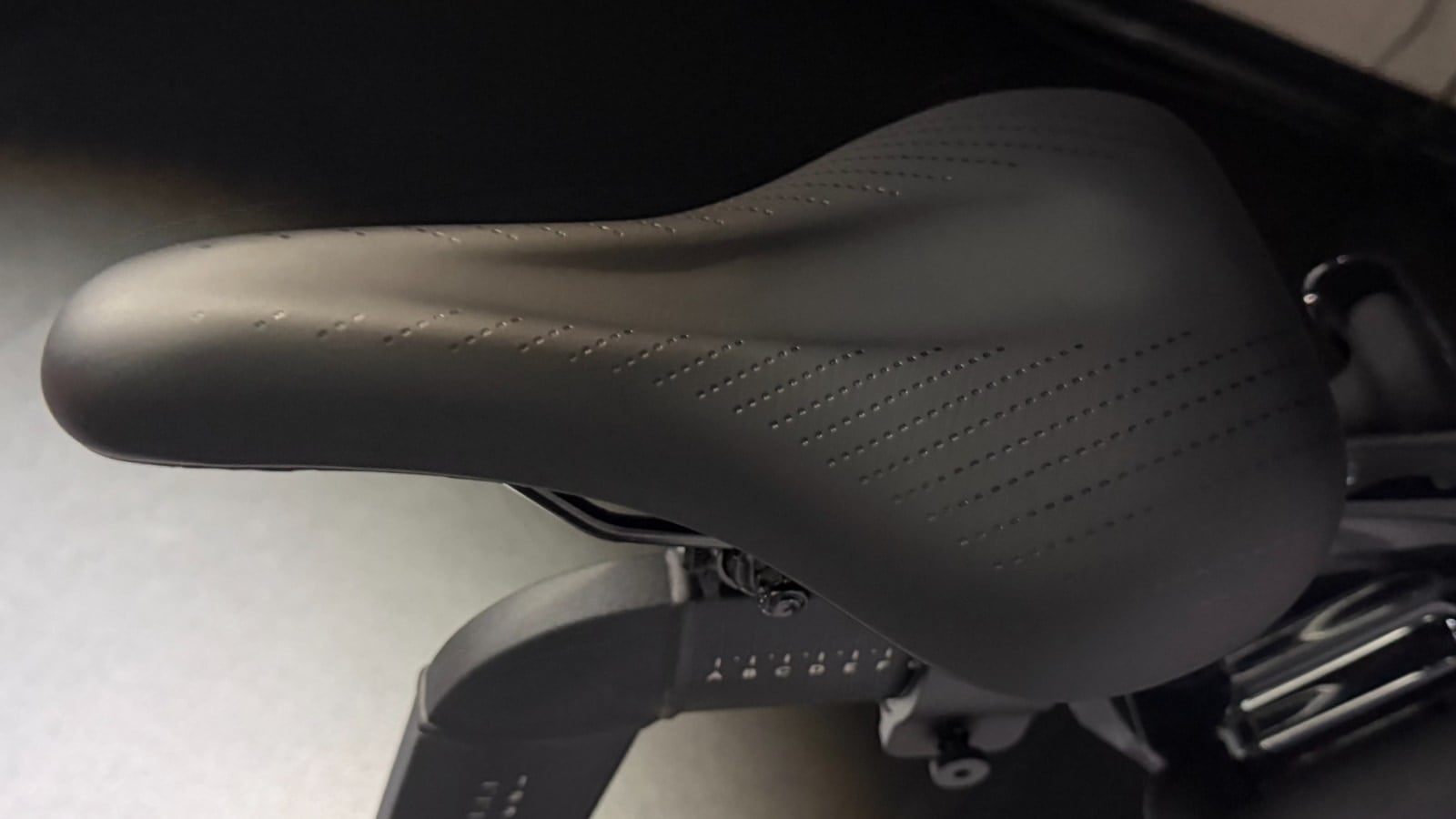
In addition, Peloton will also be selling another option – the “Peloton Comfort Saddle” for those who want even more padding or width. This optional Peloton Comfort Saddle will fit on both the original Peloton Bike & Bike+, as well as the Peloton Cross Training Bike & Bike+
Peloton IQ Overview
Peloton is also creating “Peloton IQ” – which they say “makes personal training more accessible, providing dynamic coaching responsive to your goals and level of fitness, performance estimates, progress tracking, and real-time insights.” Peloton describes this as “AI and computer-vision driven intelligence center for Peloton hardware and software that delivers personalized cardio and strength training with dynamic plans, progress tracking, and real-time insights.”
The vision behind Peloton IQ is working towards the goal of every workout being perfectly tailored to you – including your goals, your schedule, and your progress.
Peloton was careful to state that Peloton IQ was developed in partnership with the Peloton instructors – so isn’t being built to replace them. Executives specifically pointed out how Andy Speer was instrumental in helping the product teams in creating Peloton IQ. Andy stated how he feels that Peloton IQ helps “extend our coaching into your home in a more personalized way.” It does that by giving feedback to make sure you are training the right way for your body.
Peloton IQ is rolling out now and is available on all Peloton hardware devices – both the original series of devices, as well as the new Peloton Cross Training series. There is another subset of Peloton IQ features that are exclusive to the Cross Training Plus devices (Bike+, Tread+, and Row+) which we’ll cover in the next section.
However, the majority of Peloton IQ features are available to all hardware devices (including the previous generation) – and build on the work started by Personalized Plans and add new features based on a person’s workout history.
Peloton IQ Features Available To Everyone
The next few sections will cover the new Peloton IQ features that are available to everyone & all hardware devices.
Peloton IQ – Personalized Plans
Peloton first introduced Personalized Plans on the Peloton Guide in 2023, and then added them to the Peloton App this year. This feature takes the guess-work out of a routine by recommending a weekly set of workouts, based on a users preferences, fitness goals, and workout history.
Personalized Plans are now part of Peloton IQ – and continue to use AI to analyze workout history and preferences to comb through Peloton’s 50,000 on-demand classes to create a weekly schedule for each user. This includes looking at workout history, class performance, goals, third-party smartwatch data and more. Peloton describes this as “Peloton IQ recommends weekly workout routines based on your goals, lifestyle and workout history. Members can personalize their weekly workout schedule by setting goals (e.g., Get Stronger, Support Weight Goals, Longevity), activity preferences, workout frequency and duration, and experience level. Peloton IQ will then generate an editable, adaptive, personalized plan.”
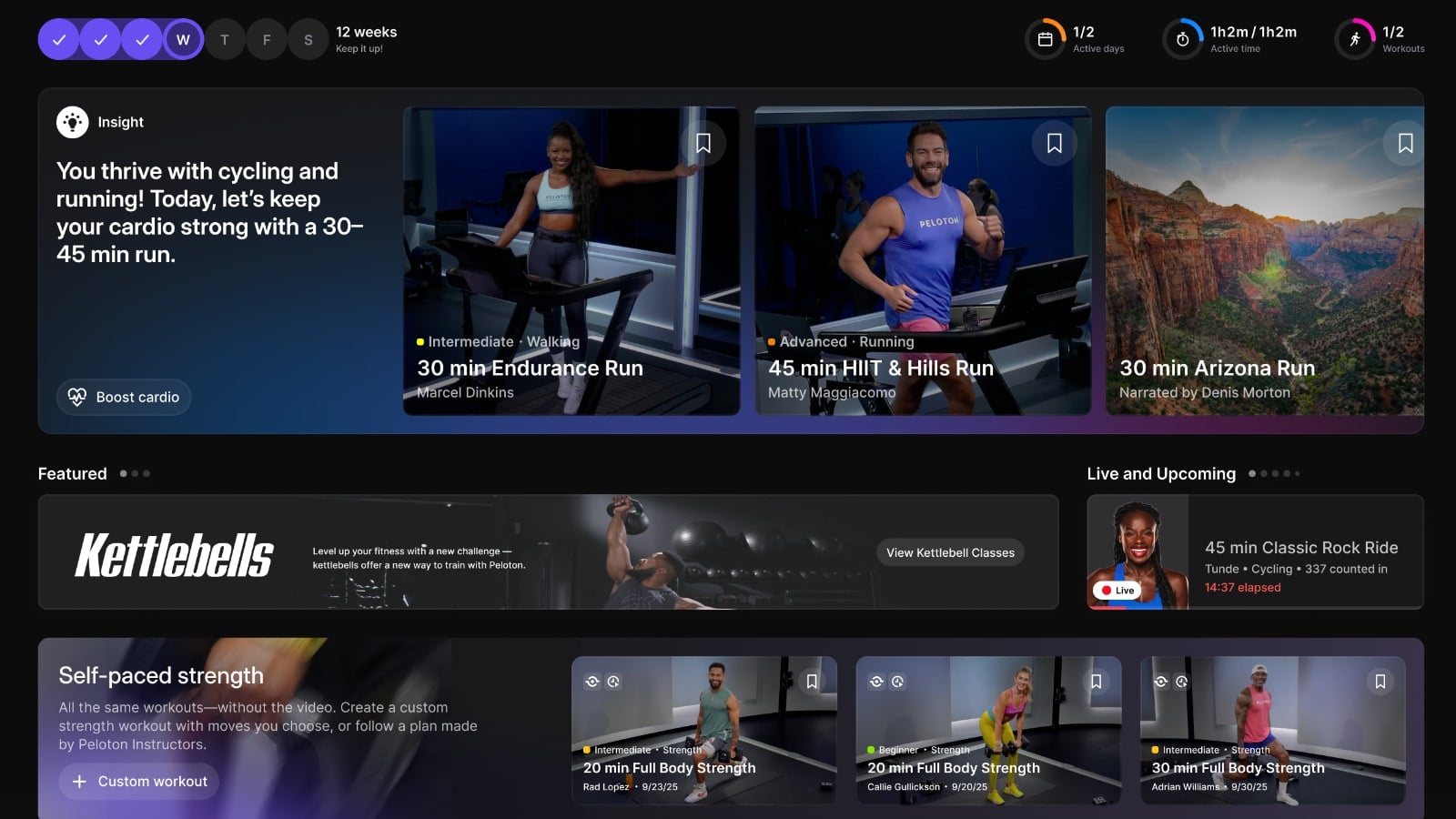
Personalized Plans will take a prominent spot on the home screen of the hardware devices – and allow for users to easily jump into the recommended classes, or browse for alternatives if you wish to find something else.
Peloton IQ – Performance Estimates
Peloton is also going to start utilizing your workout history (not just which classes, but how hard those classes were and your effort level in them) to start providing “performance estimates”. This will come in the form of an estimated output range, estimated distance, or just an overall estimated effort level – letting you get an idea of what sort of workout you are in for.
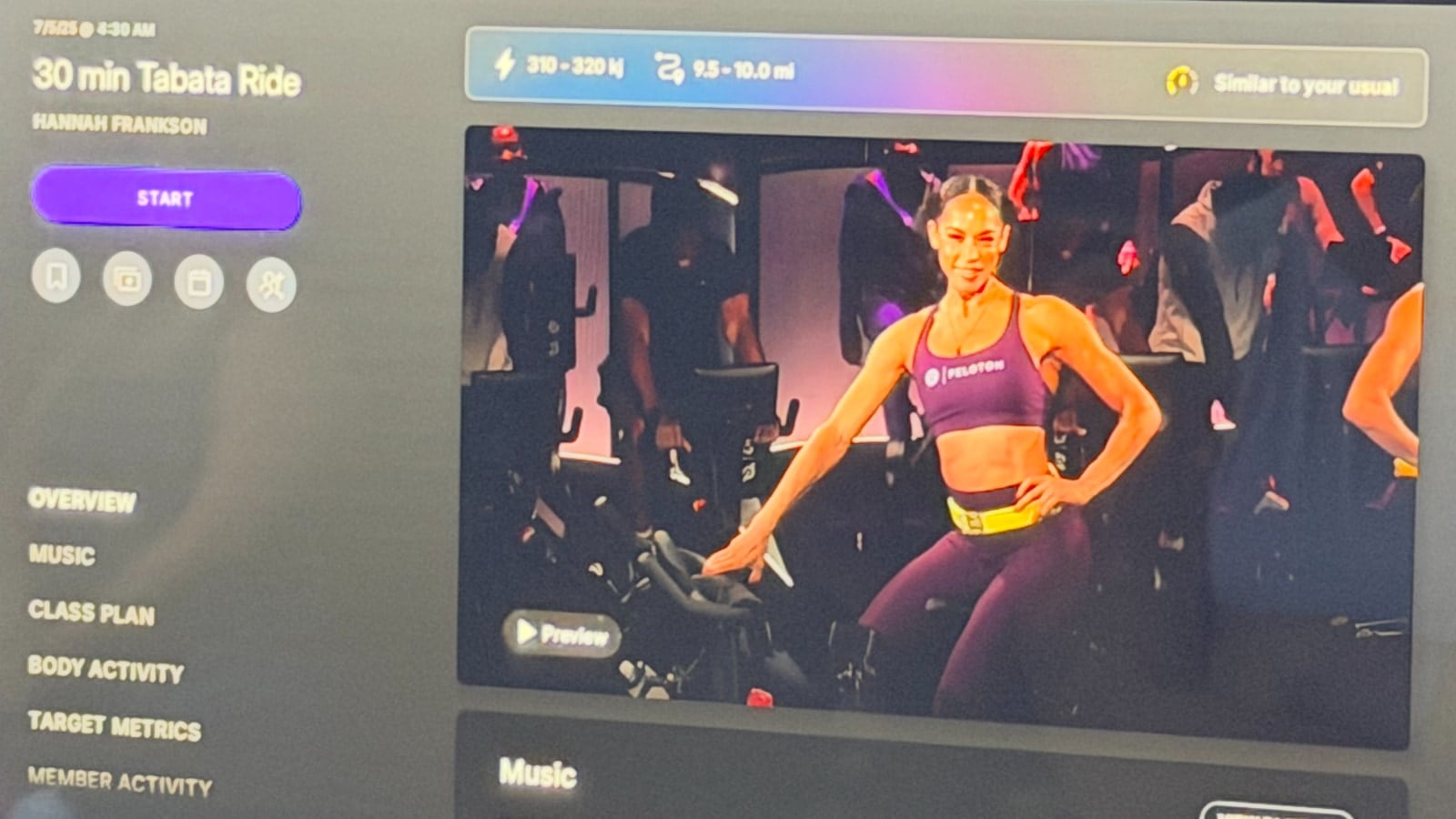
This feature is only available on Cross Training Bike+ and Tread+ at this time – not Cross Training Row+.
Peloton IQ – Insights & Analysis
Peloton will also start sharing weekly performance summaries to All-Access members. This will be “actionable recommendations and modifications to their Personalized Plan or Activity Targets. For example, they may see a notification that their distance is increasing during a 30-minute run, showing their pace and endurance are improving.”
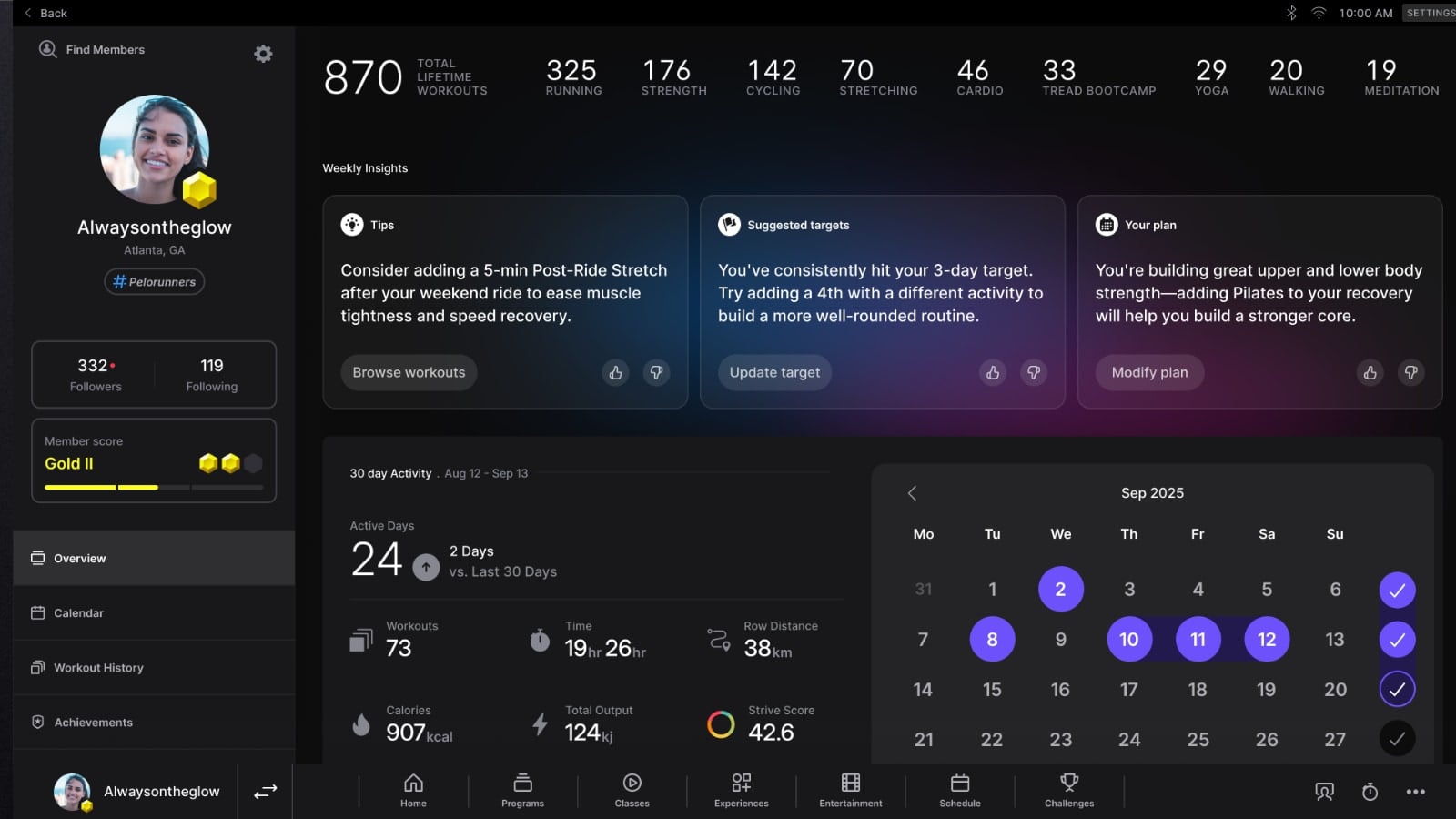
The weekly summaries will include 3 different types of insight. A plan insight, a modality insight, and an education insight. This comes in the form of the 3 boxes shown at the top of the screen.
Peloton IQ – Personalized Recommendations
Finally, Peloton will create recommendations even for people who have not created or started a personalized plan – but who have picked a fitness goal they are training towards. Peloton shared the that this might come in the form of a suggestion on-screen stating “After Tuesday’s 30-minute climb ride, today’s 45-minute Lower Body Strength class helps build strength for running and cycling performance.”
Peloton IQ Features Only On Cross Training Row+, Bike+, and Tread+
In addition to those features above that will be available for both original Peloton devices, as well as all of the cross-training devices – there are some features that are only going to launch on the premium Cross Training Bike+, Row+, and Tread+. These will not be available on the previous generation, or on the Cross Training Bike or Tread. That is due to to only the Cross Training Bike+, Row+, and Tread+ having the new “Movement Tracker Camera” – which is a larger, enhanced camera.
Movement Tracker Camera Features (i.e. Peloton Guide software on the Bike+, Row+, and Tread+)
This new Movement Tracker Camera camera can be completely rotated for privacy, or when in use, be adjusted up and down to capture the perfect angle for your workout. It is physically much larger than any camera included on a Peloton device, and protrudes out of the screen.

It visually looks a little bit like a version of a Peloton Guide. This is the camera system that was seen in patent filings earlier this summer.
When the camera is in use and turned on, there is a green light indicator, so you know that it is active.
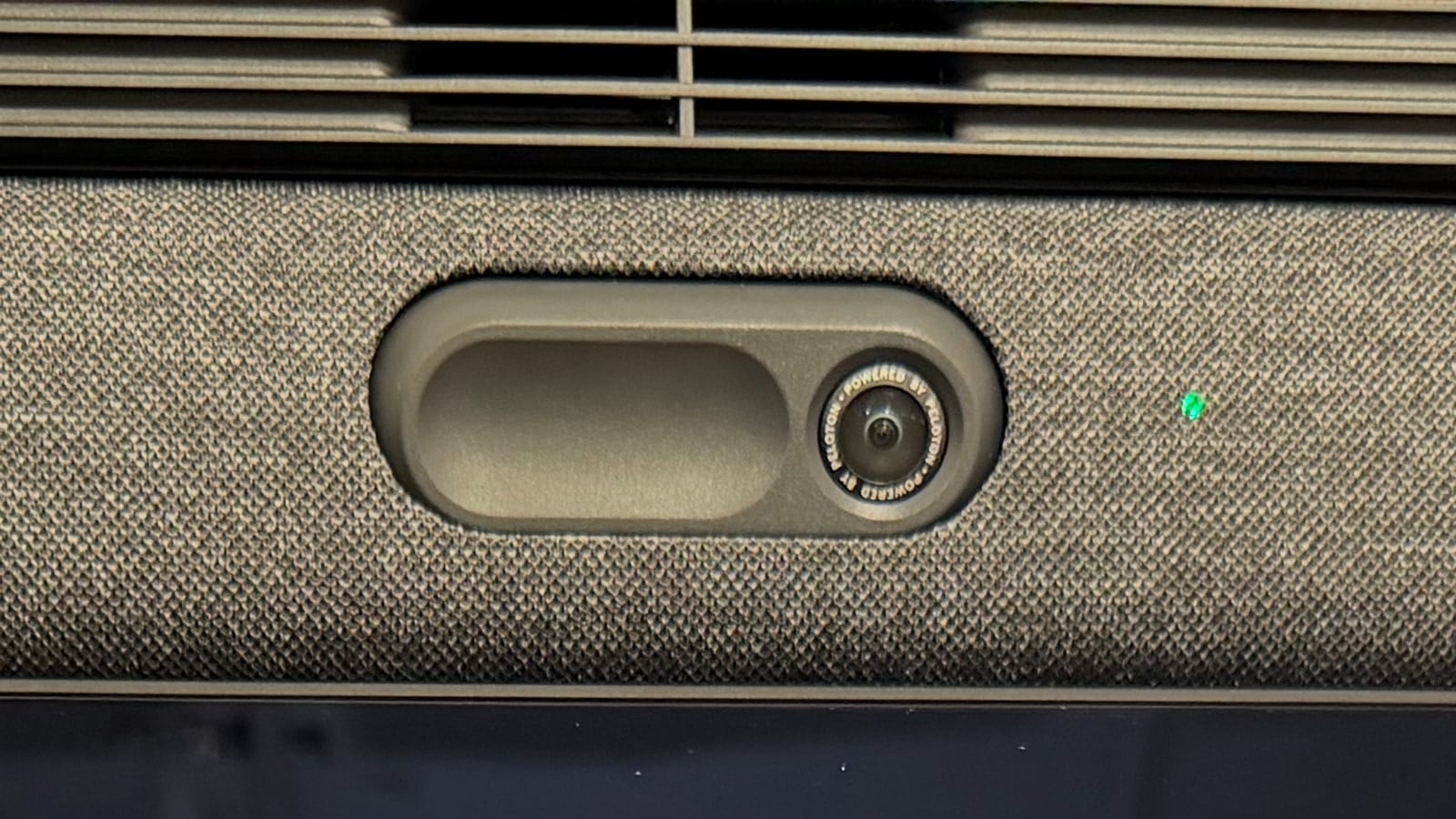
This new Movement Tracker Camera brings a user interface & feature experience to the Bike+, Tread+, and Row+ that feels very, very similar to how the Peloton Guide works. It enables form feedback and form correction, rep counting, a virtual weight rack, volume tracking, benchmark progress over time, and more.
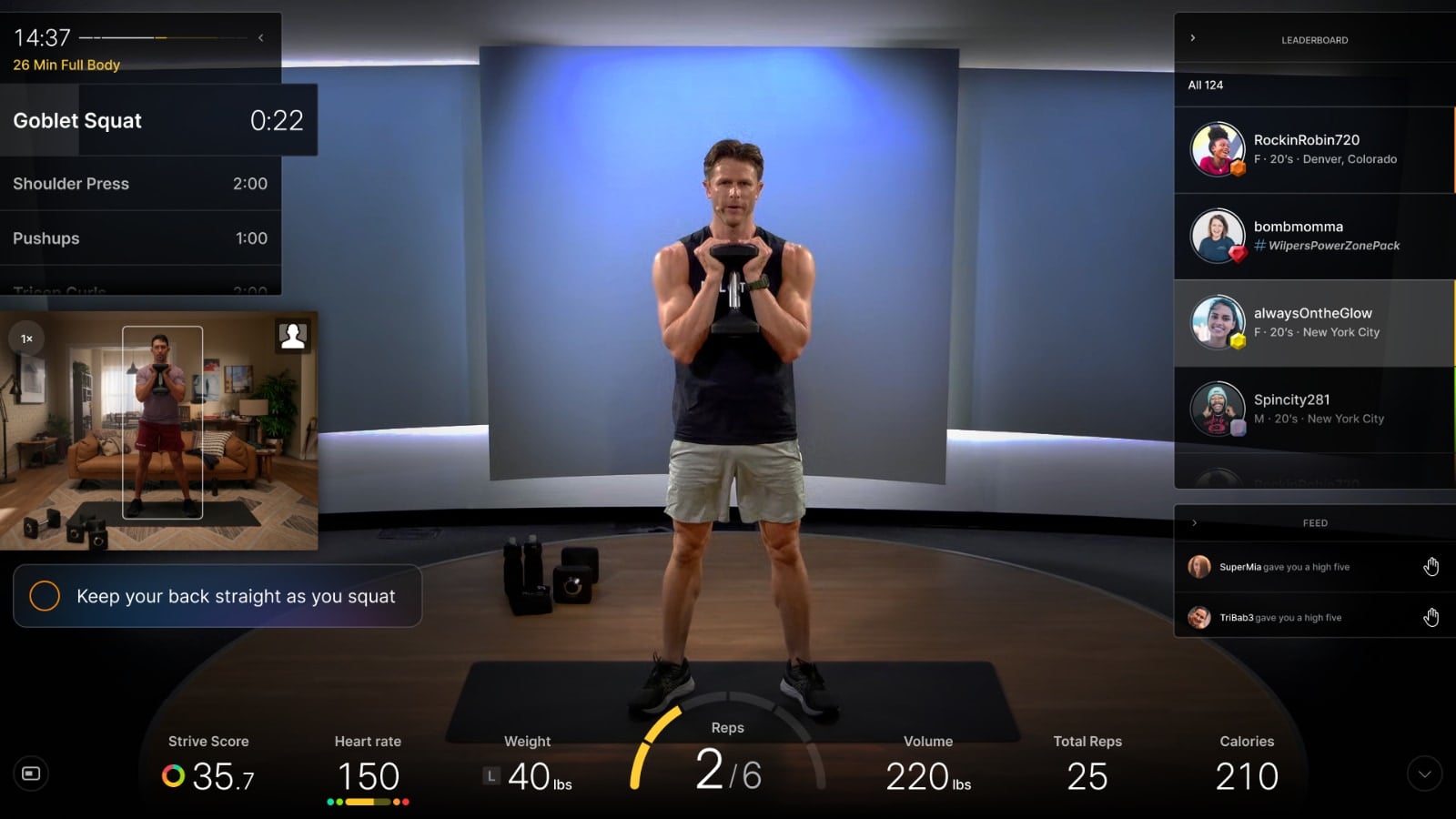
Currently, just like it was on the Guide, the form feedback feature currently only works in strength classes. However, a future update could possibly see that functionality expand to other modalities like yoga and more.
Peloton IQ also allows you to pick between multiple screen layouts (if you want your picture to be side by side of the instructor, or have you larger than them, or vice versa, and more) – all of the same options one had on the Peloton Guide.
Peloton IQ also enables a “suggested weight” feature, where it will use AI to suggest when you are ready to increase (or decrease) what weights you are using for certain movements. When this happens, it will pop up an alert on the screen, as well as say it out loud to you. You can then verbally accept the recommendation – and immediately continue on with the workout.
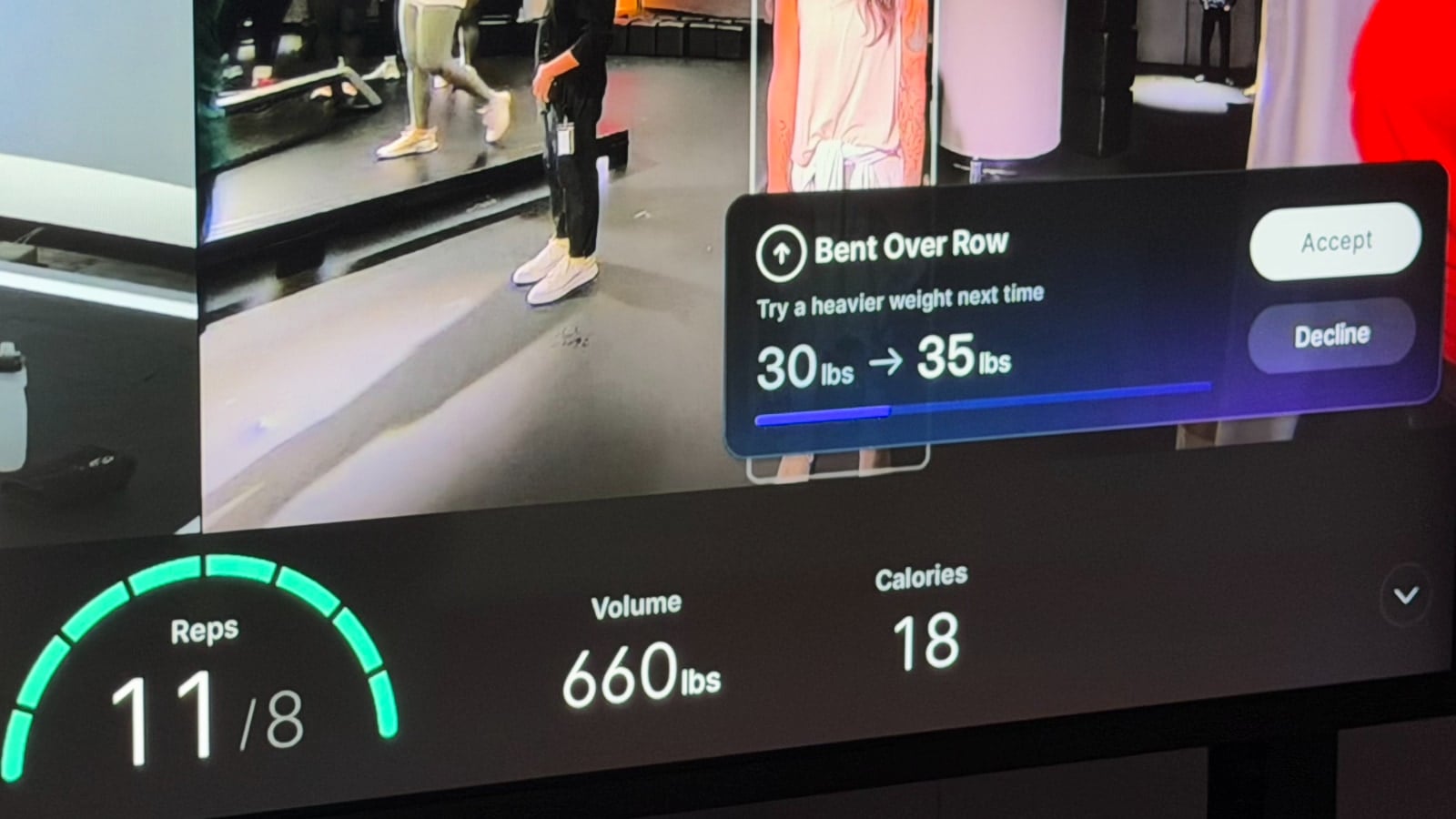
Note that not every single strength class will work with these features – but there are more than 2,000 workouts available at launch that do. And there are over 50 programs available that work with them as well.
Peloton IQ Part 3 – Strength Workout Generator
Peloton is also adding a strength workout generator to the Cross Training Bike+, Row+, and Tread+. If you have experimented with the custom workout builder in the Peloton Strength+ app, this will feel very familiar. You access this new feature from the “Experiences” tab of your Peloton screen, and then using the “Custom Workouts” tile.
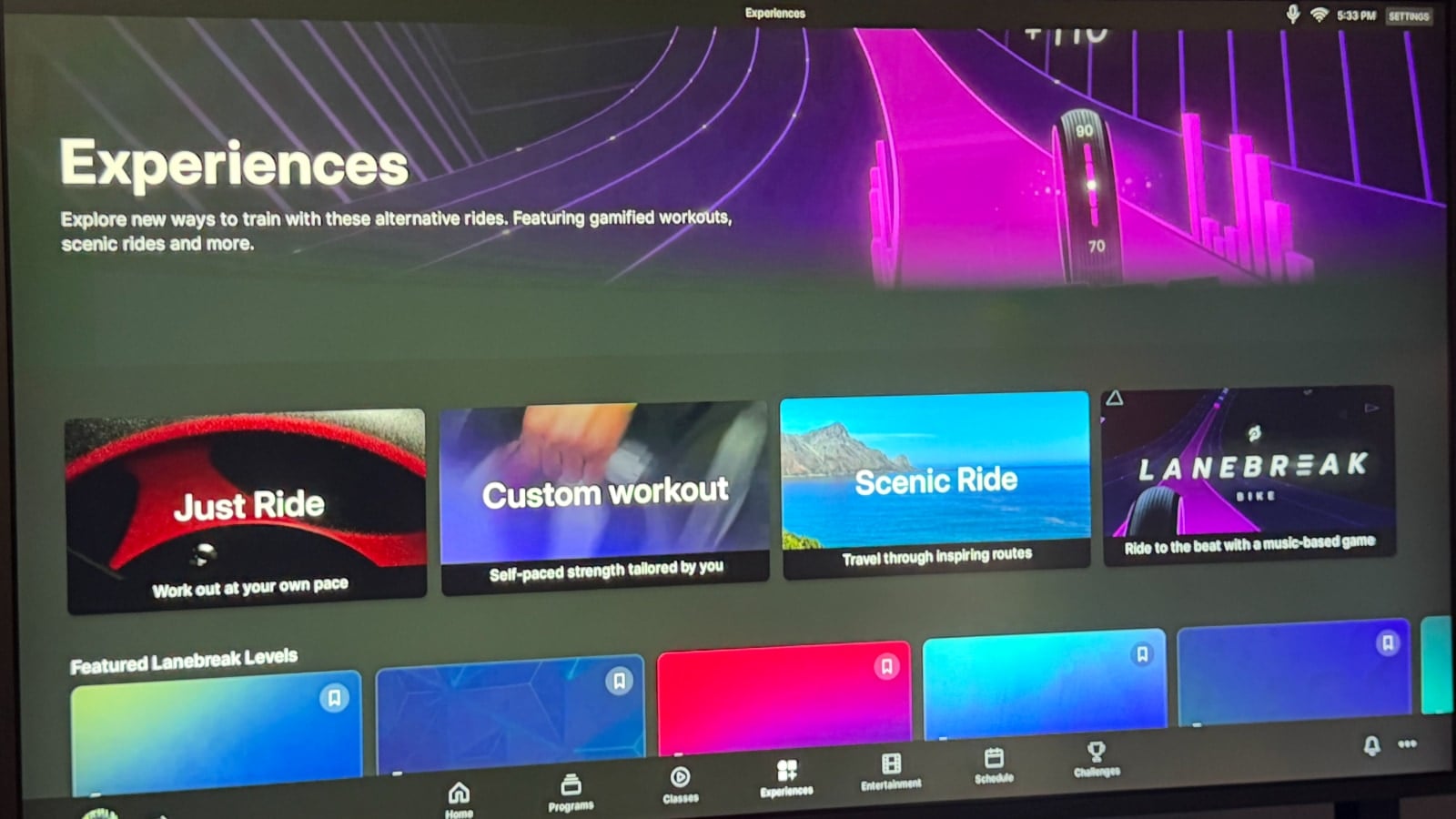
It allows you to pick the time you have to workout, the equipment you have, your experience level, and what muscle groups you want to workout – and generate a custom strength workout for you.
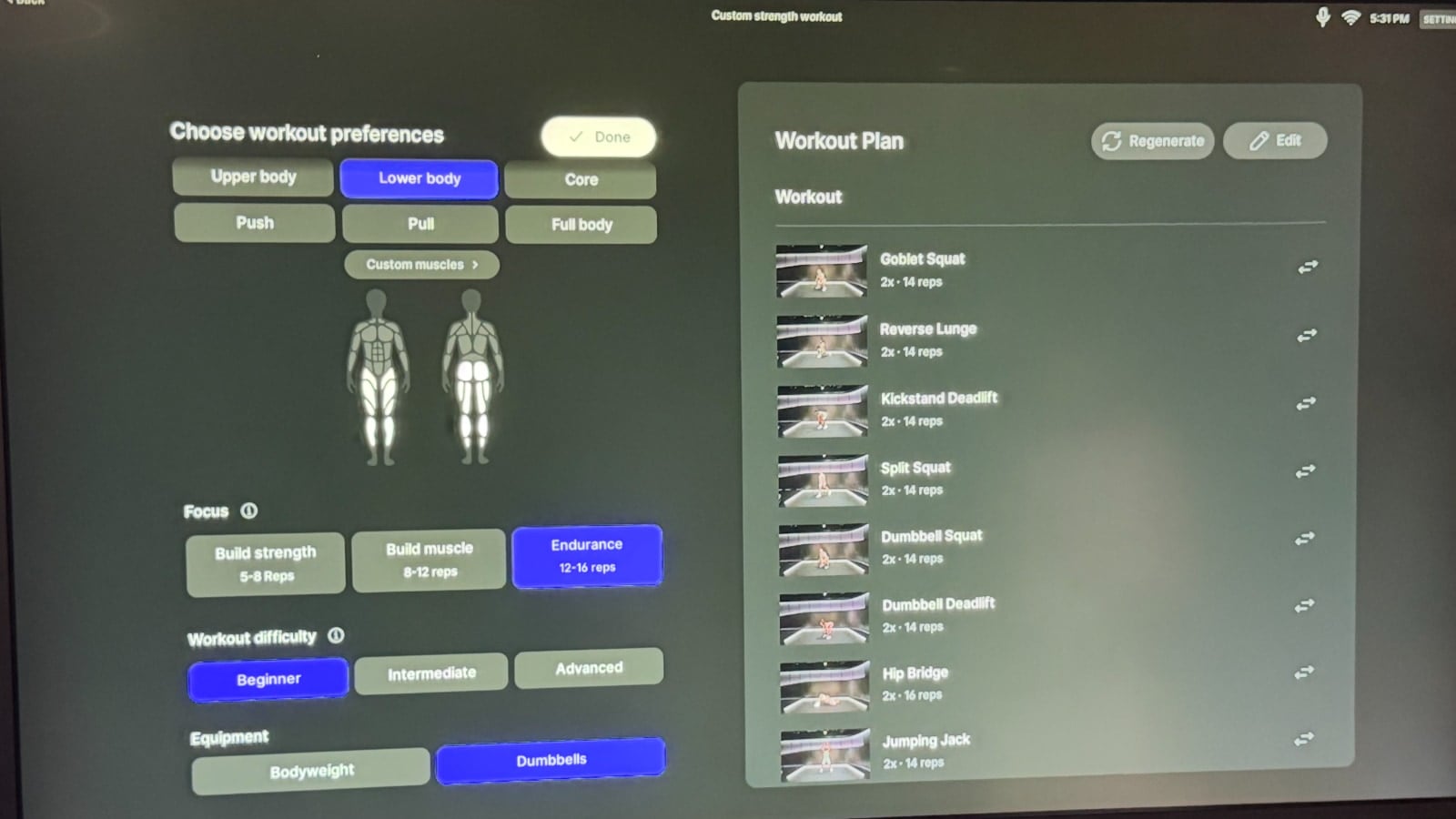
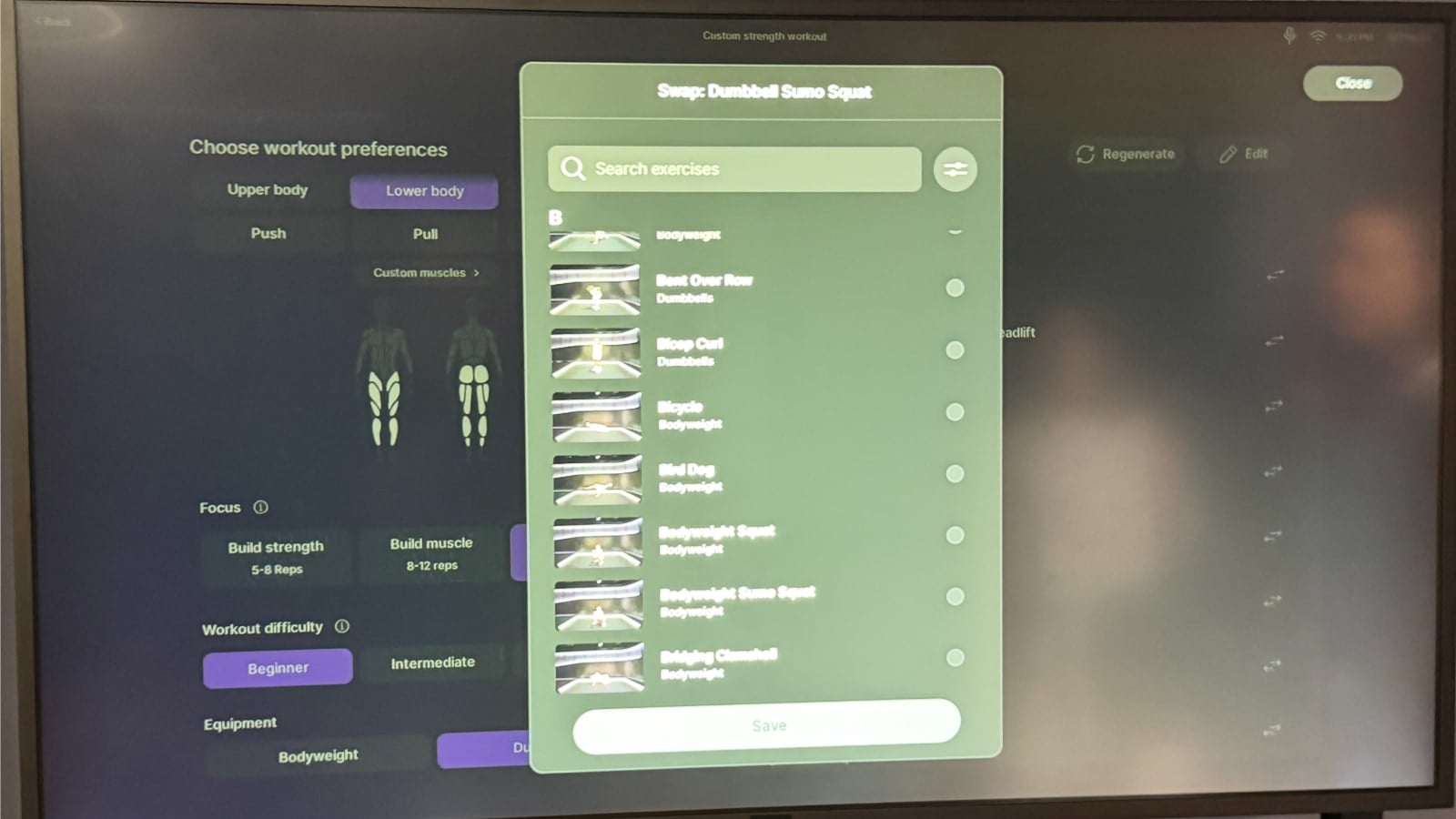
You then have the ability to customize that workout, by swapping out any move for alternatives.
Although the Peloton IQ Strength Workout Generator is very similar to the Peloton Strength+ Workout Generator – there is no integration at this time. However, one could imagine a scenario down the road where a user could use the Strength+ app to generate a workout, that you send to your Peloton IQ hardware device to actually take the workout.
Peloton IQ Part 4 – Self-Paced Strength Classes
A unique new feature of the Cross Training Bike+, Tread+, and Row+ are “Self-Paced Strength Classes”. This allows you to pick any regular strength class from the on-demand library (one of the 2,000 that are movement tracker enabled) – but take it at your own pace.
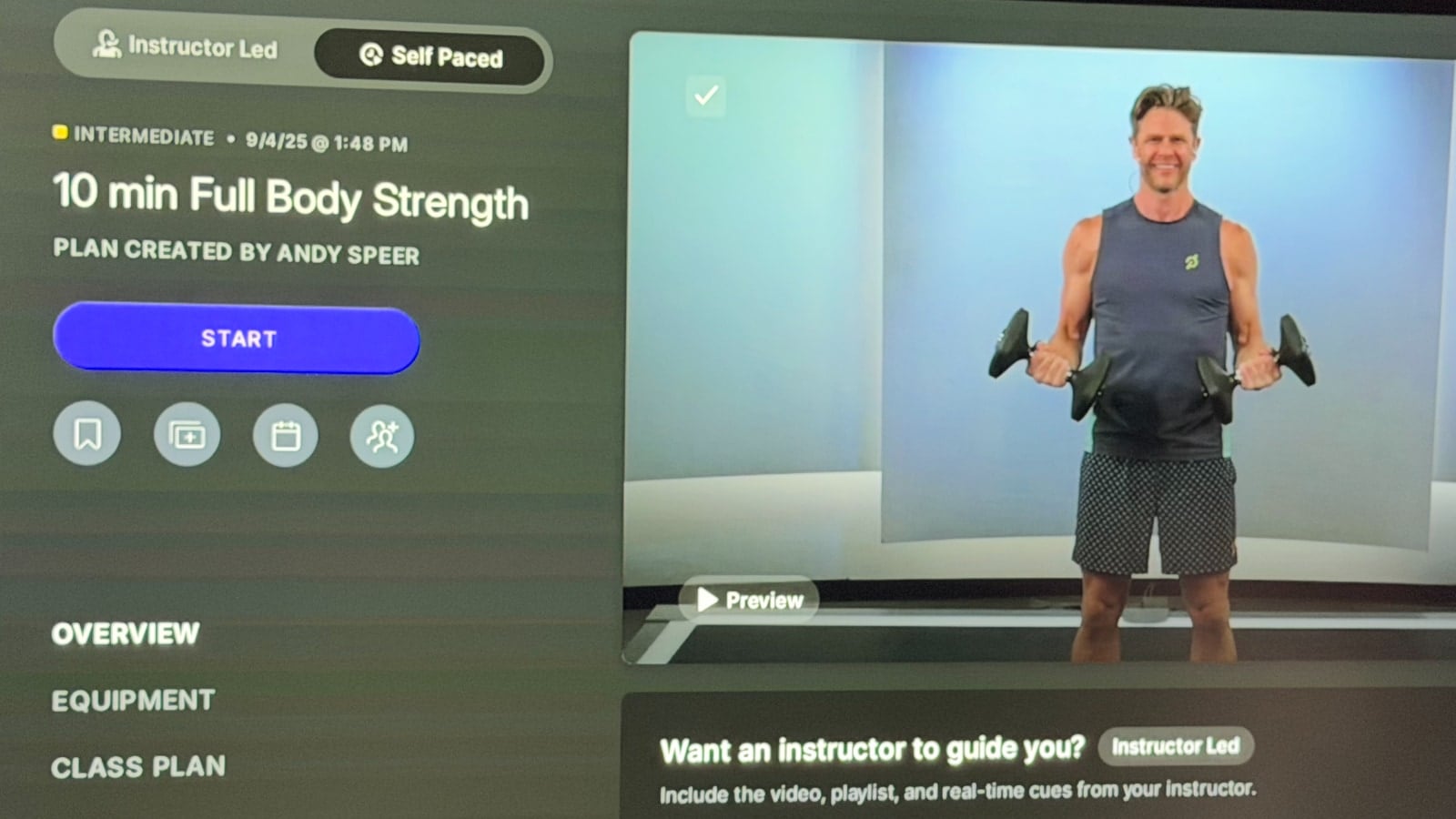
To find a self-paced strength class on Peloton, just pick whichever class is the one you want to take from the on-demand library. At the top of the popup when you get more details will be a new selector for “Instructor Led” or “Self Paced.”
In practice, this feature means that you are following the class plan the instructor did – but without the audio, video, or discussion in the regular class.
Instead of seeing the instructor, you see a demo of the movement from one of the Peloton instructors. And instead of the audio of the Peloton instructor and the music soundtrack – Peloton has brought over Peloton Radio from the scenic experience. This lets you pick one of a few different radio stations, and hear whatever is playing on that station – giving you a different set of music.
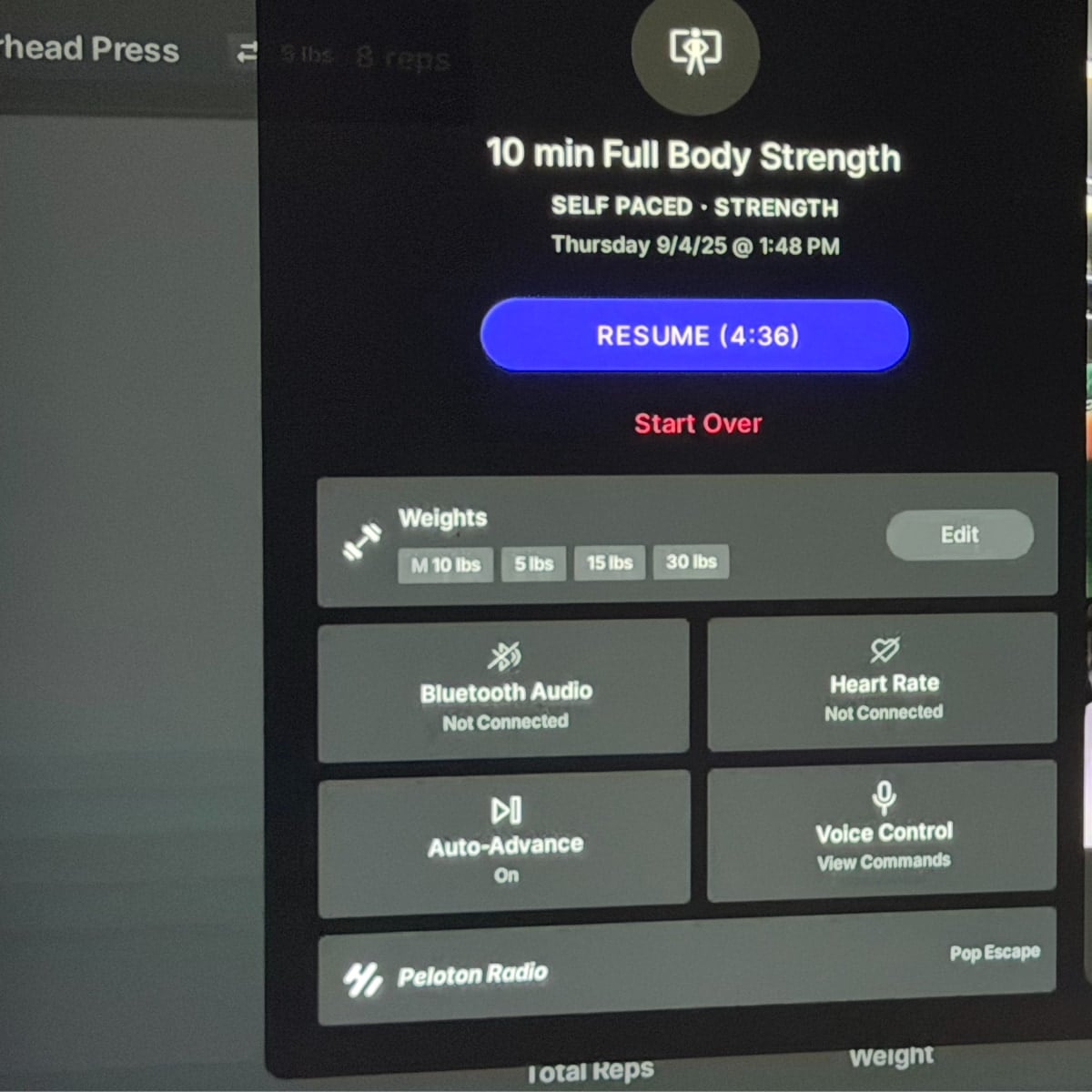
This feature is designed for if there is a workout you really love taking – but might get tired of the same instruction & music. This lets you get the workout in, but keeping the music (and hopefully then the experience) fresh, while still following the exact same programming & workout of the original class.
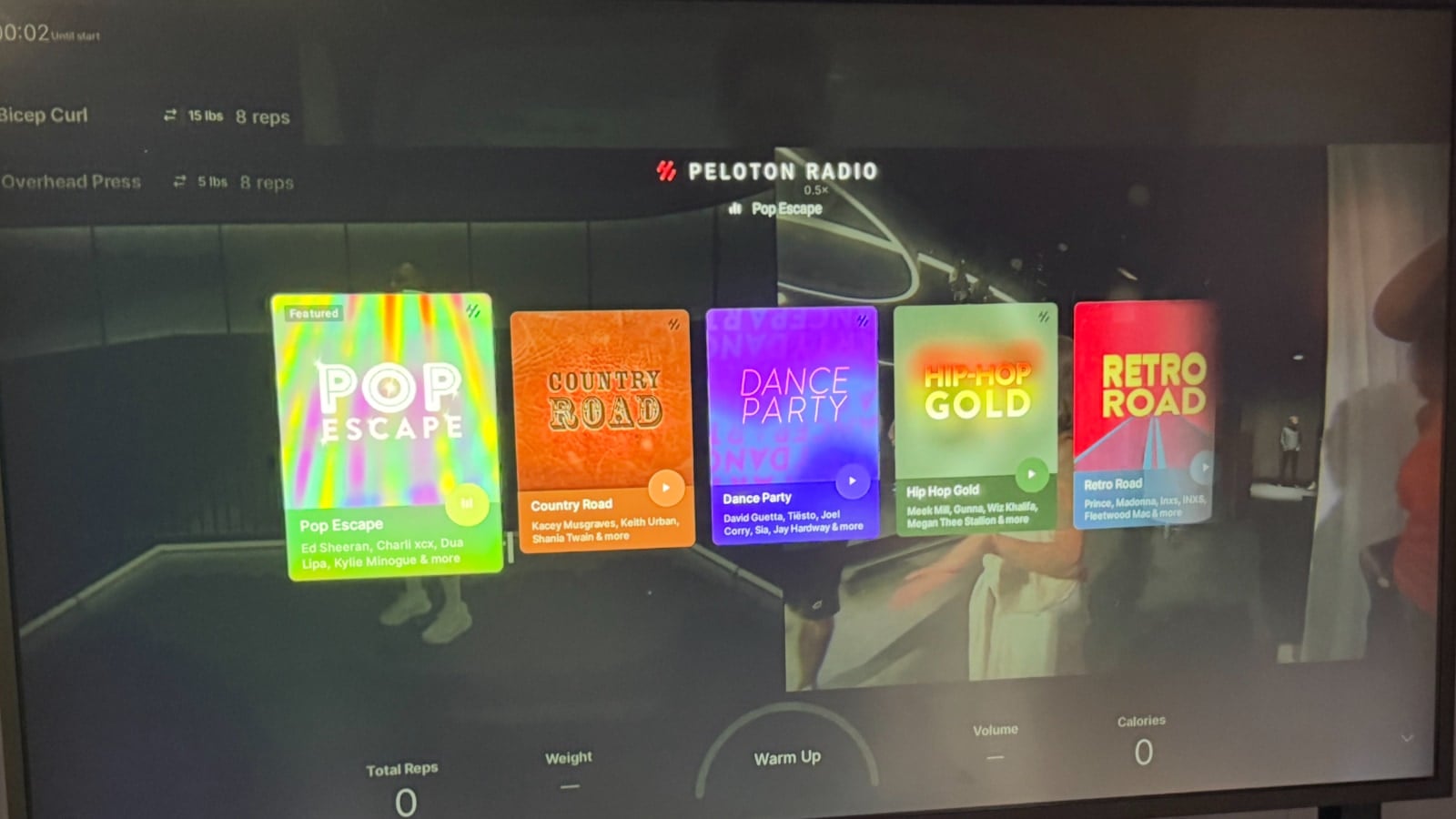
In self-paced classes, there is also a “Auto Advance” feature. With it turned off, you need to interact with your class to tell it when you’ve finished a set of movements. With the Auto Advance feature turned on – when it has counted you’ve done the correct number of reps, it will automatically move to the next movement for you.
Peloton IQ Part 5 – Benchmarking (comparing previous workouts)
Another Peloton Guide feature that is being brought over is the ability to compare your strength workouts if you take the same workout again. Peloton IQ will track the rep targets hit, total volume (amount of weight lifted), and total number of reps – and show you your trend over time.
Integrations with Garmin Connect, Google FitBit, and Apple Health
As reference in the Peloton IQ features – Peloton will look at all of your workout history, even if it doesn’t take place on Peloton as part of coming up with recommendations and class plans. To do that, Peloton has enabled integrations with several platforms – allowing to you pull in your workouts from those platforms into Peloton so that Peloton IQ can analyze them. Those integrations include:
- Garmin Connect
- Apple Health
- Google FitBit
We shared a first look at the Garmin Connect integration last week, but this feature should be rolling out to everyone now as part of the Peloton IQ feature set.
New Peloton Wellness Offerings, Classes, and Programs
As Peloton has been discussing over the last year, they are investing heavily into their overall wellness efforts. With that, Peloton has several new collaborations to help create new classes, programs, and other content.
Peloton x Hospital for Special Surgery (HSS)
The first of these is a new partnership with Hospital for Special Surgery (HSS) – who is “the world leader in orthopedics and rheumatology”. Peloton will be having programming in partnership with them to focus on musculoskeletal injury prevention and recovery, which will launch on October 20th.
There will be 5 initial collections as part of this partnership – focusing on the most common rehabbing needs. These are: Runner’s Knees, New Moms, Office Workers, Tennis Elbow, and Bone Health. The classes are “designed for injury prevention with the help and guidance of health professionals.”
Peloton x Respin
Peloton has also teamed up with Respin – which is a company founded by Halley Berry focused on menopause symptom care programs. Peloton & Respin will be creating an 8 week program which will be “curating Peloton classes that specifically target symptom relief and overall quality of life improvement for perimenopause through postmenopause.” This program will launch on October 6th, and include classes by Christine D’Ercole, Susie Chan, Joslyn Thompson Rule, and Charlotte Weidenbach.
Peloton x Hyrox
Peloton announced earlier this year that they were an official training partner for Hyrox, and that partnership is ongoing. This month they will be releasing some specifically branded “Peloton Hyrox Training” classes. The first of these from Robin Arzon is already available.
Peloton Acquires Breathwrk App
To further enhance their wellness efforts, Peloton has also acquired the Breathwrk app – which is a “wellness app specializing in breathing exercises.” Starting today, All-Access and App+ members can login to the Breathwrk app using their Peloton subscription info – and more integrations are expected in the future.
“Official Peloton Teams” being launched, and led by Instructors
Peloton is also continuing to grow their teams feature in the app. They have now created some “Official Peloton Teams” – which are ones managed by the company. To make these more enticing, they are having these teams be led by instructors. Some of the first official teams are Move for Life, Cross Training, HYROX Training and Menopause Health teams.
Club Peloton – Recognition & Loyalty Program
Peloton is also launching “Club Peloton” – which is a loyalty and recognition program. This will “celebrate consistency and variety in workouts” Members will earn points for engagement & activity – and be able to get “potential rewards and unlocking early access to content.”
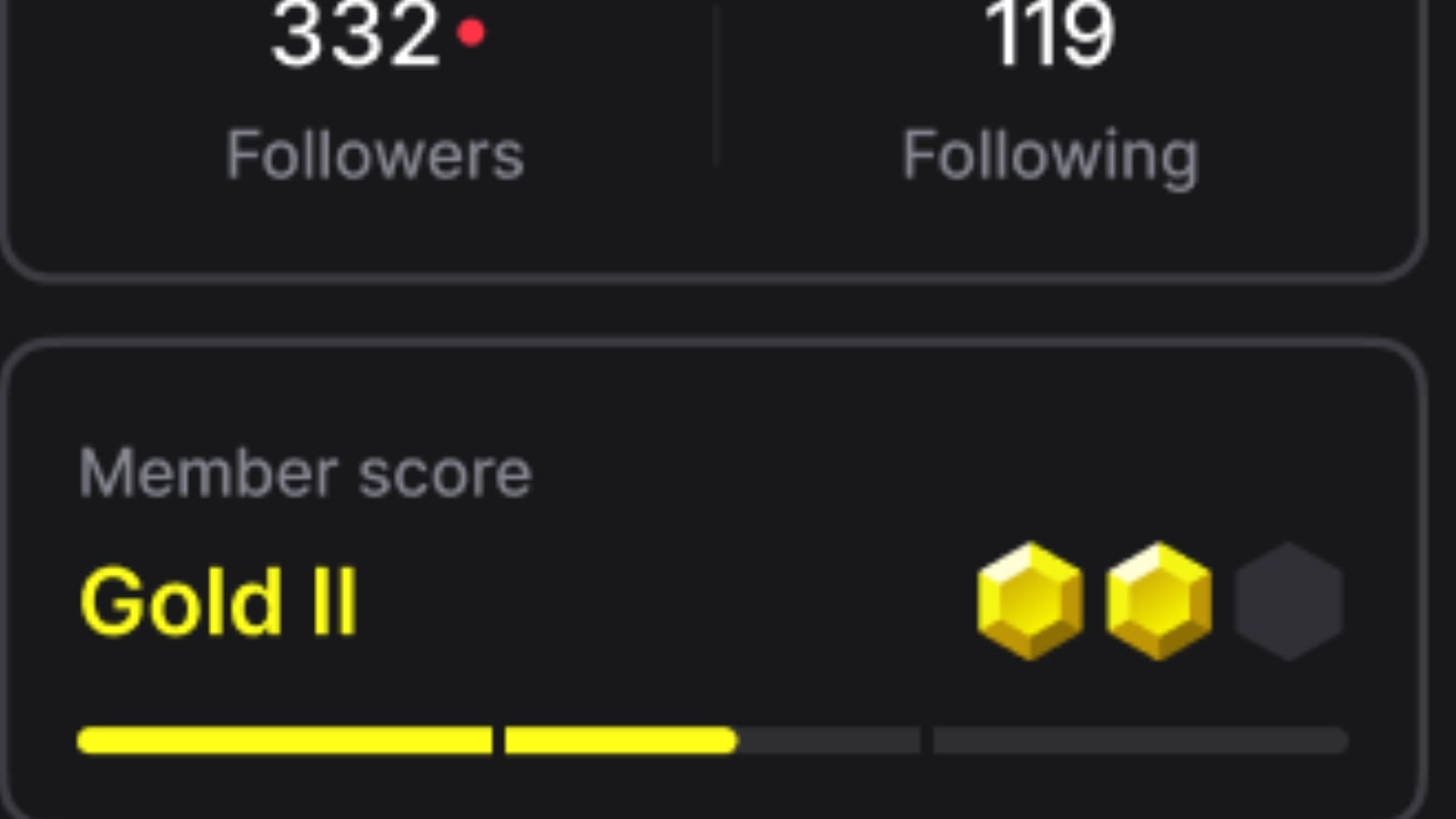
We first shared that gamification & loyalty was coming to the Peloton app earlier this summer. You will progress through a series of levels – starting at Bronze, and working up to Legend.
Today’s announcements touches nearly all part of Peloton’s business. The past several years saw Peloton try to right-size the business under Barry McCarthy, and now Peter Stern is trying to take the company into growth mode.
We will continue to share more information & more in-depth looks at some of these features & updates in the coming days & weeks.
Support the site! Enjoy the news & guides we provide? Help us keep bringing you the news. Pelo Buddy is completely free, but you can help support the site with a one-time or monthly donation that will go to our writers, editors, and more. Find out more details here.
Get Our Newsletter Want to be sure to never miss any Peloton news? Sign up for our newsletter and get all the latest Peloton updates & Peloton rumors sent directly to your inbox.

Leave a Reply