

Peloton has added filter and sort options to the workout History tab in the Peloton app, making it much easier to find specific workouts you have taken in the past.
The controls are showing up on Android at the moment. We have not seen them on iOS yet, and Peloton has not announced the change or given a timeline for an iOS rollout, though we expect the feature will make its way there as well.
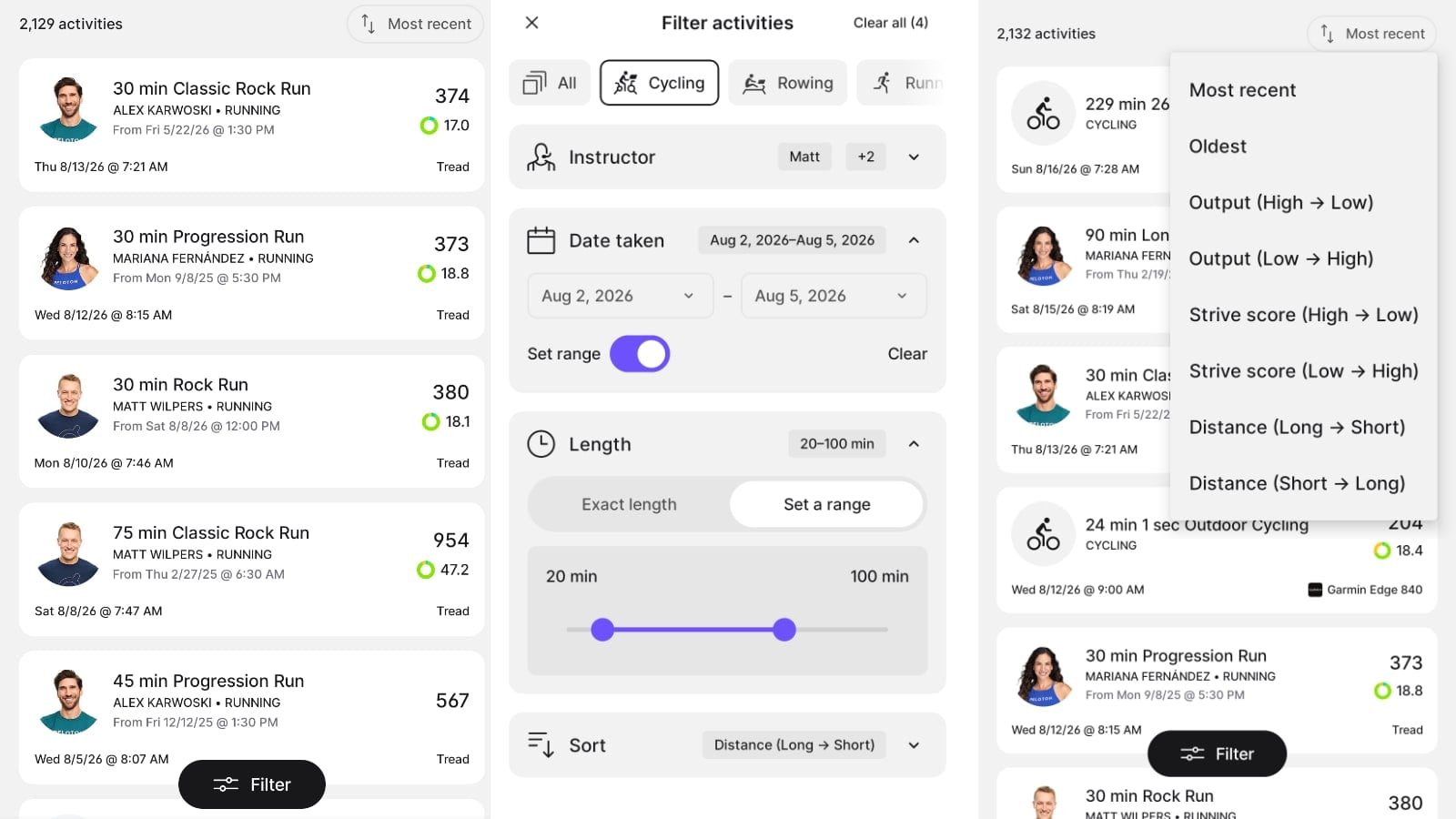
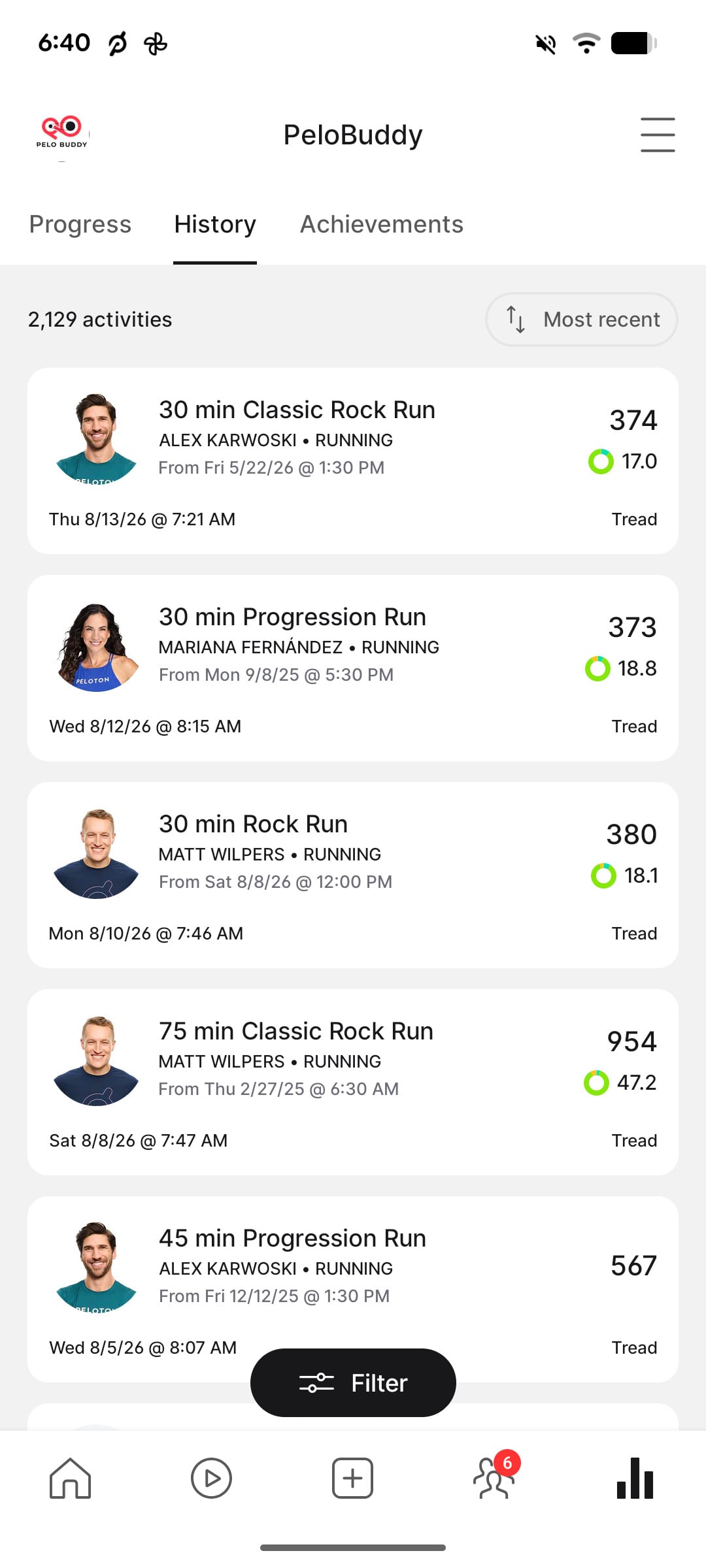
Your History lives in the Profile section of the app, which you reach with the icon in the bottom right of the navigation bar. That section has held three tabs since Peloton redesigned the Profile page in 2025: Progress, History, and Achievements.
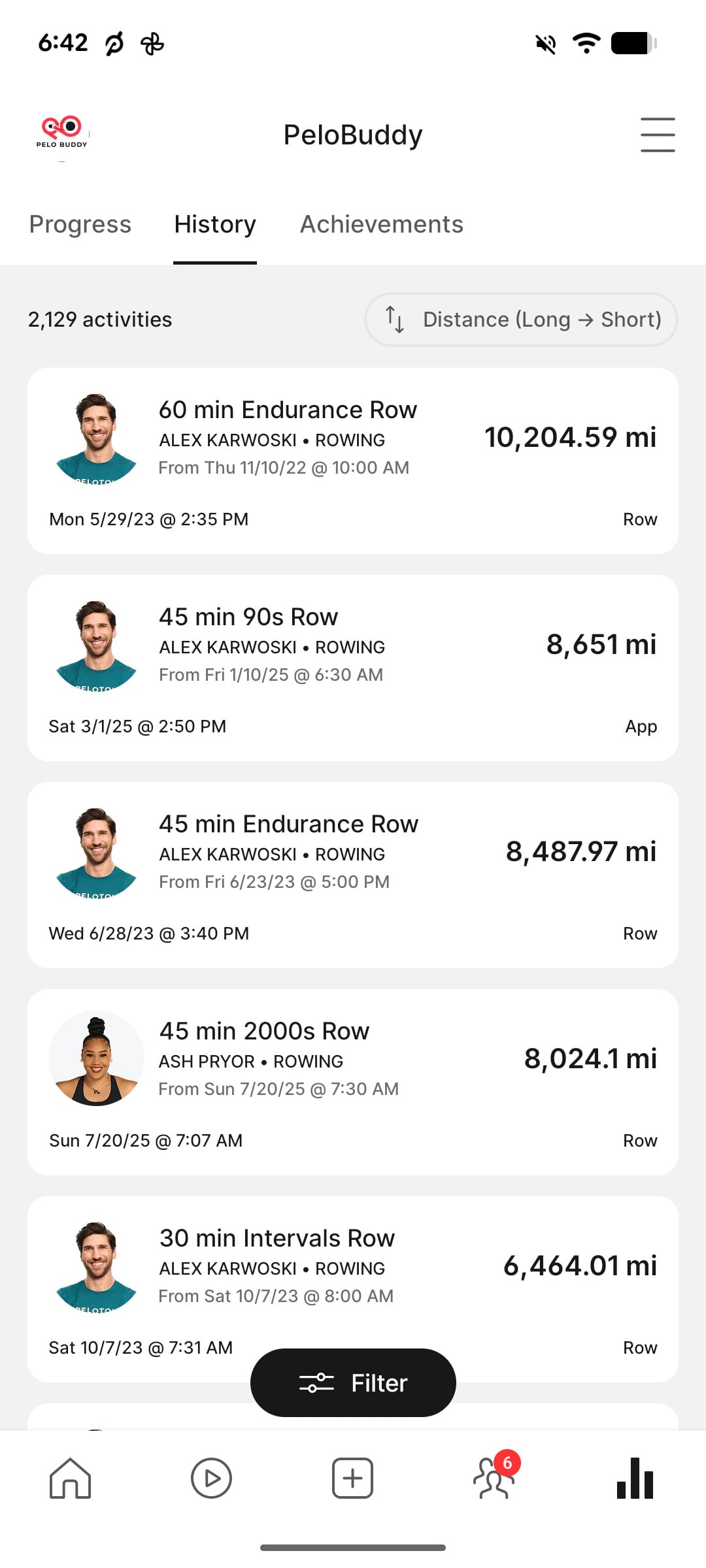
Two new controls now appear on the History tab. A sort option sits at the top right of the list next to your total activity count, while a floating “Filter” button sits at the bottom of the screen.
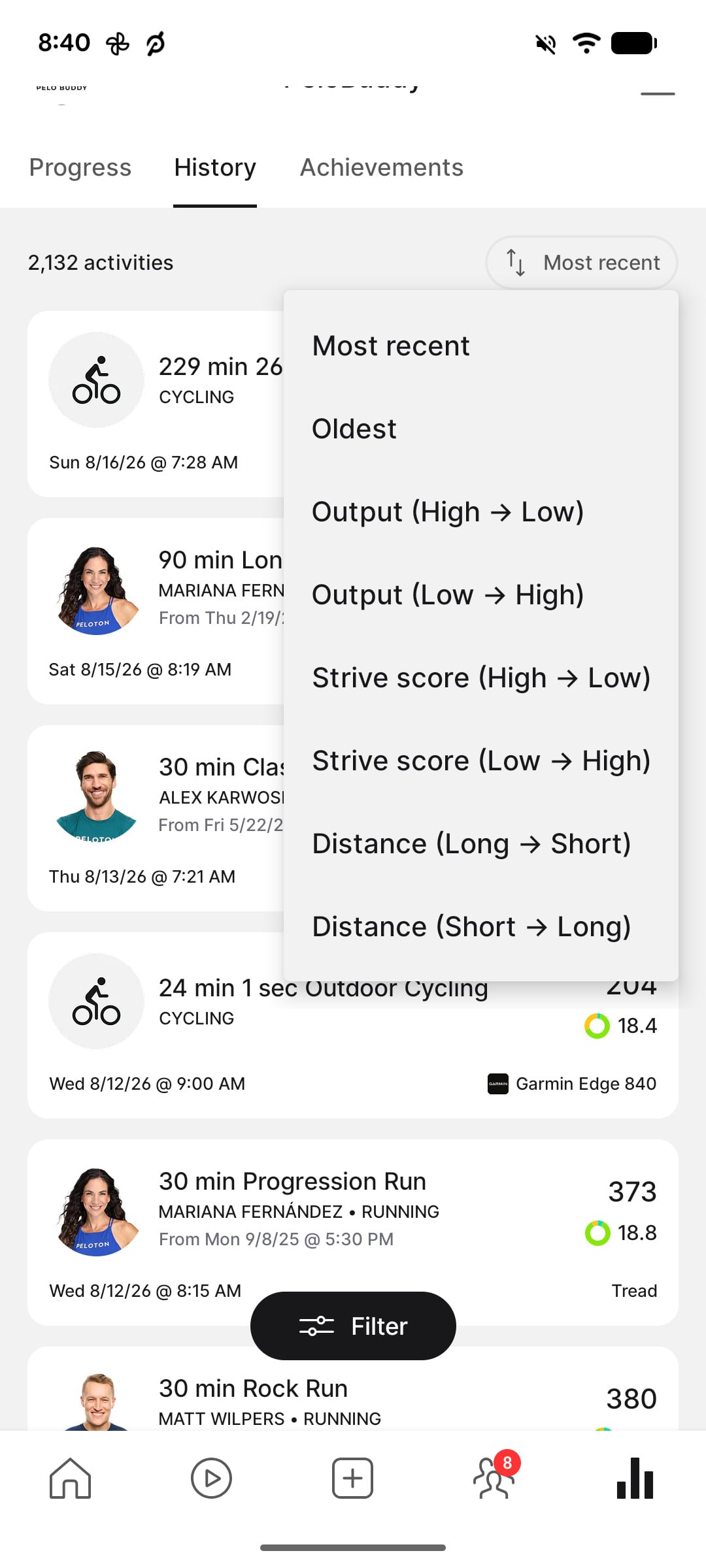
Tapping the sort option opens a menu with eight options:
- Most recent
- Oldest
- Output (High to Low)
- Output (Low to High)
- Strive score (High to Low)
- Strive score (Low to High)
- Distance (Long to Short)
- Distance (Short to Long)
Sorting by Oldest gives members a quick way to get back to their first workouts without scrolling through years of activity. The Output and Strive Score options similarly make it easy to bring your highest or lowest results for those metrics to the top.
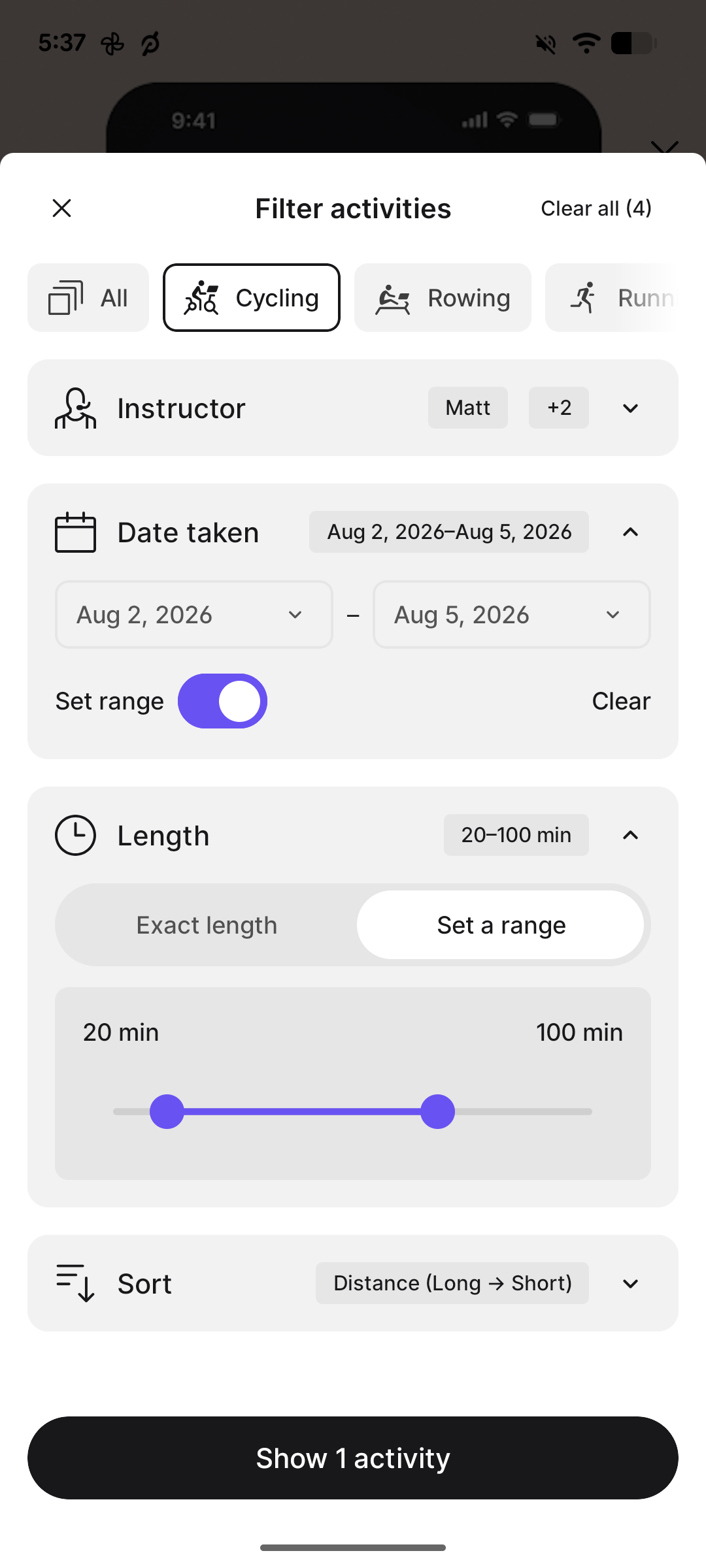
The Filter button opens a separate “Filter Activities” panel. There are four different filters, along with another way to select the sort order:
- Discipline – a horizontally scrolling row that includes options such as Cycling, Rowing, Running, and more
- Instructor – allows you to select one or multiple instructors
- Date taken – lets you choose a single date or turn on “Set range” to select a start and end date
- Length – offers either an exact class length or a custom range. Exact options include 5, 10, 15, 20, 30, 45, 60, 75, 90, 120, 150, and 150+ minutes.
- Sort – the same eight sorting options available from the History screen
The filters can all be combined with each other, except for discipline. There, you can only select one class type (or “All”).
For example, you could find every 30 minute cycling class you have taken with a specific instructor, then sort those workouts from highest to lowest output. Or you could filter to running workouts within a certain length range and sort them by distance.
As you make selections, the button at the bottom of the panel updates live with the number of workouts that match. It can show messages such as “Show 1 activity,” “Show 2 activities,” or “No activities” if your combination does not return anything.
“Clear all” at the top also shows how many filters are currently applied.
There does appear to be at least one issue with the current Android implementation when sorting by distance.
Rowing workouts are showing figures such as 10,204.59 miles for a 60 minute row and 8,651 miles for a 45 minute row. Those numbers appear to actually be the rowing distance in meters, but are being displayed with a miles label. Peloton has not addressed the issue, so for now the distance sort does not appear to compare rowing workouts correctly with other modalities.
Being able to filter workout history has been a long-requested feature from Peloton members. Previously, one of the main ways to do more extensive analysis of your complete workout history was to use the “Download Workouts” option on the Peloton website, which exports your history to a CSV file that can then be filtered in a spreadsheet.
Peloton has made smaller improvements to navigating workout history along the way. In early 2025 they made the individual days on the activity dot calendar clickable, allowing members to jump directly to their workouts from a particular day.
The History tab also contains more than Peloton classes now. Workouts imported from Garmin Connect, Apple Health, and Fitbit appear alongside Peloton workouts, and since May those third-party workouts have counted toward Daily and Weekly Streaks. That makes being able to narrow down an increasingly large activity history more useful.
The update also comes with a small change to the bottom navigation bar. The icon in the bottom right that opens your Profile section is now a bar chart rather than the previous profile graphic. Peloton has changed this icon before – it originally displayed your own leaderboard profile image before switching to a standard icon during earlier Profile changes.
This is also another recent software update involving how members find and interact with their existing content. Peloton has recently added class details directly to stacks, brought back the Continue Your Stack post-class panel, and added new filter tabs to the Feed.
Which filter and sort combination will you use first on your workout history?
Support the site! Enjoy the news & guides we provide? Help us keep bringing you the news. Pelo Buddy is completely free, but you can help support the site with a one-time or monthly donation that will go to our writers, editors, and more. Find out more details here.
Get Our Newsletter Want to be sure to never miss any Peloton news? Sign up for our newsletter and get all the latest Peloton updates & Peloton rumors sent directly to your inbox.

Leave a Reply