

Peloton has added filter options to the Feed feature in the Peloton app, giving members more control over what they see in their social feed. The update organizes the Feed into three tabs that let you switch between different views of the community feed and workout activity.
The three tabs are All, Following, and Teams (labeled “My teams” in the app). The All tab is the default view and brings together a mix of content: workout posts from members you follow, posts from teams you have joined, and recommended posts from public teams you have not joined, including both Official Peloton Teams and trending community teams. Posts in the All tab are algorithmically ordered to surface what Peloton considers the most relevant and motivating content first, such as personal records and milestone workouts.
The Following tab is the more familiar view for members who mainly use the Feed to keep up with friends. It shows all completed workout posts from members you follow, including your own, in reverse chronological order (newest first).
The Teams tab works similarly, showing posts from every team you have joined, newest first.
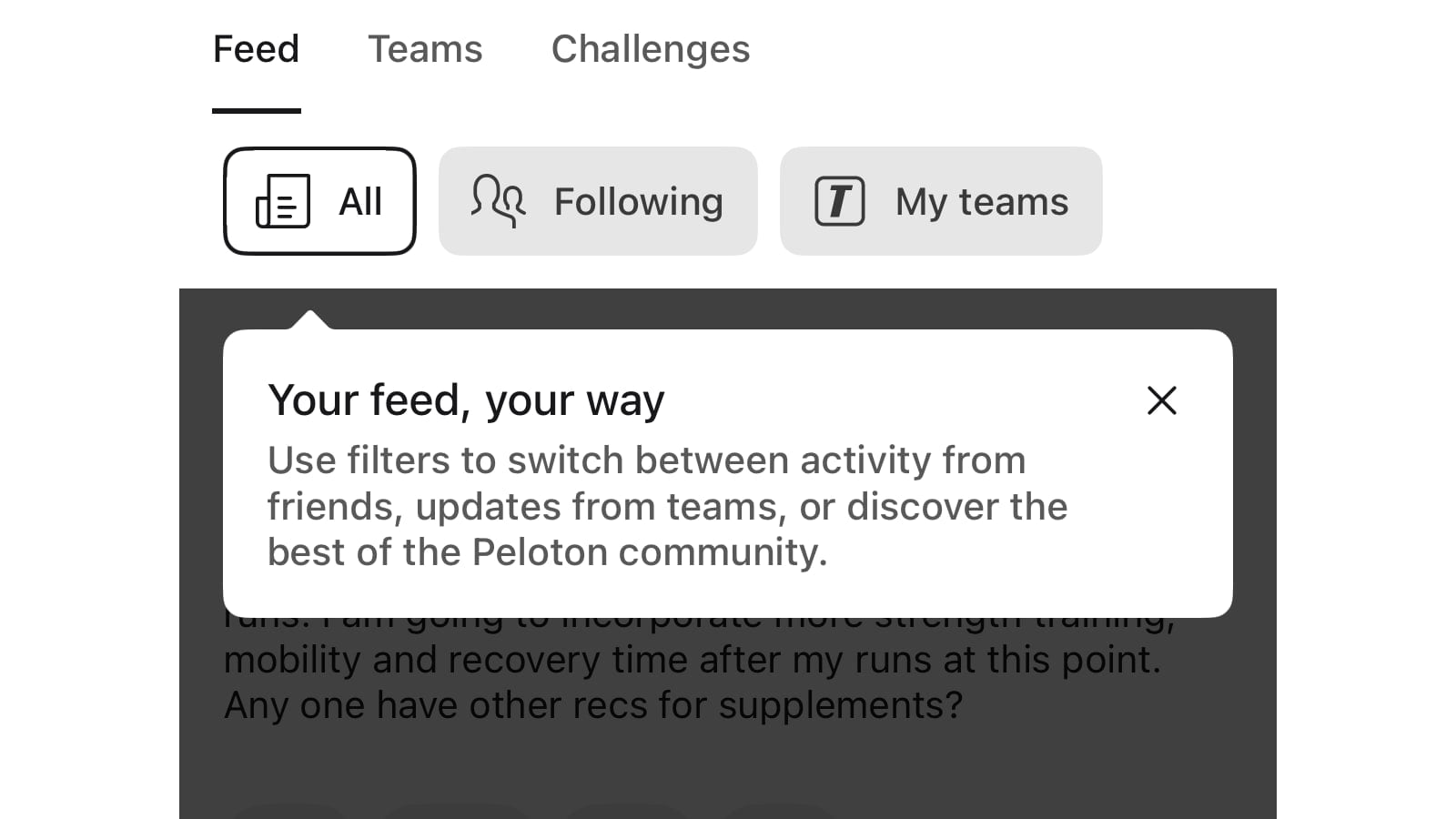
This effectively gives members the choice between the two versions of the Feed that have been at the center of recent changes. The algorithmic, discovery-focused experience lives in the All tab, while the straightforward friend-activity stream lives in the Following tab.
That distinction matters because of how the Feed has changed over the past few months. Earlier this year, Peloton updated the Feed to only show workouts that earned a badge or milestone, a change that frustrated members who used it to follow their friends’ everyday activity. Peloton then rolled that change back in early May, restoring the full activity stream. The new filter tabs build on that by letting members pick the view they want rather than Peloton choosing one for everyone.
A few other details from Peloton’s breakdown of the feature: the All tab includes follower recommendations based on mutual connections, which you can dismiss for 30 days by tapping the “x.” You can hide a specific team’s recommended posts through the three-dot menu on a post. To comment on a post from a team you have not joined, you will need to join that team first. The first time you open the updated Feed, you will see a brief one-time walkthrough explaining the three tabs.
On the privacy side, setting your Workout Activity Privacy toggle to “Only Me” keeps your completed workouts out of the Community Feed, and blocking a member hides all of their posts, comments, and reactions across every tab.
One thing that has not changed: the Feed feature remains available only on the Peloton App for iOS and Android, and is still not available on the web version.
This update with the Feed Filters is available in both the iOS & Android app.
Support the site! Enjoy the news & guides we provide? Help us keep bringing you the news. Pelo Buddy is completely free, but you can help support the site with a one-time or monthly donation that will go to our writers, editors, and more. Find out more details here.
Get Our Newsletter Want to be sure to never miss any Peloton news? Sign up for our newsletter and get all the latest Peloton updates & Peloton rumors sent directly to your inbox.

Leave a Reply