

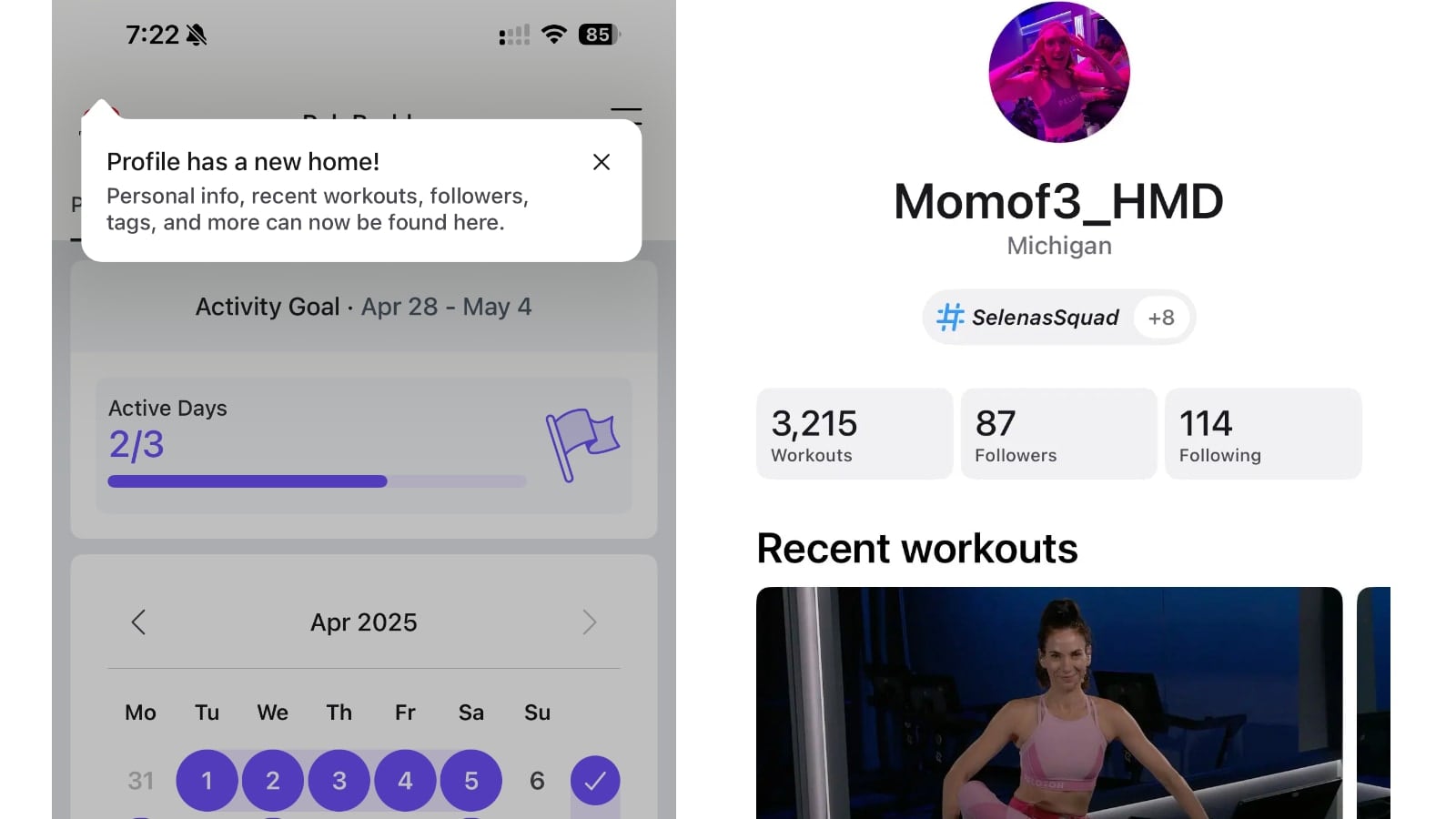
Peloton has officially rolled out the updated profile page on the Peloton app.
A pop-up notification displays when you enter the app for the first time after the new layout’s launch. It notes that “Profile has a new home!”
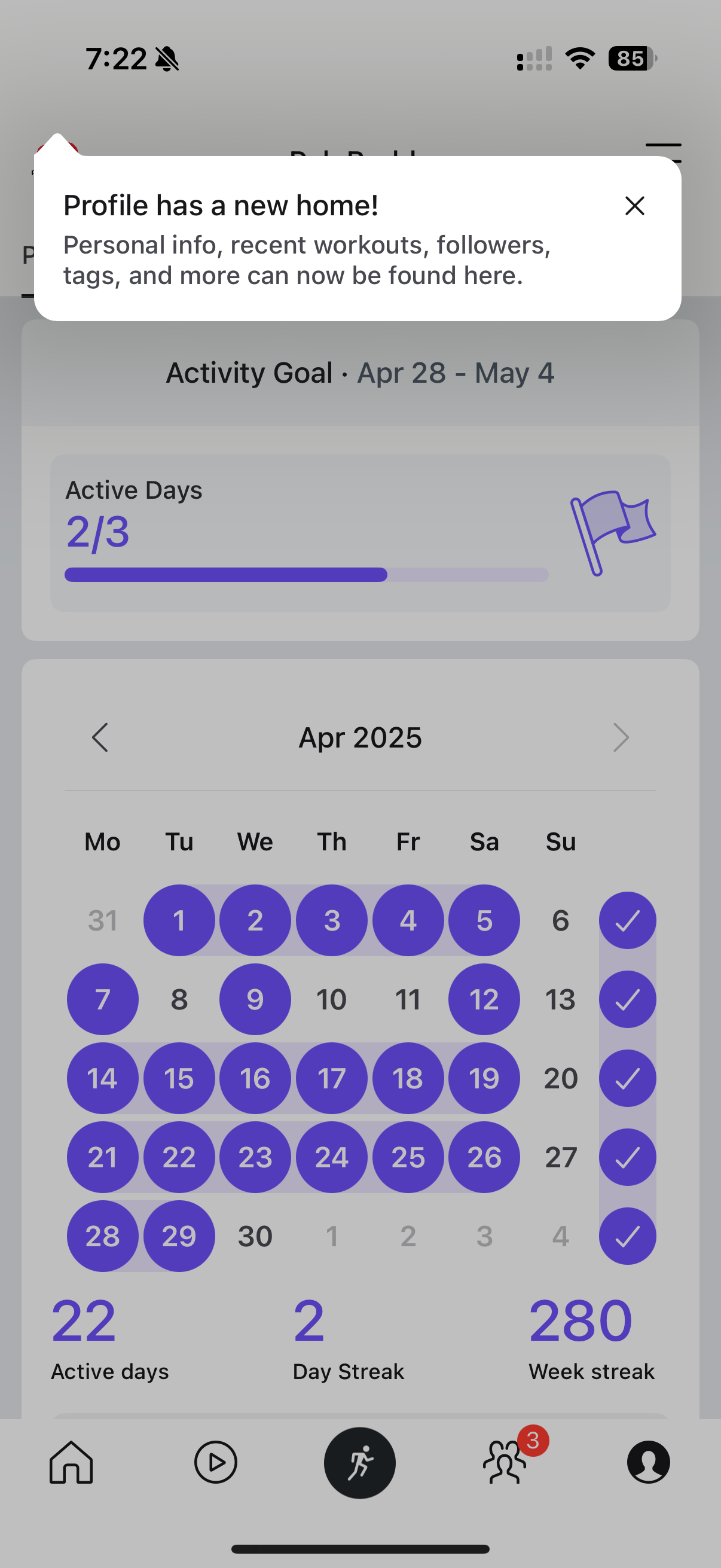
It goes on to say that “Personal Info, recent workouts, followers, tags, and more can now be found here”.
Now, when you click the Profile icon at the bottom right of your Peloton app, you will see a more compact view. A lot of information has now been hidden in a secondary profile page – which you must now click your leaderboard image in the top left of the app to access.
The tabs on the profile section of the app have also now changed. The new tabs show “Progress,” “History,” and “Achievements,” whereas the former profile version’s tabs included “Overview,” “Workouts,” “Goals,” “Achievements,” and “Music.”
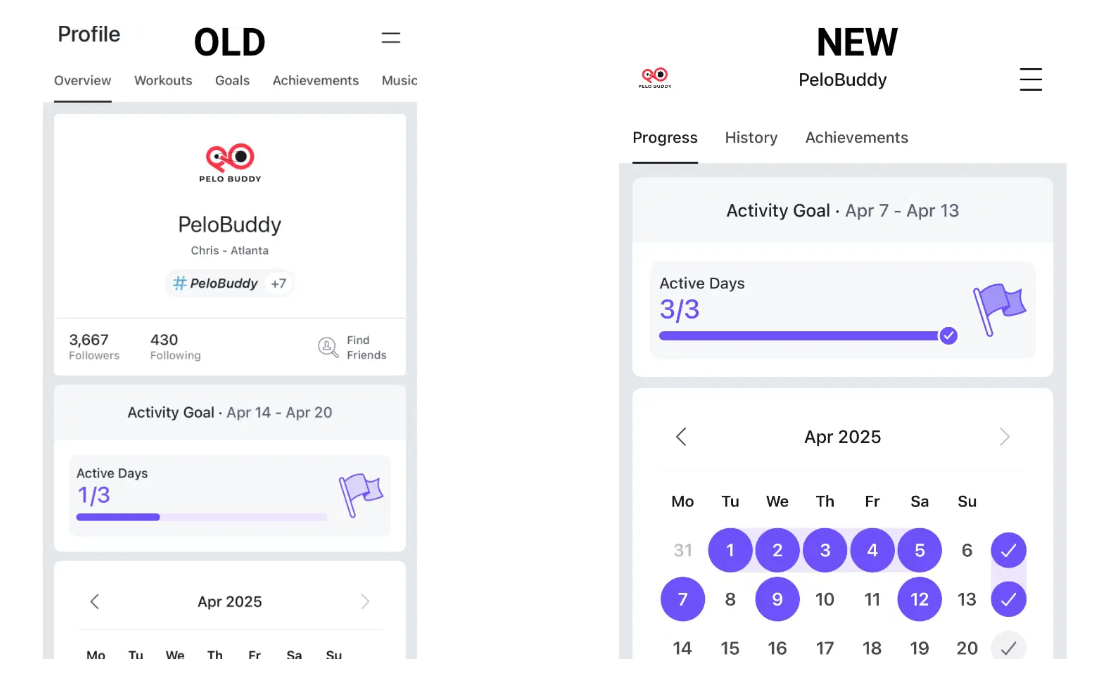
Under the new “Progress” tab you will find your activity goals, your monthly calendar and streaks, total active time broken out by modality, and your total distance graph. To see your itemized workout class history, you now would visit the “History” tab rather than the former “Workouts” tab.
Essentially, your list of members you follow/are followed by and your favorite music have moved into the new profile view. Once you click on your profile photo at the top left of your app, you’ll be taken to the new layout with your photo, leaderboard name, and main hashtag at the top.
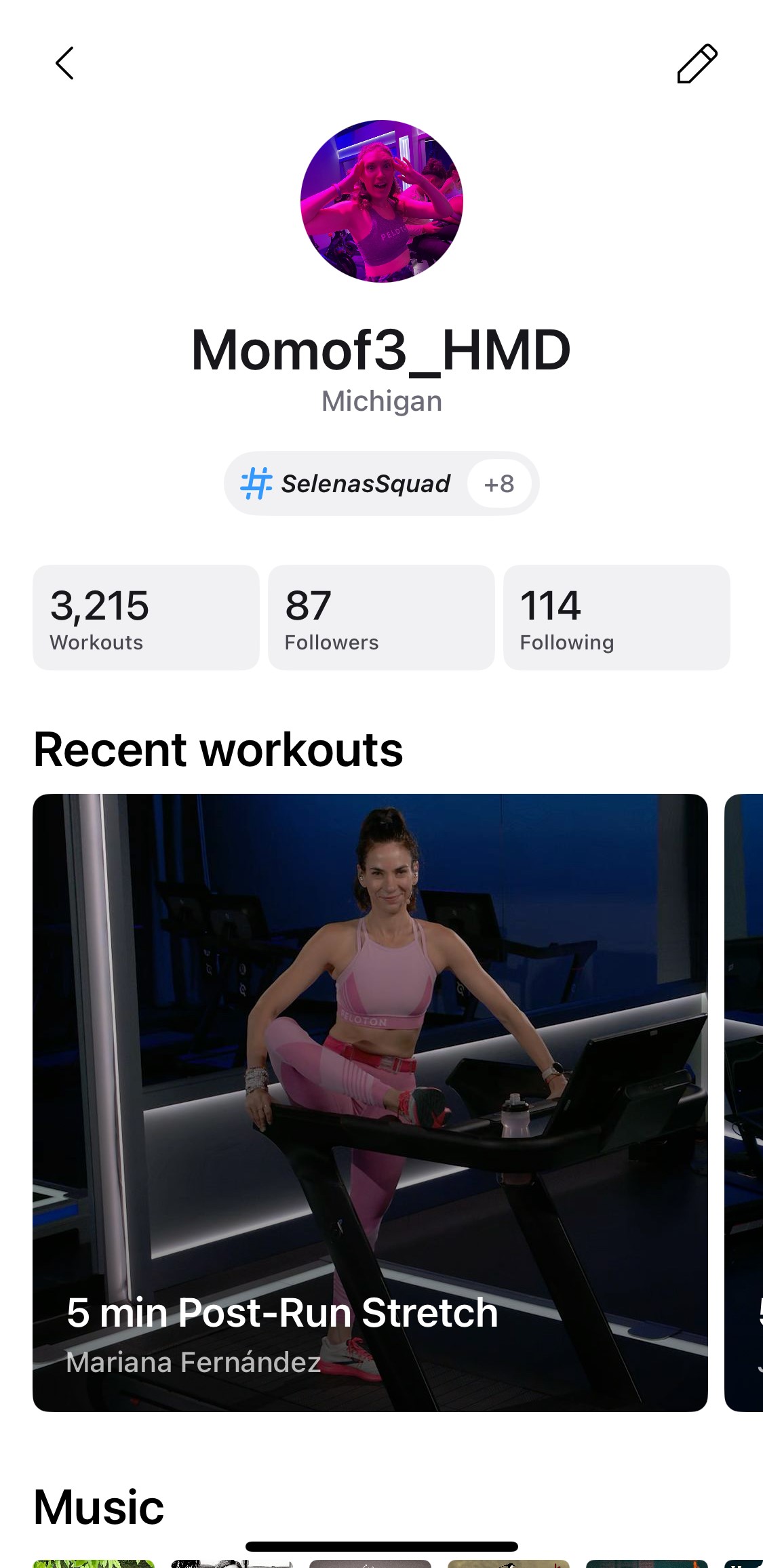
Underneath that you’ll find your total Peloton workouts (which you can click on to be taken back to your “History” tab), the members who follow you and the members that you follow (both numbers are clickable to be taken to the detailed member lists), your most recent workout classes, your favorite music from class (click on this to be taken to the song details), and at the bottom will be any referrals you can share with others.
We previously shared earlier this month when Peloton first rolled out the new profile view in the app. However, there seemed to be bugs with the initial roll out so it was quickly pulled back to the old profile version.
This update has removed the “Music” tab at the top level – where you could see yours (as well as other members) songs they had favorited on the platform. However, you can still access this list by finding the section of your profile page and navigating to the full list from there.
Now that this refresh has officially rolled out, it is available on both the iOS and Android apps.
What do you think of the new member profile layout?
Support the site! Enjoy the news & guides we provide? Help us keep bringing you the news. Pelo Buddy is completely free, but you can help support the site with a one-time or monthly donation that will go to our writers, editors, and more. Find out more details here.
Get Our Newsletter Want to be sure to never miss any Peloton news? Sign up for our newsletter and get all the latest Peloton updates & Peloton rumors sent directly to your inbox.

Where can I search for people? I can’t find that feature anymore