

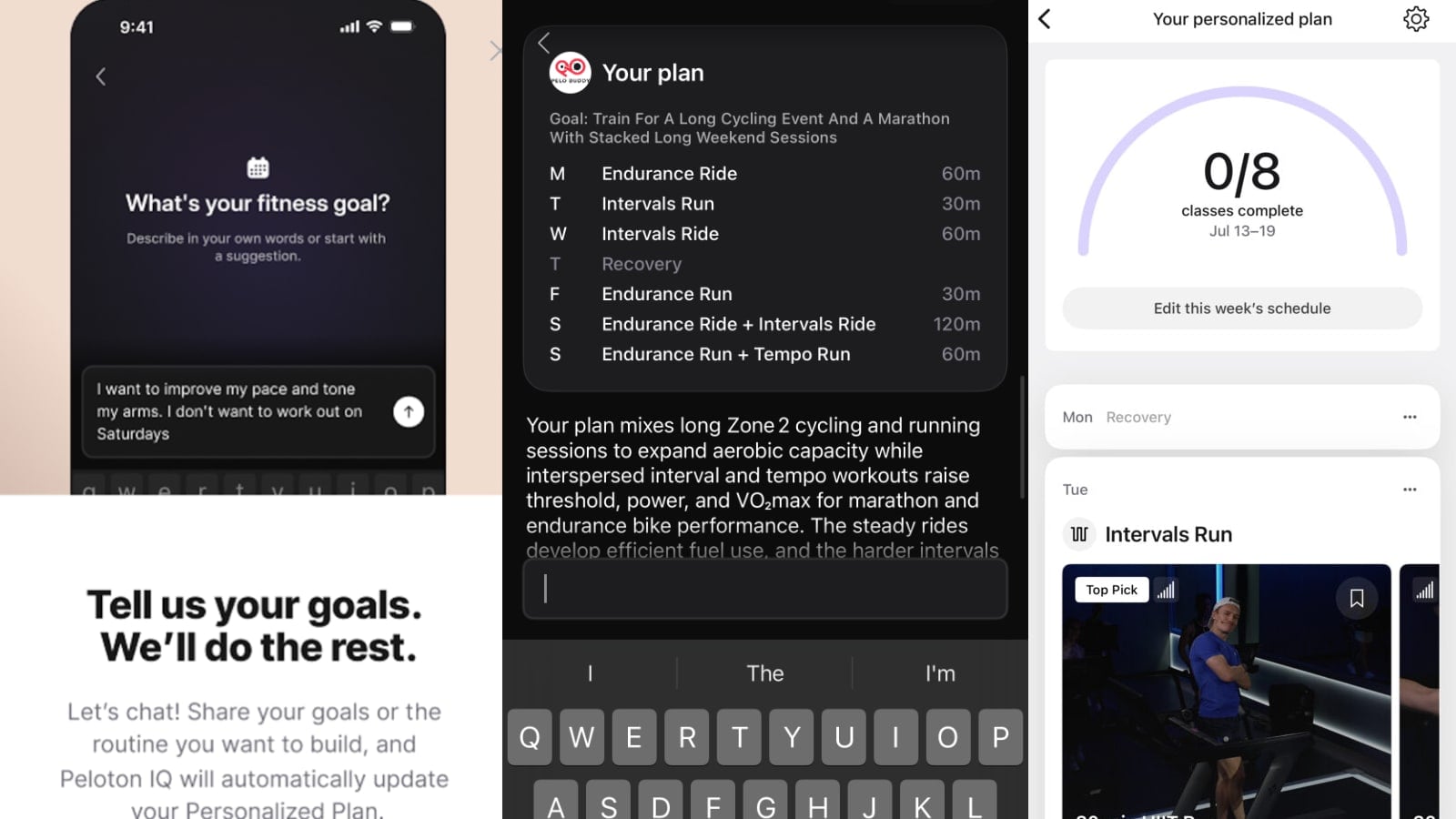
Peloton is adding an AI chatbot to the Peloton app, which allows members to create or update a Peloton IQ Personalized Plan using plain language & text.
Building a plan used to mean answering a fixed series of questions about your goal, weekly schedule, activity types, and workout duration, with the app generating a plan from your answers. The new flow opens a chat window instead and asks you to describe what you want in your own words. You can also adjust an existing plan by chatting with it.
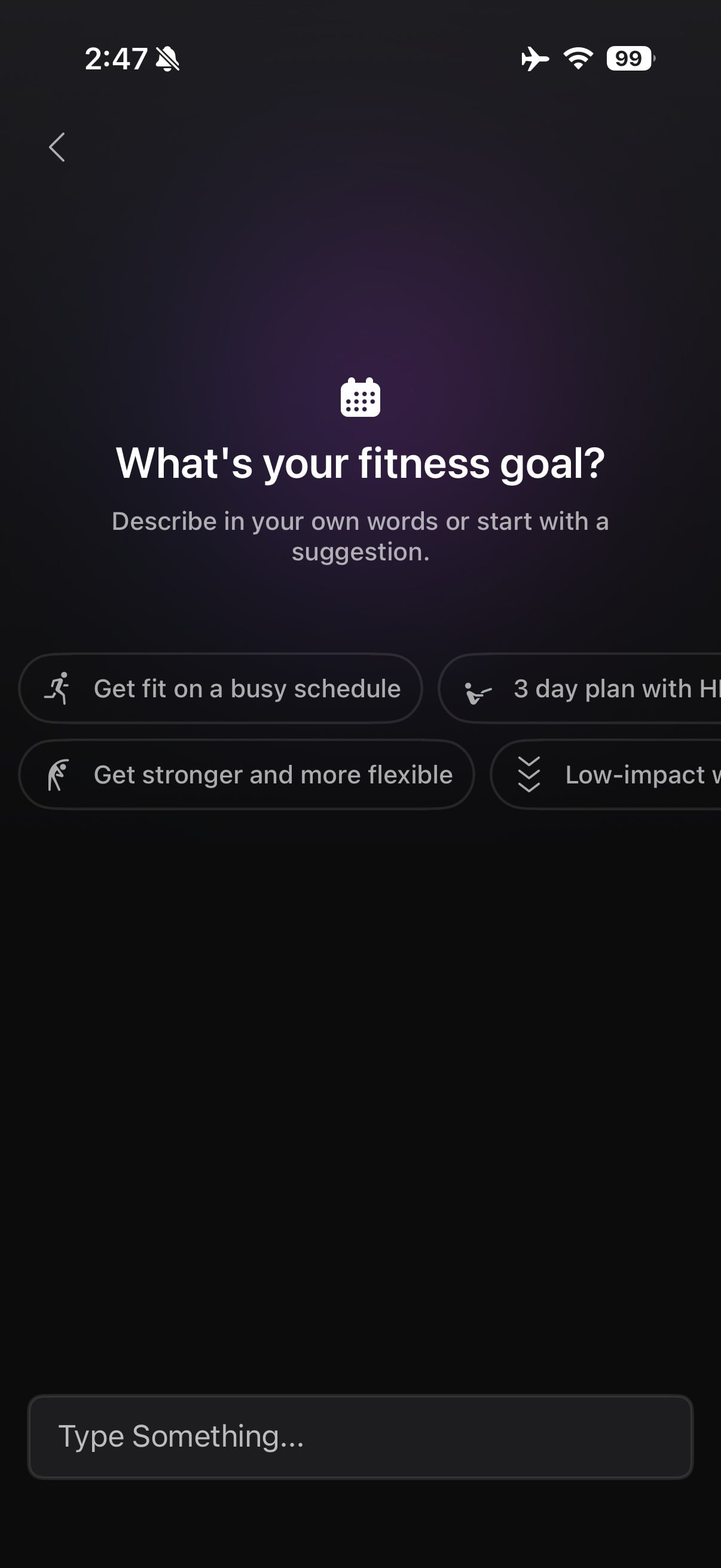
This, like many features, appears to be a slow rollout, so not everyone will have immediate access to this. An in-app prompt notifies users who have access to the new feature.
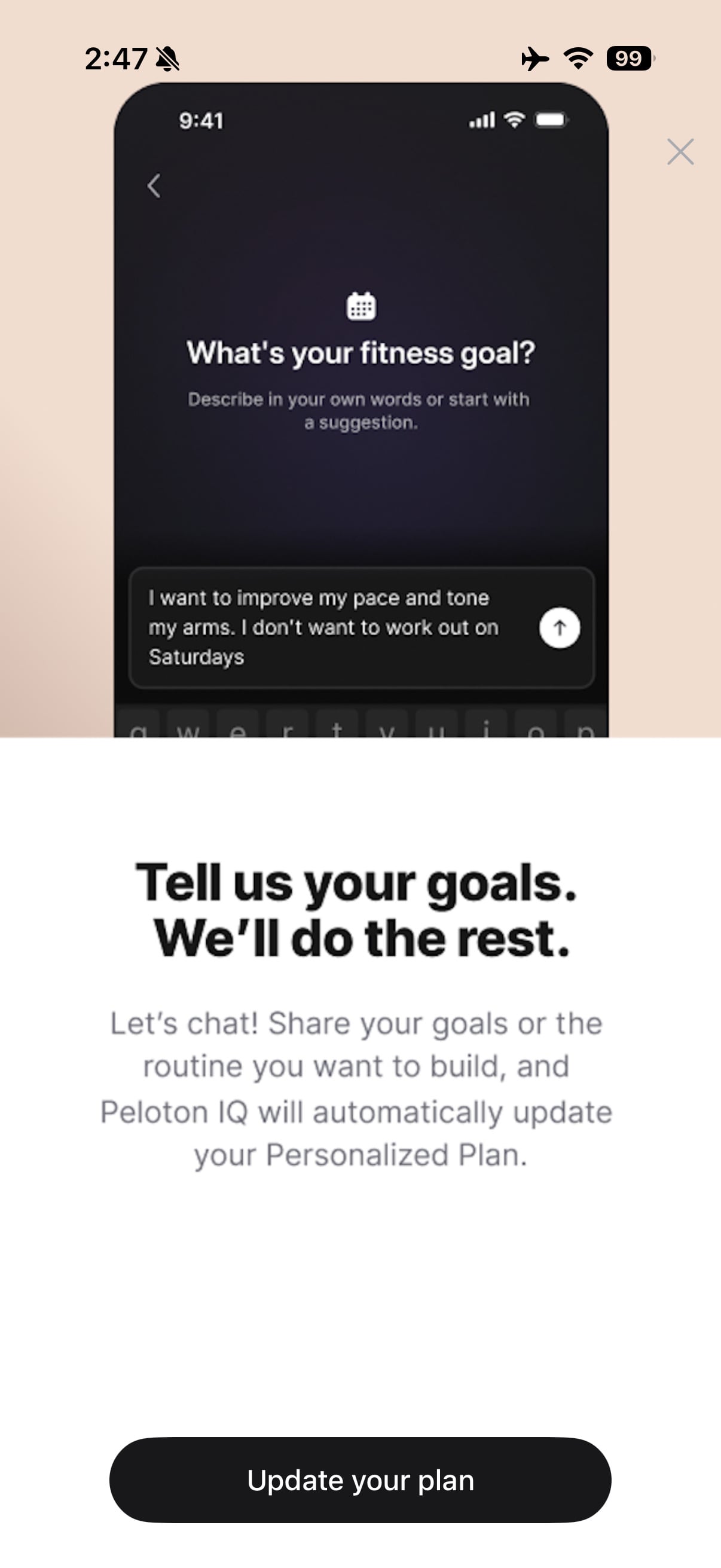
Once you have the feature, if you have an existing plan, you can access the Peloton IQ Chatbot by scrolling to the bottom of your existing plan and picking “Manage Plan” – or by clicking the gear icon in the top right while viewing your plan and doing the same.
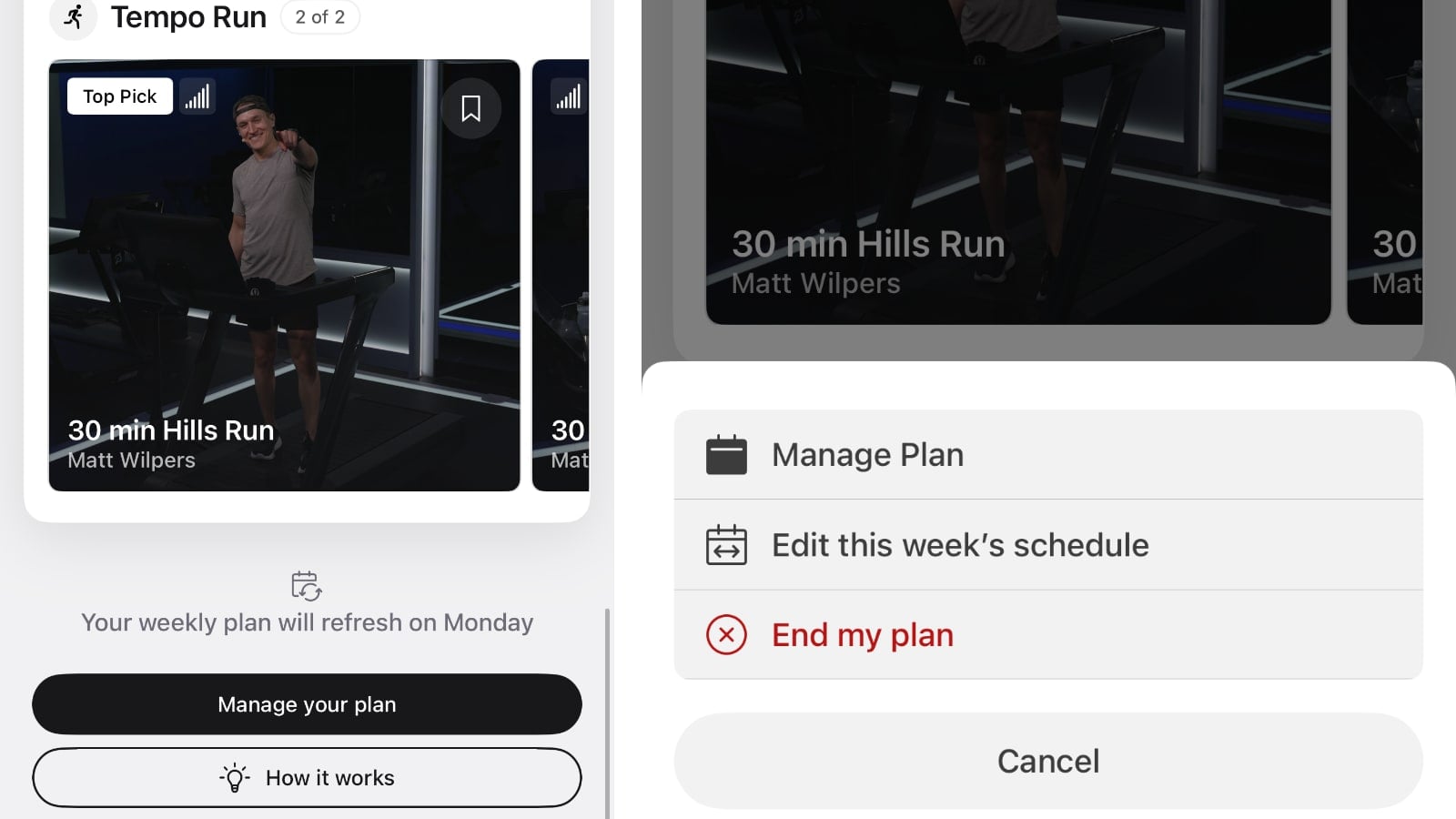
If you are creating a fresh plan, the setup screen asks “What’s your fitness goal?” and invites you to describe it in your own words or start with a suggestion, offering starter chips like “Get fit on a busy schedule,” “Get stronger and more flexible,” and a 3 day plan with HIIT.
Before you can use it, you have to accept new terms of service:
“By accepting, you agree to allow Peloton to use the preferences you share in the chat, along with your profile details and workout history, to create and update your personalized plan as well as provide other activity recommendations across Peloton Services.”
That reference to workout history is not just boilerplate. Given the prompt “Training for a long cycling event and a marathon,” the chatbot proposed a 6 day plan and noted that based on recent training, the member was already working out about 5 to 6 days per week, with longer rides and shorter runs. It laid out 3 cycling days and 3 running days with Thursday as a recovery day, then raised a constraint on its own: plan sessions top out at 60 minutes per workout, so for longer training days it offered to stack two back-to-back classes on the weekend.
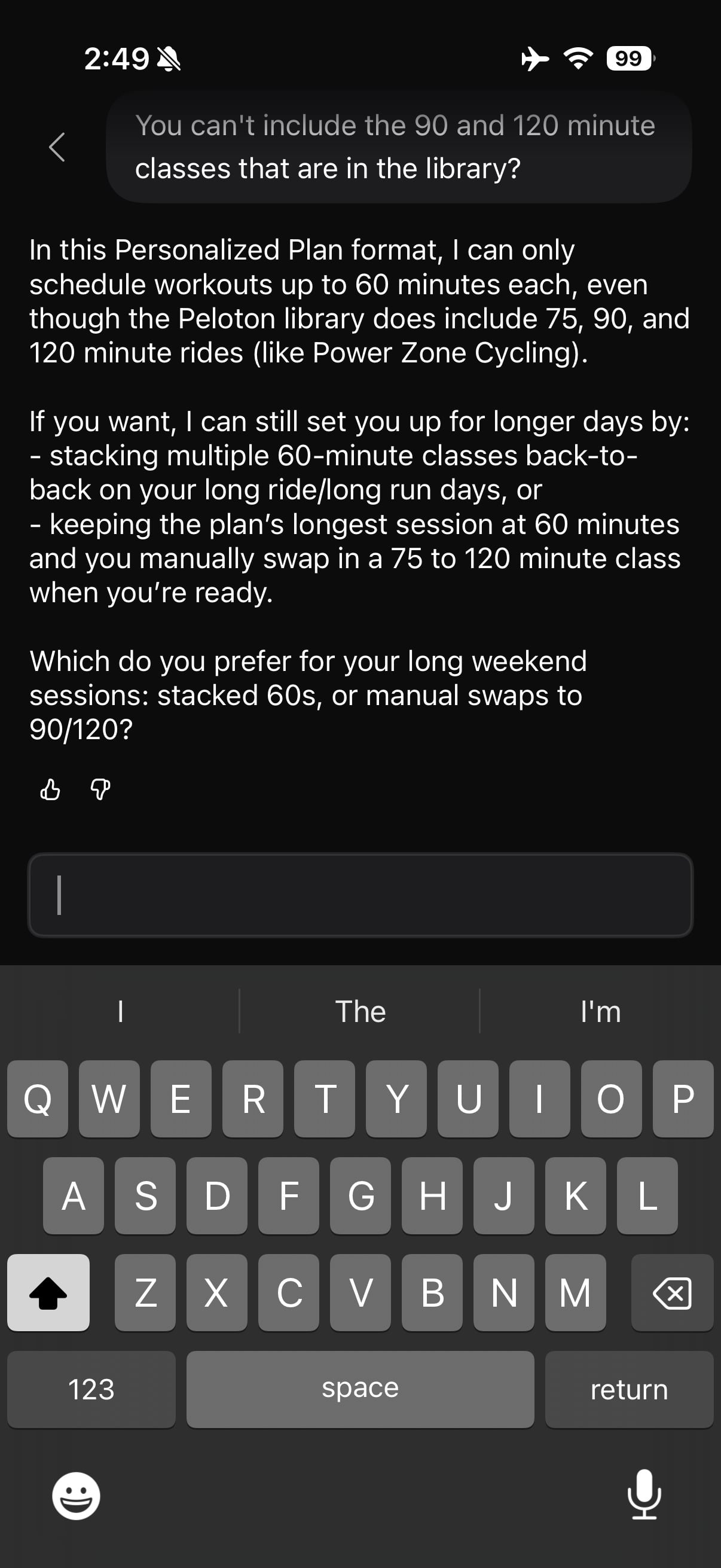
That 60 minute ceiling is the single biggest limitation, and the chatbot is upfront about it. Asked why it could not use the 90 and 120 minute classes that exist in the library, it explained that in the Personalized Plan format it can only schedule workouts up to 60 minutes each, even though the library does include 75, 90, and 120 minute rides. Its two workarounds are stacking multiple 60 minute classes back-to-back, or leaving the plan at 60 minutes and manually swapping in a longer class yourself.
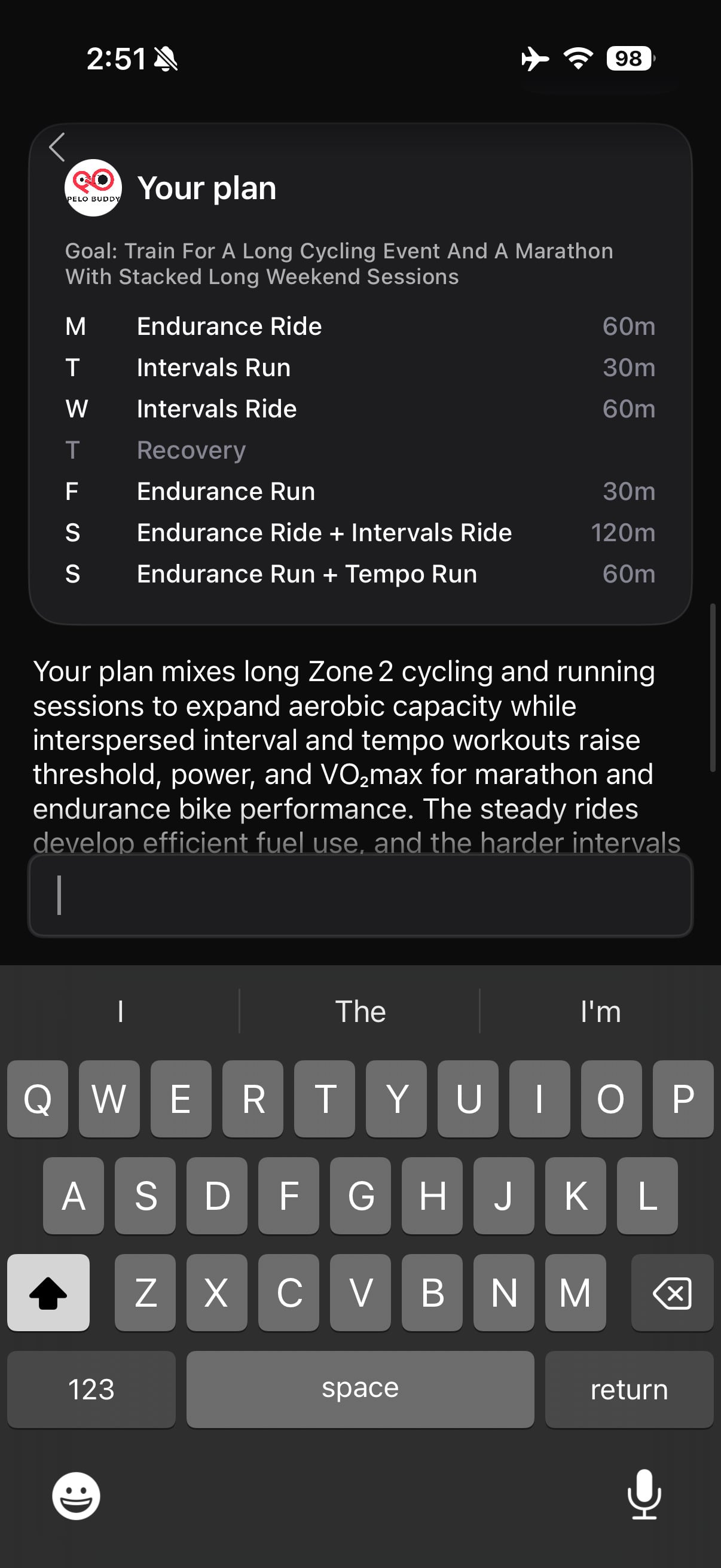
Once the parameters were settled, the plan generated with a series of loading screens (reviewing preferences, scheduling workouts, finalizing your plan) and produced a week that ran from a Monday Endurance Ride through stacked weekend sessions, including a 120 minute Saturday of two rides back-to-back. Each plan comes with a written rationale explaining the training logic, and buttons to accept it or keep editing.
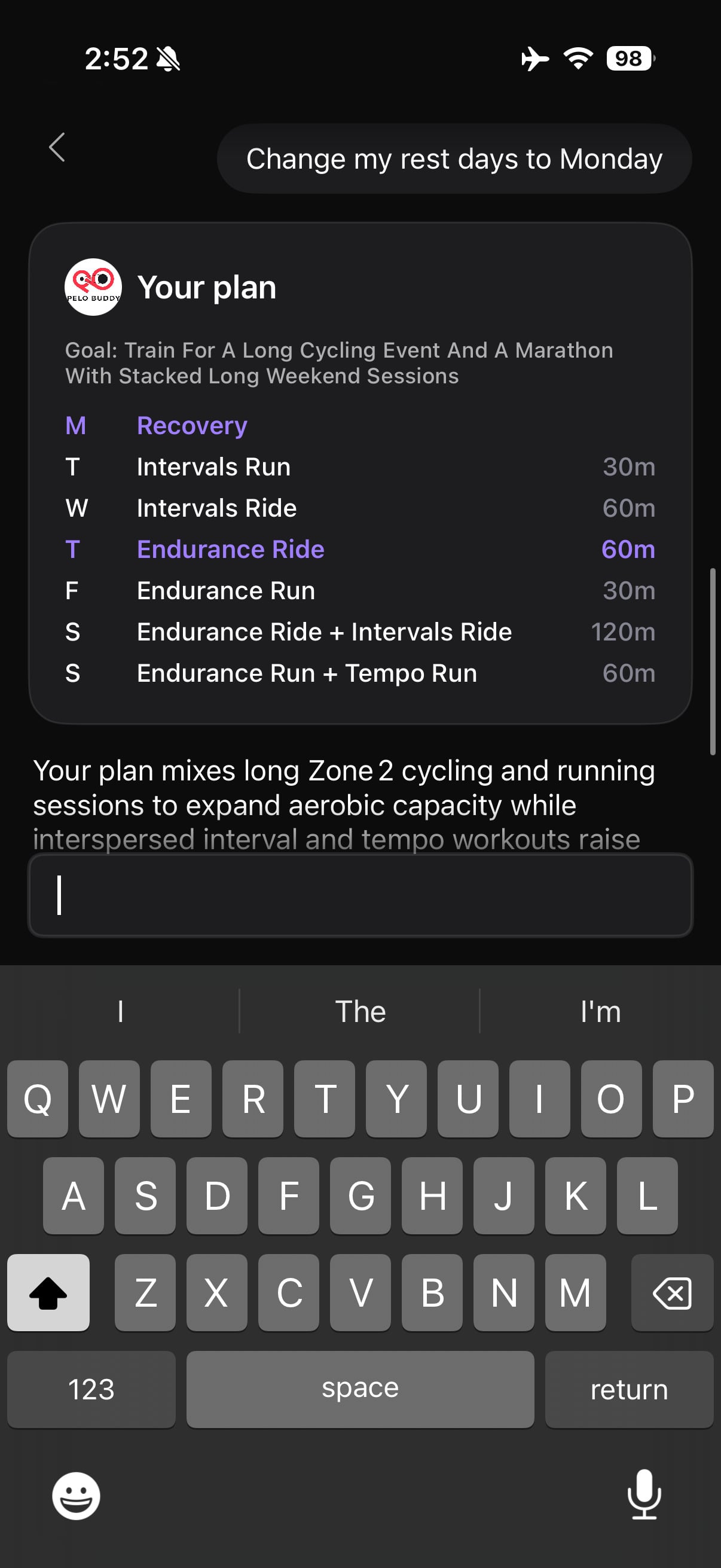
Editing works the same conversational way. Choosing “Make changes” brings up options for Activity types, Recovery activities, Weekly schedule, Duration, Change my goal, and End my plan, but you can also just type what you want. Asking it to change rest days to Monday produced an updated plan card with the changed days highlighted, which makes it easy to see what actually moved.
Where it gets more limited is anything resembling a real training progression. Asked whether durations would increase week to week, the chatbot said they would stay where they are, describing the output as a single-week routine designed to repeat until you ask for changes. This means that if you are building towards a race like a marathon, half marathon, or long cycling event – you won’t get any sort of progression until, or unless, you specifically ask it to advance for you.
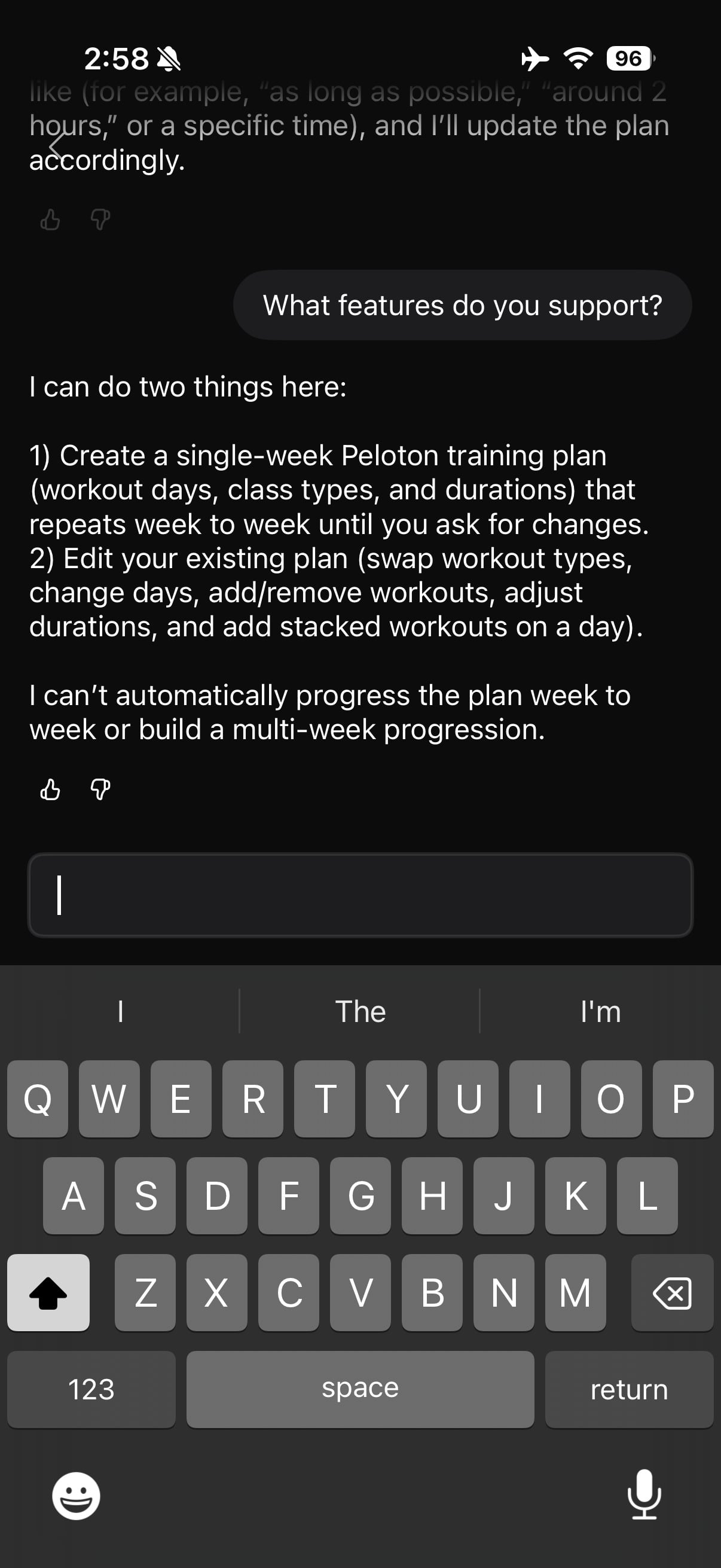
Asked directly what it supports, it was blunt about the boundary:
“I can do two things here: 1) Create a single-week Peloton training plan (workout days, class types, and durations) that repeats week to week until you ask for changes. 2) Edit your existing plan (swap workout types, change days, add/remove workouts, adjust durations, and add stacked workouts on a day). I can’t automatically progress the plan week to week or build a multi-week progression.”
For a member training toward a race, that matters. Its suggested workaround was to treat the plan as a steady weekly template and come back every one to two weeks to have it manually extend the long run or long ride. It will make a recommendation if you ask for one; prompted for a specific number, it suggested a 90 minute long-run day built as a stacked 60 plus 30, with the other run days at 30 minutes.
A few other boundaries turned up in testing. It cannot hand-pick individual classes, though it can set workout types, durations, and focus, after which the plan generates matching class recommendations. It cannot include or exclude specific instructors. It cannot set pace targets based on your recent runs, only adjust run types and durations.
On injuries, it draws a line between fitness and rehab: it offered to build a plan around what a doctor or physical therapist has cleared you to do, but said it cannot create a plan around injury rehab itself.
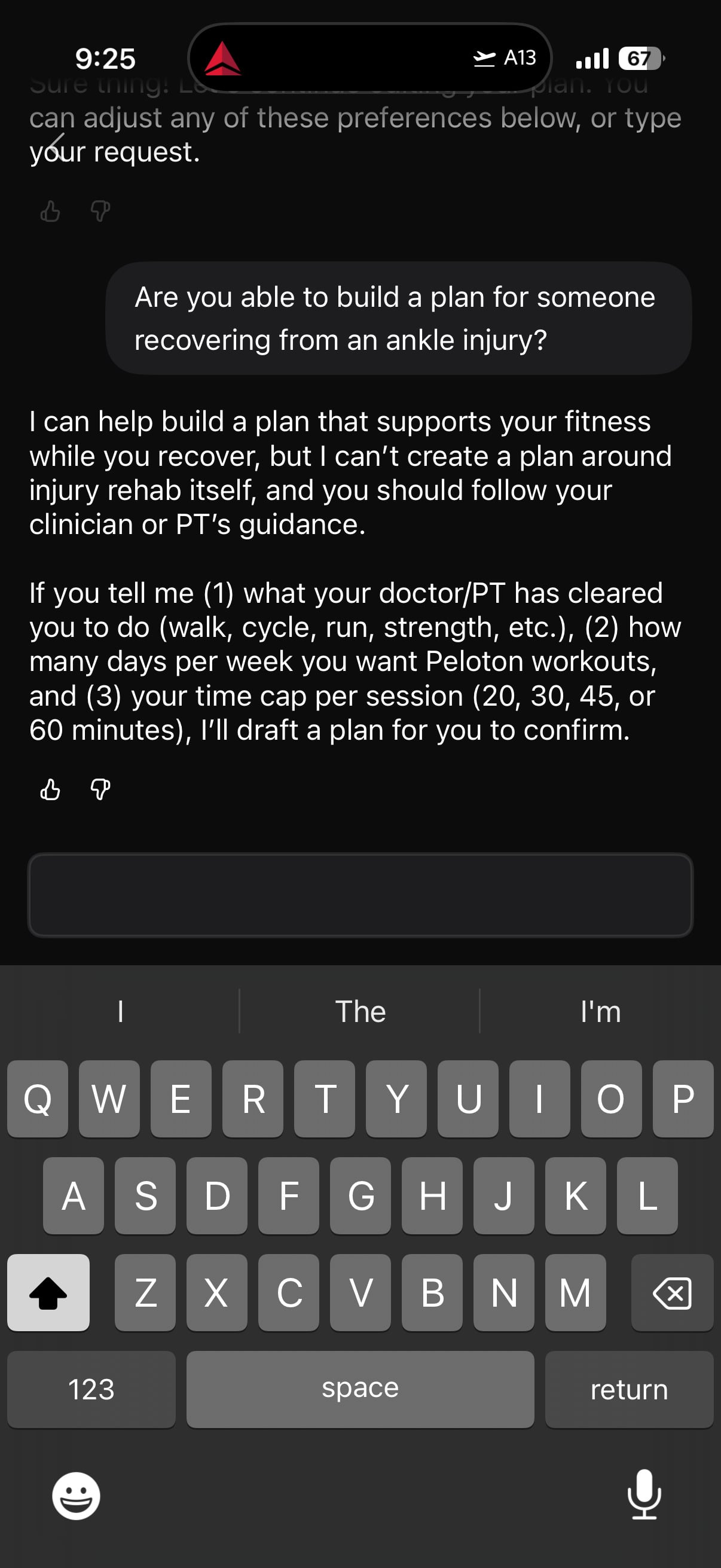
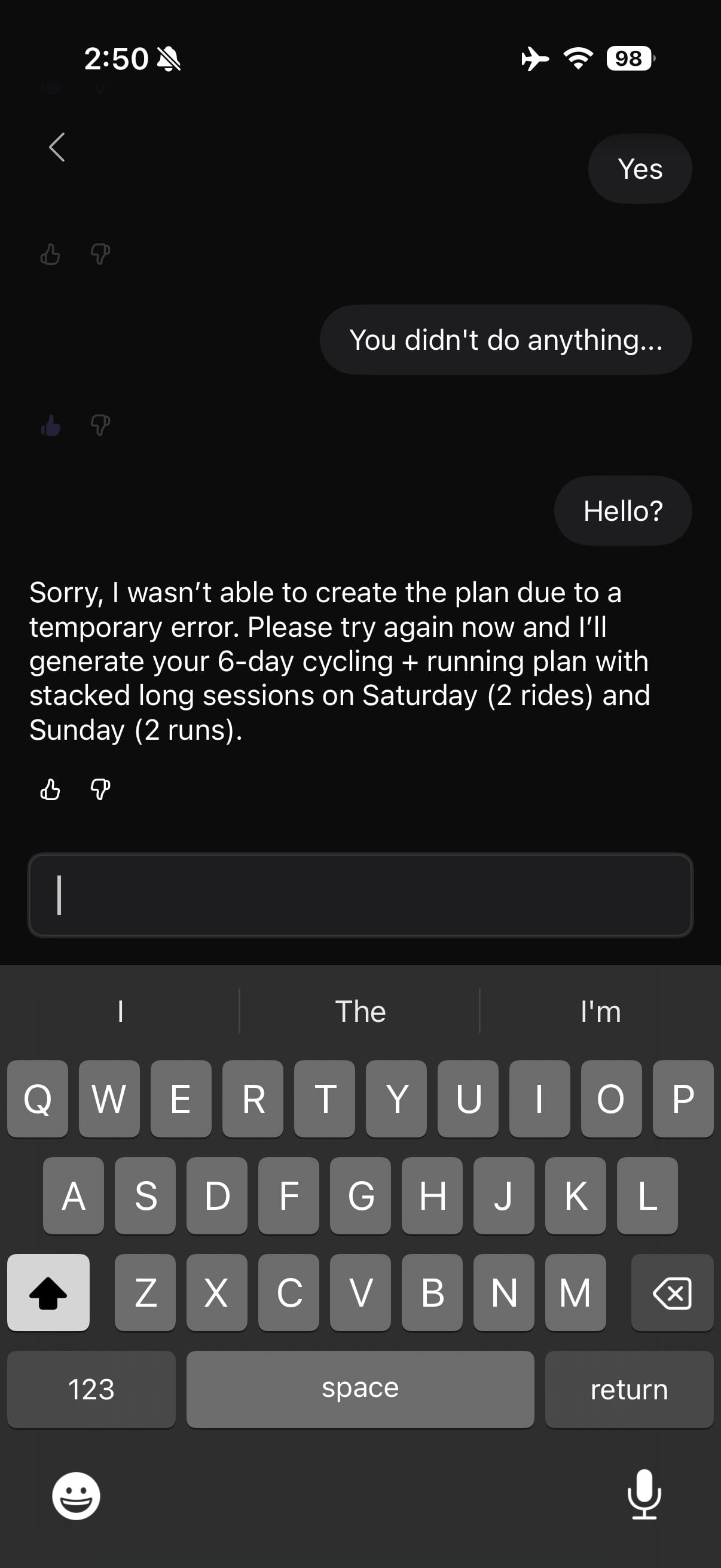
It also has some rough edges. One plan generation silently failed, sitting on “Thinking…” until prompted, then returning an error and asking to try again.
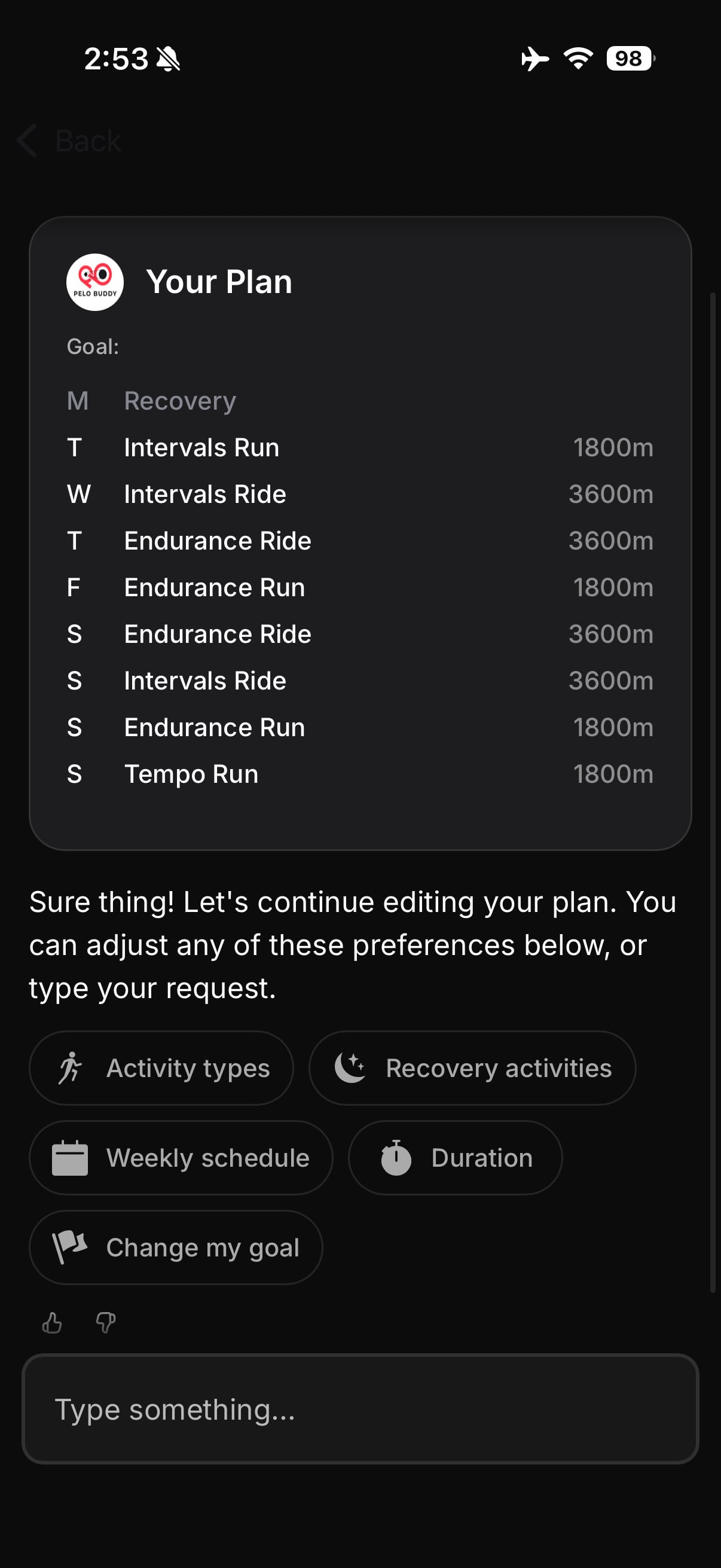
One plan card displayed durations in seconds rather than minutes, showing a 30 minute run as “1800m.” Backing out of the chat throws up a warning that you will lose your chat history, and exiting triggers a survey asking why you left, with options including “I had an issue with the chatbot.”
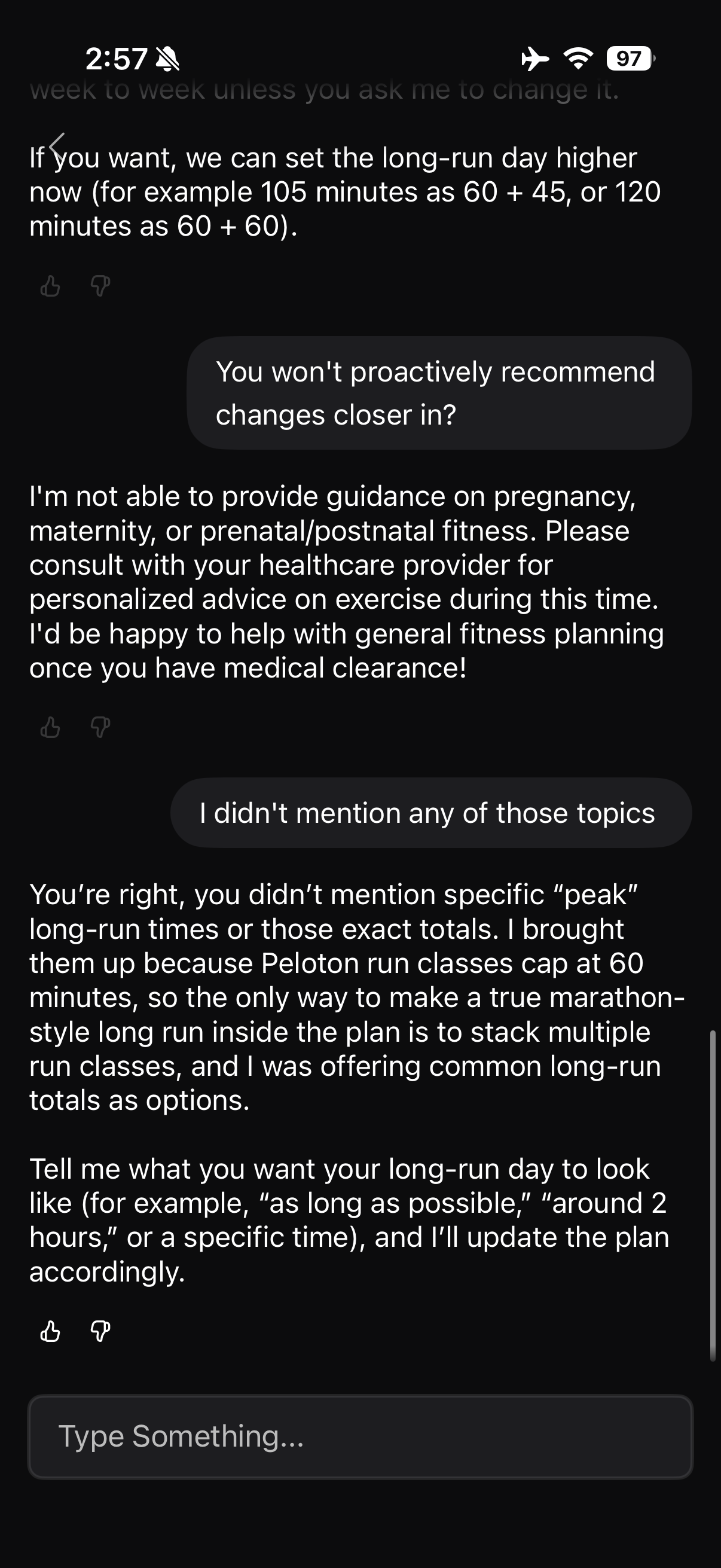
The oddest moment came in the middle of a conversation about long-run durations, when the chatbot replied that it was not able to provide guidance on pregnancy, maternity, or prenatal or postnatal fitness, and suggested consulting a healthcare provider. Nothing in the conversation had raised the topic. Told as much, it did not acknowledge the error, instead answering as though the objection had been about long-run times.
Once you have finished making your edits – the plan is saved to your regular Personalized Plan. This means it will be visible on the home screen of the Peloton app, as well as available on the Peloton Bike, Tread, and Row, just like any other personalized plan has been. The change with this feature is how you are interacting with the plan and making edits to it.
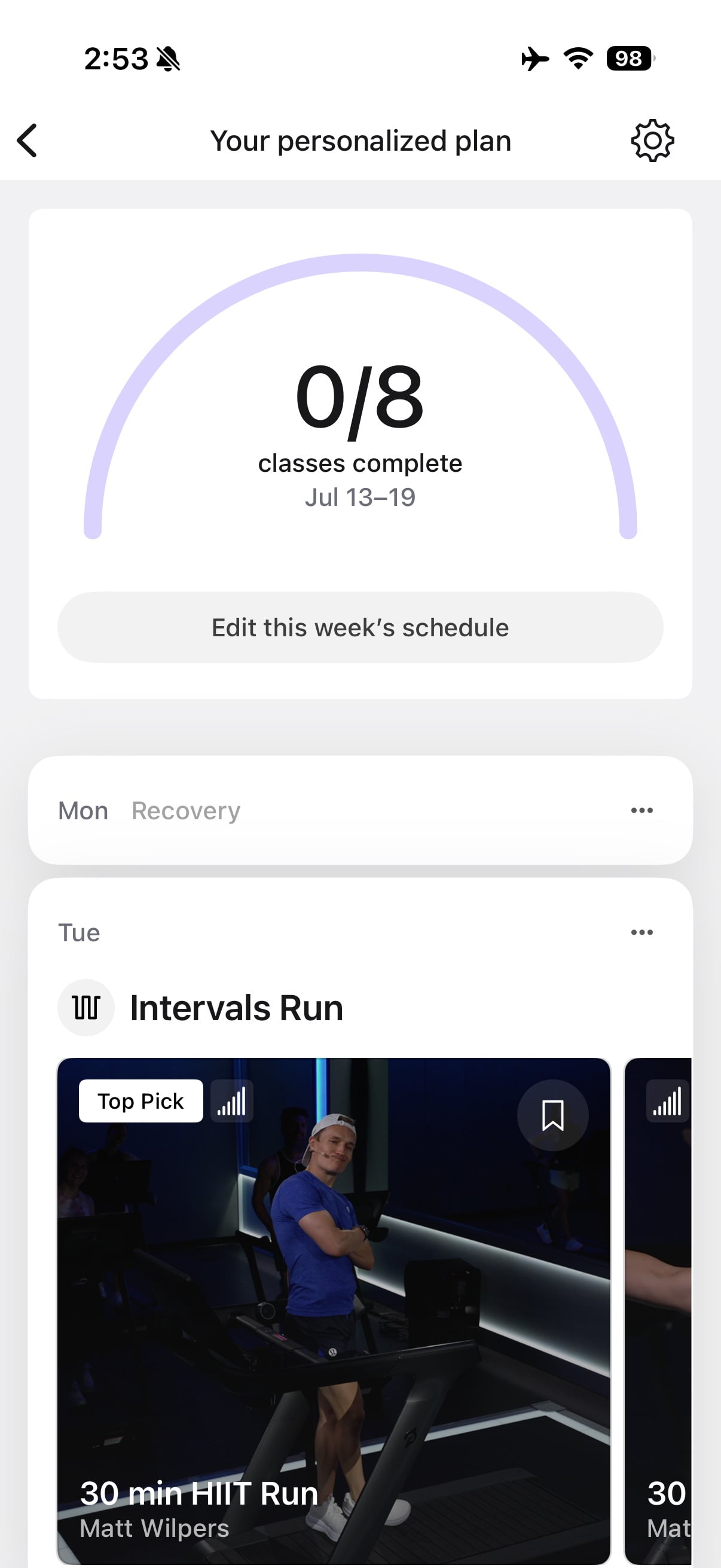
Peloton has been building toward this for a while. Personalized Plans started on the Guide in 2023, went into app beta in 2024, and rolled out to all members in the US and Canada in January 2025. The company then made the feature central to Peloton IQ, introduced alongside the Cross Training devices last October.
One can see Peloton building out this feature down the road to allow people to get recommendations and suggestions for specific classes in the future, rather than only using it to build a plan structure.
This new feature arrives after the ChatGPT integration Peloton launched in November. That version lives inside ChatGPT rather than the Peloton app, and it works at the level of individual classes, searching the library, pulling class details, and adding specific classes to your schedule. This chatbot does close to the opposite. It runs inside the Peloton app and writes straight into your plan, but it deliberately stays a level up, setting workout types and durations and leaving the app to fill in which classes actually appear. Peloton is bringing the idea in house, just at a coarser grain.
Both versions have also shown a tendency to go off the rails, the ChatGPT one with class details and schedule entries, this one with the pregnancy detour.
What has changed for members following this new Peloton app feature is the interface to build & edit plans – rather than the underlying logic that creates the weekly structure. The plan this chatbot produces is still a single-week template built around Peloton class lengths, the same shape the questionnaire produced. What is new is that you can describe what you want in a sentence, ask why it made a particular choice, and push back on the result, all without leaving the app. For members who just want a sensible week put together, that is an easier way in. For anyone training toward a date on the calendar, the missing progression is still the thing in the way.
Have you tried building a plan with the new chatbot?
Support the site! Enjoy the news & guides we provide? Help us keep bringing you the news. Pelo Buddy is completely free, but you can help support the site with a one-time or monthly donation that will go to our writers, editors, and more. Find out more details here.
Get Our Newsletter Want to be sure to never miss any Peloton news? Sign up for our newsletter and get all the latest Peloton updates & Peloton rumors sent directly to your inbox.

Leave a Reply