

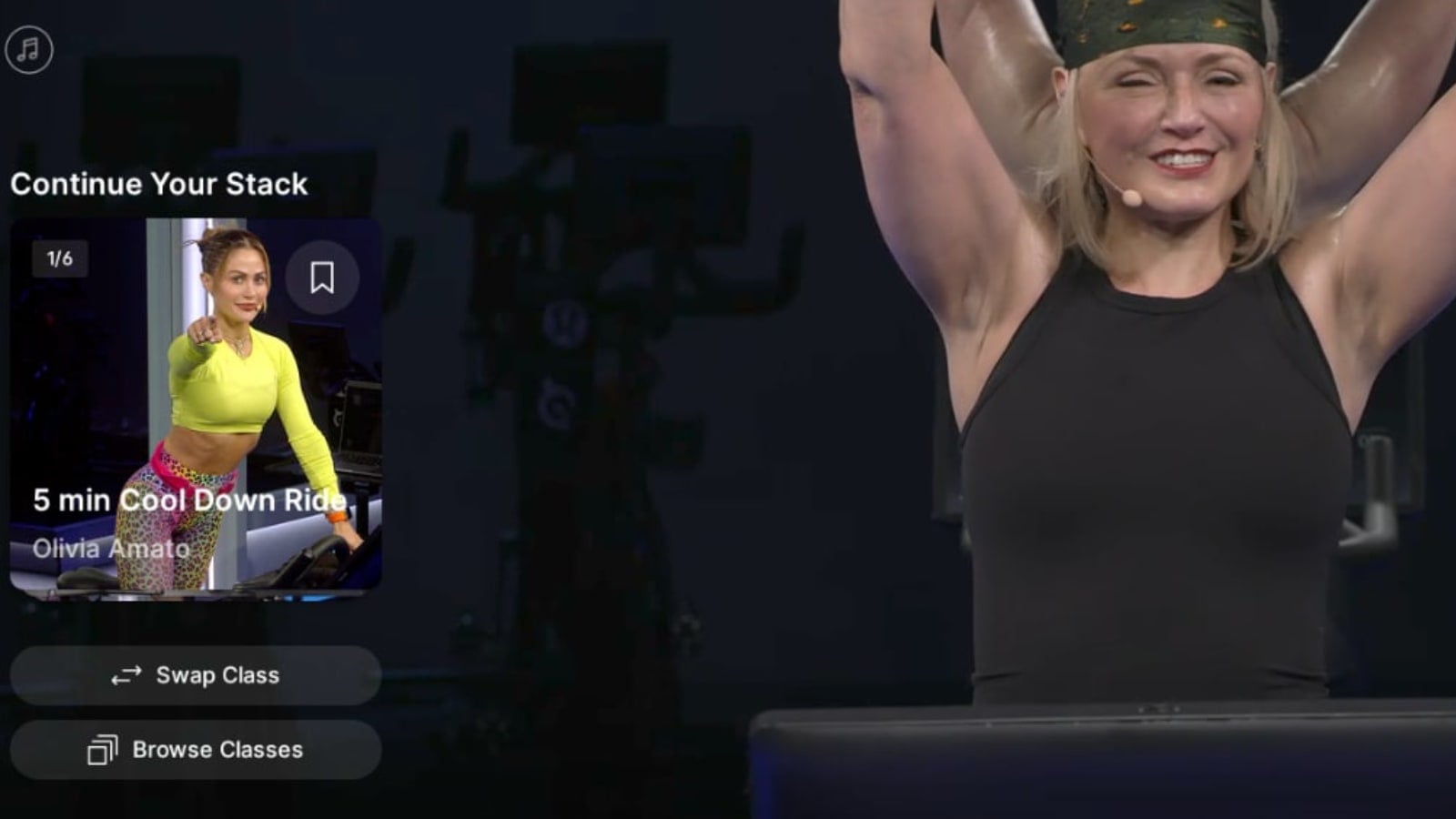
Peloton has rolled out a new post-class layout that makes it easier to keep moving through your stack.
Update – After removing the feature, Peloton added this feature back again in August.
Now, when you finish a class, a “Continue Your Stack” section appears on the left side of the workout-complete screen. It surfaces the next class in your stack, along with your place in it (such as 1 of 6), and you can tap straight into it to start that class.
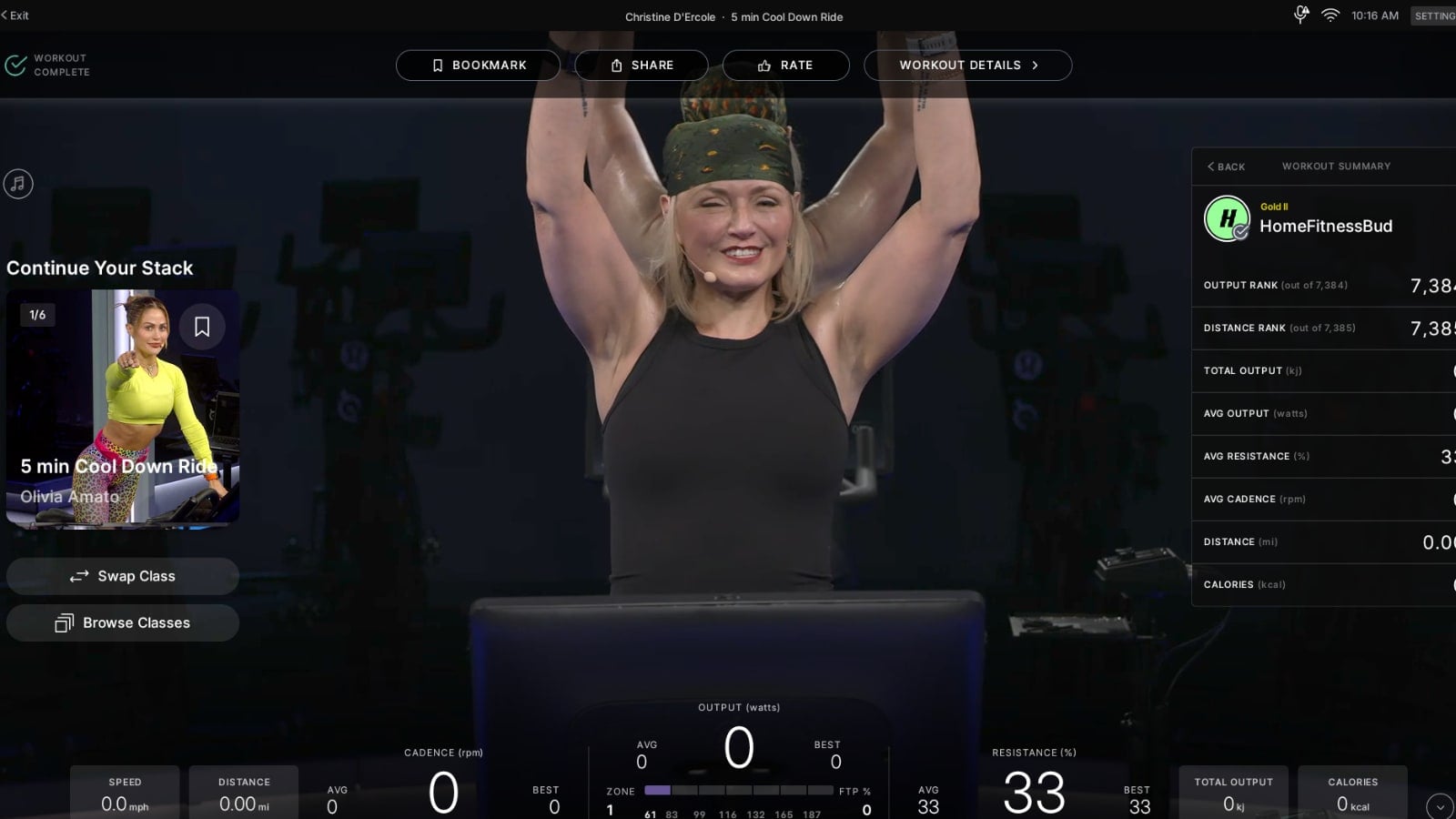
The panel also adds two shortcuts. A “Swap Class” button cycles through the other classes in your stack, moving to the second, third, fourth, and so on, so you can jump to any class in the stack rather than only the next one in line.
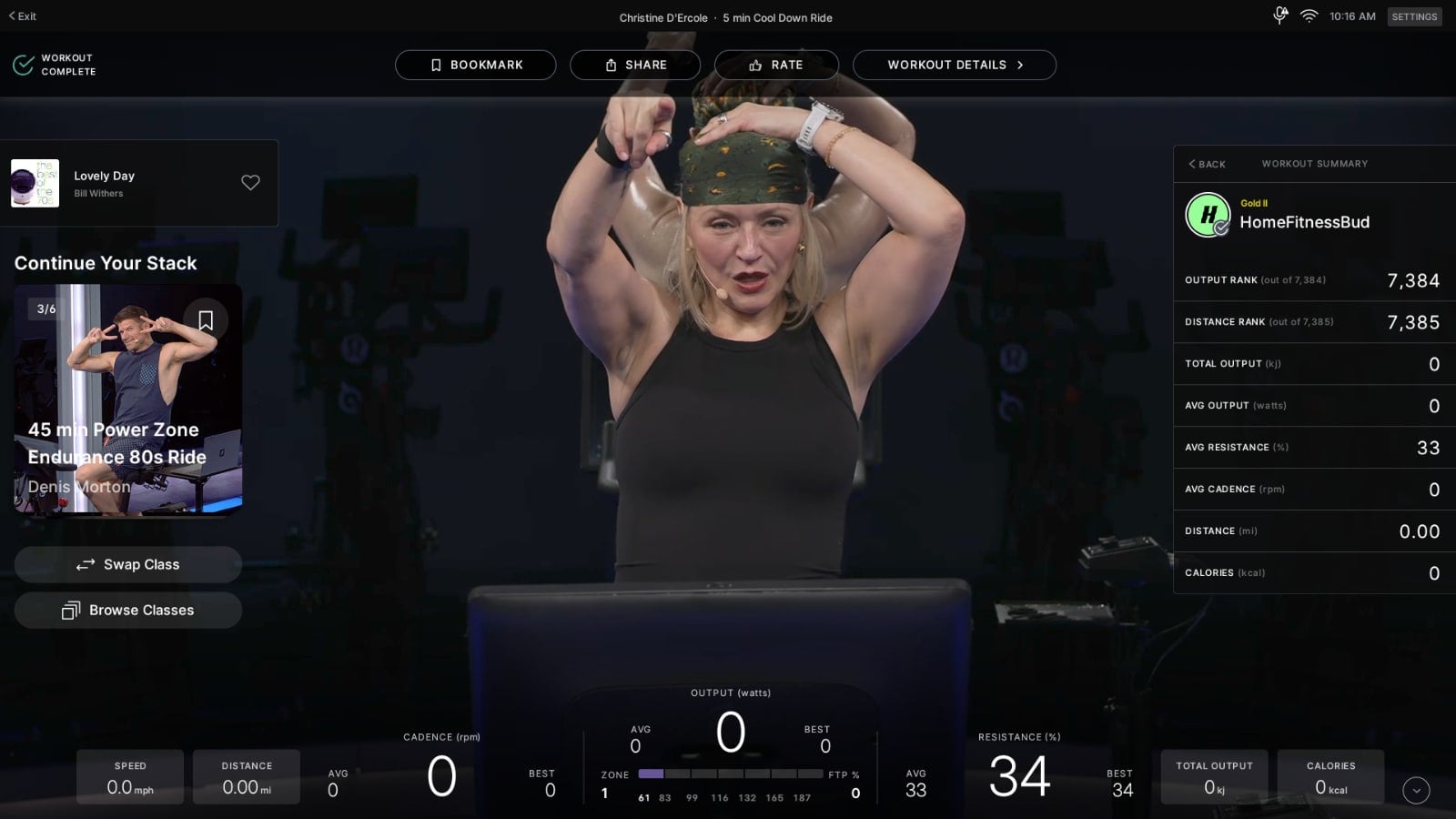
A “Browse Classes” button takes you straight back to the main on-demand library to choose any random class you want.
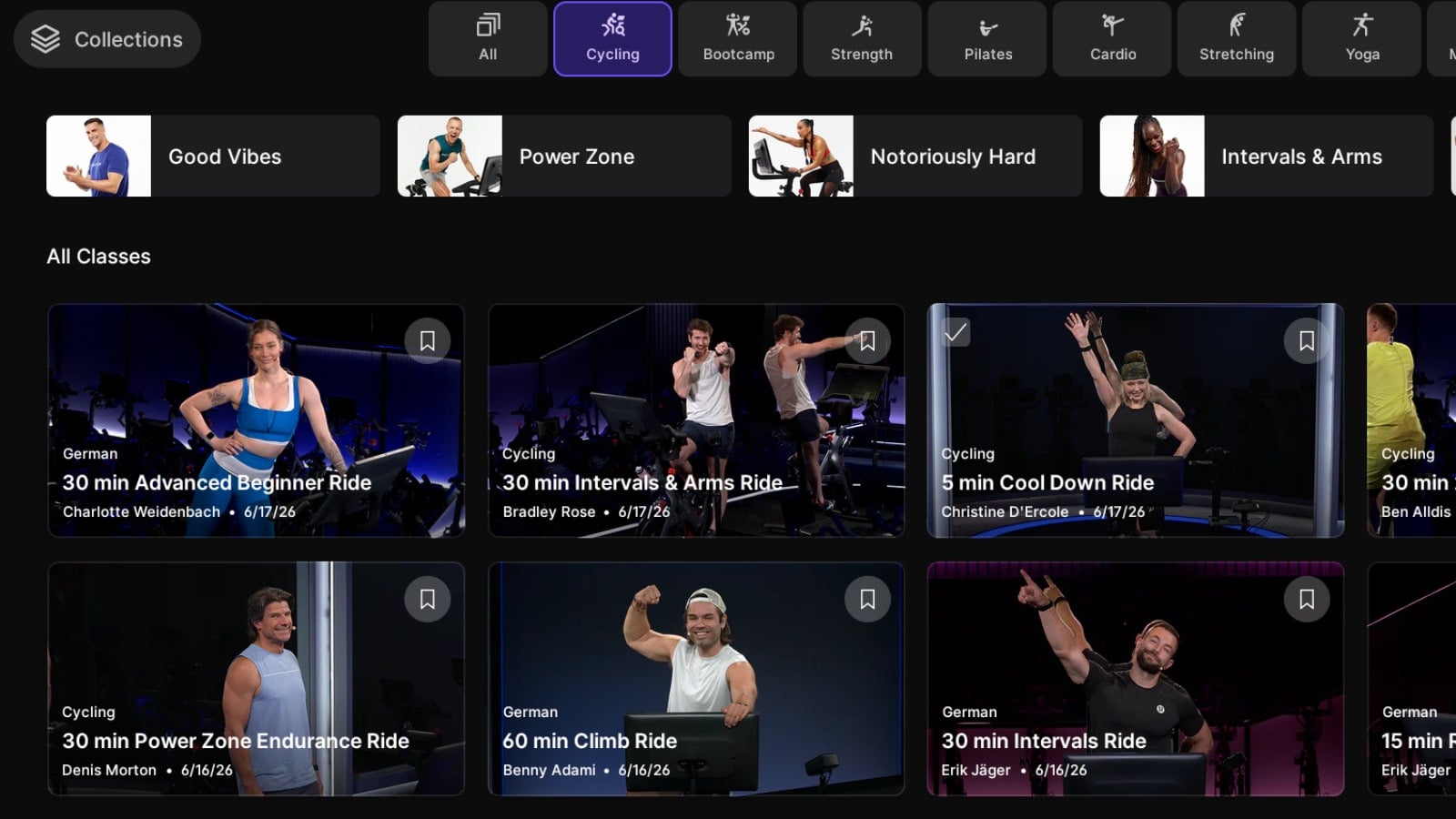
For the unfamiliar, stacking lets you queue up multiple classes to take back to back, like a warm-up, a main ride, and a cool down. The new layout makes it simpler to roll into the next one, or change course on the fly, without digging back through the library.
Previously, you continued your stack from a “Continue Stack” button in the top toolbar, next to options like Bookmark, Share, Rate, and Workout Details. That button has been removed, so the new left-side section is now the only way to move into your stack from the post-class screen.
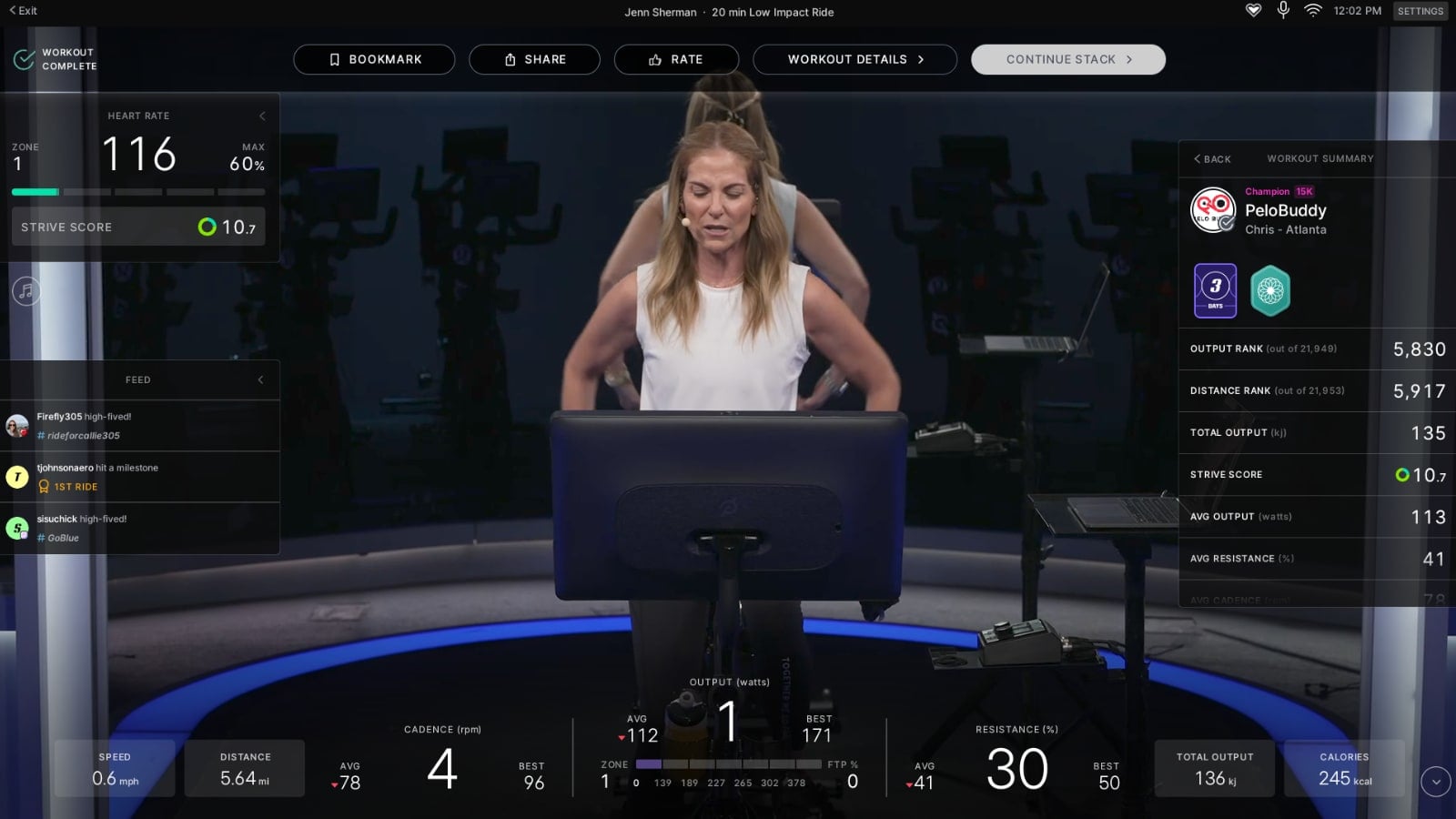
The change fits a steady stream of software updates Peloton has rolled out under CEO Peter Stern, many aimed at smoothing the path from one class to the next and keeping members moving.
Earlier this year Peloton added an auto-play for stacked classes in the Peloton app, although that experience still requires manual interaction and getting your phone out in many cases.
Peloton first added class stacking on Peloton devices in 2021.
Do you see the new layout making it easier to get through your stack?
Support the site! Enjoy the news & guides we provide? Help us keep bringing you the news. Pelo Buddy is completely free, but you can help support the site with a one-time or monthly donation that will go to our writers, editors, and more. Find out more details here.
Get Our Newsletter Want to be sure to never miss any Peloton news? Sign up for our newsletter and get all the latest Peloton updates & Peloton rumors sent directly to your inbox.

I just tried the new “Continue Your Stack” and yes it does help a lot!
Not a big fan of this new feature. Is there a setting that can remove it from appearing after each ride?