

The new Peloton Strength+ app has officially been released today.
It is currently only available in the US, for iOS / Apple devices (iPhone, iPad or Apple Watch). There is also no word yet on timing / release for other countries or Android.
As a reminder – the Peloton Strength+ app is a brand new / separate app from the existing Peloton App. You can find the new Peloton Strength+ App on the app store here.
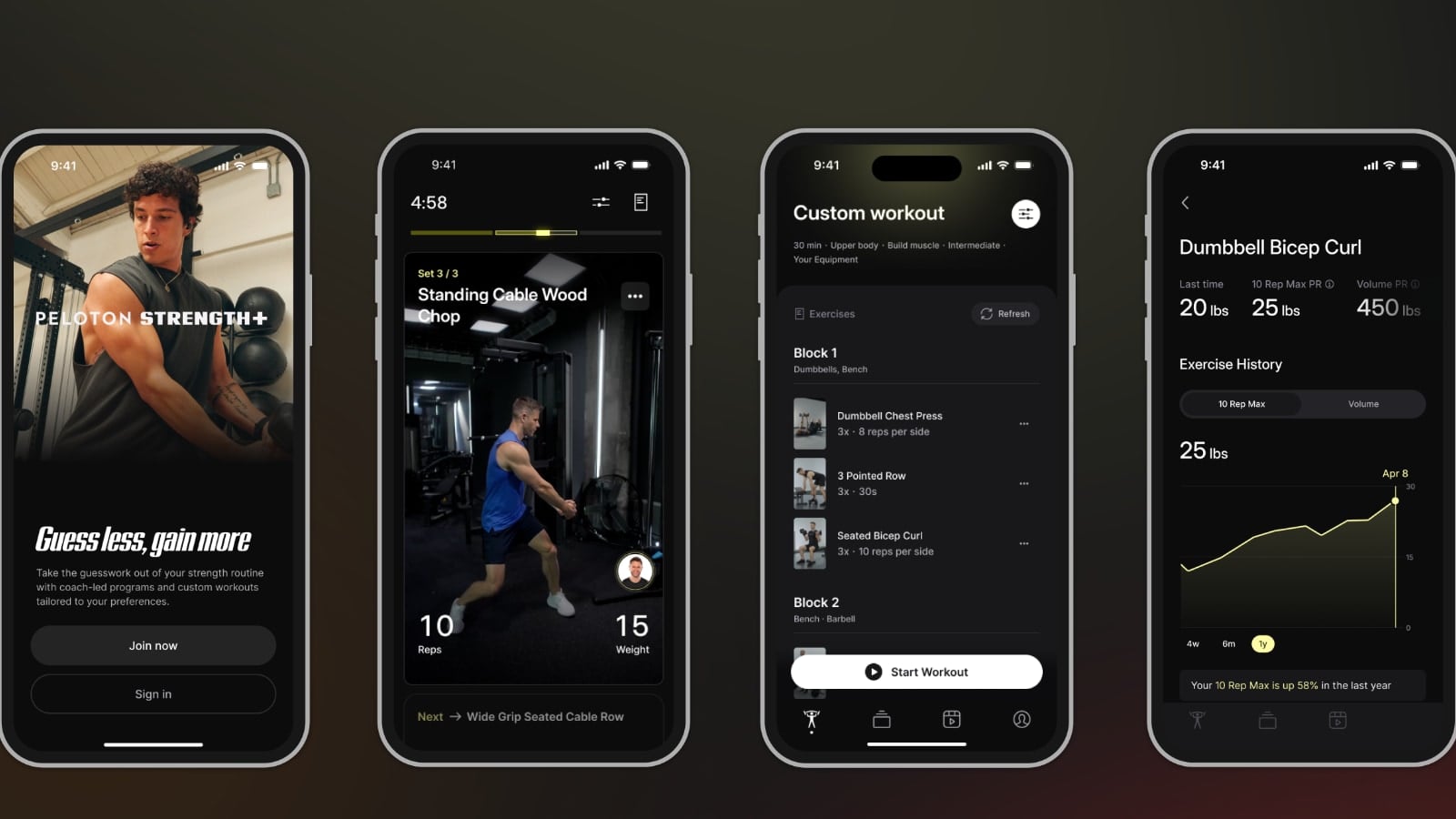
The Peloton Strength+ also offers some Apple Watch integrations as well.
Cost of Peloton Strength+ App
A big question around Strength+ was pricing. When Peloton announced the beta program, all they said is that it would be free while it was in beta – but did not mention pricing once it launched.
For existing Peloton members, there is some good news now that official pricing has been announced. Peloton Strength+ is free if you have an All-Access membership (i.e. own any other piece of hardware), have a Guide membership (own the Guide), or are paying for the top-tier App+ experience. You simply login with your existing Peloton account, and you will have access to Peloton Strength+ in the new app.
For those who are new to Peloton, or who are paying for the regular App One membership (and not App+), Peloton Strength+ will cost $9.99 / month. However, Peloton is offering an introductory offer of $1/month for the first 6 months.
Overview of Peloton Strength+ App
This app has been in beta testing for the last 3 months with over 5,000 Peloton members. Over that time period, Peloton has iterated on the product, pushing new features and making tweak based on feedback they have been getting from those members.
One big difference existing Peloton members will immediately notice is there is no background music playing as you workout, like a traditional Peloton workout. You instead pick the playlist through any third party music app. Some people will see this as a pro, while others will see this as a con.
Another difference from a traditional Peloton class is that the instructors are not doing the workout alongside you. Even in the Strength+ programs – you are seeing clips of instructors demonstrating the movements. These are separate video clips – and not an instructor doing the class from start to finish in real time with you.
Existing Peloton members might have also tried the Peloton Gym feature, which still lives in the classes section of the regular Peloton app. The new Peloton Strength+ app is a totally separate app, and has no relation to Peloton Gym (besides perhaps sharing some UI elements).
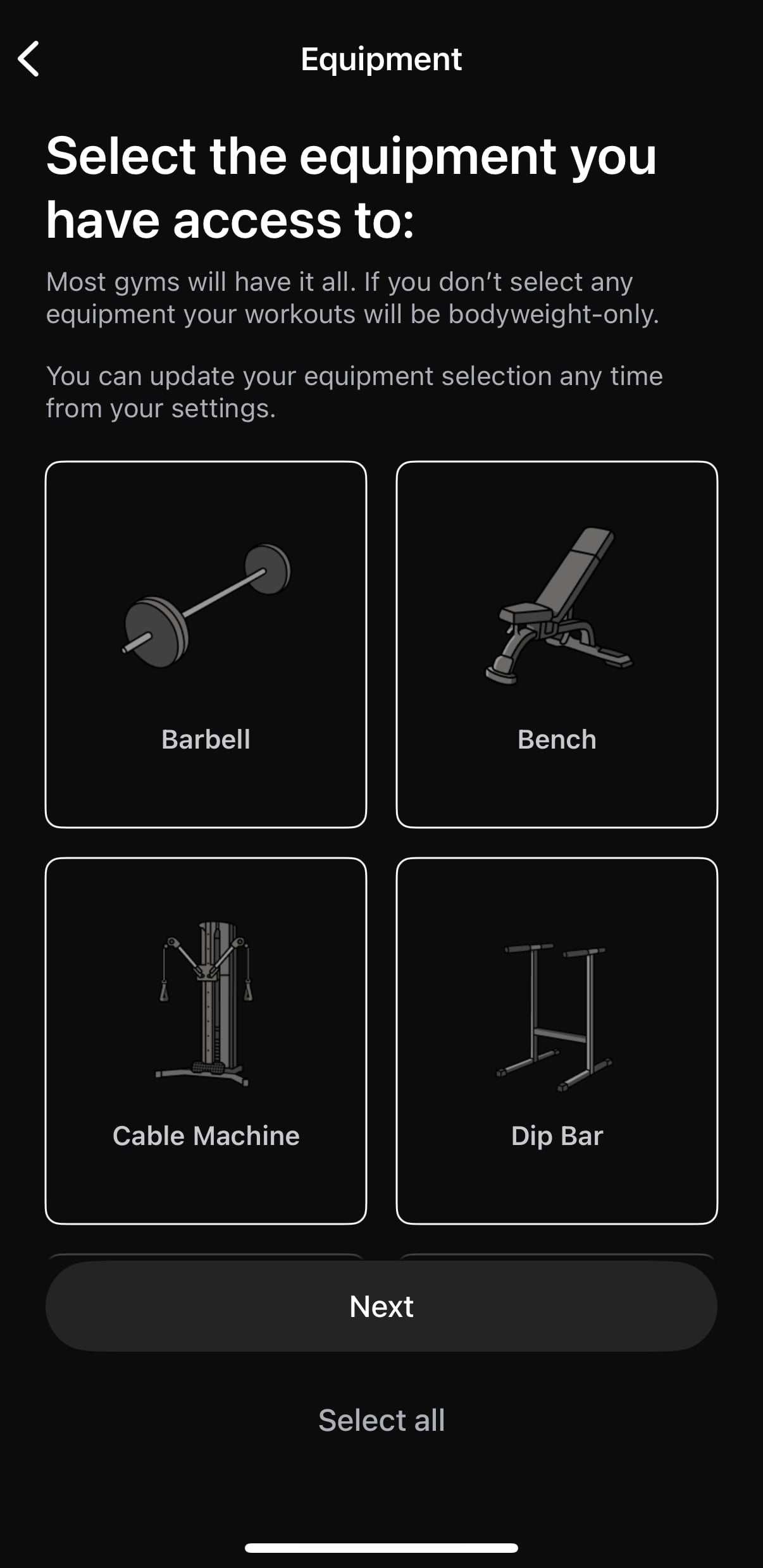
This Peloton Strength+ app is (mostly) designed to target a different audience than the current Peloton app & devices. The Peloton Strength+ app is designed for those who want to get a workout done in the gym (whether that be a gym in their home, or a gym they have a membership to or are visiting). It is also set up so that you are able to pick what workout equipment you have access to – and will tailor the workouts to equipment you have.
The app is designed so that it guides you through a workout. For every movement, there is a video playing showing a Peloton instructor doing the same movement you are supposed to be doing.
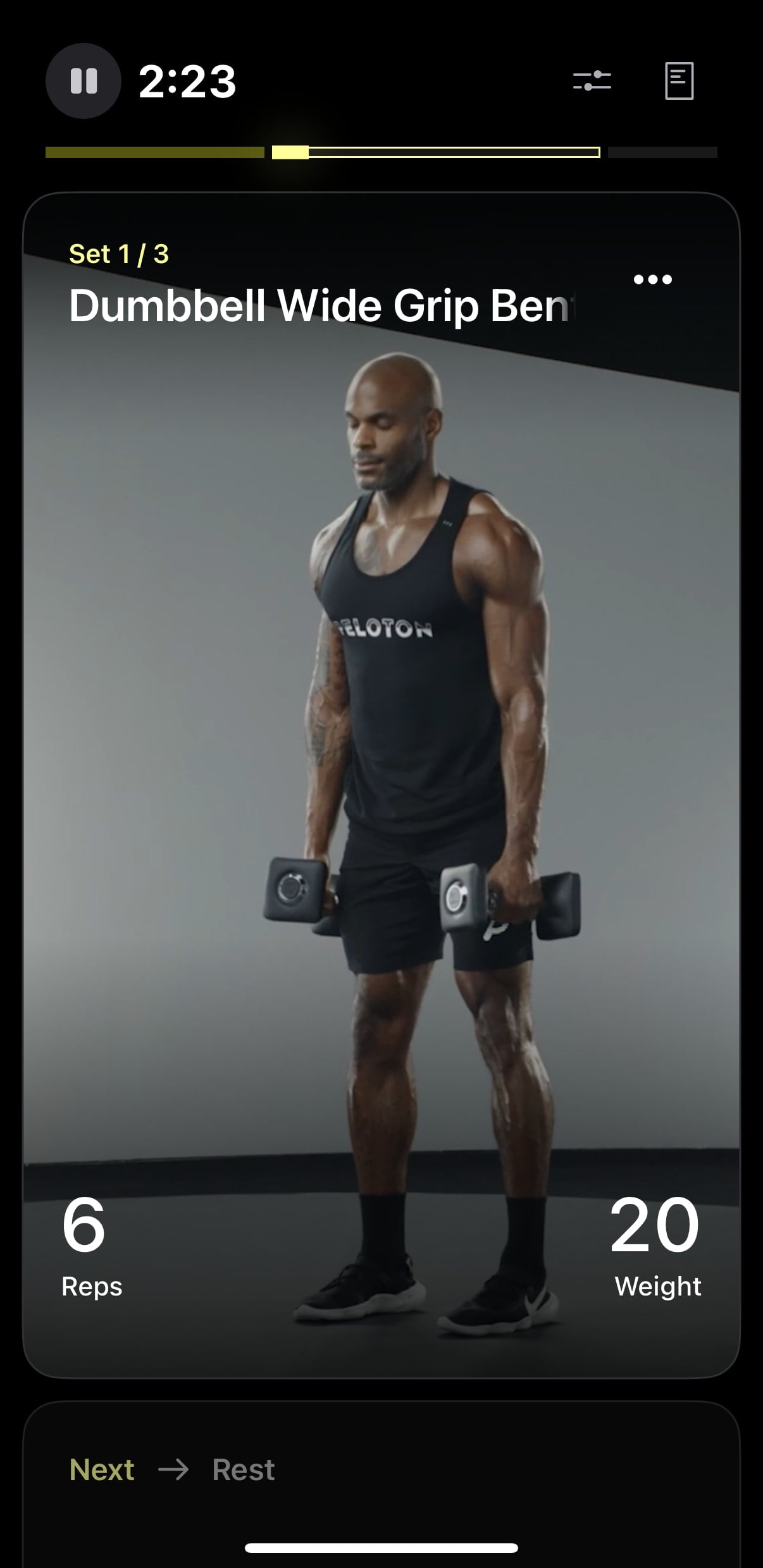
There is also a running timer, or rep counter, showing you how much/long you should be doing that rep for. (At this time, there is no automatic rep counting or tracking of any sort, so you’ll be counting each set in your head and logging it at the end of each movement, or at the end of the workout. Peloton has not yet teased whether a future update might allow rep-tracking from a Peloton Guide or your phone camera).
The Peloton Strength+ gives users two main workflows of how they want to work out.
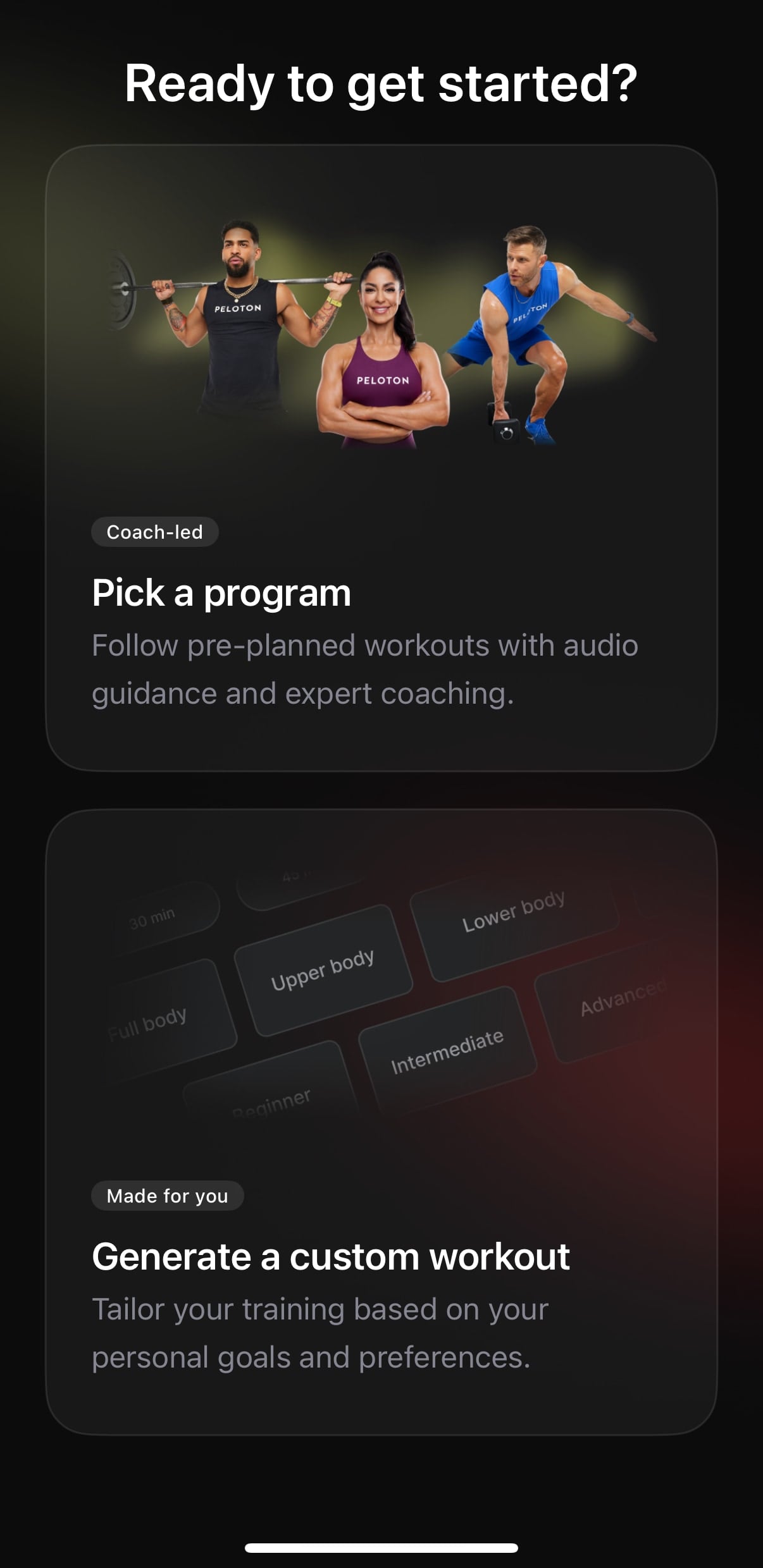
The first is with traditional programs – designed & programmed by Peloton instructors. These will range from 1 week split programs, to multiple week-long (or month long) programs. In these programs, the workouts and movements for each day are pre-determined by the instructor. However, you do have the ability to swap any particular movement in the workouts.
When swapping a movement, Peloton will suggest a different “Suggested” movement in it’s place, or you can pick any other movement in the library.
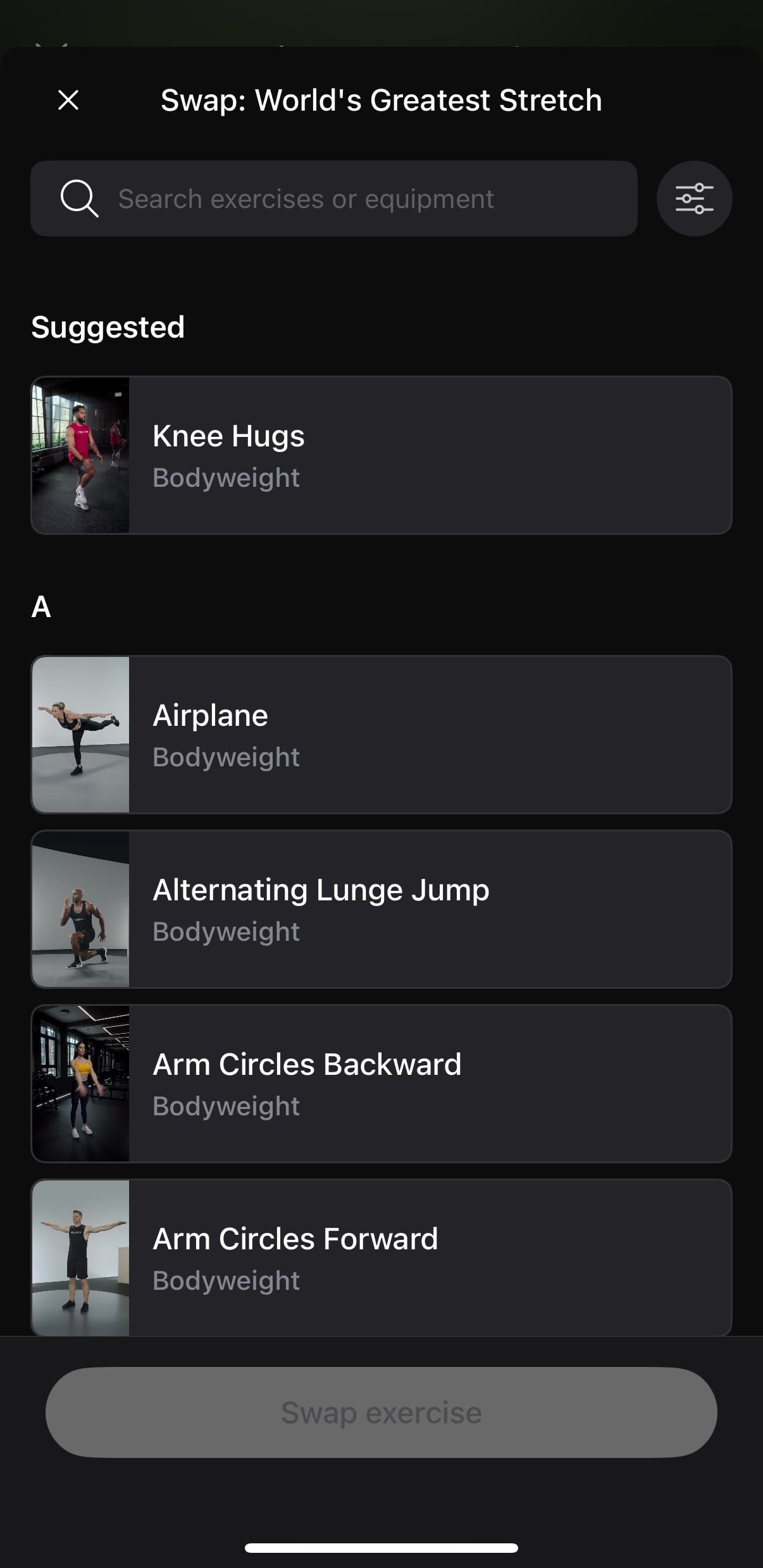
Note that you can only swap for other movements that exist in the Peloton library (of which there are 100+). If a movement isn’t there – you can’t add a completely new workout.
At this time, there are 6 programs available to pick from. They range in length from 1 week long to 4 weeks long at this time.
Peloton Strength+ Workout Programs
- Jermaine Johnson – Pure Pump – 3 weeks (3x / Week) – Intermediate
- Rebecca Kennedy – Grind and Defined Split – 1 weeks (4x / Week) – Intermediate
- Andy Speer – Ignite Your Strength – 4 weeks (3x / Week) – Intermediate
- Rad Lopez – Shred It – 4 weeks (4x / Week) – Intermediate
- Ben Alldis – Pump Up Your Performance – 4 weeks (4x / Week) – Intermediate
- Assal Arian – Max Your Muscle – 4 weeks (5x / Week) – Intermediate
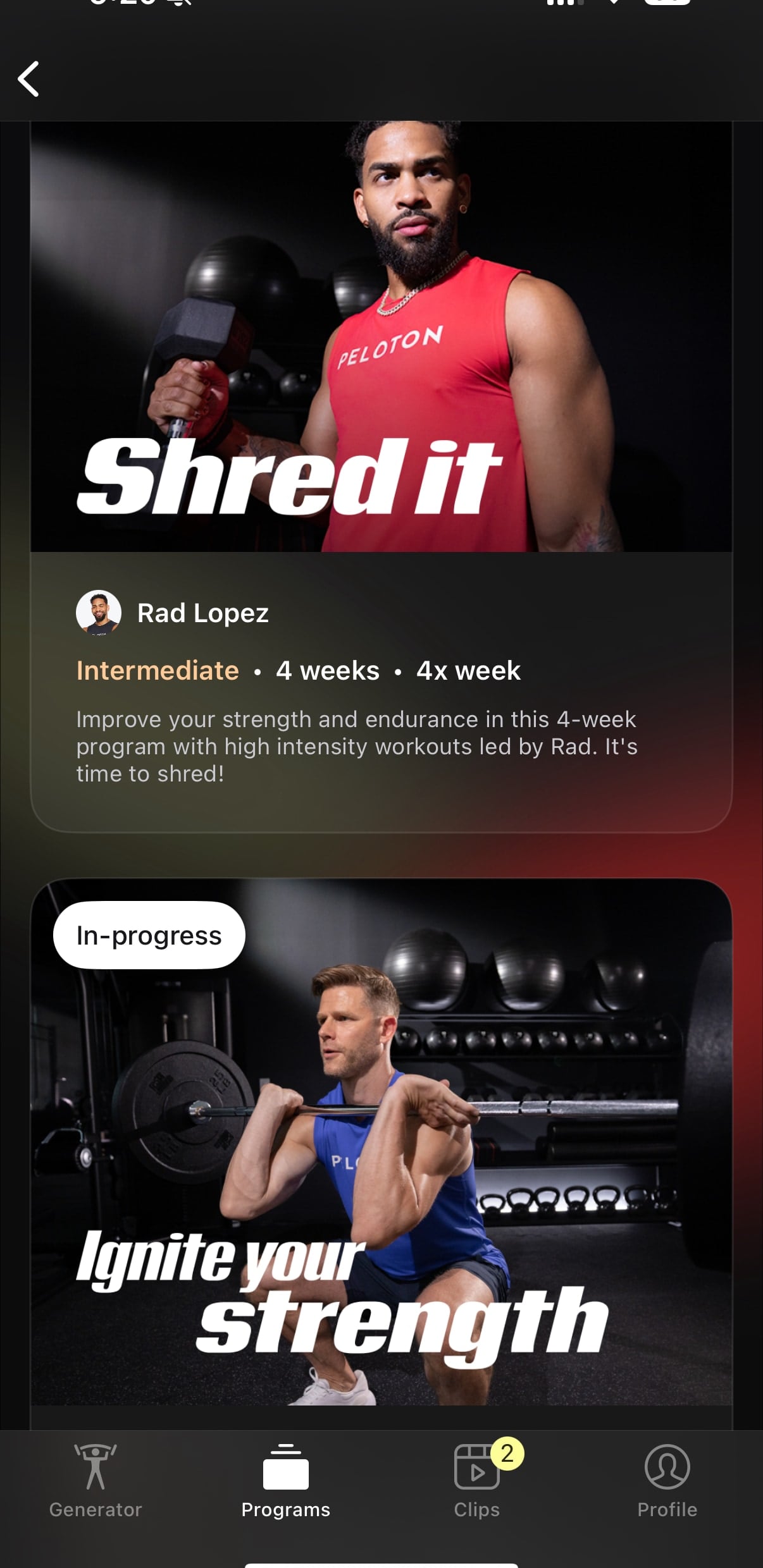
If you choose to follow an instructor-led workout plan, you’ll get some extra tips and guidance throughout the workout. For example, when beginning each workout, you’ll get an audio overview from the instructor, explaining the workout for the day, and highlighting what you’ll be working on. You’ll get the a similar instructor popup before beginning each block, preparing you for the upcoming work. Then, for many of the individual movements you are doing, you’ll get a short intro for the movement, perhaps telling you how long you’ll be doing it, or things to look out for when doing that movement.
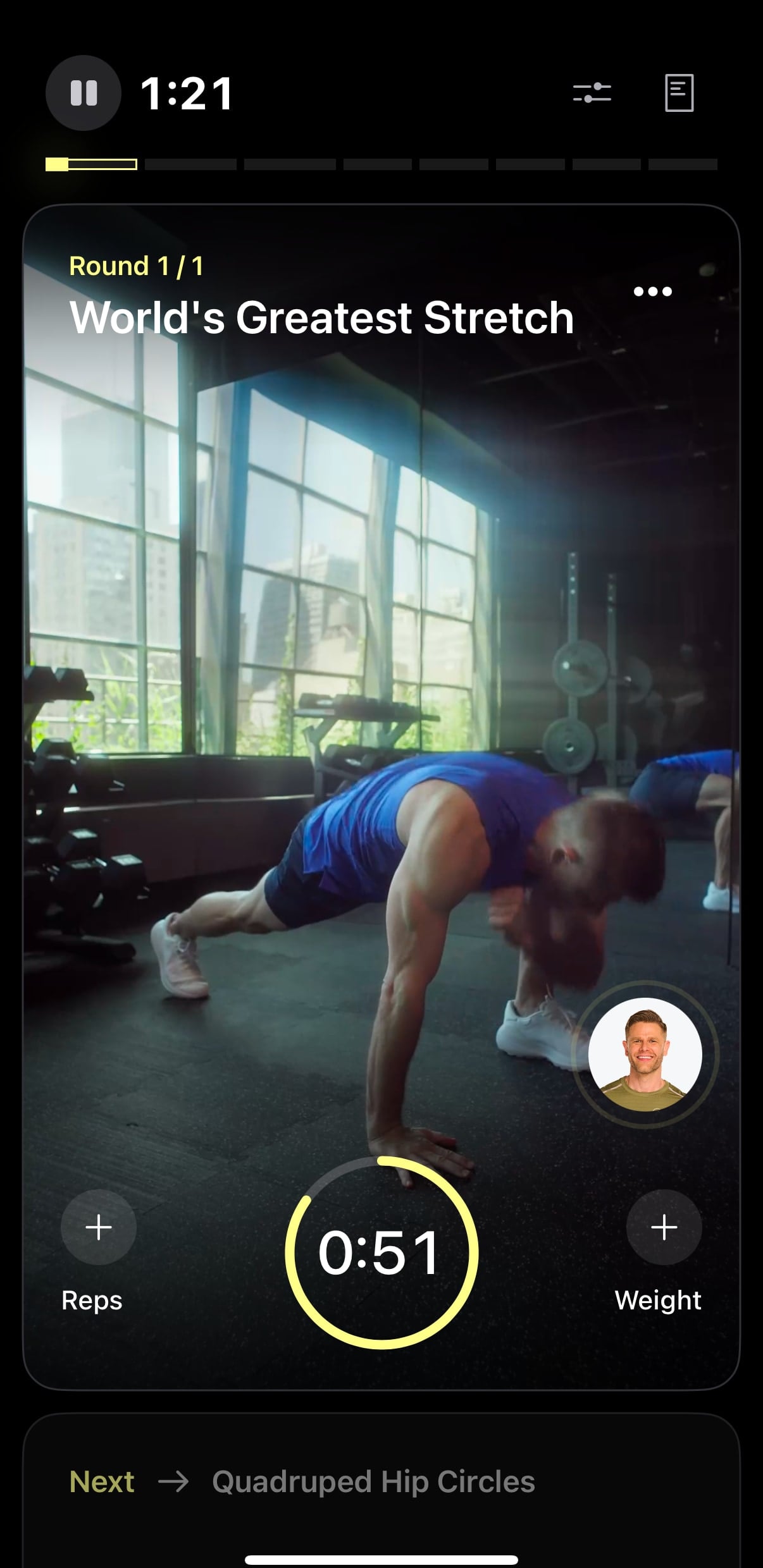
Of course, if you don’t like these tips, you can choose to turn them off and not hear them – and just do the workout.
If you don’t want to follow a pre-planned workout, Peloton also has a Workout Generator tool. With the Peloton Strength+ Workout Generator tool, you input several parameters into the app, and it will generate a full workout plan for you.
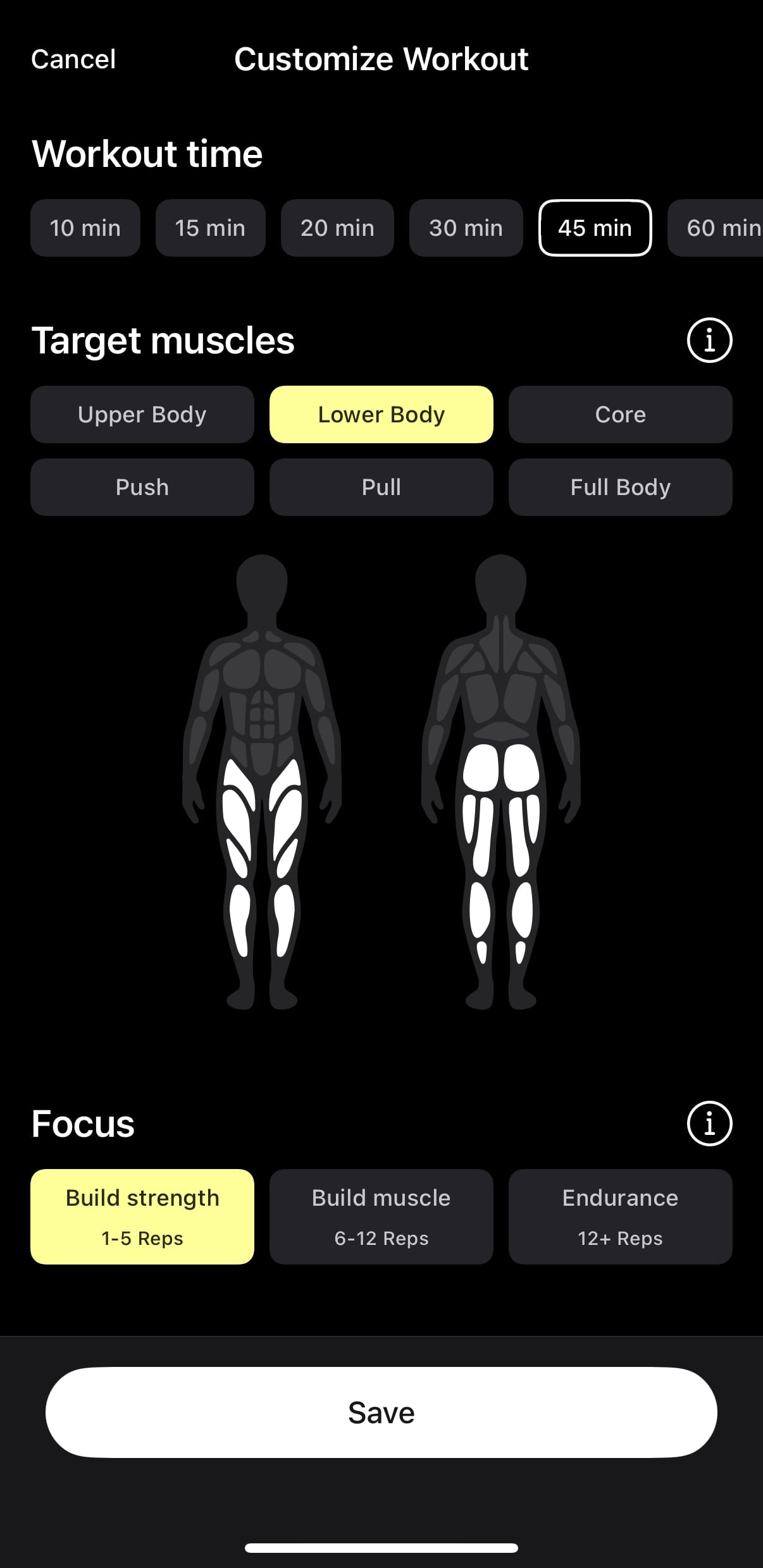
The first choice is workout time, where your choices are: 10 min, 15 min, 20 min, 30 min, 45 min, 60 min.
Next you pick the Target Muscles you want to work. At this time, the target muscle choices are:
- Upper Body
- Lower Body
- Core
- Push
- Pull
- Full Body
Next, you tell it what your focus for the workout should be. These options are:
- Build Strength (1-5 reps) – Lifting heavy for low reps helps build strength and power
- Build Mass (6-12 reps) – Hypertrophy – Lifting with moderate weight at higher reps builds muscle mass and sculpts muscle
- Endurance (12+ reps) – Lifting with lighter weights and high reps builds muscular stamina
You then pick what your difficulty level for this workout is: Beginner, Intermediate, or advanced
Next, you pick what equipment you want to use. Your choices are no equipment, only dumbbells, Your Equipment (which you can configure at any time in the settings, or on this screen), or all Gym Equipment.
Finally, you select whether you want a warmup or not.
After making these choices, the Peloton Strength+ will generate a custom workout for you. It will display the full workout plan for you to review. If you don’t like the plan it made – there is a “Refresh” button at the top which will use those same parameters, but regenerate it using new movements in another attempt.
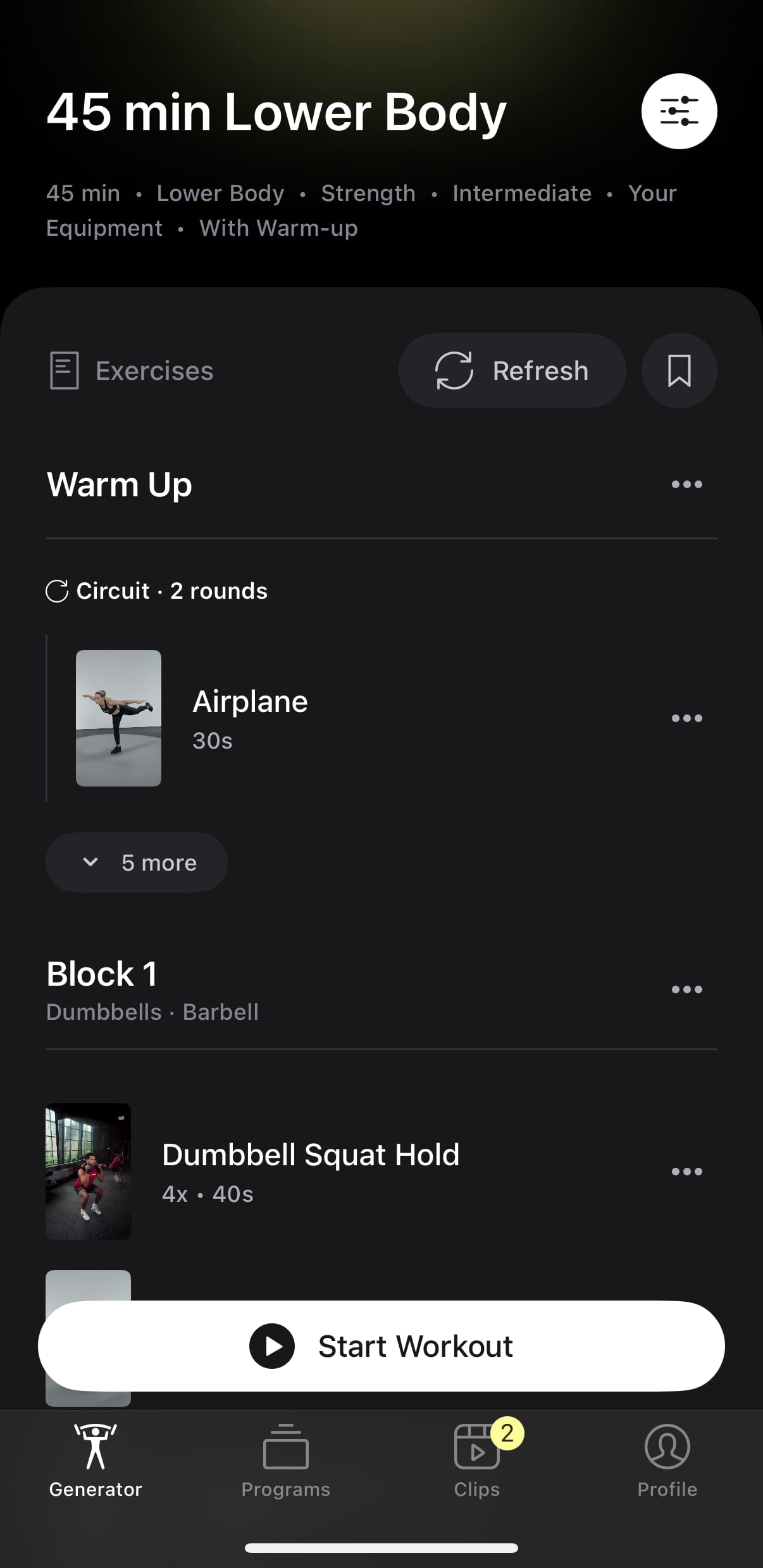
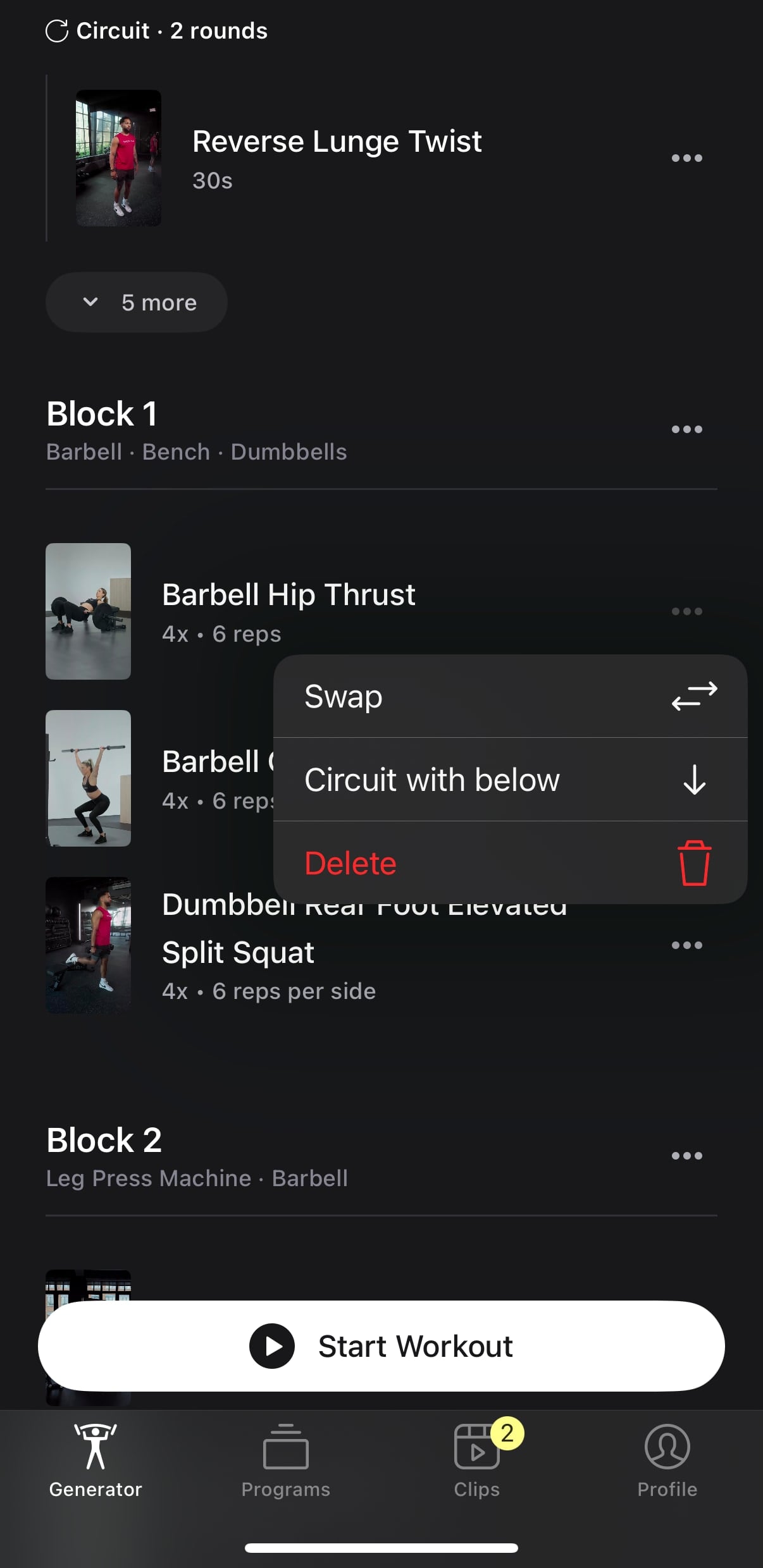
If you like most of the workout, but not one movement – you can choose to swap that single movement with a different one of your choice, or delete that single movement altogether. You can also choose to combine two movements into a circuit.
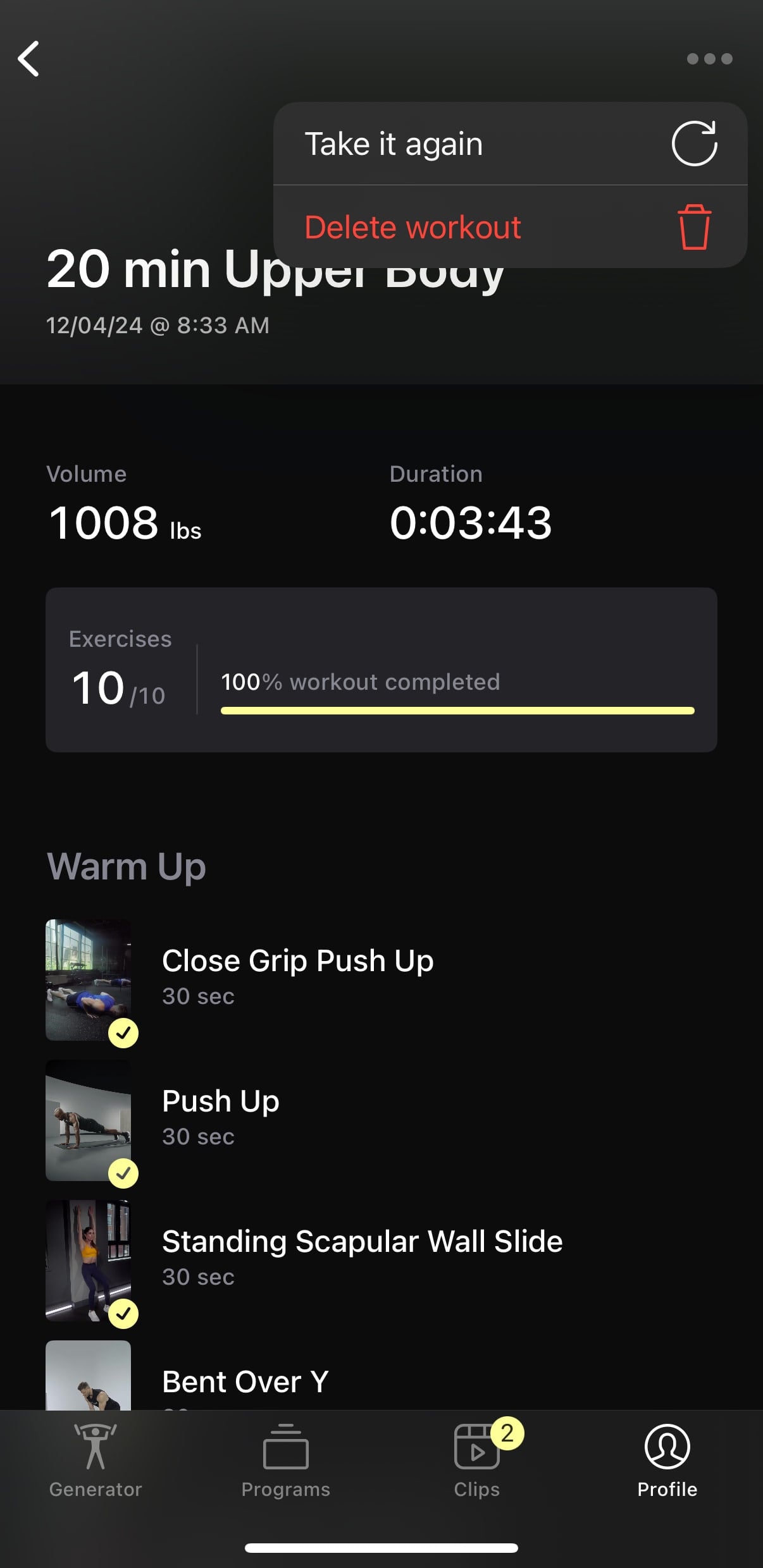
Once you are happy with the workout plan – you can hit “Start Workout” to begin your strength workout. Note that before starting, there is also a bookmark icon at the top right – this will allow you to save the workout so you can repeat it in the future as well. If you forget to save it, you can always go back to completed workouts in your history. When viewing a workout there, there is a “Take It Again” option.
If you want a completely custom workout, without the AI – you can set a workout up by hand as well. To do this, just pick the length of the workout you want, and fill in anything for other options. Once the AI generates a workout for you, go to each block it created, and delete all the blocks.
Once done, you’ll be left with an empty workout of the time you generated. Then, you can start to begin and add movements manually by hand. This will allow you to create a 100% custom workout you designed.
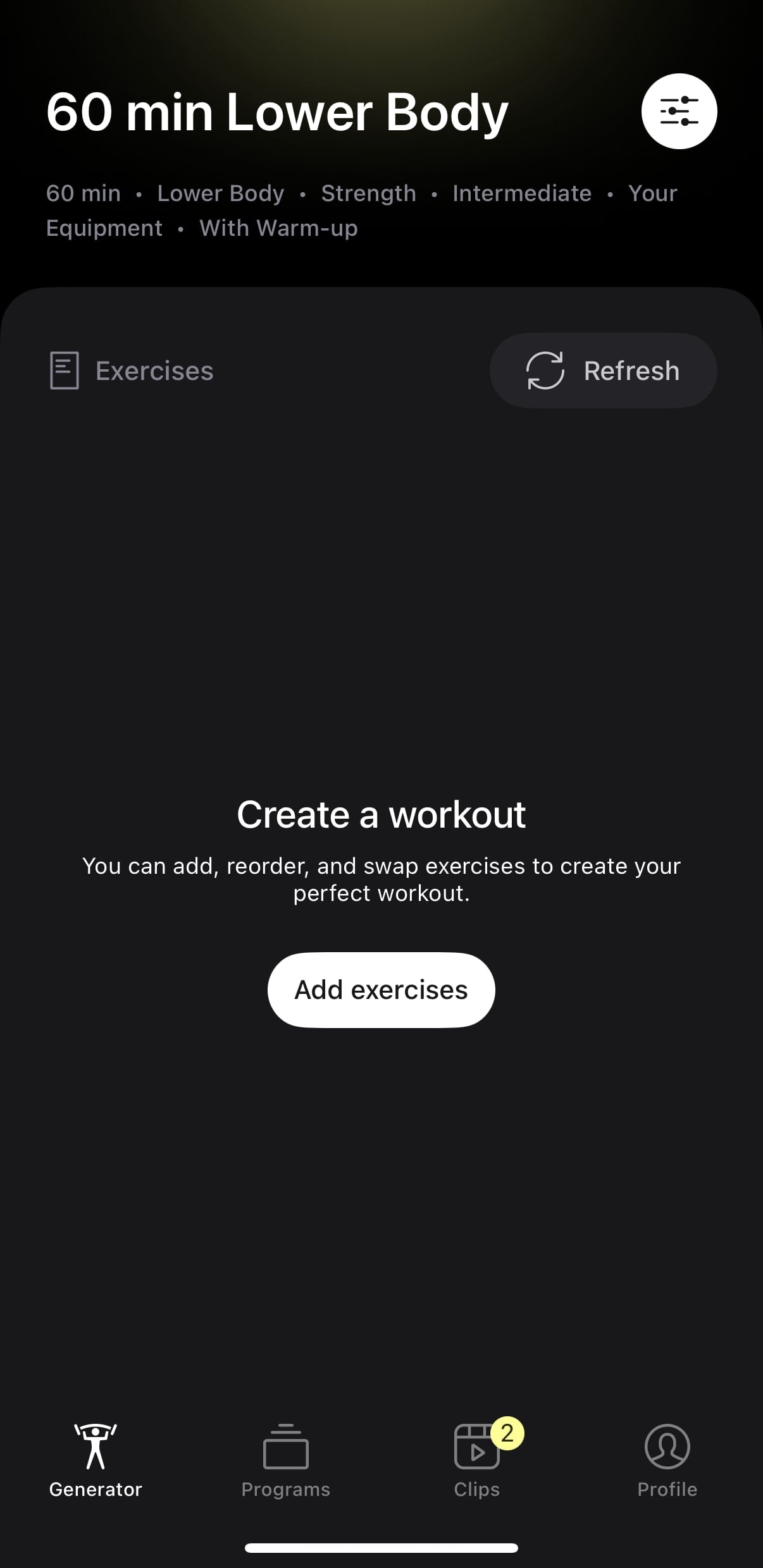
Whether you picked a AI workout, completely designed your own, or are following an instructor workout – the workout flow is basically the same. You can see an overview of the workout plan before you start, and choose to swap movements before different ones here.
If you picked an instructor led program – all the video demos will be of the instructor who created that program. If you created a Workout Generator program – the video demos will be from various Peloton instructors.
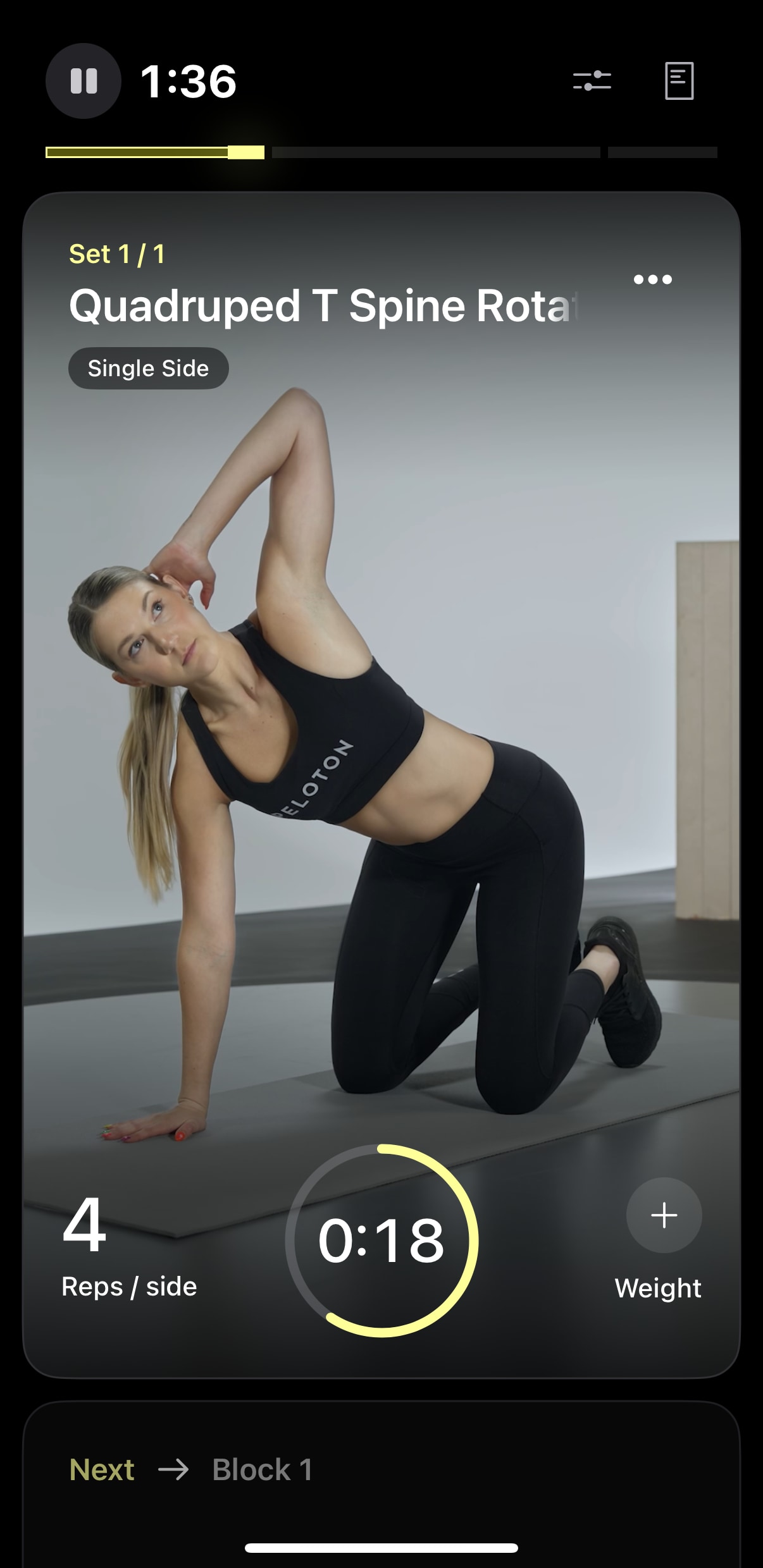
Once you have started the workout, you will get an audio alert for each block / movement. It will say the exercise name, tell you the amount of time or how many reps, and then give you 3 beeps to tell you to start. If it is a time based movement, it will then beep twice as the allloted time is finished.
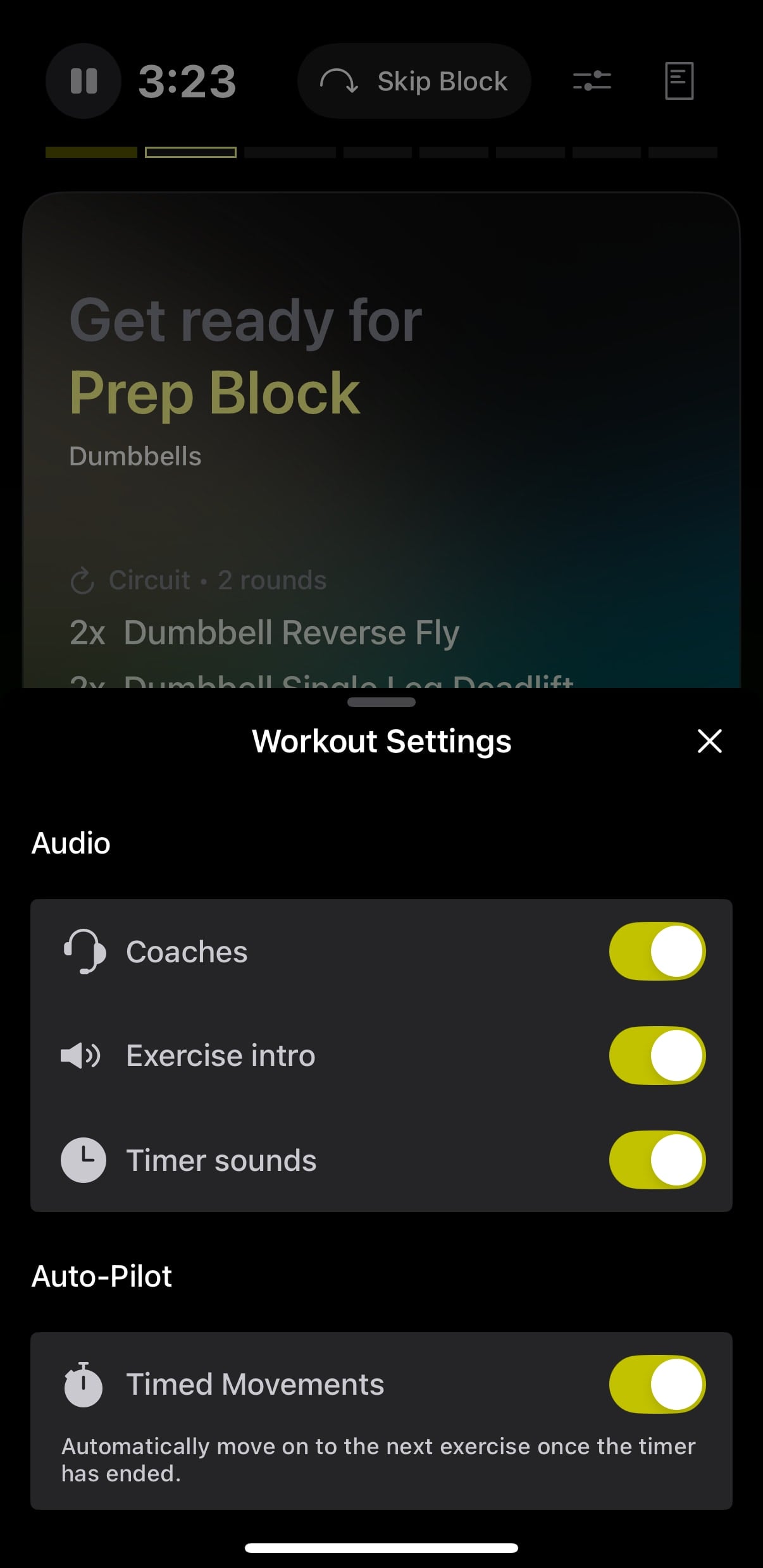
However, you have the choice to turn off these audio cues and beeps if you want.
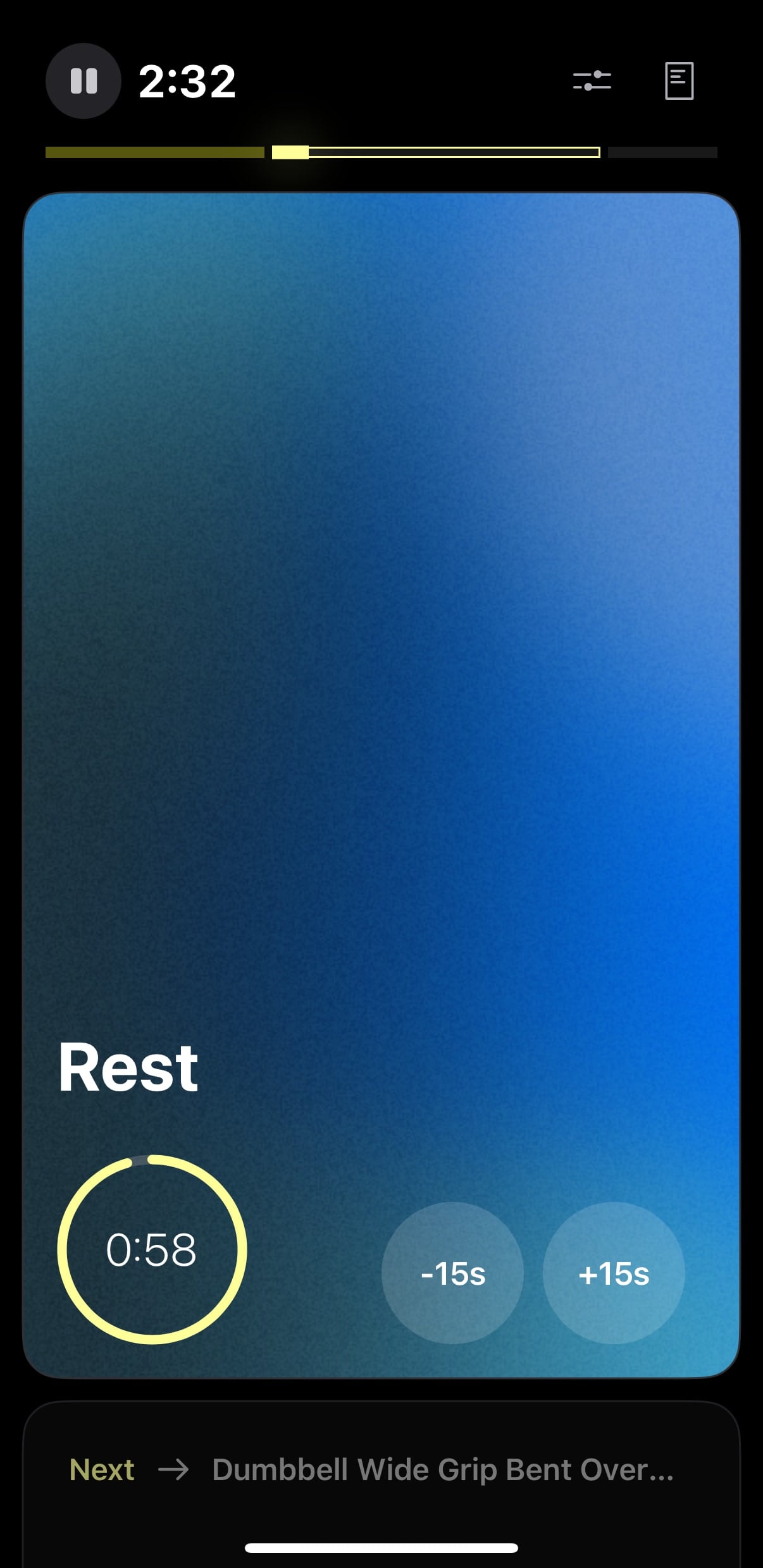
In both the instructor programs and AI workouts, you’ll find some rest blocks have been added in there for you. If you want more or less rest, there are easy +-15 second buttons to let you customize that rest on the fly.
If it is a time-based workout – you don’t have to press the screen to go to the next movement, it will do so automatically (but you can press pause in the top left at any point).
If you are doing a rep-based workout – you will have to interact with your phone (by swiping up) to move to the next part of the workout, because as mentioned above, it has no way of knowing if you have completed the correct number of reps. Before moving on, you can tap the number of reps if you did more or less, as well as set the weights you used for that movement.
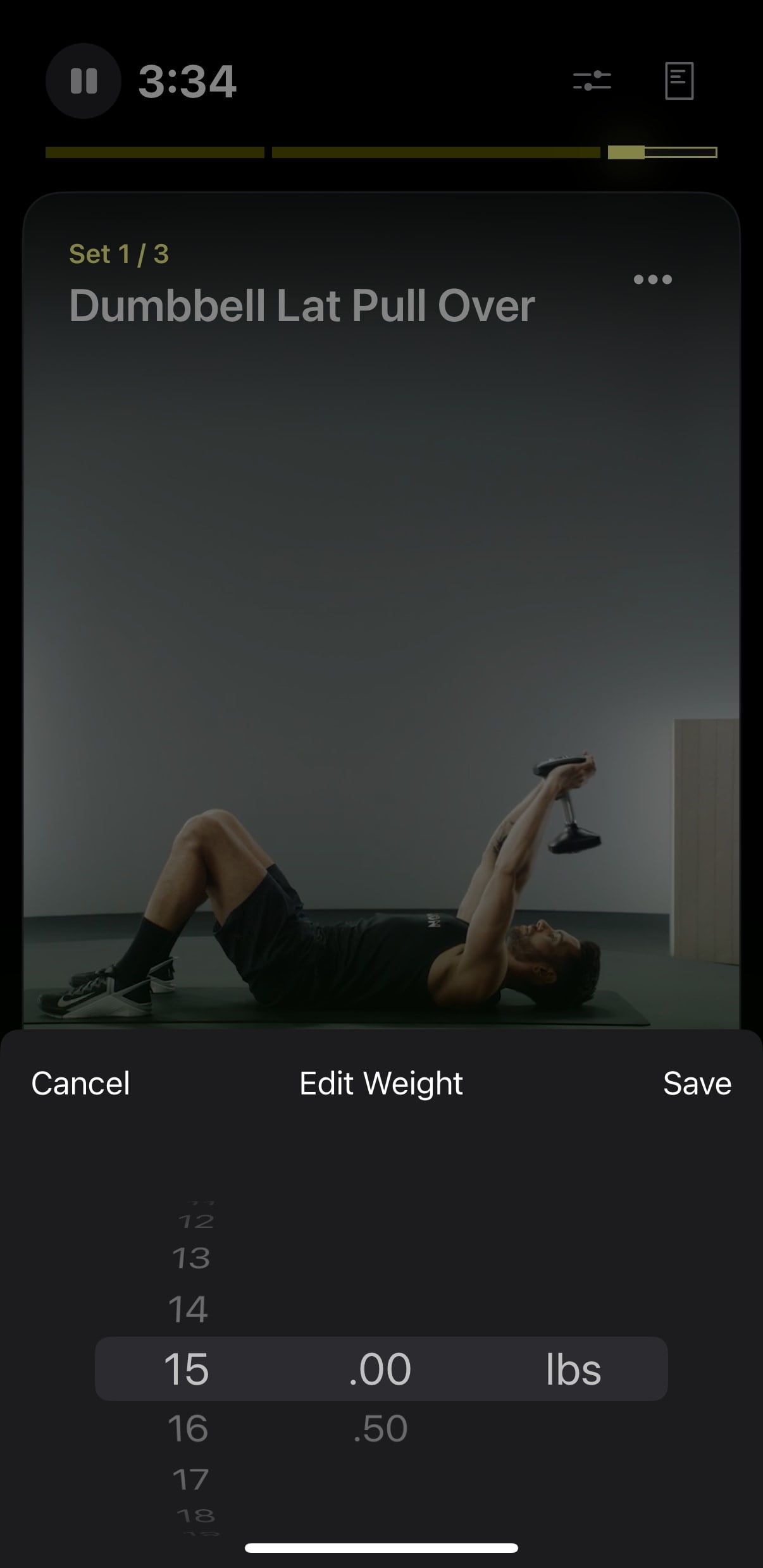
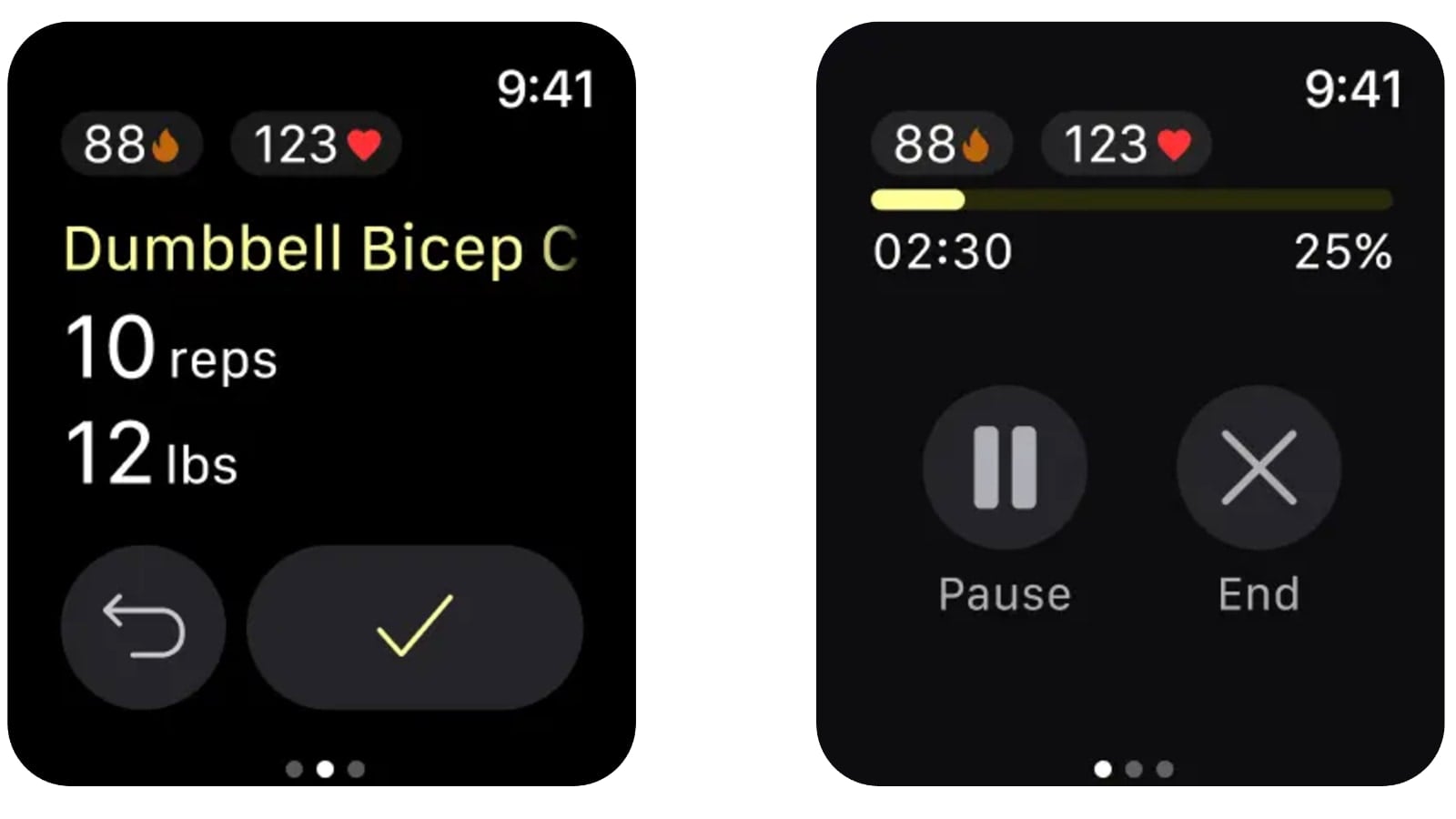
If you don’t want to interrupt your workout flow to adjust the weights or reps – you’ll be able to do that at the end of the workout. In addition, if you have an Apple Watch, you can do some of these interactions on your watch in real time as well.
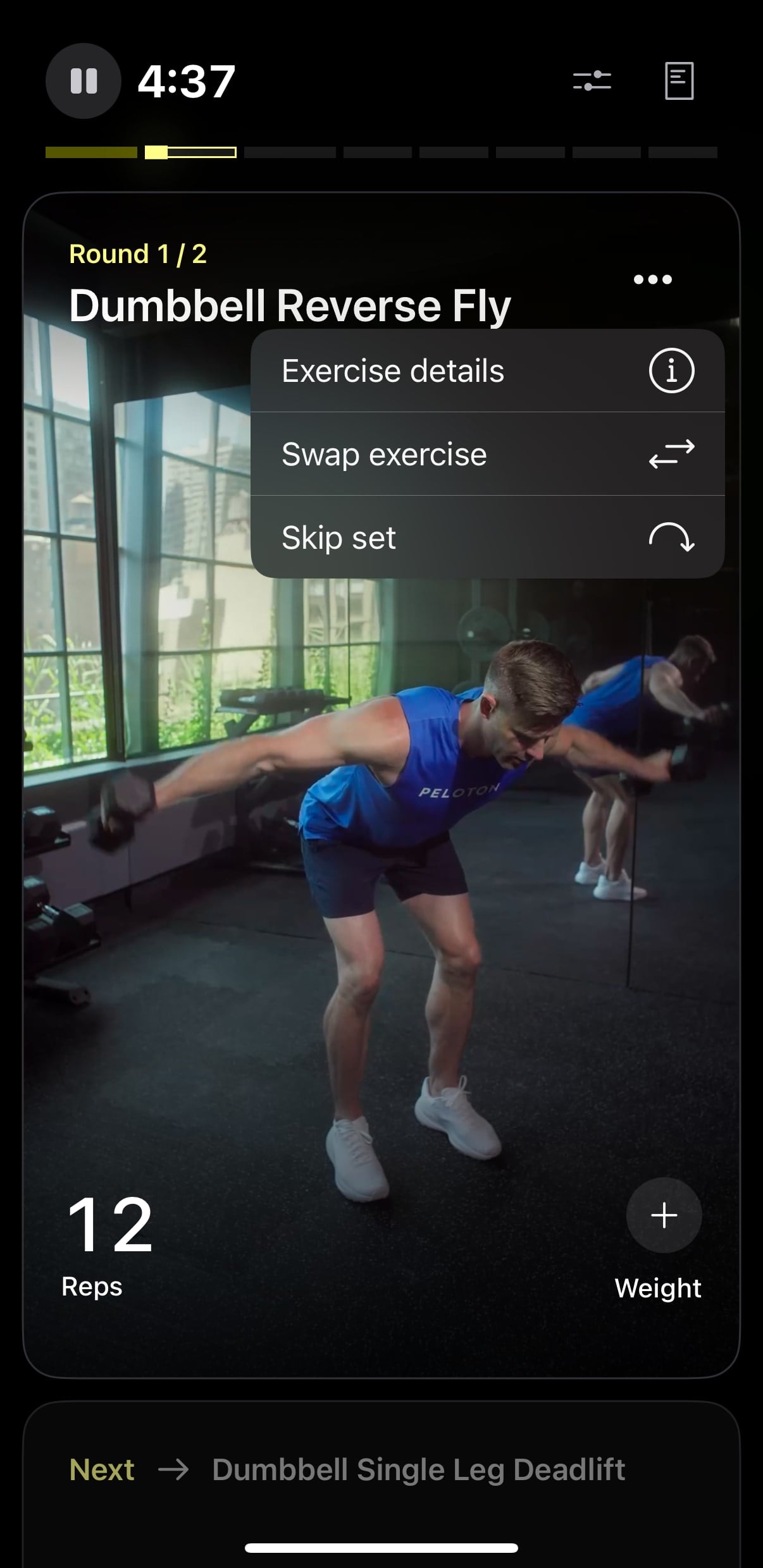
The app will also, in real time, allow you to see what weights you used for a movement if you’ve done it before. You can access this by hitting the 3 dot icon on the top right, and selecting “Exercise Details”.
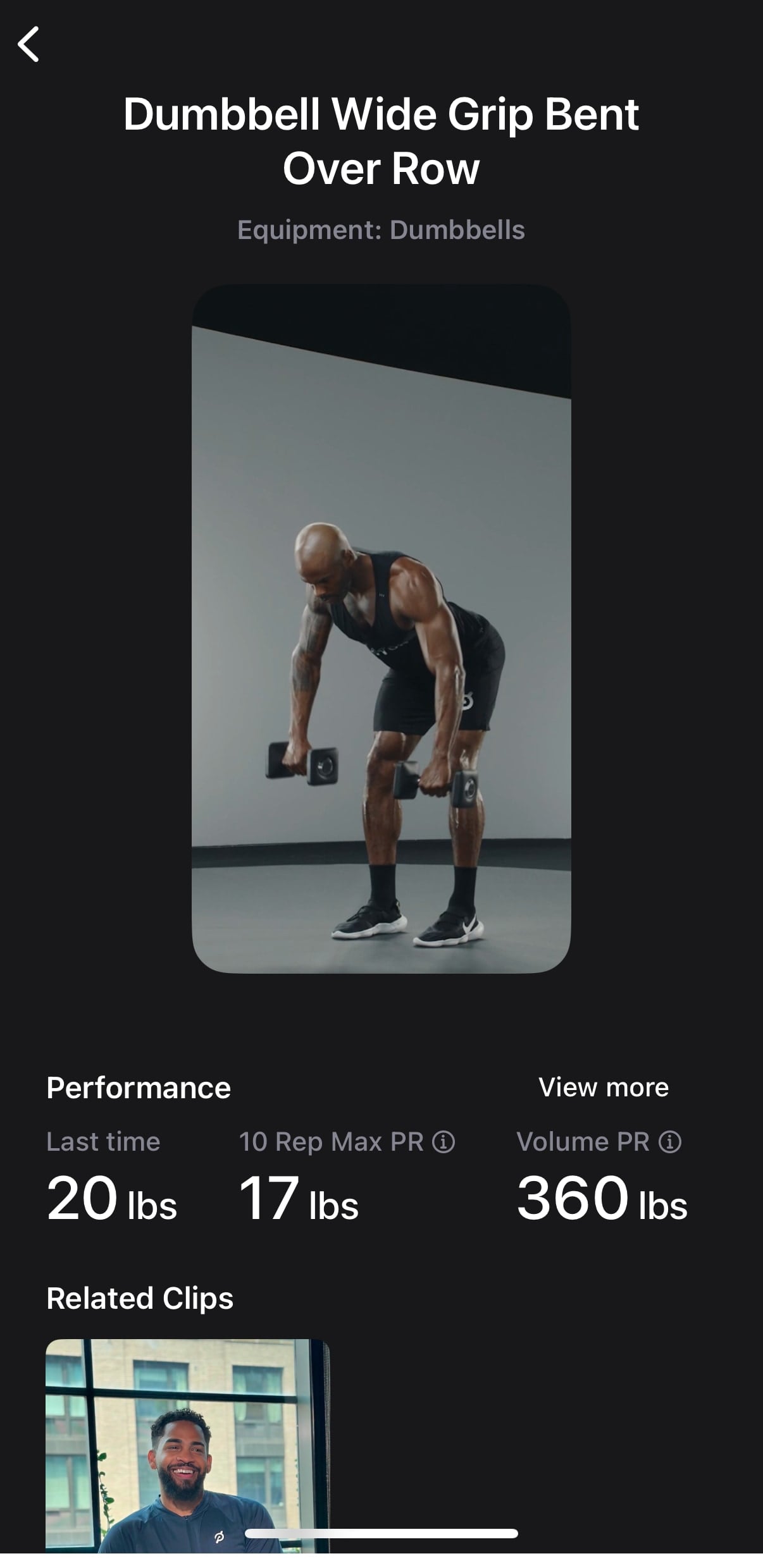
On the resulting screen, in addition to seeing a video demo of the movement, there will be a section for “Performance”. Here, you’ll find the weight you used for that movement, a 10 rep max estimate, and a volume PR.
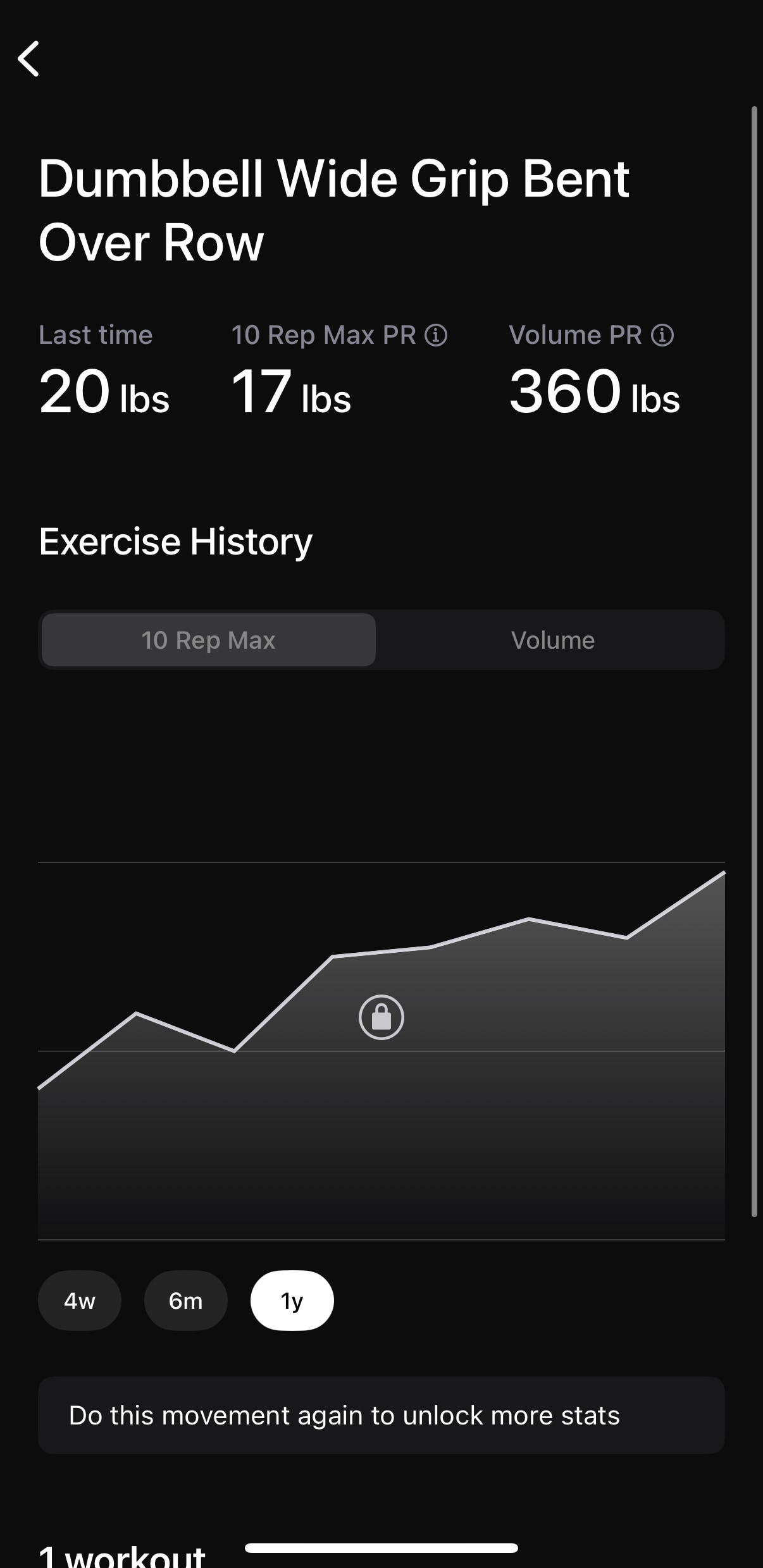
There is also an icon for “View More”. This will bring up a much more detailed screen, showing all the workouts you’ve done with this movement, as well as letting you see your 10 rep max estimate and volume trends over time.
At any point, if you need to end the workout early, you can hit the pause button – and then rather than resuming the workout, select “End”. Then, you can pick whether to save the workout to your history, or just delete it.
For existing Peloton members – you will be happy to hear that workouts done on the Peloton Strength+ App will sync back over to your main Peloton history. This means they will count towards your workout streaks & blue dot calendar.
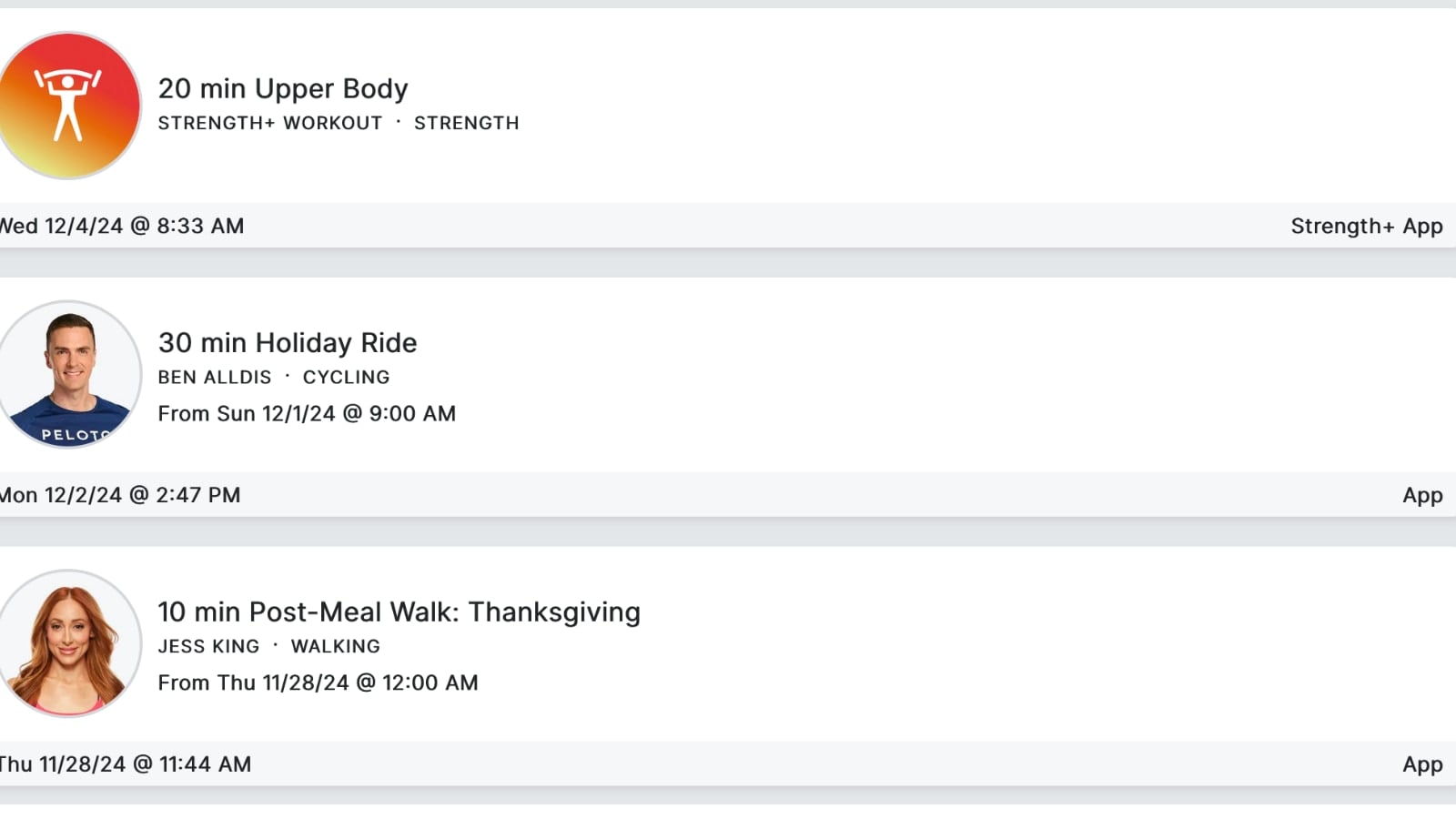
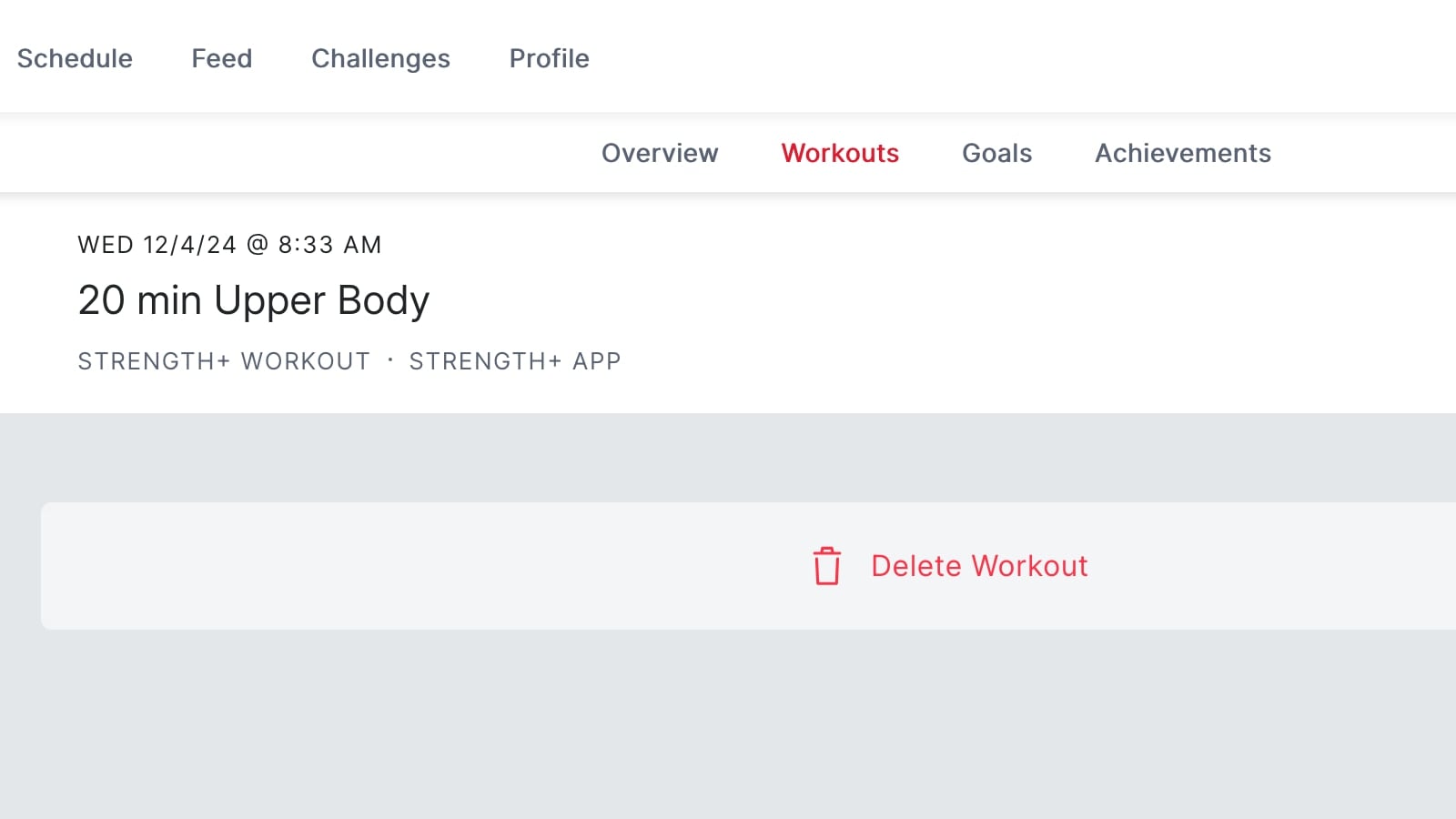
In your workout profile, you will see history entries for each Strength+ workout you do. Unfortunately, clicking into them from the Peloton website will not show the detailed history of that workout – simply whether you did it or not. You’ll have to go back and review that in the Strength+ app.
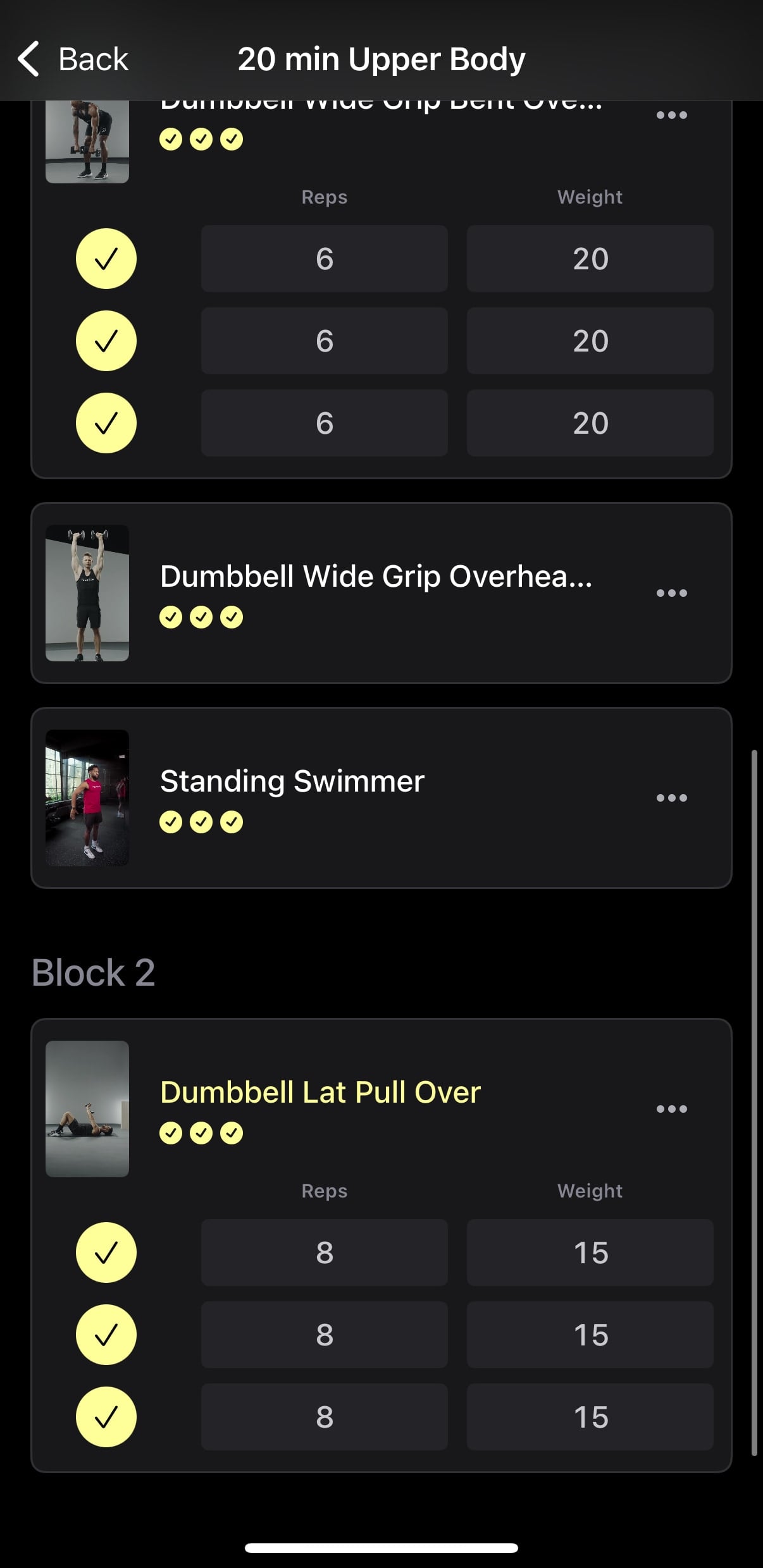
As previously mentioned, when you finish a workout on the Peloton Strength+ app, you will have the ability to log & track your rep counts and weights used, if you didn’t do it in real time.
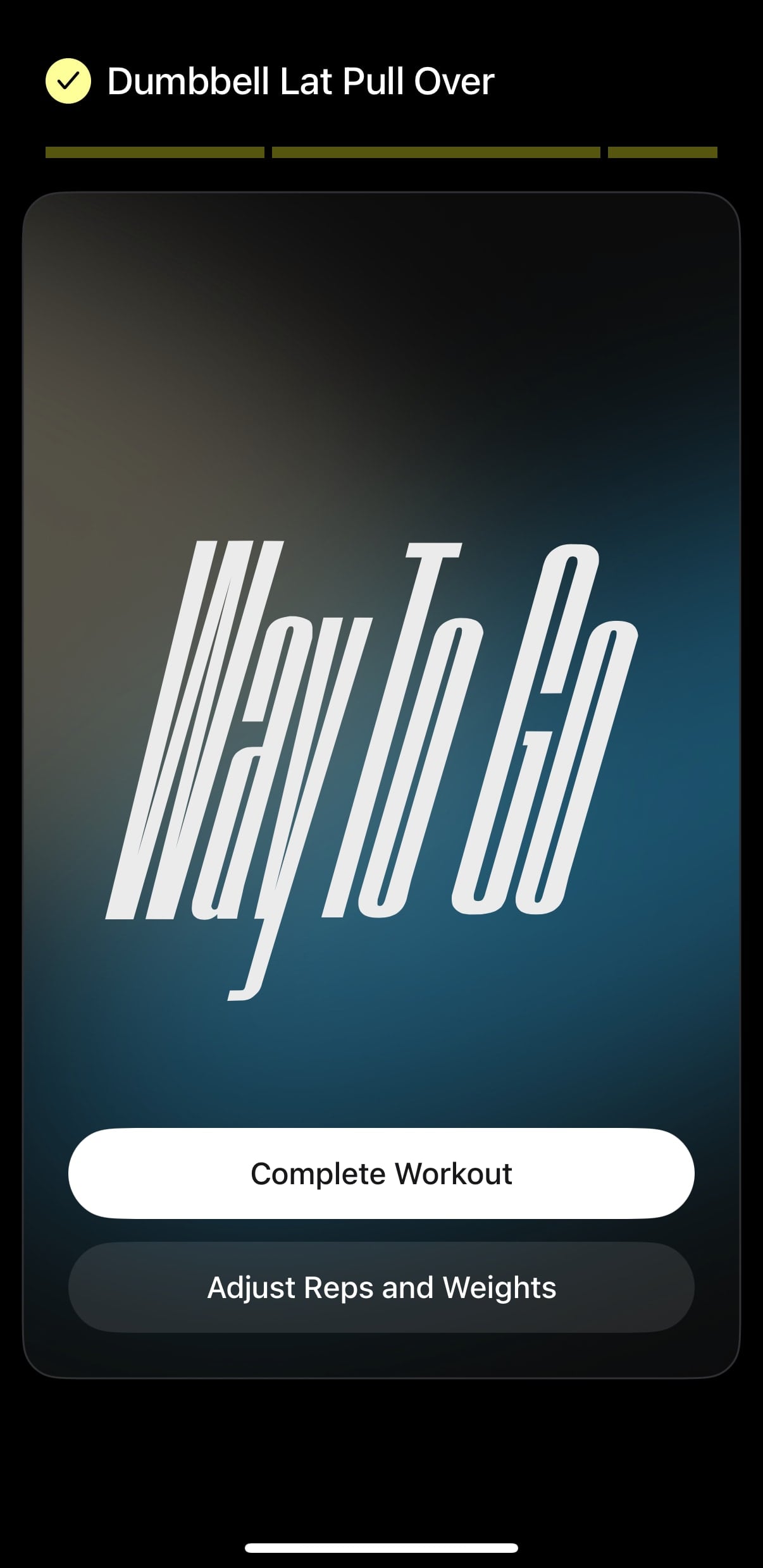
You are able to adjust these all at once in the closing screen.
If you enjoyed a workout you did previously – you can take it again easily. Simply go to your Profile section of the Peloton Strength+ app, and go to the History tab. From there, you can click the 3 dots next to a workout to either take it again immediately, or, to save it.
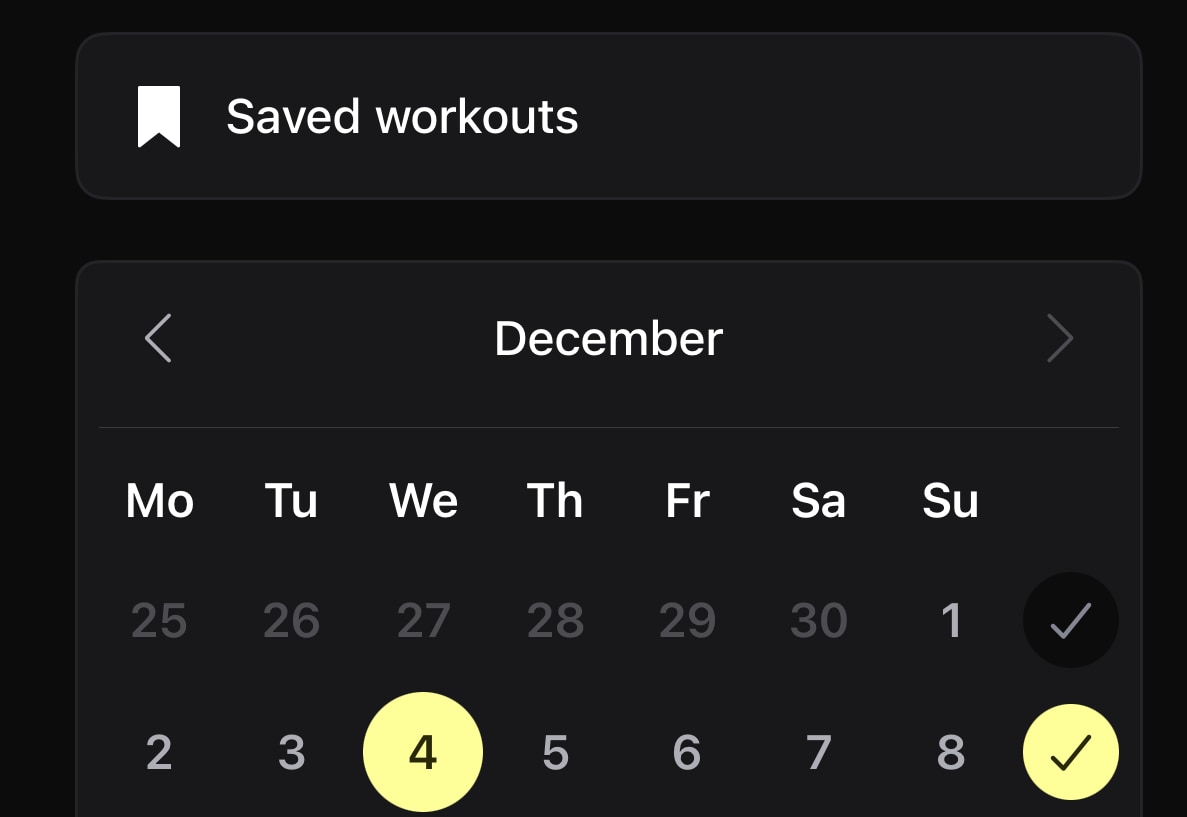
You can access your saved workouts in the “Overview’ tab of your profile page – there is a section of the page for “Saved Workouts” there.
For any workout you previously saved, you have the choice to rename it or delete as well.
Your profile page also gives you access to a “Performance” section. This lets you see all the movements you have done in the past. Here, you can click into any of those movements to see what workouts you did with them as the past. It will also tell you the number of reps you did last time.
In addition to all the core workout parts of the app, Peloton has also made a “Clips” section.
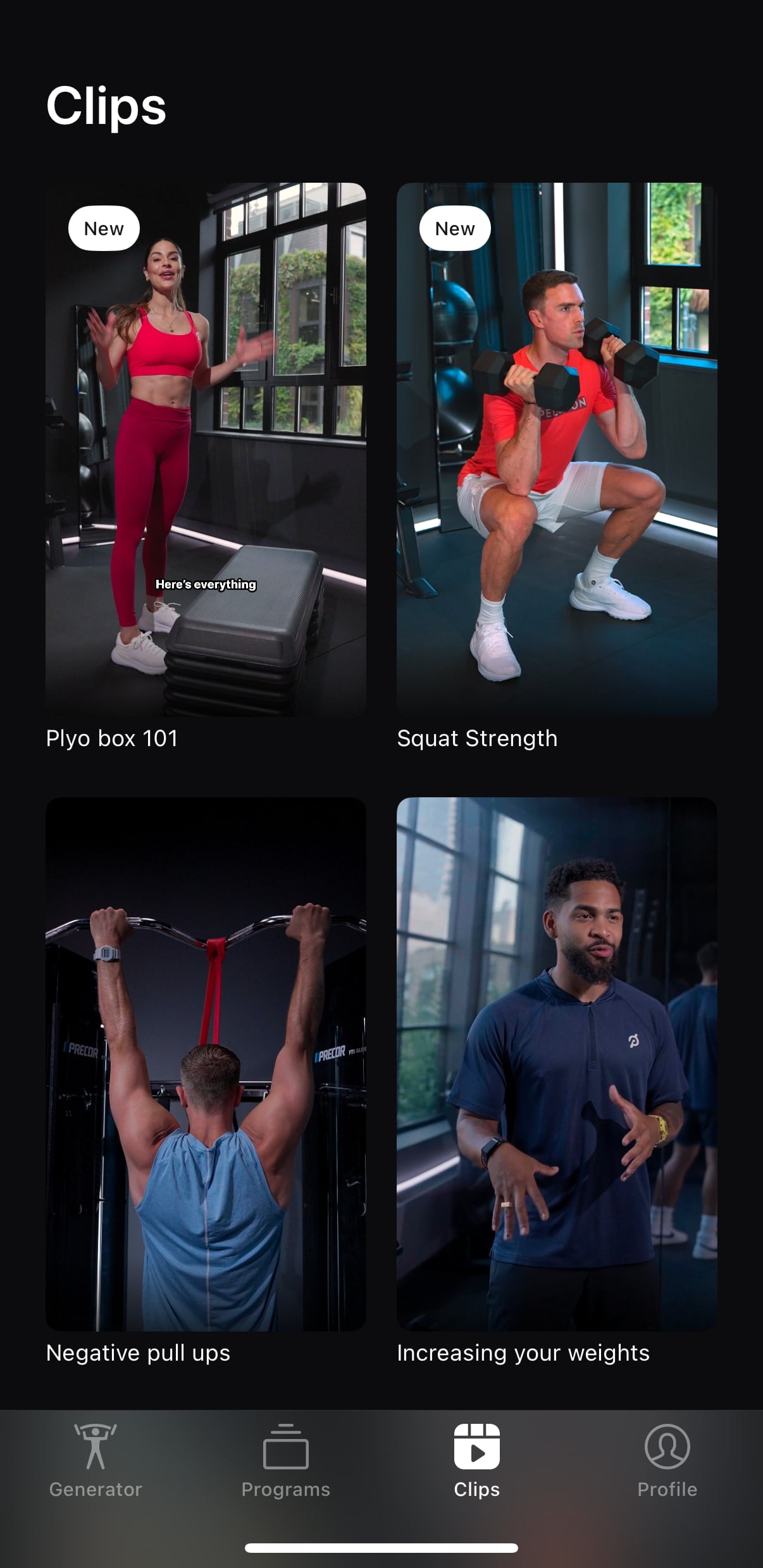
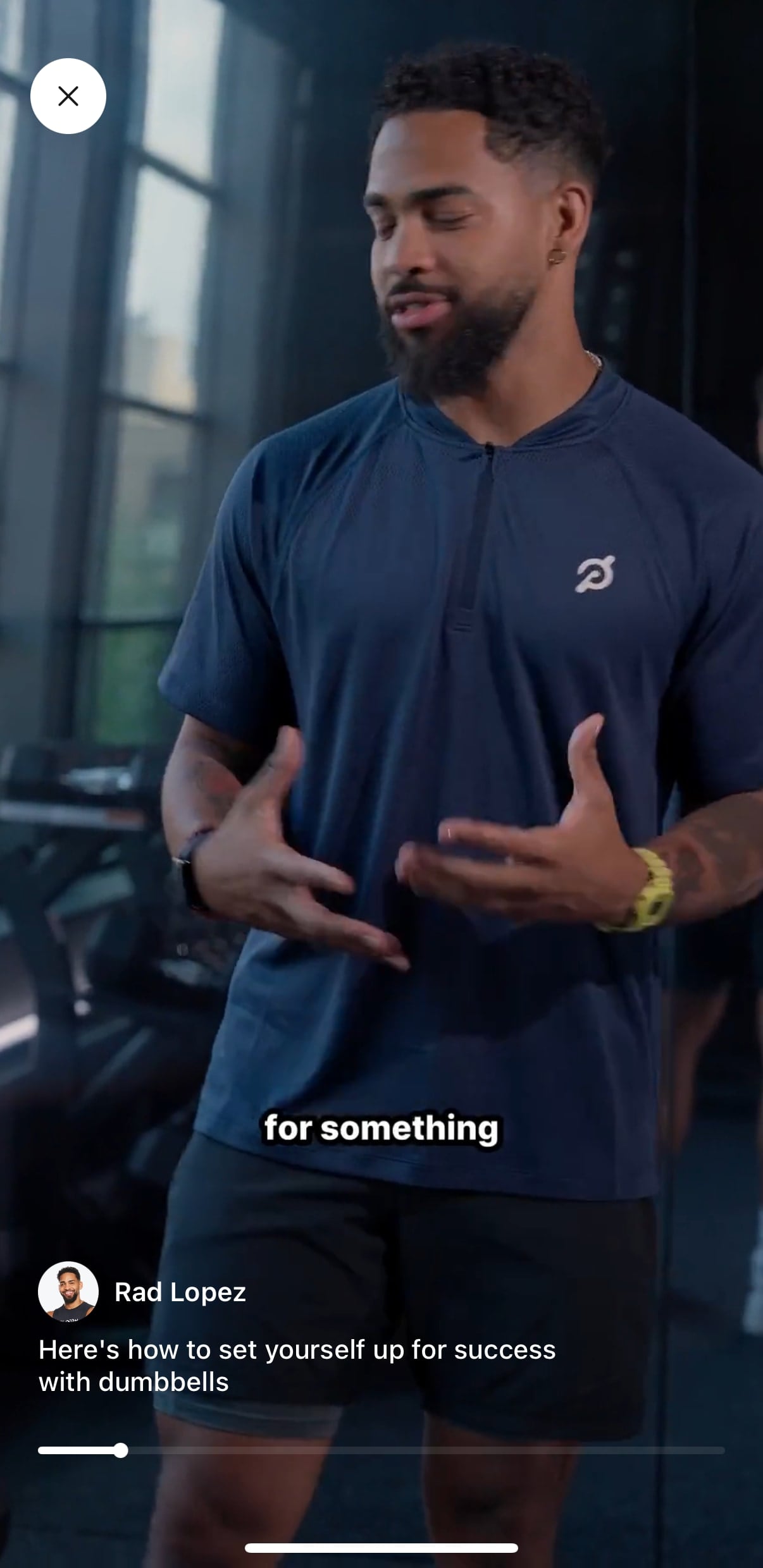
This allows you to watch some videos from various Peloton coaches, talking about things like increasing weights, lifting tips, or just general getting to know the coaches style video.
Will you be trying out the new Peloton Strength+ app?
FAQ About Peloton Strength+ App
Where can I find the Peloton Strength+ App
The Peloton Strength+ app is a separate download on the App store. You can find it here.
What does Peloton Strength+ App Cost?
Peloton Strength+ cost will cost $9.99/month for new users (after $1/month for 6 months introductory pricing). It is available for free for existing Peloton All-Access Members, Guide Members, and App+ members. Those who have Peloton App One will still have to pay the separate price, or upgrade to App+
Is Peloton Strength+ Available on Android?
At this time, Peloton Strength+ is only available on iOS for iPhones or iPads. Peloton Strength+ is not available for Android, Apple TV, Roku, etc at this time.
What countries is Peloton Strength+ available in
At time of publishing, Peloton Strength+ is only available in the US. There is no word yet on when it might launch in Canada, Australia, Austria, Germany, or the United Kingdom.
Do Peloton Strength+ workouts count towards my Peloton Streaks?
Yes, Peloton Strength+ workouts count towards your Peloton streak. The workouts you do with Peloton Strength+ show up as completed workouts in the regular Peloton app.
Can I create my own workouts in Peloton Strength+ App
By default, Peloton will guide you to the “AI Workout Generator” or the Instructor Programs. However, you can create a workout with a Workout Generator, delete all the recommended movements, and then build your own completely custom workouts with Peloton Strength+
Can I add custom movements to a workout in Peloton Strength+ App?
At this time, you can not. You are able to swap or add for other movements that are in the Peloton Strength+ library (of which there are 100+). But there is currently no way to add a completely new movement that isn’t in Peloton’s list at this time.
Support the site! Enjoy the news & guides we provide? Help us keep bringing you the news. Pelo Buddy is completely free, but you can help support the site with a one-time or monthly donation that will go to our writers, editors, and more. Find out more details here.
Get Our Newsletter Want to be sure to never miss any Peloton news? Sign up for our newsletter and get all the latest Peloton updates & Peloton rumors sent directly to your inbox.

I am not seeing this in the App Store and the link provided doesn’t seem to work.
Seems like the strength + app is not available in Canada
It looks like Guide Users can use it on their phone but not on the Guide itself?