

Peloton has added a Focus Area highlight to the class plan for strength classes in its app, giving members a quick look at what they will be working before they start.
For strength classes, the class plan section now displays three focus areas at the top, such as Core, Squat, and Upper push. It is a small addition, but it lets members see the main areas a class targets at a glance, without having to open the full class plan and scroll through every movement.
Peloton has also reworked the tab menu on the class details screen. The Class plan tab now carries a green dot flagging the new feature, and it has moved up in the order, now sitting ahead of Music. Previously the tabs ran Overview, Equipment, Music, and then Class plan; now Class plan comes third, before Music.
The change should be rolling out on both the Android and iOS apps.
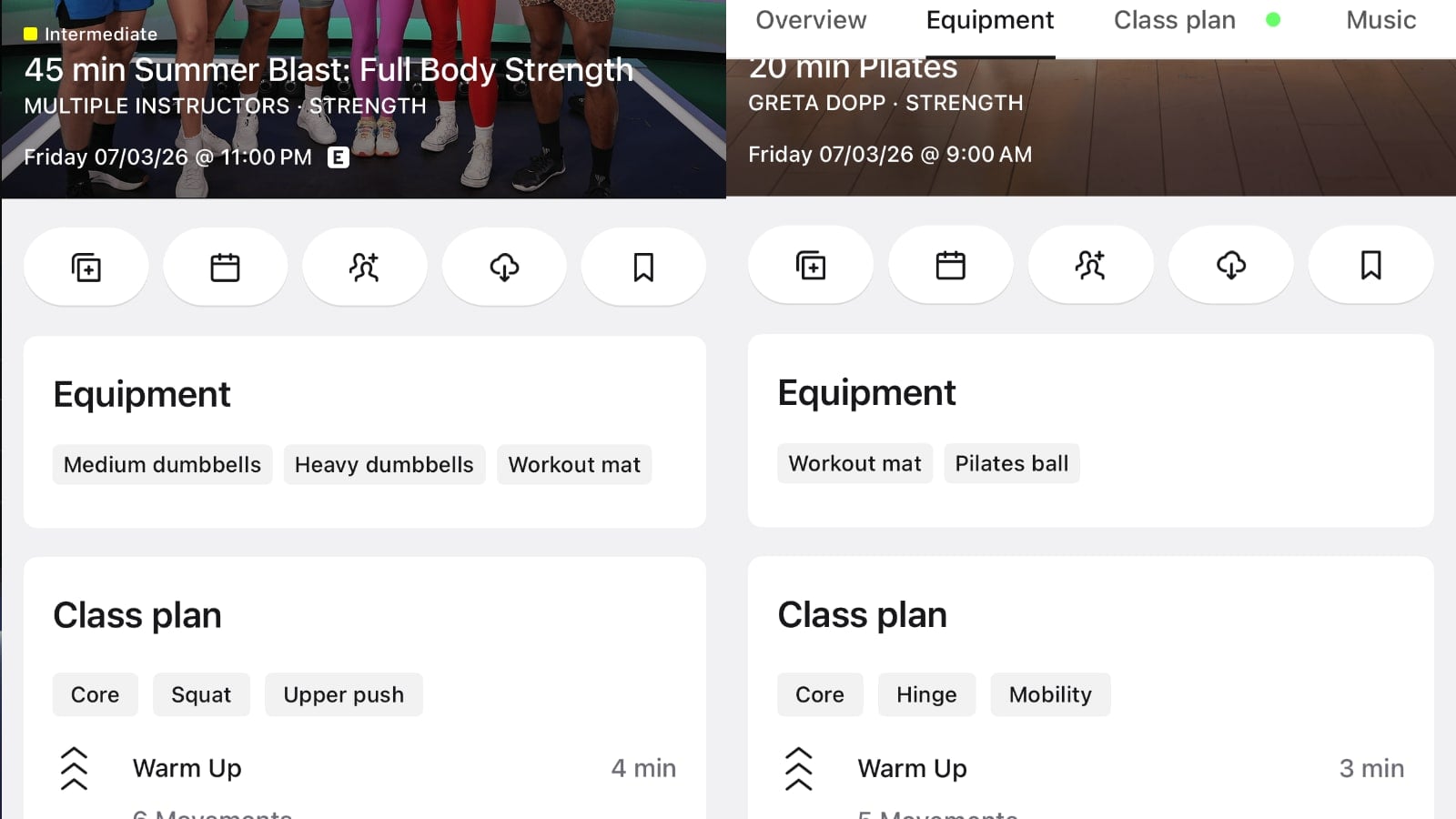
The focus areas build on Peloton’s existing class plan and body activity features, which already break a class down movement by movement and show the muscle groups it works. Surfacing a quick summary up top is the kind of small refinement Peloton has been making to its app under CEO Peter Stern, following recent tweaks like being able to view class details from your stack.
Do you find the new Focus Area highlight helpful when picking strength classes?
Support the site! Enjoy the news & guides we provide? Help us keep bringing you the news. Pelo Buddy is completely free, but you can help support the site with a one-time or monthly donation that will go to our writers, editors, and more. Find out more details here.
Get Our Newsletter Want to be sure to never miss any Peloton news? Sign up for our newsletter and get all the latest Peloton updates & Peloton rumors sent directly to your inbox.

Leave a Reply