

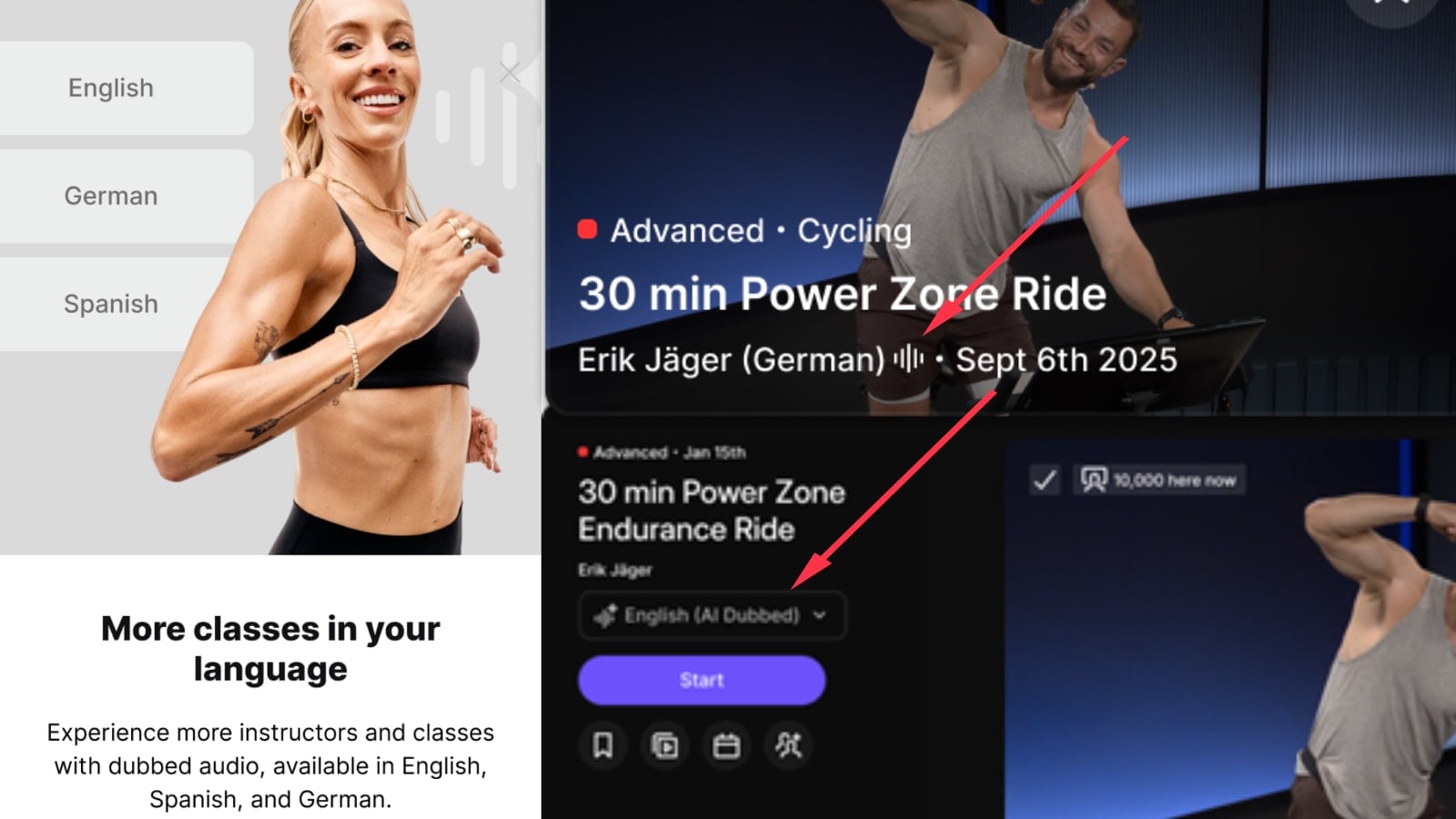
Peloton is starting to roll out English AI audio dubbing for classes taught in other languages, alongside a new “Preferred Language” setting and a way to pick between different audio languages when taking a class.
The update is shown in example screenshots on Peloton’s support page, including an “English (AI Dubbed)” option on an Erik Jäger class. Peloton is also beginning to show some Android app users a promotion advertising dubbed audio in English, Spanish, and German.
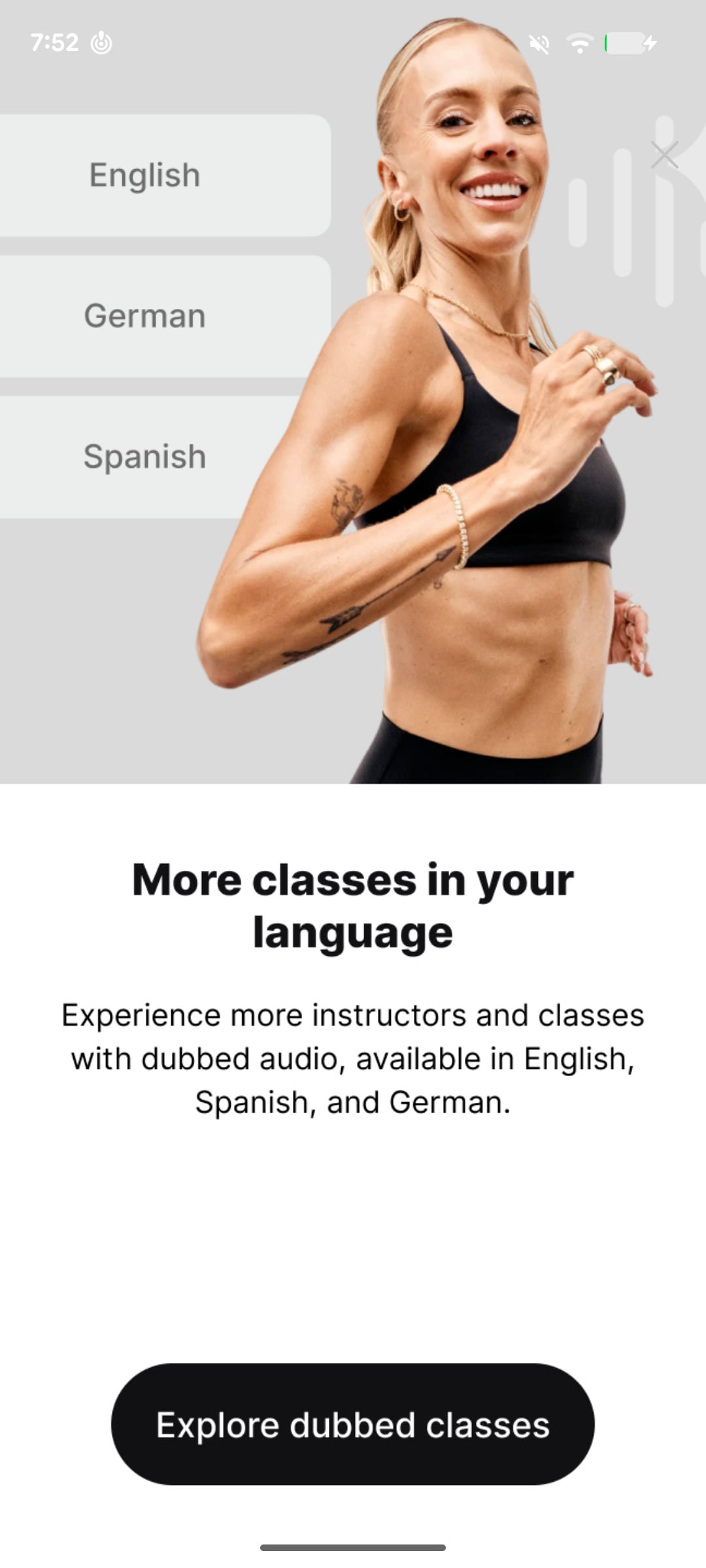
English audio dubbing expands on the AI audio dubbing Peloton launched in Spanish in April, with German added shortly after. The initial feature translated English instruction into other languages; the new English option means members can take German language and Spanish language classes, but the audio will be have been dubbed into English using AI & AI generated voices.
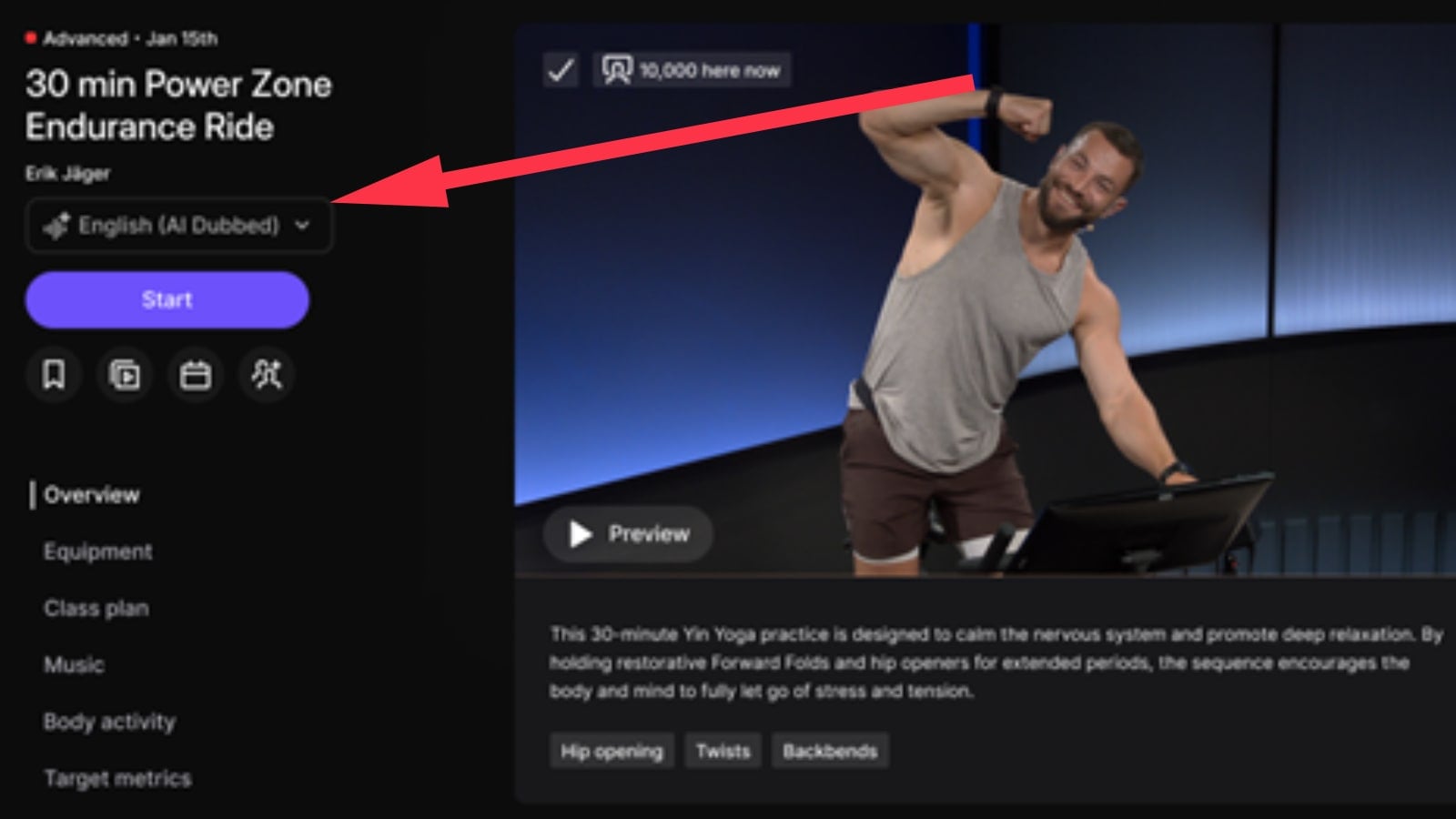
Previously, AI audio-dubbed versions appeared as separate classes that members needed to find in the library. With the updated experience, members should be able to choose an available language from a dropdown on the class details screen before pressing Start.
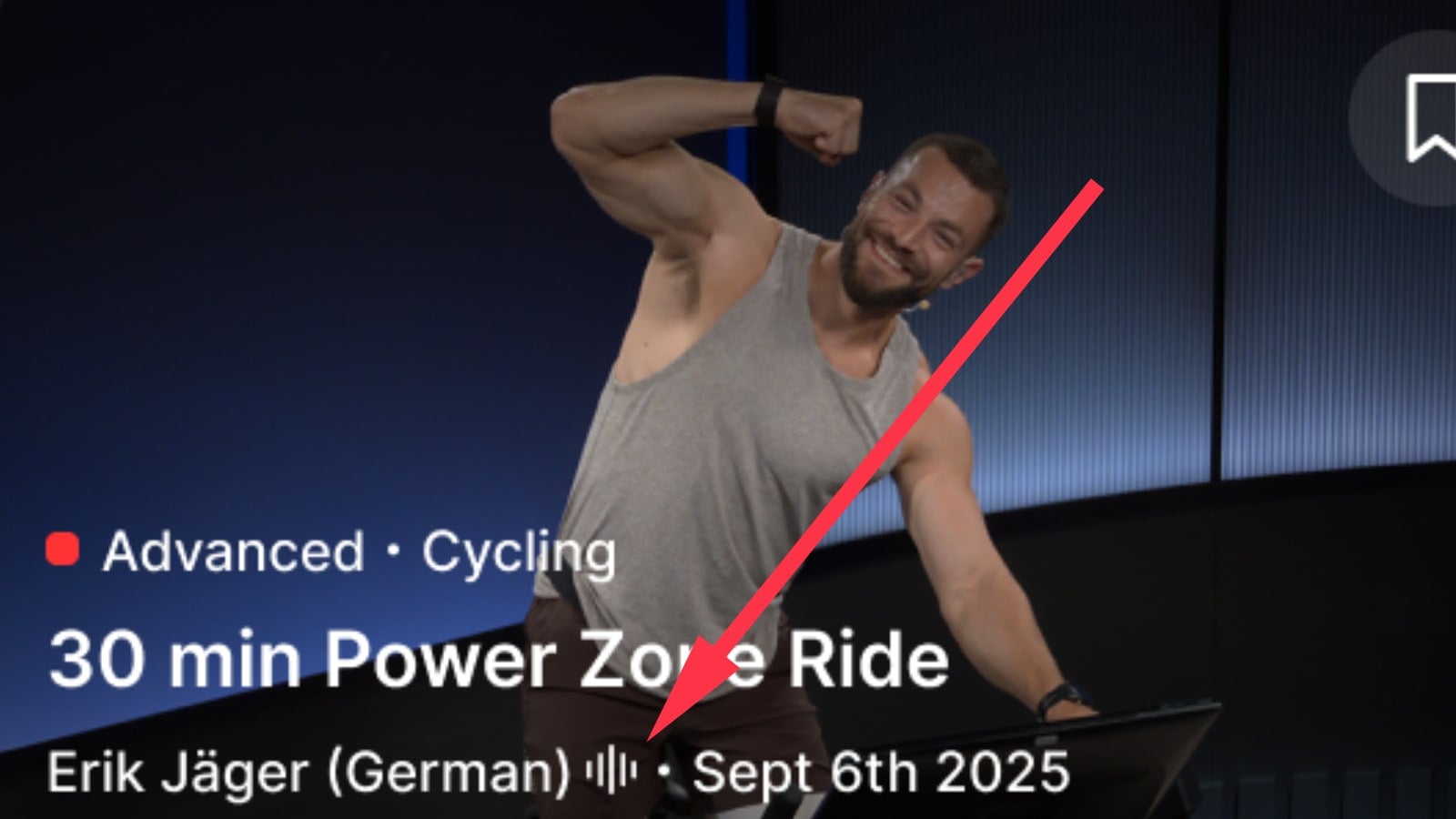
Another new feature being added is an icon in the on-demand library showing that the class has an AI-dubbed track available. Peloton’s example shows the small audio symbol alongside the instructor’s original language in the on-demand library.
The dropdown should default to your preferred language. You can choose another available option before starting, but Peloton says you cannot switch the spoken language once the class is underway.
To configure your default language, members can go to Settings -> Content Preferences -> Class Languages and look for “Preferred Language” at the bottom. Choose the instructor language you want classes to play in by default and save your selection. This section can also be found by using the “Class Languages” option at the bottom of the Filter section in the on-demand library.
The settings screen also separates that playback preference from the languages you want to see in the library. For example, “Show all English classes” now explicitly includes original English classes, classes taught in other languages and dubbed into English, and classes with English subtitles.
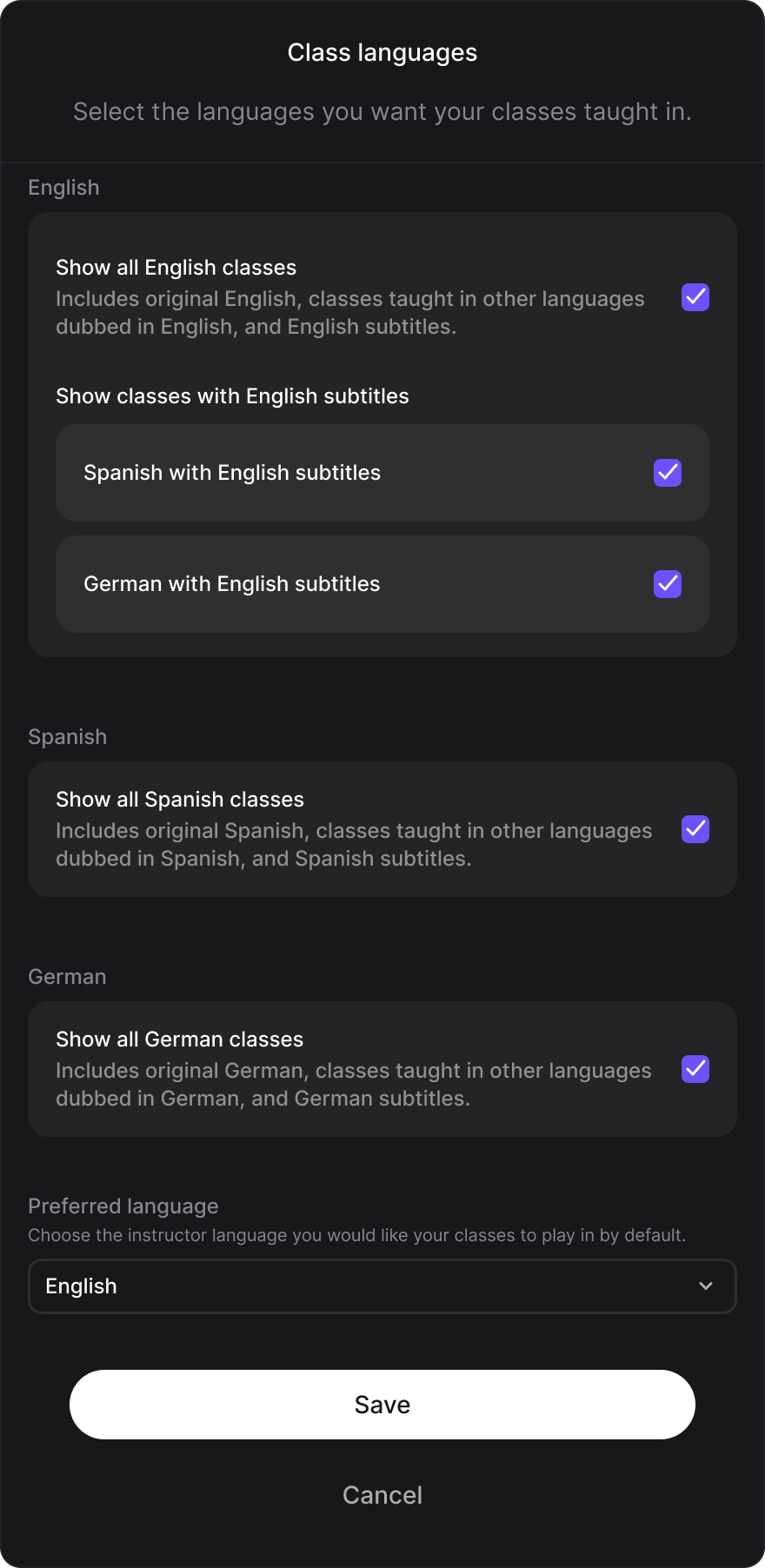
The Preferred Language setting appears to be available across the web, apps, and Peloton devices. However, the new AI language dropdown and dubbed playback experience appear to be rolling out more gradually, so just having the setting does not mean the updated playback options are available on your account yet.
Dubbing remains limited to select on-demand classes. Peloton says AI dubbing replaces the spoken instruction while preserving the original music, and AI-dubbed classes carry a notice at the beginning. The new English option does not mean every German or Spanish class now has an English version.
Peloton’s first dubbed classes used human voiceovers, starting with a German version of Tunde Oyeneyin’s arms program in 2023, followed by Spanish programs in 2024. The new English option makes more of the existing library accessible without subtitles, while the dropdown removes the extra step of finding a separate dubbed listing.
Will you try more of Peloton’s German-language or Spanish-language classes if English dubbed audio is available?
Support the site! Enjoy the news & guides we provide? Help us keep bringing you the news. Pelo Buddy is completely free, but you can help support the site with a one-time or monthly donation that will go to our writers, editors, and more. Find out more details here.
Get Our Newsletter Want to be sure to never miss any Peloton news? Sign up for our newsletter and get all the latest Peloton updates & Peloton rumors sent directly to your inbox.

Leave a Reply