

Peloton has added a new offering to their Peloton Entertainment portfolio: Amazon Kindle.
That means you can now read your Amazon Kindle books while doing a Peloton workout.
This feature is available on the Peloton Bike, Bike+, Peloton Tread, and Tread+. Unfortunately, it is not available on the Peloton Row at this time.
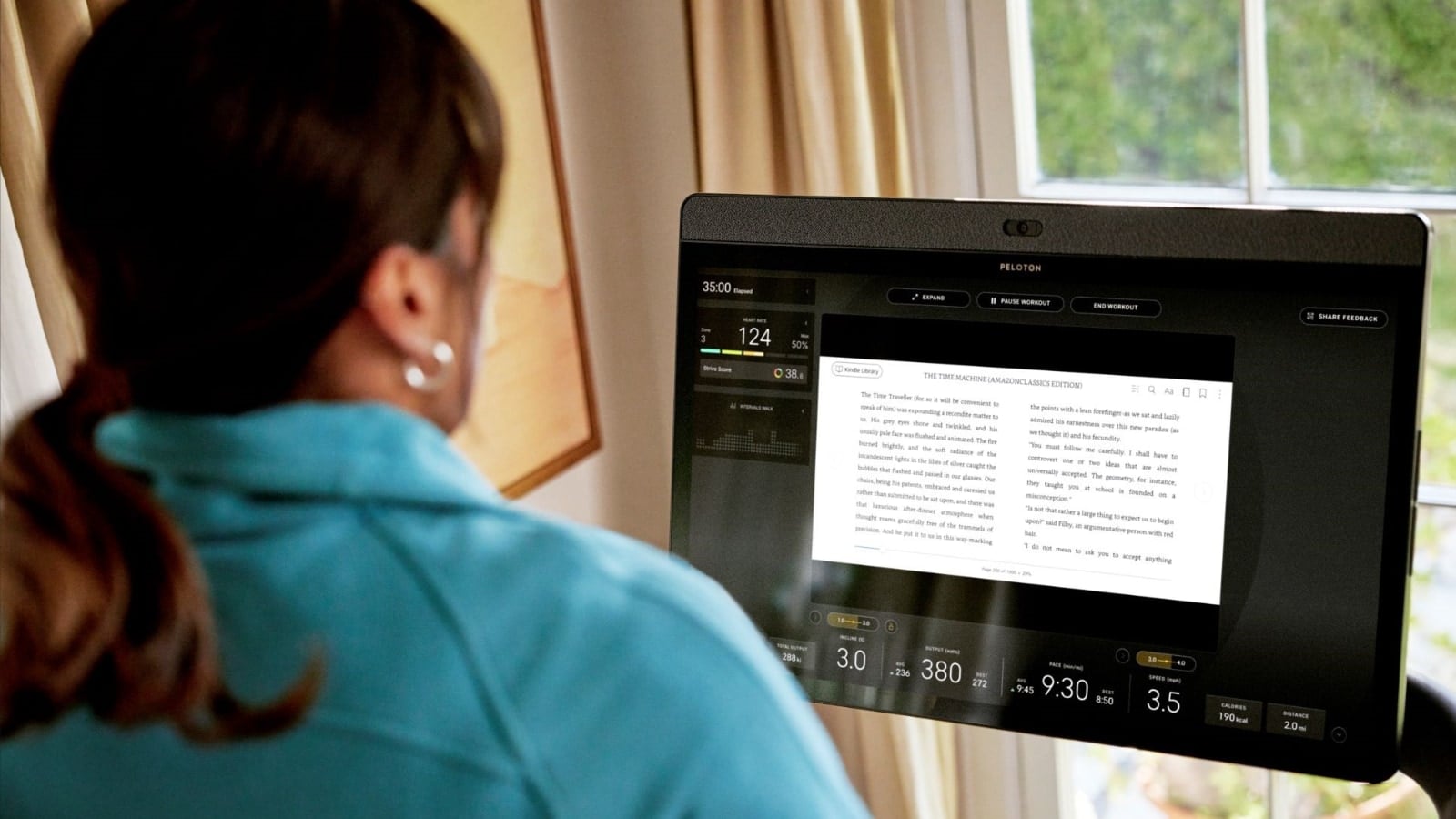
Amazon announced the feature on Tuesday, and the feature is available on most devices already.
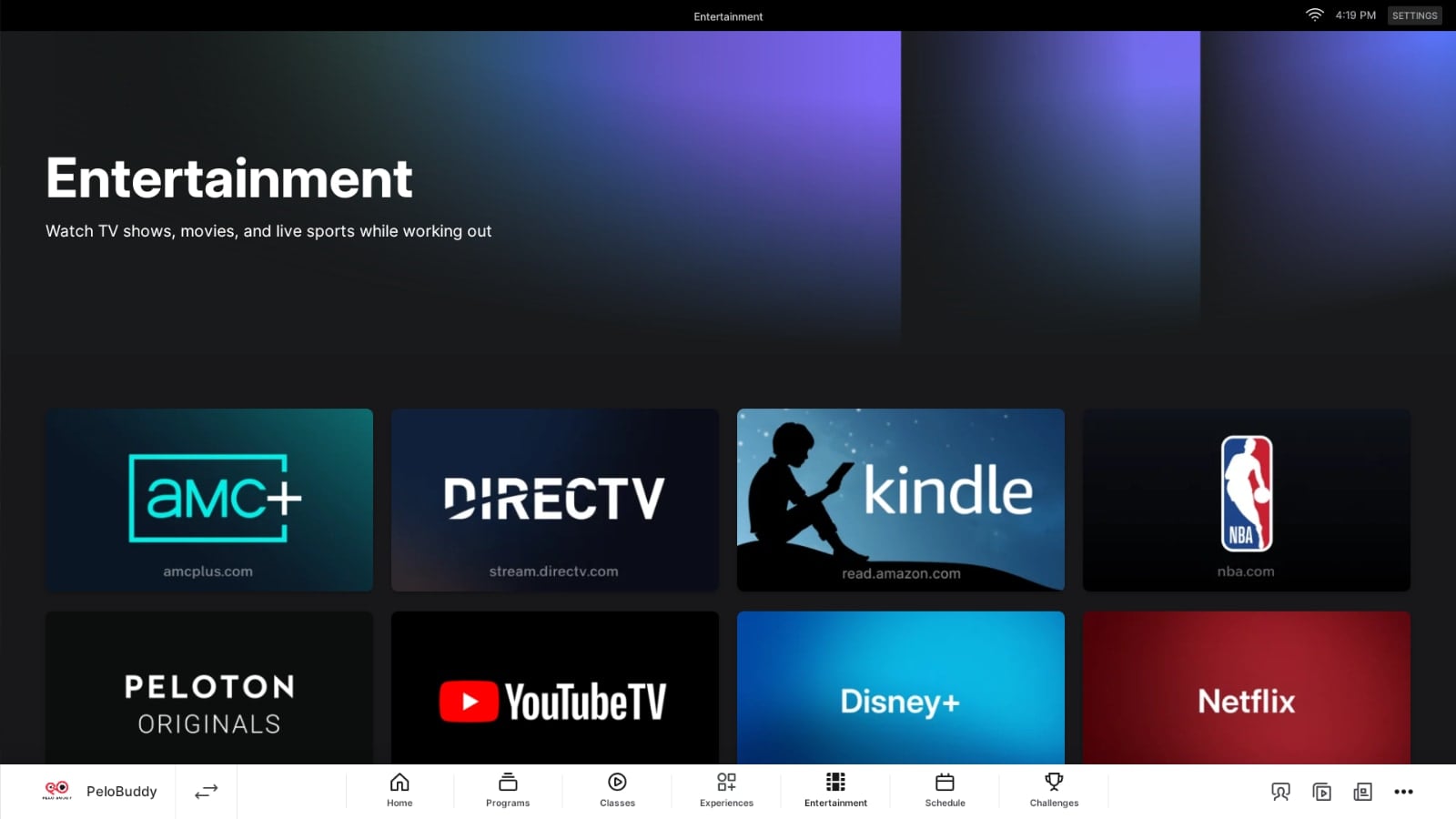
To access your Amazon Kindle books on Amazon, go to “Entertainment” on the bottom of your device. There, alongside other options like Disney+ and Netflix, you should see a new option for “Amazon Kindle”
Upon pressing it, you will have to login to your Amazon account (or create a new one if you never have). You are able to save your login so that you don’t have to manually enter your login credentials each time.
Once logged you – your home screen should present you with a list of your most recent Kindle Books.
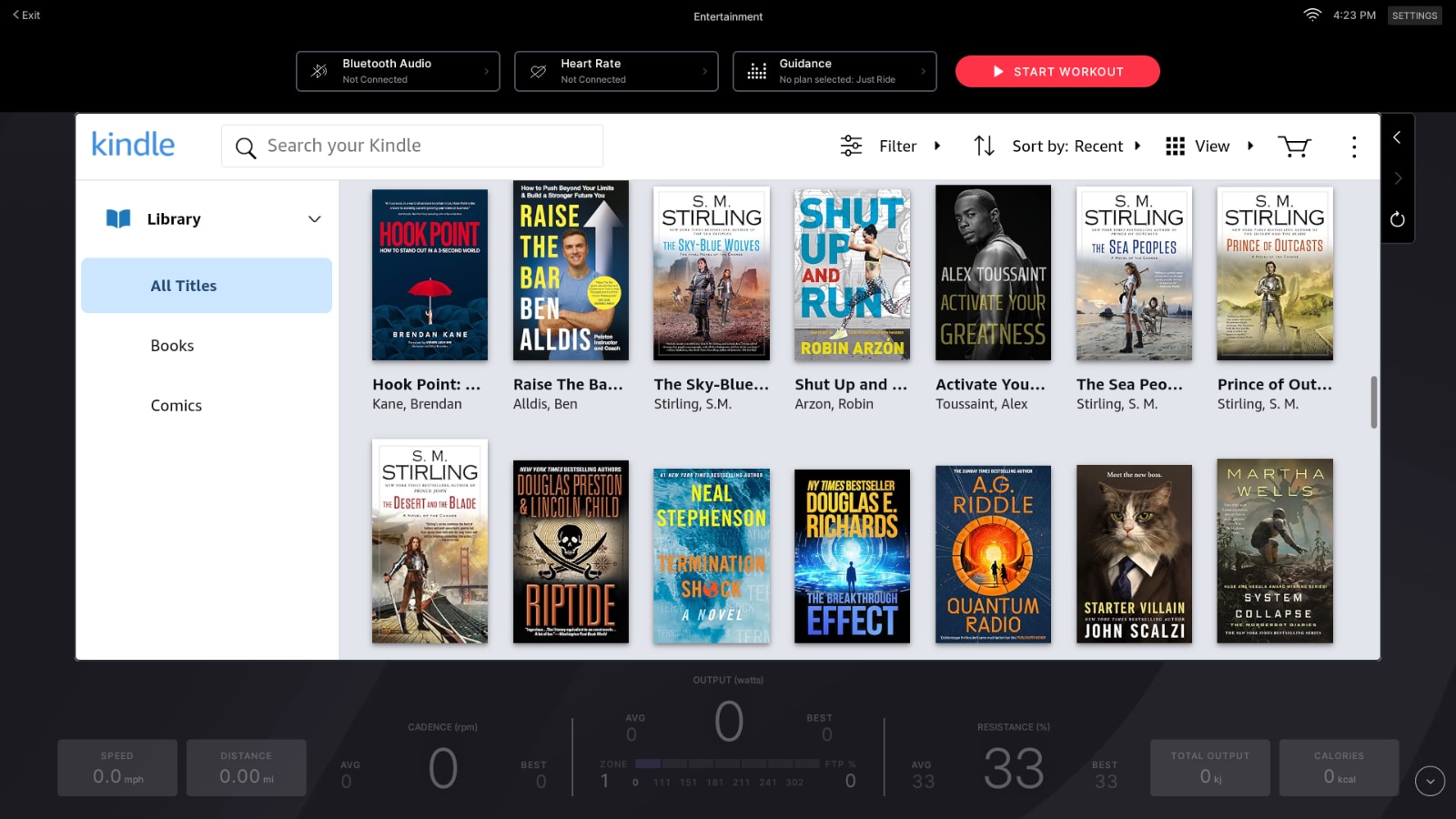
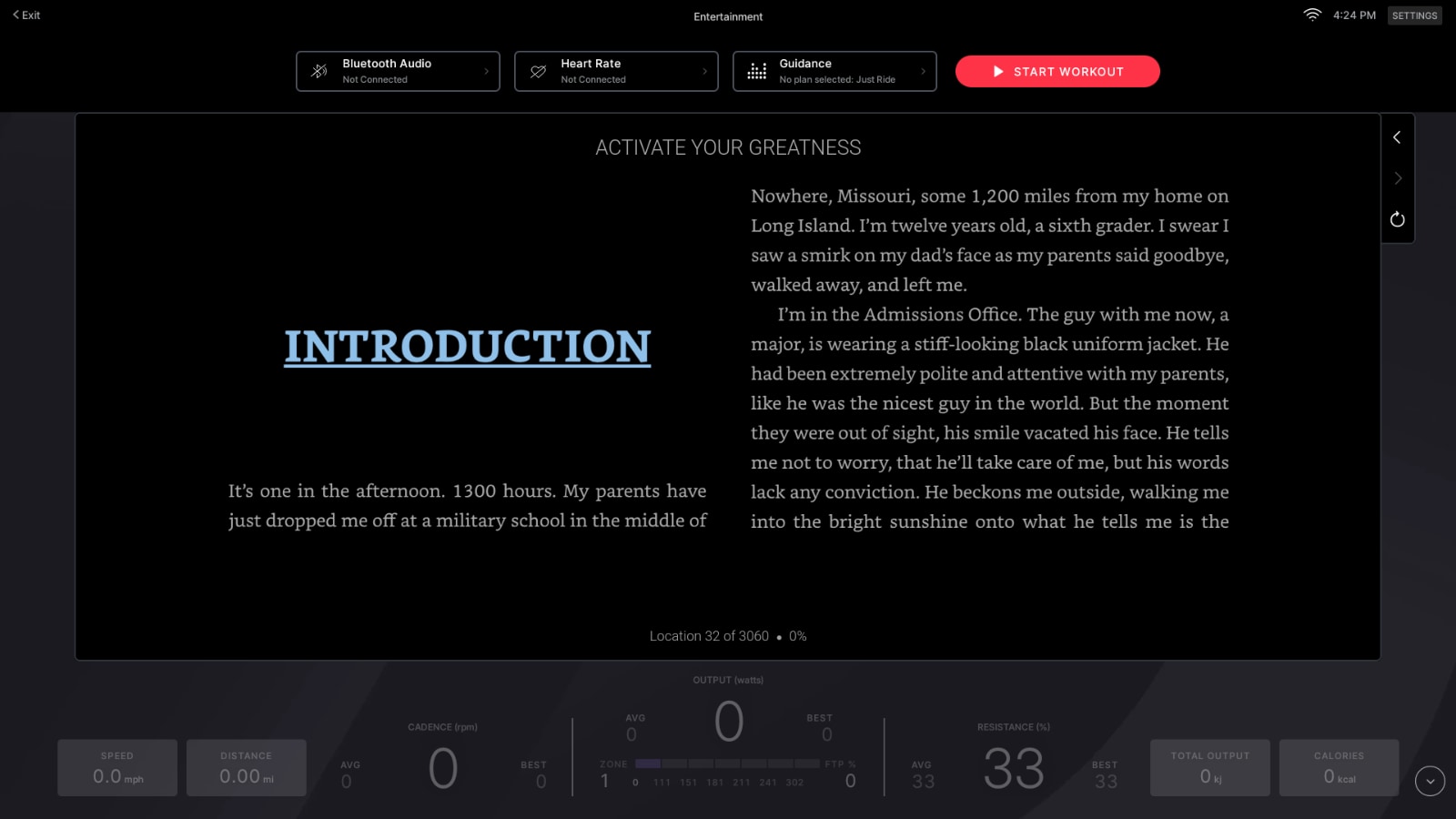
You can select any book to immediately begin reading.
You are able to scroll through your Kindle library on the Peloton – or search for specific titles authors to find them more easily.
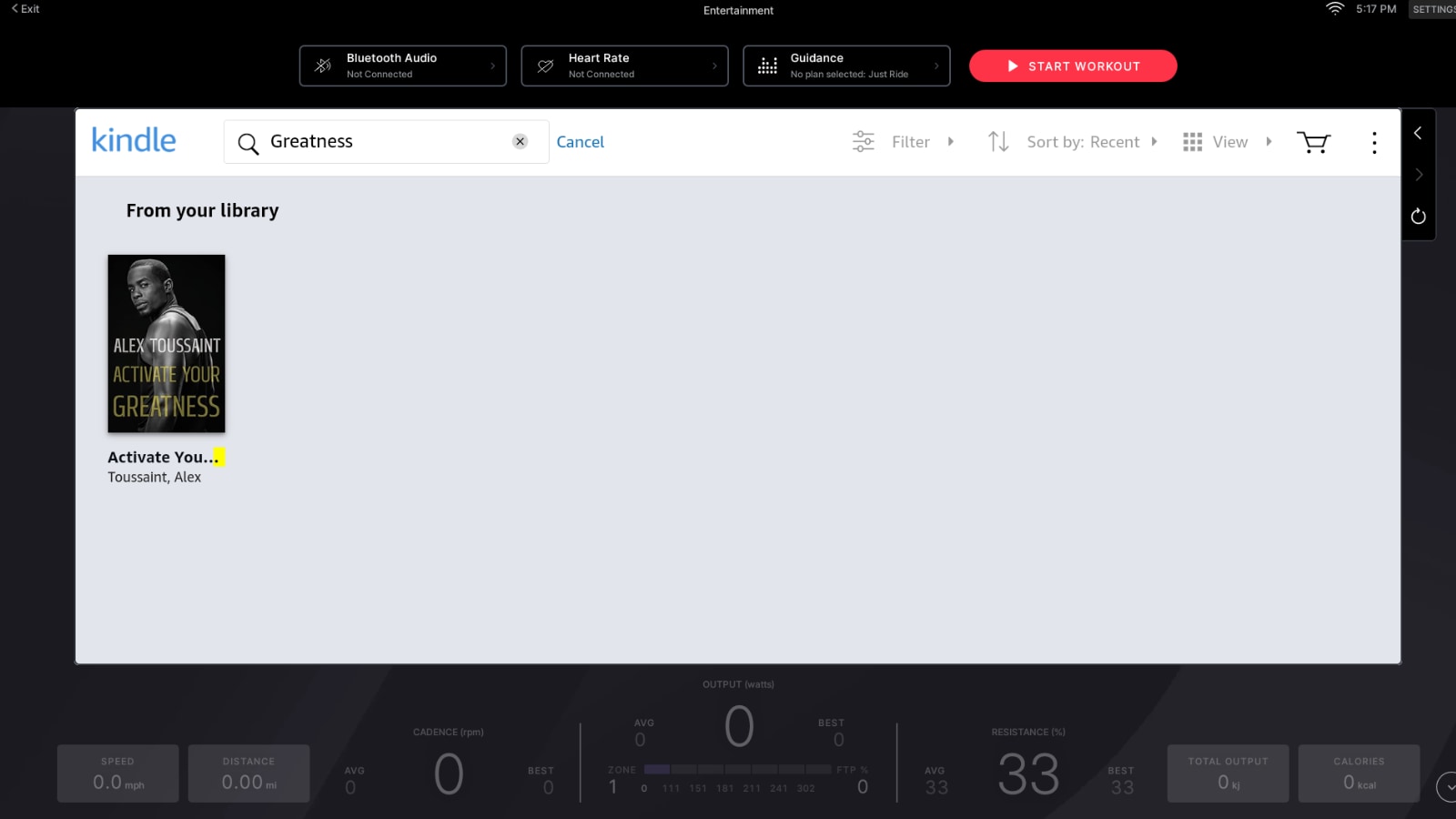
As this is a Peloton Entertainment workout – you’ll want to make sure to hit “Start Workout” at the top of your screen to tell Peloton to begin recording your data and to save the workout to your profile.
You are also able to use the new “Just Guidance” feature to follow a structured workout plan while reading a Kindle book.
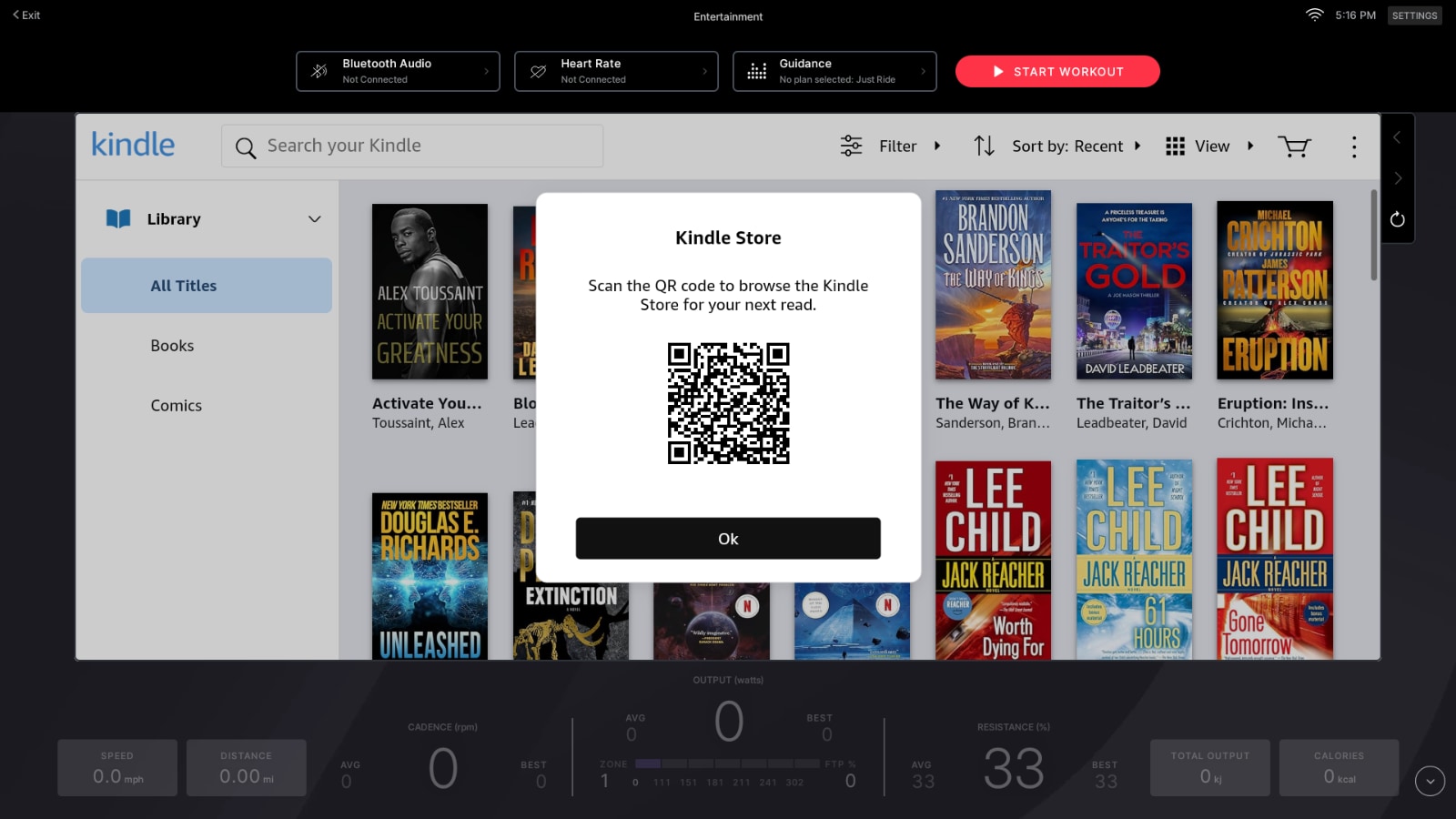
Note that at this time, you can only browse and read books that you have previously purchased. If you want to buy a new book to read while taking a Peloton class, you’ll have to use a different device, like your phone, computer, or other Kindle eBook reader to purchase the book. Once you’ve purchased it, you can refresh your library in the Kindle app on Peloton to access the book.
If you have already started a book on another device, when you open it on your Peloton it should sync to whatever page you were on last.
Turning pages of your eBook while on Peloton is intuitive and simple. Just tap on the right side of the screen to proceed to the next page, or on the left side of the screen to go back a page.
For those who might not be aware, when Peloton Entertainment first launched, Amazon Prime Video was one of the early options available to use on Peloton Entertainment. While it was available, there was a workaround where you could access and read your Kindle books through that app. Unfortunately, the Amazon Prime video option was removed, and has not returned. However, with today’s news, accessing Kindle books is much easier than it was before.
And as a reminder, many Peloton instructors have written books in recent years – and many of those can be found as eBook versions available on Kindle. You can find a list of books by Peloton instructors here.
Do you plan to try to read a book during a Peloton workout anytime soon?
Support the site! Enjoy the news & guides we provide? Help us keep bringing you the news. Pelo Buddy is completely free, but you can help support the site with a one-time or monthly donation that will go to our writers, editors, and more. Find out more details here.
Get Our Newsletter Want to be sure to never miss any Peloton news? Sign up for our newsletter and get all the latest Peloton updates & Peloton rumors sent directly to your inbox.

Hi! Do you know how to log out of the kindle app on the Peloton? I logged in but another family member wants to read on their account – and I can’t figure out how to log out! Any help would be so appreciated! Thank you!