

Peloton has added a new feature they are calling “Just Guidance.”
This new feature allows you to follow a structured training plan, designed by one of the Peloton coaches, while taking one of Peloton’s traditionally unstructured workout modes such as a “Just Workout” session, while watching a video in Peloton Entertainment, or while reading a Kindle book on Peloton – another new feature that was added today.
The “Just Guidance” feature is available as of today across all of Peloton’s hardware devices: The Peloton Tread, Bike, and Row.
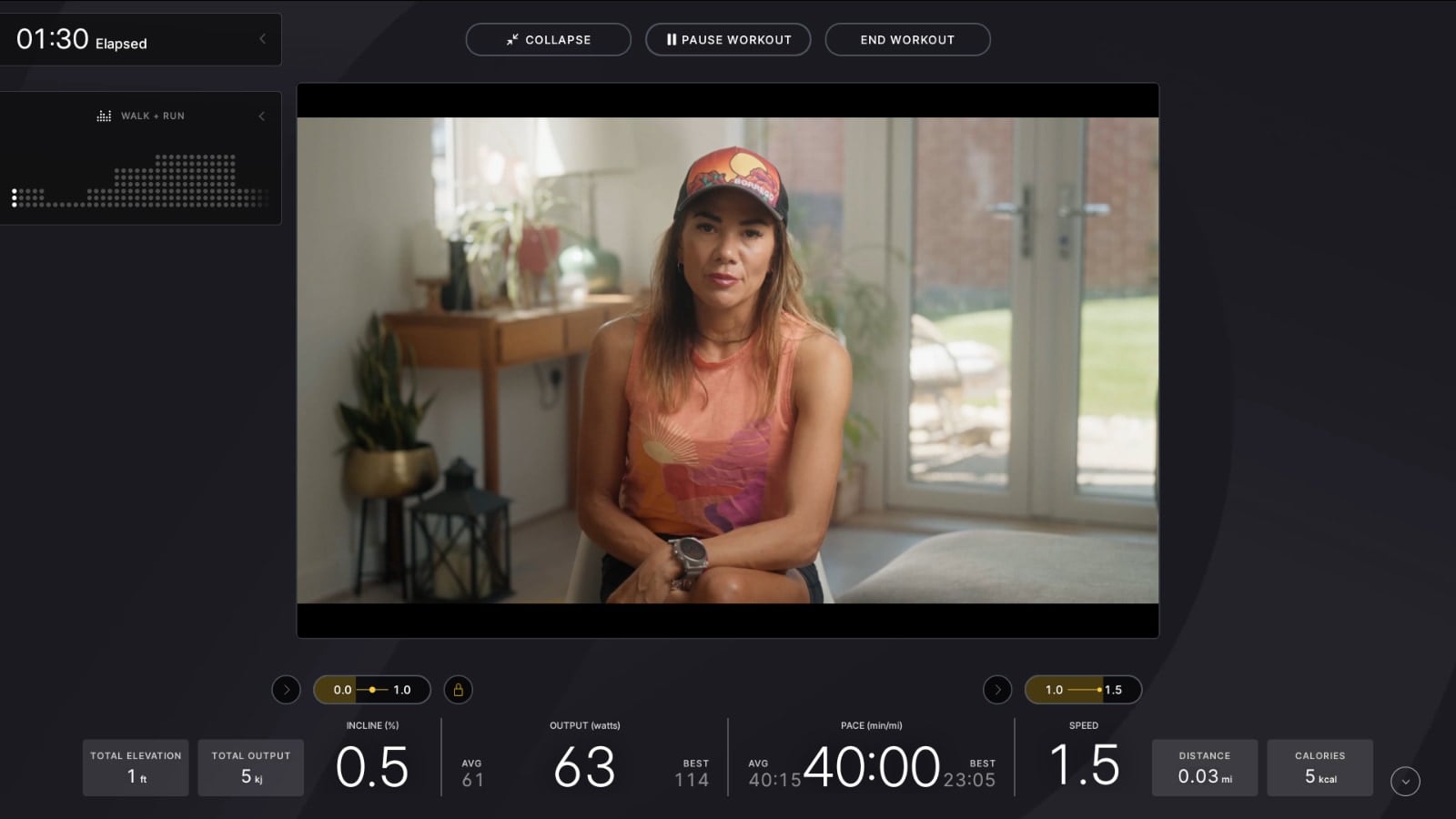
Peloton describes this as a way to “get real-time cues to keep you focused during your workouts and hit target metrics” In practice it works by displaying a target resistance and cadence (or incline and speed, etc), over your current metrics while watching a TV show or video.
This allows you to follow a guided plan, while still having the main portion of the screen be a TV show, movie, or other media. Before this feature was enabled, Peloton had no way of letting you follow any type of structure while in the Peloton Entertainment mode.
Once you have the feature, you will have a new option at the very top of your screen when in “Just Workout” or Peloton Entertainment. This will be labeled as “Guidance”, and you can find it next to the “Start Workout” button that you press to actually start recording your workout.
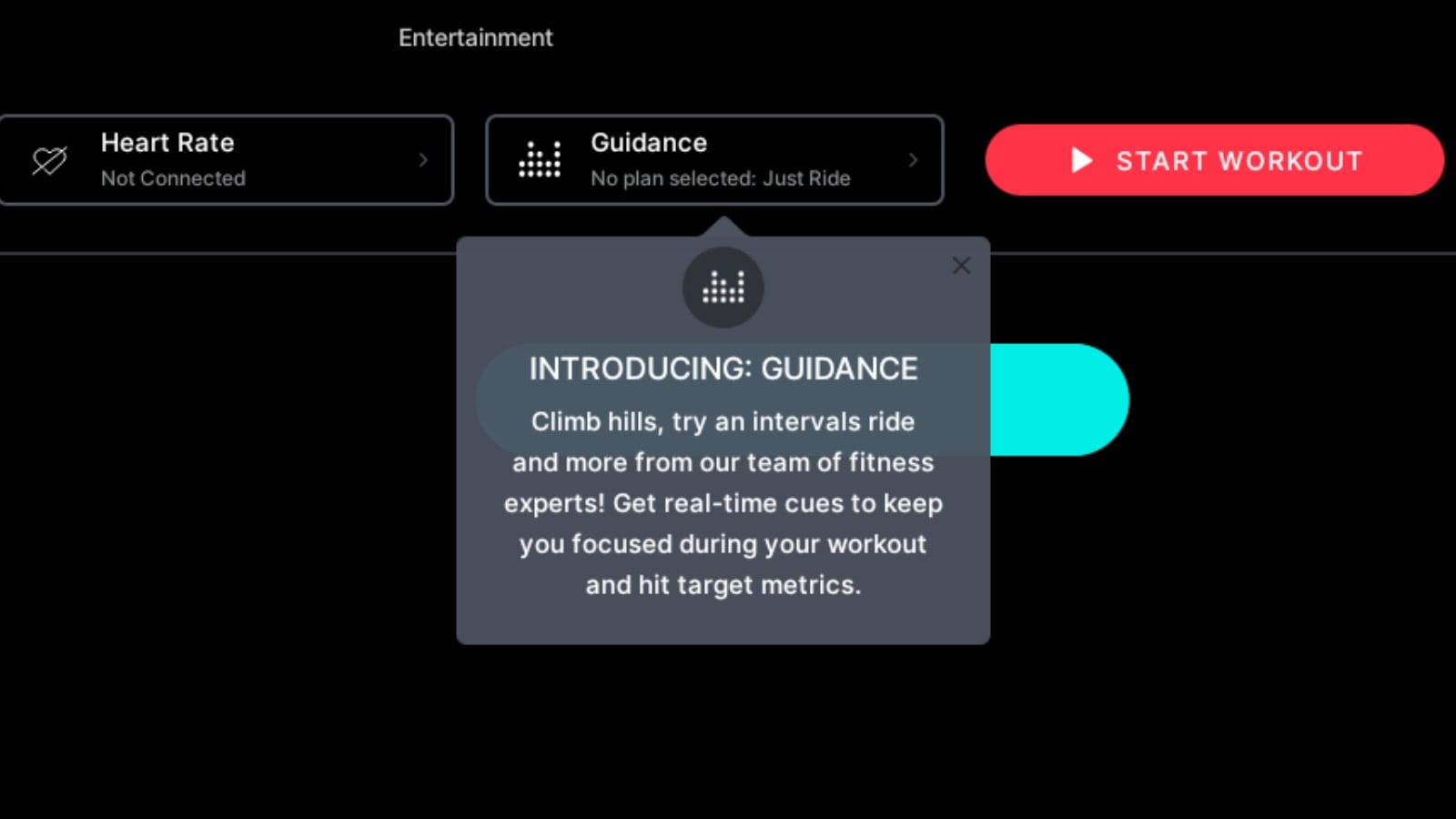
By default, no plan will be selected – which means you’ll be in traditional, just ride mode with no guidance or target metrics suggested.
If you choose to select a Guidance plan, press the button, and you’ll be presented with a new popup.
There, you will find the different workouts the instructors have created. It will note which instructor planned it, the workout type, and a difficulty score.
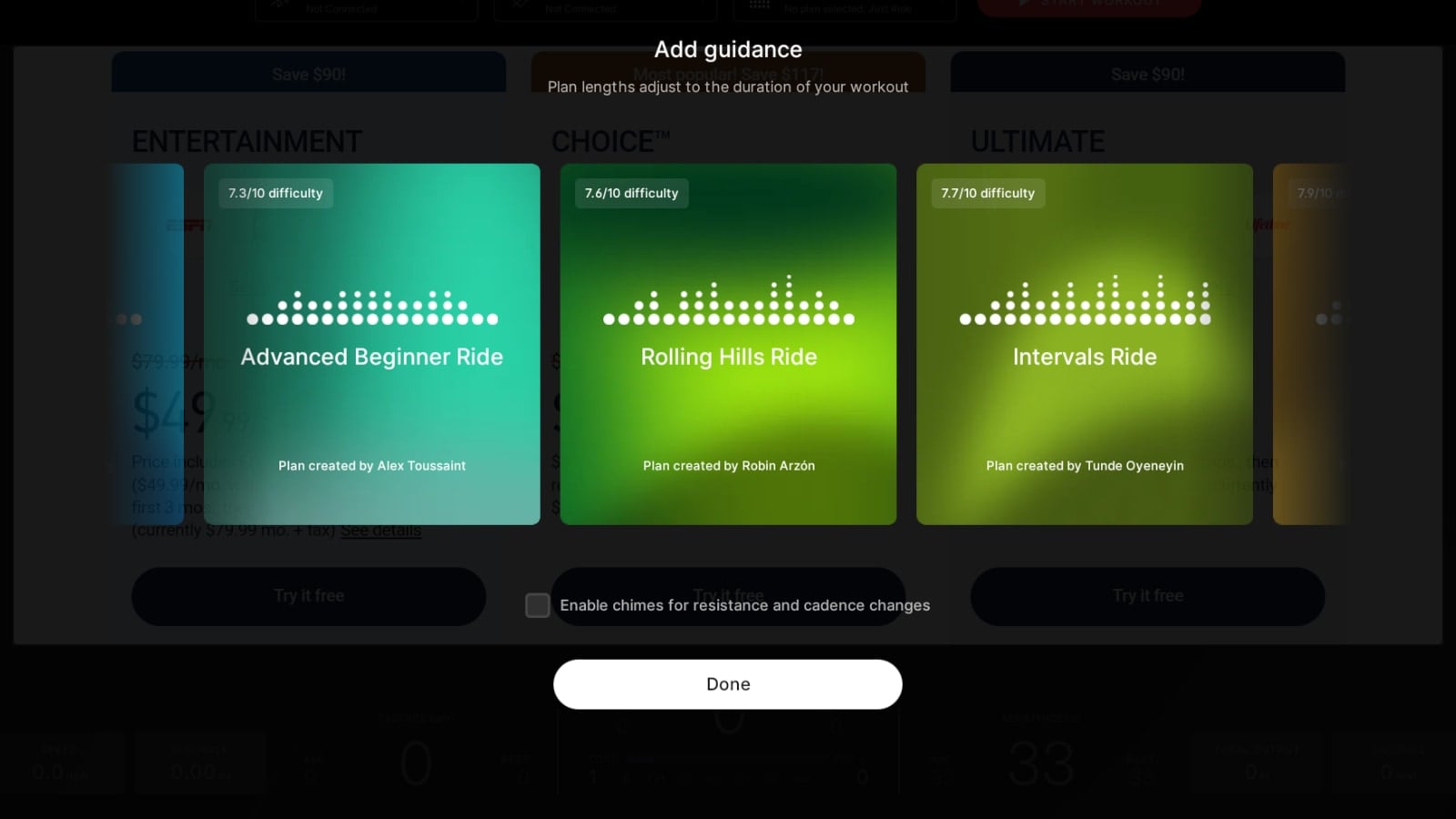
That is all you can see about each workout plan. There is no way to see a more detailed structure, or get an idea for the specific class plan you are doing, other than by guessing based on the class name and difficulty level.
At this time, there are around a dozen class plans available to pick from, of varying difficulty levels.
On the Tread, you also have the option between picking between a “Running” or “Walking” workout type.
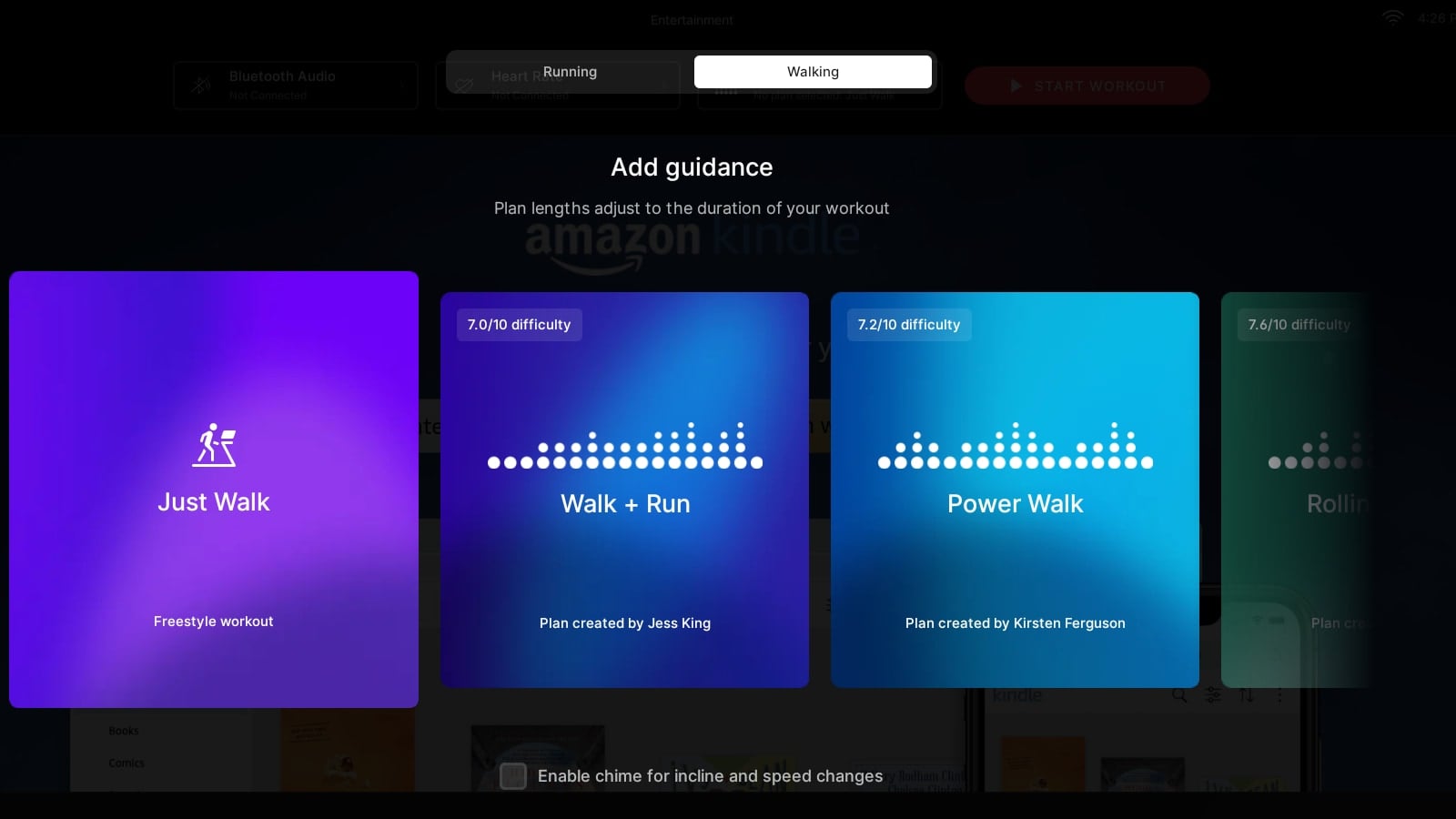
Peloton goes on to note that the “Plan length adjust to the duration of your workout”. However, Peloton does not have any way to know exactly how long you are going to workout – so it’s not clear what logic is being used to adjust the workout plan.
If you select the episode of a TV show or movie first, Peloton may know the length of the movie, so can adjust the plan. However, if you’re planning to watch back to back shows, or pick your Guidance plan before starting your episode or movie – Peloton is in the dark here. More direction could be provided by Peloton here to explain to members how this will work.
On the same screen you can select the guidance plan, you can also select to “enable chimes for resistance and cadence changes” (or incline and pace changes on Tread). This will play an audio beep when the suggested metrics for the class are changing.
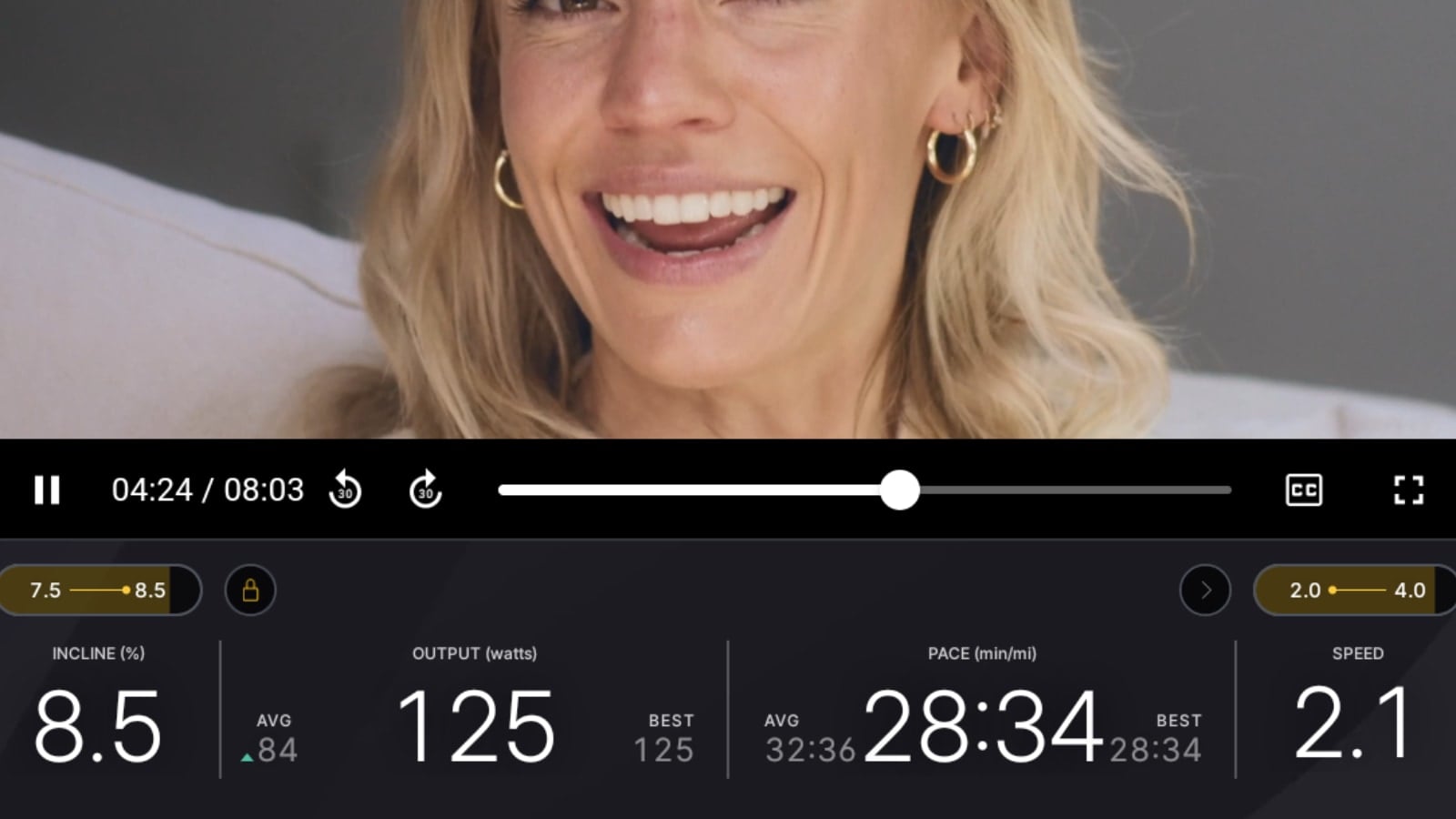
As your workout begins, you’ll be presented with target metrics for your class over your current values. In the example above – you’ll see that the current speed is 2.1, and the guidance class plan is suggesting our current pace be between 2.0 – 4.0 For incline, it is suggesting a value between 7.5 and 8.5 – and we are currently at 8.5% incline.
As the class progresses, it will change your target metrics at certain times. The yellow you see behind each target range fills up as you get closer to each cue change. When the oval is completely yellow – it’s time to change either your speed or incline (or cadence or resistance). If you toggled the box when picking the guidance plan, it will also play a soft audio beep as well.
The UI is fairly simple and easy to follow when it comes to the target metrics and following them. When the current segment is done, it will display new numbers for you to follow. It’s shown right over your current value, just like other target metrics classes.
The other new feature you’ll find in Just Guidance classes is a new box on the side of the screen. This appears to be some sort of visual representation of the class plan.
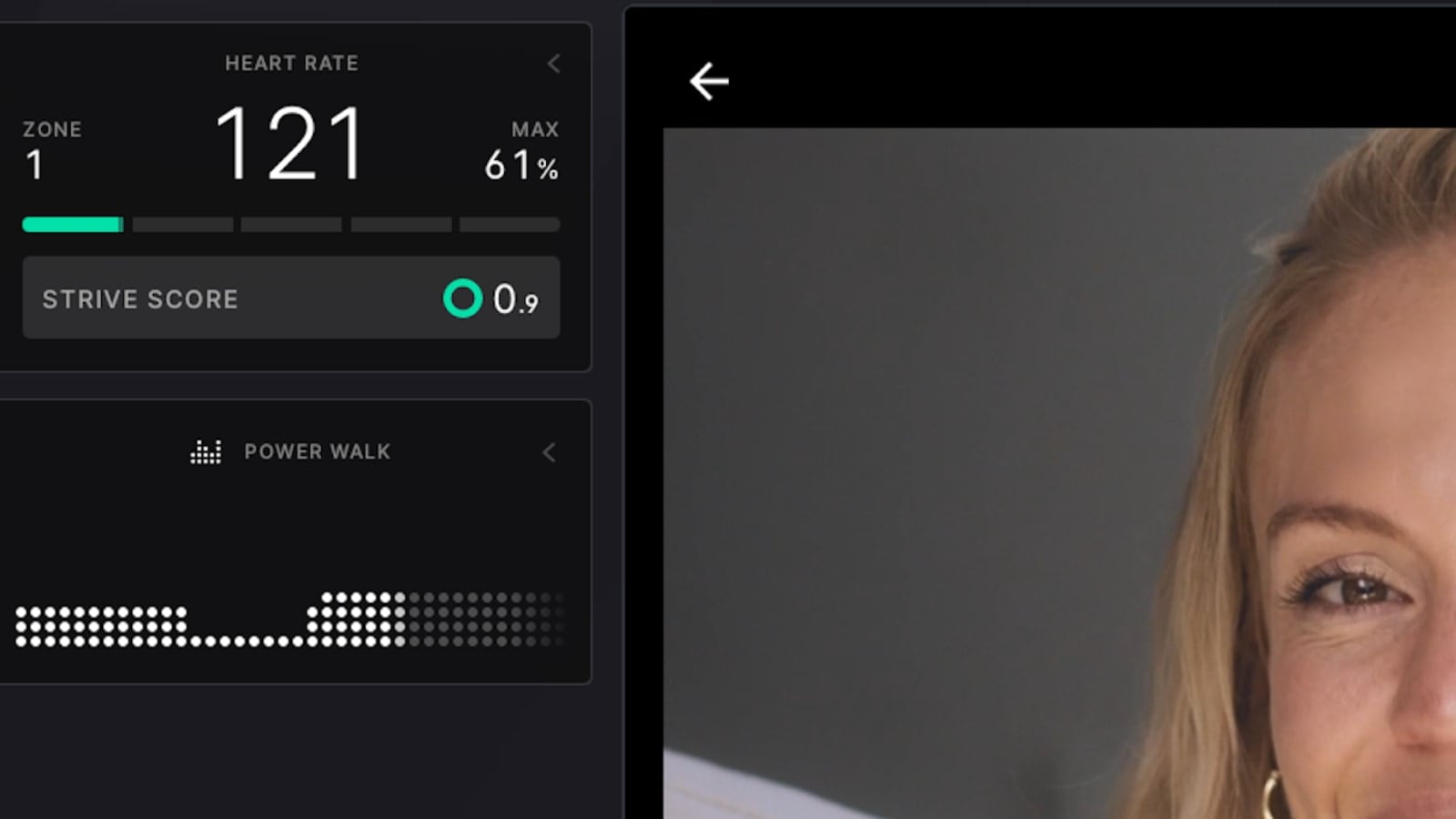
It appears to be tied to an estimation of total output – but in practice, we found this element to be more confusing than anything else. It did provide a visual indication that we were progressing through a plan as the dots filled in from left to right – but so did the changing target metric numbers.
However, no scale is provided for the vertical axis, and the height of each line of dots did not always map to changes as we were expecting. In practice, we found these dots to be more confusing than helpful.
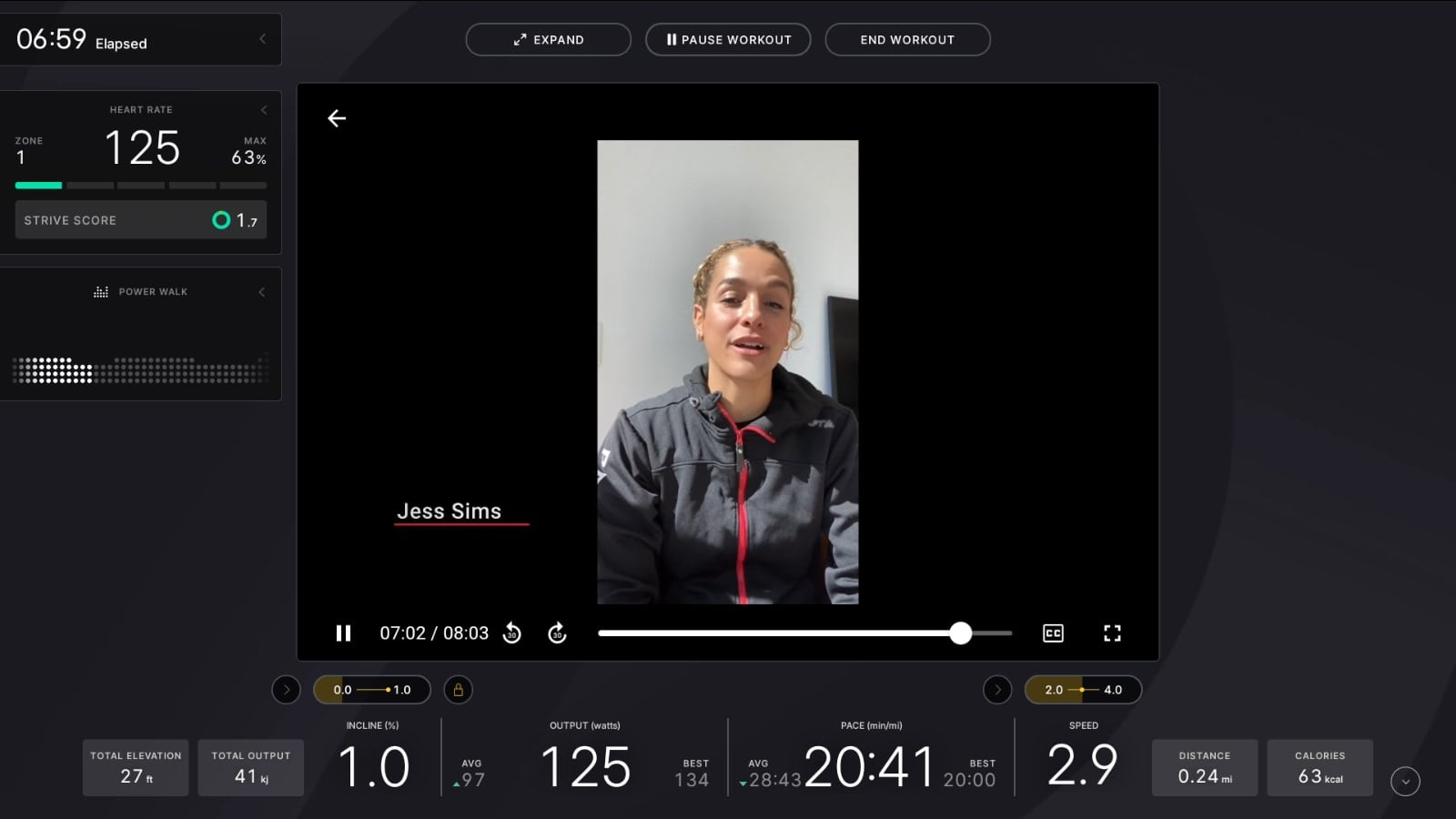
Of course, as with other elements on the screen, you can tap it to hide this feature, and simply follow the target metrics as they are presented to you.
Once you are done with your sessions, you hit “End Workout”, and your workout will save to your profile. The resulting workout saves to your profile just like any other Peloton Entertainment or Just Work Out session would.
At time of publishing, Just Guidance was available on most options within Peloton Entertainment – but it was not available within Netflix.
Overall, it seems like this new feature will be a way for people to be able to get a better, more structured workout plan in (if they want) while still getting to catch up on their latest TV shows or books while using Peloton Entertainment.
We hope to see some improvements to this down the road, like some updates or guidance around the dots widget, as well as providing a way to get more insight or detailed looks into the workout plan you are picking to follow for that workout.
Will you be using Peloton’s new “Just Guidance” feature?
Support the site! Enjoy the news & guides we provide? Help us keep bringing you the news. Pelo Buddy is completely free, but you can help support the site with a one-time or monthly donation that will go to our writers, editors, and more. Find out more details here.
Get Our Newsletter Want to be sure to never miss any Peloton news? Sign up for our newsletter and get all the latest Peloton updates & Peloton rumors sent directly to your inbox.

I’ve literally been waiting for this feature for over a year, since I traded my Peloton in for an SB20+Zwift setup. There are two small additions I’d love to see that would get me to switch back:
1. Power Zone Auto Resistance in these Just Ride workouts to truly allow me to be in “erg” mode.
2. Custom workouts to allow me to build structured workouts and just ride (like Zwift, MyWhoosh, TrainerRoad, etc all allow).
Hoping to see more progress here, excited about potentially switching back.
Did peloton discontinue this?
Over 1 year later and still not available on the netflix app 🙁