

Peloton has added a new Movement Preferences feature that lets members flag exercises they want to avoid, then marks classes containing those movements throughout the app. It also uses the selections to personalize Peloton IQ recommendations.
On the Peloton App, you can find this feature tapping your Profile icon in the bottom right, opening the menu in the top right, and selecting “Mobility” under Preferences. On Peloton hardware, press the 3 dot menu on the bottom right of the screen, and then select “Profile Settings.” There, on the left side, under Fitness Preferences, select “Mobility.”
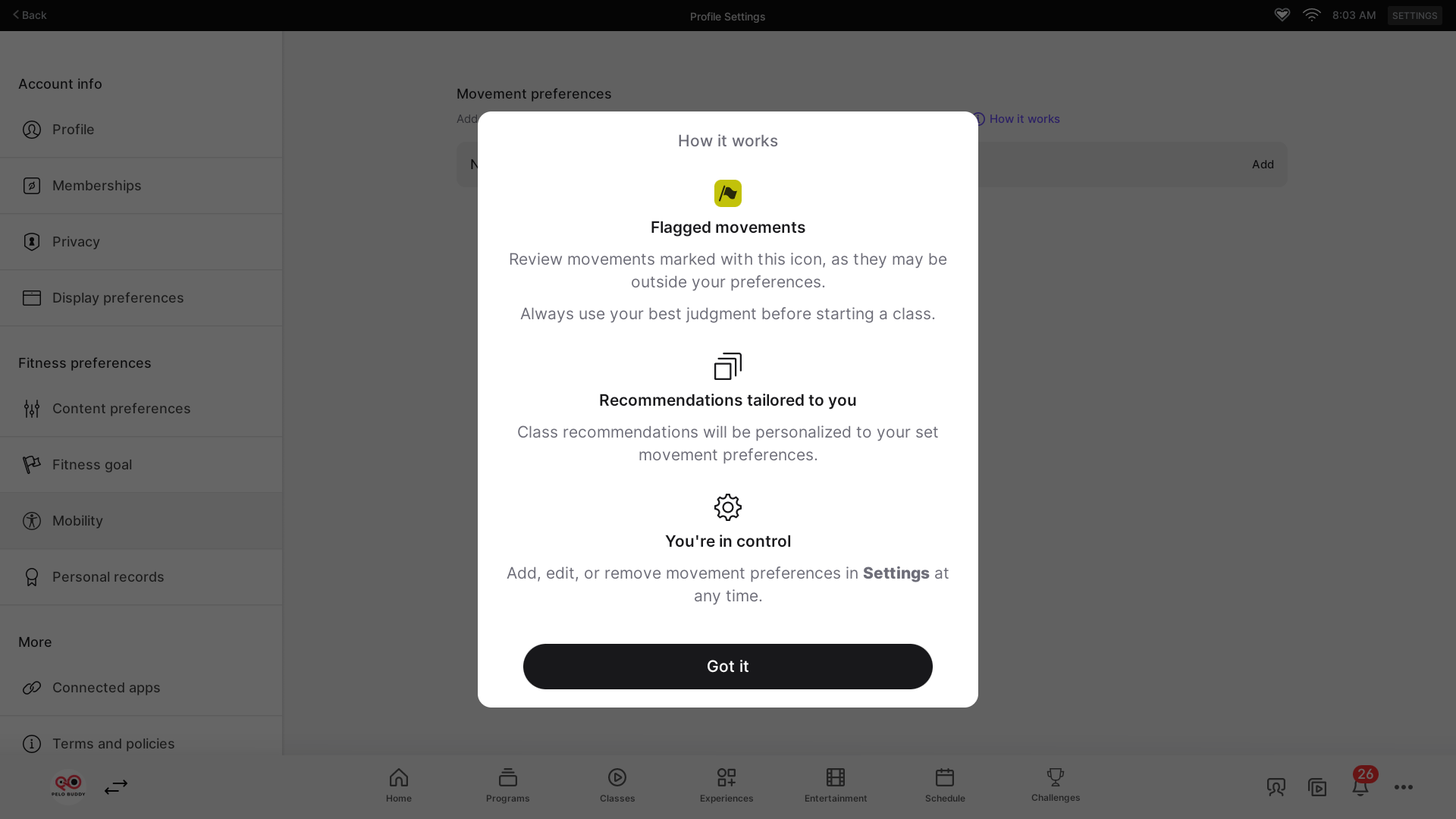
Peloton describes the setting as a way to “adjust recommendations and flag movements that don’t match your preferences.”
Tapping into the setting opens a “Set movements to avoid” screen, with movements organized under All, Upper body, Core and back, Lower body, and Full body.
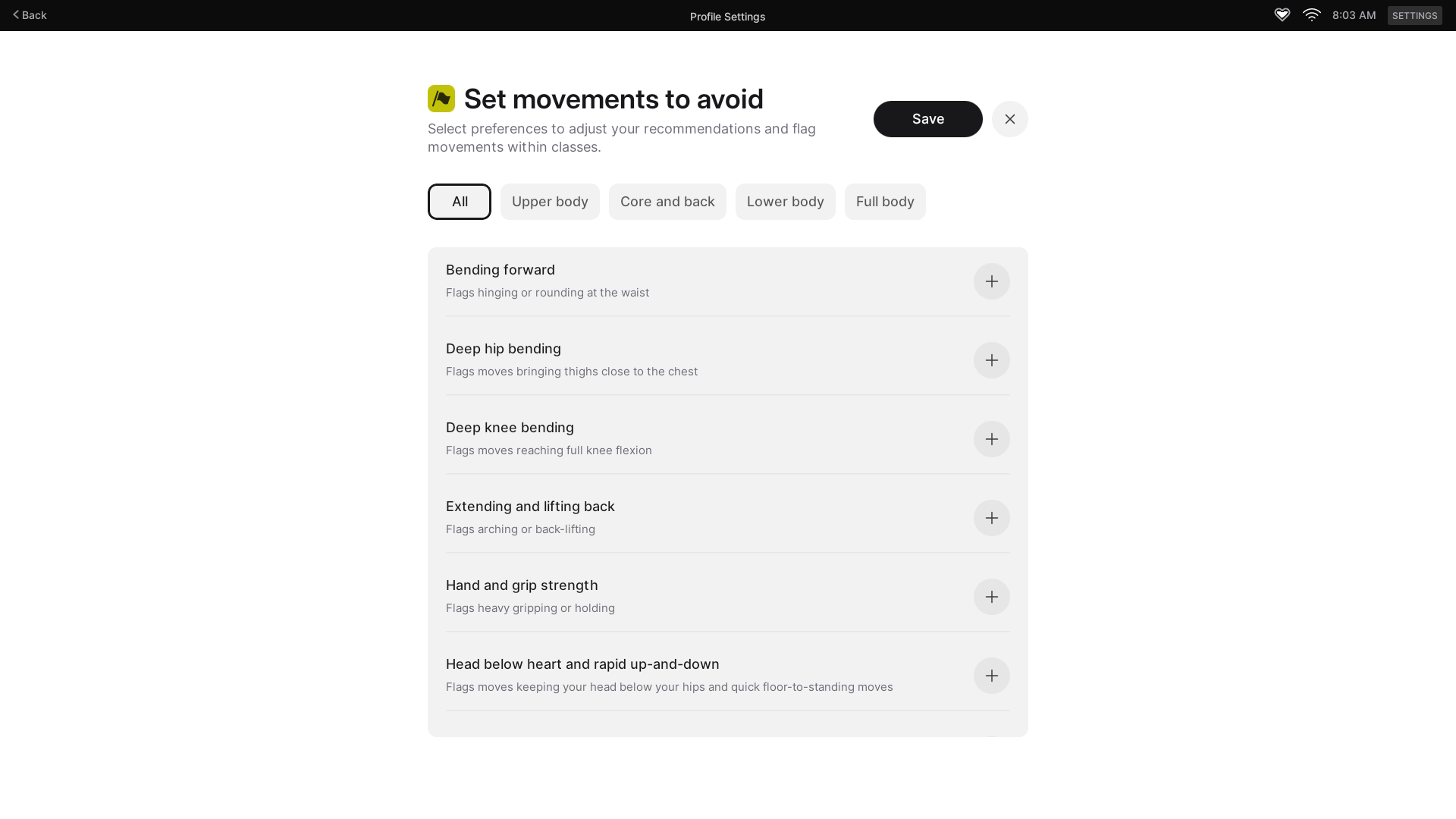
Members can currently flag 20 different movement types:
- Load-bearing wrist movements
- Side-to-side movements
- Twisting
- Bending forward
- Deep hip bending
- Deep knee bending
- Extending and lifting back
- Hand and grip strength
- Head below heart and rapid up-and-down
- Jumping and high impact
- Loaded elbow movements
- Loaded overhead movements
- Lying on back
- Lying on stomach
- Pelvic floor and core pressure
- Repetitive knee bending
- Side bending
- Single-leg and balance
- Spinal compression
- Weighted hinging
Each preference covers a broader movement pattern rather than one specific exercise.
For example, Peloton describes Load-bearing wrist movements as exercises where the hands support bodyweight with the wrists flexed. Examples include Bear Crawls, Burpees, Downward Dog, Mountain Climbers, Planks, Push-ups, Renegade Rows, and Tricep Dips.
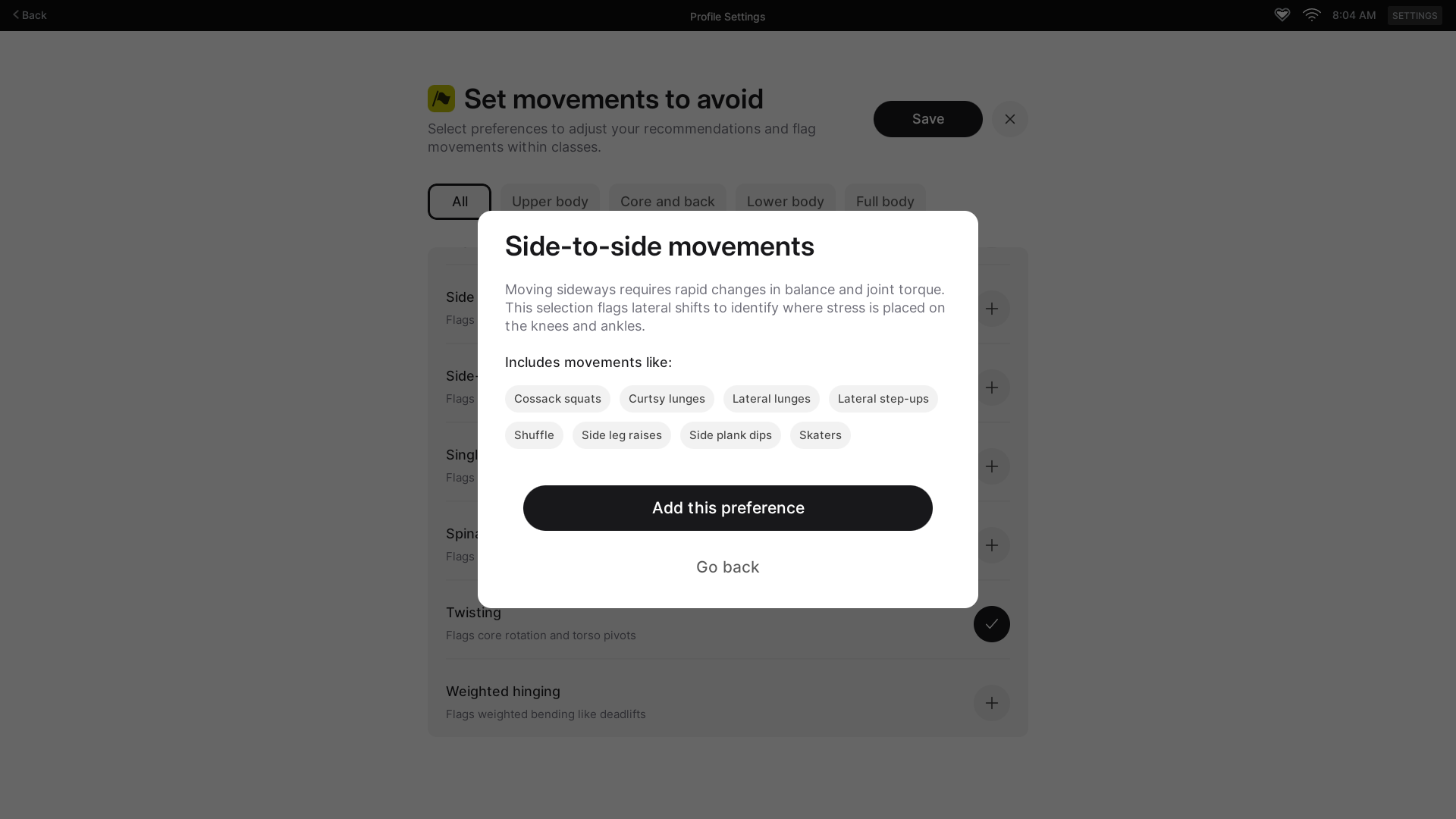
As you save the movements you wish to avoid, you can see a list of what your current settings are,
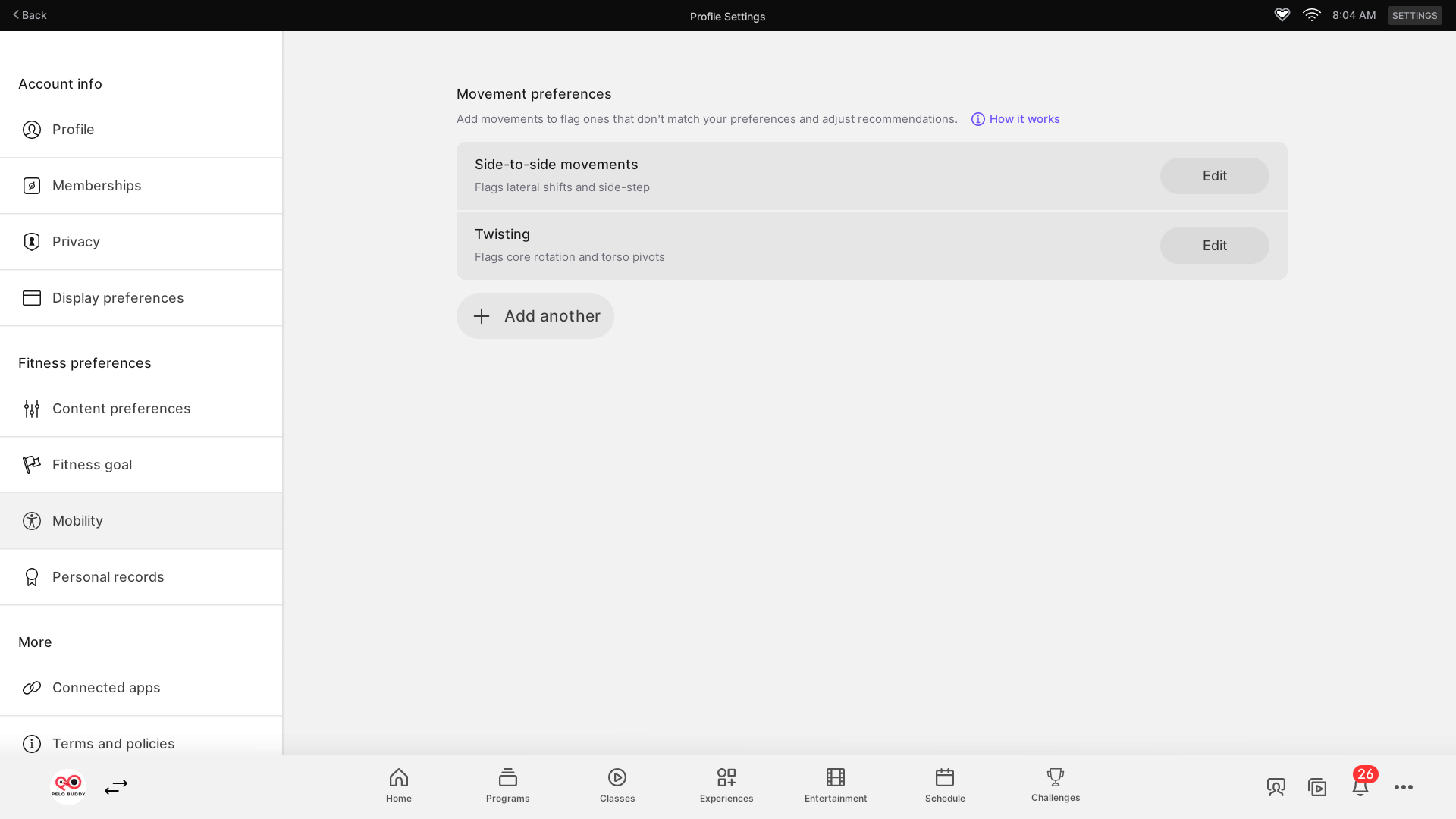
Once preferences are saved, Peloton begins surfacing warnings on affected classes.
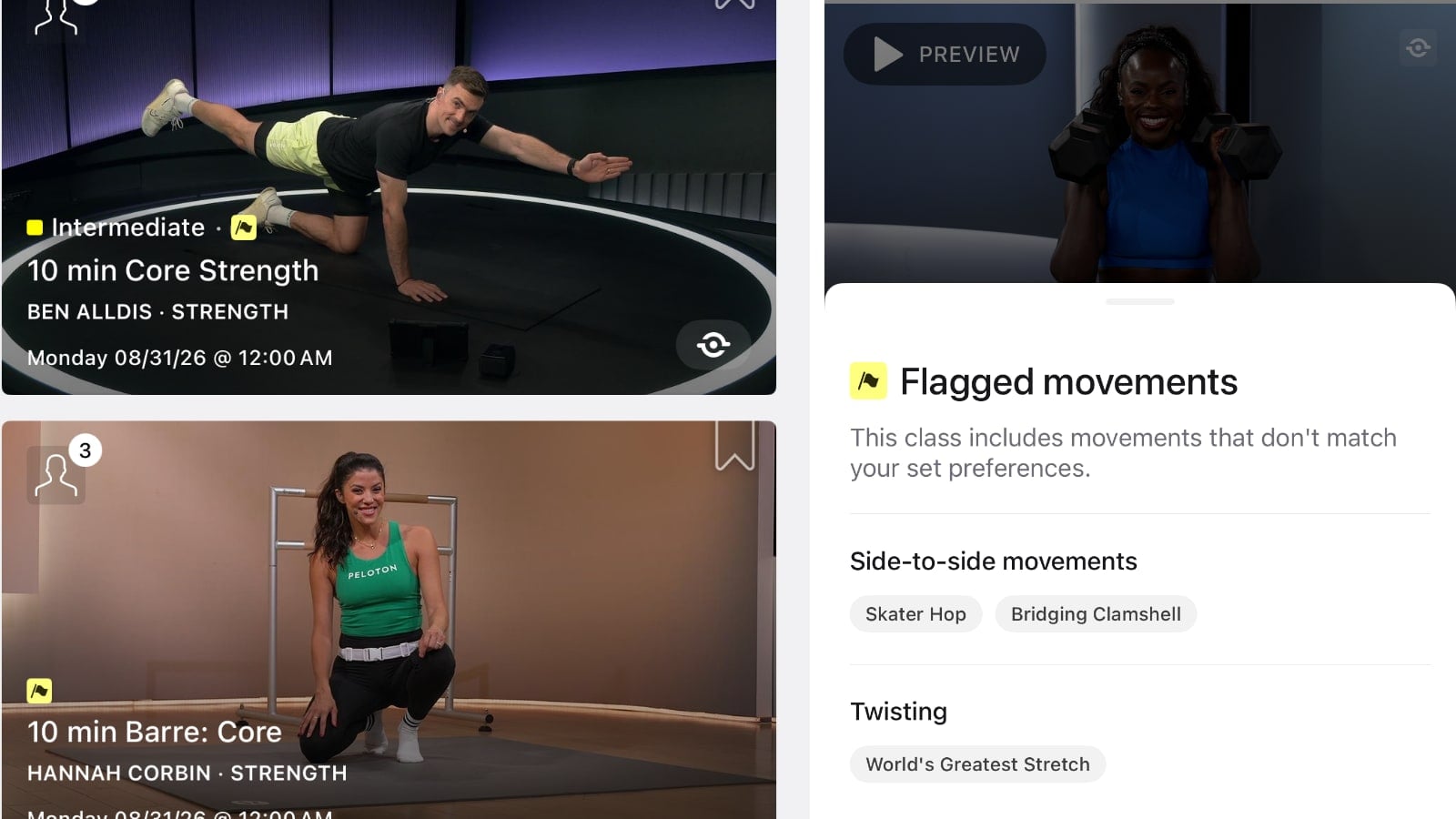
In the on-demand library, a yellow flag appears directly on class thumbnails containing one or more movements that conflict with your preferences. The flag sits alongside the class difficulty rating, making it possible to spot a potential conflict before opening the workout.
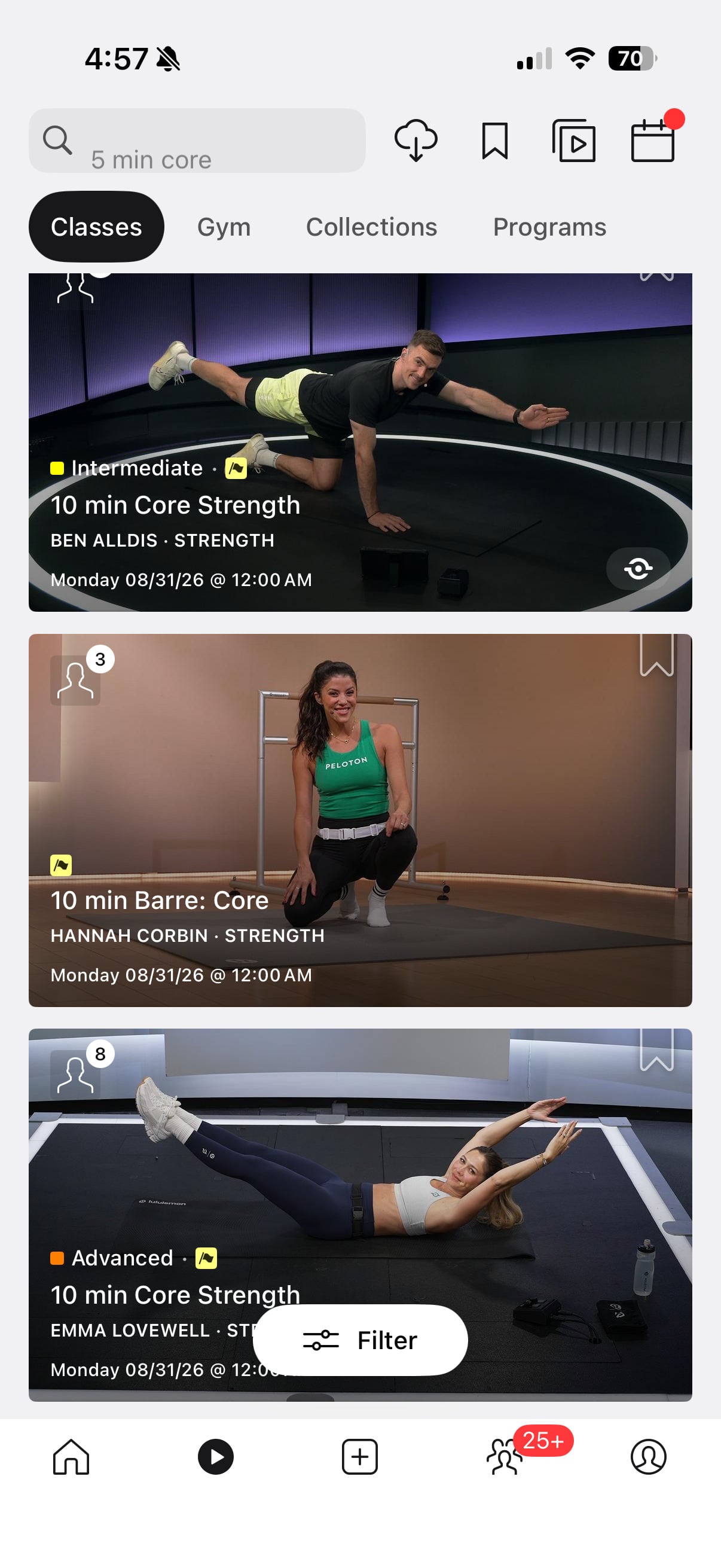
Opening one of those classes provides more detail.
A “Flagged movements” row appears on the class details screen with a count of how many movements were identified.
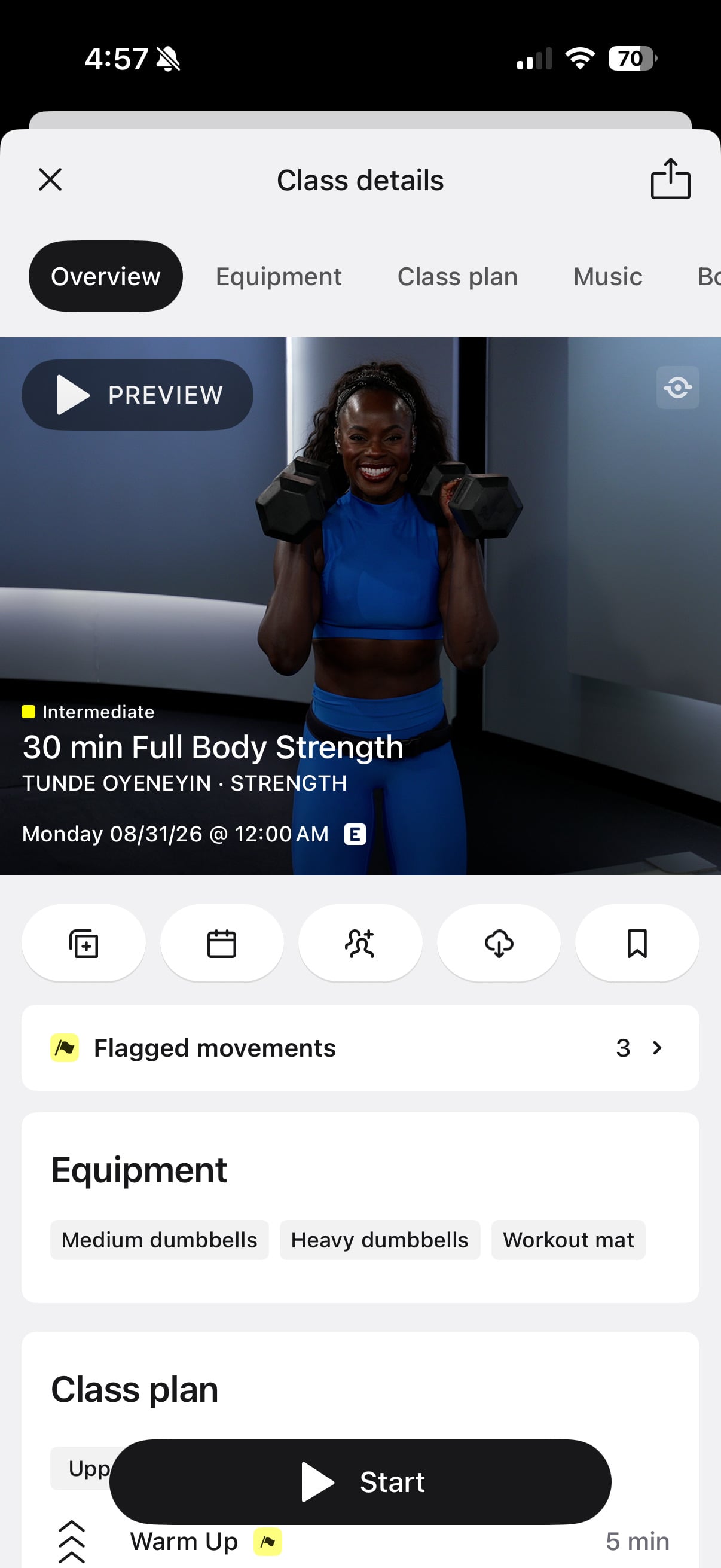
Tapping it shows exactly which exercises triggered the warning, grouped by the movement preference they matched.
In one 30 min Full Body Strength class with Tunde Oyeneyin, three movements were flagged. Skater Hop and Bridging Clamshell appeared under Side-to-side movements, while World’s Greatest Stretch appeared under Twisting.
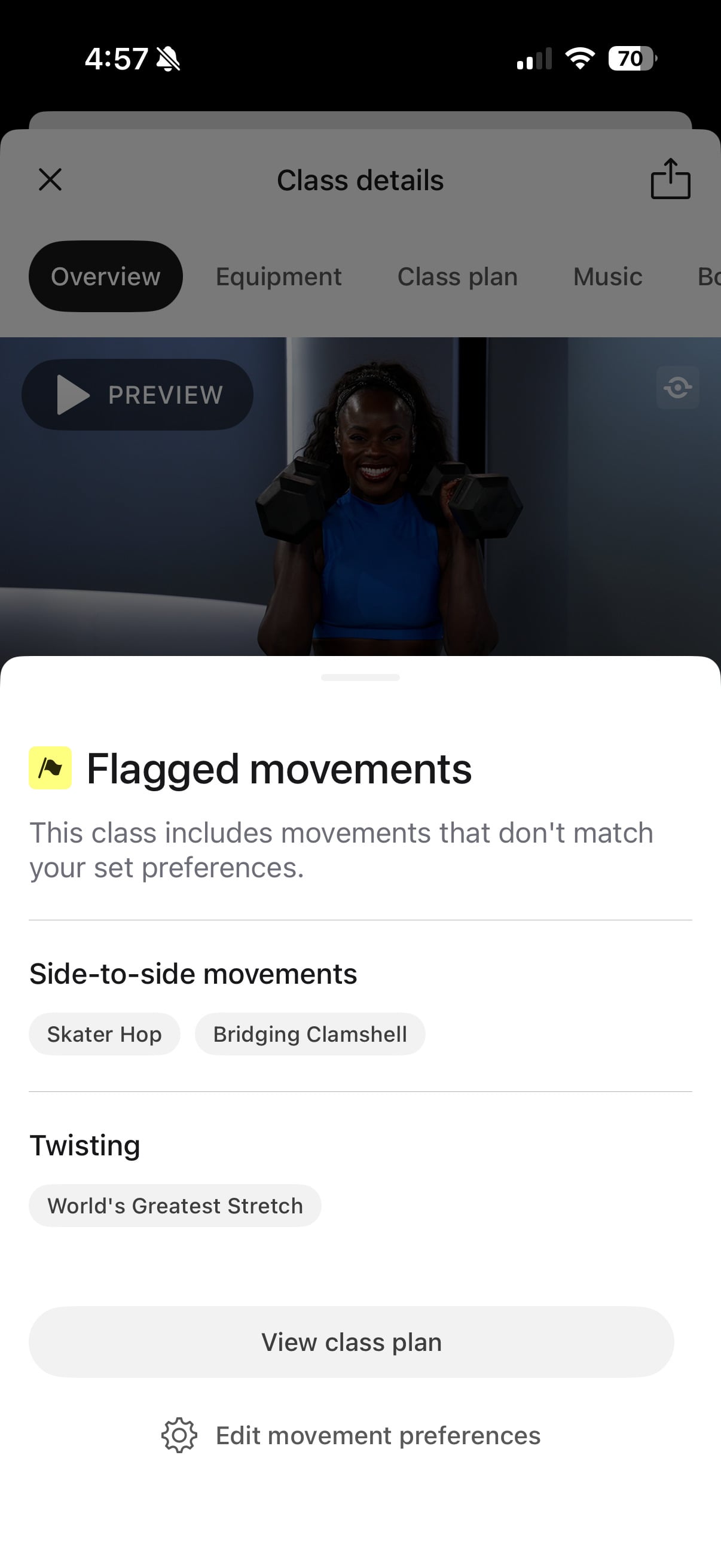
The screen also includes shortcuts to “View class plan” and edit your movement preferences.
The same warnings carry into the full class plan.
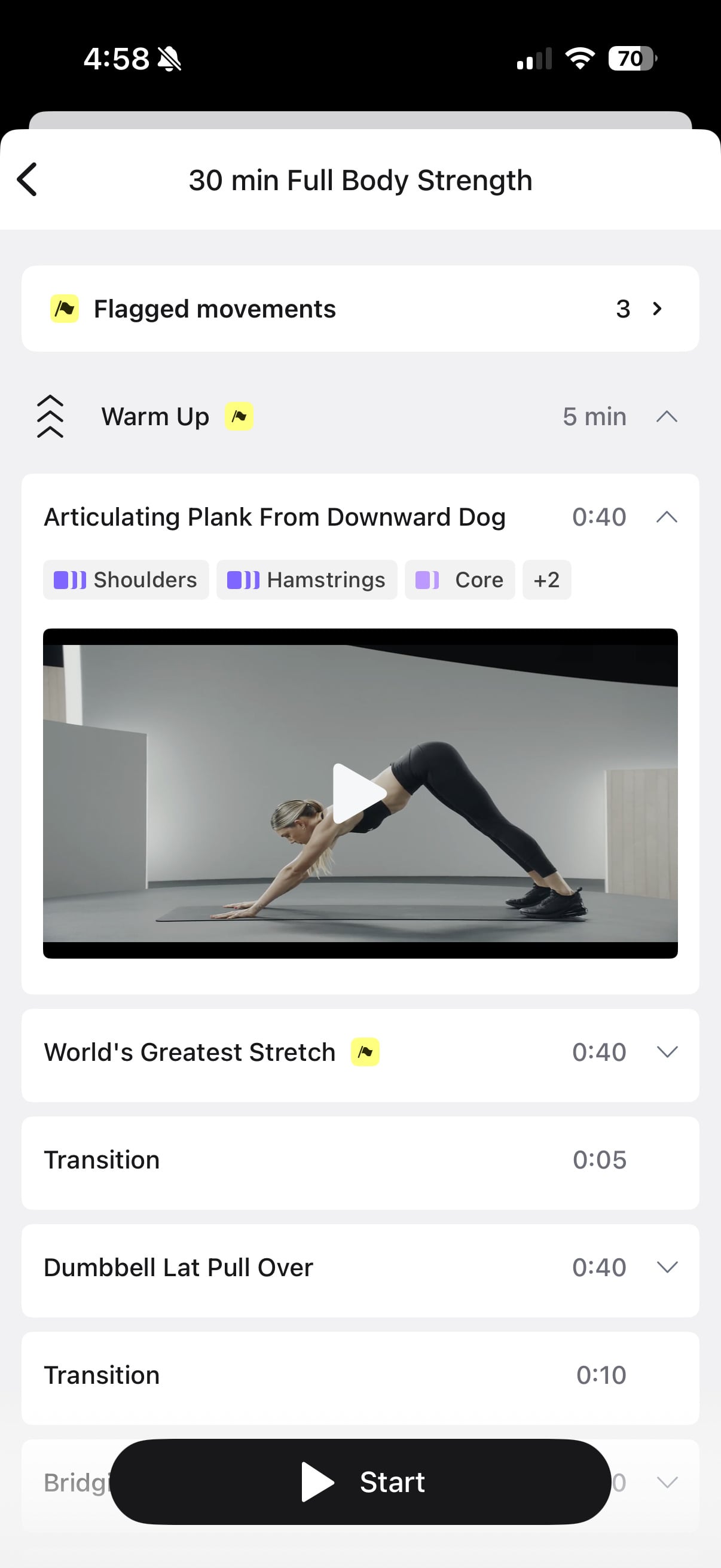
Yellow flags appear beside individual exercises and on section headers containing flagged movements, making it possible to see where in the workout the conflicts occur before starting the class.
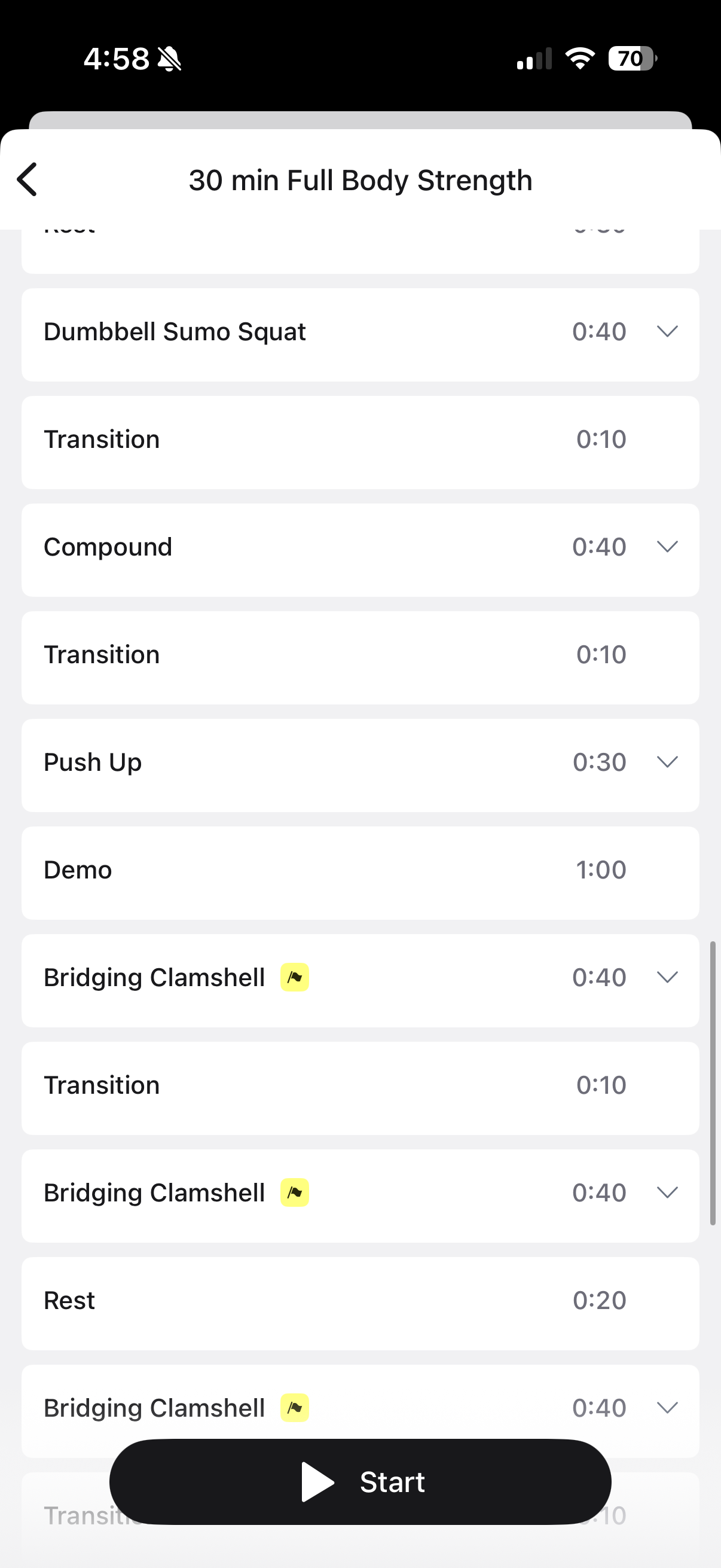
That builds on Peloton’s existing detailed Class Plan feature, which already lets members preview the movements and timing inside strength and other classes.
Movement Preferences add a personalized layer to that information. Rather than simply showing what is in a workout, Peloton can now highlight the parts that specifically conflict with preferences set by an individual member.
This new feature doesn’t only apply to strength. For example, when viewing the yoga section of the on-demand library, classes are flagged there as well.
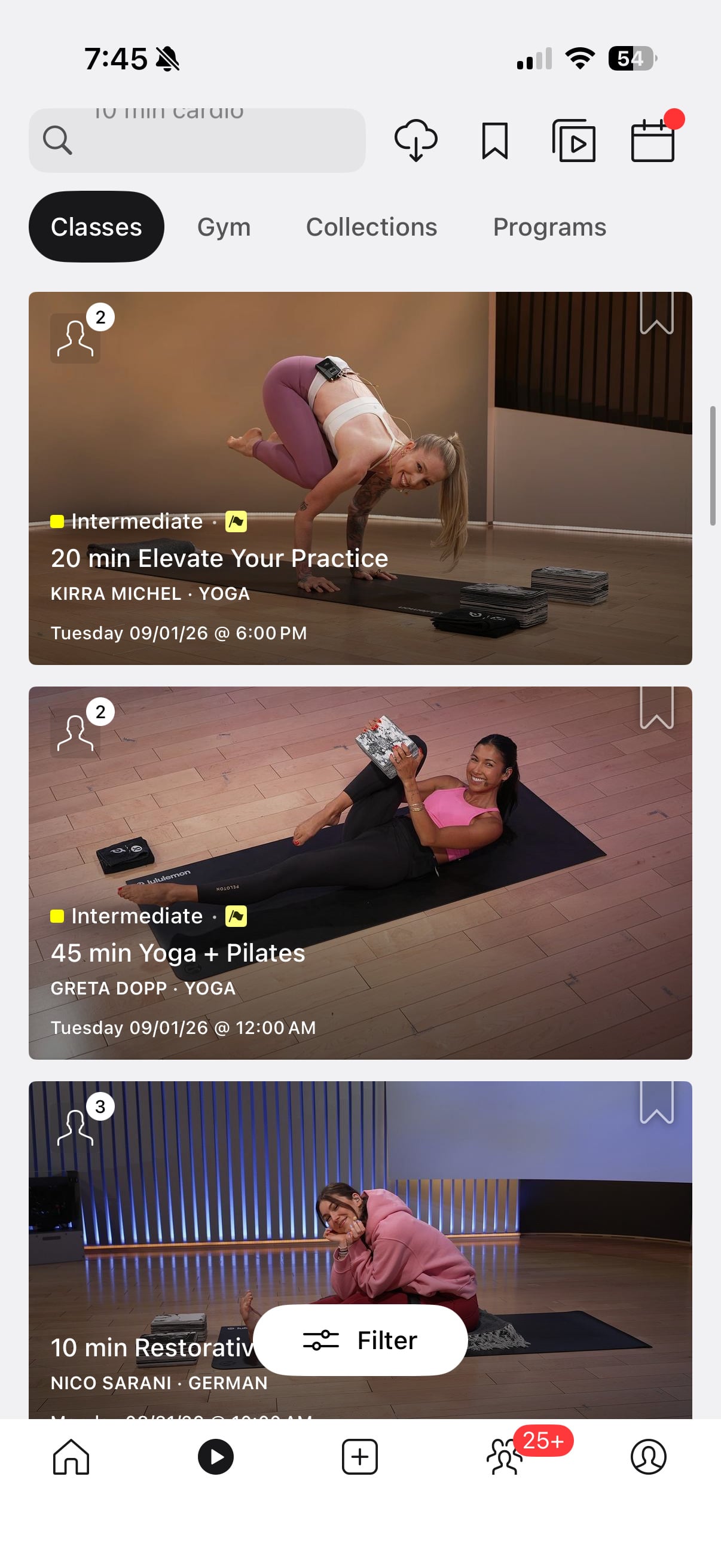
Peloton does have some disclaimers around this feature, saying members should review movements marked with the icon “as they may be outside your preferences,” and adds “Always use your best judgment before starting a class.”
Classes containing flagged movements are not hidden or removed from the library. Instead, Peloton leaves them available while adding warnings and more detailed movement information. However, down the road one could easily see Peloton updating the filters in the on-demand library to give members an option to let them filter out classes containing their flagged movements.
The flagged movement preferences also feed into Peloton IQ. Peloton says class recommendations will be personalized around the movement preferences a member has selected, meaning the choices are used when deciding which workouts to suggest rather than only serving as warnings after a class has already been surfaced.
That follows the new Content Preferences feature Peloton added this week, which lets members directly choose favorite instructors, music genres, and activity types to help shape their recommendations.
Together, the two settings give members more direct control over both sides of Peloton IQ recommendations and the AI class recommendations Peloton provides, letting members share what they would like to see more often and which movements they would prefer to avoid.
Will you be setting any movement preferences?
Support the site! Enjoy the news & guides we provide? Help us keep bringing you the news. Pelo Buddy is completely free, but you can help support the site with a one-time or monthly donation that will go to our writers, editors, and more. Find out more details here.
Get Our Newsletter Want to be sure to never miss any Peloton news? Sign up for our newsletter and get all the latest Peloton updates & Peloton rumors sent directly to your inbox.

Do we know if this new feature is supported for the Strength+ app?