

Peloton has announced Run Analysis, a new Peloton IQ feature that uses the movement-tracking camera on compatible Peloton treadmills to analyze running form, generate a Running Efficiency Score, and provide post-class tips.
This feature was announced alongside the reveal of Peloton’s new treadmills, the Tread Flex, Tread Vision, and Tread+ Vision, and other running features like ReRuns, Peloton IQ Pace Targets, Heart Rate zone training, and a WHOOP integration.
The Run Analysis feature launches October 1, 2026 and will be available on:
- Peloton Cross Training Tread+
- Peloton Tread Vision
- Peloton Tread+ Vision
This feature requires the upgraded movement tracker camera, which has a wider field of view and can rotate up and down. This means that Run Analysis will not be available on the Original Series Tread, Original Series Tread+, or the Cross Training Tread, as they do not have the rotatable movement tracker camera.
Chief Product Officer Nick Caldwell described the feature as “an amazing applied use of AI that makes you a better runner, workout by workout.”
The camera tracks three main measurements as someone runs:
- Cadence
- Stride length
- Vertical oscillation
These are 3 of the same metrics that modern GPS watches, like Garmin watches, track and provide for workouts taken wearing Garmin watches. At this time, we haven’t yet had the chance to cross-reference how Peloton’s measurements line up with a Garmin watch for the same workout. Peloton also turns vertical oscillation into a vertical ratio, representing how much energy the runner is using to move vertically compared to moving forward.
Those measurements feed into a Running Efficiency Score between 1 and 100 for each class.
A new “Intro To Run Analysis” class will be available when the feature launches to help guide people through calibration.
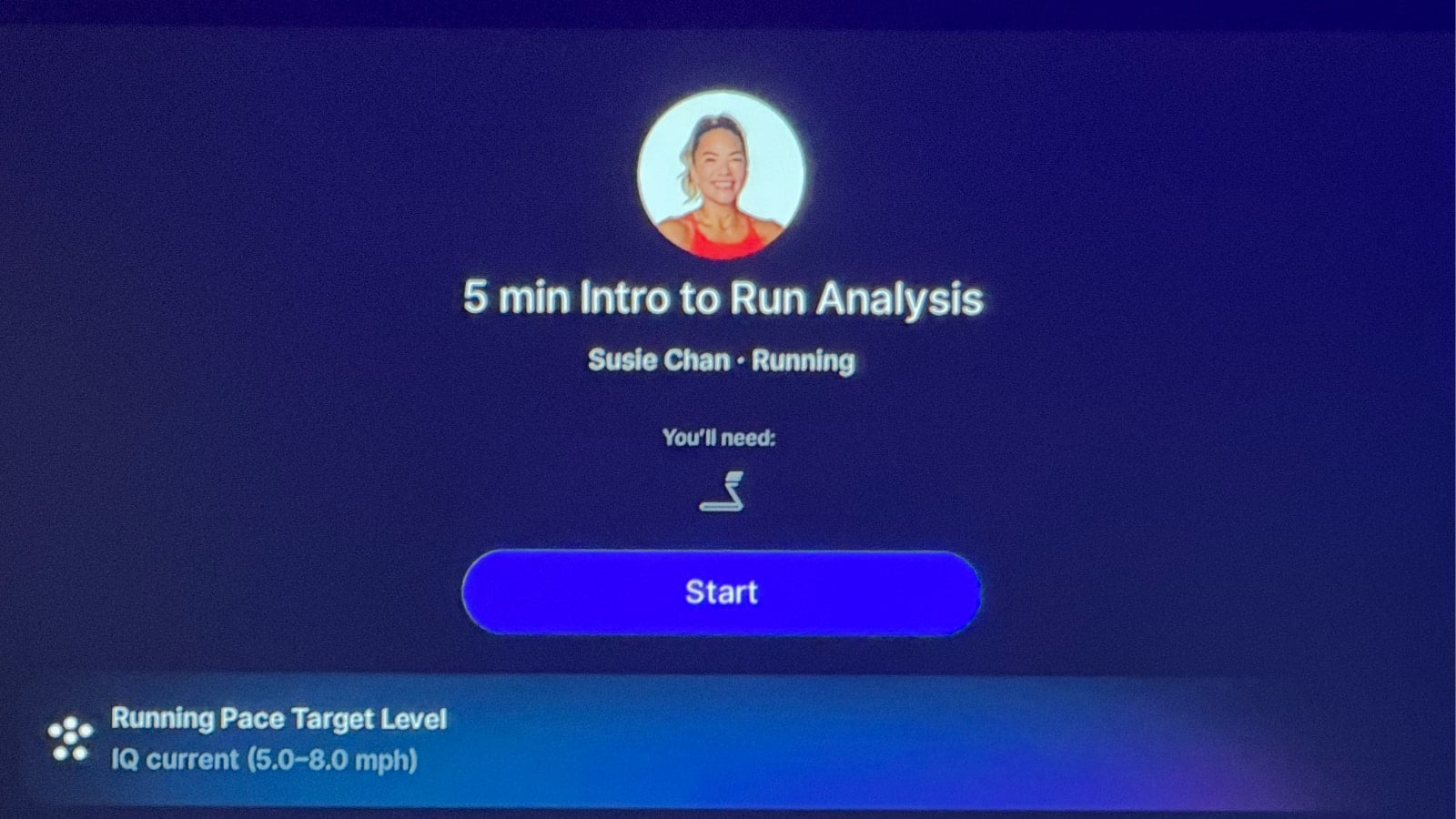
The initial calibration itself is quick. Peloton demonstrated the member standing toward the back of the Tread while the camera performs a scan lasting approximately 7-15 seconds. This requires pointing the camera at a more downward angle – part of the reason the feature is only available on certain treadmill models.
Once set up, members take their running classes normally. There is no need to watch a camera view of yourself while running. However, when starting a class, members will see a video preview of themselves as an indicator that Run Analysis is enabled for that class. The green light next to the camera, which indicates when the camera is active, will also be lit up as another sign Run Analysis is in use.
When starting the class, the UI notes that members should point the camera as far down as possible, in order for Run Analysis to work the best.
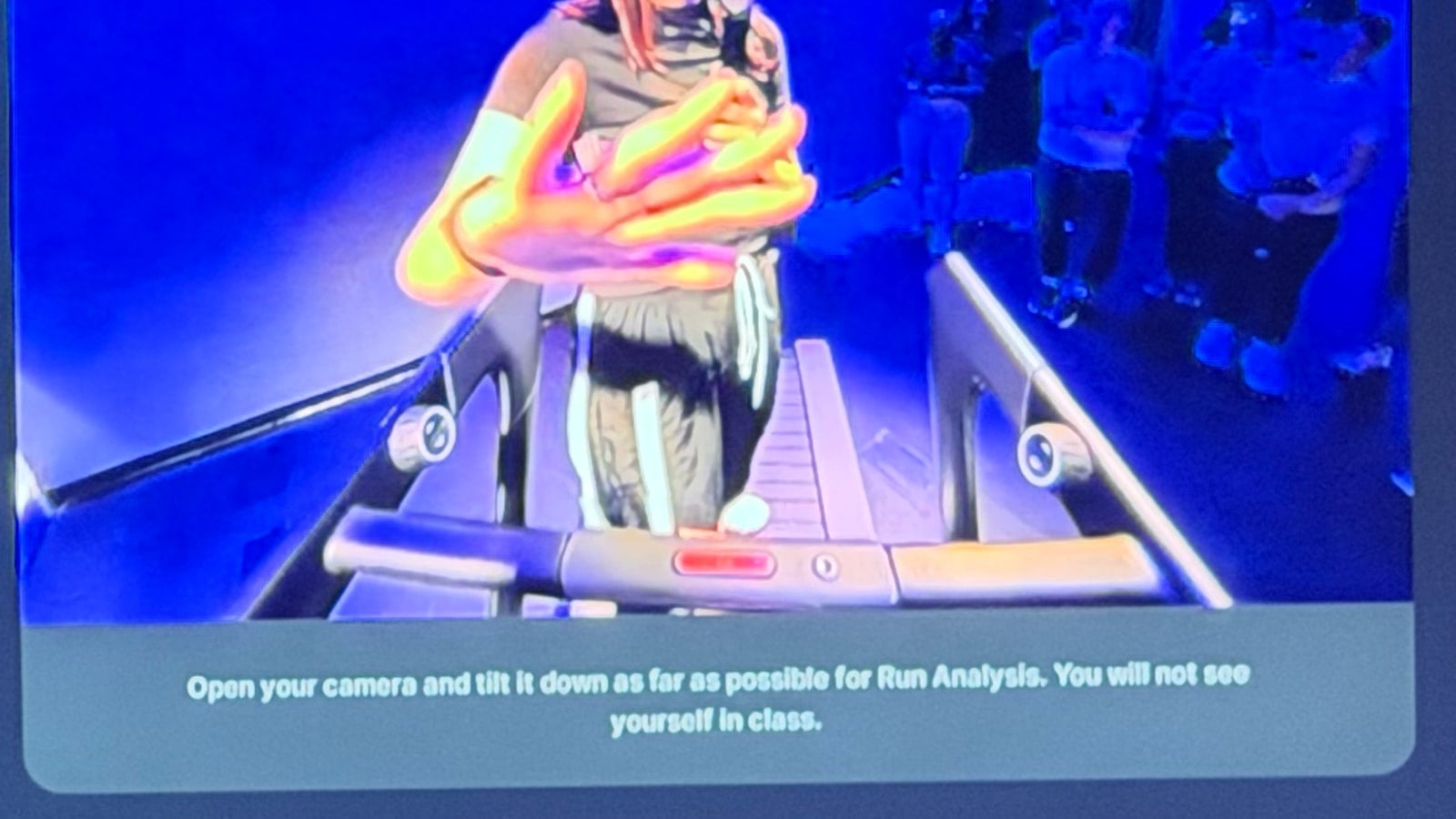
Members can also physically rotate the camera away, completely hiding the lens, if they do not want it used.
The run analysis runs in the background during the workout. Afterward, a new Run Analysis section appears as part of the member’s post-workout summary. This should be available both on the Tread itself, and in the Peloton app.
The summary includes the Running Efficiency Score, context about how the member’s form changed during the run, and one specific tip Peloton believes is most useful to focus on next. Peloton intentionally chose one tip instead of presenting a long checklist after each run.
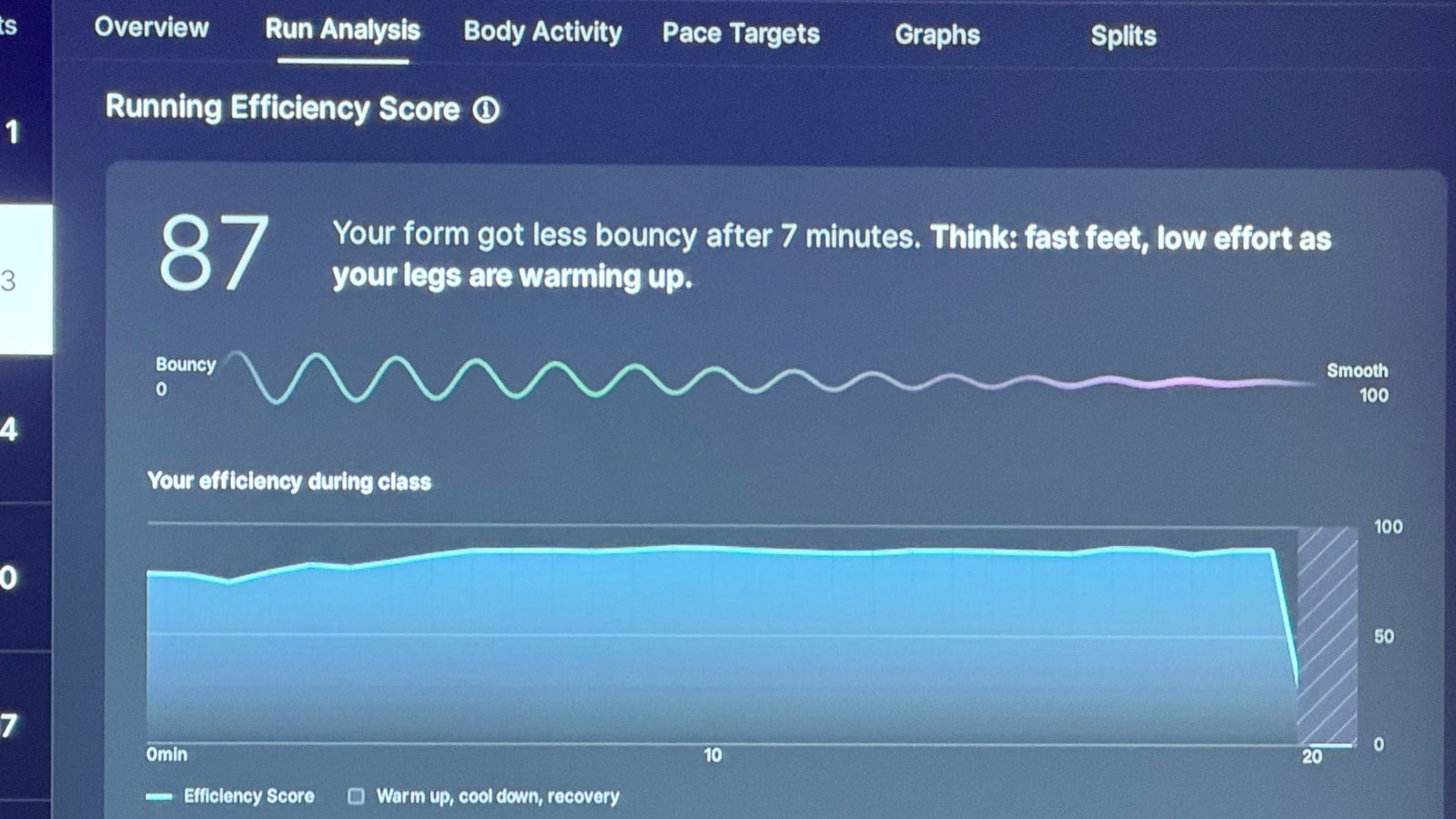
In one demonstration, the system noted that a runner became less “bouncy” after approximately seven minutes.
The coaching suggestion then encouraged the runner to imagine running through a tunnel with a low ceiling, keeping the head level and directing more of the movement forward rather than upward.
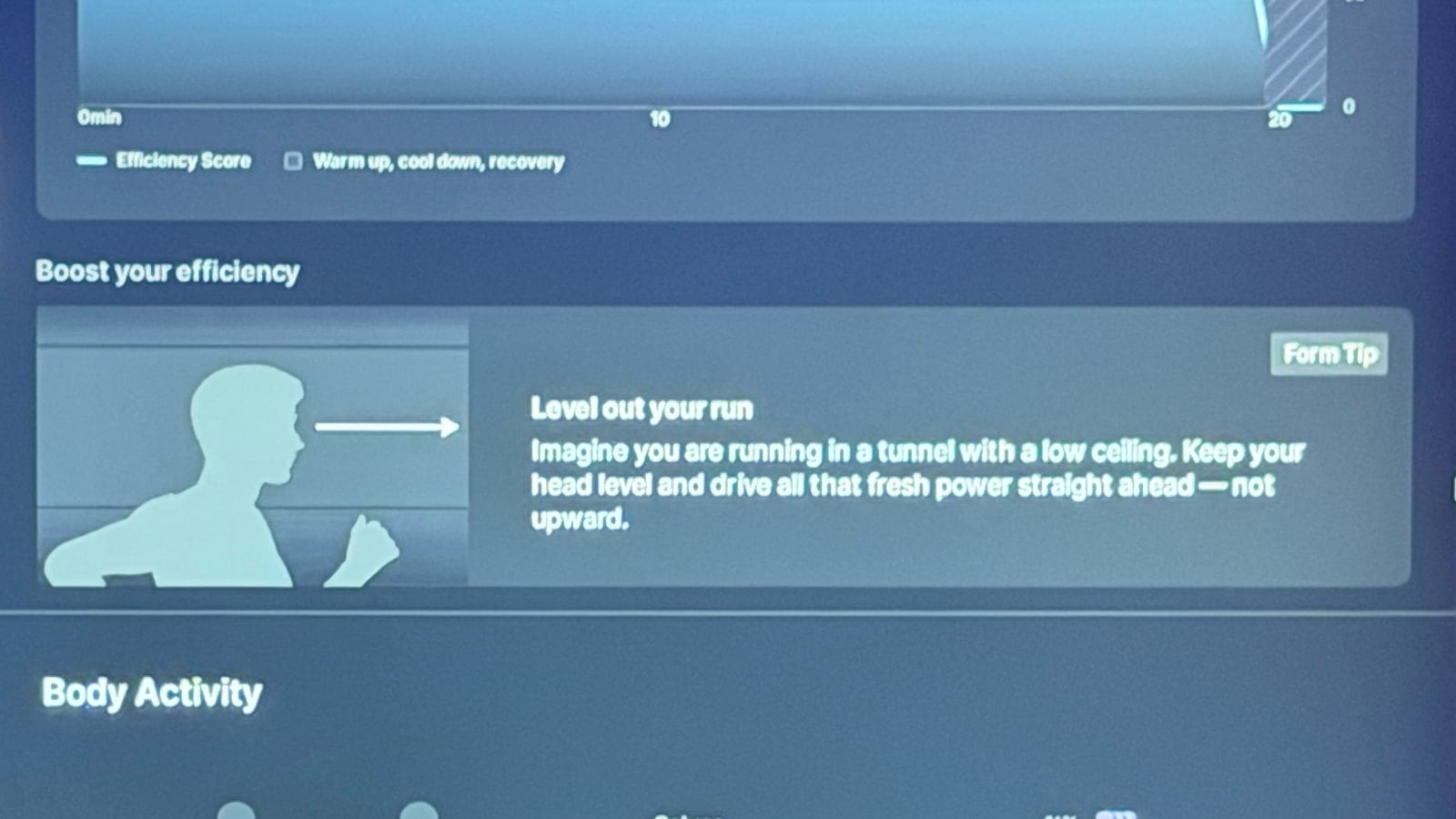
That same coaching point can appear again before the member’s next run.
There is no real-time form correction during the workout. This is different from how the Peloton Row Form Assist works, which provides real time indicators and cues with every stroke you take.
Peloton said deciding not to provide real time form feedback with the Run Analysis feature was a deliberate decision made with input from a biomechanics expert at the University of Wisconsin. Unlike something such as rowing, where a stroke can be adjusted while the movement is happening, Peloton said asking someone to significantly change their stride while actively running could be distracting or unsafe.
Some running issues may also be related to mobility or muscular limitations rather than a simple technical correction. In those cases, the feedback after class could direct the member toward a mobility, stretching, or foam rolling class instead to work on those issues.
Becs Gentry explained why Peloton sees the feature as useful, saying that “Minor flaws in your form can lead to injury.”
The Run Analysis feature is not intended to replace a full gait analysis. When asked whether the system could identify something such as pronation, Peloton said that type of assessment would require additional camera angles and that they did not want to provide a result they could not make reliable.
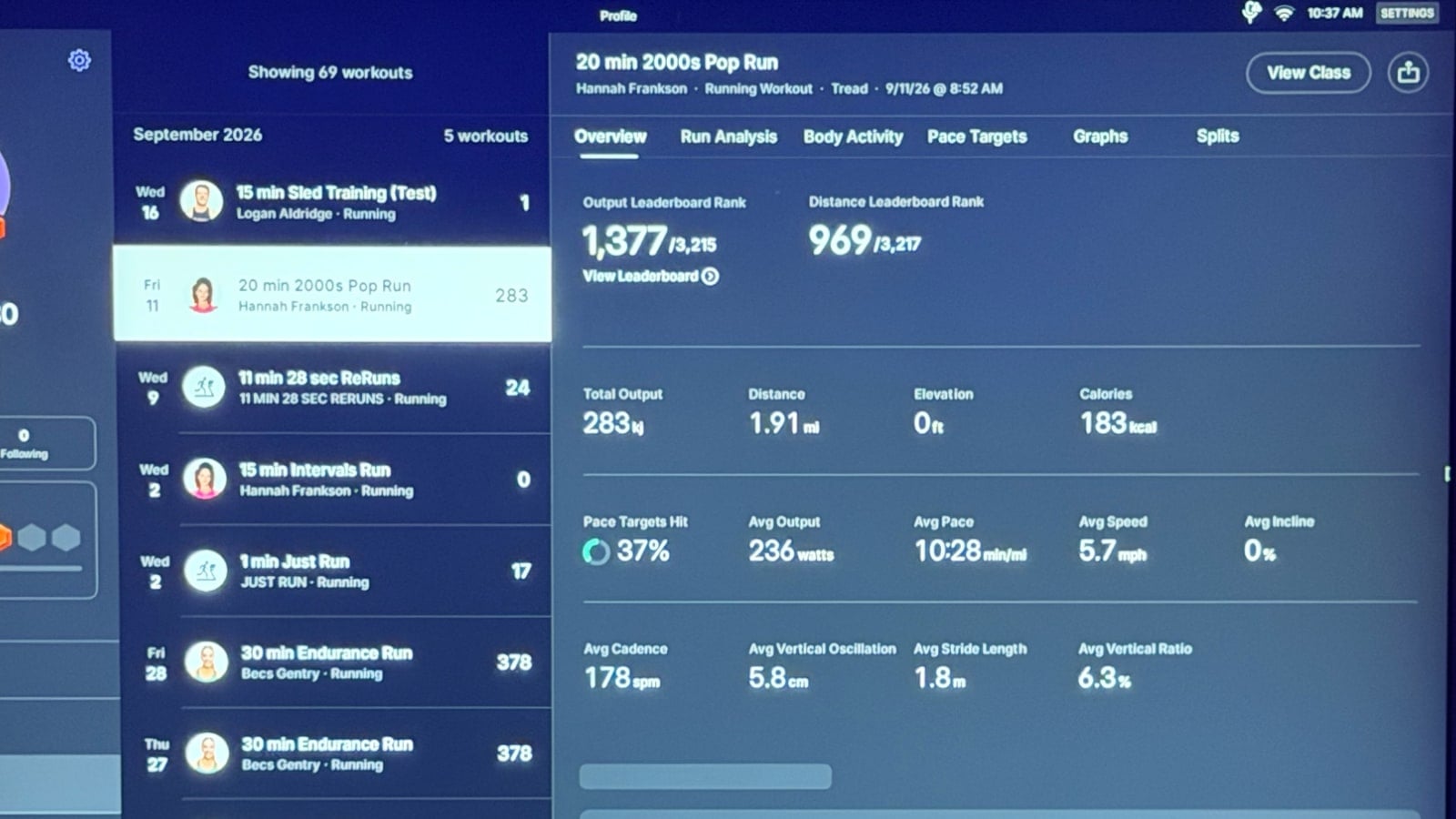
In addition to providing the run efficiency score, members are able to also see the raw values Peloton captured for average vertical oscillation, average stride length, and average vertical ratio. Those numbers are found on the overview tab of the post-class summary, along with other metrics like output, distance, average incline & speed, etc.
Peloton also addressed camera privacy during the demo. According to the company, the video and imagery used for Run Analysis are processed locally on the Tread and are not stored long term. Once the device extracts what it needs for the analysis, the imagery is deleted.
The resulting measurements, score, and analysis are what remain in the member’s workout history.
Peloton introduced the movement-tracking camera on the Cross Training Tread+ last year, initially using it primarily for strength form feedback, rep tracking, and other Peloton IQ capabilities.
Now that it is available on the Peloton Tread Vision, and Peloton Tread+ Vision, Run Analysis also gives that camera a running-specific purpose as well.
The Run Analysis feature was announced along with several other new running related features, including ReRuns, Sled Mode for Tread+, Peloton IQ Pace targets, and heart rate zone workouts.
You can find our full overview of Peloton’s 2026 Tread announcement & other running feature announcements here.
Support the site! Enjoy the news & guides we provide? Help us keep bringing you the news. Pelo Buddy is completely free, but you can help support the site with a one-time or monthly donation that will go to our writers, editors, and more. Find out more details here.
Get Our Newsletter Want to be sure to never miss any Peloton news? Sign up for our newsletter and get all the latest Peloton updates & Peloton rumors sent directly to your inbox.

Leave a Reply