

Over the last several weeks, a few new features for Peloton rowers have been added to the Domestiq website.
For those who are not familiar with Domestiq – it is a website containing tools (all of which are currently free) for Peloton users that Pelo Buddy has been involved in helping create.
Some of the features that Domestiq has includes the ability to create unlimited bookmark lists (which you can auto-sync to your stack on Peloton), a way to share your custom lists with friends & teammates, the ability to create “workout wizards” (which create stacks for you based on rules you define), as well as being able to generate power zone charts, advanced search features, and much more.
Now, those charting features have been expanded to Peloton’s rowing classes. Once you complete a rowing workout on Peloton, you will find a performance graph of your workout in your Domestiq workout history. If you’ve seen a power zone graph before – this will look very familiar to you.
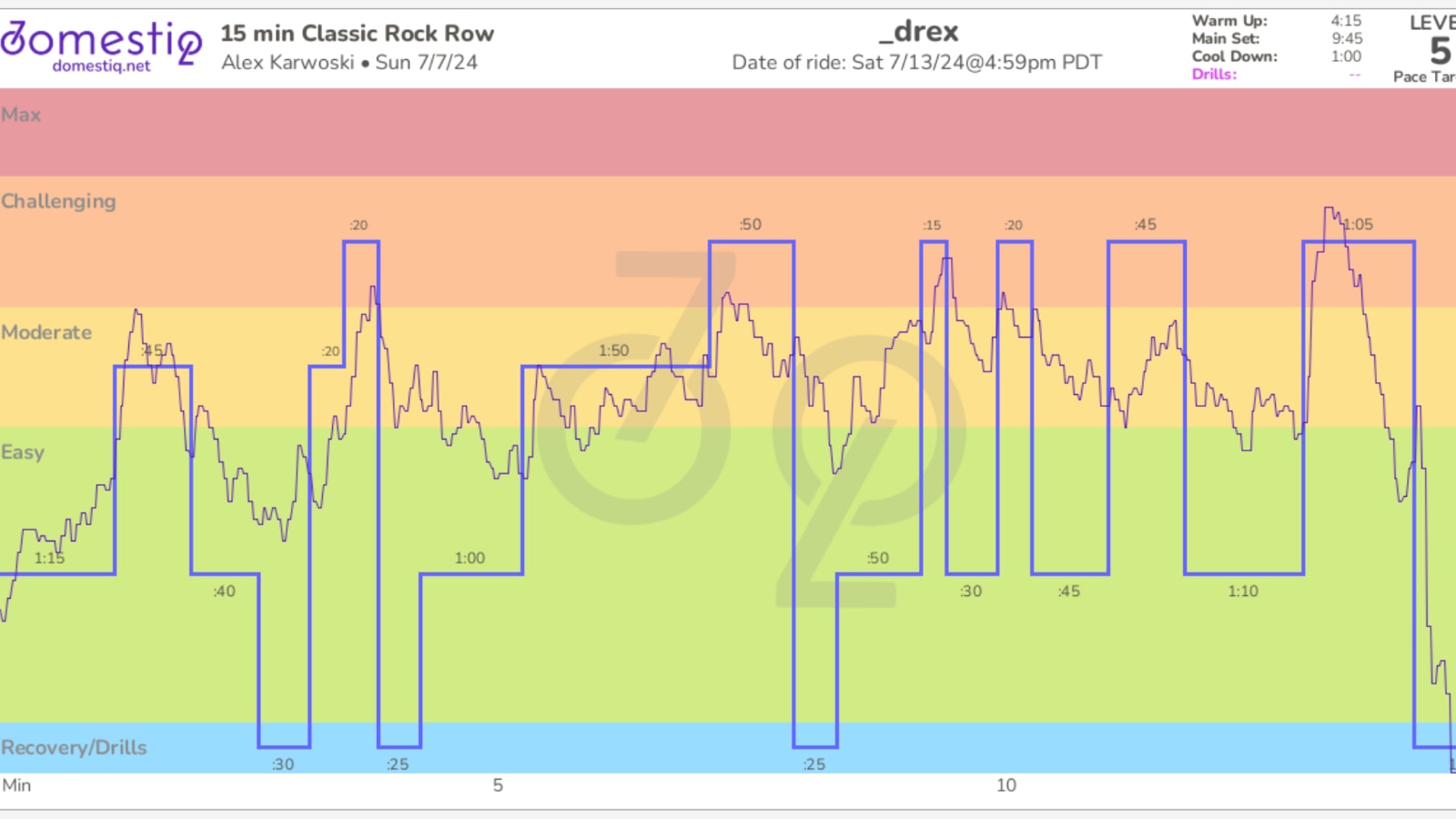
This shows which Pace Target level you were in for the class, in addition to how close your performance matched up to what the coach was calling out.
These graphs have also been added to the search page on Domestiq. This means that as you are searching and browsing for classes, the structure of the class will be displayed as a graph along with the overview in the search results – making it easy for you to visually see what the workout will look like. It will also highlight if there are any drills in the class, if you wish to avoid a class with drills when you are going for that next PR.
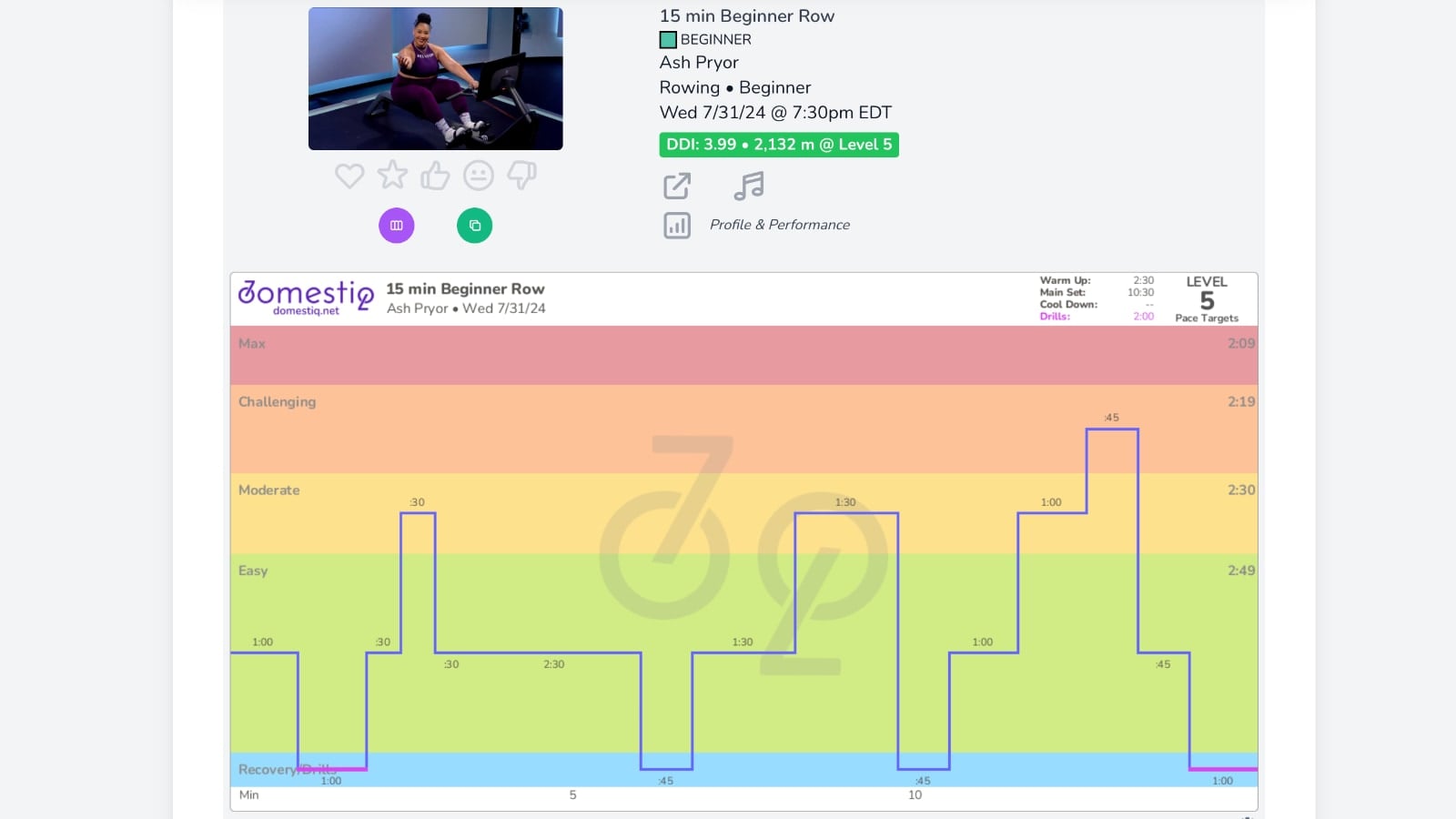
If you are logged in, you’ll also see an estimation of how many meters you’ll end up rowing for that workout based on your current pace target level setting.
In addition, you can easily find how many meters you have rowed either in your entire lifetime, in the past year, or any timeframe. Simply go to “Your Replay” on Domestiq (which is the stats section of the website). Change the filter at the top to rowing, and it will show you how many meters you have rowed.
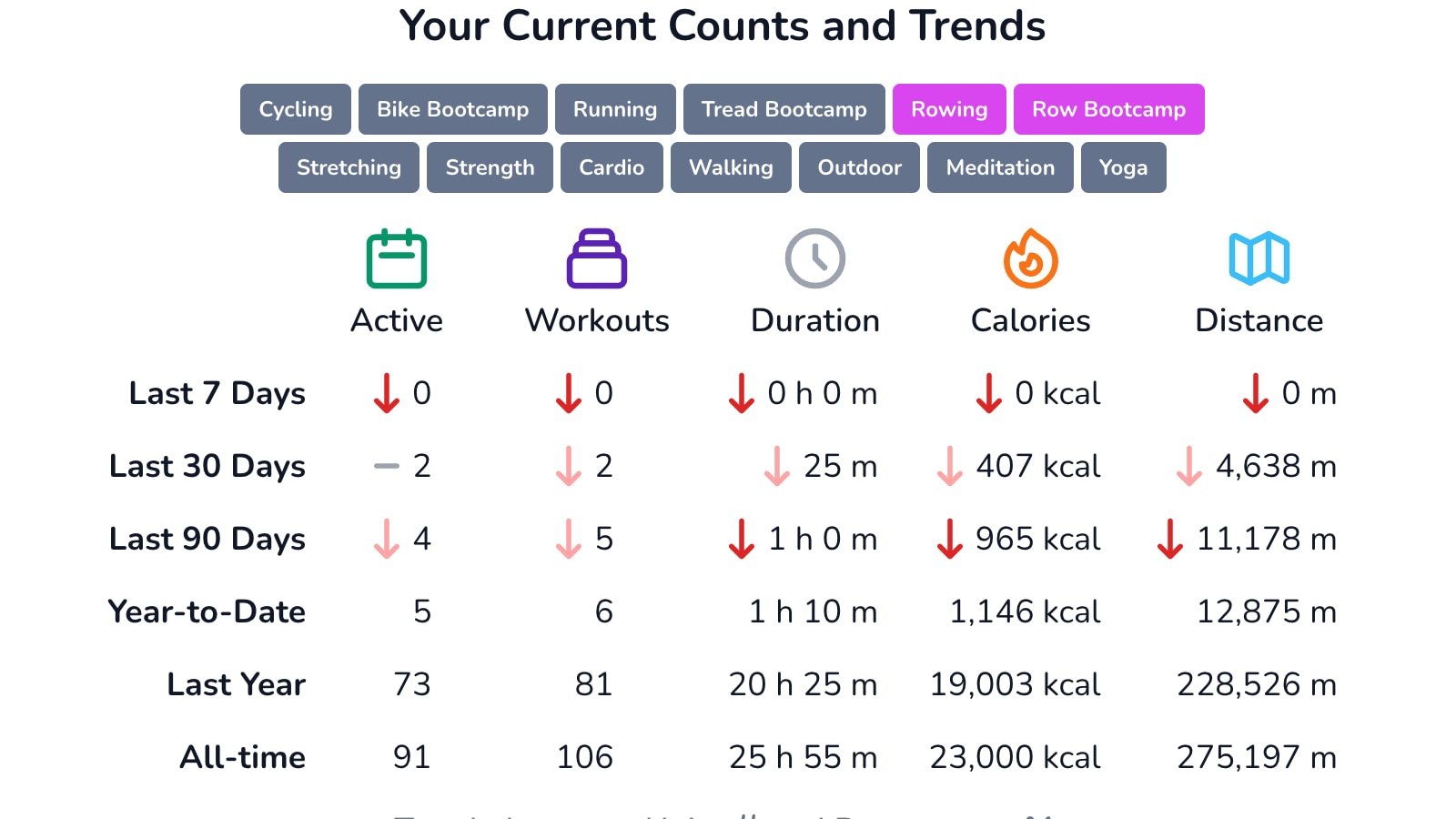
You can easily change this to running, cycling, or any other class type to see data just for those disciplines.
You can check out all these new features at https://domestiq.net/. At this time there is no app to download from the app store – you can use all the features from a browser on your desktop or mobile device.
Support the site! Enjoy the news & guides we provide? Help us keep bringing you the news. Pelo Buddy is completely free, but you can help support the site with a one-time or monthly donation that will go to our writers, editors, and more. Find out more details here.
Get Our Newsletter Want to be sure to never miss any Peloton news? Sign up for our newsletter and get all the latest Peloton updates & Peloton rumors sent directly to your inbox.

Leave a Reply