

Peloton has added a new “autoplay” feature for their iOS & Android apps. This is designed to allow you to automatically continue to the next class in your stack, taking them back to back.
This feature began rolling out this week.
Once you have the feature, you will have a new “Autoplay” toggle available when viewing your stack.
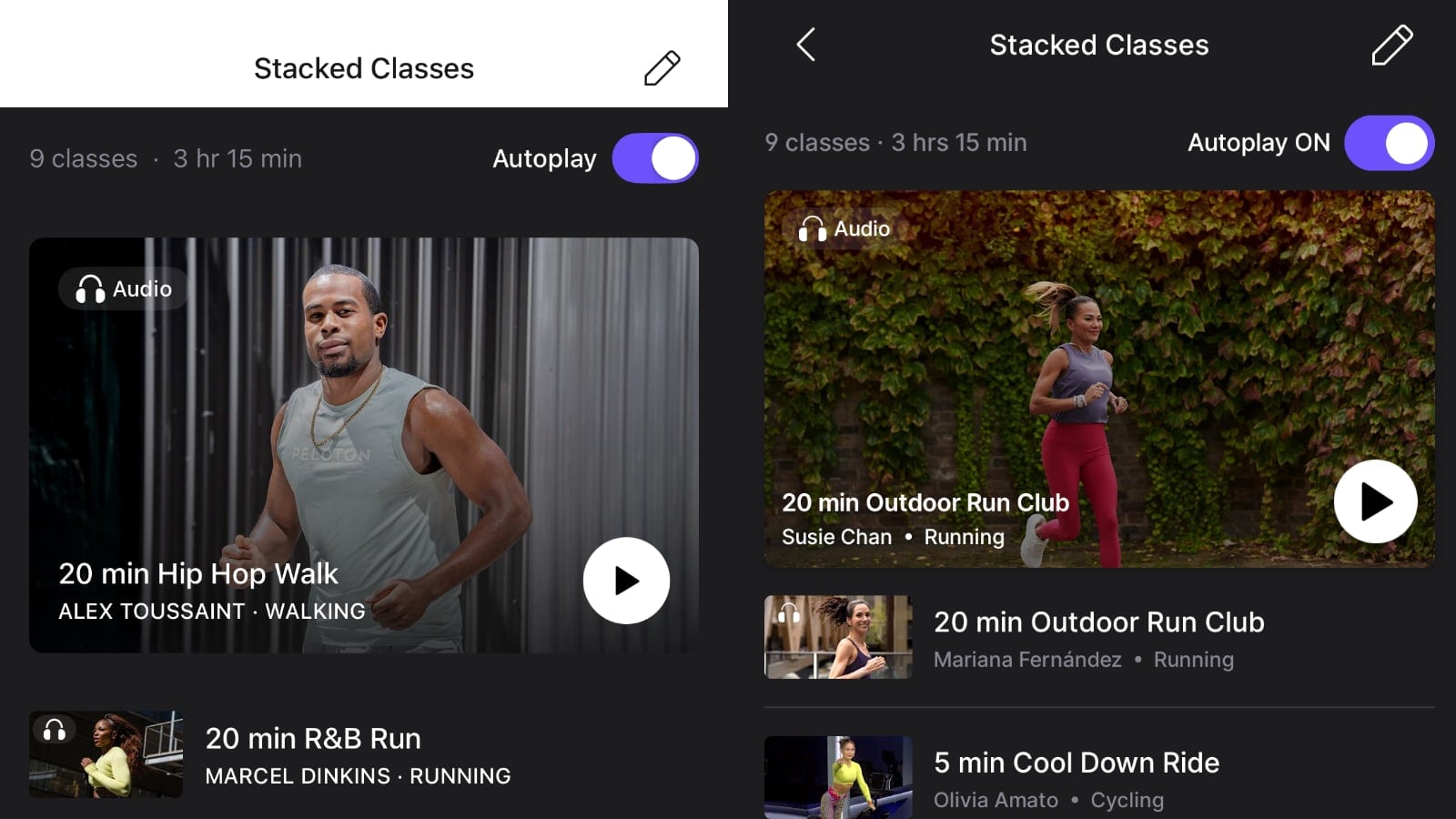
The toggle will be disabled by default, but you can turn it on at the top of the Stack screen. It will then stay that way until you come back and disable it again (i.e. you don’t have retoggle it on before every time you take a stack).
With the feature enabled, this is designed to allow you to more easily start the next class in your stack – automatically in many cases.
However, in our initial testings of this, we ran across some bugs, and didn’t get a hands-free / automatic experience progressing between classes.
In our first test, we stacked two different cycling classes from the Peloton Android app. Once the full class finished, the untimed stretching played. Once that was completed – the app sat there until we pressed the “Done” button. Then, we were presented with another screen where we had to input our distance for the first class (or choose skip). Only then, when we were presented with another class summary page, did the app then begin to autoplay the next class in our stack after 10 seconds.
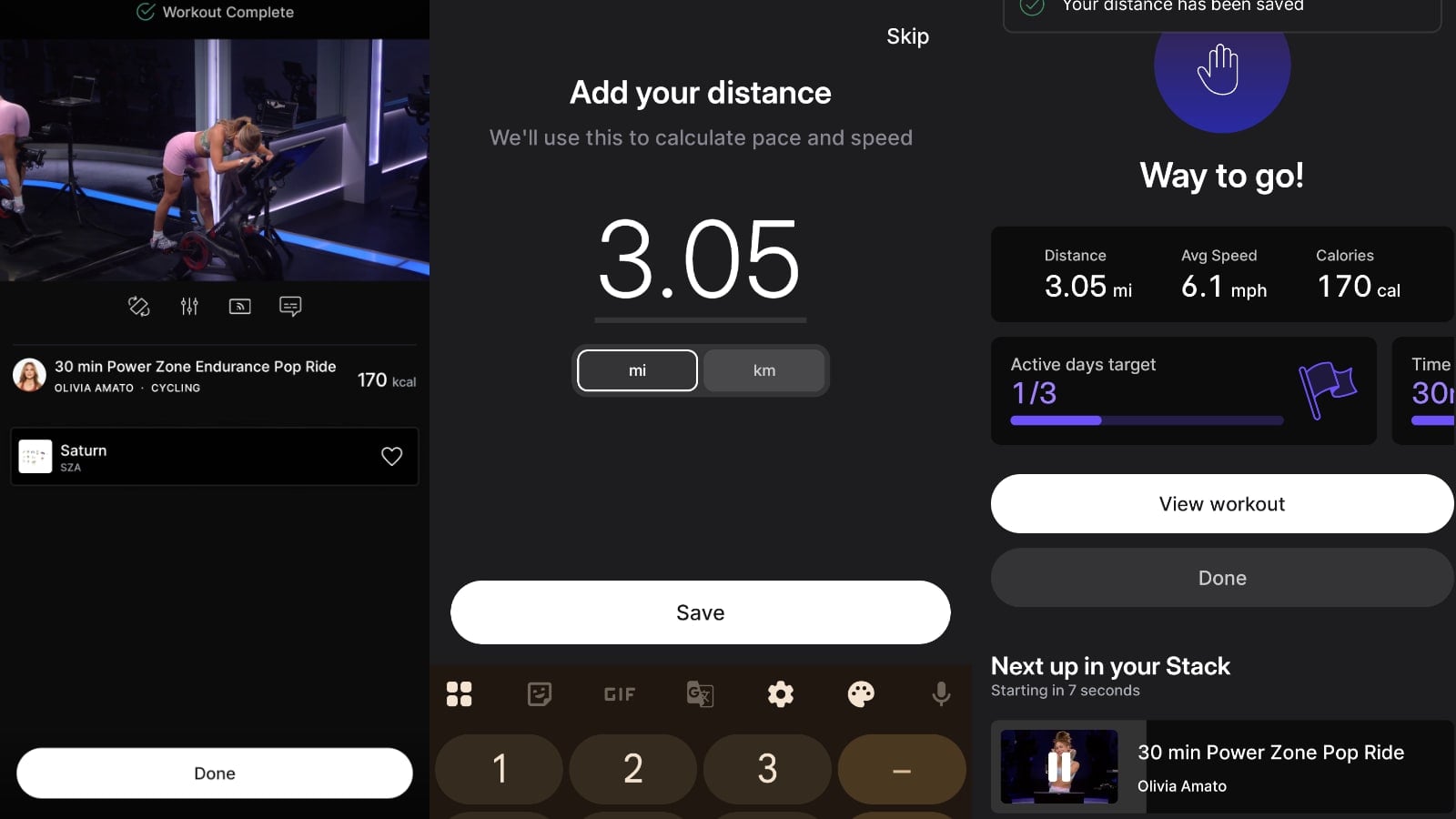
This meant you had to interact with your phone on two different screens in between classes to get to your next class in the stack.
We had similar issues with the Peloton iOS app. This time, we tested an outdoor audio running class. As this will automatically record distance, our initial thought was that it may be able to proceed to the next class with no interaction. Unfortunately, we ran into the same issue – the Peloton app still requires you to interact with it before proceeding to the next class.
Since the outdoor class used GPS, we did not have to input a distance – however, we still had to press the “Done” button once the class wrapped. Only once we pressed that done button, did we get a summary screen and a message that the next class in our stack would play in 10 seconds (with an option to pause/stop that from happening).
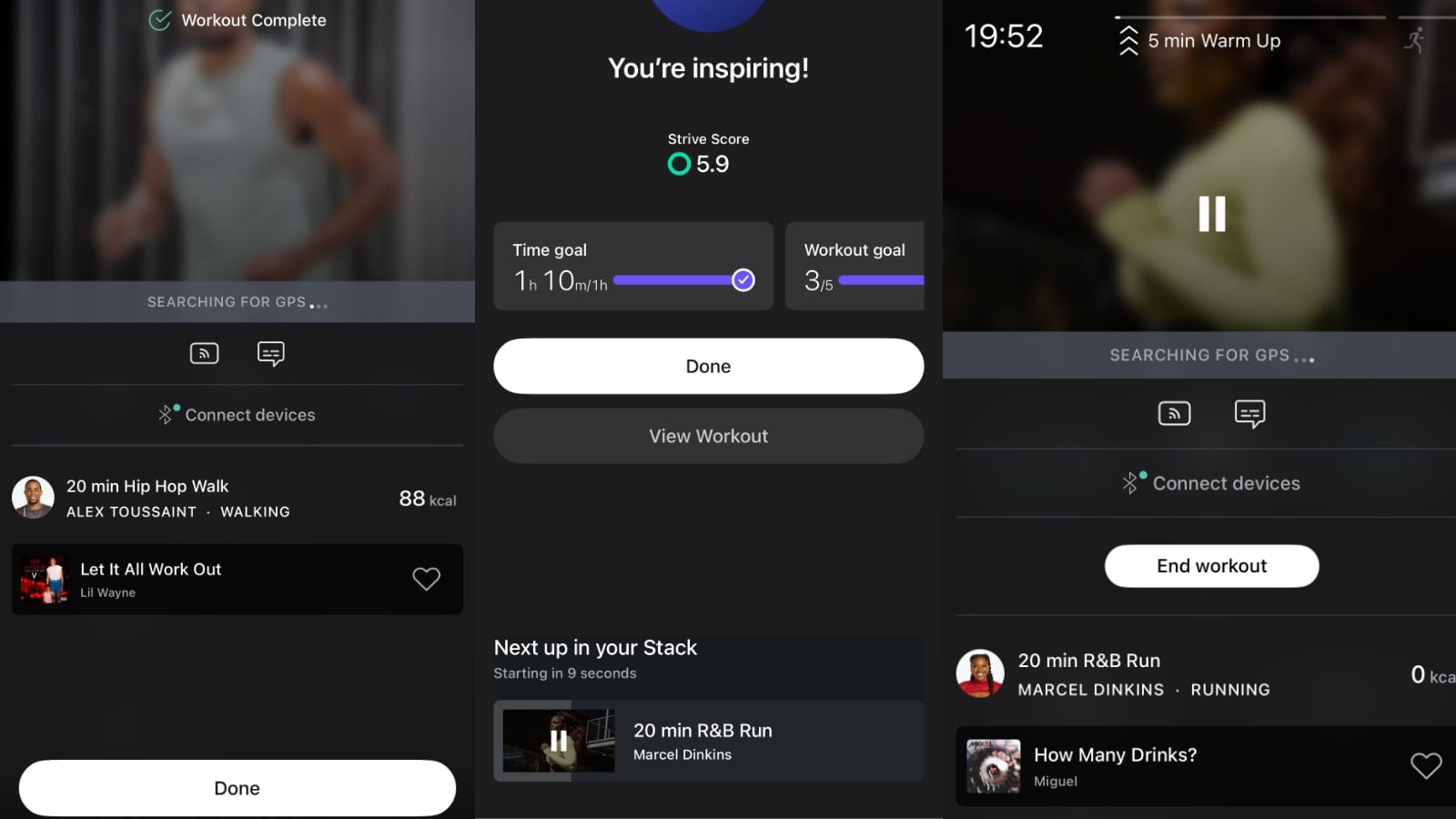
We did the same test with an outdoor audio class on Android and had the same experience as we did with iOS, where it required us to confirm we were done with the first class before it proceeded to auto play the next class.
We reached out to Peloton for clarification, who stated that if you are taking an indoor walk or run paired with an Apple Watch which can record your distance, or taking and outdoor run/walk which can record distance with GPS – the feature is supposed to start the next class without requiring you to press done or interact with your phone.
In other words – our experience above with both iOS & Android while taking the outdoor run classes were not the designed experience. Since those were outdoor classes with GPS, it should have proceeded automatically to the next class with no interactions.
They did share that if you are doing an indoor cycling class, or an indoor running class not connected to Apple Watch – you will need to either input your distance or hit “Skip” to get the stack to progress.
Another thing to know about this feature is that it will not skip the untimed stretching after most classes. A person who is stacking classes is likely to want to save their stretching until after their last class. One could see a scenario where when autoplay is turned on, the class would jump immediately to the next class after the 1 minute cooldown, and bypass the rest of the untimed stretch afterwards. That is not currently the case (ignoring the fact it doesn’t autoplay without interaction anyway) – and the full untimed stretch is still played for the first classes in your stack even with autoplay turned on.
At this time, the new feature is only on the Peloton apps for iOS and Android. It has not been added to hardware devices like the Peloton Bikes, Treads, or Row.
This feature also did not expand the current stack limits – you are still limited to one single stack, with a maximum of 10 classes in it.
A similar autoplay feature first briefly appeared a few years ago – but did not stay for long. In that iteration of the feature, you weren’t given a toggle to choose whether you wanted it to auto-play or not, that was the default for everyone.
We will share any updates to this feature should they roll out.
Support the site! Enjoy the news & guides we provide? Help us keep bringing you the news. Pelo Buddy is completely free, but you can help support the site with a one-time or monthly donation that will go to our writers, editors, and more. Find out more details here.
Get Our Newsletter Want to be sure to never miss any Peloton news? Sign up for our newsletter and get all the latest Peloton updates & Peloton rumors sent directly to your inbox.

Sounds a useful Feature, once bugs fixed