

Peloton’s power zone community now has another choice to search for, analyze, and share their power zone rides.
The domestiq website (https://domestiq.net/) has recently added a comprehensive suite of power zone tools – and they are all free. These tools allow you to automatically generate your post-ride power zone performance charts, view the structure of any power zone ride in the Peloton library, do customized searches for power zone classes, and more.
Editor’s Note – Pelo Buddy is part of the team that is creating domestiq.
Tools like these have previously existed in paid third party apps, such as mPaceLine for the iPhone, or Power Zone Plus for Android. However, domestiq now has many of these same features for free.
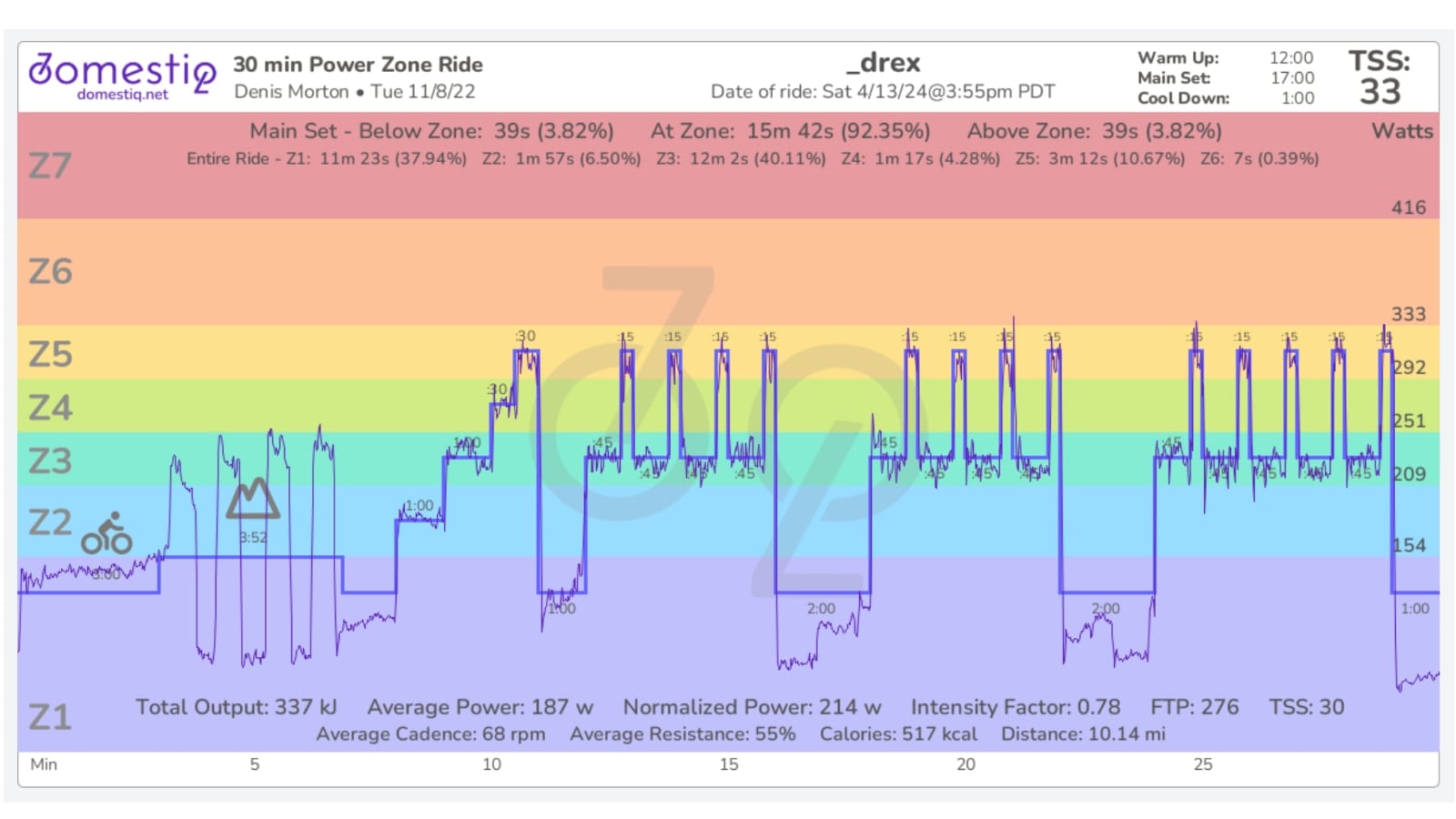
One of the most valuable free features automatically generates your power zone graph after you’ve completed your ride. If you’ve ever taken a power zone ride on Peloton – you know that the instructors talk about your graph, and how they want it to look. While the Peloton app and website will graph the raw output, they do not enable you to visualize your performance when overlaid on the structure of the ride that was called out by the instructor. With domestiq, you can clearly see how closely you matched the call outs. For the more advanced users, you can also see your TSS, power data, and other stats on the chart as well.
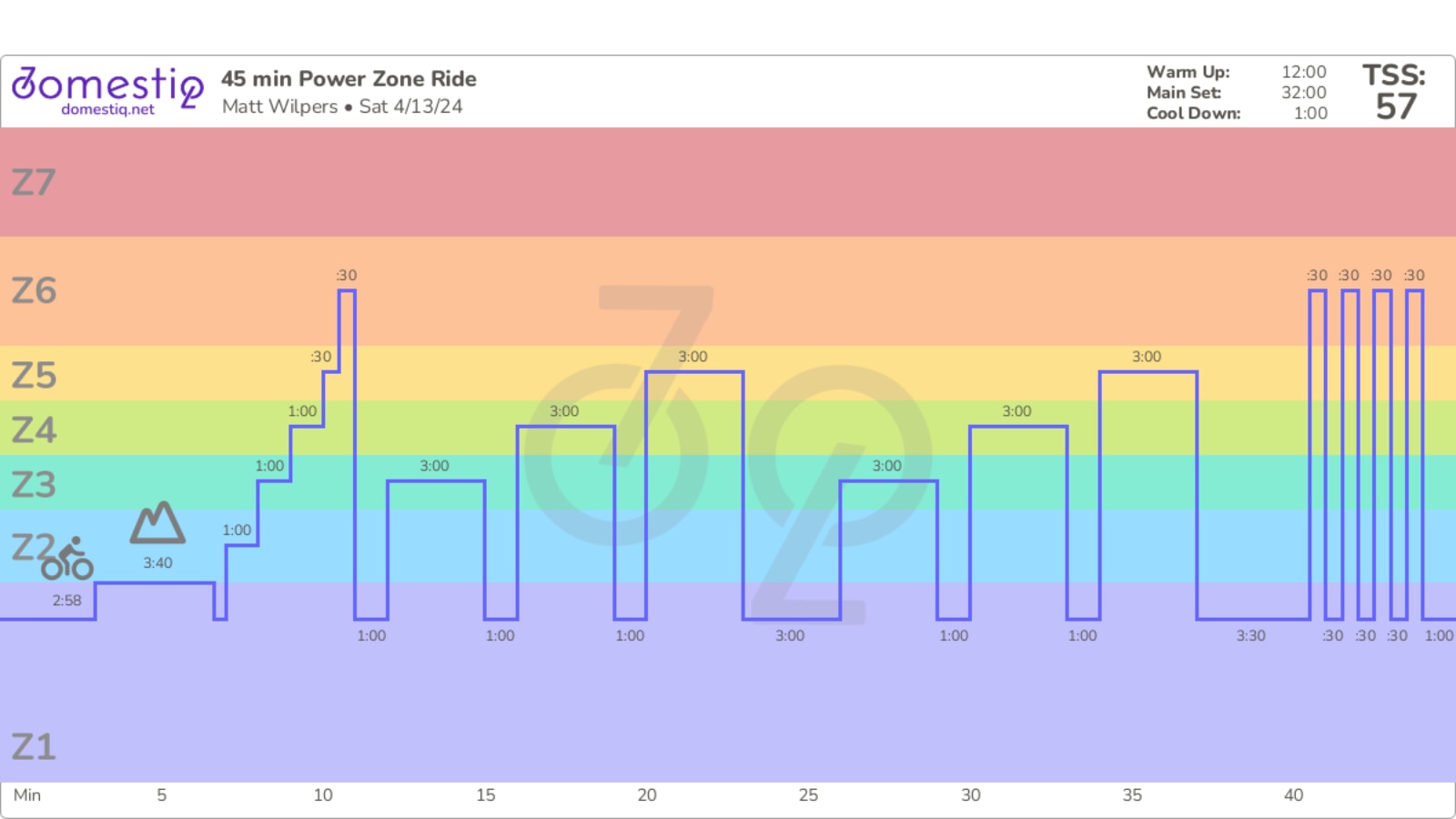
Another feature is the ability to visually see the structure of any power zone ride in the Peloton library. On Peloton’s website, you have the ability to click into a class, and see the upcoming zones intervals in a list. However, there is not currently a way to see a visualization of the structure. For all power zone rides, domestiq visually presents the structure front and center, without additional clicks or navigation, so you immediately know what to expect. For those users who have used the Home Fitness Buddy power zone tool before, this will look familiar.
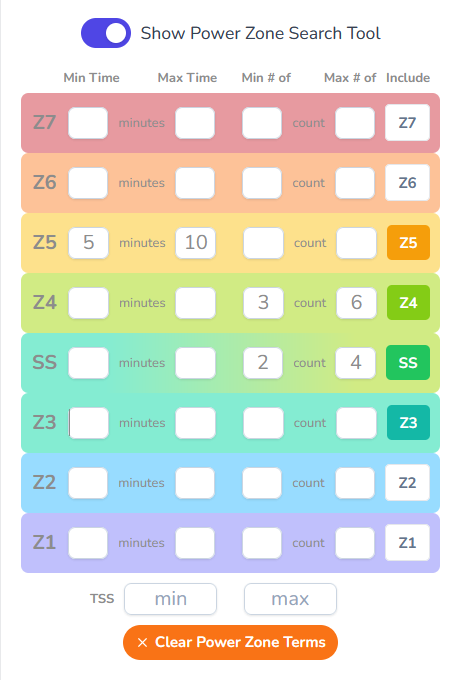
For those who aren’t following one of the Peloton power zone programs, or another training plan (did you know that Team Wilpers has free power zone challenges & plans now?) – a common issue members have is trying to determine what power zone workouts to take next. domestiq has added a visual power zone query tool to help you quickly identify the best power zone rides to help you meet your training goals. Besides selecting rides that include specific zones, you can also search for time in zone or count in intervals in a zone. You can also search for rides that meet a specific TSS range, too.
While all power zone features are free, you will need to create a free domestiq account and link your Peloton account to it to take advantage of the automatically generated power zone performance graphs. With a linked account, your power zone workout data can be fetched to create the graphs.
We’ve previously covered domestiq, as they have many features that complement Peloton’s own app and tools. You can create an unlimited number of bookmark lists, and optionally sync those to your stack. The “Peloton Replay” on domestiq automatically presents a current view of your workout trends, as well as a personalized retrospective of your performance over a period you choose (this comes in handy for full end of year recaps). Besides offering power zone-specific search features, you can also search by any class criteria, even for specific songs (not just artists) on a class playlist!
If you’re a power zone rider, take a look at what domestiq’s doing on domestiq.net to help you find your next power zone training ride, or to share your data with your community.
Support the site! Enjoy the news & guides we provide? Help us keep bringing you the news. Pelo Buddy is completely free, but you can help support the site with a one-time or monthly donation that will go to our writers, editors, and more. Find out more details here.
Get Our Newsletter Want to be sure to never miss any Peloton news? Sign up for our newsletter and get all the latest Peloton updates & Peloton rumors sent directly to your inbox.

Leave a Reply