

Peloton is bringing more pace target features for running classes to the Peloton App.
Pace Target classes were first introduced last June, and in these running classes the coaches instruct the class by calling out levels of effort, rather than specific speed ranges. These were first exclusive to the Peloton Tread & Tread+, but last November, were made available through the Peloton App. The idea behind pace target classes is this allows classes to be more tailored to each individual member – as not everyone’s ideal speeds is the same as what the coach calls out in class.
Now, Peloton is bringing additional pace target features for running classes to the Peloton App – and letting you see the target paces during class on the app, based on the difficulty level you have set. This began rolling out a few days ago, and appears to have been released to everyone on February 19th, 2025.

Since the end of 2023, Peloton has had the ability to show the target metric ranges in the Peloton App. For regular running classes (i.e. not the pace target ones) – this means you see the speed range the coach called out on your screen. This feature has not been available for pace target classes – since the range is customized to your difficulty level. The speed section just wasn’t shown on pace target classes in the app – but it is now.
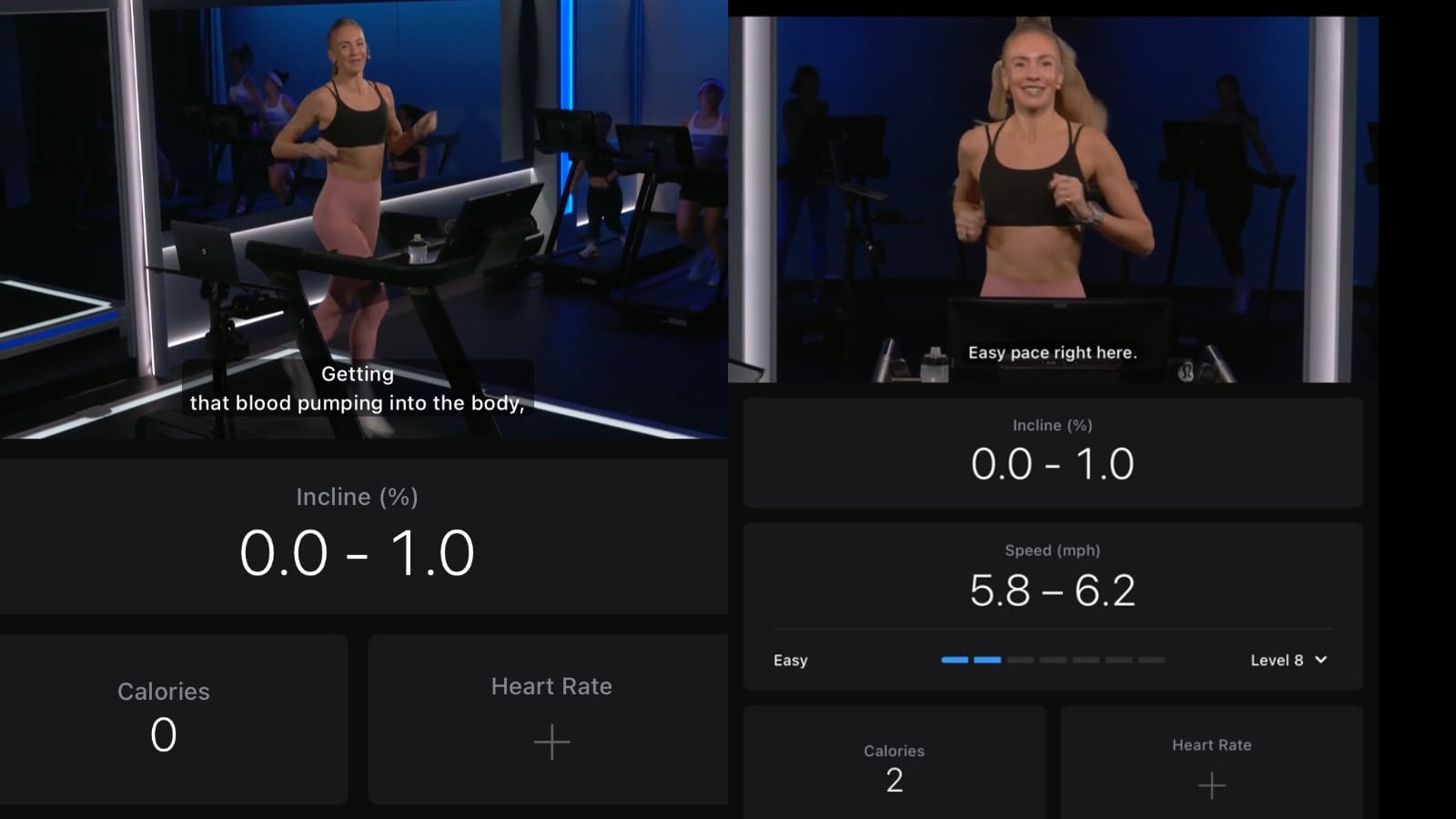
With this update – you will now see speed numbers shown on screen – just like you would on a non-pace-target class.
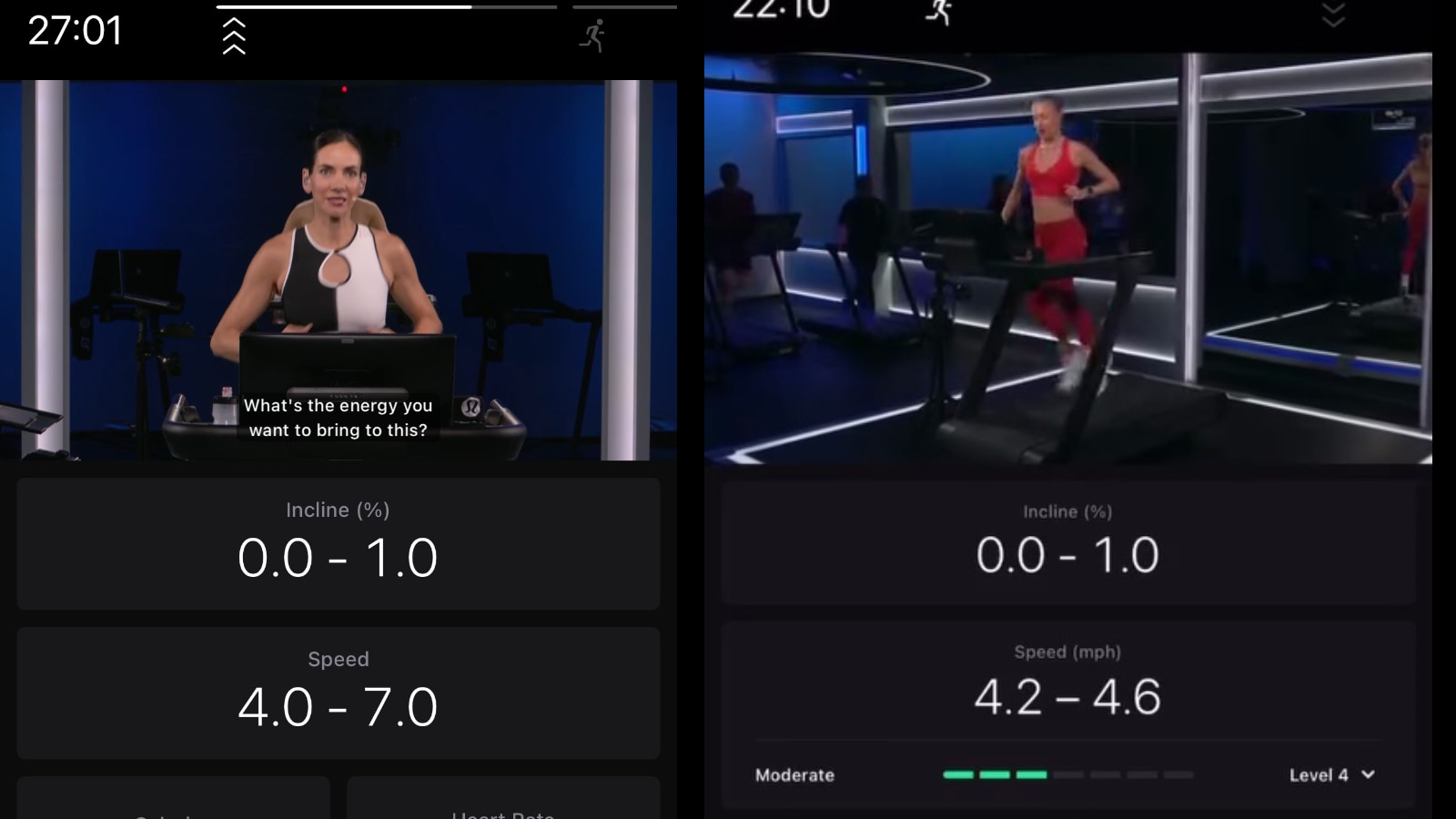
While taking a pace target class in the Peloton app, members will now see the effort level the coach has called out (Recovery, Easy, Moderate, Challenging, Hard, Very Hard, or Max) – as well as see a recommended speed range for that, based on what difficulty level the member has selected.
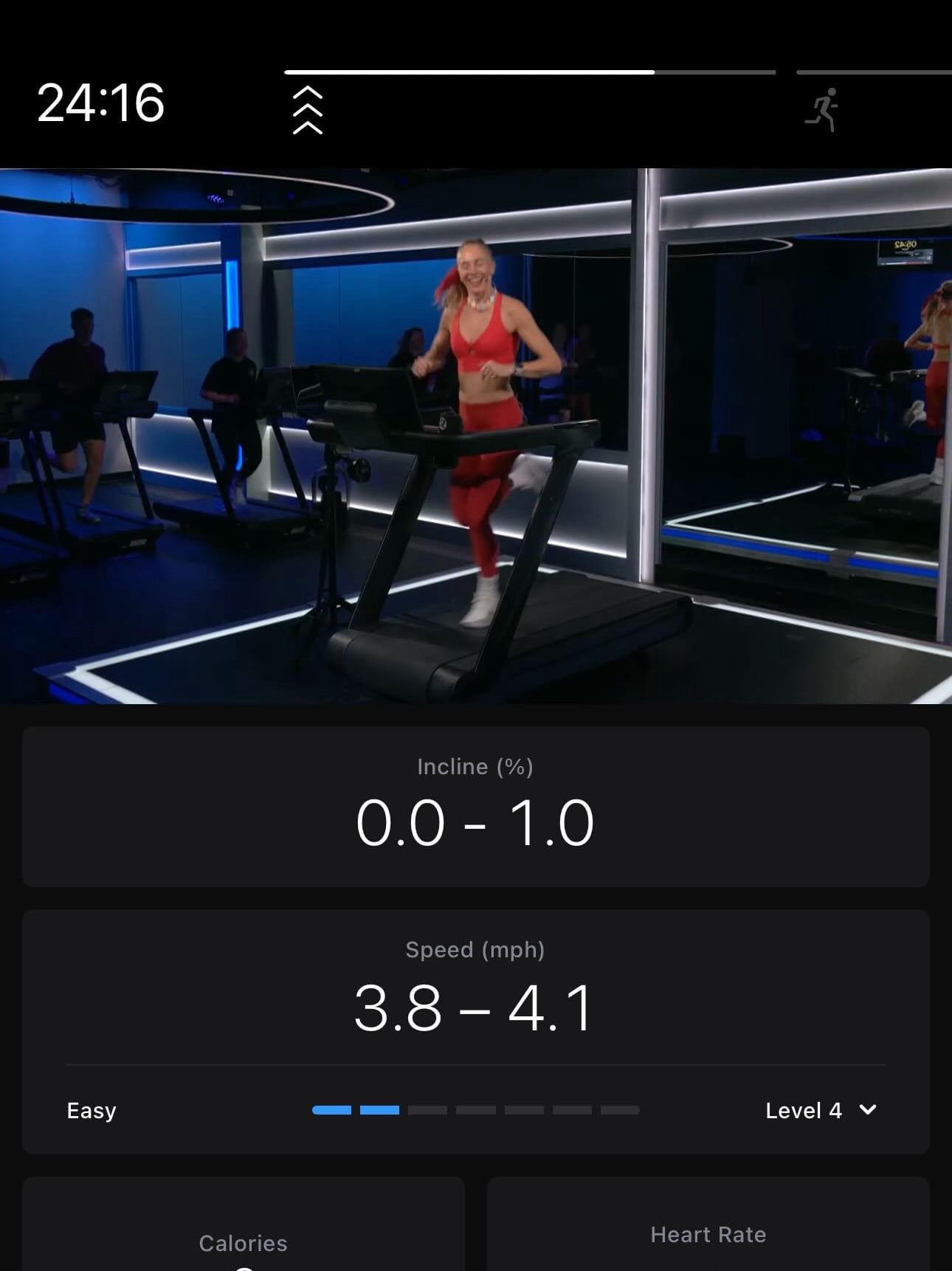
Until now, members who took a pace target class with the Peloton app had to prepare for the class by writing down what paces the different pace target efforts corresponded to – as there was no indication in the app as to what what the effort level the coach called out should map to.
Now, once your Peloton App enables the new features, the first time you take a pace target class you will be asked what your best mile time is. Based on your mile time, the Peloton app will then recommend a pace target difficulty level for you (which is anywhere from 1-10). This difficulty level then determines what your speed range will be for each effort.

For example, at a difficulty of Level 4, an “easy” effort level maps a pace of 3.8 – 4.1 mph. At a difficulty level of 8, this same easy effort level would be at a pace of 5.8 – 6.2 mph.
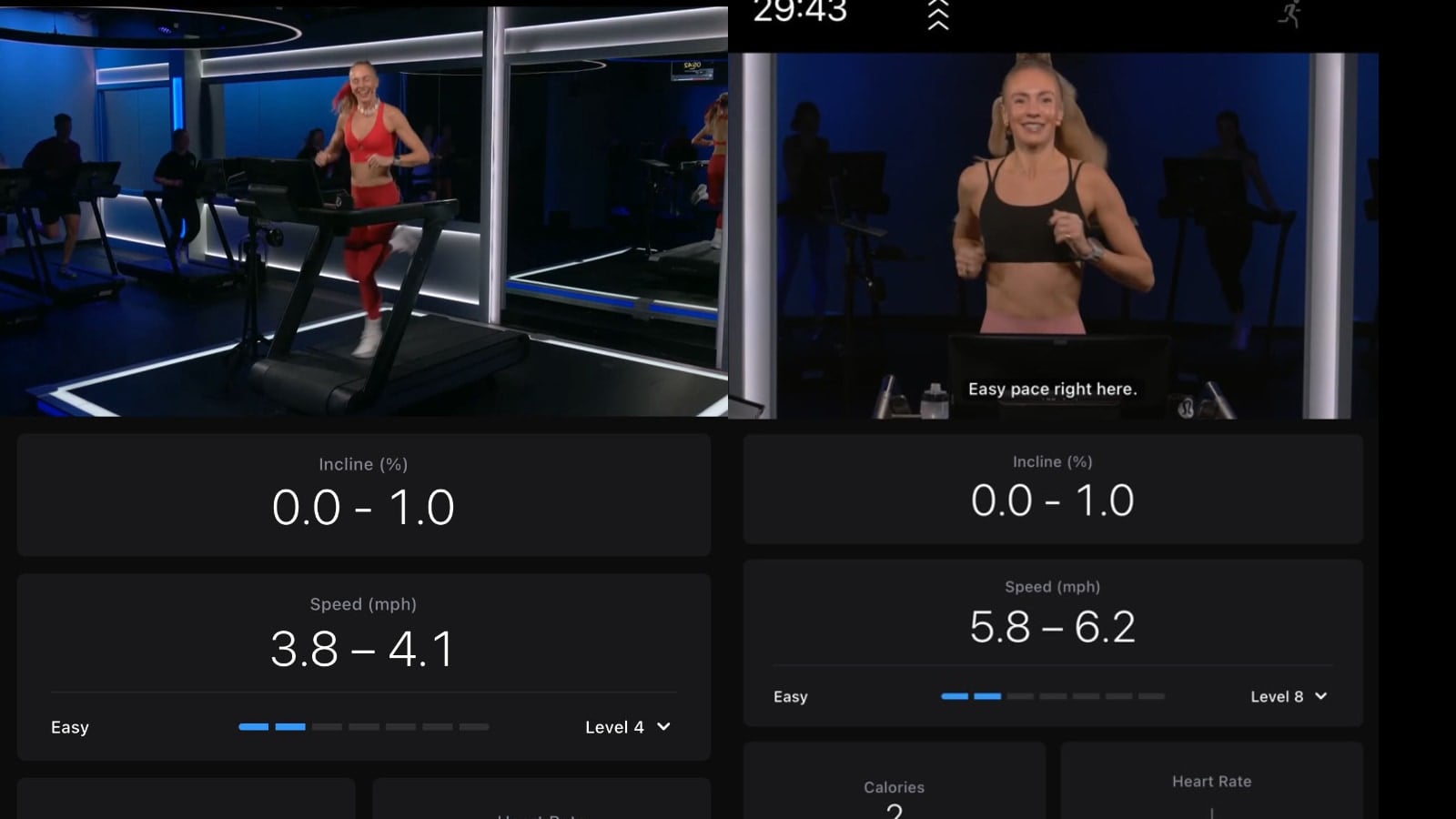
After setting your difficulty level, when you take a pace target class on the app, you’ll get the “Speed” section shown on your app again (just like it normally is for non-pace-target classes). This section will show the effort level the coach has called on the left, what your difficulty level is set to on the right, as well as the pace range you should be running for that combination of level and effort in the center.
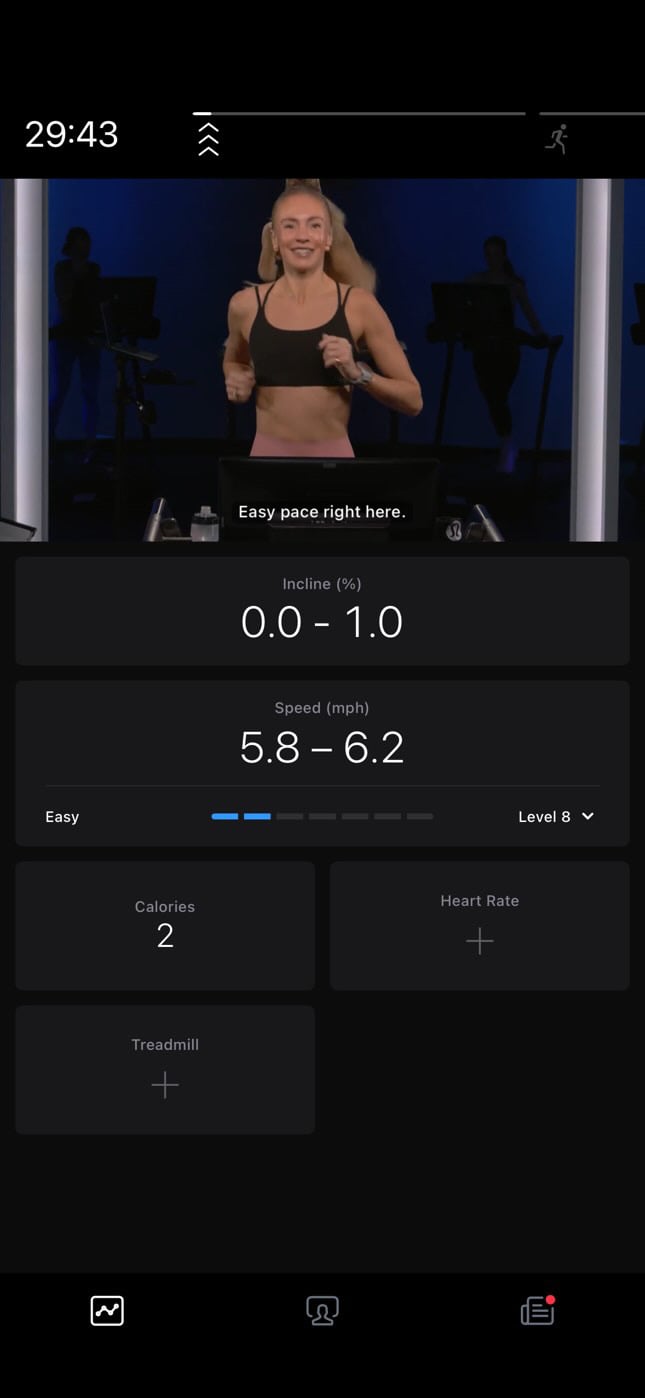
The pace range is shown numerically, and the effort level is shown with a target indicator bar graph – the same way there is a visual indicator on a Peloton Tread & Tread+ when taking a pace targets class. This is also similar to how target power zones are displayed for cycling classes.
As the coach calls out various effort levels, the target indicator graph will highlight a different box, and a different pace range will be shown.
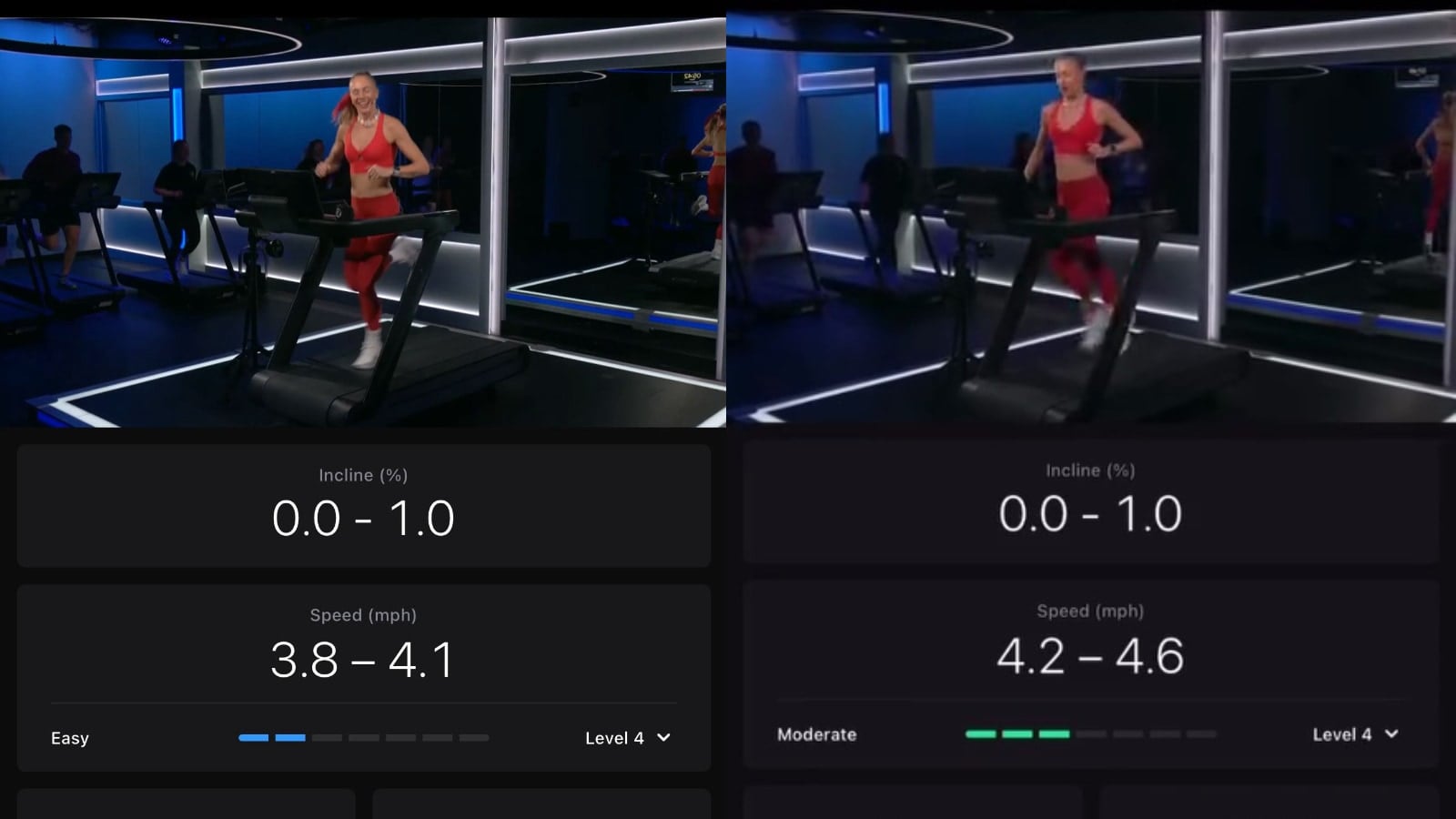
While most people will likely not change the difficulty level they are using in the middle of class, you do have that option. If you click on your current level (there is a small arrow to the right of it indicating you can change it), the class will automatically pause, and you’ll be shown a screen where you can change your level. Once you change your difficulty level, the class will automatically resume, but the pace numbers shown will be updated to either be quicker or slower, based on what difficulty level you changed to.
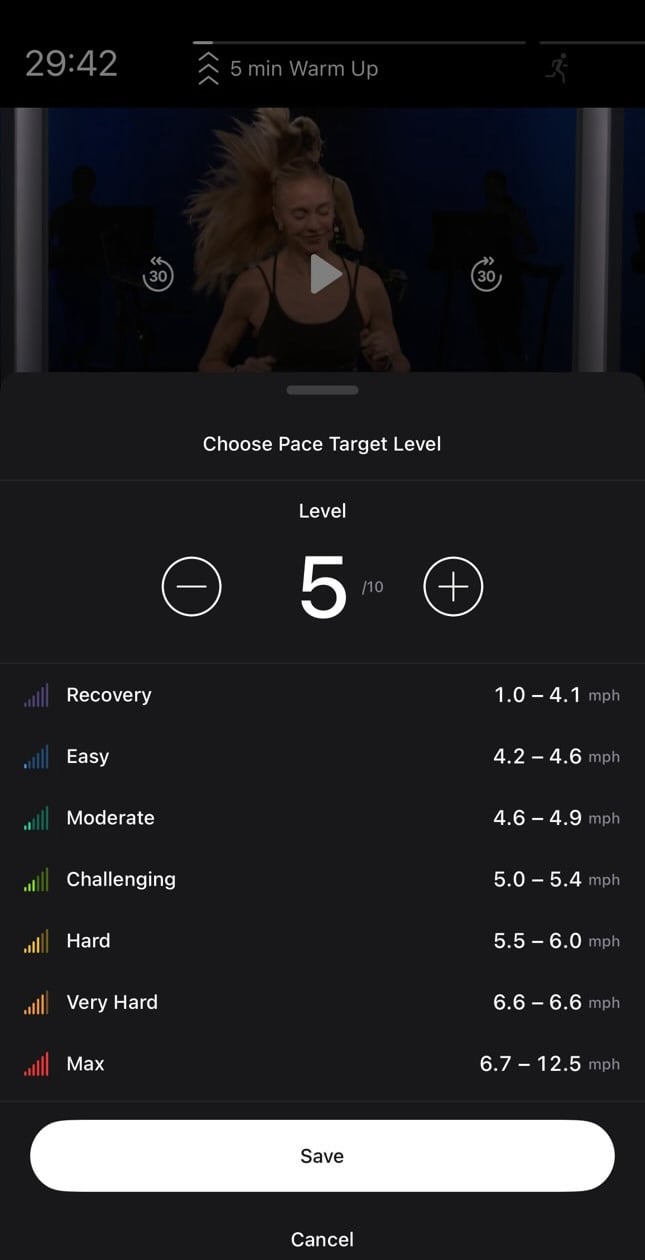
The screen to change your levels will also tell you what the new pace ranges will be at the level you are setting it to, so you can get an idea if it might be an appropriate level for you or not.
For members who have taken a pace target class on the Tread before, you will not have to input an estimated mile before your first class to determine your level. The Peloton app will automatically know what difficulty level you were last using on the Tread, and default to that difficulty level for you.
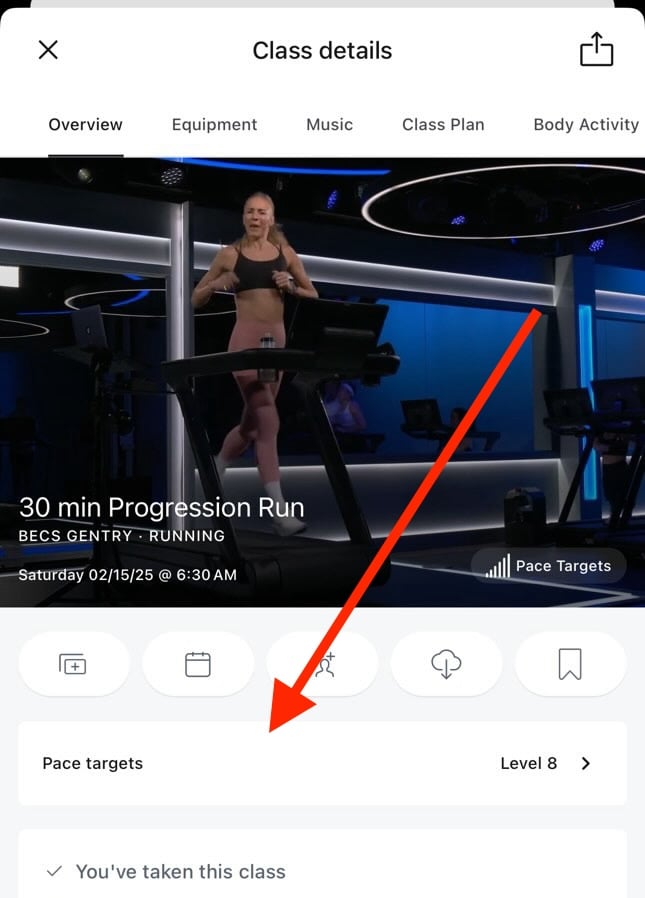
The easiest way to tell if you have this new feature is by looking at the overview page of a pace targets class. Those who have the new feature will have a new information section underneath the class thumbnail. It will say “Pace Targets”, and show the current pace target level you have. This section will also allow you to adjust your difficulty level prior to starting a class if you want.
With more and more of Peloton’s running classes being taught with pace targets, this new feature is becoming more necessary. It was difficult to properly take a pace target class on the app without these features – which this update now resolves.
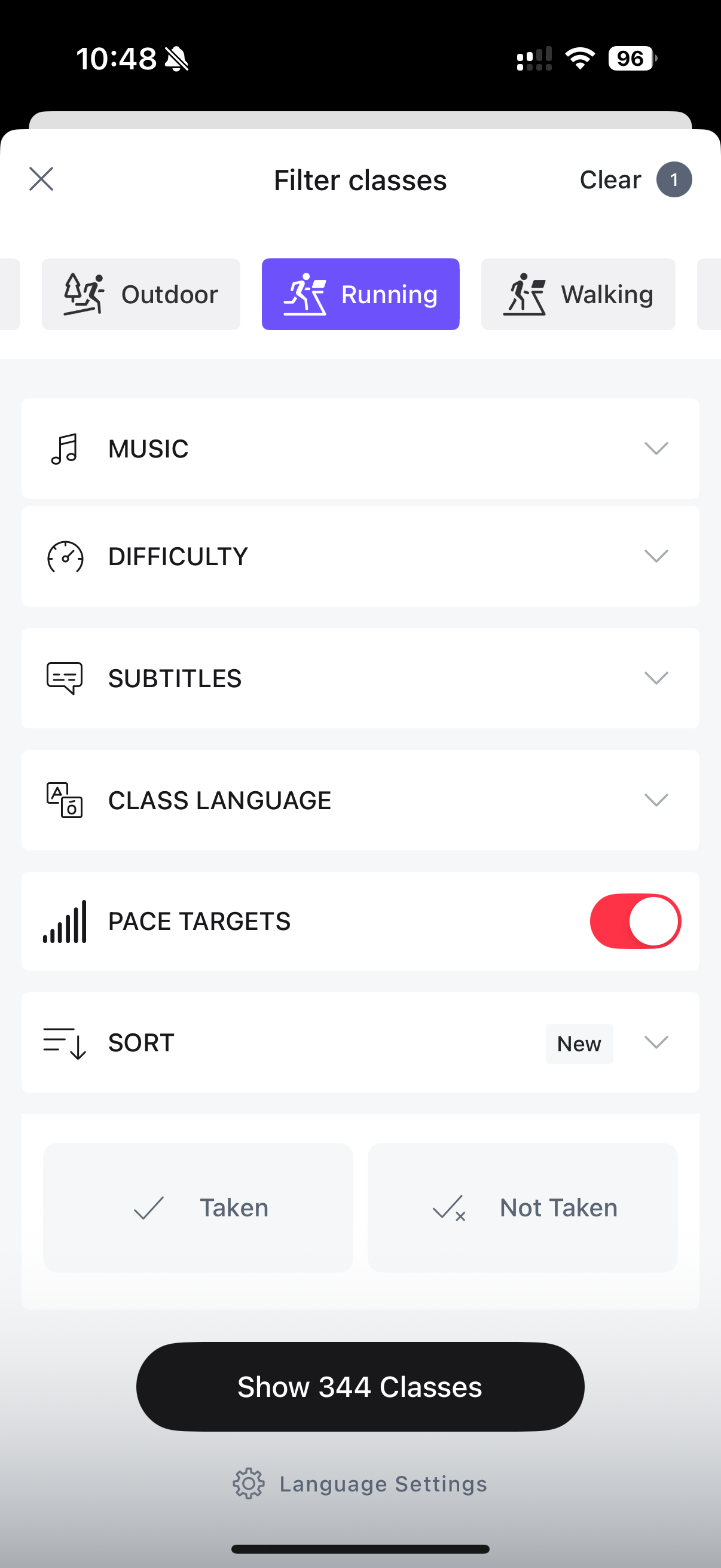
In addition to these updates, Peloton has also added a new toggle when viewing the on-demand library on the Peloton app – and you can filter down to just Pace Target classes. While the updates to showing pace target call outs in classes has not yet rolled out to everyone, the new filter for pace targets in the library appears to be available to everyone now.
As a reminder, several Peloton instructors have said that pace target classes are also coming to walking classes.
If you are new to pace targets, you might want to start out by trying the 20 minute intro to pace target classes. There is one in English with Matt Wilpers, and one in German with Jeffrey McEachern. In these classes, you will have a chance to try out all 7 effort levels, so that you can get a sense for if you have your difficulty level set correctly.

Thanks to Peloton member #IntoTheStars for sharing these images.
Support the site! Enjoy the news & guides we provide? Help us keep bringing you the news. Pelo Buddy is completely free, but you can help support the site with a one-time or monthly donation that will go to our writers, editors, and more. Find out more details here.
Get Our Newsletter Want to be sure to never miss any Peloton news? Sign up for our newsletter and get all the latest Peloton updates & Peloton rumors sent directly to your inbox.

Is there a way to reset your mins/mile that you enter?