

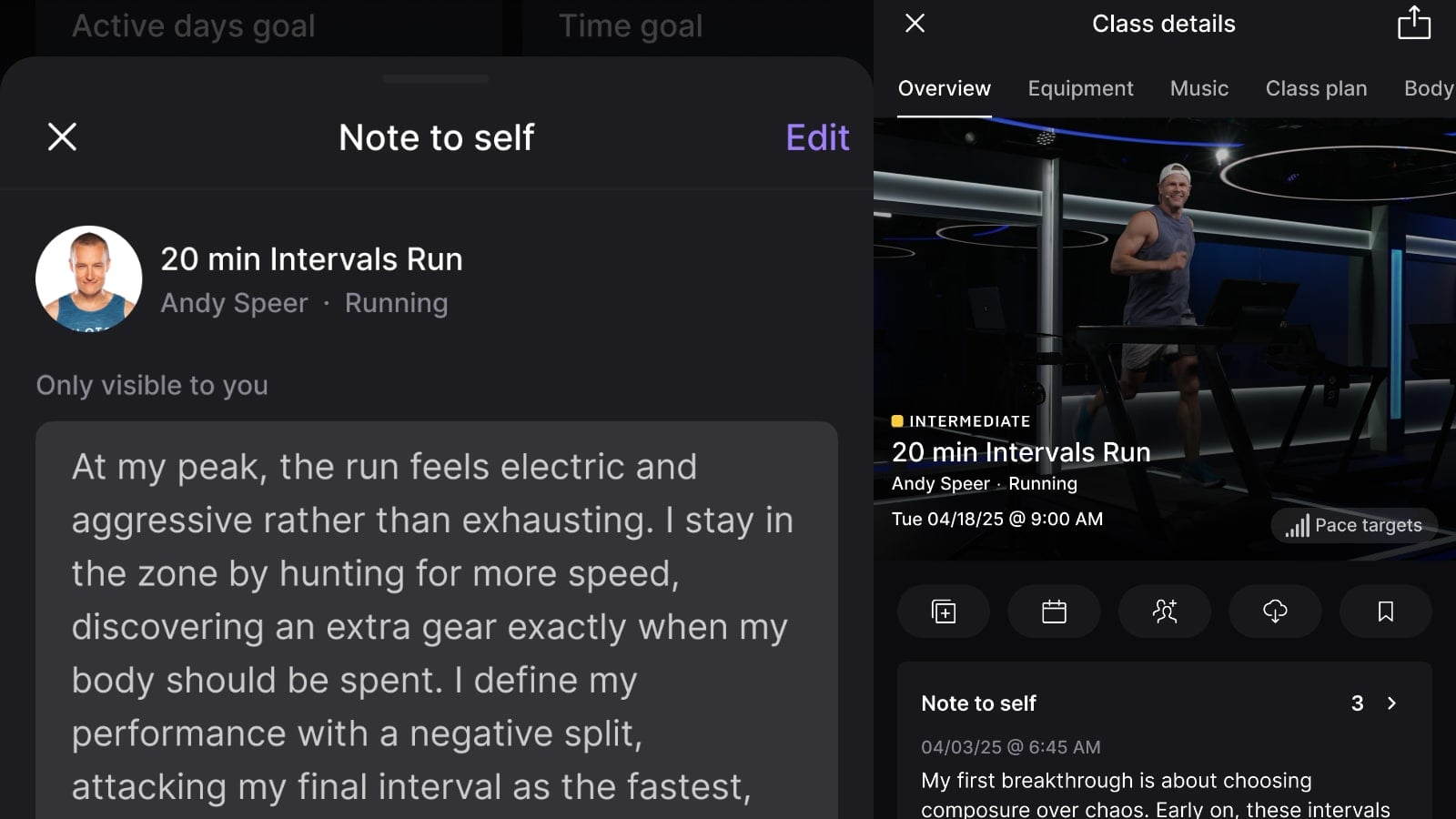
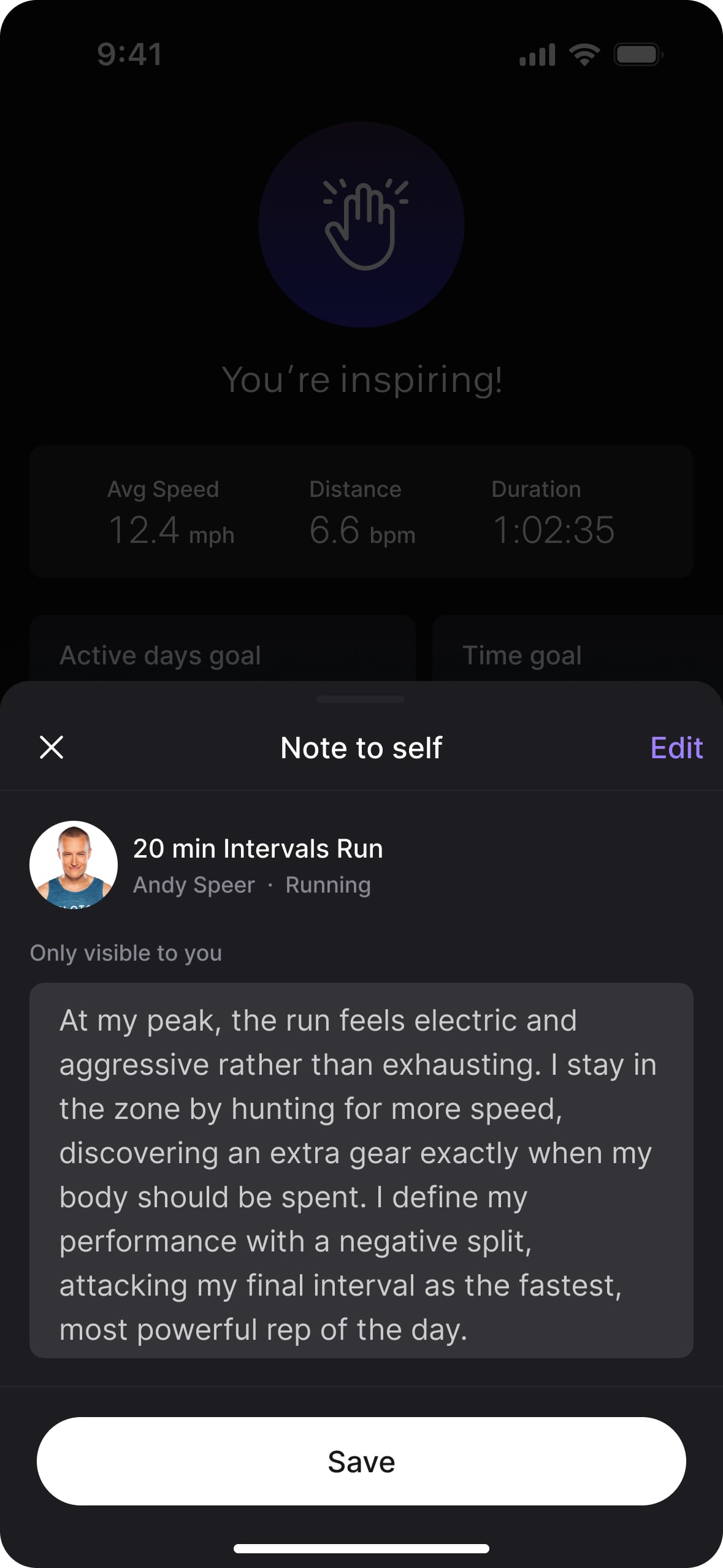
Peloton has announced a new feature called “Note to Self”. This is a long-requested capability that gives members a private, personal space to log their own performance details, instructor cues, equipment settings, or anything else they want to remember about a particular class.
While the feature was announced today, it should become available to most members on May 6, 2026.
Update – The feature has now rolled out to most members. You can see more details and images of the feature in action here.
Note to Self has been one of the most frequently requested Peloton features for years. Until now, members who wanted to track personal details from a class, like an instructor cue that resonated, or settings they want to repeat next time, have had to rely on external notebooks, the Notes app on their phone, or other workaround tools. Note to Self brings that capability directly into the Peloton app.
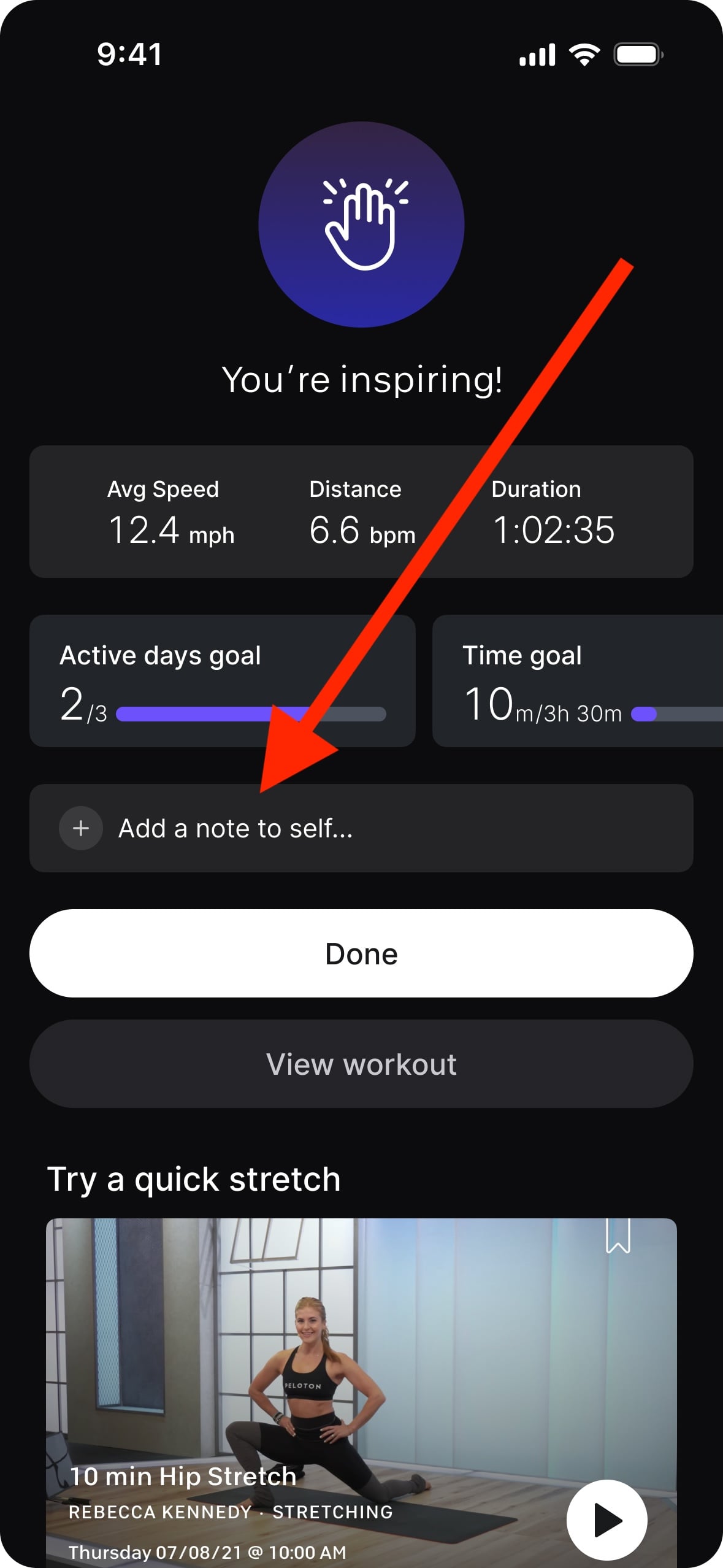
Once the feature is available for your account, you’ll see a few new touchpoints throughout the Peloton app. The first place most members will encounter it is on the workout summary screen at the end of a class. In addition to the existing “Done” and “View Workout” buttons, there is now an option to “Add a note to self.” Pressing this opens a text entry screen where you can log up to 2,000 characters of notes.
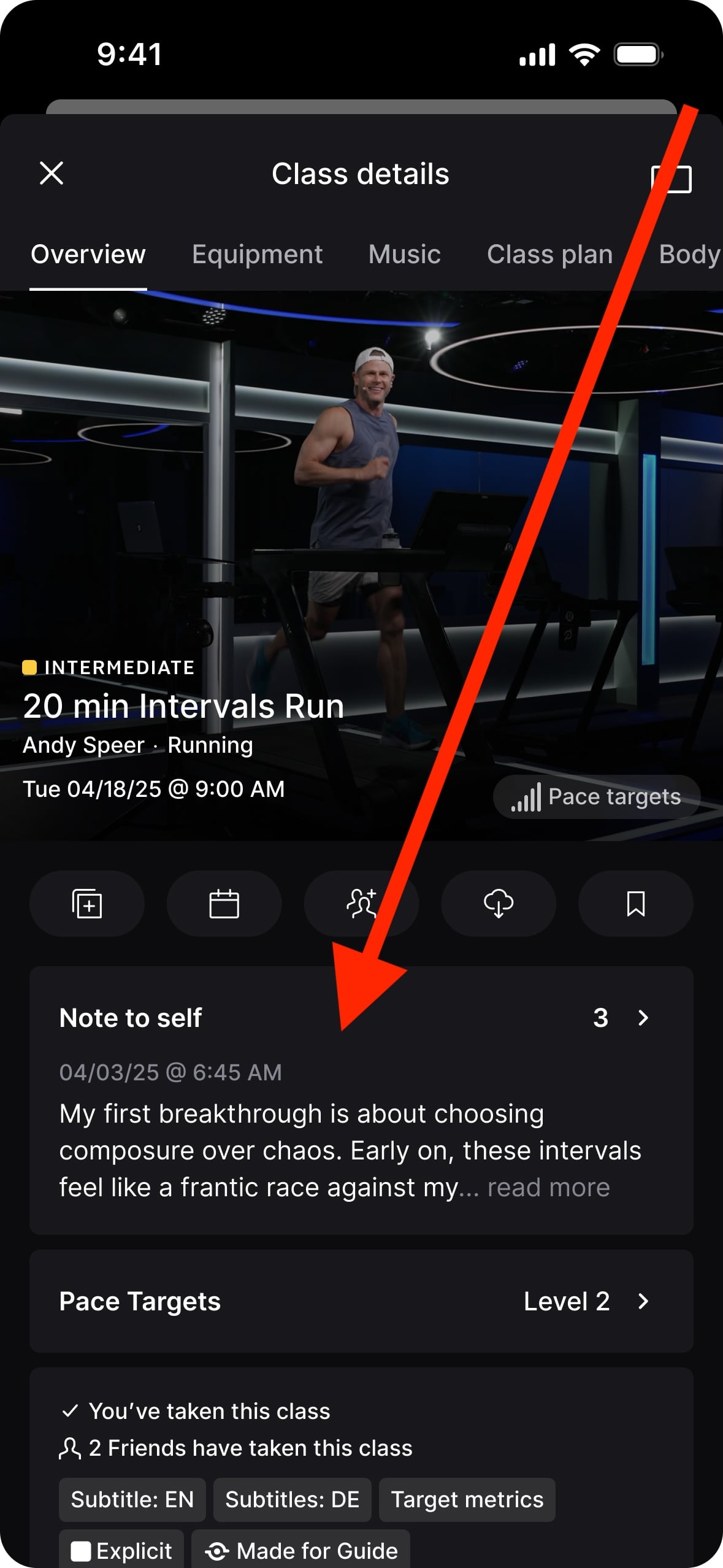
When viewing a class in the on-demand library, there is also a new “Note to self” section on the class details page that shows a preview of your most recent note for that class, along with a count of how many notes you’ve left on that class total.
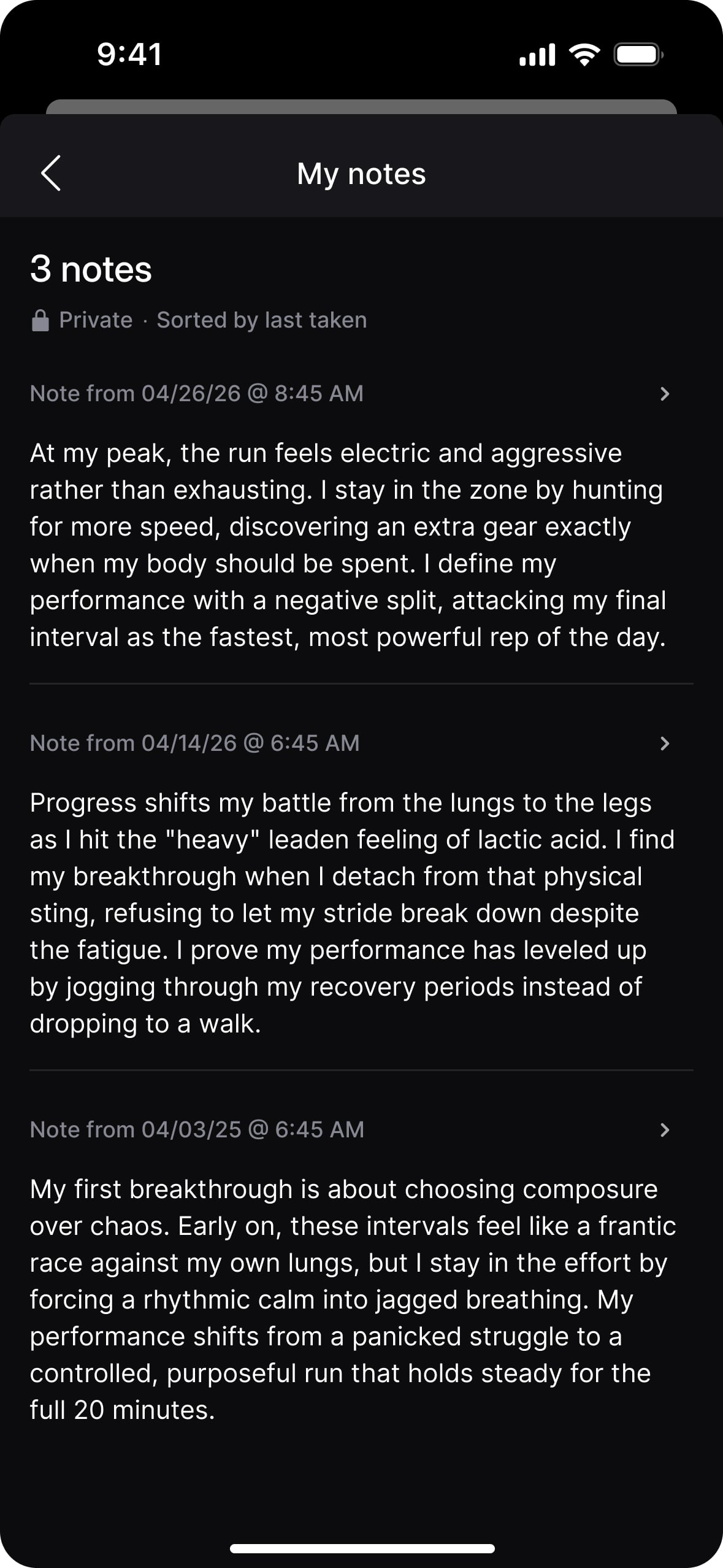
Tapping into that section will bring you to a list of all notes you’ve left on that particular class.
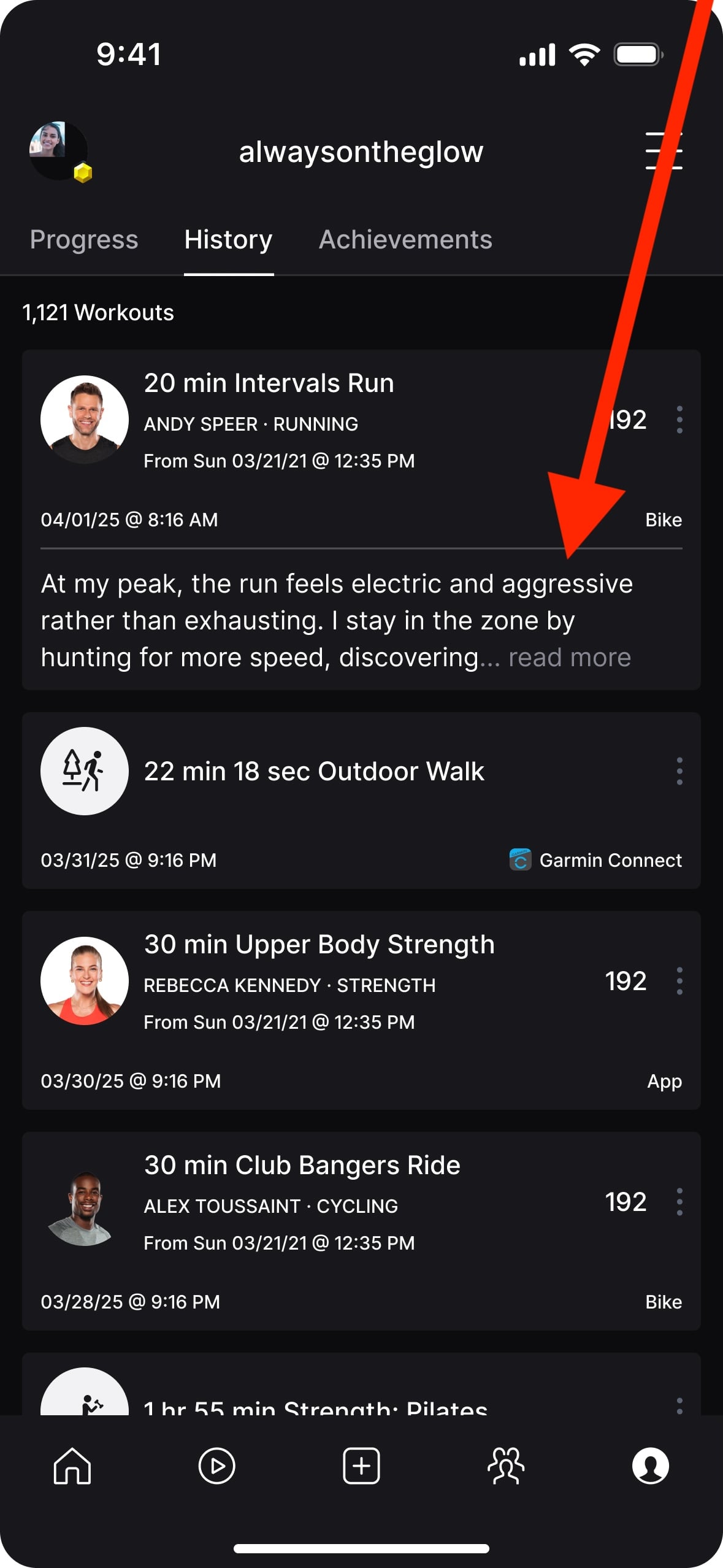
When viewing your workout history, classes that have a note attached will surface a preview of the note directly on the history list, making it easy to spot which classes you’ve left thoughts on without having to dig in.
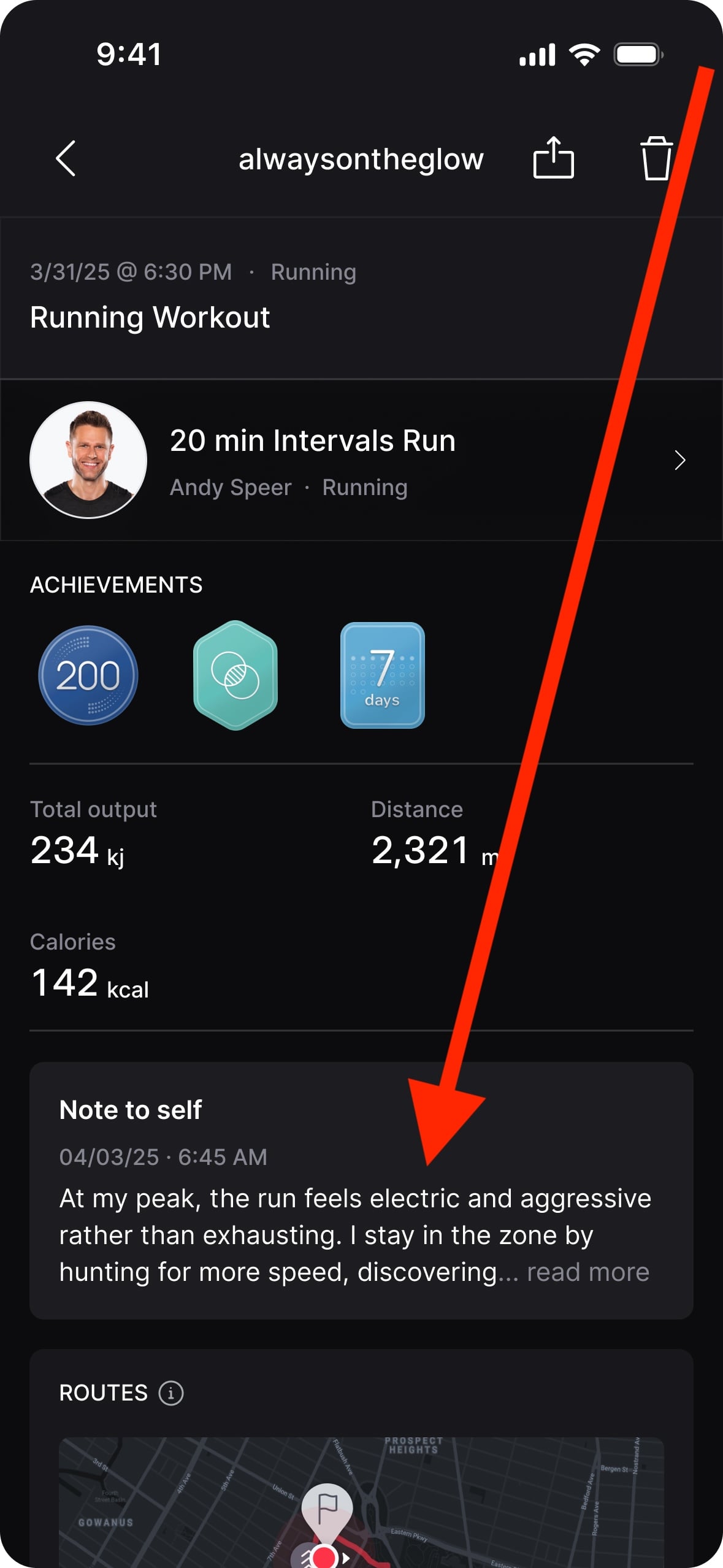
If you take the same class multiple times, you can add a separate note for each time you take it. Each note is tied to the date and time of that specific workout, so you can track how things changed across multiple takes of the same class. Notes are also visible from the workout-specific summary view, so you can revisit them in the context of the metrics from that day.
Notes are private and visible only to the member who created them.
The full ability to add, edit, and delete notes is available within the Peloton App. On Peloton Bike, Tread, and Row hardware, members can view their notes but cannot create or edit them on the device itself. This means you can write your “trainer-style” notes from your phone, and have them visible on your Peloton Bike, Tread, or Row when viewing the library.
At this time, there is no search feature for notes. So, for example, you can’t search for the keyword “pizza” to surface every note where you mentioned that word.
Notes are accessed by going to the class they were left on, the workout summary, or the workout history.
This should be available on both the Peloton iOS app and the Peloton Android app.
Update – This article originally stated that the rollout would start April 27th, and be a phased rollout with most members receiving it by May 6th. Peloton has now updated that timeline, and the launch will happen all at once on May 6th.
Support the site! Enjoy the news & guides we provide? Help us keep bringing you the news. Pelo Buddy is completely free, but you can help support the site with a one-time or monthly donation that will go to our writers, editors, and more. Find out more details here.
Get Our Newsletter Want to be sure to never miss any Peloton news? Sign up for our newsletter and get all the latest Peloton updates & Peloton rumors sent directly to your inbox.

Leave a Reply