

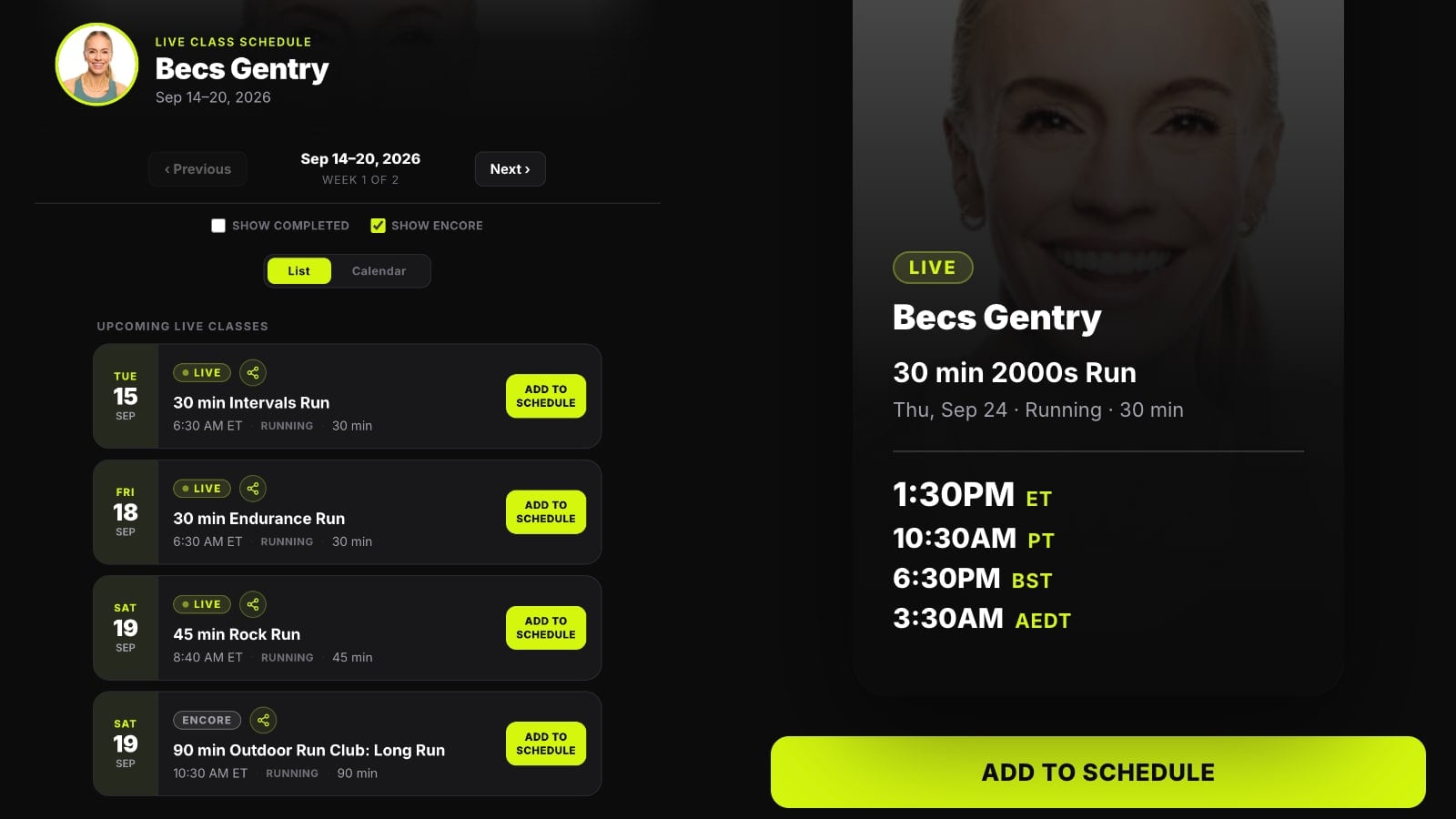
Peloton has continued updating the individual instructor schedule pages they introduced this summer, fixing two of the biggest limitations we noted when they first appeared.
We shared in July that Peloton had quietly created a dedicated schedule page for every instructor, showing their upcoming classes in either a list or calendar view at a web address members could bookmark or share.
More instructors have been using those pages to share their weekly schedules since then, while Peloton has continued adding new functionality.
At launch, there were two notable limitations. The pages only showed the next few days through the upcoming weekend, and every class was labeled “Live” even when it was actually an Encore or Premiere.
Both have now been addressed.
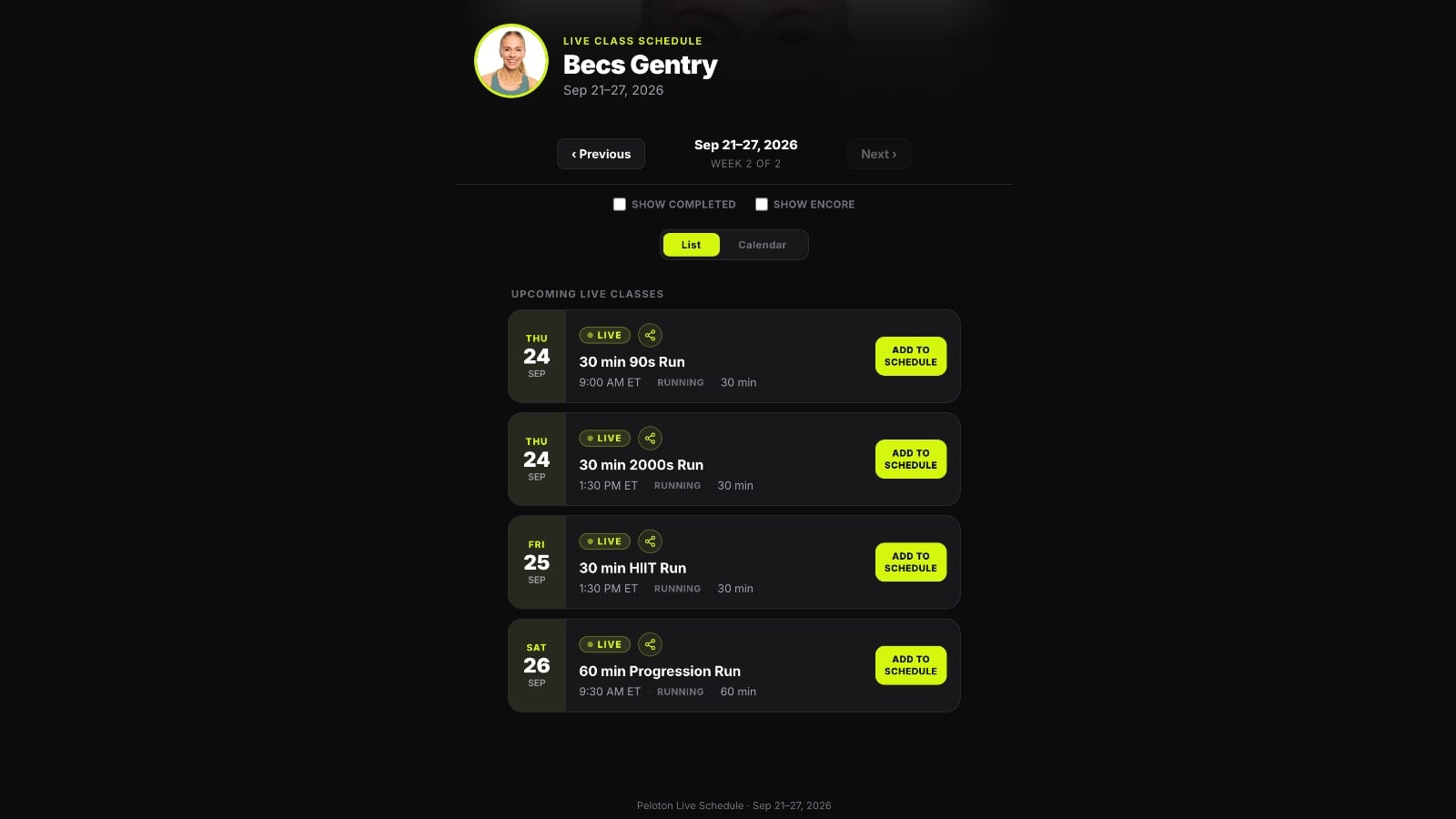
The pages now let members move between two weeks of schedule using Previous and Next buttons, with a “Week 1 of 2” or “Week 2 of 2” indicator showing which week is being viewed.
There is also a “Copy link to this week” option, allowing instructors or members to share a specific week’s schedule instead of simply linking to the general instructor page.
Encore classes are now properly identified as well.
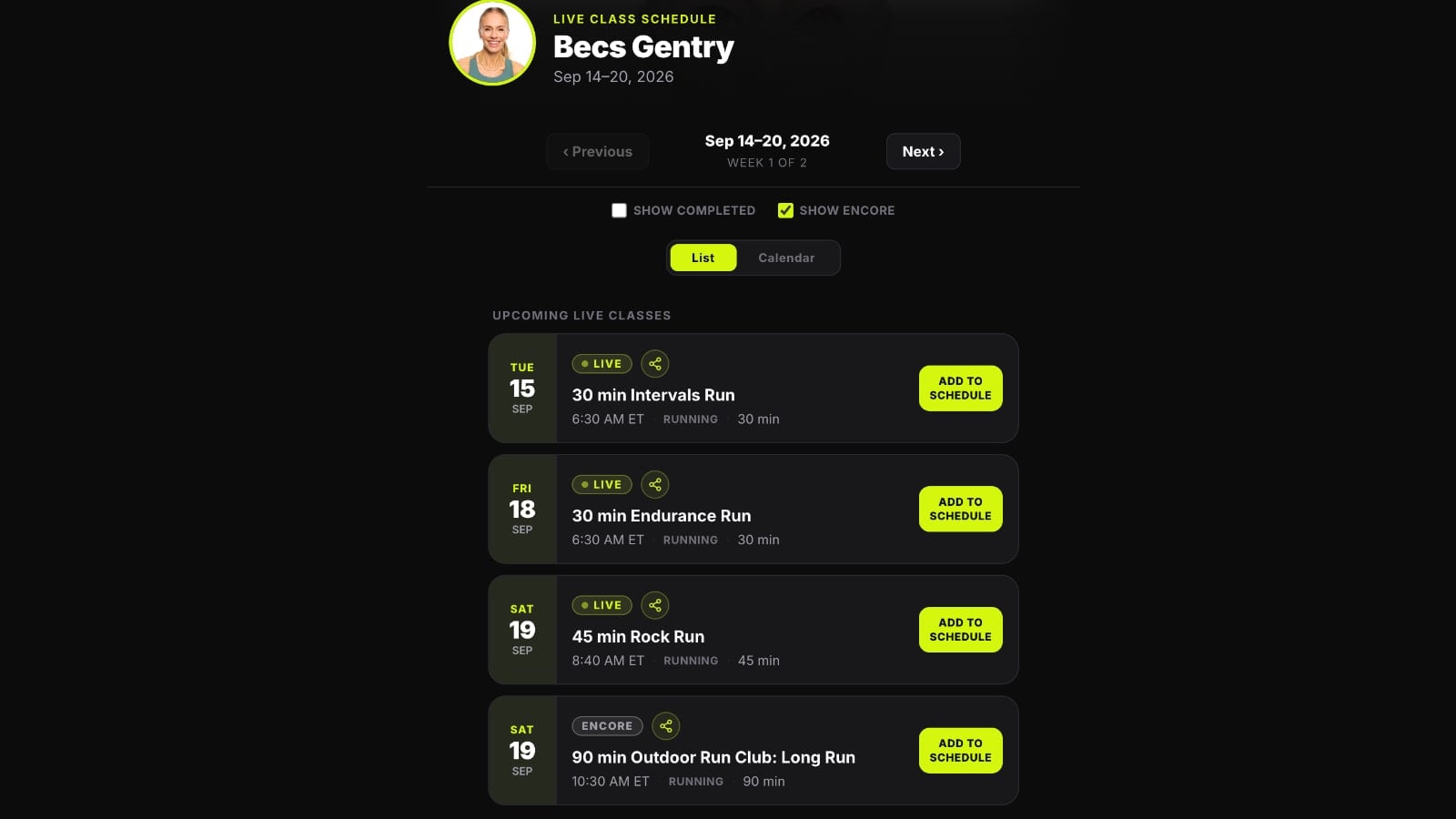
A new “Show Encore” toggle lets members choose whether those classes appear at all, while a separate “Show Completed” option can add classes that have already taken place.
For example, Becs Gentry’s September 14-20 schedule shows three live runs by default. Turning on “Show Encore” adds a 90 min Outdoor Run Club: Long Run on September 19 that is clearly labeled as an Encore.
That fixes one of the more confusing issues with the original version. In July, one of the examples we highlighted was Leanne Hainsby-Alldis, whose page showed several classes labeled “Live” while she was still on maternity leave. Those were actually Encores, but the page gave members no way to distinguish them.
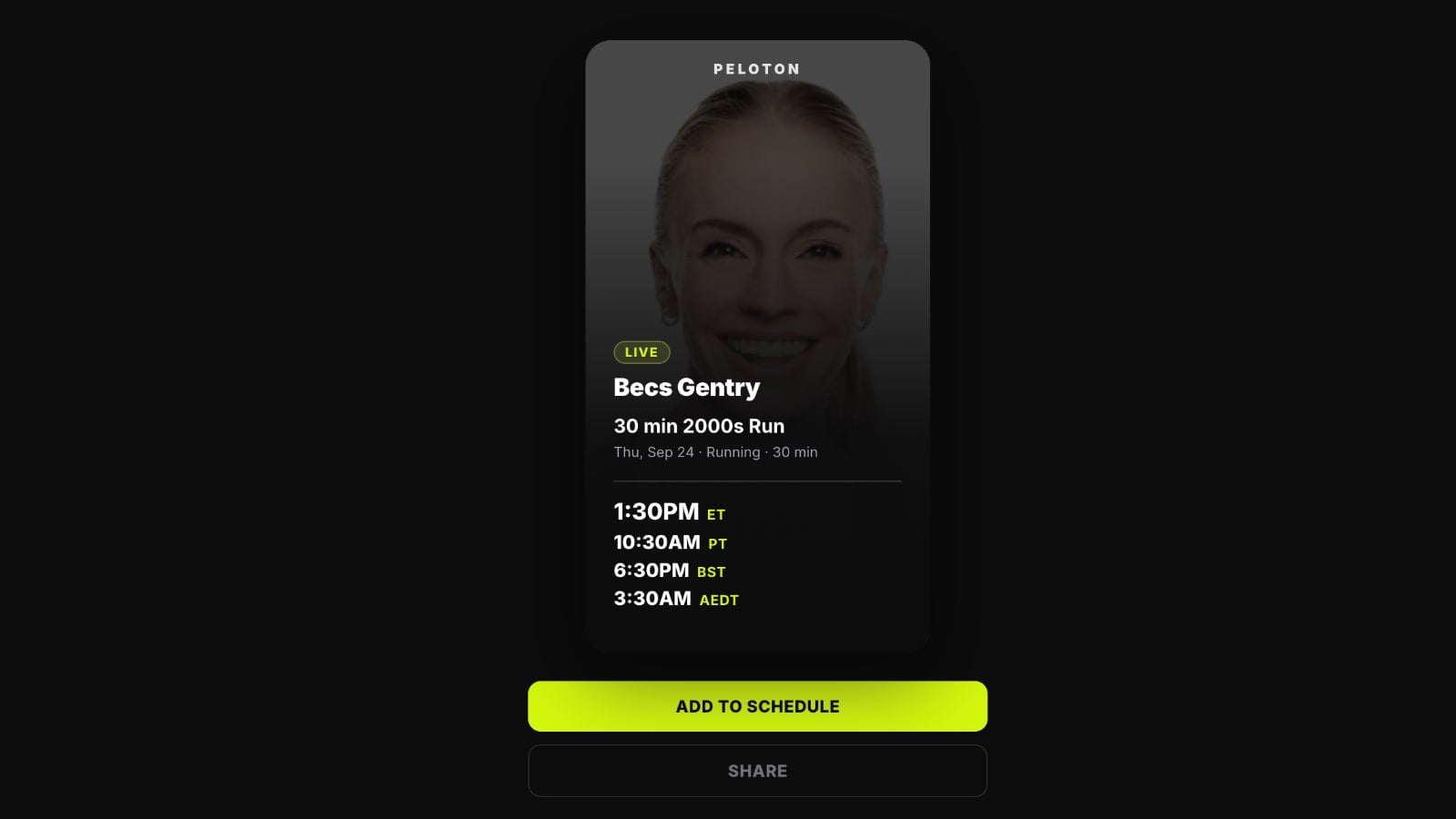
Individual classes can now be opened into a more detailed view as well.
The class card shows the instructor, title, date, duration, and start time converted across multiple time zones. In the example with Becs’ 30 min 2000s Run on September 24, the page shows 1:30pm ET, 10:30am PT, 6:30pm BST, and 3:30am AEDT.
From there, members can add the class to their Peloton schedule, share that specific class using its own link, or open the normal class detail page on Peloton’s website.
The existing calendar view remains available as well, showing the instructor’s week in a “Week at a Glance” layout. A “Browse all upcoming classes” button has also been added at the bottom of the page.
Note that for people who use the regular Peloton class schedule through their hardware device or app, that hasn’t changed or gone away – this is just a different way to view the class schedule for a specific instructor.
For reference, here is the link to each instructor schedule page:
- Aditi Shah
- Adrian Williams
- Alex Karwoski
- Alex Toussaint
- Ally Love
- Andy Speer
- Anna Greenberg
- Ash Pryor
- Assal Arian
- Becs Gentry
- Ben Alldis
- Benny Adami
- Bradley Rose
- Callie Gullickson
- Camila Ramón
- Charlotte Weidenbach
- Chelsea Jackson Roberts
- Christian Vande Velde
- Christine D’Ercole
- Cliff Dwenger
- Cody Rigsby
- Denis Morton
- Emma Lovewell
- Erik Jäger
- Greta Dopp
- Hannah Corbin
- Hannah Frankson
- Jeffrey McEachern
- Jenn Sherman
- Jermaine Johnson
- Jess King
- Jess Sims
- Johanna Ricouz
- Jon Hosking
- Joslyn Thompson Rule
- Katie Wang
- Kirra Michel
- Kirsten Ferguson
- Leanne Hainsby-Alldis
- Logan Aldridge
- Marcel Dinkins
- Marcel Maurer
- Mariana Fernández
- Matt Wilpers
- Matty Maggiacomo
- Mayla Wedekind
- Mila Lazar
- Nico Sarani
- Olivia Amato
- Rad Lopez
- Rebecca Kennedy
- Robin Arzón
- Sam Yo
- Selena Samuela
- Susie Chan
- Tunde Oyeneyin
- Zacharias Niedzwiecki
Are you using Peloton’s individual instructor schedule pages?
Support the site! Enjoy the news & guides we provide? Help us keep bringing you the news. Pelo Buddy is completely free, but you can help support the site with a one-time or monthly donation that will go to our writers, editors, and more. Find out more details here.
Get Our Newsletter Want to be sure to never miss any Peloton news? Sign up for our newsletter and get all the latest Peloton updates & Peloton rumors sent directly to your inbox.

Is there a way to distinguish between “Encores” and “Premiers” (classes recorded in the past that were held for future use)?
I ask this because Leanne’s classes, prior to her return, were recorded but held. They weren’t an “encore”.