

Peloton has quietly rolled out another update to its Apple Health integration, further increasing how fitness data is shared across platforms.
Over the last month, users may have noticed new metrics being tracked in Apple Health following workouts, especially for rowing and outdoor activities.
These latest updates add three new data points: rowing distance; rowing speed; and running and walking elevation.
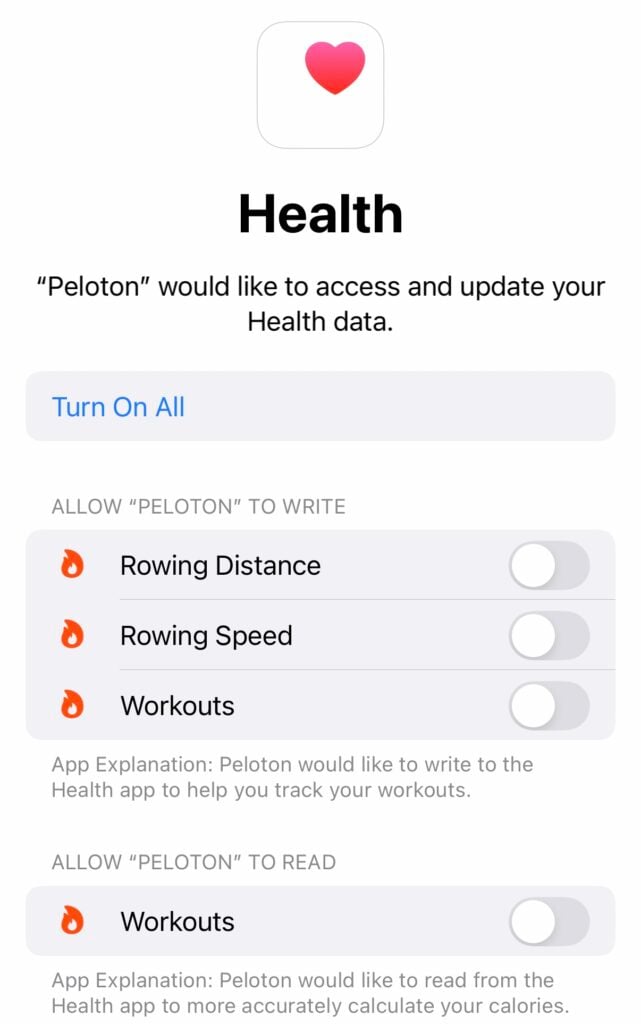
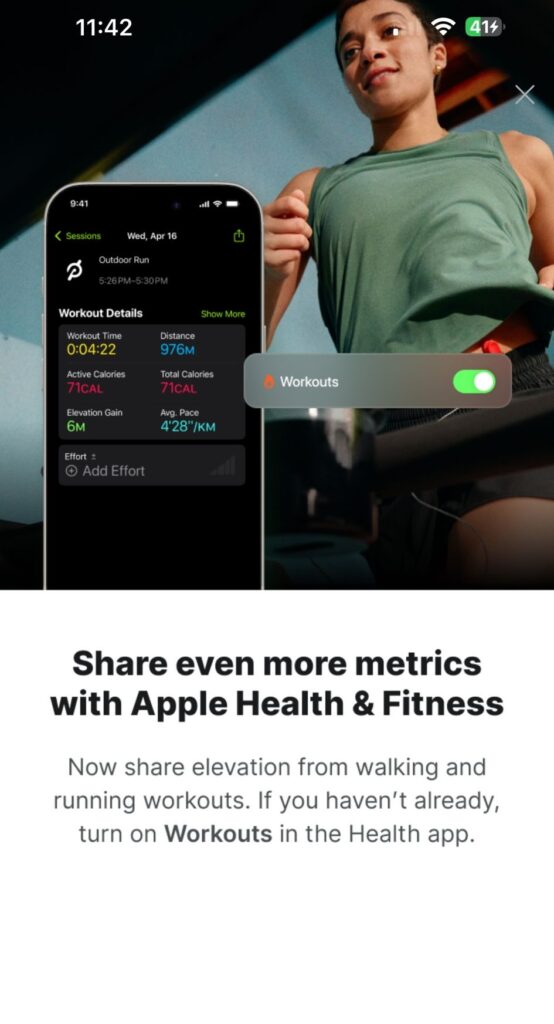
Some users have reported receiving an in-app prompt about the elevation updates, as well as the rowing enhancements. However, even if you have not yet seen such a notification, you can manually enable these new metrics in your Apple Health settings.
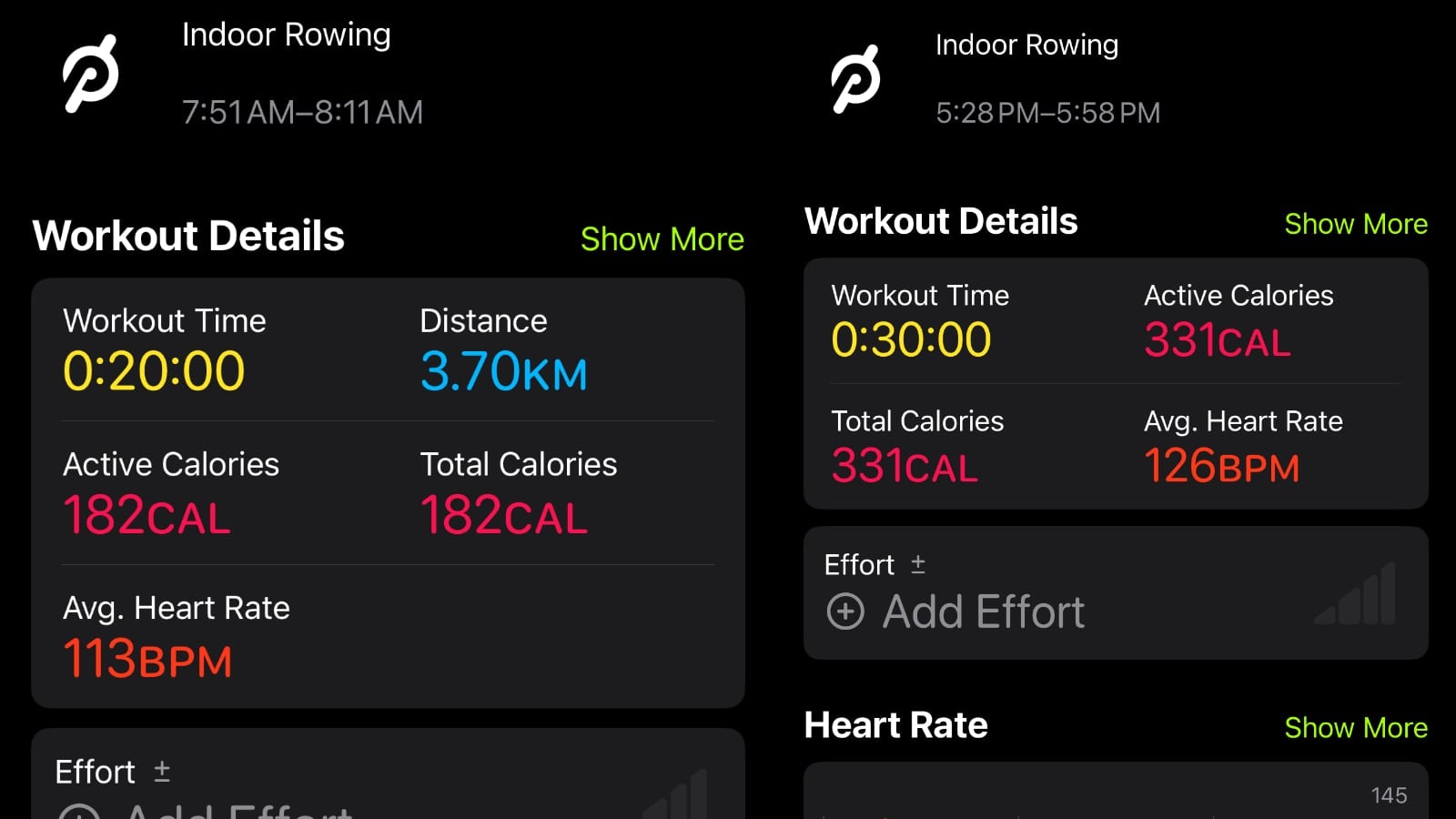
Side-by-side comparisons of Apple Fitness workout summaries before and after enabling the new metrics clearly show the changes. In rowing workouts, a Distance field now appears. Curiously, while Rowing Speed was added to the health data list, it does not appear to show in Apple Fitness summaries – at least not yet.
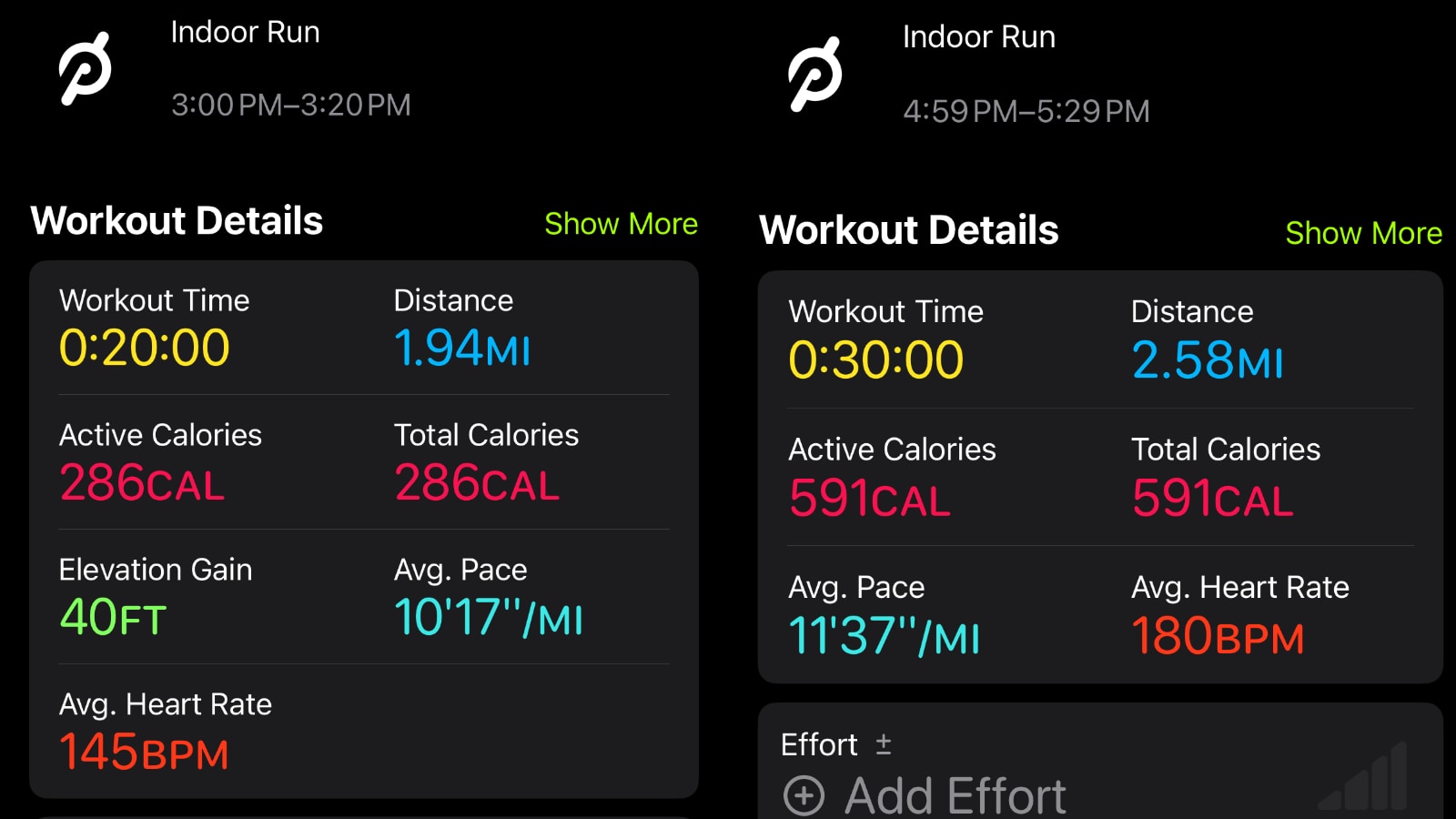
For outdoor runs, there is a newly visible Elevation metric.
The newly added data displays on the left in the “After” images, while the older, less detailed summaries are shown on the right.
These additions come on the heels of a broader Apple Health update earlier this spring, when Peloton began sharing speed and power metrics for running and cycling workouts. That initial expansion was well received by members looking for performance insights beyond calories and time.
To ensure you are capturing all the new data, follow these steps:
- Open the Apple Health app.
- Tap your profile icon > Apps > Peloton.
- Toggle on all available metrics, including Rowing Distance, Rowing Speed, and Walking & Running Elevation.
This expanded data sharing makes Peloton workouts even more compatible with the Apple fitness ecosystem. Will these new updates be helpful to you in the future?
Support the site! Enjoy the news & guides we provide? Help us keep bringing you the news. Pelo Buddy is completely free, but you can help support the site with a one-time or monthly donation that will go to our writers, editors, and more. Find out more details here.
Get Our Newsletter Want to be sure to never miss any Peloton news? Sign up for our newsletter and get all the latest Peloton updates & Peloton rumors sent directly to your inbox.

Is this supposed to be available now? Or is this possibly in beta or still rolling out? I do not have the extra rowing nor running elevation toggles in the Health app under the Peloton app integration.
My phone is running the latest iOS and I have updated the Peloton app as well.