

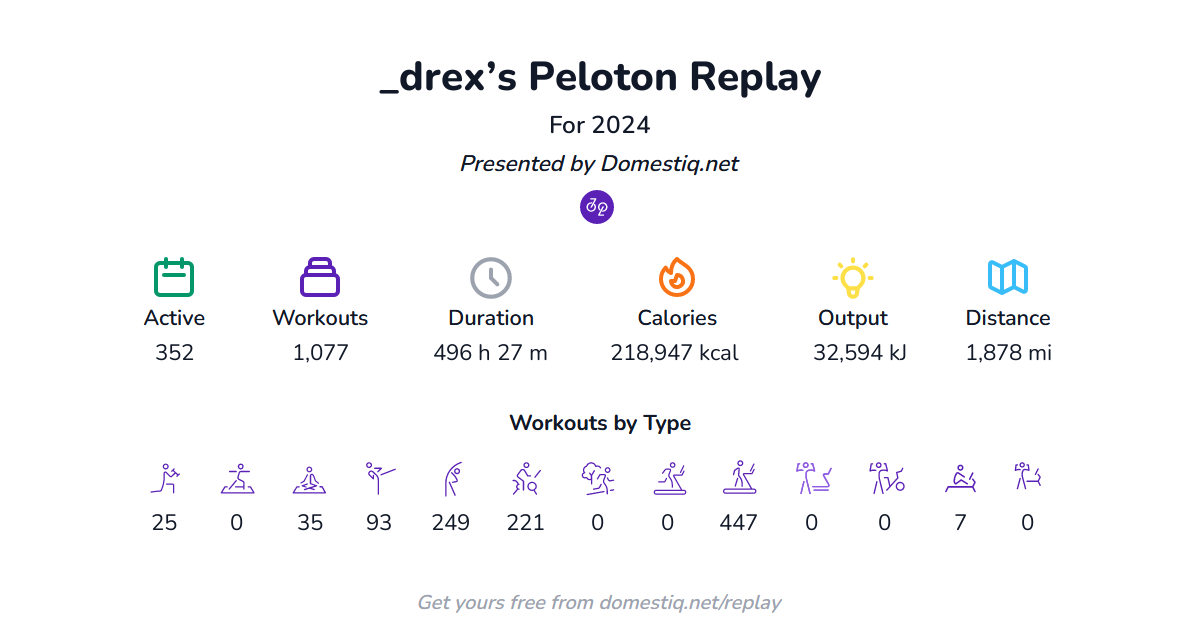
Earlier this month, Peloton sent out their “Victory Lap” year in review email – and as with years past, it only provided a partial snapshot of the year (with data ending on November 30th). In addition, it did away with some stats members have enjoyed in previous years, including who their top instructors were, and more.
The good news is – if you are interested in seeing data for your whole year (or any time period) or a more comprehensive look at your stats – Domestiq has built a feature called “Replay” to help you take a look at your Peloton stats and data for the year. You can access your 2024 Replay via https://domestiq.net/replay.
Note that the Domestiq tool is continually updated – so you can view it anytime. If you view it now, you’ll see through today’s date – and can come back at the end of the year to see the entire full year. Or you can peek back at 2023 or any other time period.
Keep in mind if you create a Domestiq account to access your 2024 Replay today, it may take a few minutes to generate your graphs while your workouts are imported and the graphs are generated.
The Domestiq Replay tool allows you to access and analyze your full workout data from 2024, such as the number of active days, total workouts, duration spent working out, calories burned, total output, and total distance traveled. Of course, there are date selectors at the top, so you can actually use this to view any time period you want.
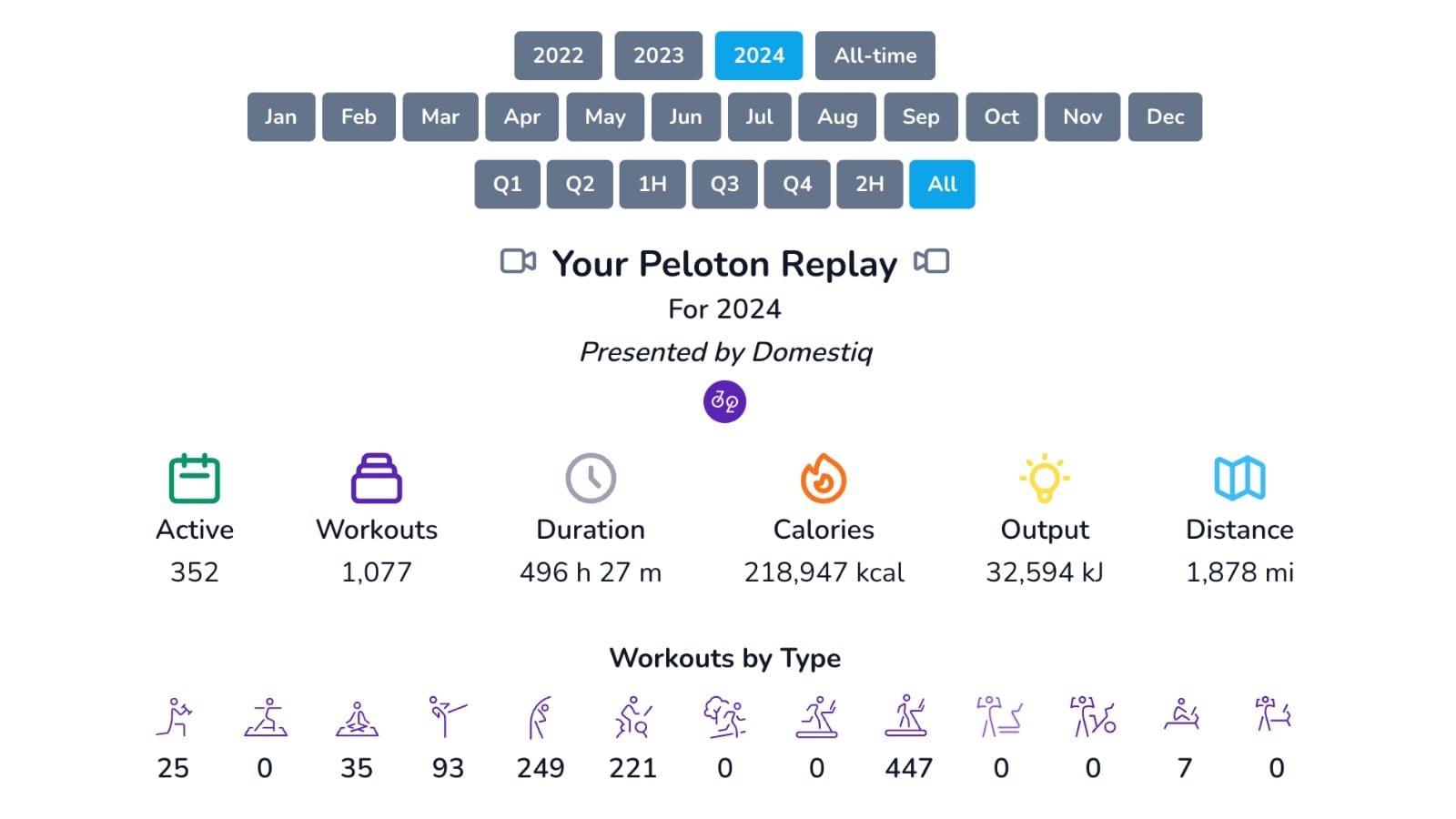
In addition, there is a section at the top that allows you to view your current trends and counts over certain periods of time – which you can then break down by specific class type.
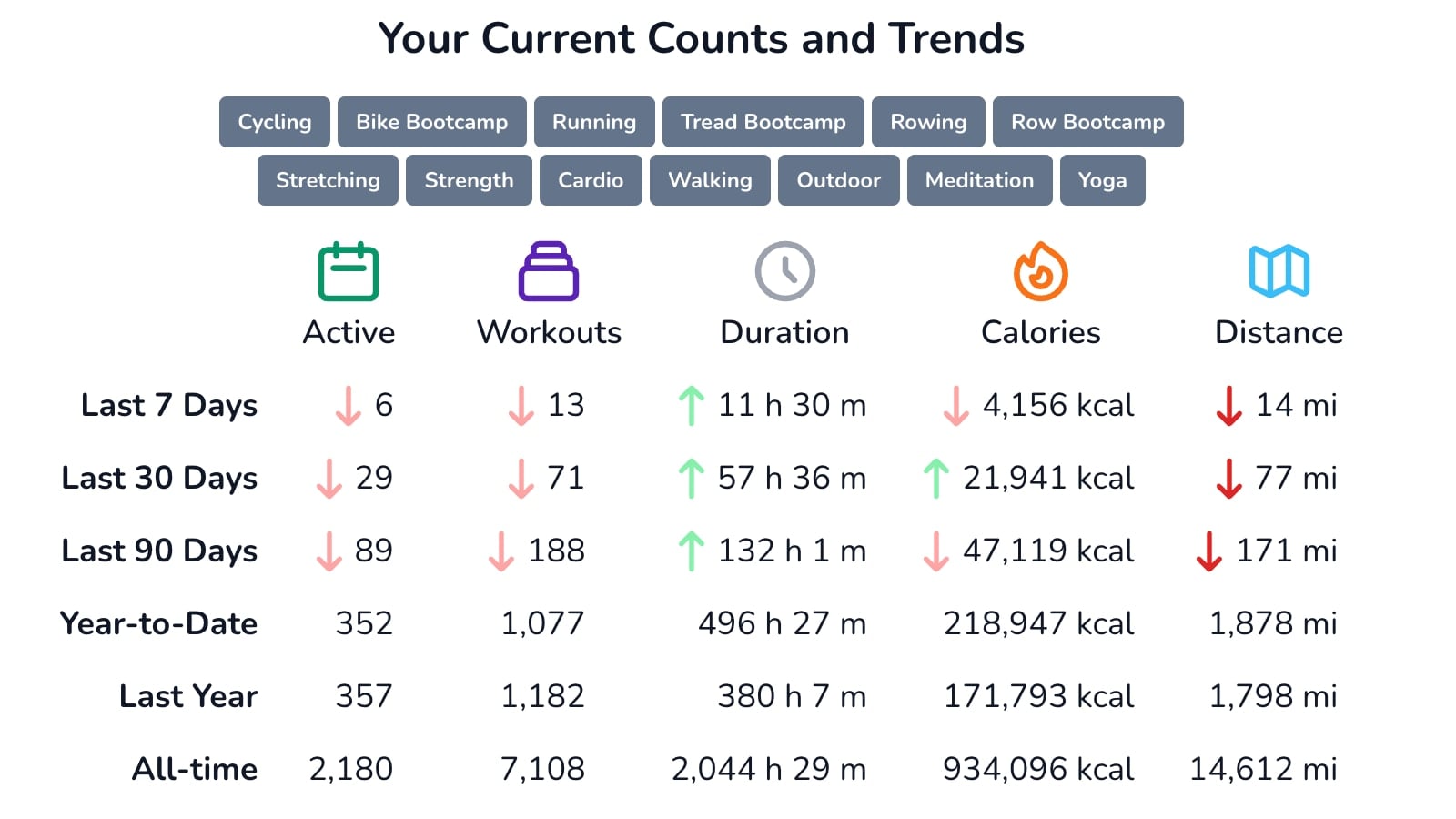
Domestiq will also show a summary of your workouts by class type across the Peloton platform, such as the total number of rides, rows, runs, strength classes, and more. You will be able to see helpful graphs showing the number of classes taken and time spent within each specific modality. If you prefer not to see percentages, and instead the overall counts, you can hover over any number to see the actual count for each graph.
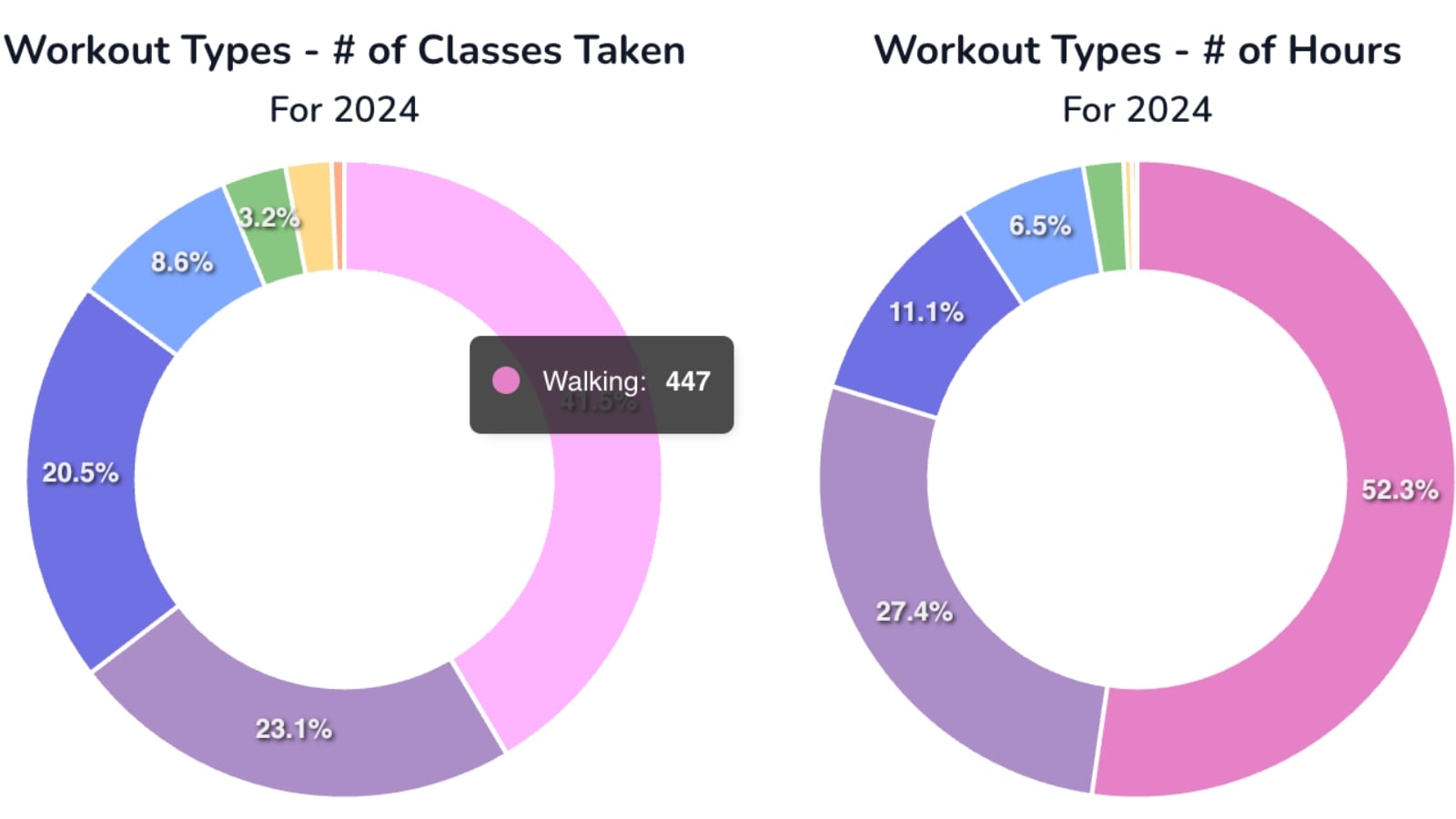
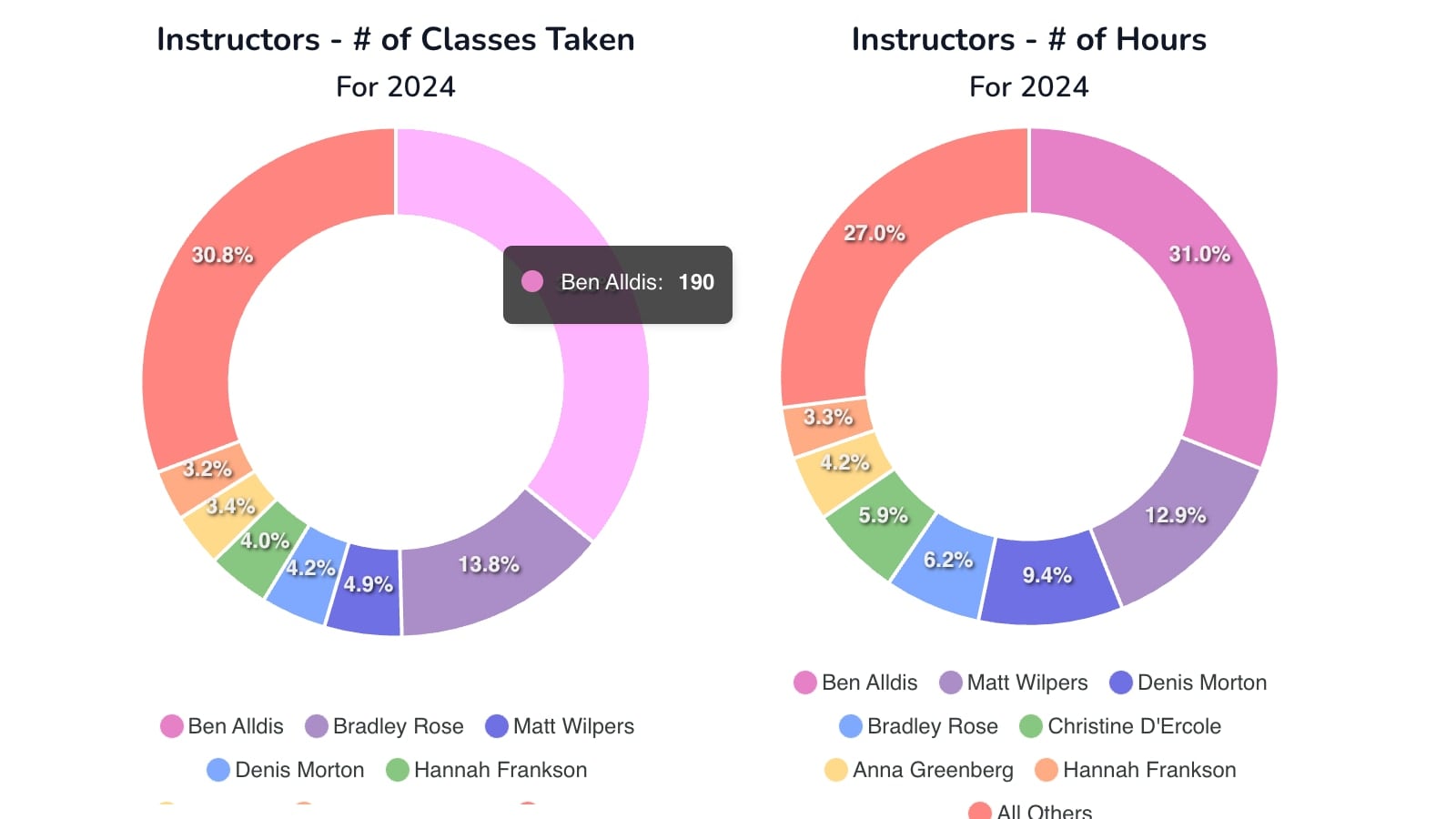
Similar graphs are available for instructors – which instructors you took the most classes with and spent the most time working out with in 2024.
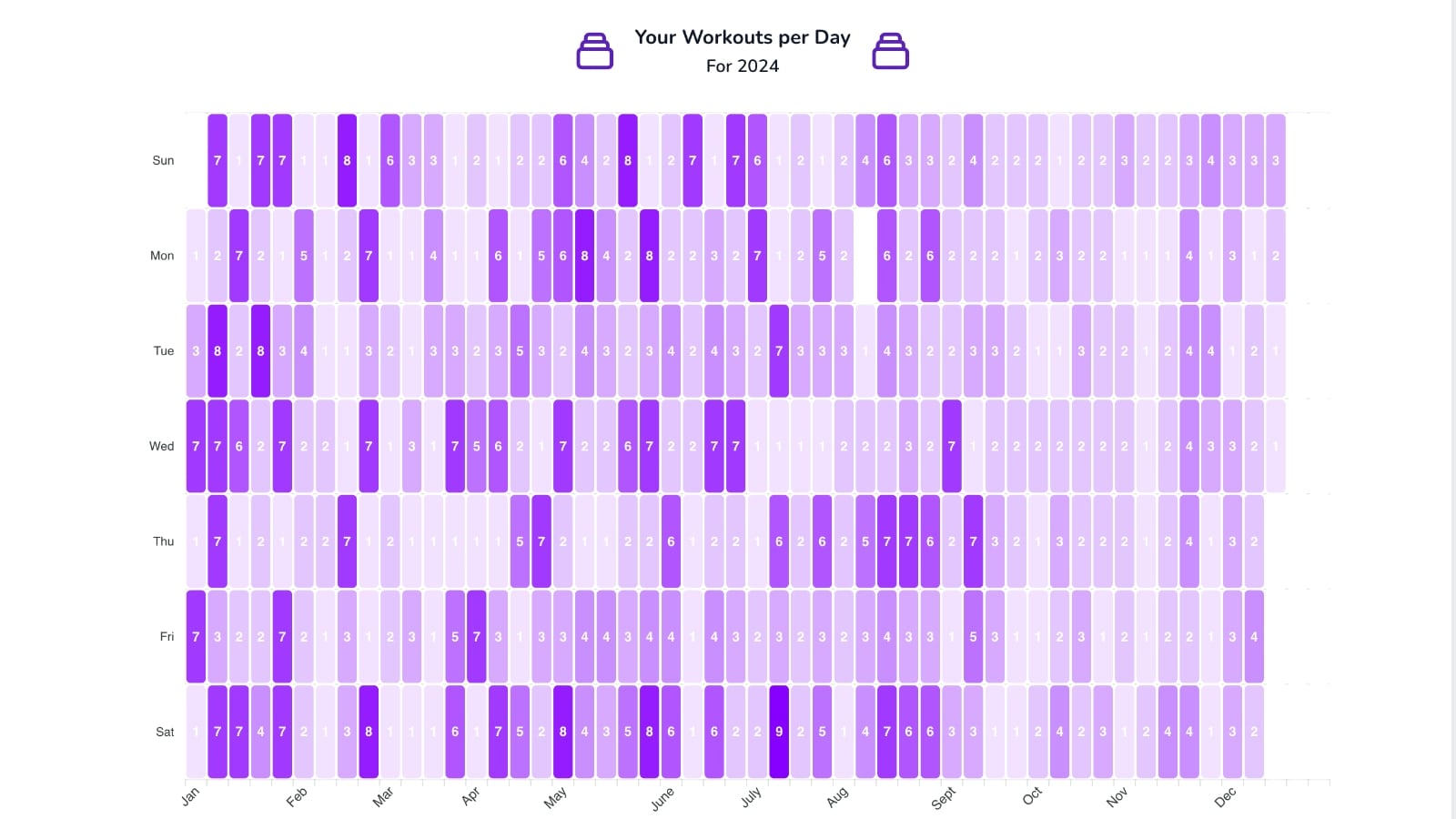
In addition, there are calendar views displaying how many classes you took per day, and calorie ranges burned for each day, showcased across the entire year.
The next section is dedicated to music: the top 10 songs and artists heard in classes you took. Note that this isn’t based on you having used the “Heart” feature to save the song, instead, it’s based on which ones you heard the most in all of your classes.
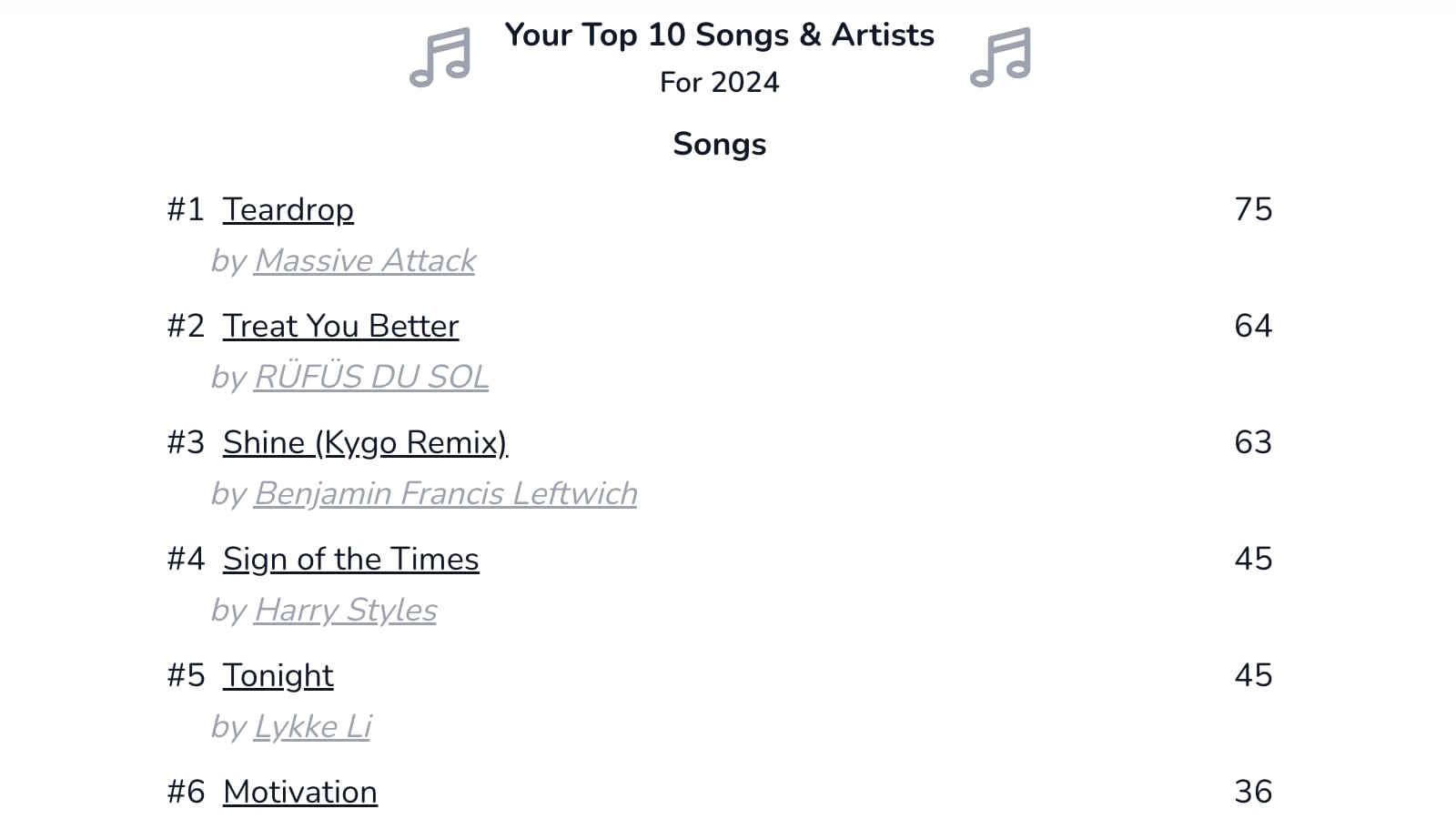
The first section shows the individual songs you heard most, then there is a section of which artists you heard the most.
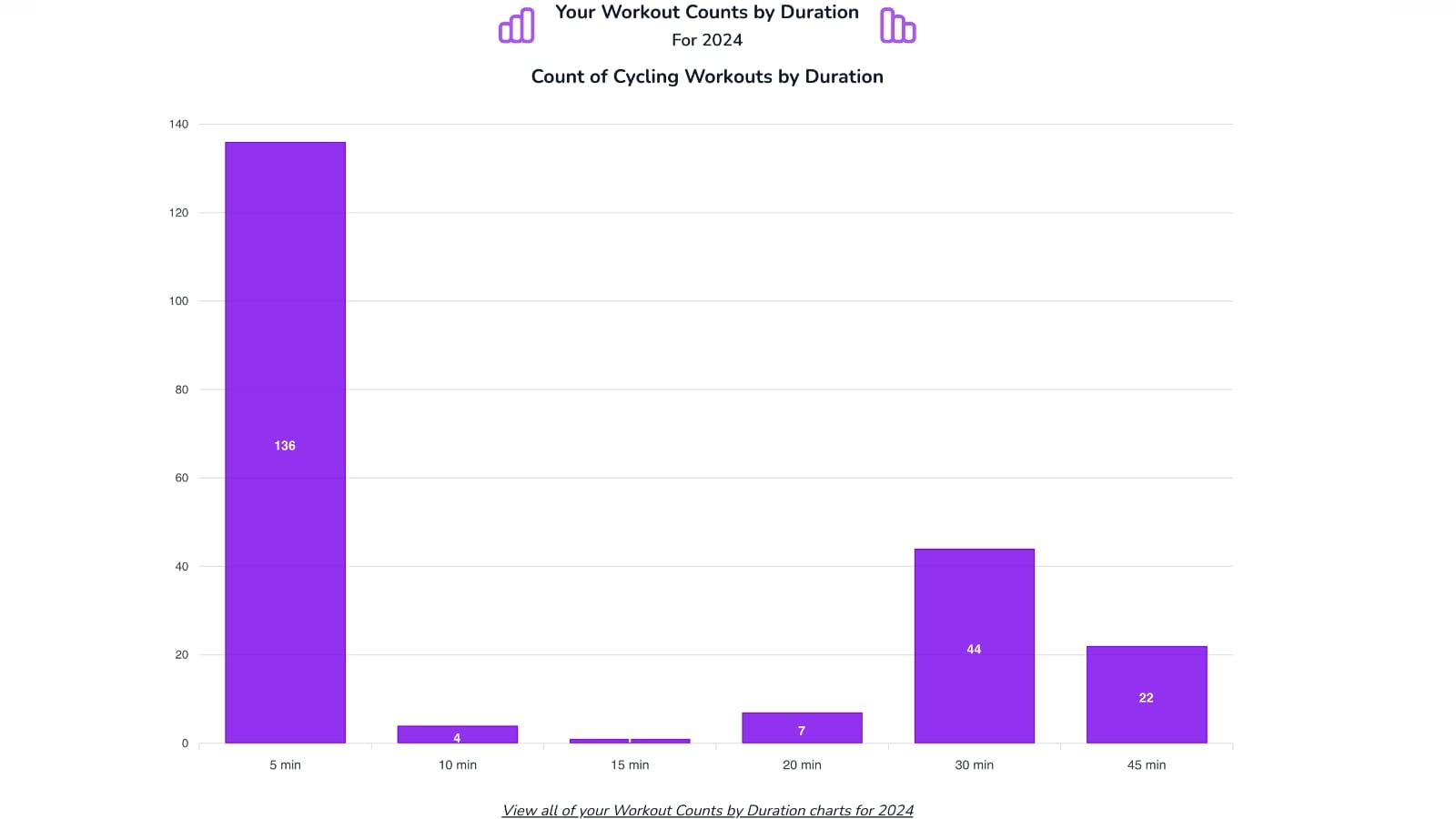
You can also find more specific graphs and recaps about your workouts. A graph will show a breakdown of what your most-taken class lengths were. By default, it will show you the overall count across all class types, but there is an option to get more details and see it broken down by class type (i.e. one graph for cycling, one for rowing, etc).
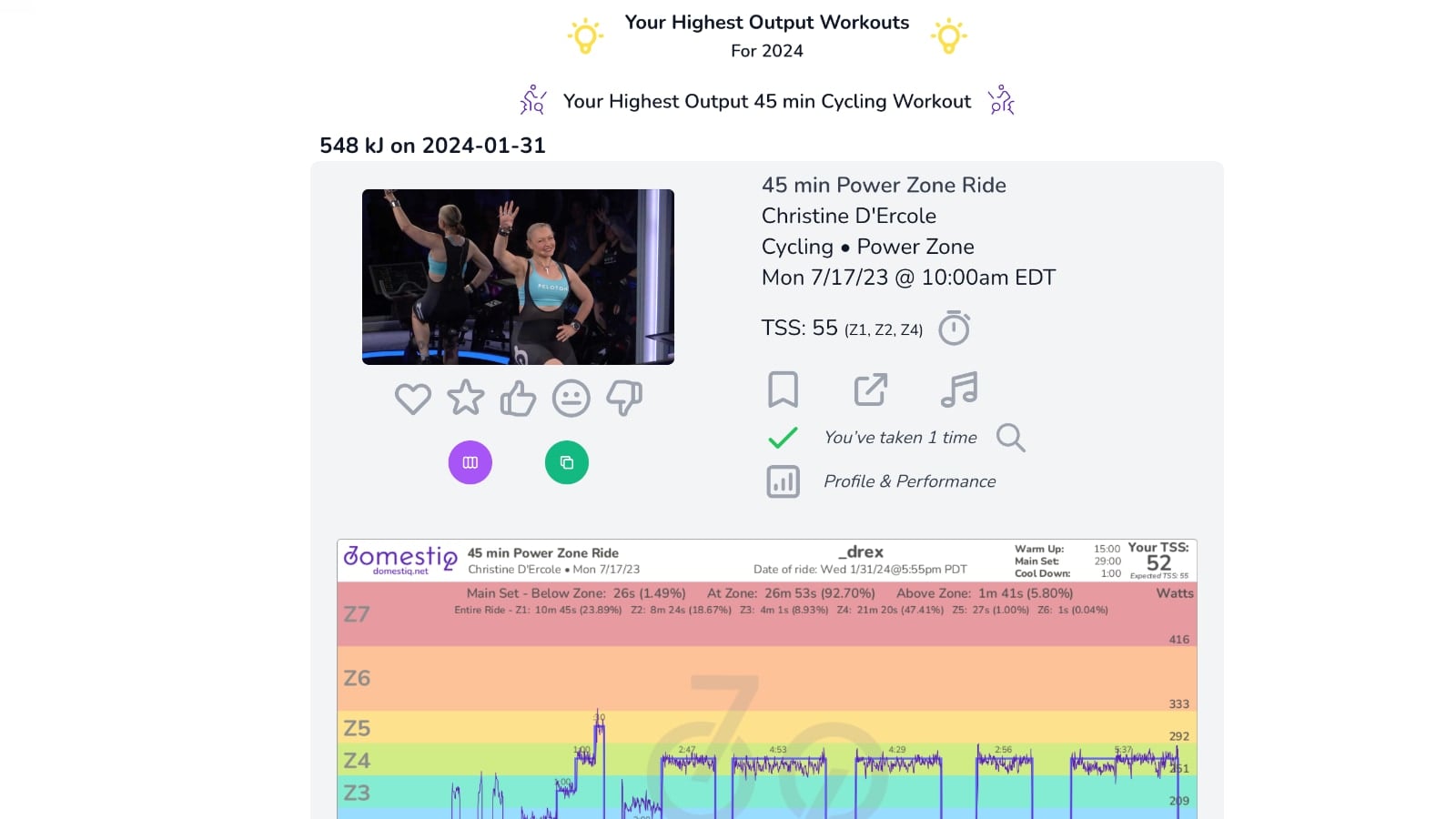
Next is a section that will allow you to see your highest outputs for the year. This will show you your top ones by class type – with an option for more details to show you the Top 10 by class type if you’re curious what your other top outputs were.
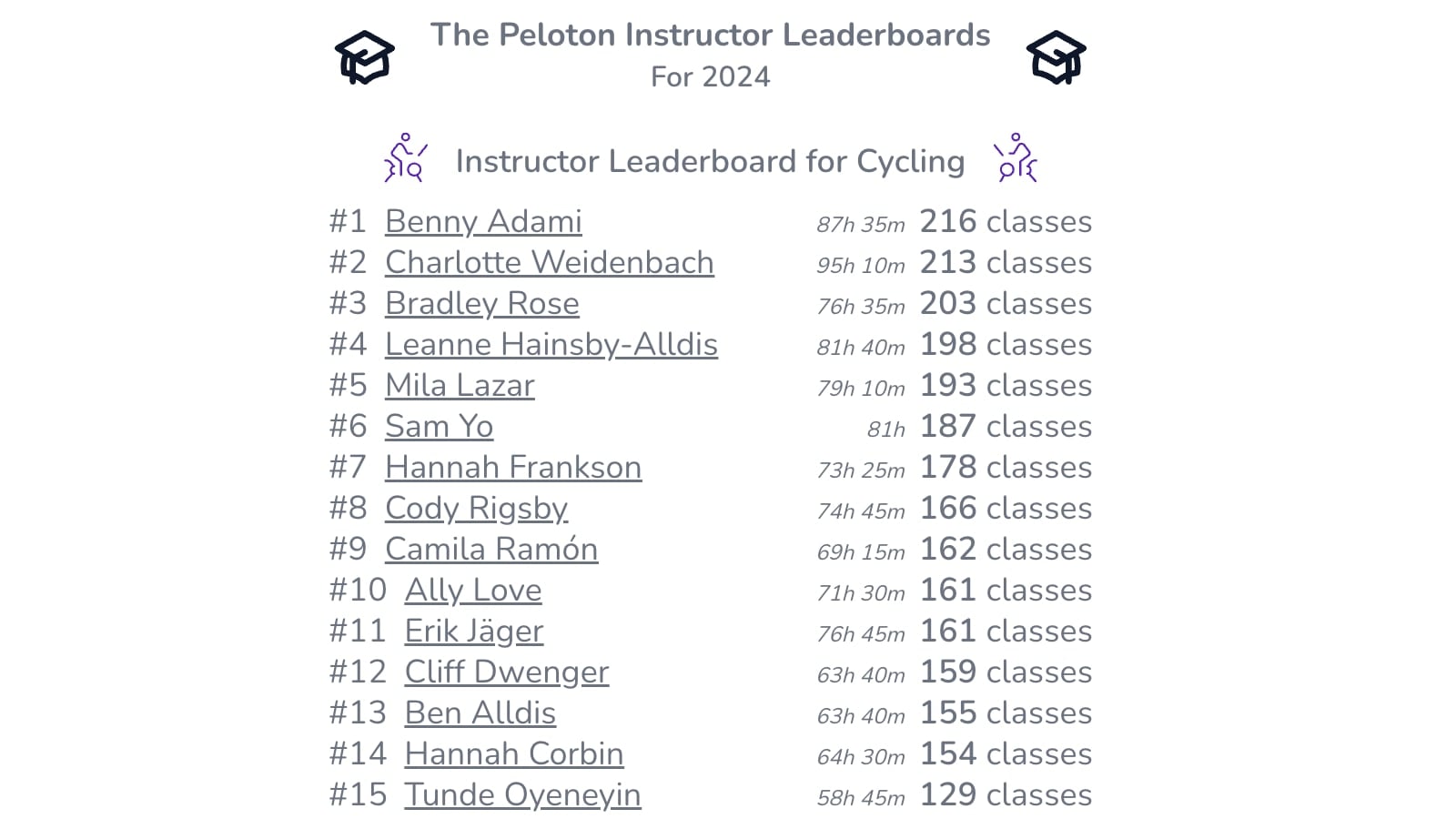
Members may also find interesting the 2024 Peloton Platform Replay section, which includes information about how many classes Peloton released in each modality, the hardest rated rides, top 10 songs and artists, and how many classes each instructor taught. This section is based on the entire Peloton community – not just your personal stats.
We’ve previously shared information about Domestiq, a tool that can make finding, planning, and sharing classes easier. You can create multiple bookmark lists and share them with friends which can be pushed to your stack with one click, use a more powerful search feature (including by specific songs), generate power zone graphs and use a power zone timer tool, use “workout wizards” that allow you to define rules and the system will pick classes for you based on those rules, and more. There are even new training plans & challenges to help you with your training.
Editor’s Note – Pelo Buddy is part of the team that has been working on Domestiq
If you’re interested in your comprehensive statistics from Peloton in 2024, check out the Domestiq Replay tool!
Support the site! Enjoy the news & guides we provide? Help us keep bringing you the news. Pelo Buddy is completely free, but you can help support the site with a one-time or monthly donation that will go to our writers, editors, and more. Find out more details here.
Get Our Newsletter Want to be sure to never miss any Peloton news? Sign up for our newsletter and get all the latest Peloton updates & Peloton rumors sent directly to your inbox.

Leave a Reply