

Peloton has added a new feature that lets you see which of your Teams are working out alongside you, directly on the class leaderboard. This feature has been added to Peloton devices like the Bike.
A new “My Teams” section now appears in the leaderboard filters, just below your Tags.
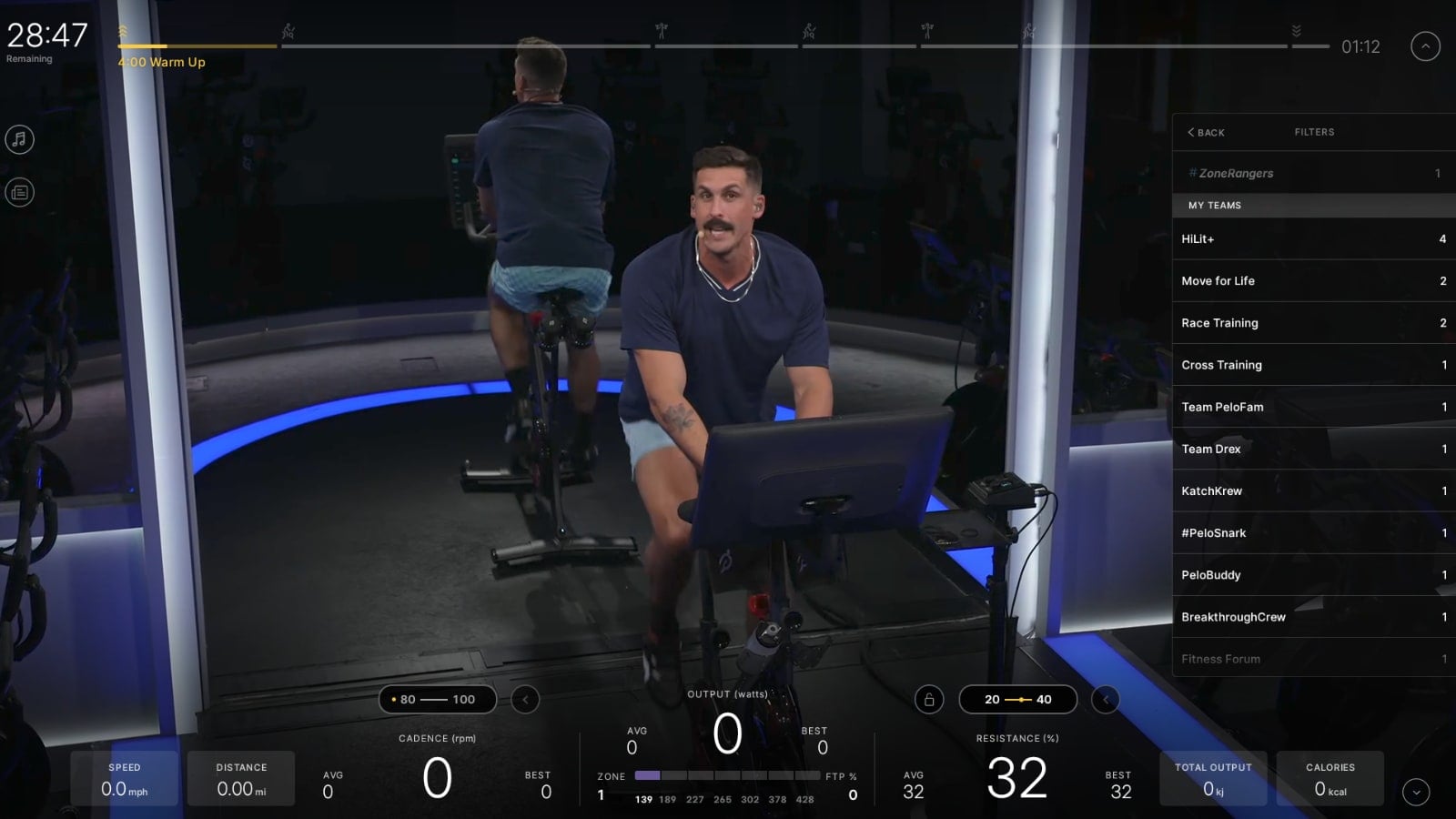
Like Tags, each of your Teams shows a count of how many teammates are taking the class with you.
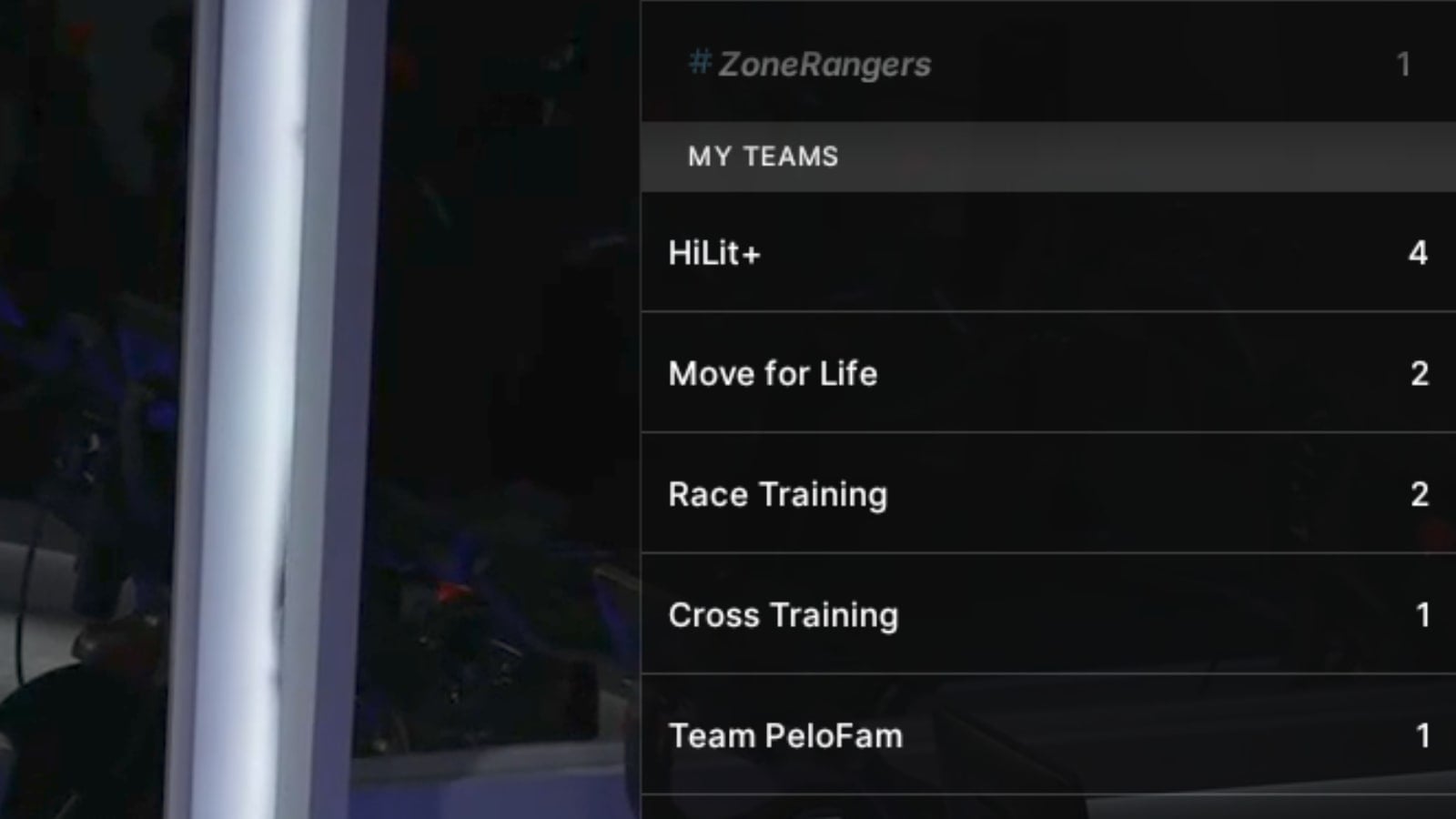
All types of teams – both official Peloton teams as well as other community teams – will show up on your list of Teams. The list of teams is sorted based on the number of other members currently taking the same class.
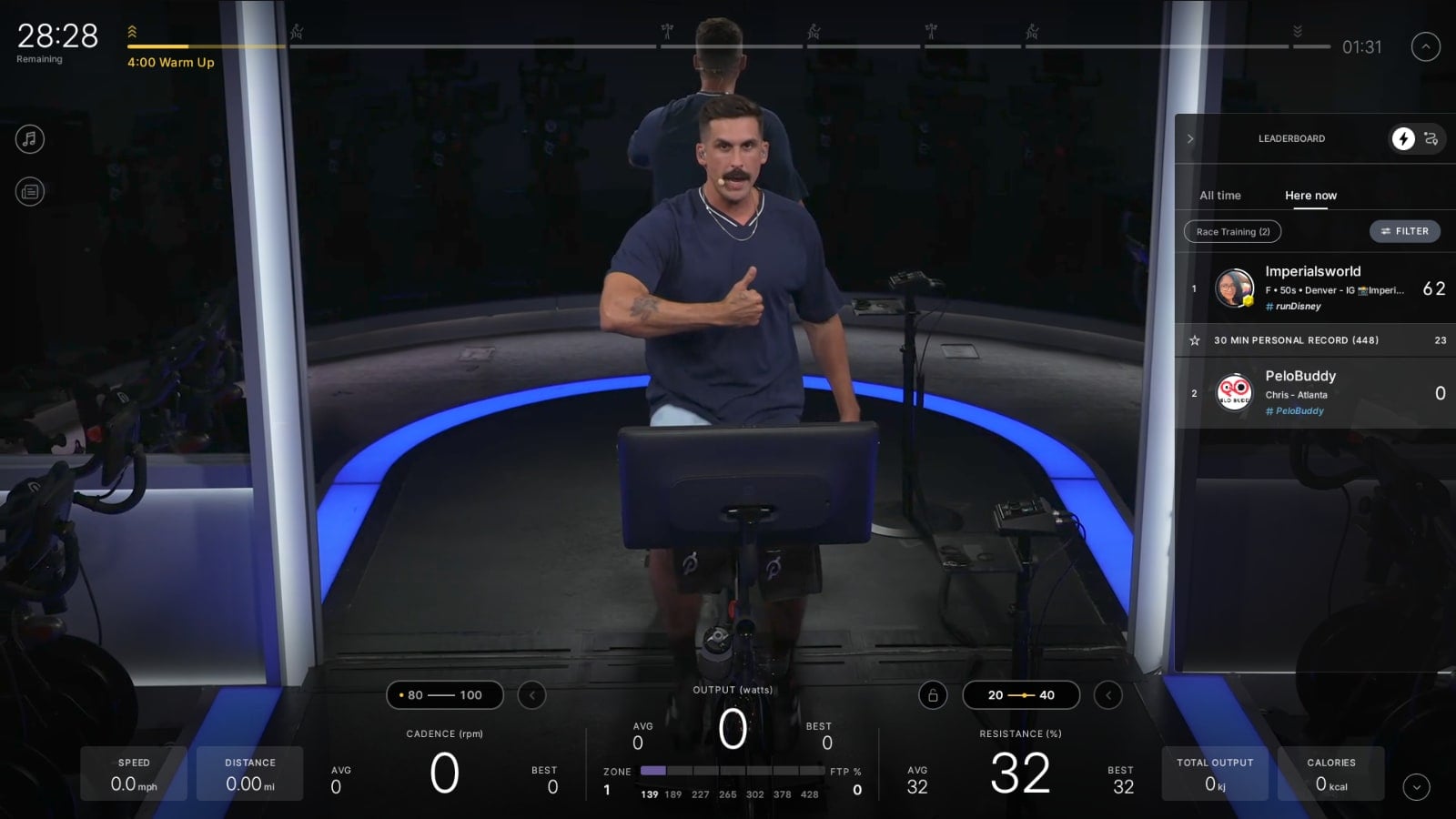
Tap into a team and the leaderboard filters down to just those team members, so you can see exactly who is riding from specific teams.
Teams launched in 2024 as an app-only community feature. Until now, all of that lived only in the app, separate from your actual workout.
The new leaderboard integration works much like Tags, the community feature Peloton launched back in 2020, which lets you see how many people using a given tag are in your class and filter the leaderboard down to them.
Just like with the tags feature, you can give high fives to your fellow team members when viewing the list of other team members working out.
If you join a new team on your app mid-class, that team will show up on your list of teams on the leaderboard shortly after you join the team.
Will you be using the new Teams filter on your leaderboard?
Support the site! Enjoy the news & guides we provide? Help us keep bringing you the news. Pelo Buddy is completely free, but you can help support the site with a one-time or monthly donation that will go to our writers, editors, and more. Find out more details here.
Get Our Newsletter Want to be sure to never miss any Peloton news? Sign up for our newsletter and get all the latest Peloton updates & Peloton rumors sent directly to your inbox.

Leave a Reply