

Peloton has now brought their Pace Target coaching to walking classes on the Peloton Tread & Tread+. At the same time, they have also started incorporating pace targets into Tread Bootcamp classes, and are expected to start incorporating them into hikes as well.
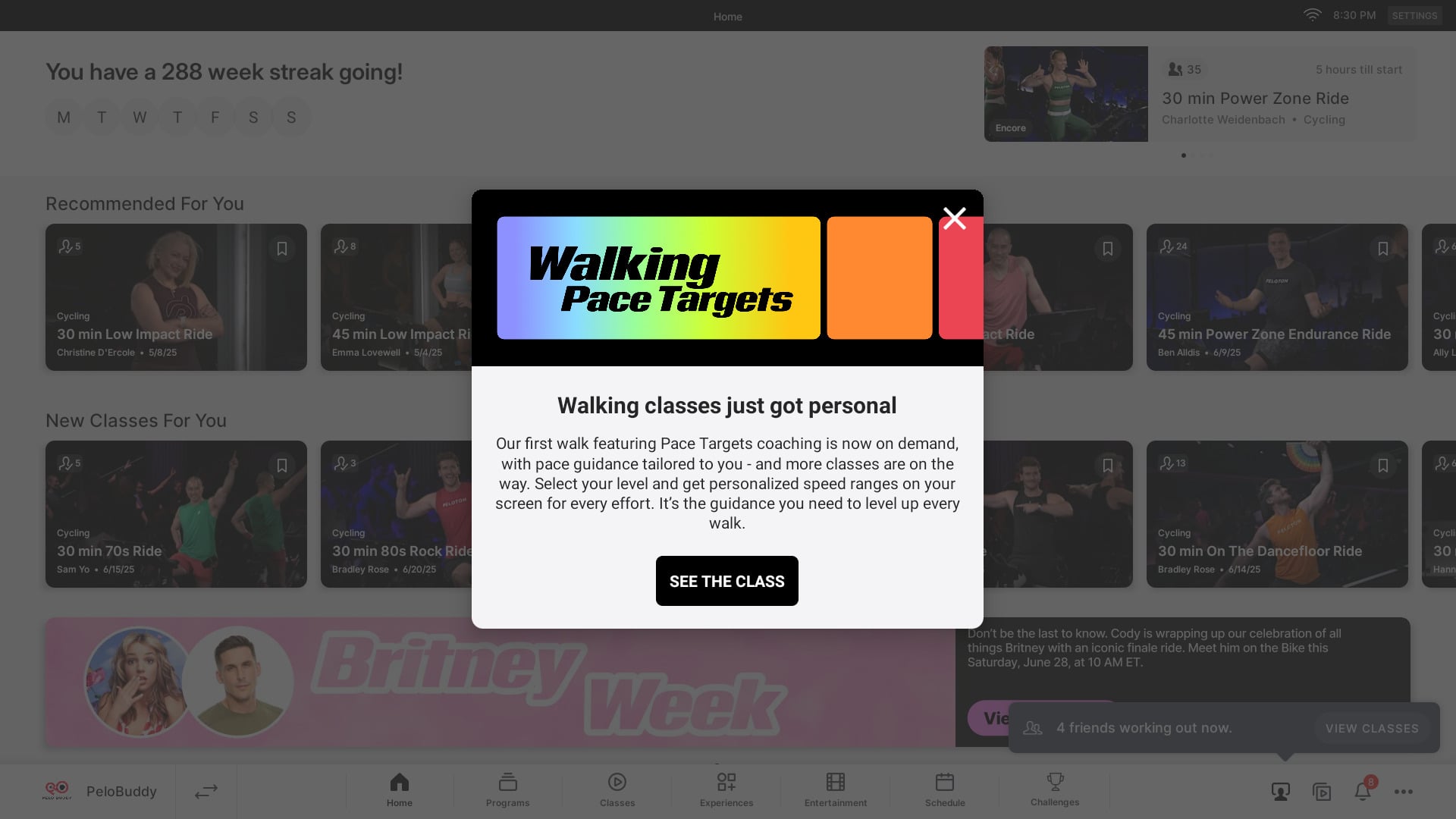
Update: When walking pace target classes first launched, the feature was only enabled on Peloton Tread & Tread+. About a month after the classes were released, Peloton added the pace target features to the iOS & Android apps as well.
Peloton’s walking pace target classes on the Tread & Tread+ work very similarly to running pace targets – which launched in June 2024. Instead of coaches calling out a specific numeric pace range, they instead call out a effort level.
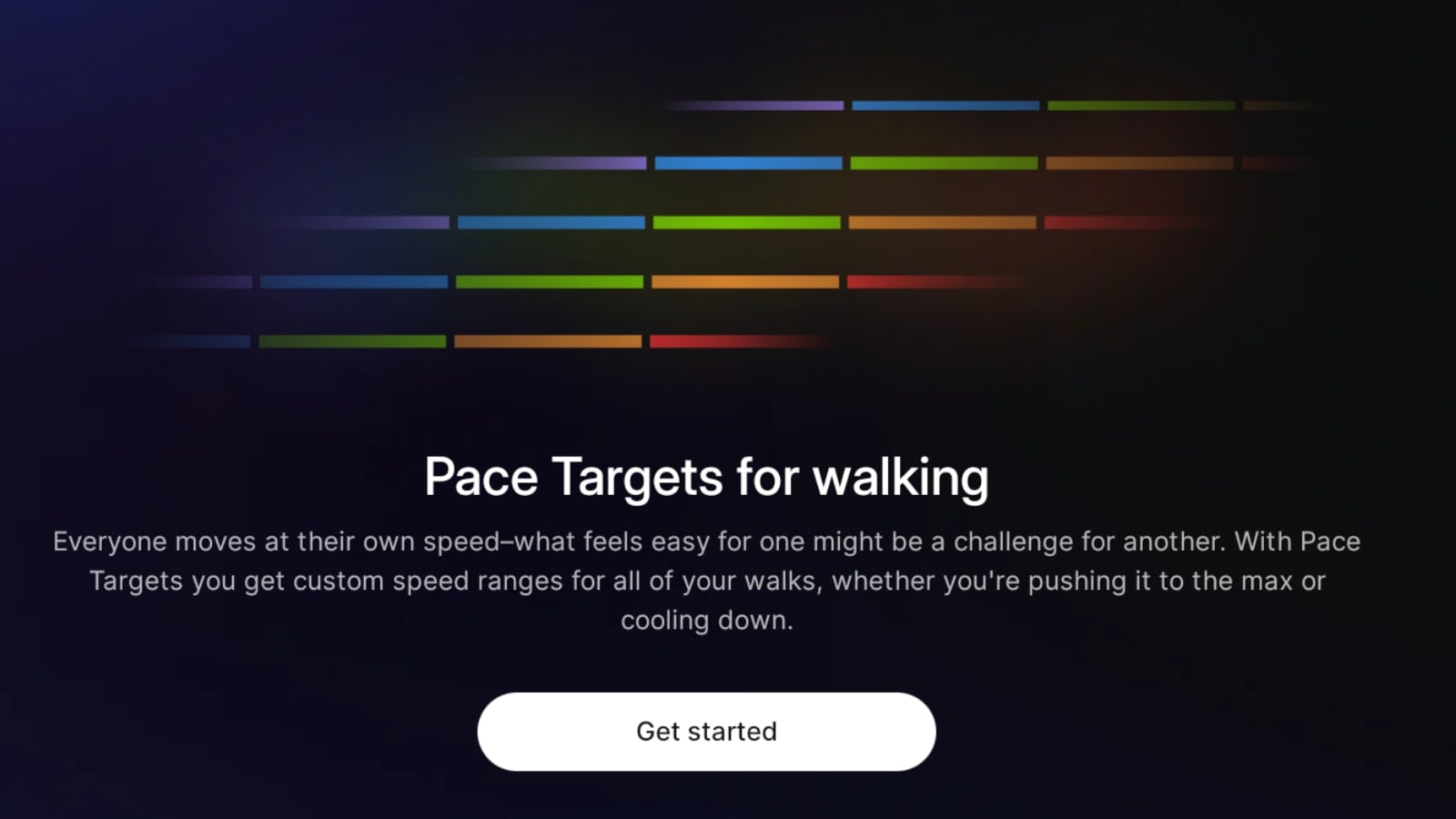
The Peloton walking pace target effort levels are:
- Recovery Walk
- Easy Walk
- Brisk Walk
- Power Walk
- Max Walk
Like on the running pace targets, the exact speed that each of these walking effort levels is mapped to is determined by what difficulty level you set your device to. There are 10 possible difficulty levels, ranging from 1 – 10. As you increase your difficulty level, that changes the corresponding speed for each effort level to be a higher pace range.
The best way to get started with Peloton’s walking pace target levels is by taking the new 15 min Intro to Walking Pace Targets class taught by Susie Chan that was released this week.
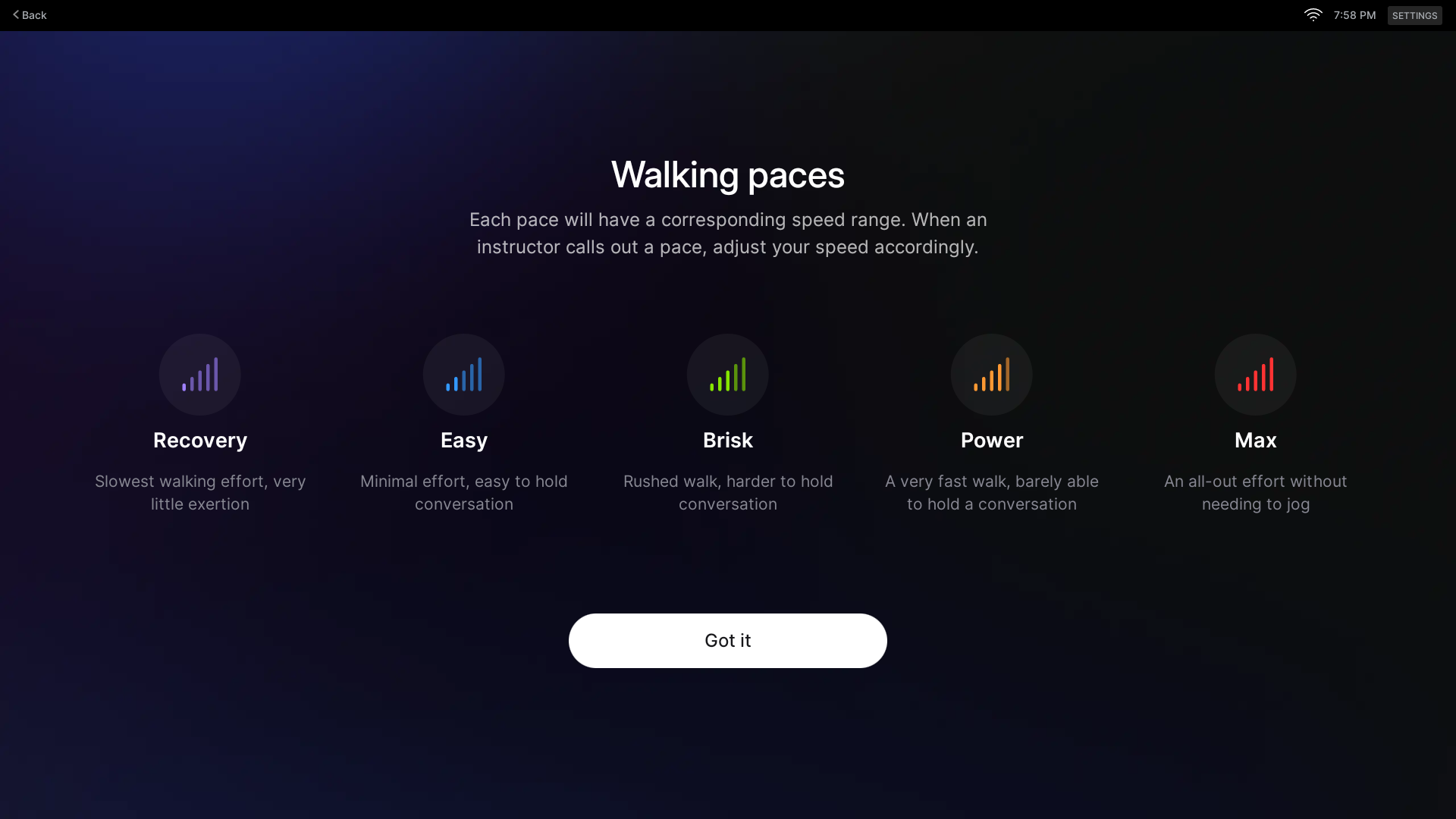
When you first open the class, Peloton will show a few prompts giving an overview of the walking pace targets feature, as well as a brief overview of what each pace target effort level should feel like.
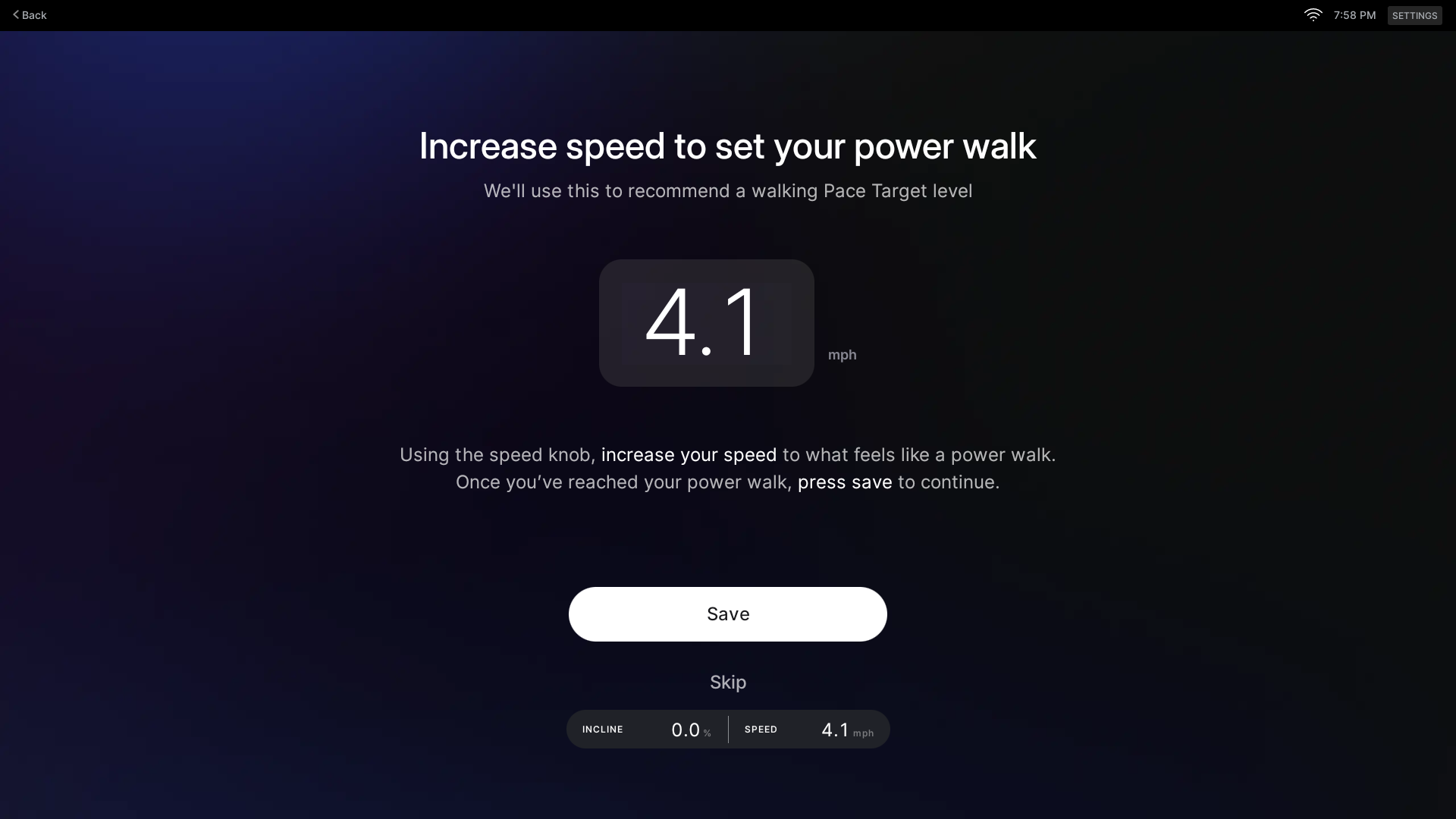
Then, the Tread will guide you to to start the belt and speed up to what you feel is your Power Walk pace. At this point, it gives you an in-depth overview of how Power Walking should feel, saying:
When power walking your core should be engaged while your arms drive forward and backward. You’re working hard, but not to your max effort. Holding a conversation is difficult at this pace.
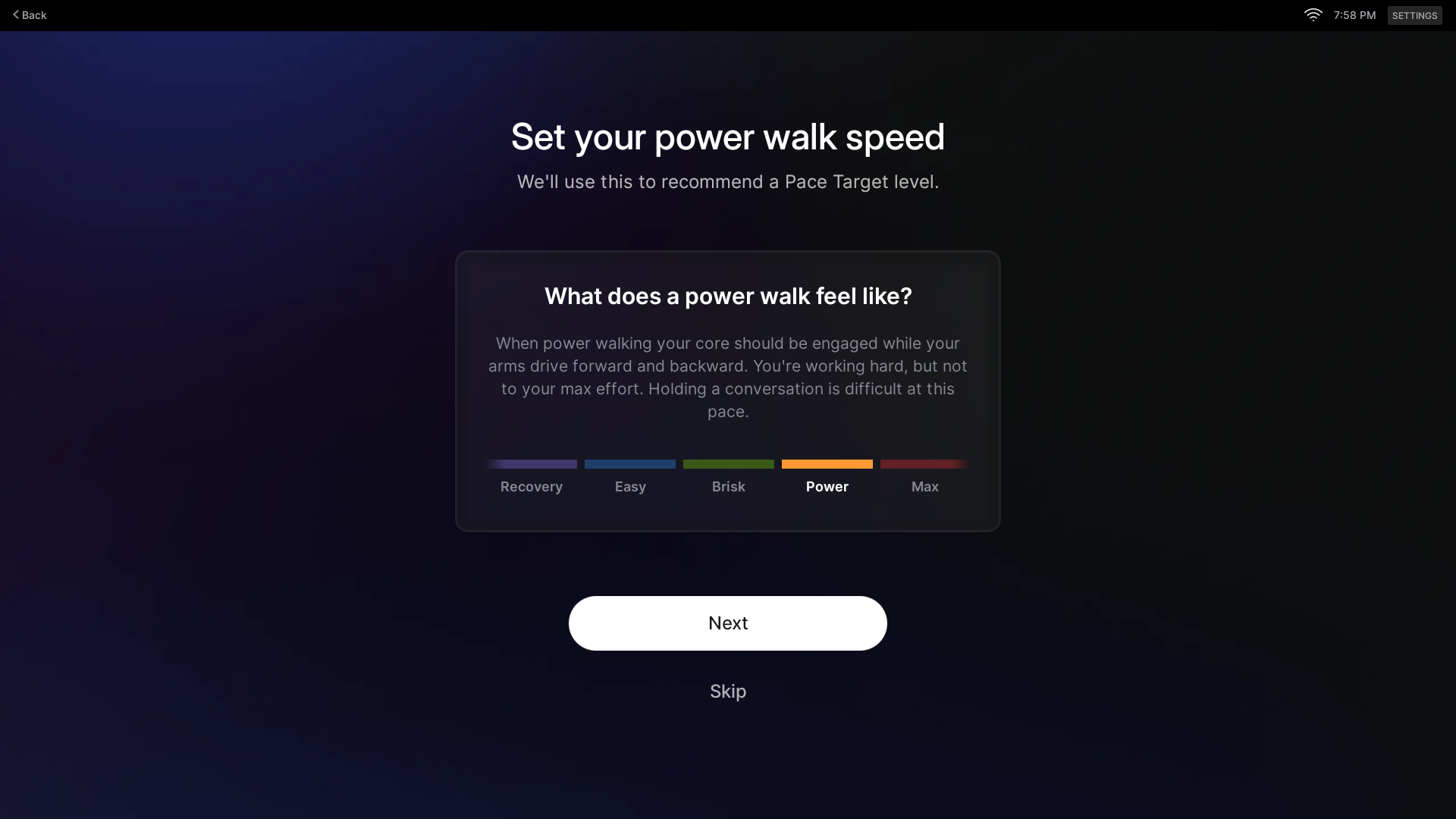
Once you hit a pace you feel maps to your Power walk level, you simply hit “Save” on the screen.
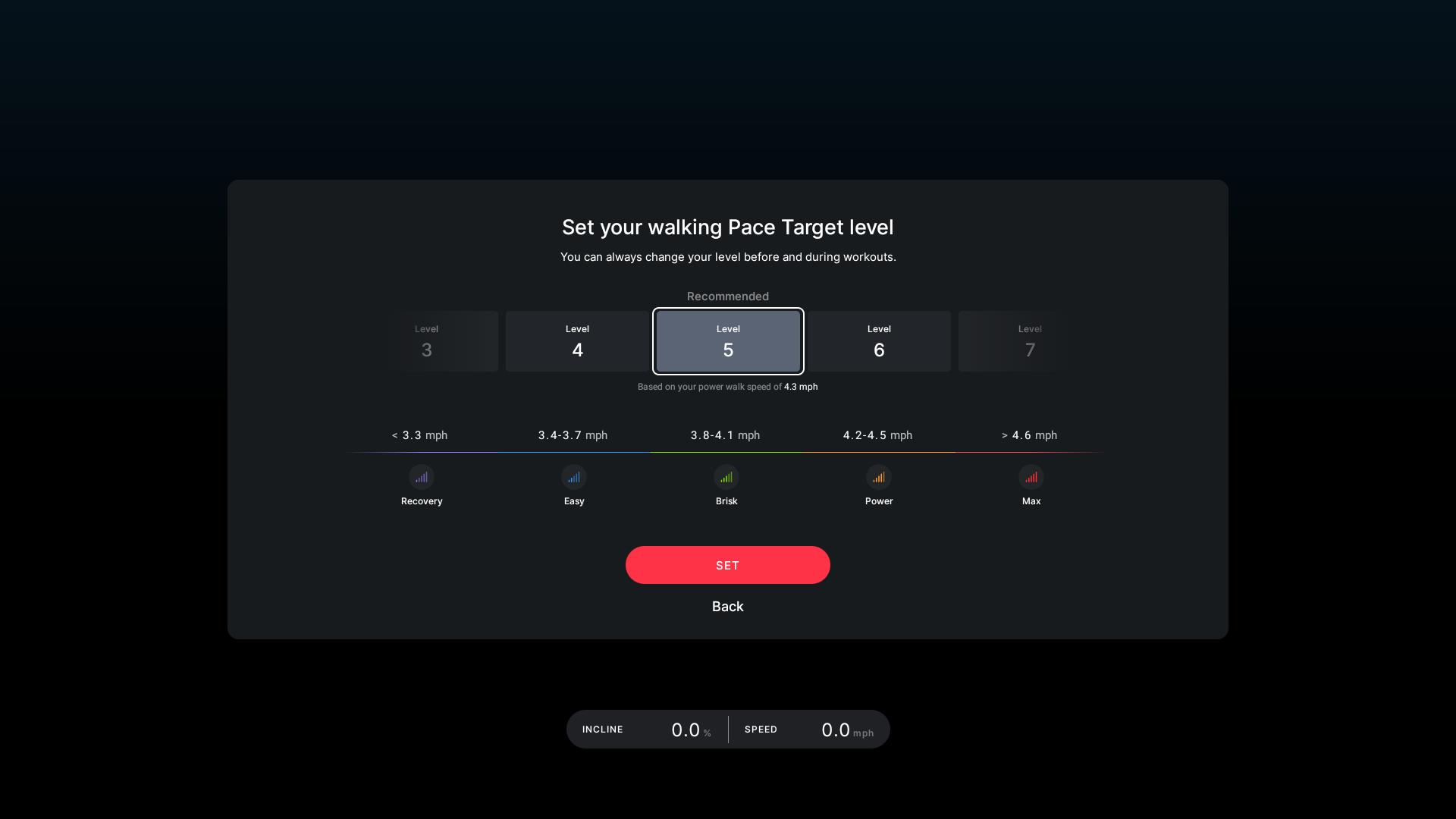
From there, the Tread will then automatically map you to one of the 10 difficulty levels based on that number. This is your starting point for your walking pace targets.
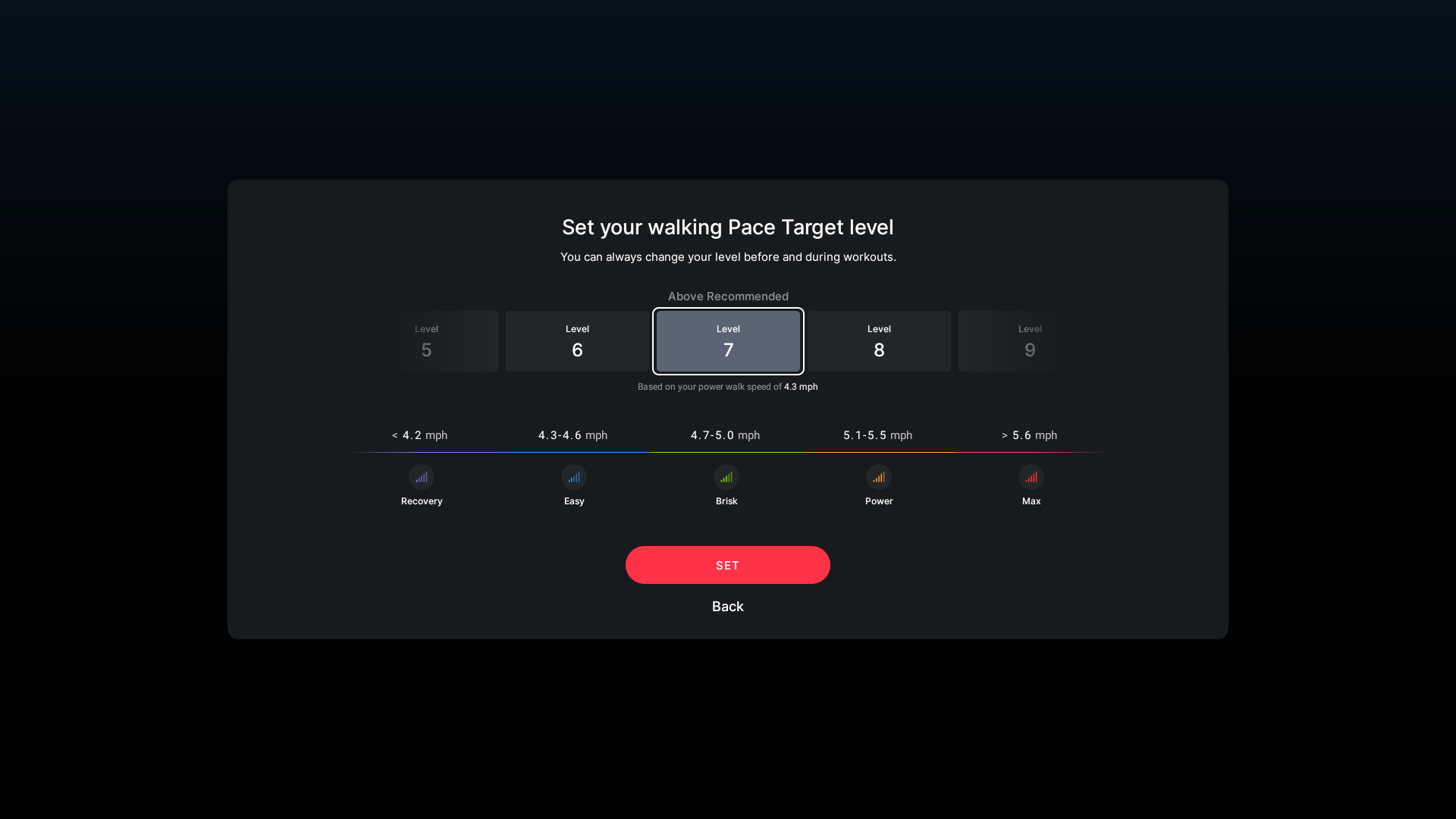
As with running pace target levels, you can change your difficulty level before any class – or even in the middle of class. However, you can immediately change your levels above or below the recommended level if you wish.
Once you have set your pace target level, it will then start the regular class process – with your Walking Pace target level set to whatever you just saved.
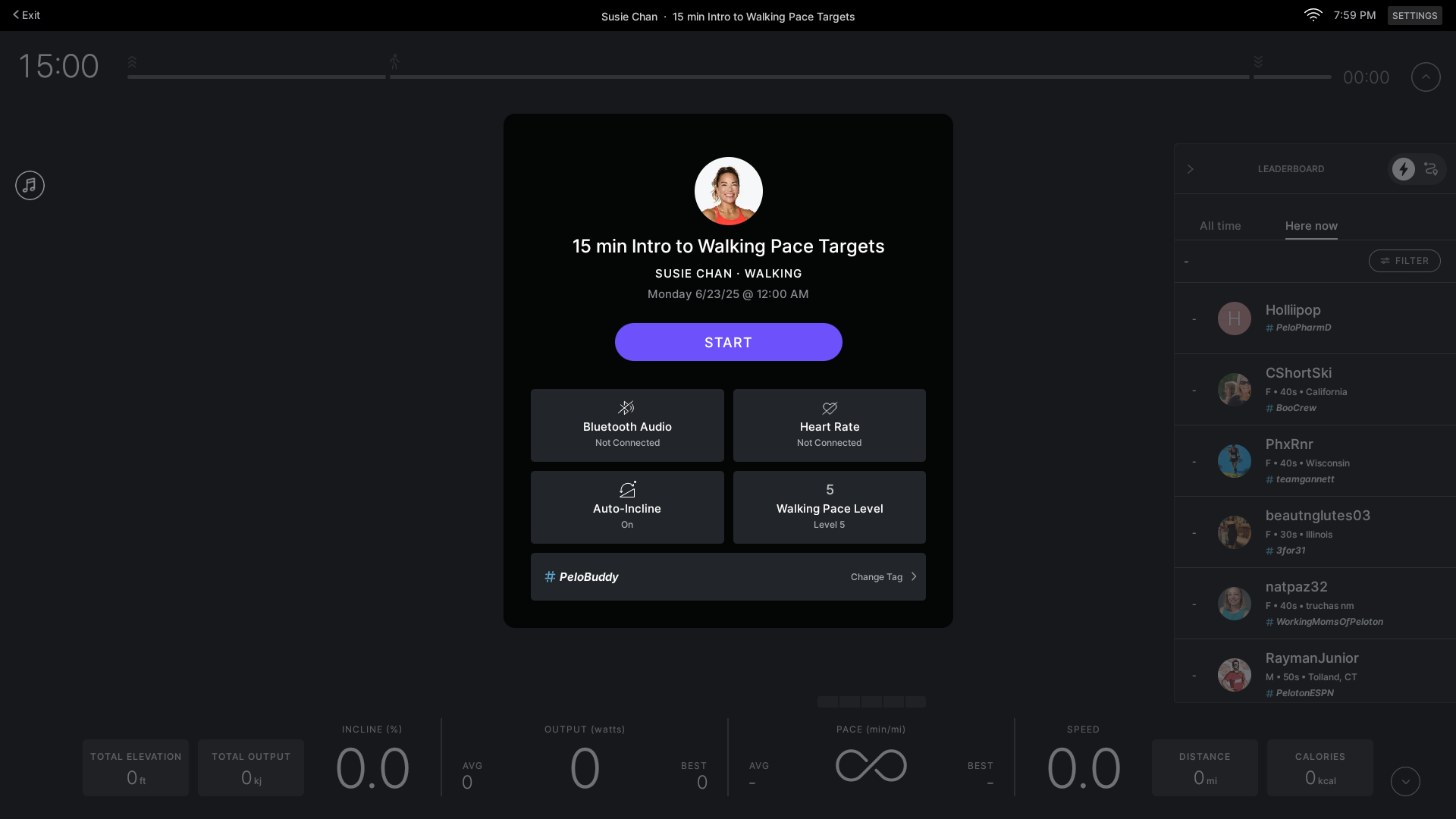
Like with running classes, you can press on your pace target level on this screen before starting the class to adjust to a different level.
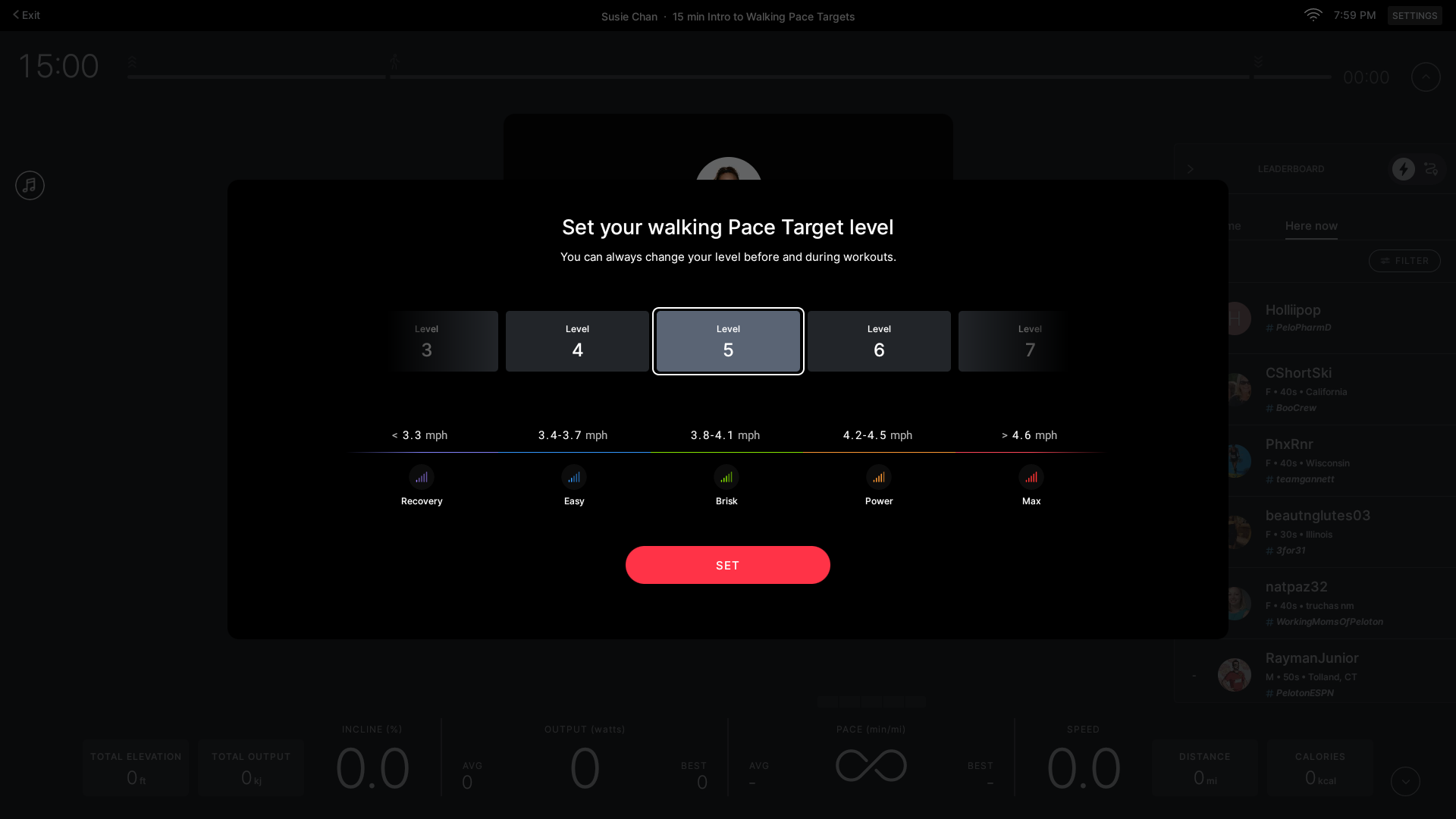
In the intro to pace target class, Susie will take you through all 5 of the levels during the class. This will allow you to feel out whether your new walking pace target levels are set correctly or not.
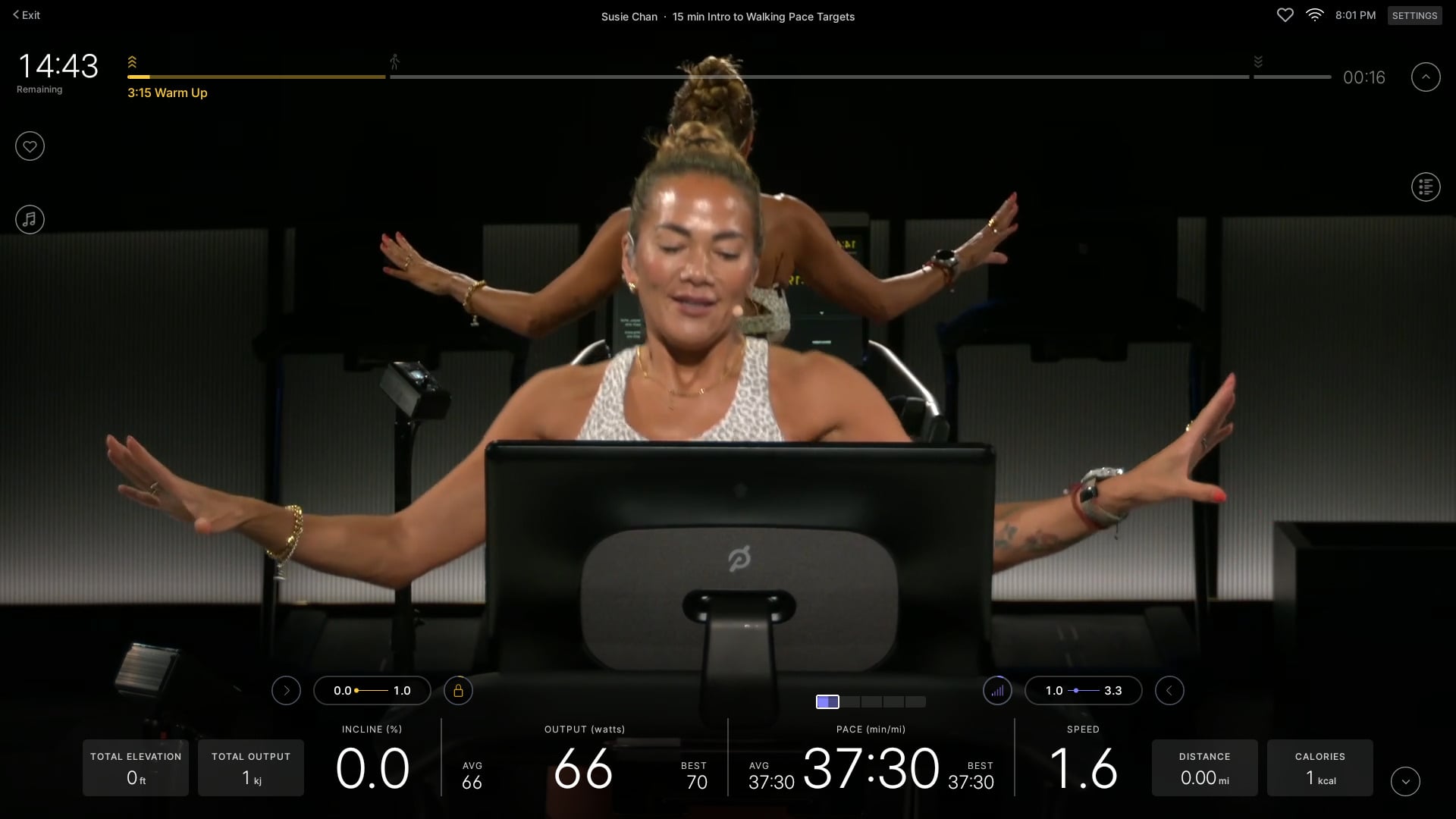
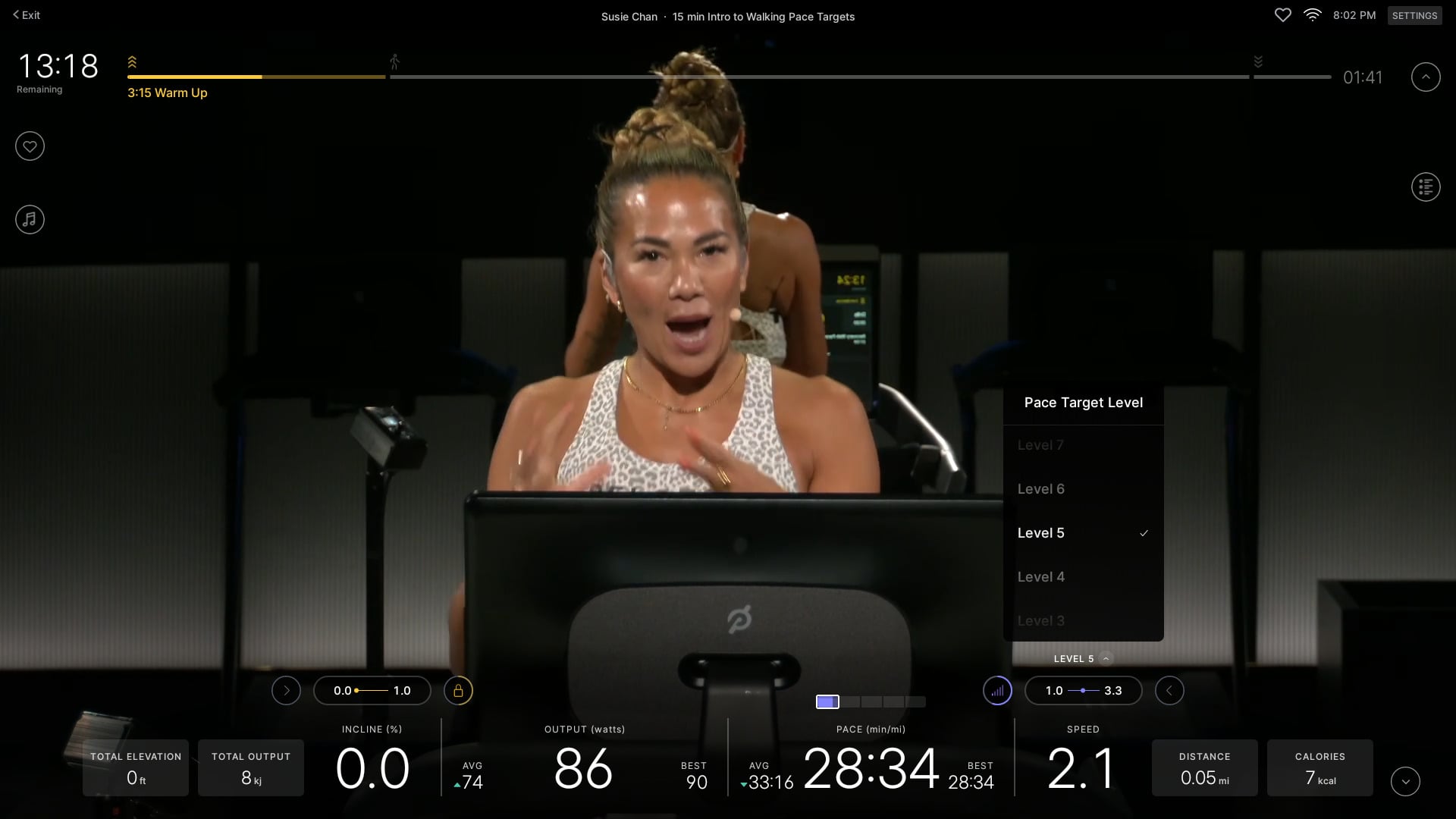
If you immediately feel like these are wrong, you do not need to completely exit the class and come back in. If you press on the pace range on the bottom right, just above your current pace, it will open a menu that allows you to immediately change your pace target level.
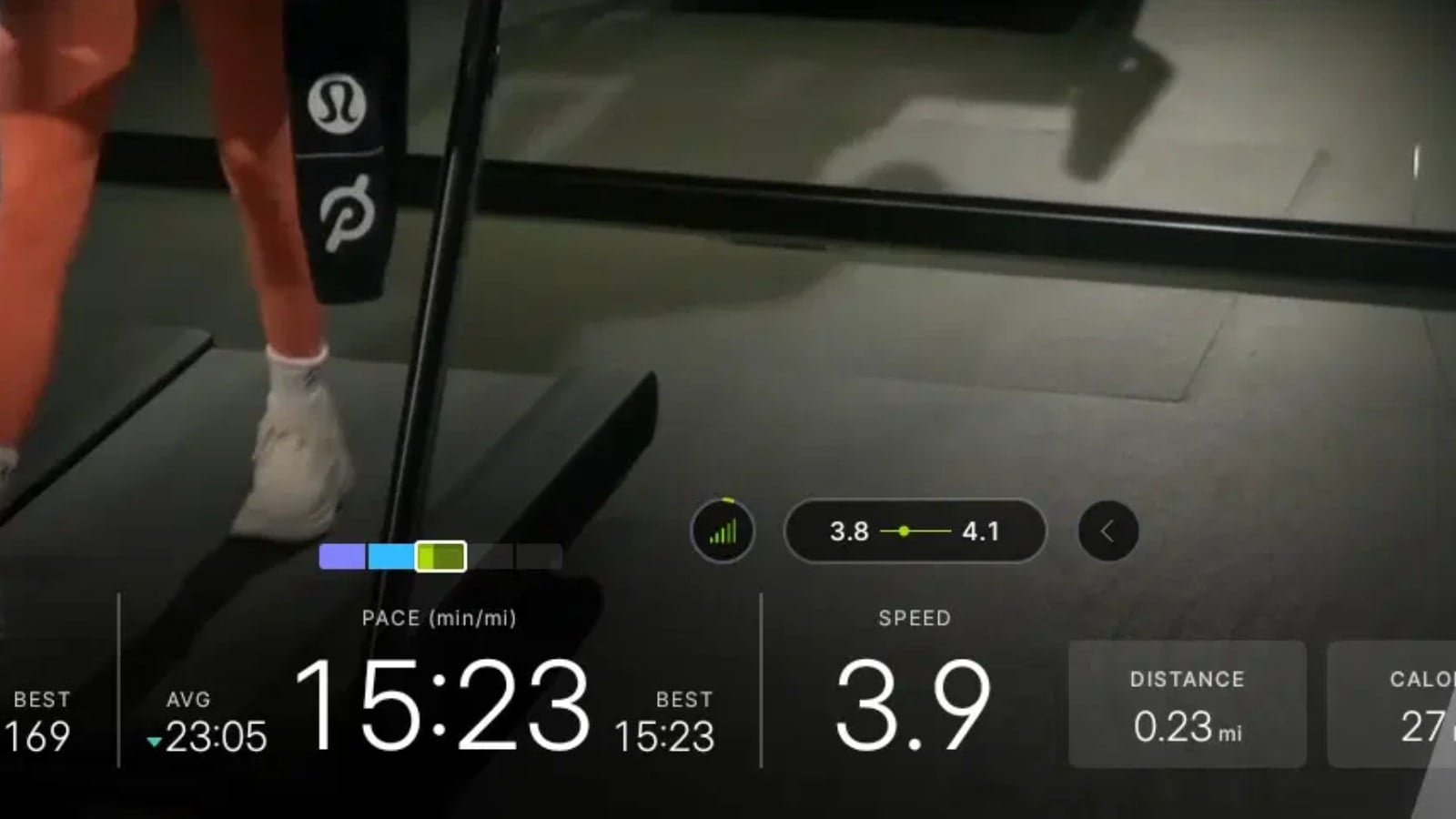
Just like with running pace targets, rowing pace targets, and power zone classes – there is a visual indicator on the screen that shows what pace target effort level you should be in.
This is shown visually with a target zone indicator showing 5 boxes. The current effort level is highlighted with a white box – helping you see if you are going the correct effort level based on what the coach has called out or not.
In addition, there will also be a numeric range shown over your speed. This number will be custom to you, based on your whatever difficulty level of 1-10 you set. For example, while going at a brisk walk pace, someone who set their difficulty level of 5 would have a recommended speed of 3.8 – 4.1, while someone who had their difficulty level set to 7 would have a recommended speed of 4.7 – 5.0.
At the point where the coach calls out a new effort level, it will briefly show the name of that effort level above your speed. After briefly showing the name, it will then go back to showing the speed range you should be in.
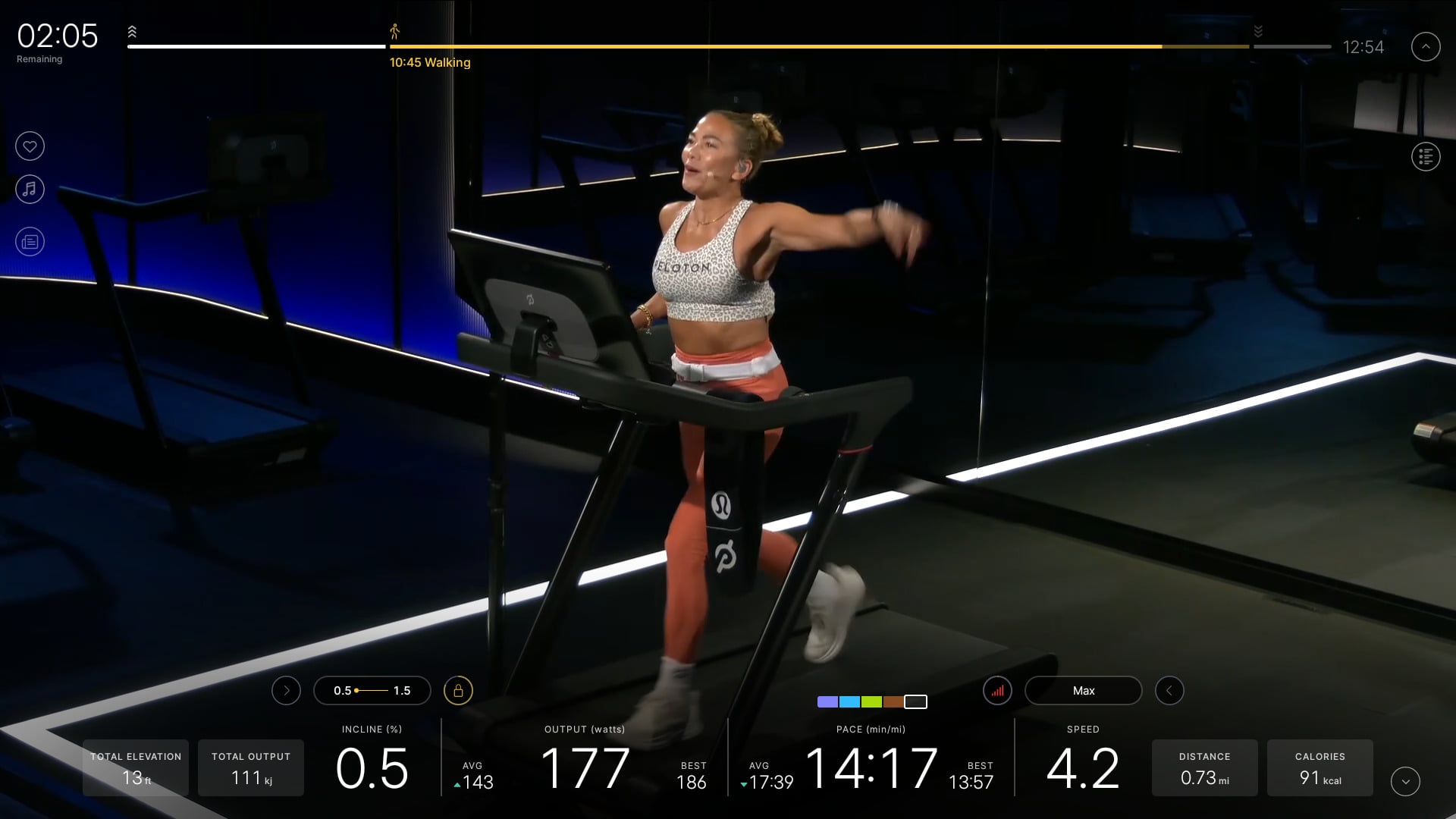
Both the visual indicator over the pace, and the range over the speed will show you where exactly in the pace range you are in – it will highlight more of the box or move the dot further to the right the faster in that pace range you go.
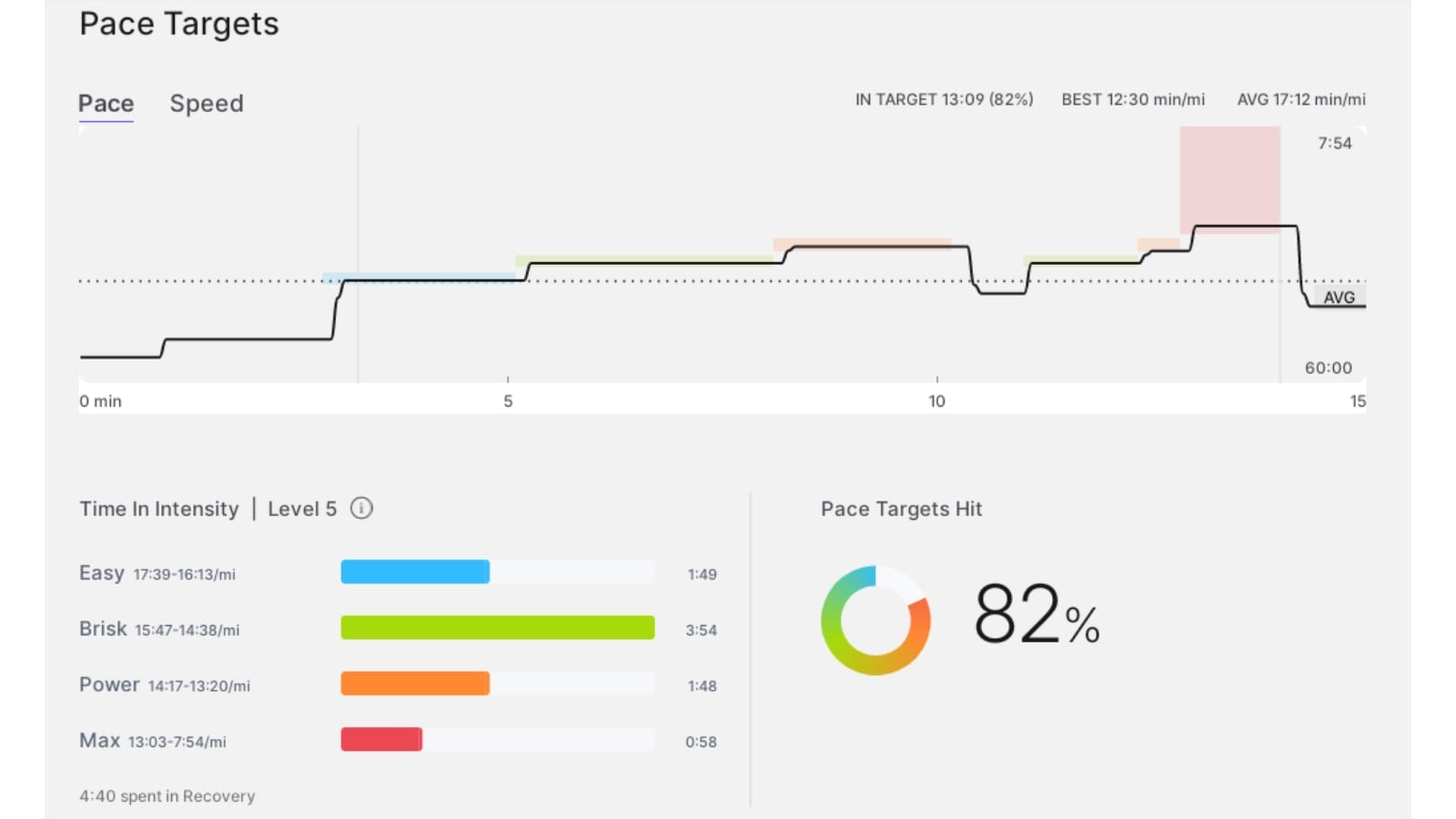
Once you have completed the class, you will have some Pace target sections shown in your post-workout history. This will show a graph showing how well you stayed in the ranges, as well as a chart of how long you were in each effort level for – and an overall score of what percentage of the class you stayed in those zones.
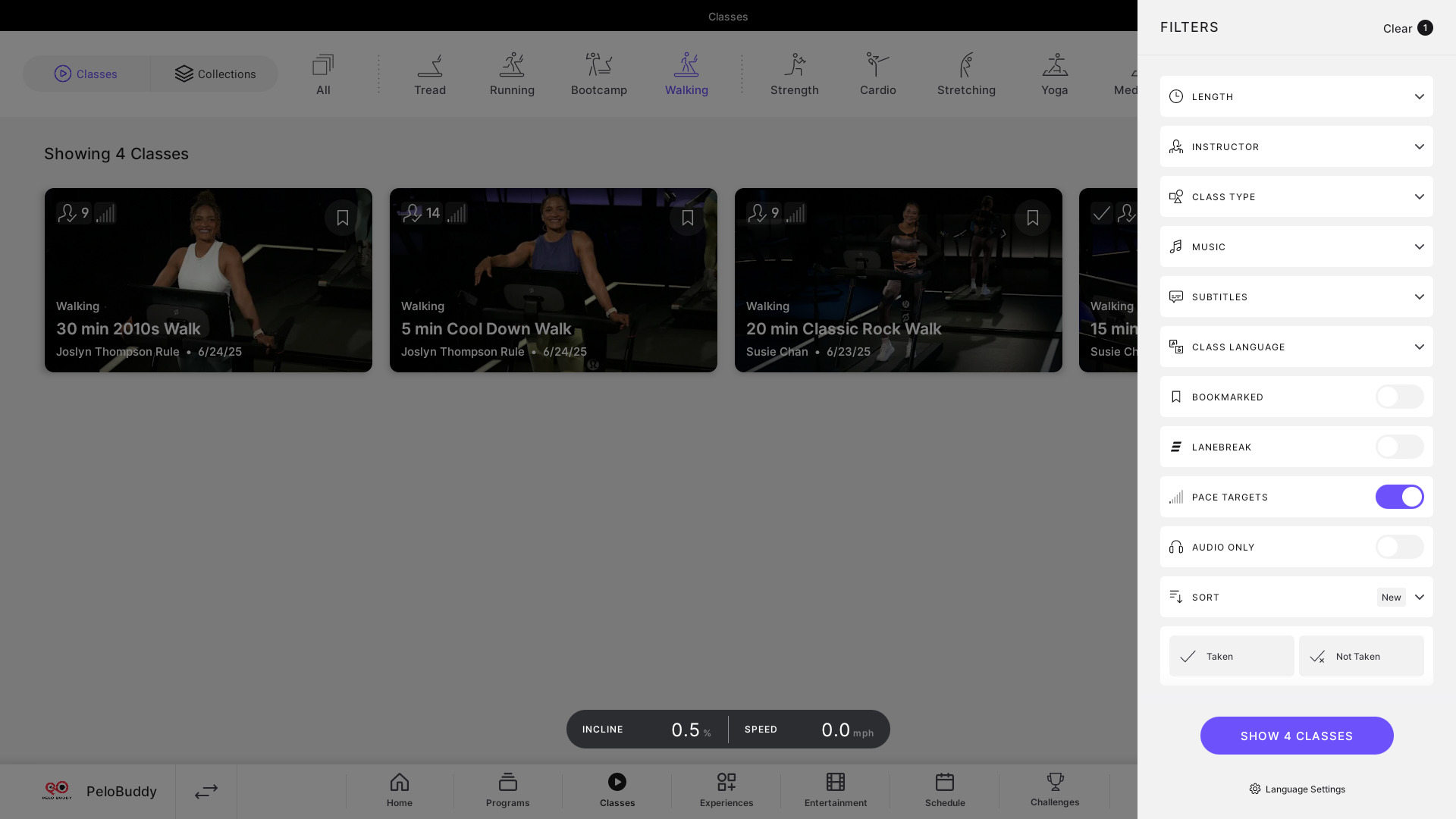
To make finding the walking pace target classes easier, Peloton has made the “Pace Target” filter option available when you are viewing the subset of Walking classes, as well as when viewing the Bootcamp tab.
The difficulty level you set for Walking pace Targets is independent of your running pace target level. This means, for example, if you had set your running pace target level to 8, but are only a level 5 for walking pace target, it will remember the correct difficultly level for the corresponding class type, and have it correctly set for you based on which class type you are taking.
As mentioned at the beginning of the article, Peloton is also bringing pace target coaching to tread bootcamp classes. The first classes were released in the past week. At this time, only running Tread bootcamp classes have been added with pace targets, so they are set to use your running pace target levels.
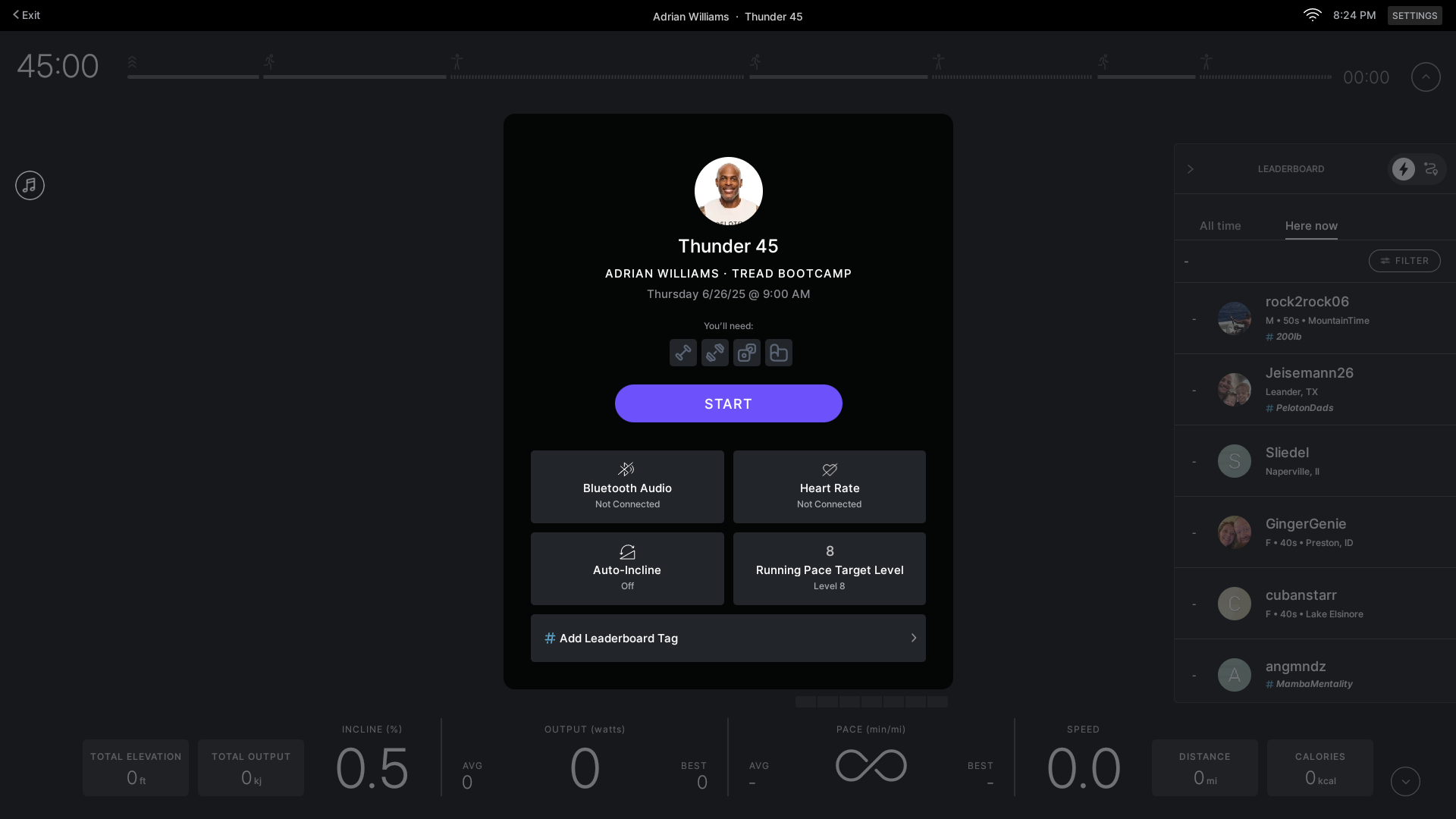
In the future, if Walking or Hiking Tread bootcamp classes are taught with pace targets, it is expected it would use your walking difficulty level for those bootcamps.
While no hiking classes with pace targets have been released yet, Peloton CEO Peter Stabler recently mentioned those are on the way as well.
Although you can not get the full pace target functionality on the Peloton app at this point – Peloton has added the Pace Target filter when viewing the walking classes on the Peloton app as well.
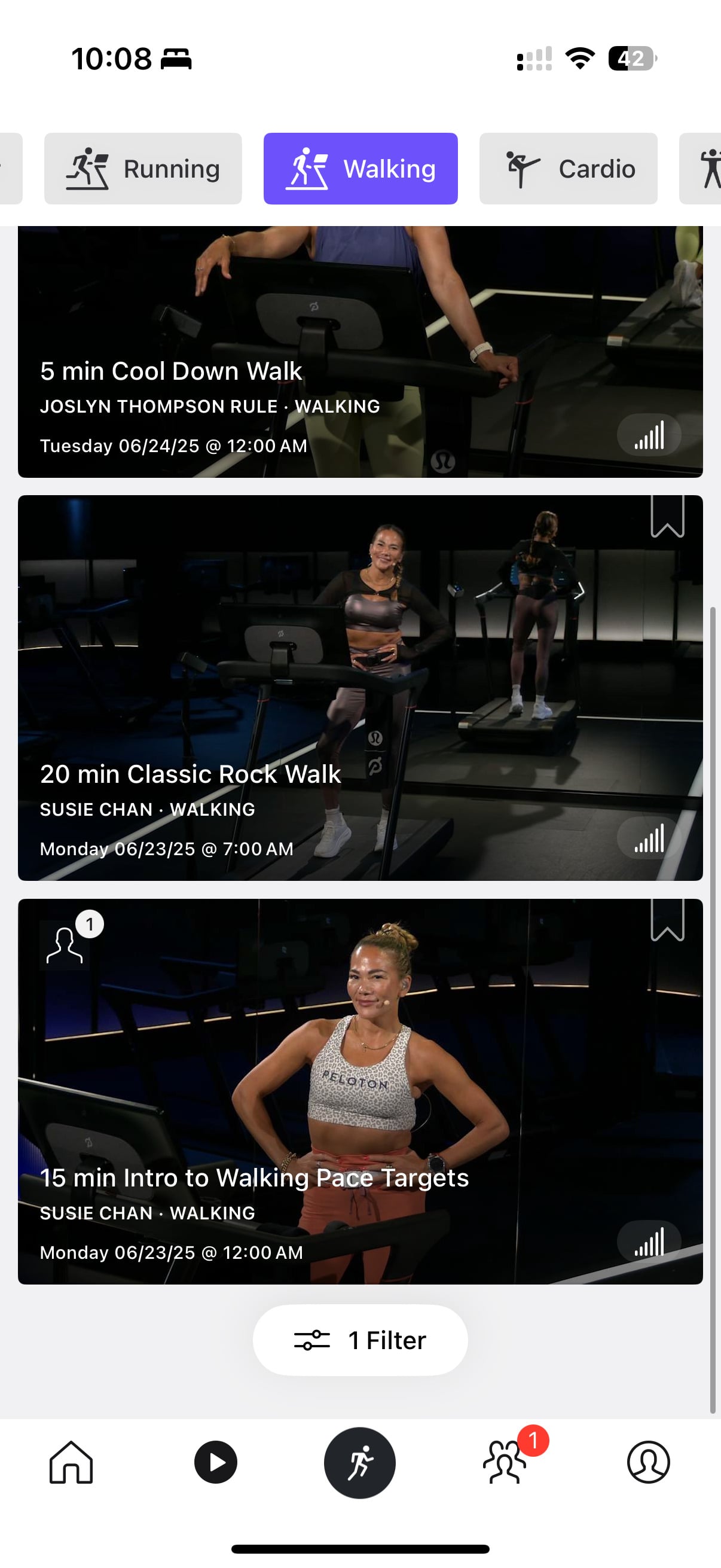
At this time only a handful of new walking classes are being taught with pace targets. However, over time, it is expected almost every walking class will end up being taught with pace targets. This is the process Peloton took with their running pace target classes – gradually increasing the percentage of classes taught with pace targets. This process took nearly a year with running classes – it is not clear at this time how quickly Peloton will migrate their walking, bootcamp, and hiking classes to be fully pace targets.
We first shared earlier this year that Peloton had been beta testing walking pace target classes. Peloton has been teasing that they would add pace target features to walking classes for nearly a year.
Support the site! Enjoy the news & guides we provide? Help us keep bringing you the news. Pelo Buddy is completely free, but you can help support the site with a one-time or monthly donation that will go to our writers, editors, and more. Find out more details here.
Get Our Newsletter Want to be sure to never miss any Peloton news? Sign up for our newsletter and get all the latest Peloton updates & Peloton rumors sent directly to your inbox.

Leave a Reply