

Peloton has added a new, but long requested, feature on the Peloton Bike & Tread.
You now have an easy way to see how many miles you have ridden in your lifetime on Peloton (or how many miles you have run on Peloton).
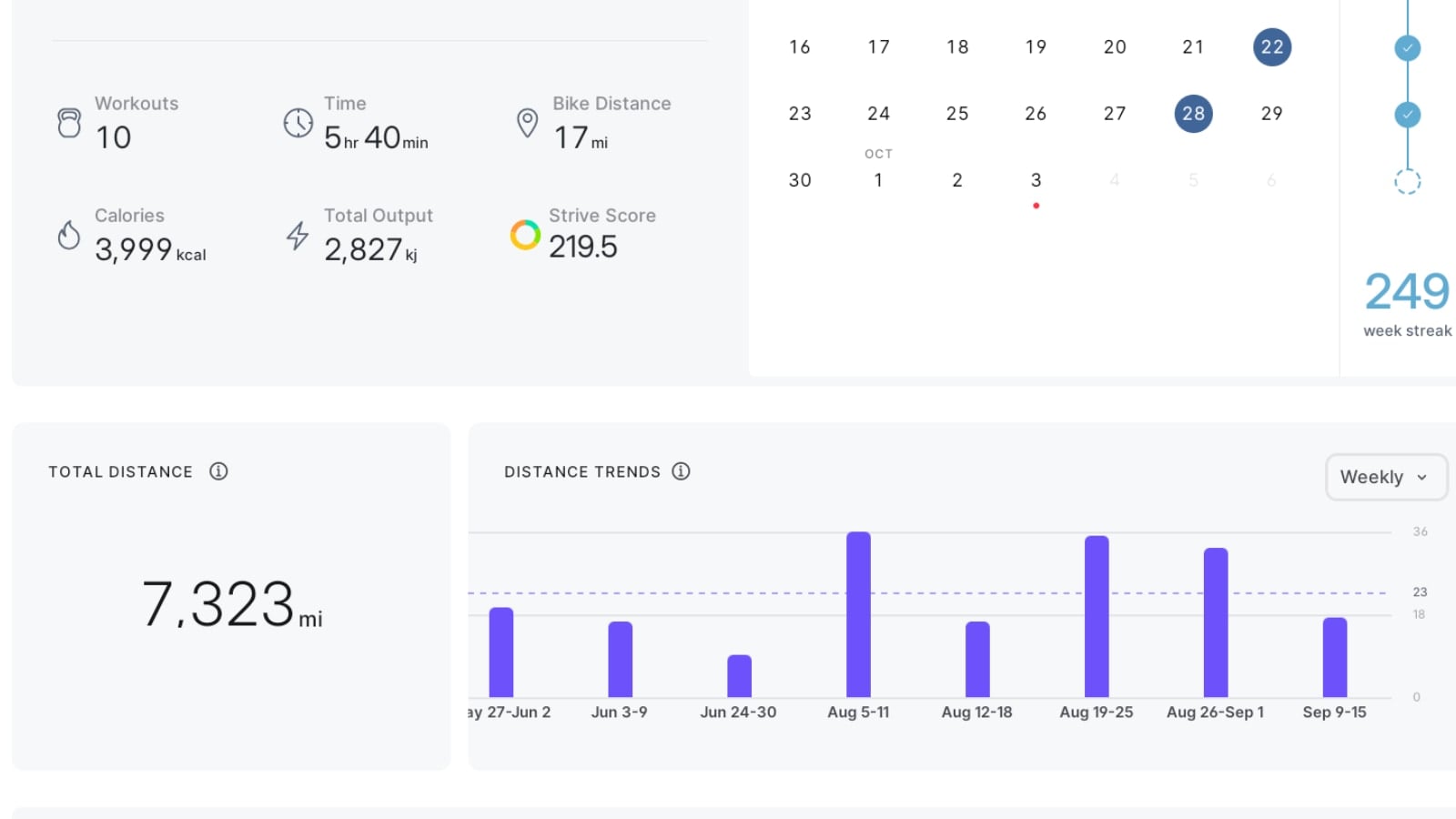
Peloton describes the new feature as follows:
Have you ever wanted to see your total distance traveled with Peloton? Now you can with our new distance charts! These charts highlight your lifetime distances on your Bike or Tread. Through these charts, you can also dive deeper into your distance trends over key periods of time: weekly, monthly, and yearly. Find distance charts by clicking into your profile and tapping the “Overview” tab.
To see how many miles you have ridden or run on Peloton – simply click your profile picture on the bottom left of your Peloton Bike or Tread. This will take you to your profile page. By default, you will be on the “Overview” tab of your profile. The top section will show your workout counts, and calendar of workout history.
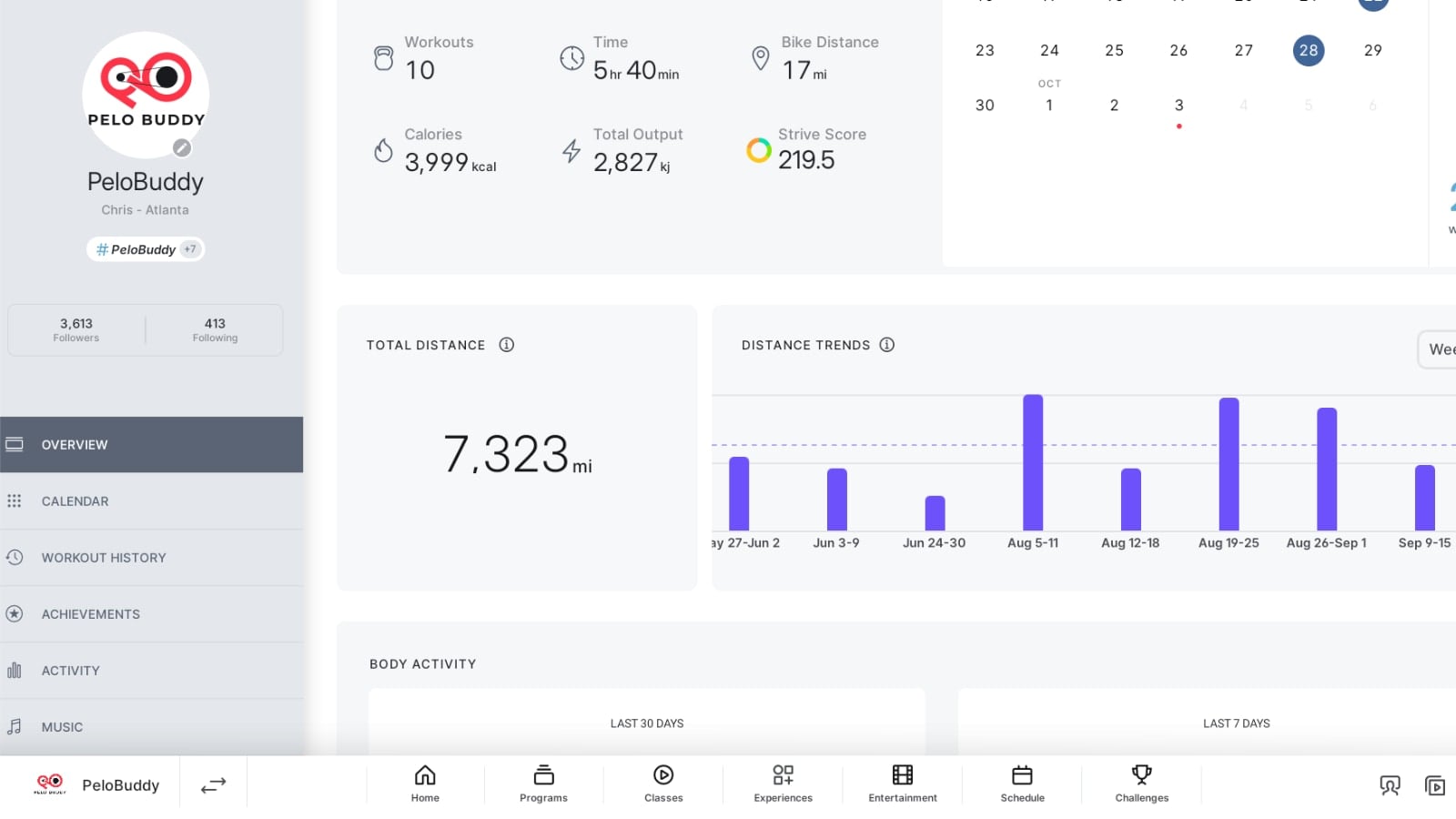
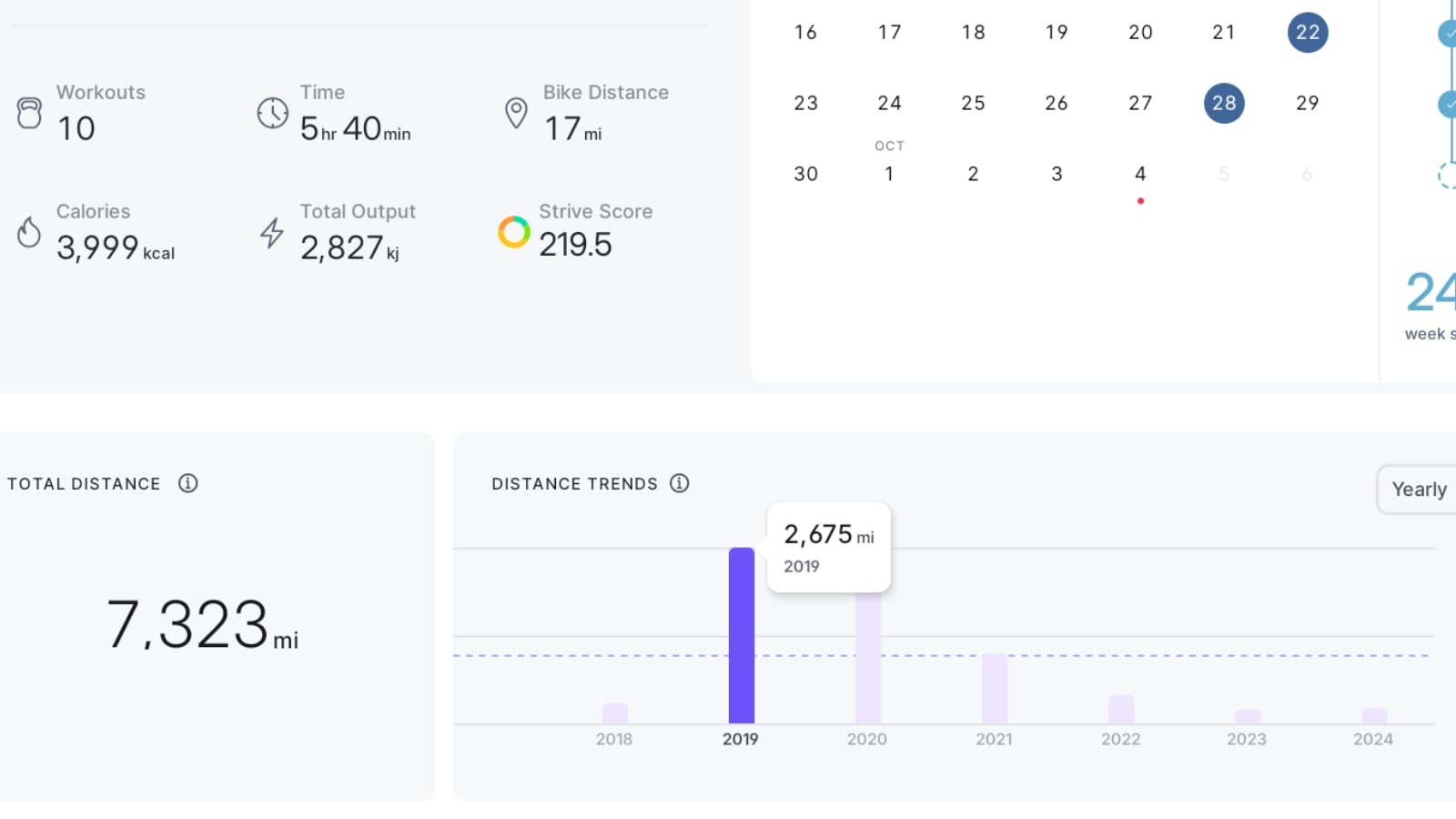
Just below that will be this new section, titled “Total Distance”.
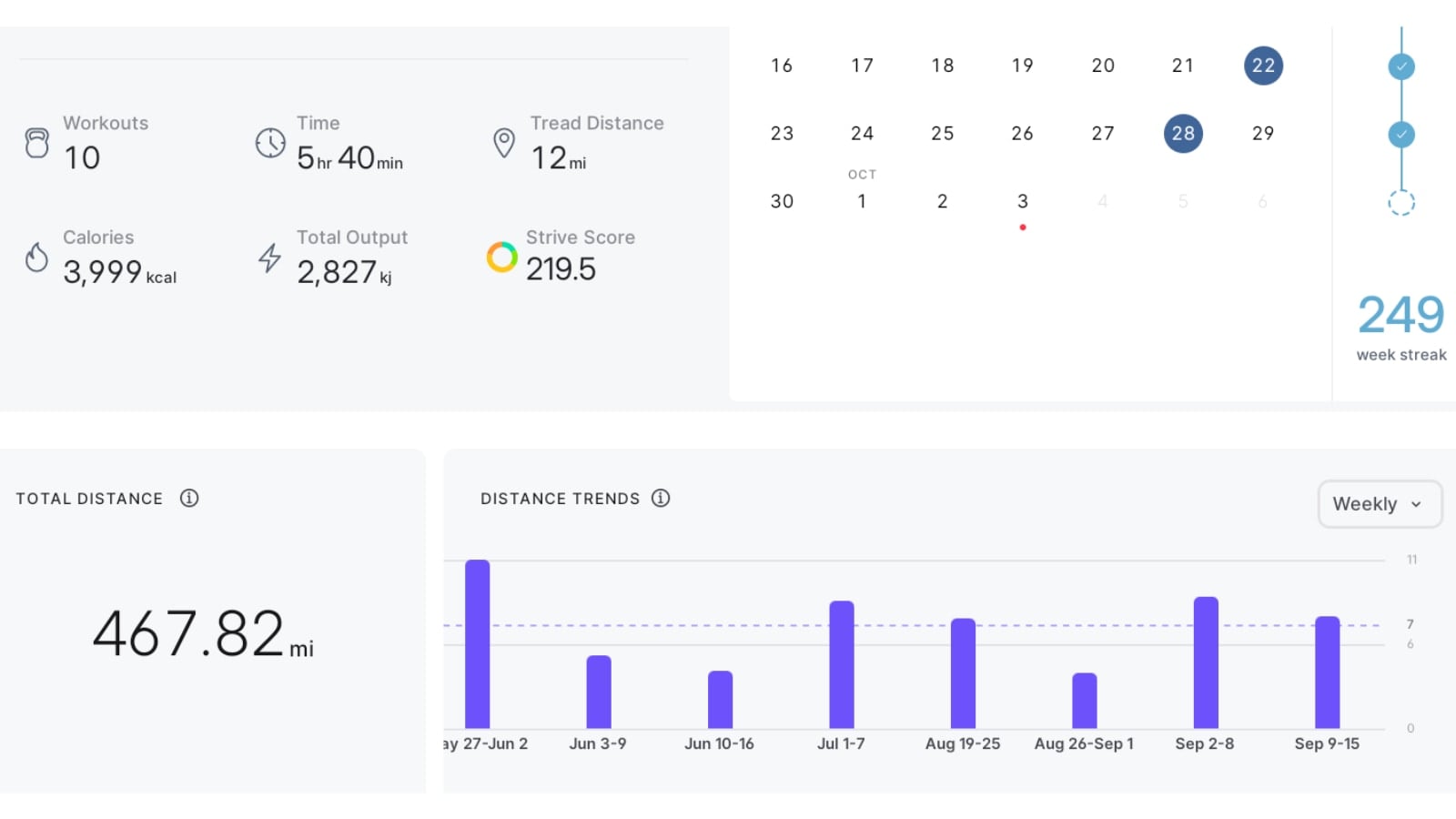
There are two main section of this display. The first is simply just the total number of miles you have ridden on Peloton (or run if you are looking at your Peloton Tread).
The next section is a chart, showing your mileage over time – which Peloton is calling your “distance chart”. This is labeled as “Distance Trends.” The default view of this is to show you your mileage by year. However, there is a selector at the top right. This allows you to change the view to see your mileage broken down by month, or week.
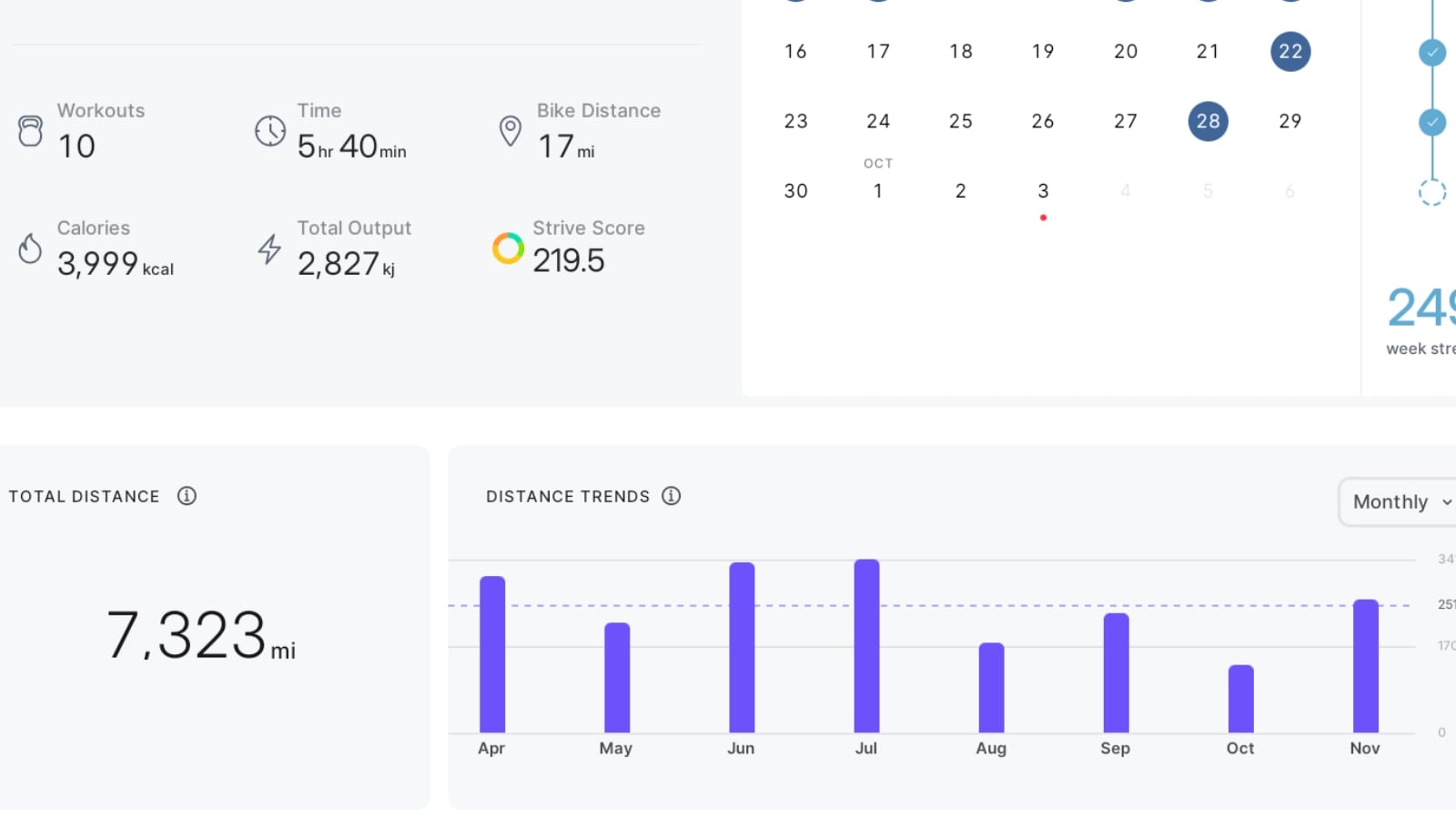
You are able to scroll the chart left to right, to see this data all the way back to your first workout on Peloton.
In addition, you are able to press on any time period – and it will highlight that time period, and show you your mileage for that specific time frame (whether it is a specific week, month, or year).
There are a few caveats to this new feature. First – it is only available on the Peloton Bike, Bike+, Tread, and Tread+. The Peloton Row did not get this feature, so you are still at this time unable to see your lifetime meters rowed. Update: The Peloton Row got this feature later in the month.
You are only able to see the lifetime miles of whatever device you are on. This means even if you own both a Bike & Tread – you can not see your total miles across both devices. You would have to get on the Peloton Tread to see your total lifetime miles run, then change devices and look up your total miles ridden on the Peloton Bike.
Also – at this time the data is only available when viewing your profile on your Bike or Tread itself. Even if you own a Bike or Tread, you can’t see this same data from the Peloton app or website. You can only find it when standing in front of your Bike or Tread and using the tablet on the device.
Of course, there are third party tools that can help you find this type of data if you want to view it when not at your Peloton Bike or Tread (or you want to see lifetime rowing meters). One such tools is Domestiq – which Pelo Buddy is helping to create.
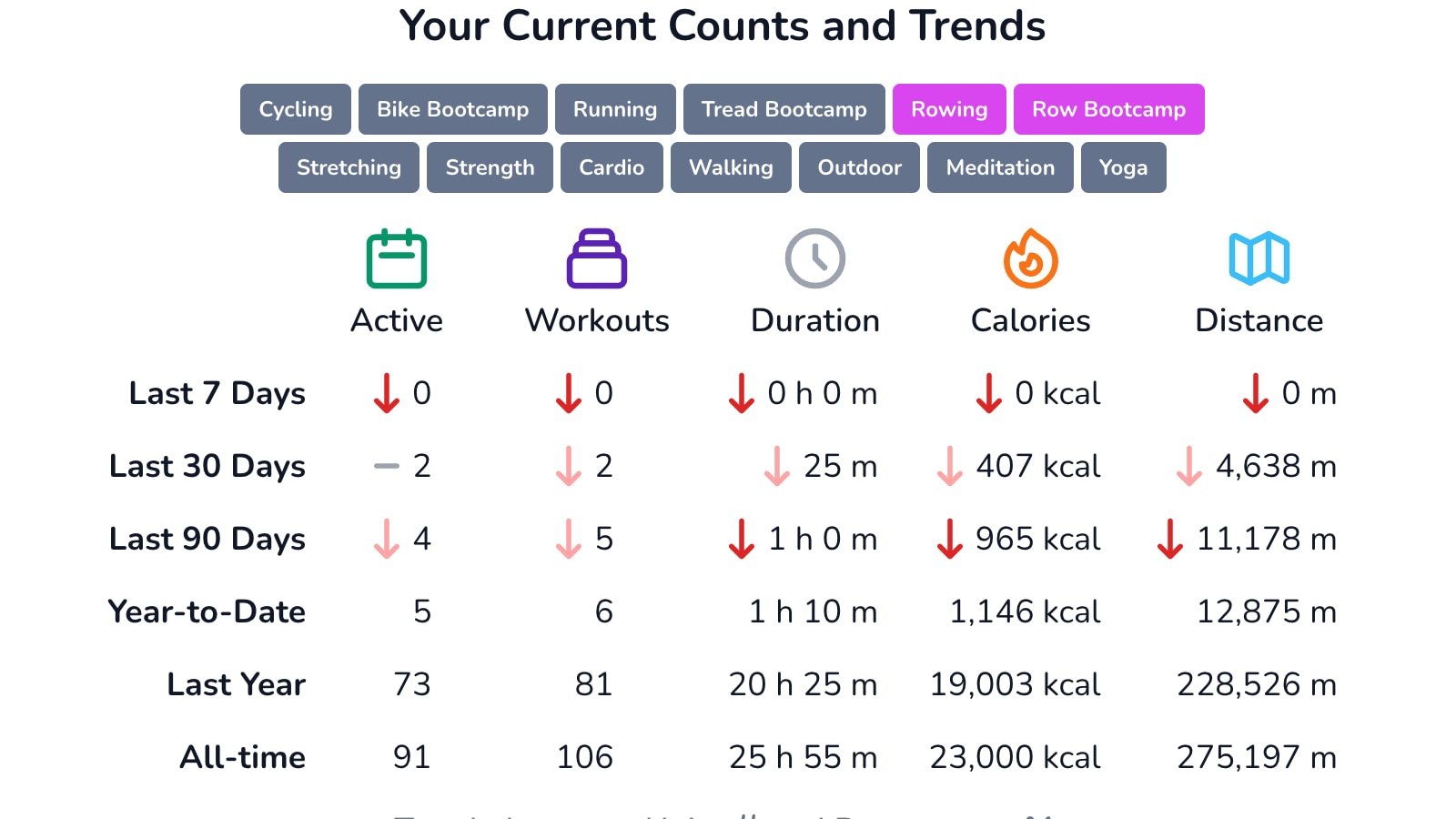
One of the sections in the “Replay” area of the tool (which is your stats area) is an overview of your workout history & mileage. There, you can see your miles by any device type combination, across specific time periods or all time. We previously shared how to find this for rowing, but it works for any class or device types.
Support the site! Enjoy the news & guides we provide? Help us keep bringing you the news. Pelo Buddy is completely free, but you can help support the site with a one-time or monthly donation that will go to our writers, editors, and more. Find out more details here.
Get Our Newsletter Want to be sure to never miss any Peloton news? Sign up for our newsletter and get all the latest Peloton updates & Peloton rumors sent directly to your inbox.

Peloton can do all these amazing things and yet cannot separate bike and bike plus on leaderboard even though there are significant discrepancies between the two. It’s so antiquated and frustrating to say the least.
The Total Distance and Annual Distance Trends is now missing from my bike. I can only see a monthly total mileage.