

Peloton has introduced a new update to its Teams feature within the Peloton app, making it even easier for teammates to share and engage with each other.
The latest feature allows members to directly recommend classes to their Teams – sharing the specific class link along with a message in the Team Feed.
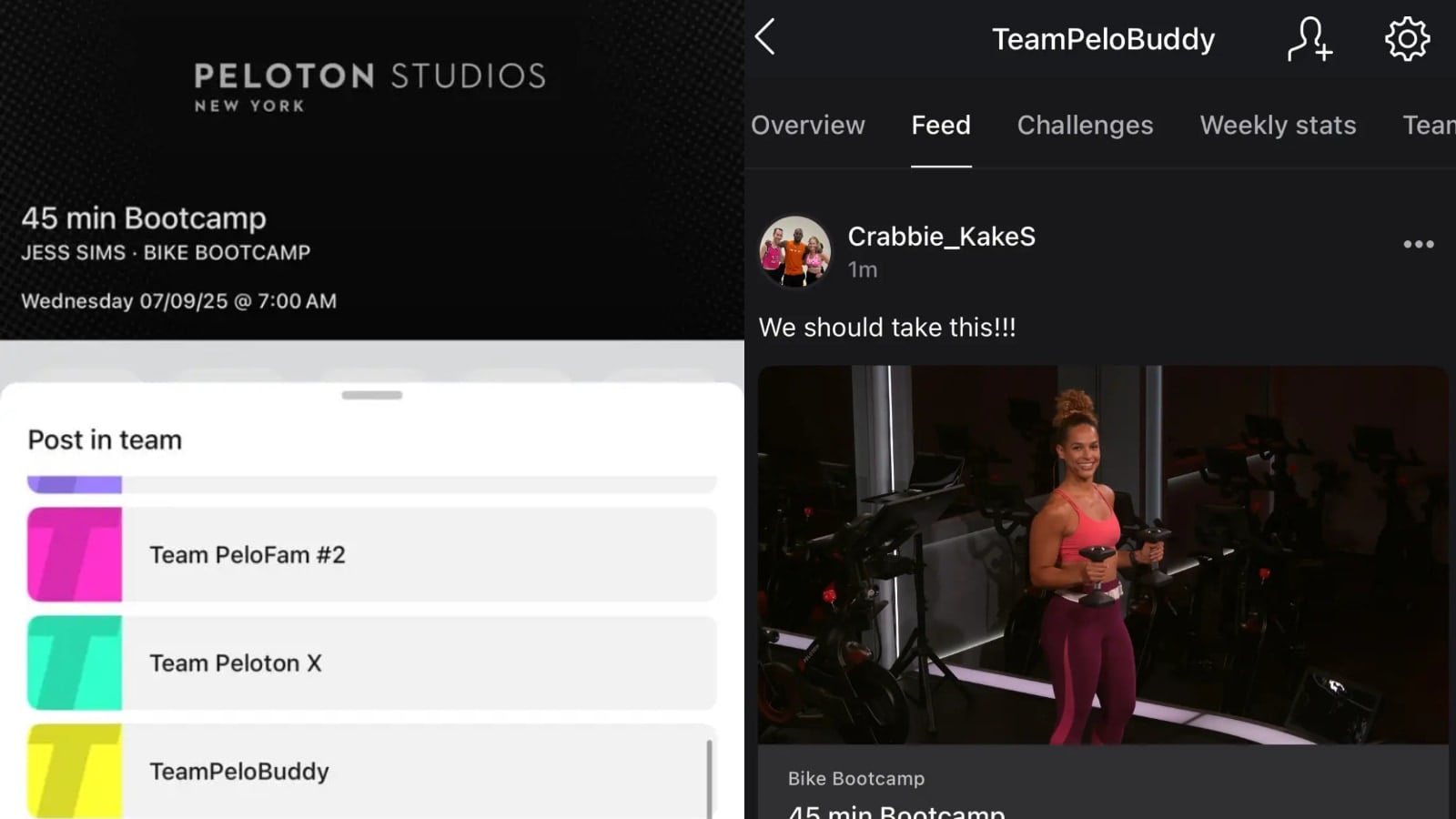
This new functionality is available as part of the latest app updates: version 15.109 for iOS and 3.54.0 for Android. Members must ensure their apps are up to date to access this feature.
To share a class with your Team, members can follow the below steps:
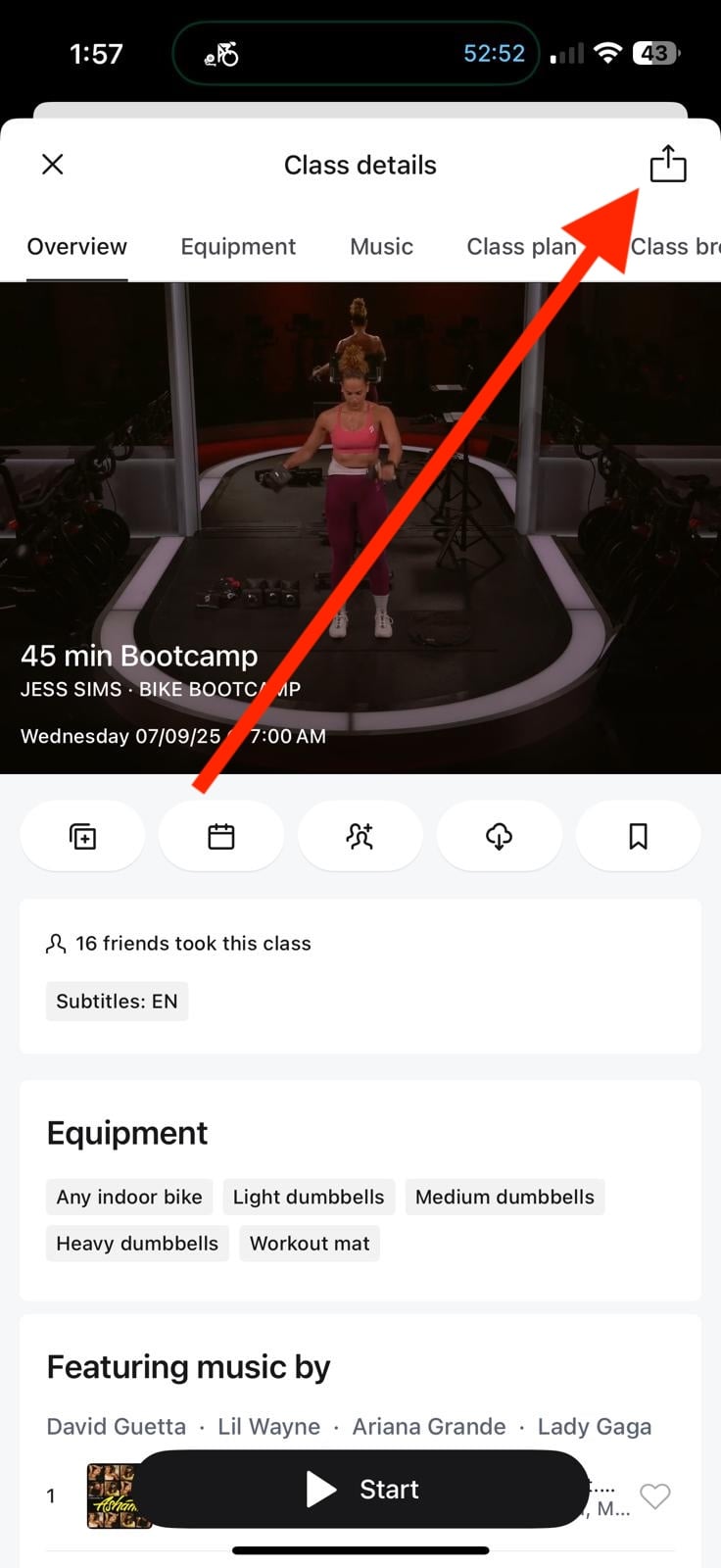
1. Select the class to open up the “class details.”
2. Tap the box with the up arrow in the top right corner (the share icon). This is the same icon you would use if you wanted to copy the direct link to the class, or share it via text, email, etc.
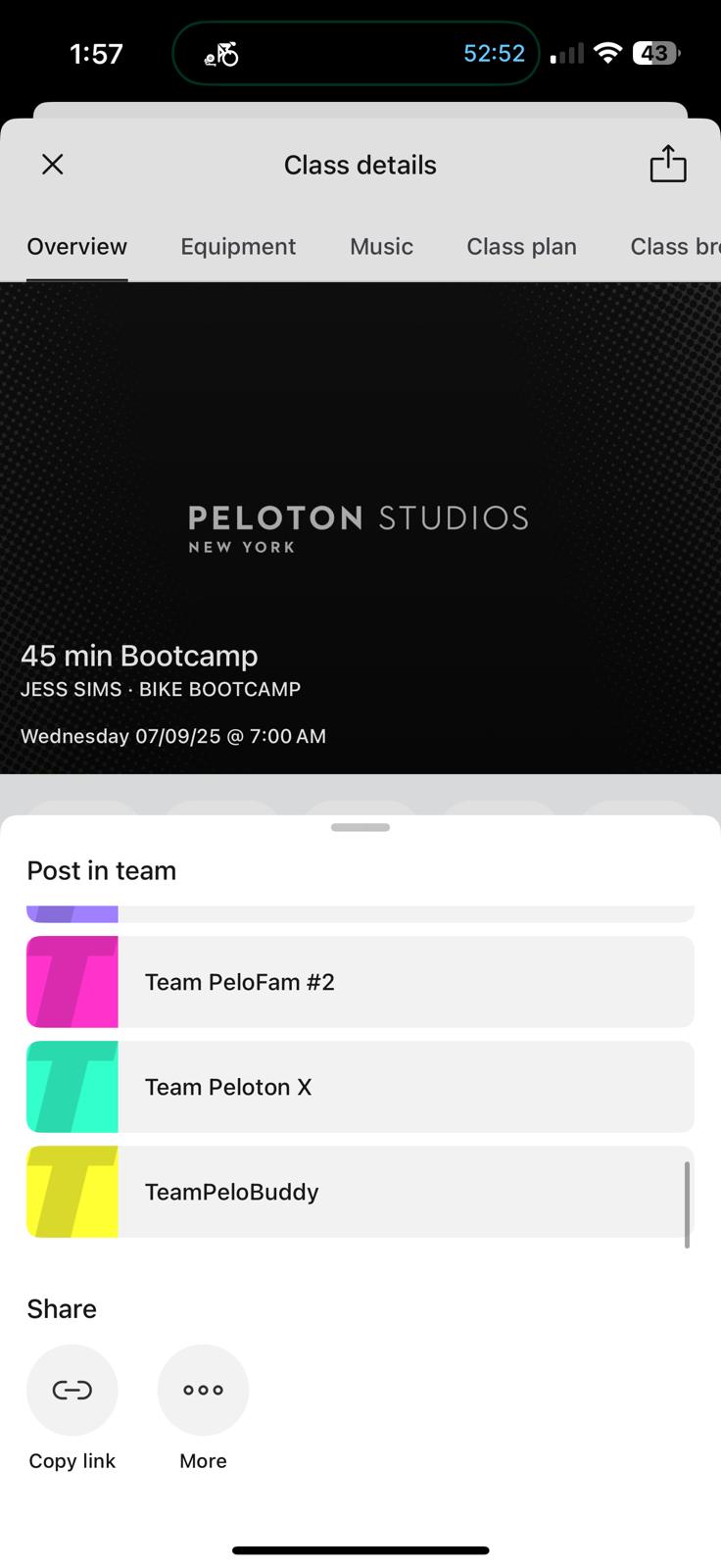
3. If you have joined any Peloton Teams, this is where you will see the various teams populate in a list format. Select which Team you’d like to share the class with by clicking.
4. From there, a comment box will appear, and you can use this to include a note or tag other members using the @ mention feature.
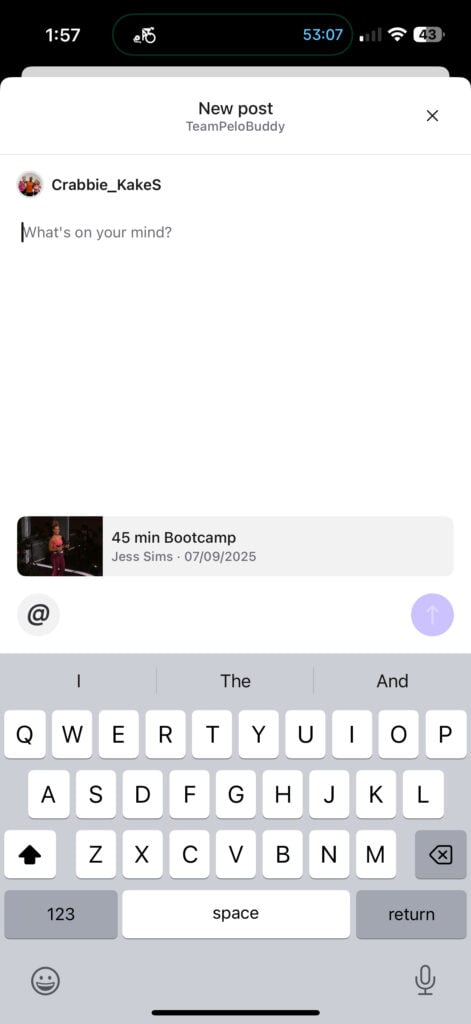
5. Tap to send, and the class will appear in the Feed of your Team within the Peloton Teams section of the app.
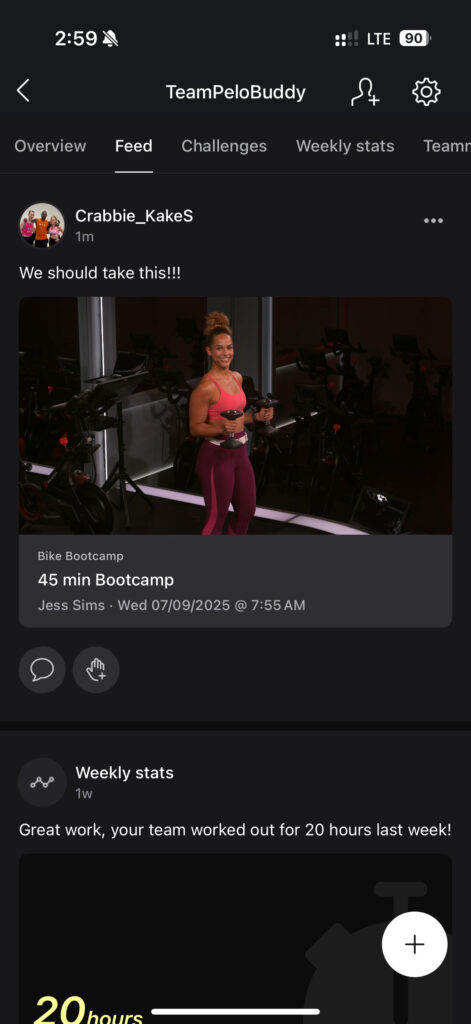
Other teammates can then like, comment, or react to the post, just like other interactions. This new feature builds on existing interactivity within Teams, such as the ability to leave comments, reactions, and mentions on Team posts. We shared about this new feature earlier this year, and you can find all the details via our overview article.
Beyond simply recommending classes, this new feature is a step toward more organized group workouts and deeper community engagement. It can help teammates select and schedule group rides, suggest new instructors, or highlight themed classes worth exploring together.
This development continues Peloton’s ongoing investment in building out the Teams functionality, which first launched as a way for members to join and create groups around shared interests, favorite instructors, and common fitness goals. As we’ve previously reported, Peloton has been gradually making Teams more interactive, and this latest feature is another step in that direction.
Are you enjoying Peloton’s Teams functionality so far, and do you plan on utilizing this latest update to share and post direct class links?
Support the site! Enjoy the news & guides we provide? Help us keep bringing you the news. Pelo Buddy is completely free, but you can help support the site with a one-time or monthly donation that will go to our writers, editors, and more. Find out more details here.
Get Our Newsletter Want to be sure to never miss any Peloton news? Sign up for our newsletter and get all the latest Peloton updates & Peloton rumors sent directly to your inbox.

Leave a Reply