

Peloton has made the new “Note To Self” feature available to most members.
This new feature allows Peloton users to leave themselves notes on their workouts. These notes can be whatever you want – whether it is notes on the moves in a strength class, thoughts about a playlist, whether you liked or disliked the class and more – it is up to you.
New notes can be left on any completed workout, even if you did the class before the feature was added (so you can go back and add notes to classes from last week, last month, or whenever you want). These notes are private to you – nobody else should be able to view them.
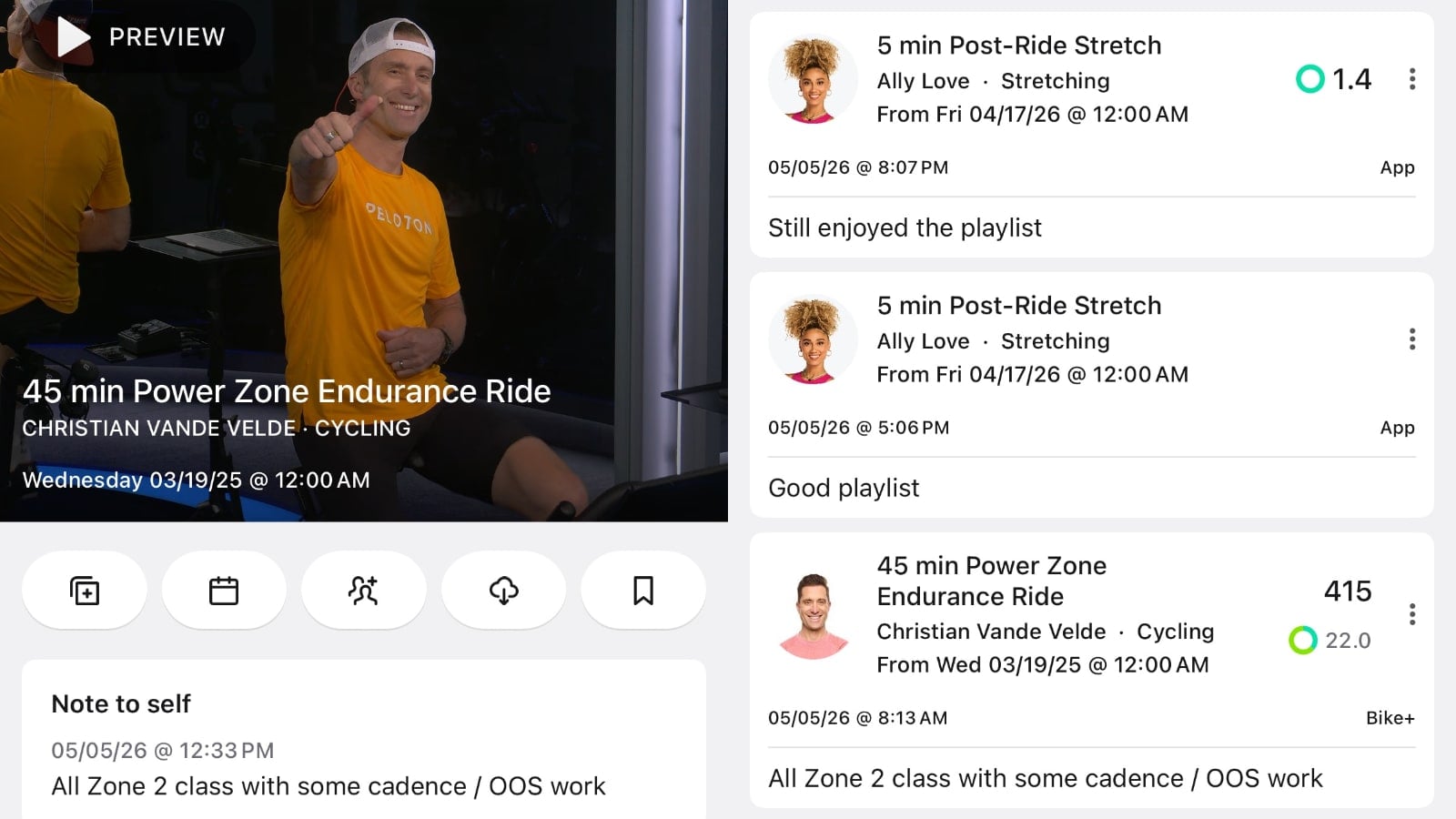
At this time, the only way to leave a note is through the Peloton iOS or Android app. Once a note has been created, you will be able to view it on a Peloton Bike, Tread, or Row – but you can not leave or edit notes on the hardware devices.
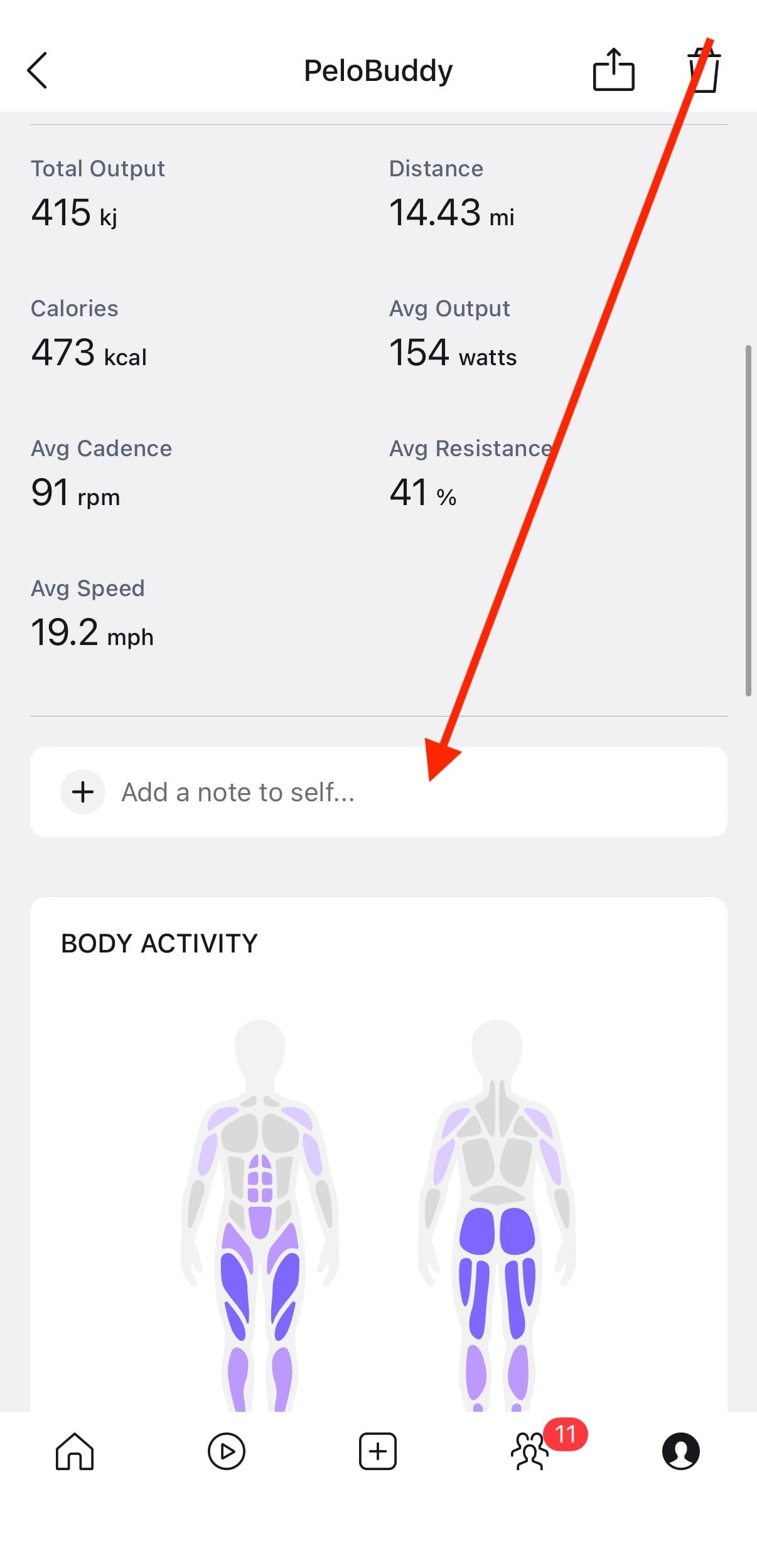
To leave yourself a note, go to your workout history section of your profile in the Peloton app. Choose a completed workout, and scroll down past your metrics for the class.
There, you will see a new section with an input box that says “Add a note to self…”
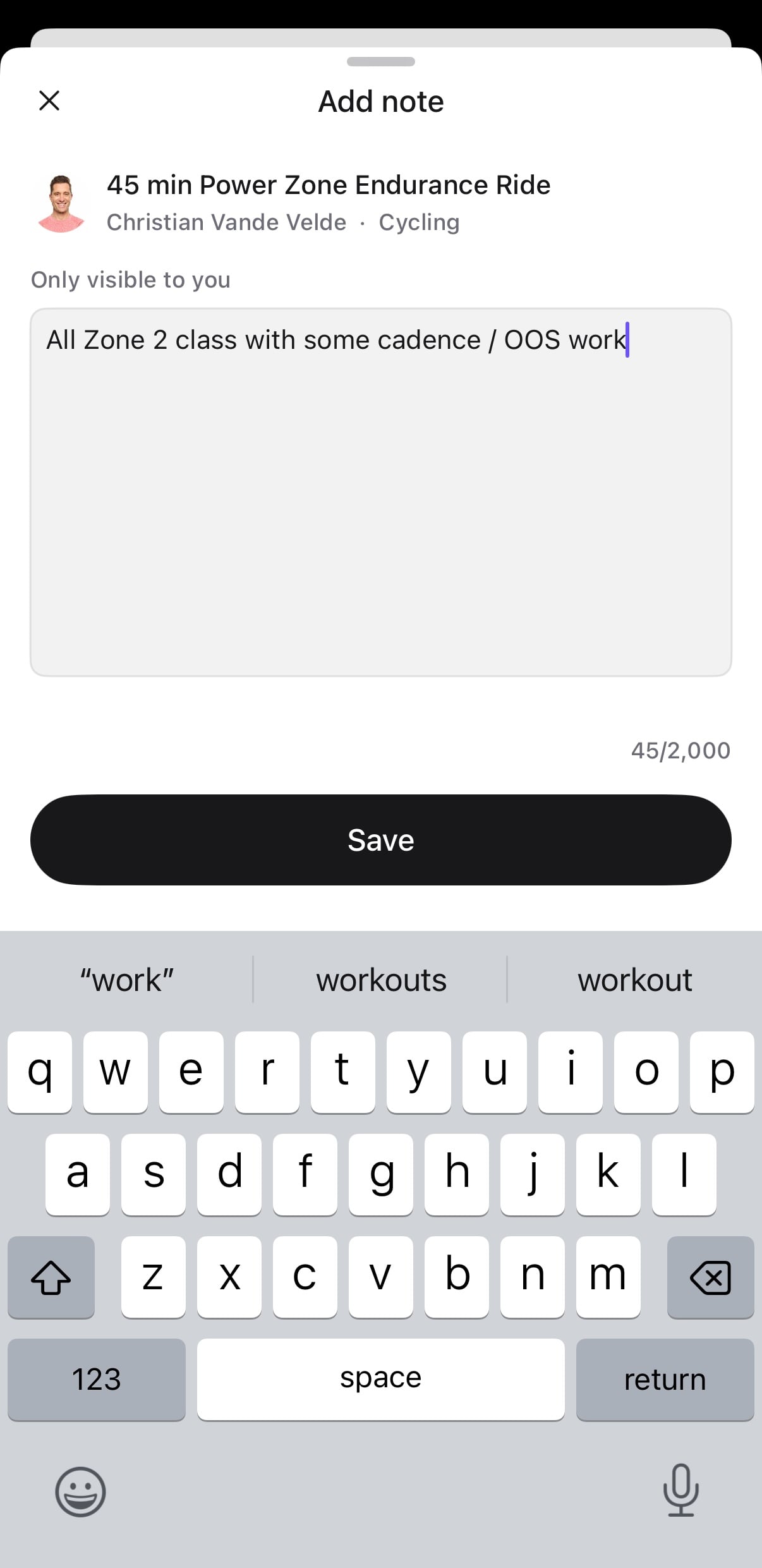
Pressing this input box will open a window where you can leave yourself a note. Currently, all notes are private, so you should see a message that your note is “Only visible to you”. It will also keep track of your character limit (you can use up to 2,000 characters per note) as you type the message.
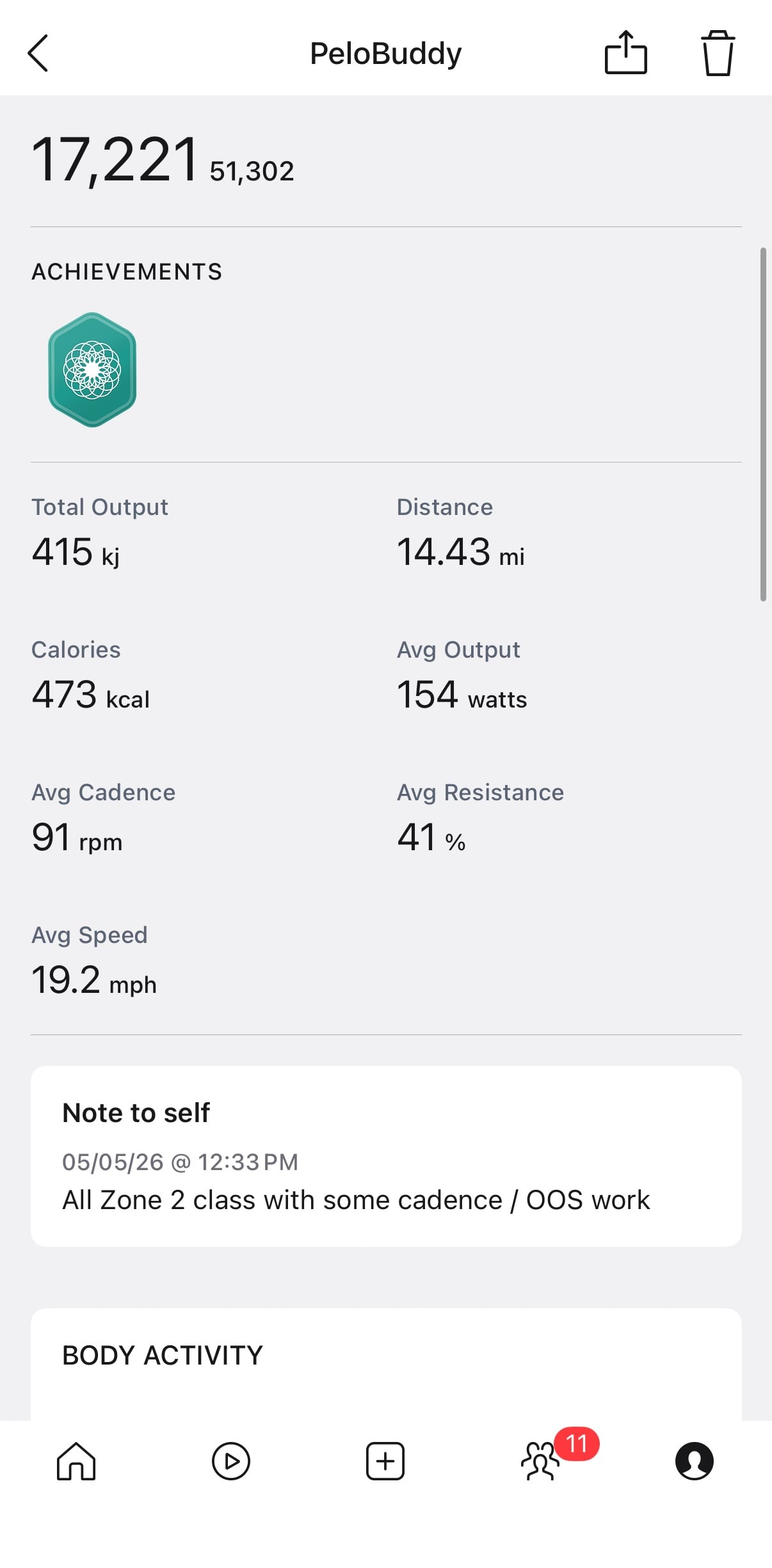
After you save the note, you are taken back to the workout detail page – where you can see that your note has been added.
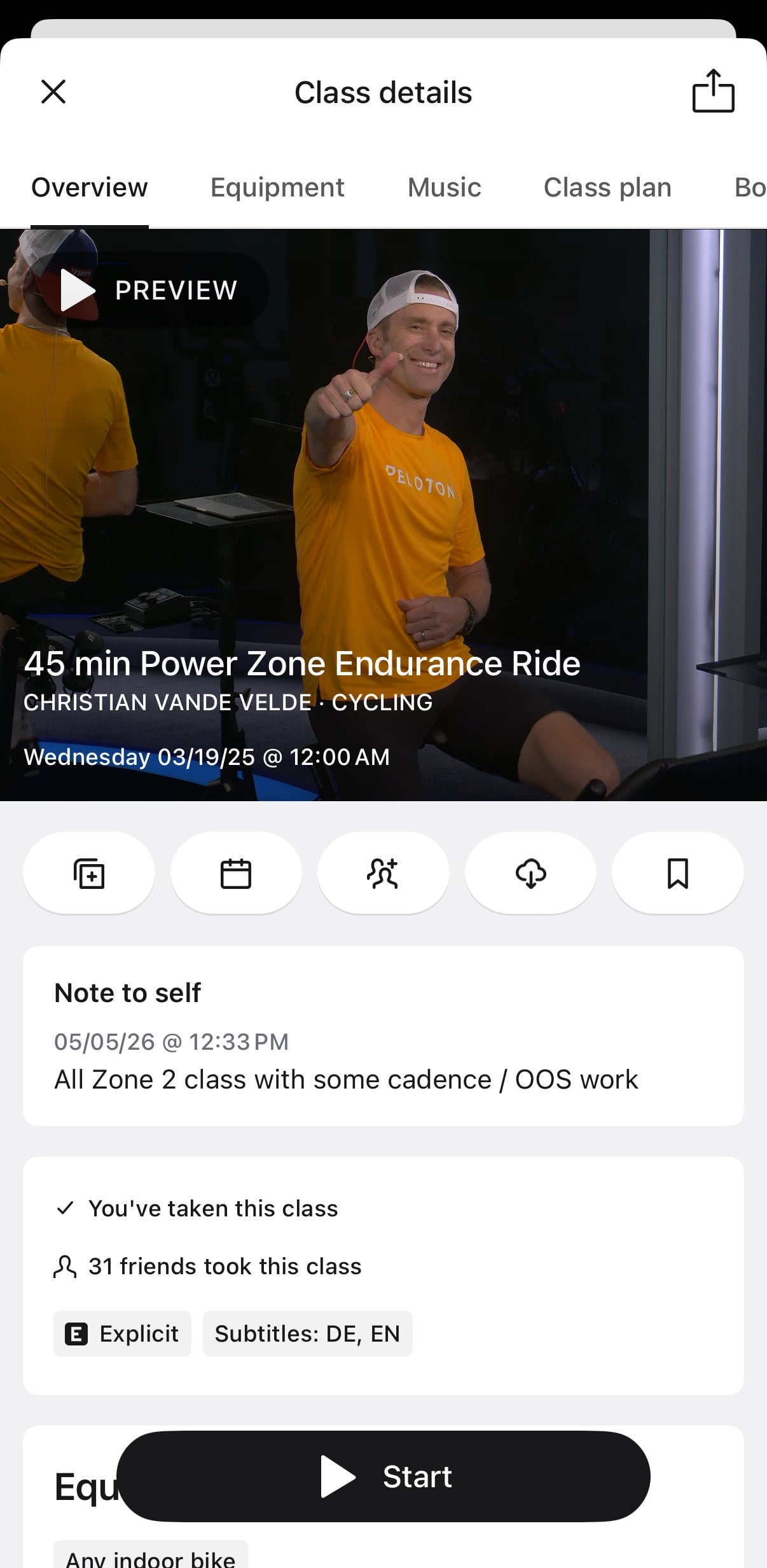
Now, if you ever view that same class again in the Peloton on-demand library, you will see your Note To Self when you view the details of that class.
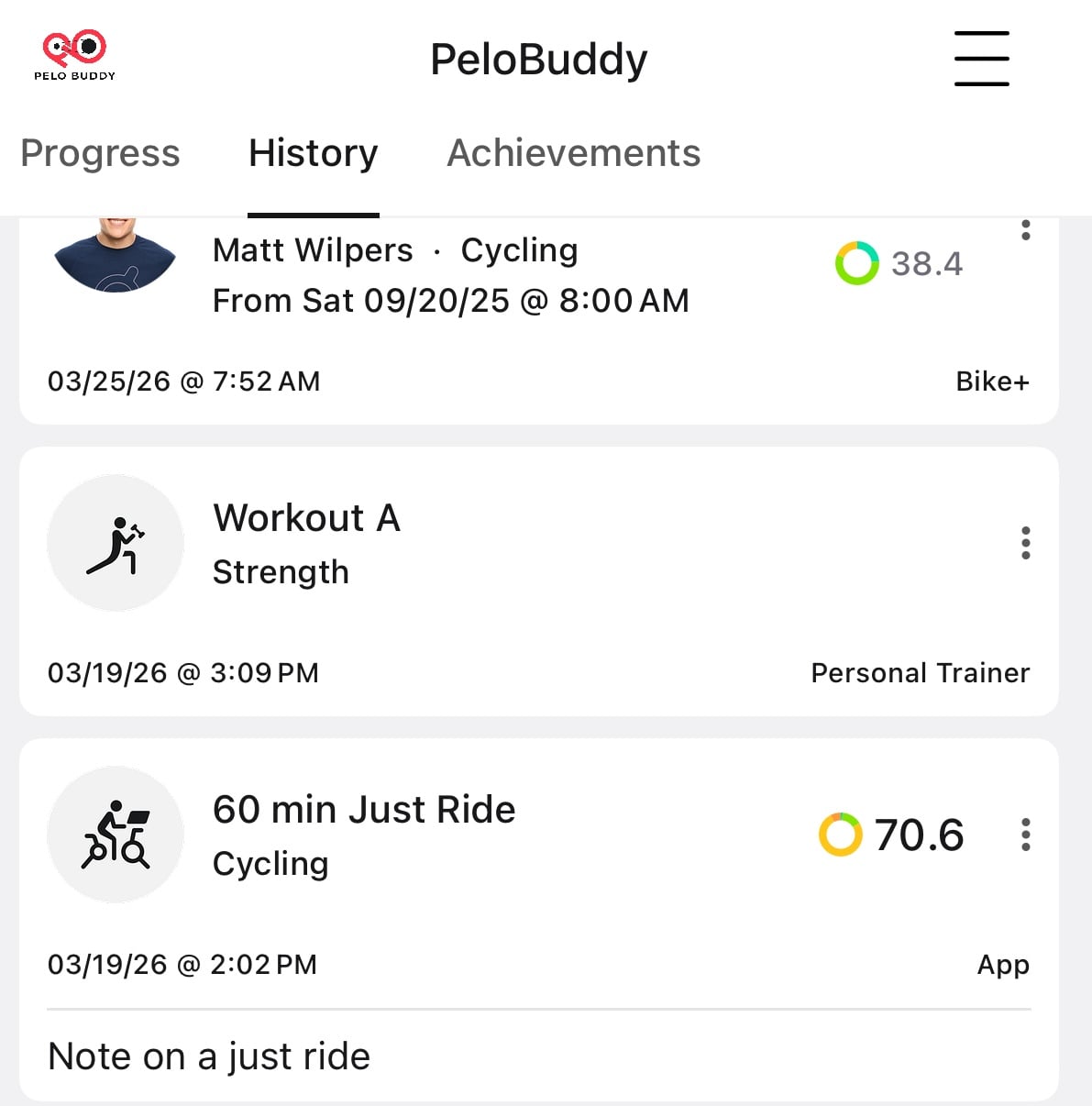
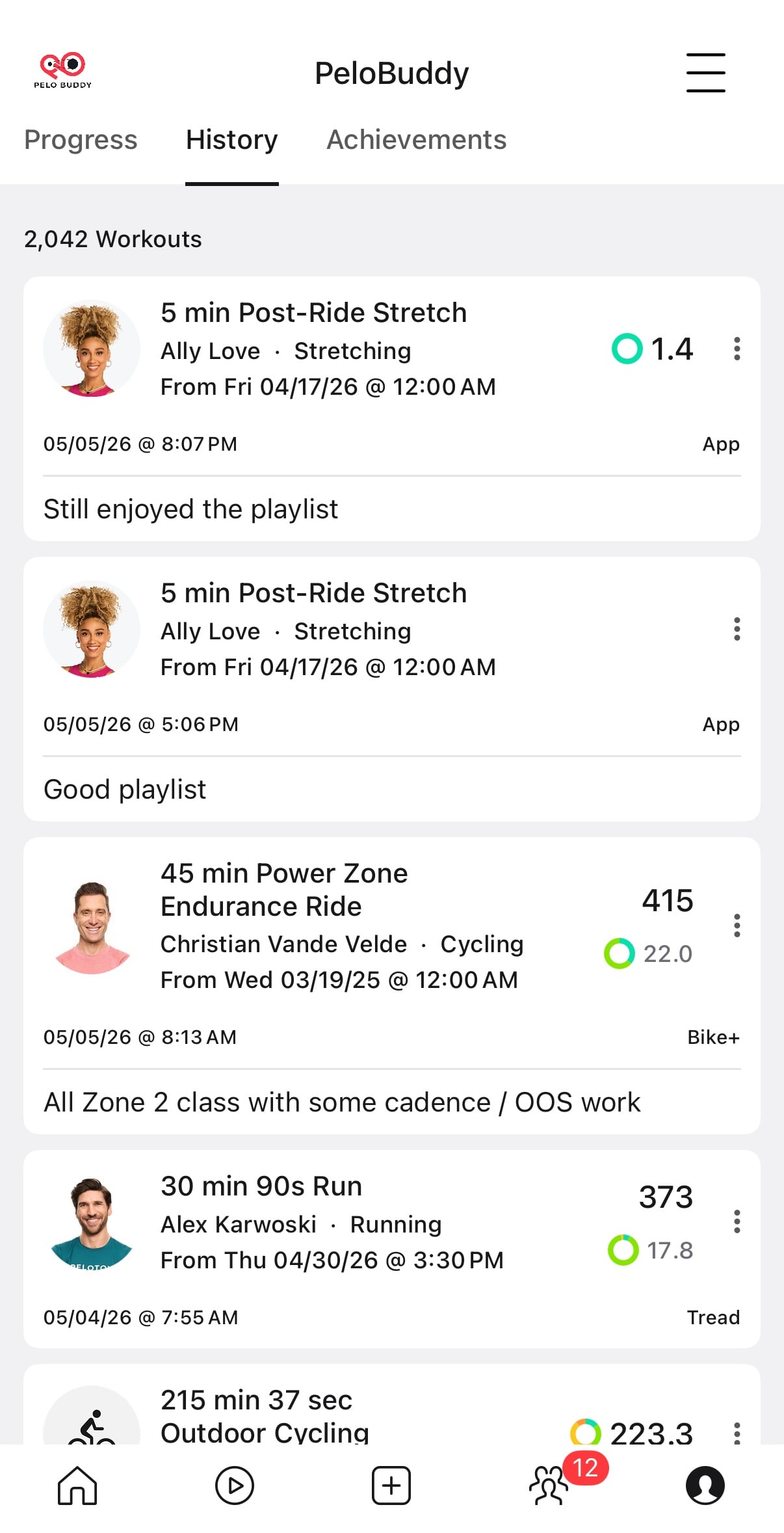
In addition, you can see the Note To Self when viewing your workout history. When viewing the list of your completed workouts, any class with a Note To Self will have that note added at the bottom so you can see it when viewing the full list of classes.
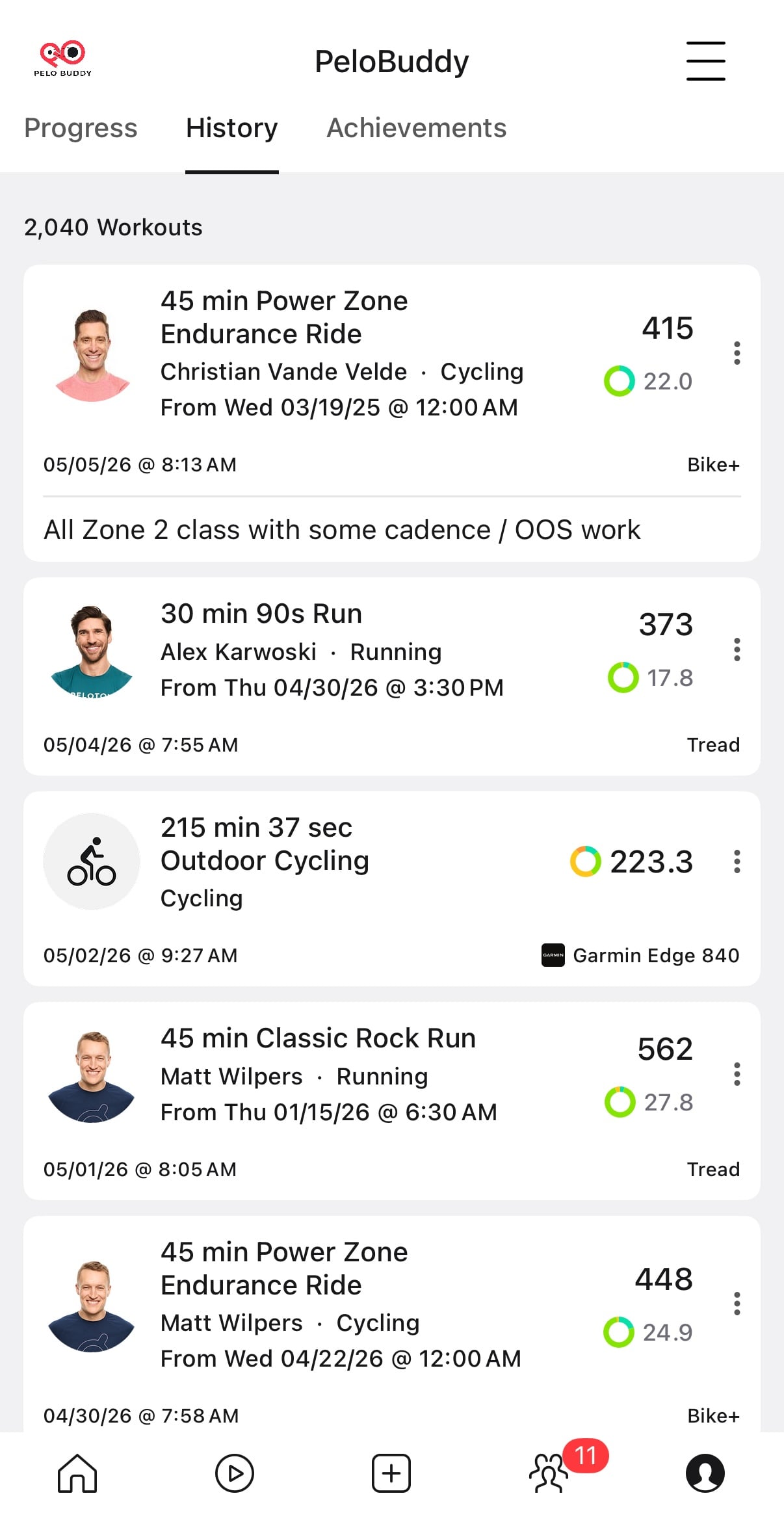
You are able to press on the note to self on this page, and edit or delete the note from the workout as needed.
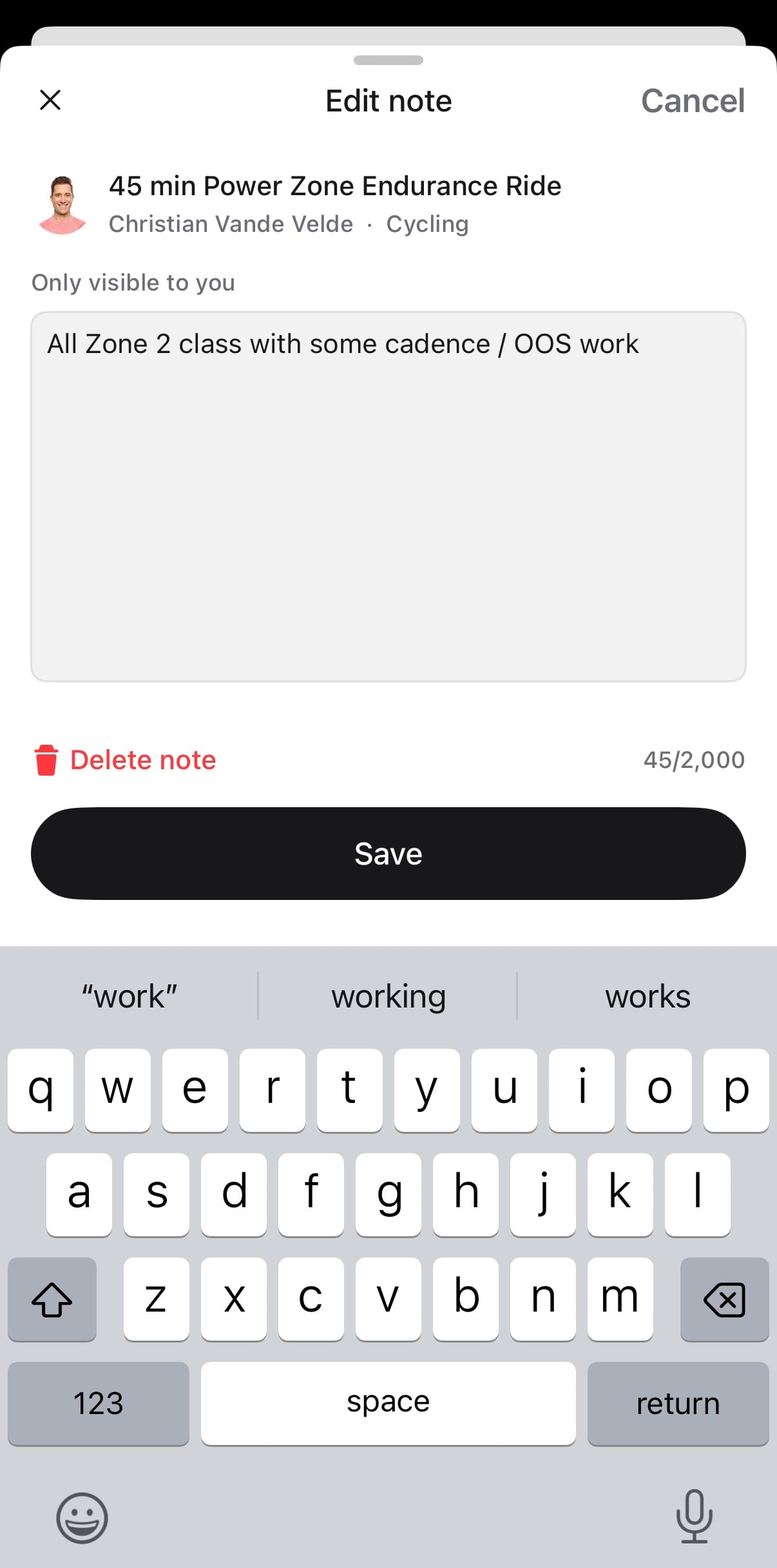
You have the same edit & delete features when going into the note to self from the workout detail page as well.
Notes to self are not limited to just traditional instructor-led classes – you are also able to leave them on “Just Rides” and other non-instructor classes.
Although you will see the note to self when viewing the details page of a Peloton class – there is currently no indicator in the main on-demand library showing whether you have left a note to self on a class or not. In the image below, the class from 3/19/25 is one we had left a note on, but there is nothing showing on this page we have a note.
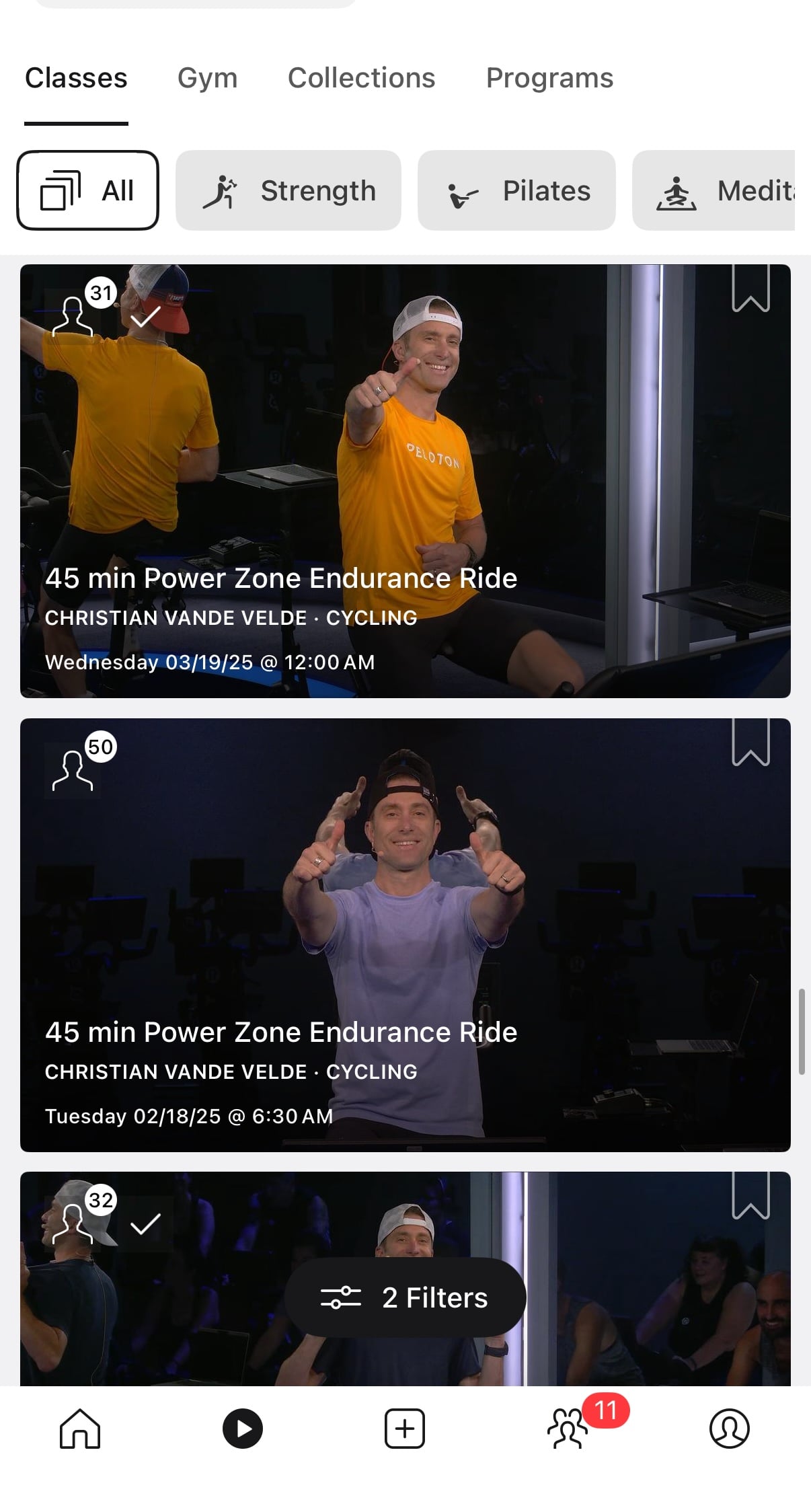
Of course, when you press into this class, the note is shown on the detail page.
If you use the Peloton app to take your class, you’ll have an easy flow to add new notes to self as soon as you are done. On the class summary page when a class is completed, there is now a box for “Add a note to self” before closing out of the summary details page.
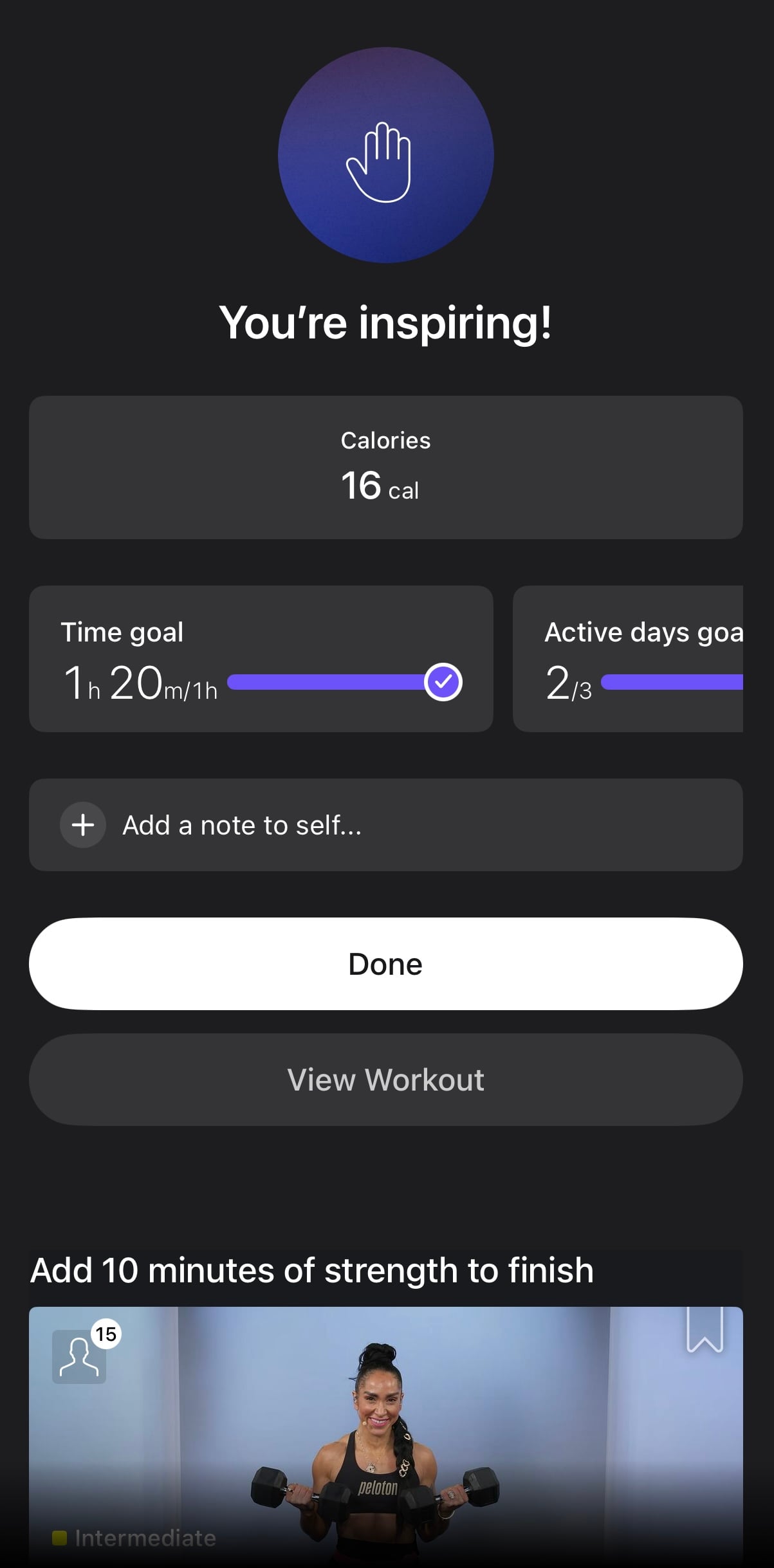
Choosing that option allows you to leave a note to self, just like it does by using the feature from the workout history section.
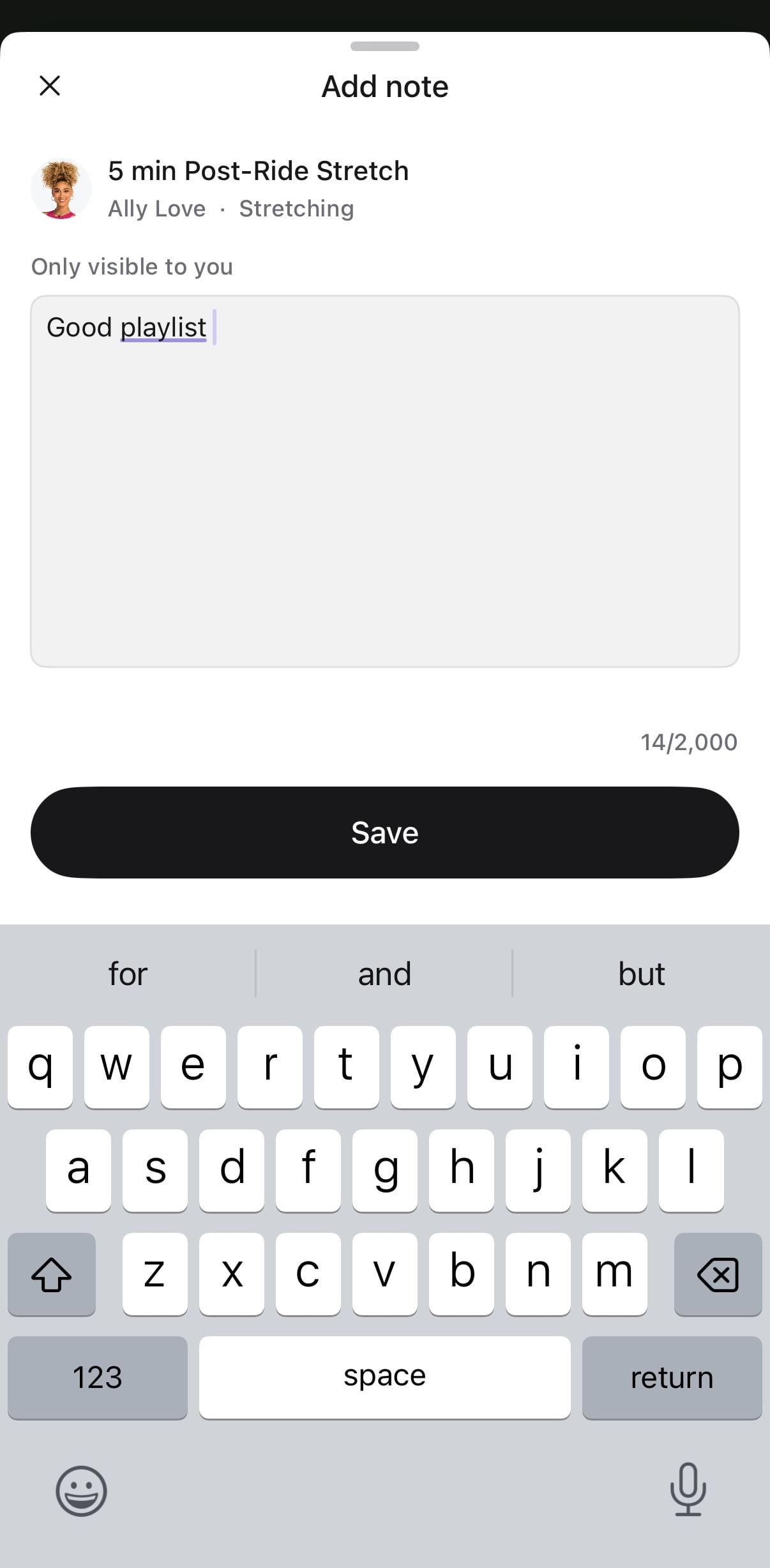
After leaving a note to self, you then see that note back on the summary details page before closing out of it.
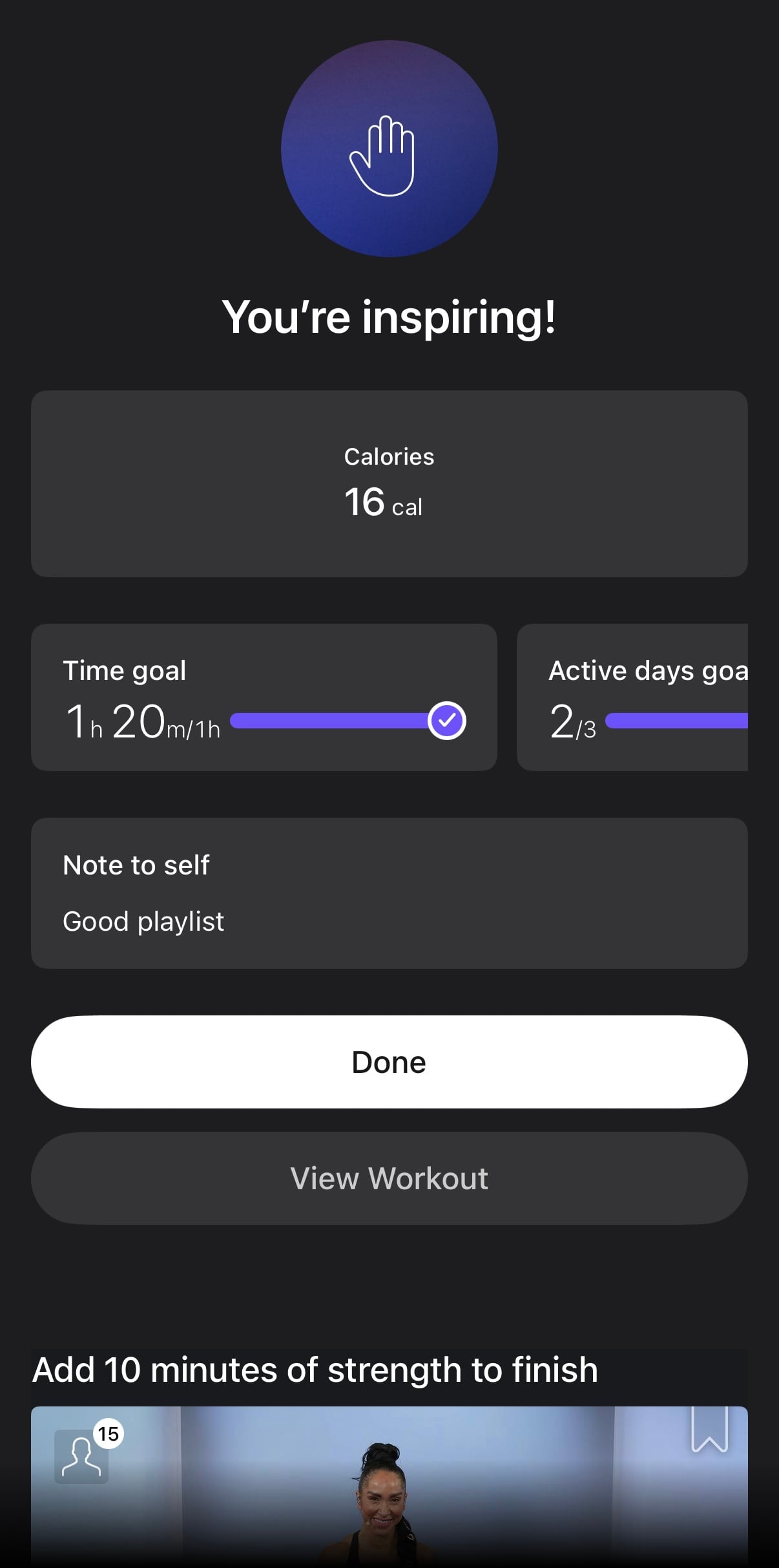
As with the other route of leaving notes, this will cause the note to be shown whenever you view the details of that class in the on-demand library.
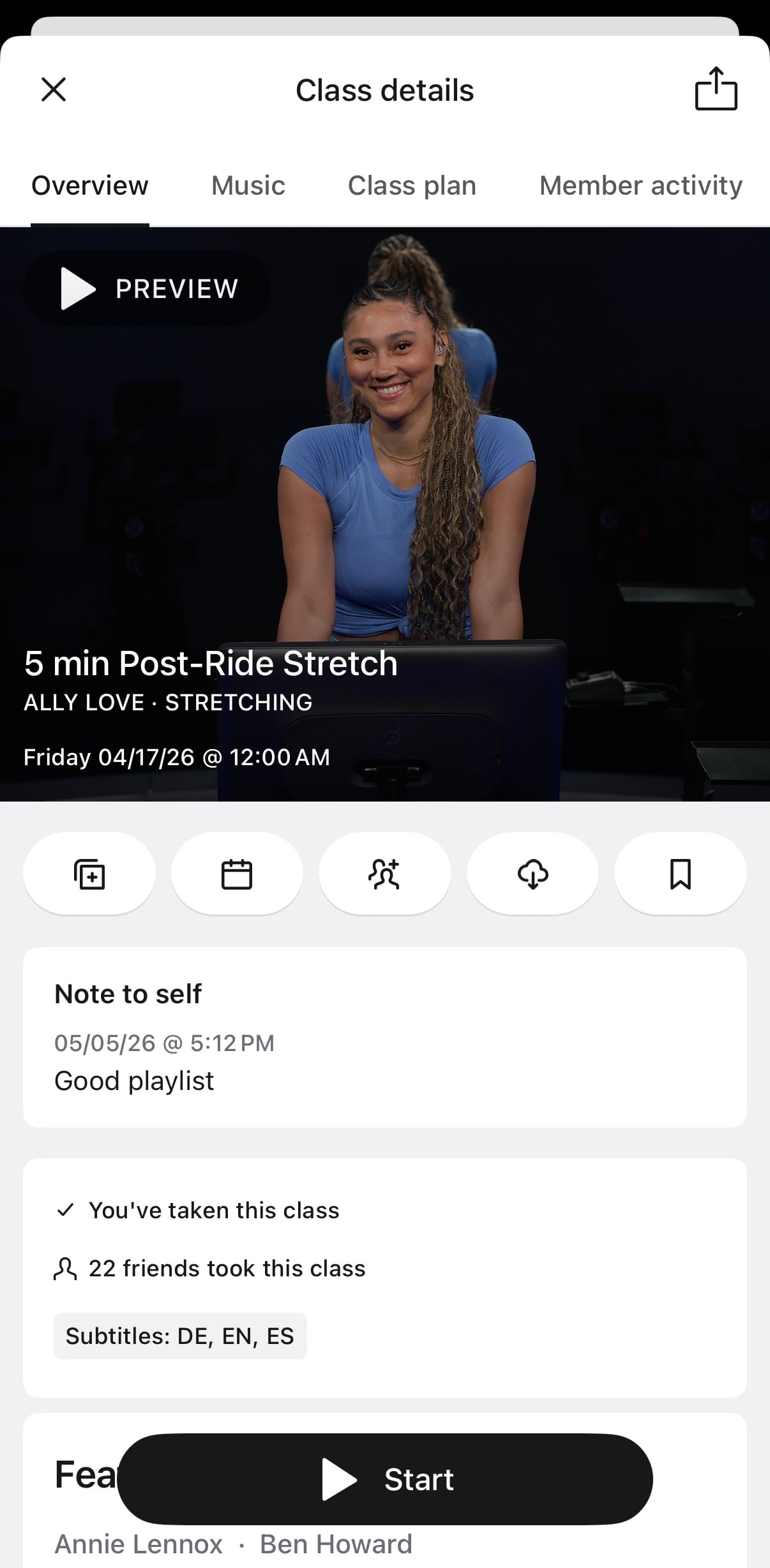
If you take the same class multiple times, you are able to leave yourself multiple notes. When viewing your workout history, the note will show up tied to the exact workout you did.
Classes where you have left multiple notes to self will show the most recent note by default in the class detail page. However, there will be an indicator letting you know that you have left more than one note to yourself.
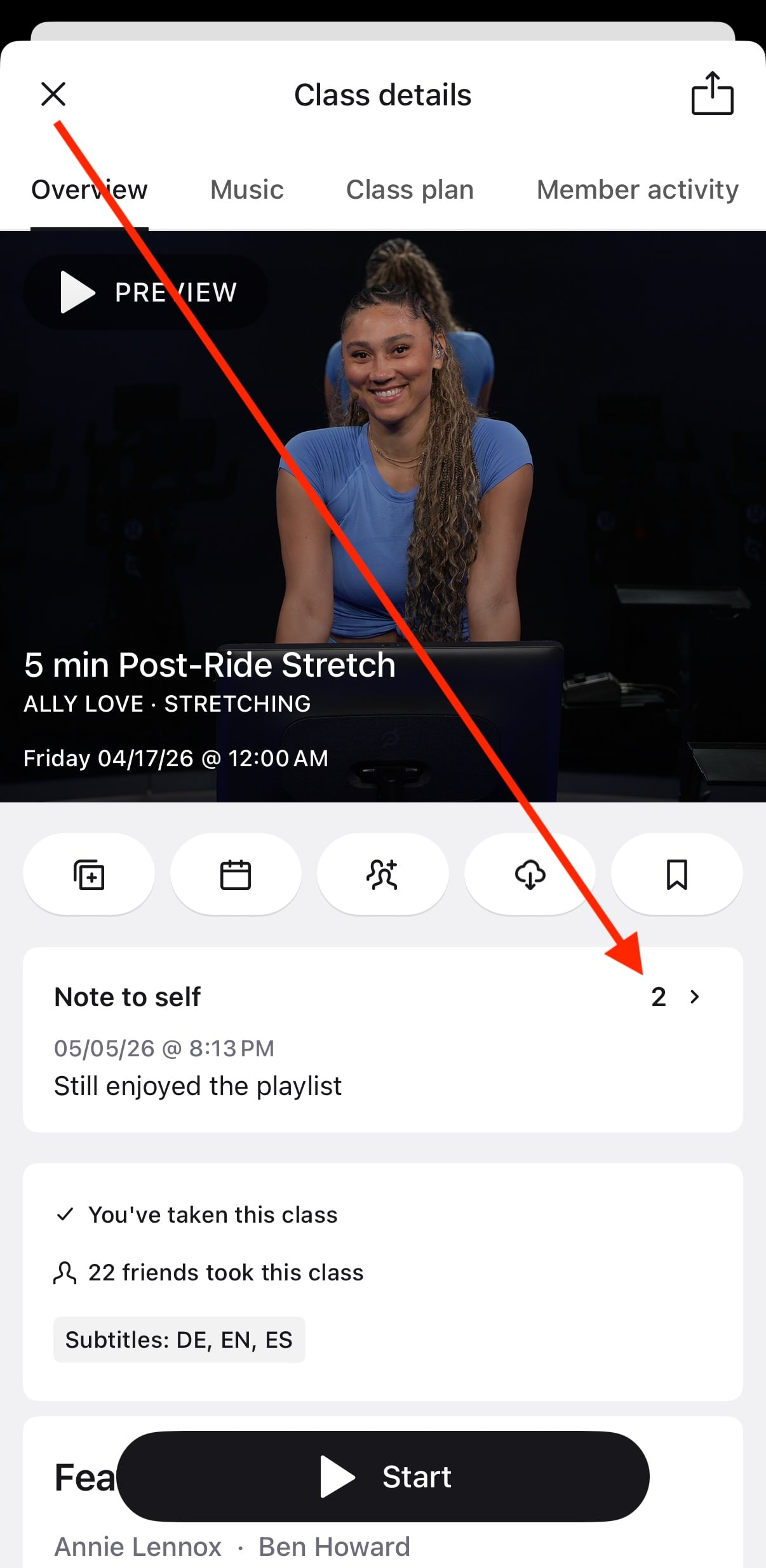
You can press this area, and you’ll get a new page that shows you full details for all the notes to self you have left on this class – sorted in order of last updated.
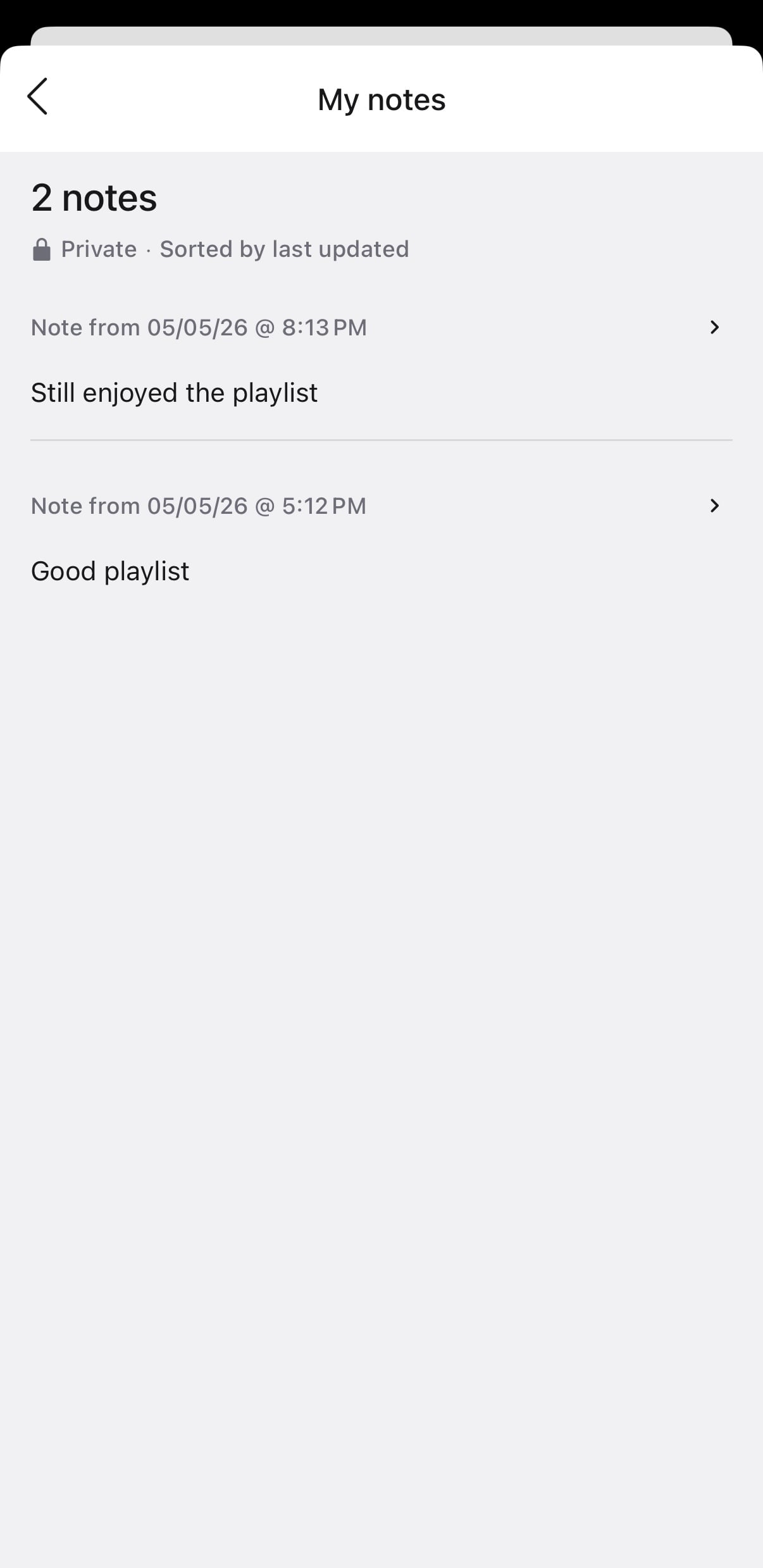
Pressing on one of the notes will take you to the workout summary page for that workout.
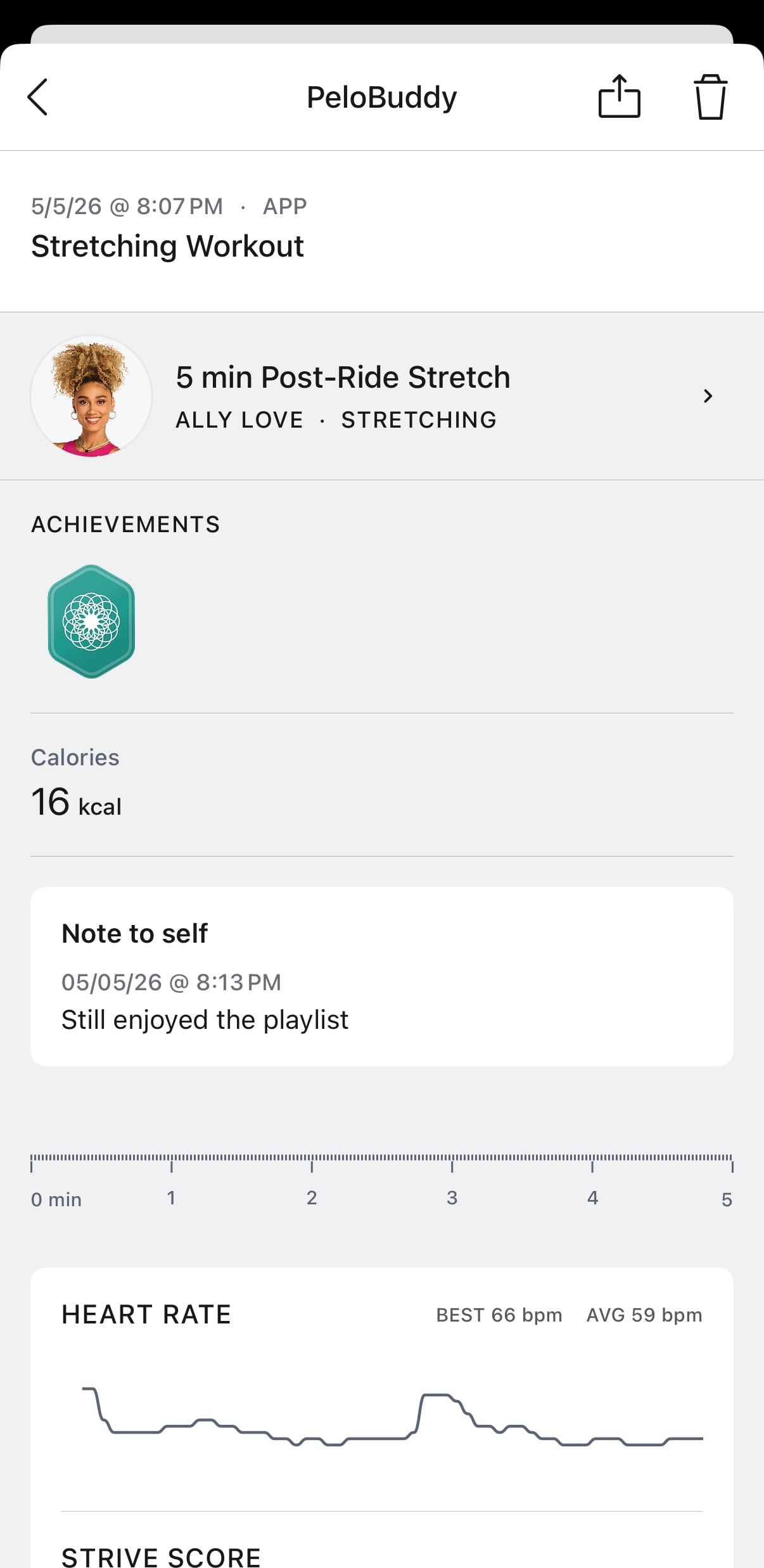
From there, you can edit or delete the note associated with that workout if you wish.
As previously mentioned, currently, the only way to leave yourself a note to self, or edit or delete an existing note, is through the Peloton app.
Peloton is also adding the ability to view your notes to self on the Peloton Bike, Tread, or Row. However, currently those notes are expected to be view only, and you can’t edit, delete, or add new ones on the hardware devices – only view ones you have created via the Peloton app.
While the note to self feature on the Peloton app appears to be widely available at this point, the view feature on the Bike, Tread, and Row may be rolling out at a slightly slower pace.
At this time, there is also no way to search for keywords in notes you have left yourself in the past in the Peloton app. There is also currently no way to filter the on-demand library to only classes where you have left yourself a note. Depending on the popularity of the feature, one could see enhancements like these being added in the future.
The Note To Self feature has not been added to the Peloton website, so even if you view a class you have left a note to self on, you will not even be able to view it while using the Peloton library through a web browser.
Peloton first shared last week that this Note To Self feature would be rolling out by May 6th.
Are you going to be using this new feature?
Support the site! Enjoy the news & guides we provide? Help us keep bringing you the news. Pelo Buddy is completely free, but you can help support the site with a one-time or monthly donation that will go to our writers, editors, and more. Find out more details here.
Get Our Newsletter Want to be sure to never miss any Peloton news? Sign up for our newsletter and get all the latest Peloton updates & Peloton rumors sent directly to your inbox.

Leave a Reply