

Peloton has brought their new ‘Total Distance’ feature to the Peloton Row.
When viewing your profile page on the Peloton Row – you will have a new section labeled “Total Distance”. This section will show you the total number of meters you have rowed on your Peloton Row.
Unlike the Bike & Tread – which show your total distance in miles – the Row instead shows your total distance in meters. This tracks with the same way distance is measured in classes – as each class shows you a total meters rowed at the end of class.
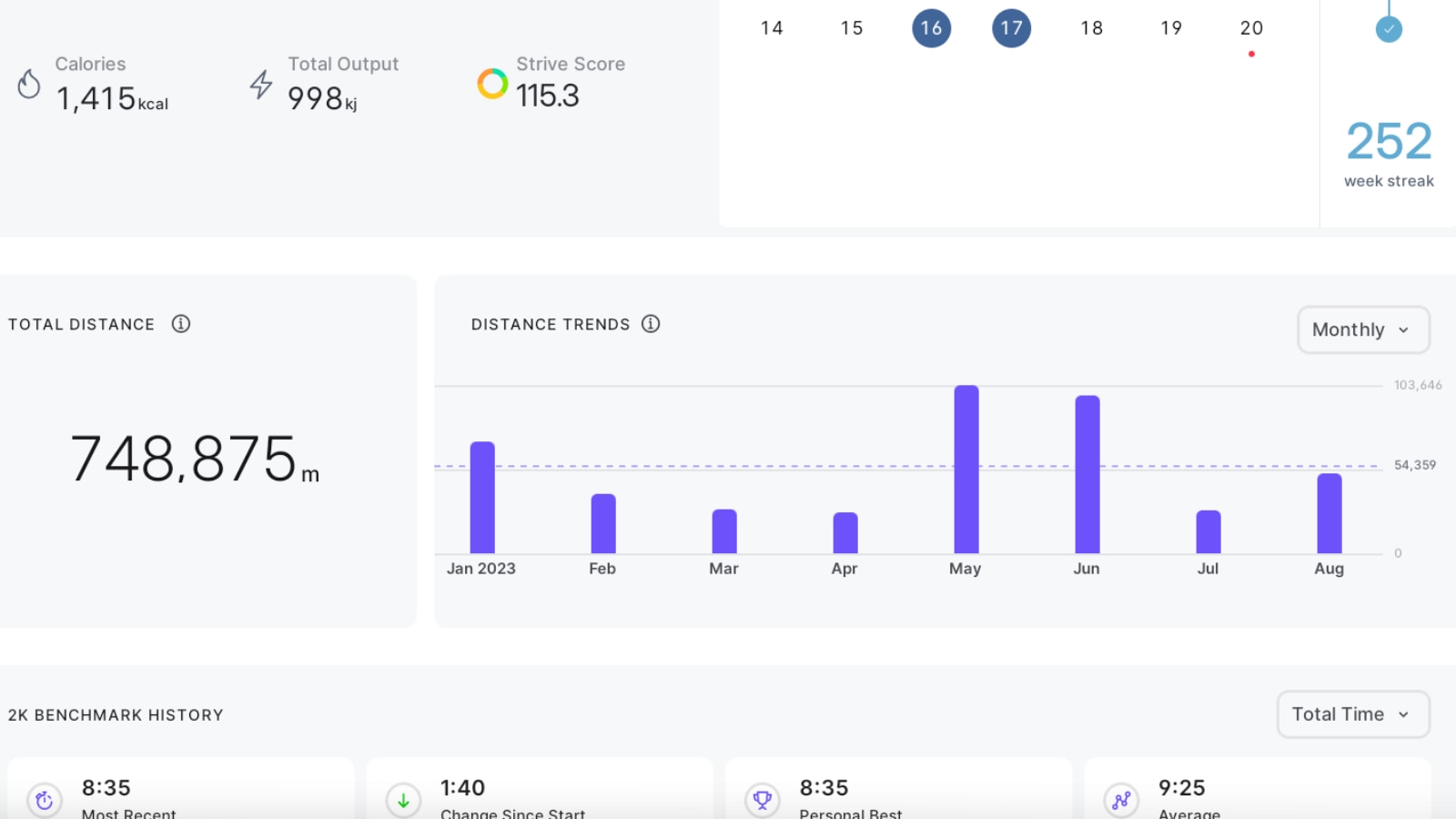
Have you ever wanted to see your total distance traveled with Peloton? Now you can with our new distance charts! These charts highlight your lifetime distances on your Bike, Tread or Row. Through these charts, you can also dive deeper into your distance trends over key periods of time: weekly, monthly, and yearly. Find distance charts by clicking into your profile and tapping the “Overview” tab.
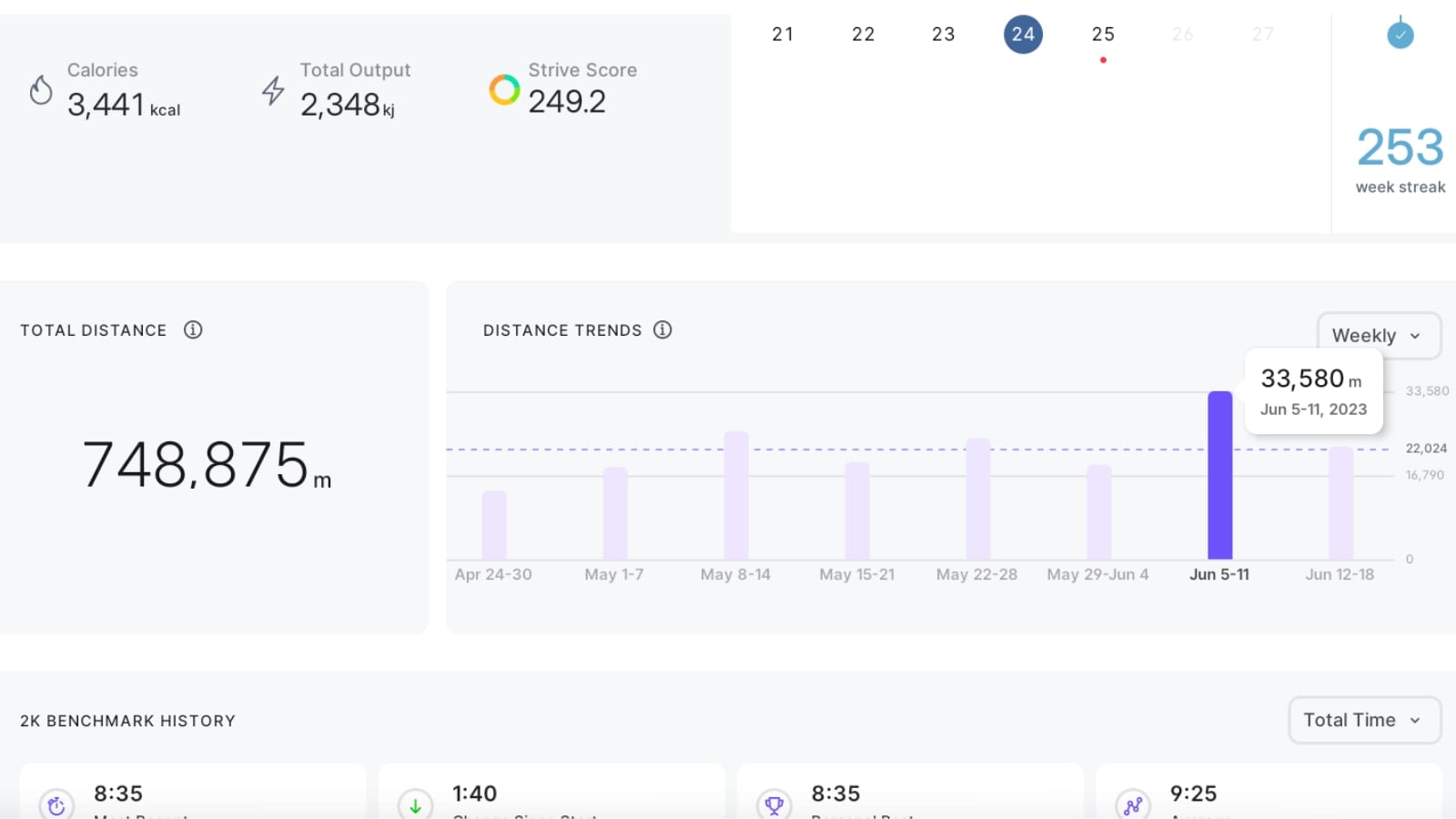
Similar to the Bike & Tread, you have the ability to change what period of time you want to see this data. You can choose to change the graph between a year view, month view, or week view.
In addition, you can click on any of the time segments of the chart to see the total meters rowed (total distance) for any of those units of time.
This feature was first added to Peloton Bikes & Treads earlier this month – but was not added to Row until this week.
Support the site! Enjoy the news & guides we provide? Help us keep bringing you the news. Pelo Buddy is completely free, but you can help support the site with a one-time or monthly donation that will go to our writers, editors, and more. Find out more details here.
Get Our Newsletter Want to be sure to never miss any Peloton news? Sign up for our newsletter and get all the latest Peloton updates & Peloton rumors sent directly to your inbox.

Leave a Reply