

After being announced in October, the Peloton ChatGPT integration is now live. This new partnership continues Peloton’s push toward using AI to help its members achieve their fitness goals using one of the most powerful and widely used AI platforms available.
That said, while the integration may yield promising results down the line, it seems clear that more work needs to be done to ensure a smoother user experience, especially for those looking to create detailed training plans, as well as dealing with AI hallucination. There also remains the question as to how effective the integration will be for ChatGPT users who lack a subscription.
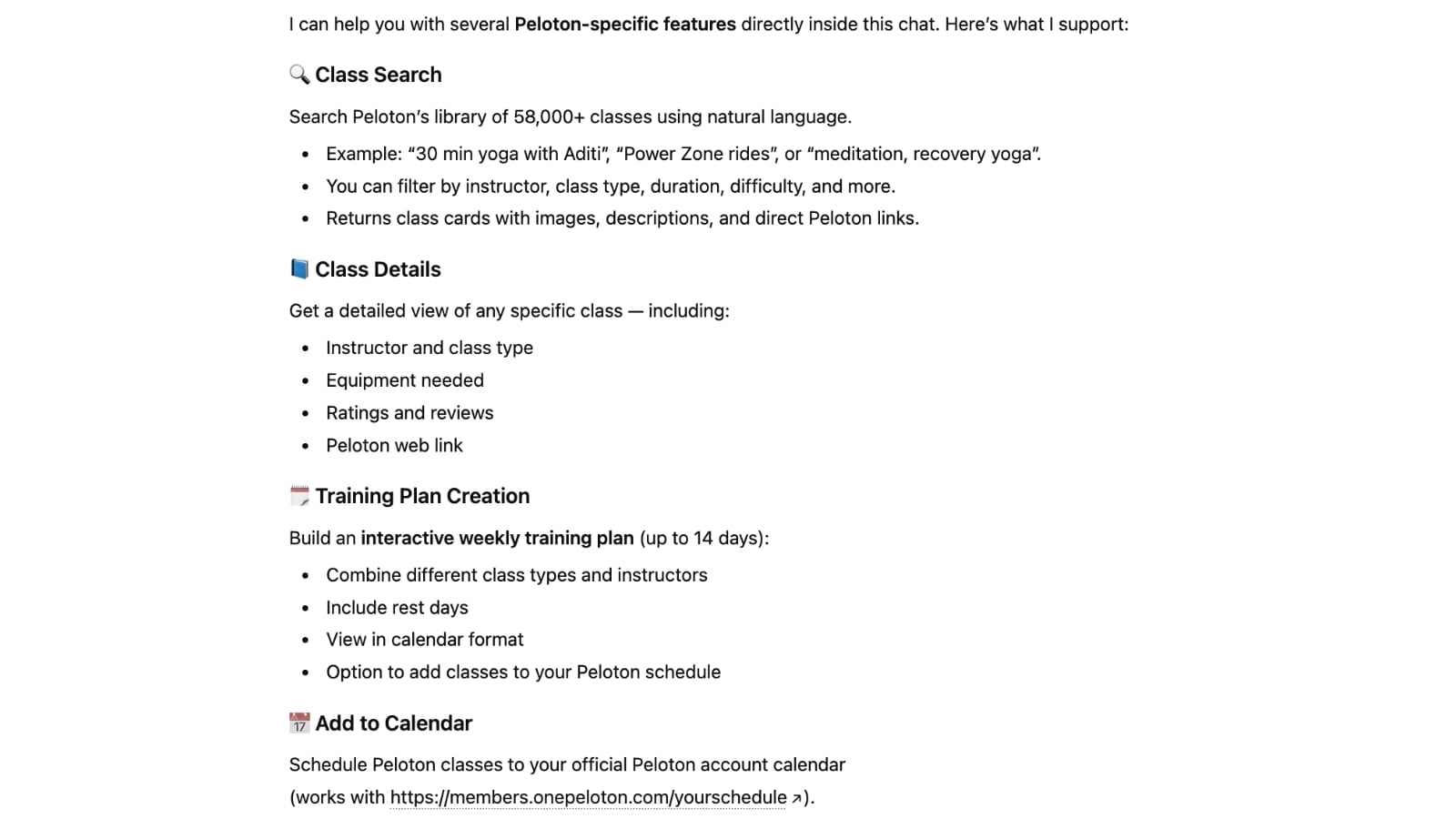
At launch, there are 4 main categories of things you can do with the Peloton ChatGPT app. Those are:
- Search for Peloton classes
- View Class Details
- Build a Training Plan
- Add classes to your Peloton schedule / calendar (but not your stack)
The Peloton ChatGPT integration is available to users of any type who have ChatGPT accounts – including those on the free ChatGPT plan – although you will likely run into usage limits very quickly if you are not using a paid ChatGPT plan.
Note that this integration lives in ChatGPT – this makes Peloton resources available in ChatGPT. This does not make any changes / features available in the Peloton App. So if you don’t use ChatGPT (or don’t want to) – you won’t see anything different in the Peloton App.
How to setup the Peloton ChatGPT Integration & App
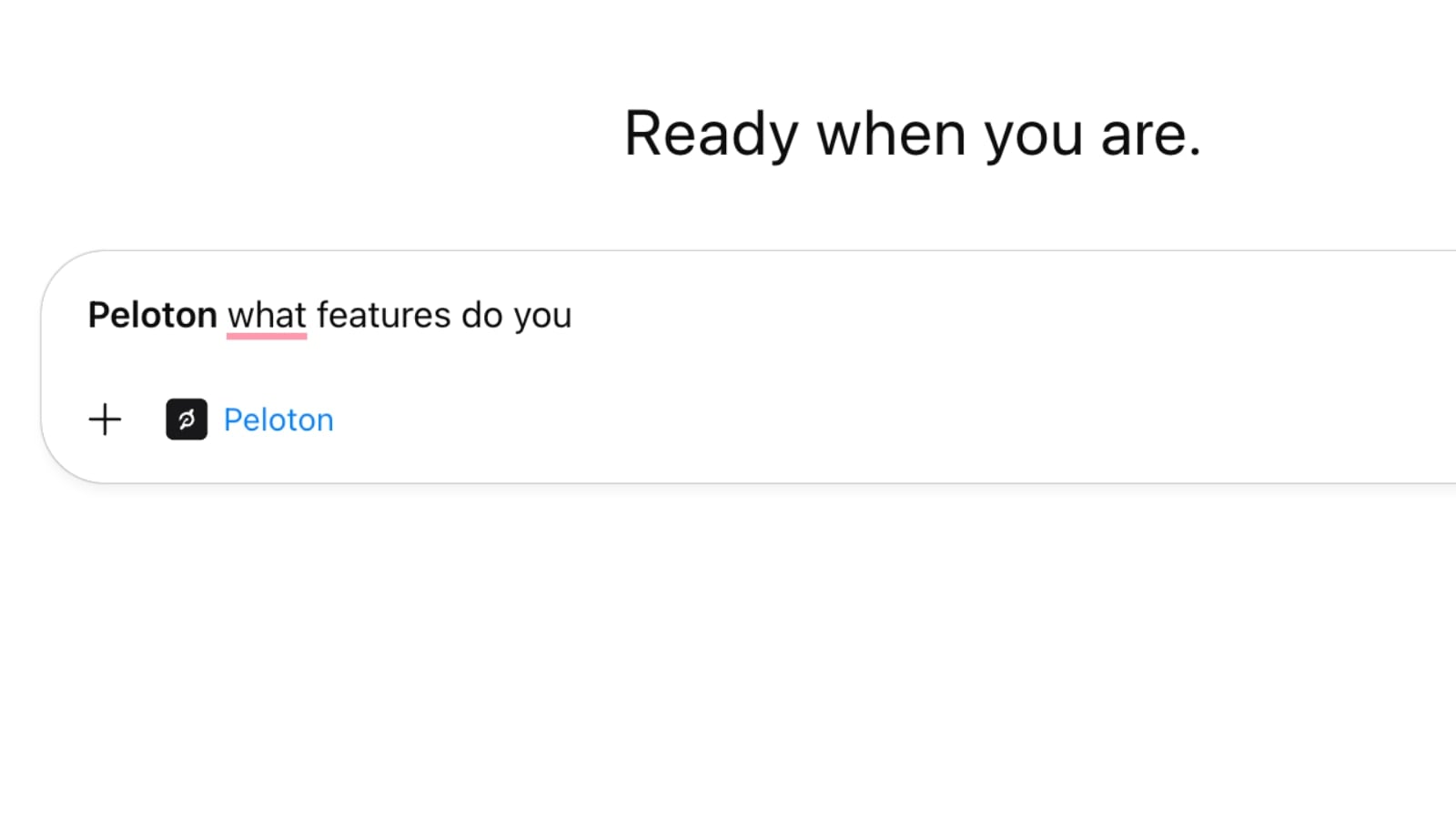
To use the Peloton ChatGPT app, you can simply login to ChatGPT (https://chatgpt.com/) – or create an account if you don’t have one yet – and start your prompt using the word “Peloton”. The user interface will indicate it is loading the Peloton app.
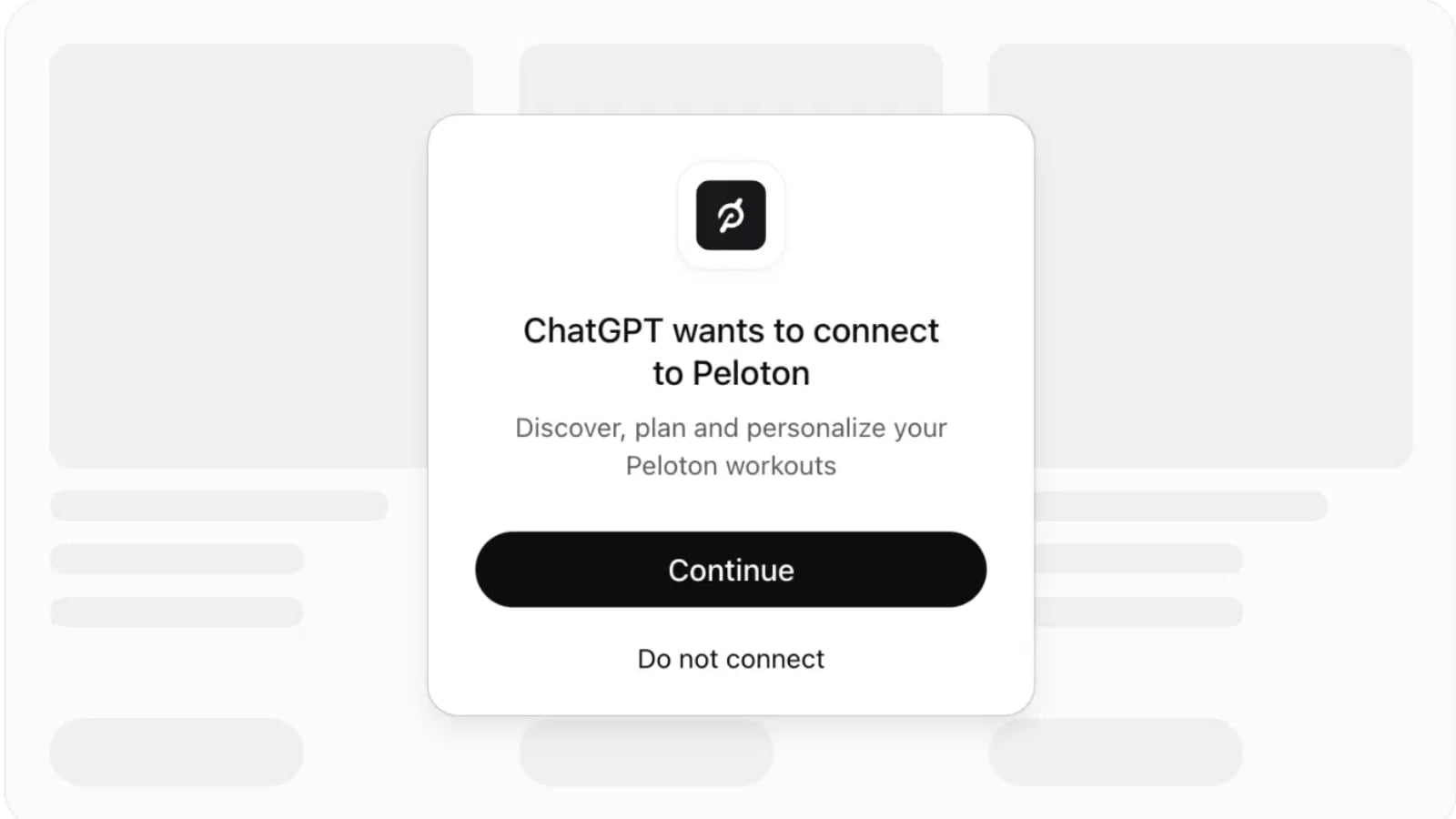
Most Peloton queries to ChatGPT will require the Peloton API – at which point ChatGPT will prompt you to connect to Peloton. You will be shown a message when this happens. Users may have to reconnect to the Peloton API from time to time – especially if it’s been a long time since their last query to Peloton.
Assuming you wish to continue, you will then be given the option to continue without a Peloton account, or to login to your Peloton account. At this point, you will see several disclaimers related to data privacy policies, the risks that may be involved, and links to full terms & conditions.
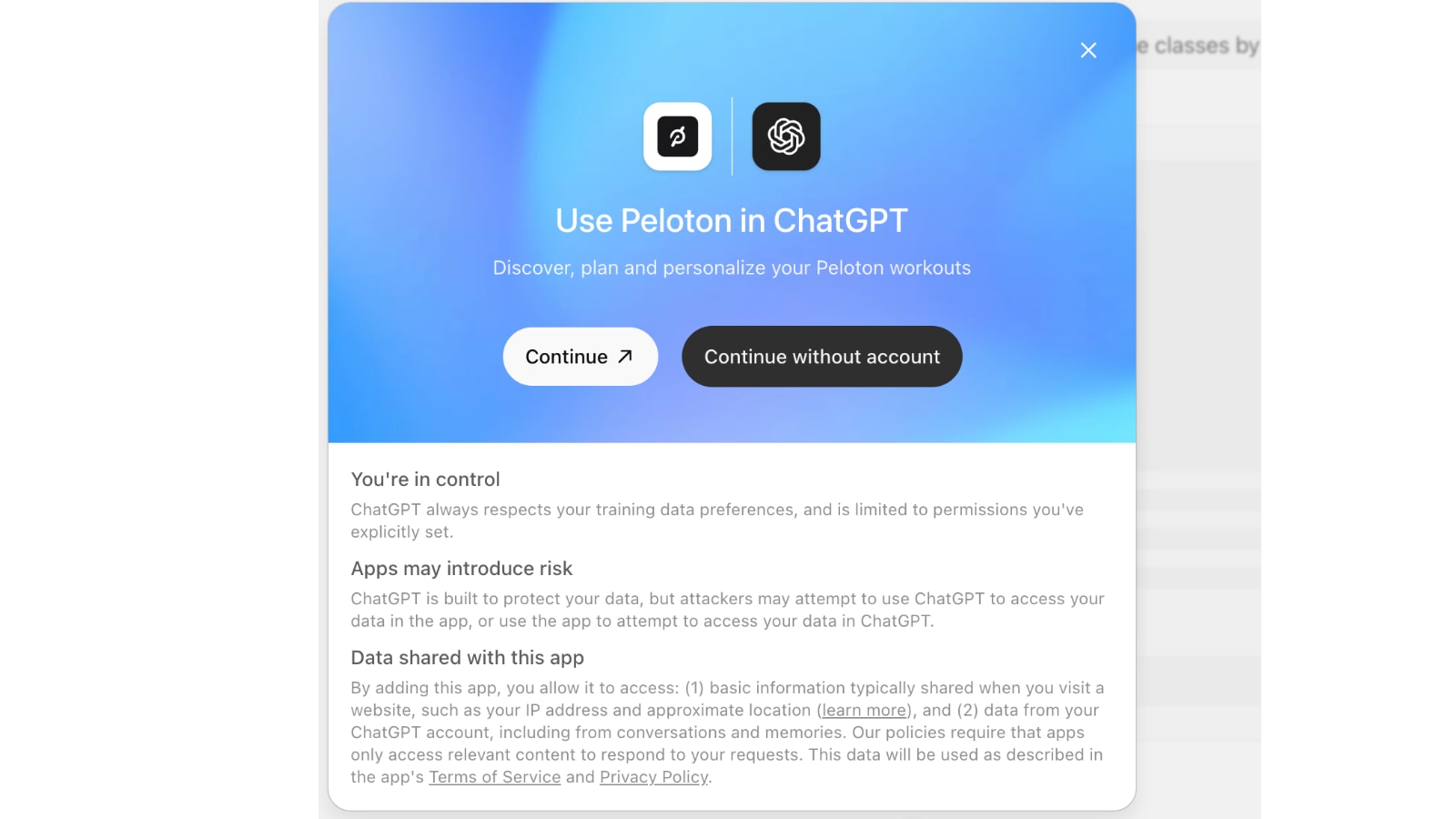
Although the prompt suggests you can use the ChatGPT Peloton integration without logging into your account (continuing with logging in) – in our experience this did not work at all. It simply reloaded the screen over and over back to this login page, until we proceeded to use the option to continue & login to our actual account.
Choosing to connect your account will open a Peloton authorization window. This is using Peloton’s new oAuth credential system – whereby you are logging directly into Peloton, rather than giving your login information to ChatGPT or other third parties.
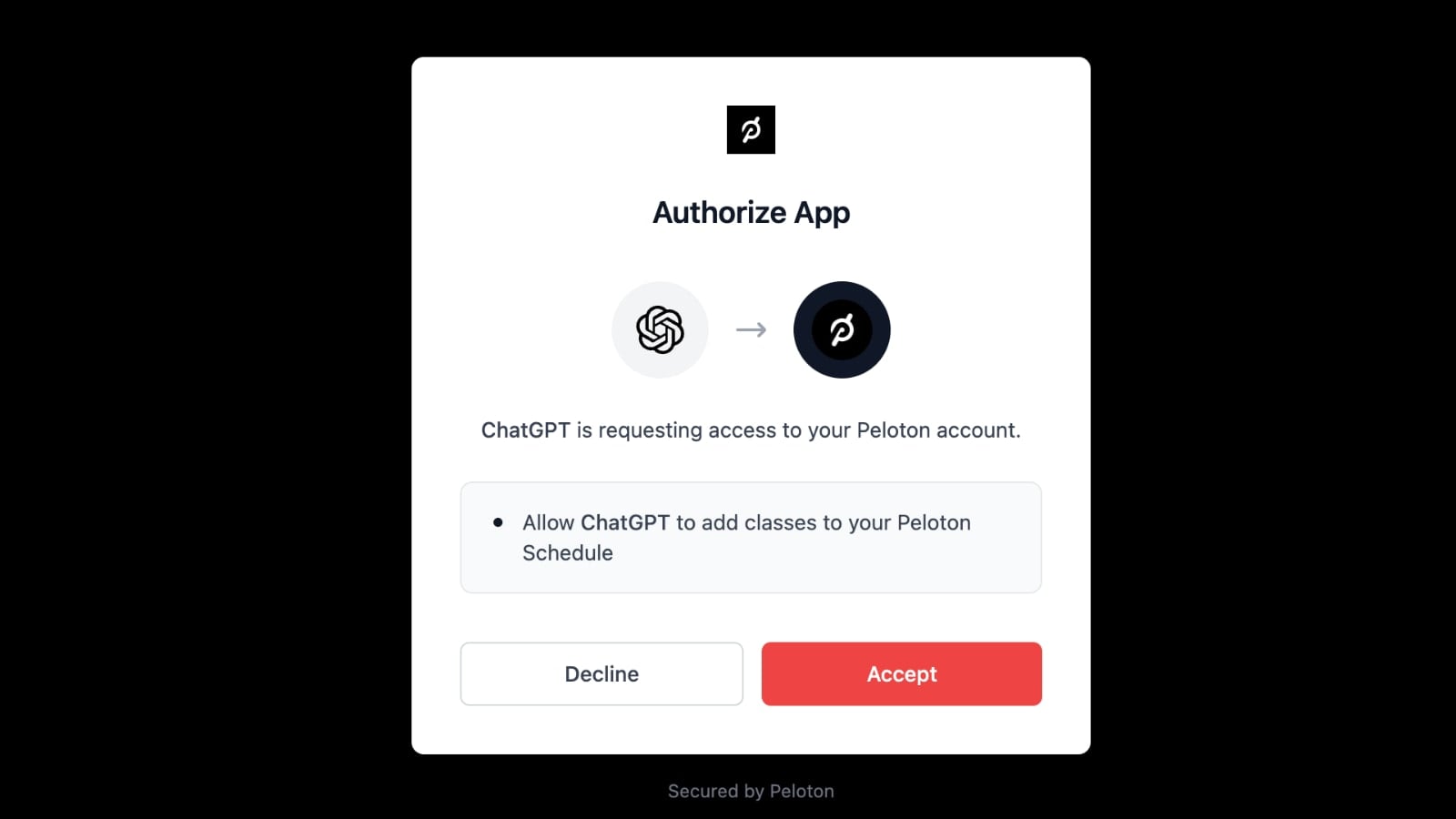
Peloton will validate your credentials and pass access tokens back to ChatGPT – letting them know you have permission and allowing ChatGPT to make queries on your behalf. This authorization currently happens on the “mcp.onepeloton.com” domain (or Peloton Model Context Protocol Server).
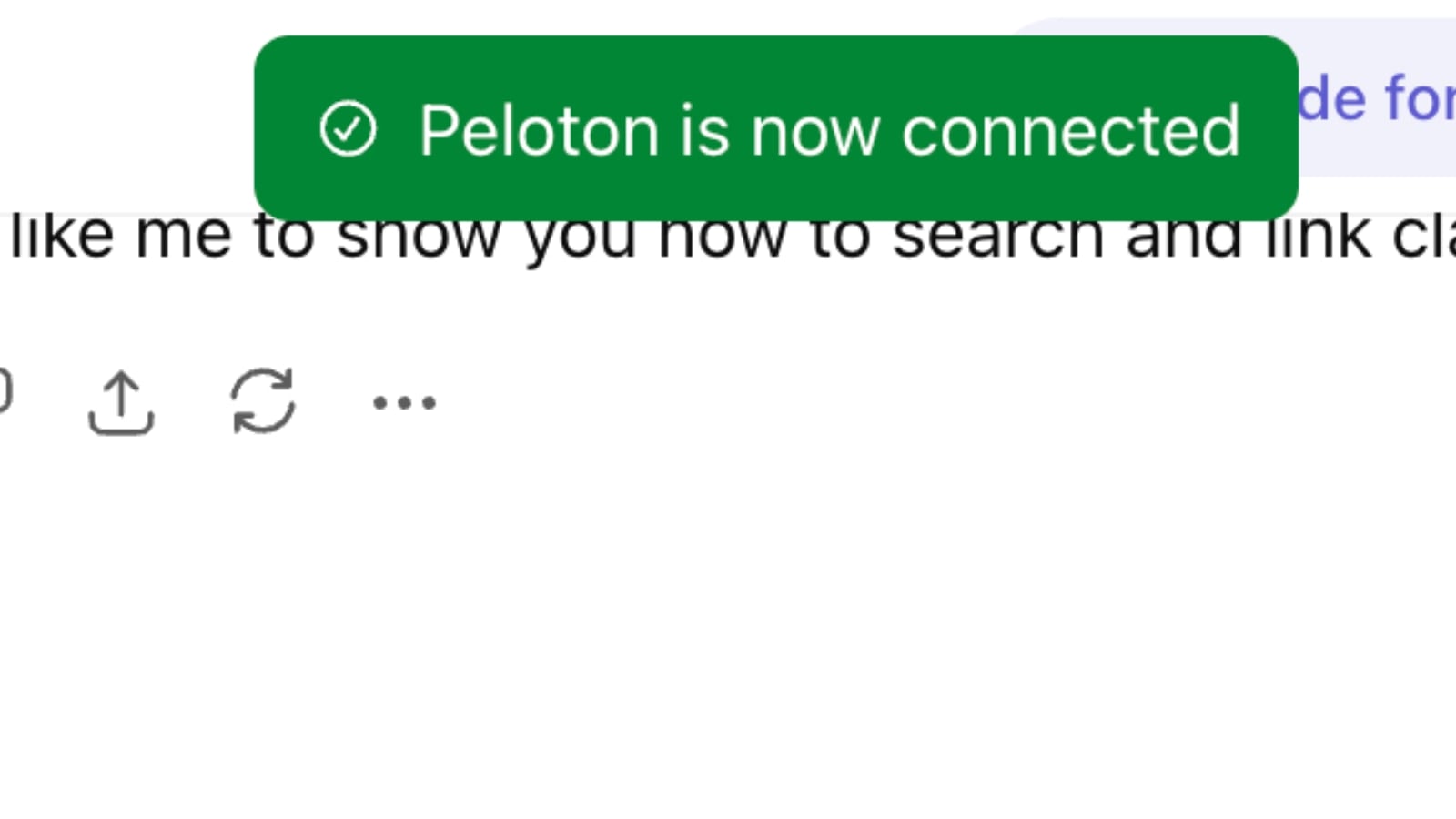
Once you have completed logging in, you should see a message indicating that you have successfully connected your Peloton account to ChatGPT.
Alternatively, to initialize the connection, users can also navigate to “apps” in the menu on the left hand side and select “Peloton” in the list of apps.
Basic Usage & Class Search with Peloton in ChatGPT
As far as how the integration actually works once you are connected, Peloton members can ask ChatGPT basic search queries such as finding classes specifically designed for marathon training, finding classes by certain instructors, looking for certain bands, and more. It is still unclear how that differs from using the Peloton app and using the search term “marathon” to find marathon prep classes, but perhaps ChatGPT gives a deeper dive into the classes than the Peloton app does – but it does not appear this happens at this time. Some users may find natural language searches in ChatGPT to be easier and a time saver over using filters in the app.
Rather than search for a cycling class that offers both intervals and hills, a user could theoretically ask ChatGPT to find a class with that structure and that contains a certain type of music or artist. That said, the timesaving option still has its limitations. As an example, many Power Zone Endurance classes are zone 2 for the entirety of the class, but there is currently no way to search specifically for those in the Peloton App. The only way in the app to find an all zone 2 class is to select a Power Zone Endurance class and then look at the class structure to see whether it’s all zone 2 or zones 2 and 3. One can also search for a certain time period, and then sort the classes by difficulty, and in general, most of the easiest classes for that time length will be all Zone 2.
This type of search (finding power zone endurance classes that only contain Zone 2 efforts) would seem to be a natural fit for a ChatGPT search, but that is not the case.
With the first prompt (“Peloton, show me some power zone training classes that are all Zone 2”), the result set came back with regular power zone classes – not even power zone endurance classes. The first of the two results was this Sam Yo class – which contains Zone 4, 5, and 6 efforts.
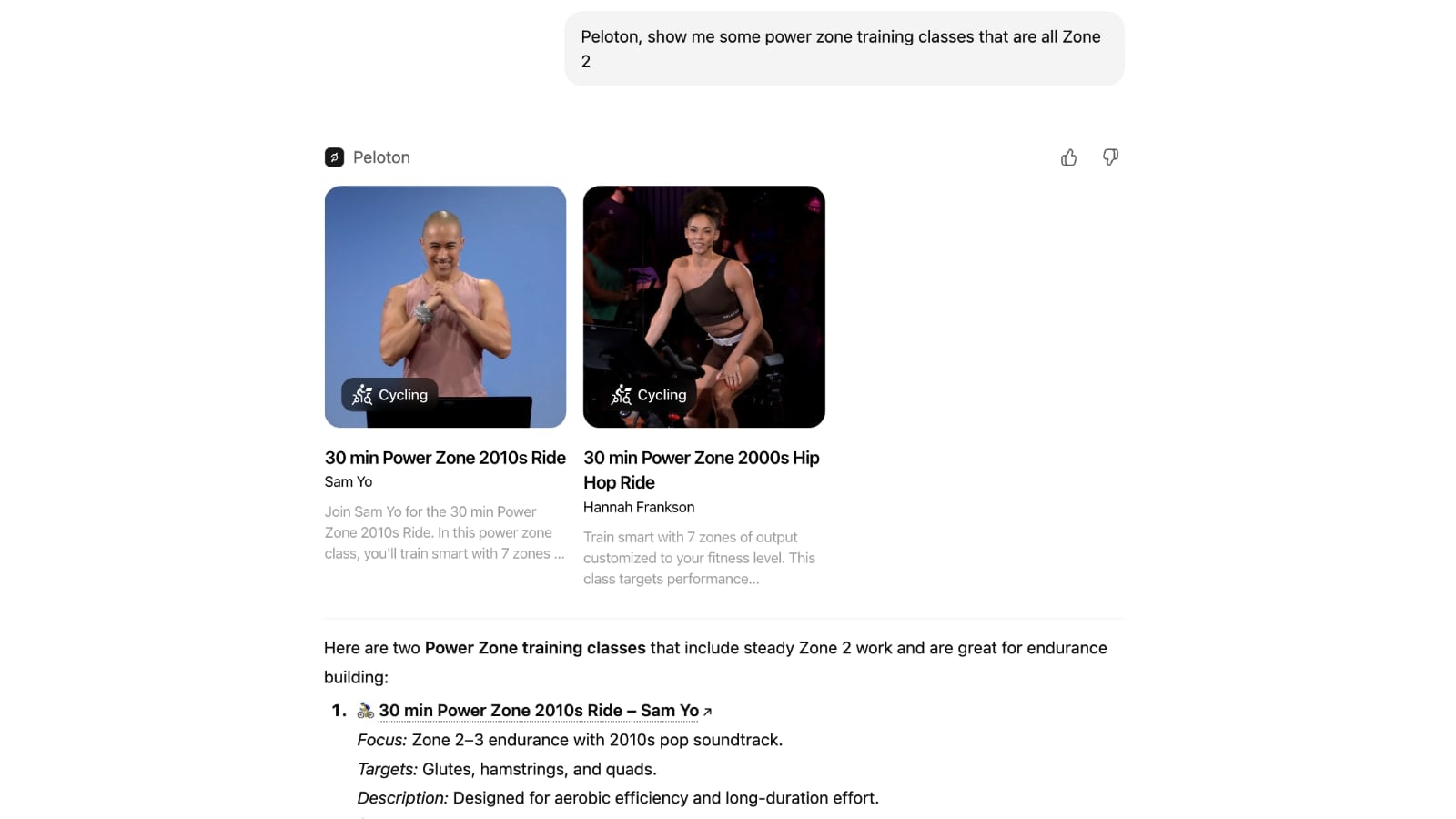
A second attempt at this same search, using the prompt “Peloton, show me some power zone endurance classes that are all Zone 2 for the main set”) ended up returning no results at all.
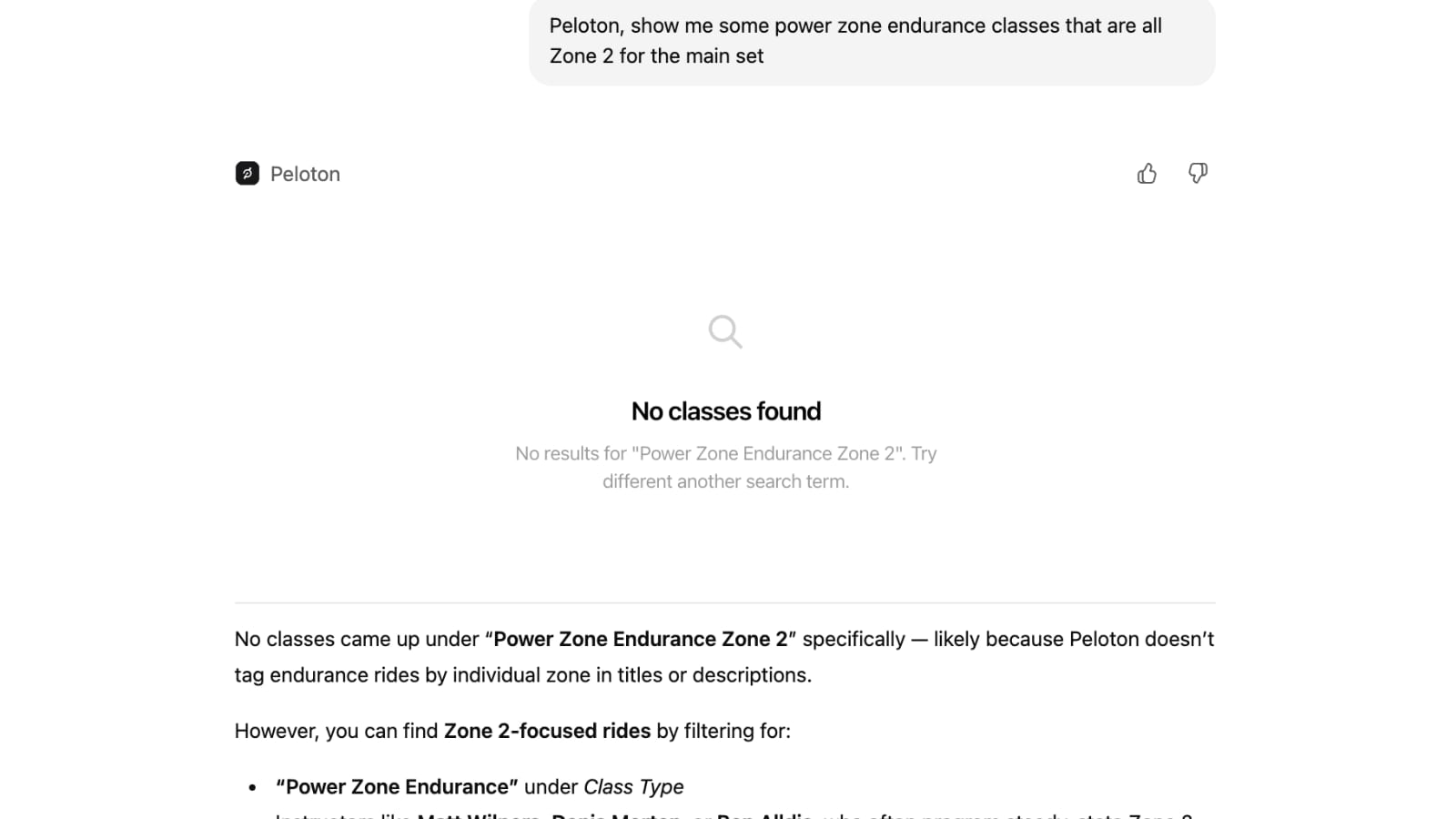
The reason for this result was that it was “likely because Peloton doesn’t tag endurance rides by individual zones in titles or descriptions” – indicating that ChatGPT is not able to, or not currently set up to, use the class structure at a more detailed level at this point of the integration.
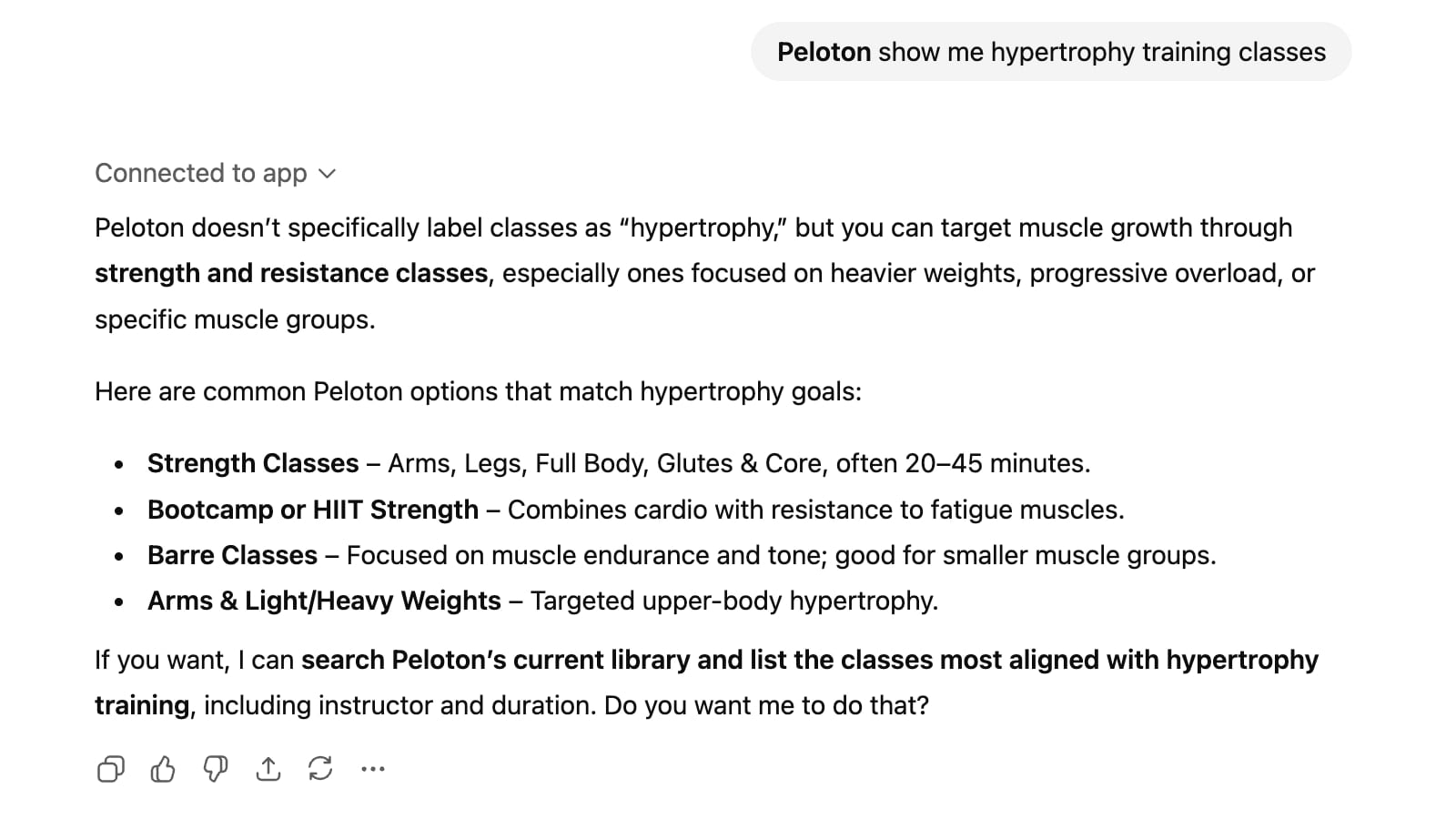
Another example of this is for users who might want to find a specific type of strength training classes. When asked to find hyptertrophy strength training classes, ChatGPT was not able to do so because classes were not specifically labeled as such.
Even what should be a very simple search did not return correct results. ChatGPT was prompted to “Peloton, show me the most recent classes by Ben Alldis”. ChatGPT returned a set of Ben Alldis classes as expected.
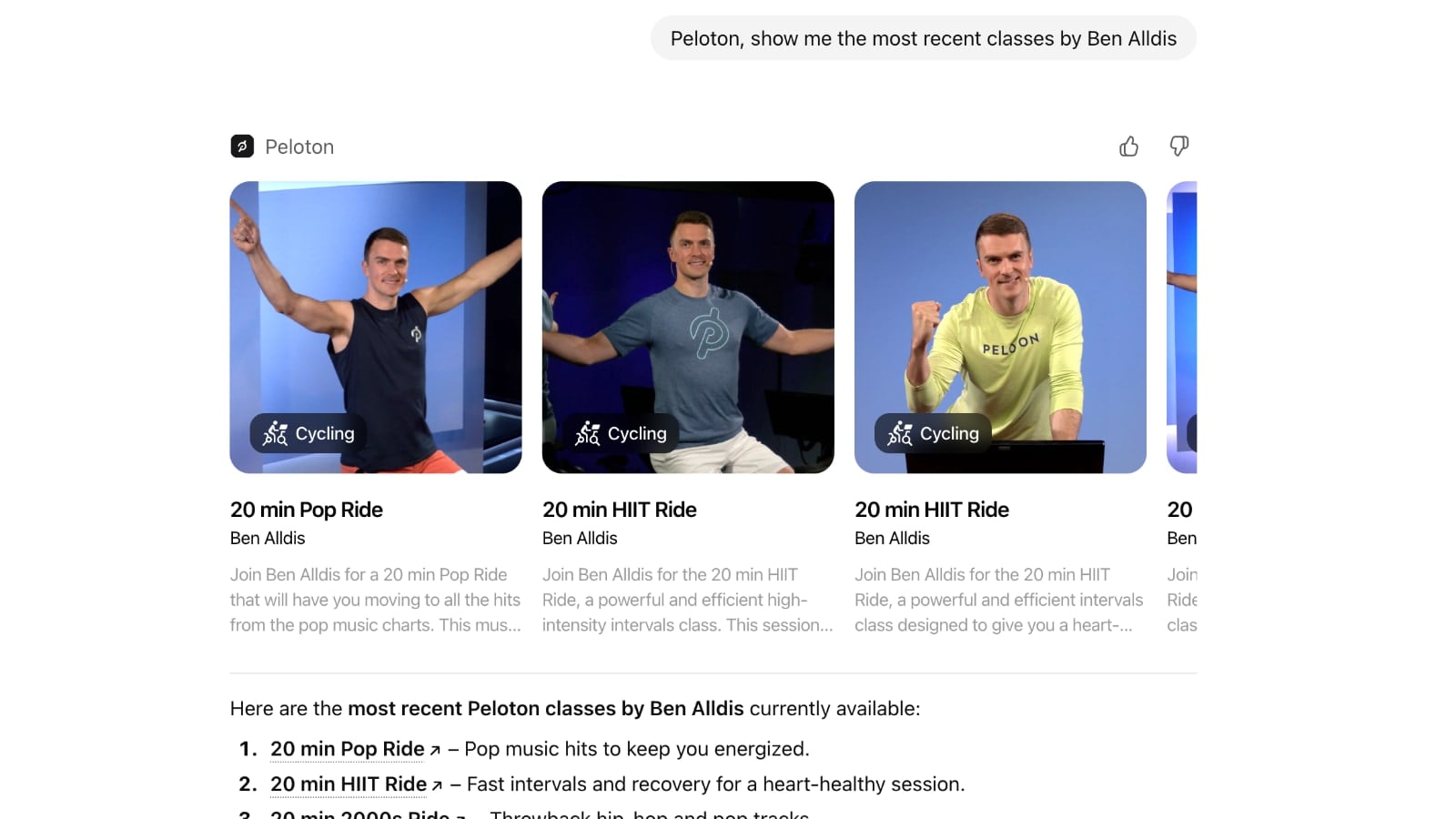
However, the first class it returned is a class from 2022, while the second class it returned was from 2021 – and Ben has had hundreds of newer classes since then.
Building a Peloton Training Plan in ChatGPT
Where the ChatGPT integration would allow more enhancements & growth over what is already in the Peloton App comes in designing training plans using the Peloton library, as showcased in a recent promotional video posted by Peloton CTO Francis Shanahan
This has been an unofficial use of ChatGPT & Peloton for some time. There are numerous reports of users who used ChatGPT to help them build out a training plan of Peloton classes. The limitation, until now, has been that ChatGPT was unable to query and search for the entire library of Peloton classes and include specific classes as part of the plan. One of the goals of this integration is to now allow those same sort of plans to be built – but with specific classes and a better knowledge of the classes that will be included.
For example, a member training for a half marathon might normally have to manually pick and choose Peloton classes, design a weekly schedule, and hope that the classes are exactly what is needed for a training plan. With the ChatGPT integration, however, a runner might only need to ask ChatGPT, “Design me a 16-week half marathon training plan using the Peloton library. Focus specifically on classes with speed intervals and hills and that are no longer than 30 minutes,” and ChatGPT would create the plan.
In theory, that would be a game-changer for athletes who rely on Peloton for most, if not all, of their training. This also could be a more budget-friendly option for athletes who, until now, have used personal trainers or who have relied on subscriptions to fitness apps to create tailored training plans.
One limitation to Peloton’s plans that are built by ChatGPT with the new integration is that when asked what features it supports – ChatGPT indicates that it is only able to build training plans of up to 14 days. For a user wanting to design a split strength training program, this may be suitable, but for endurance athletes who are training for long distance cycling events or for longer running events like a half marathon or marathon, a 2 week plan is much too short. This limit appears to be a ChatGPT hallucination, however, as at least somewhat longer plans were possible.
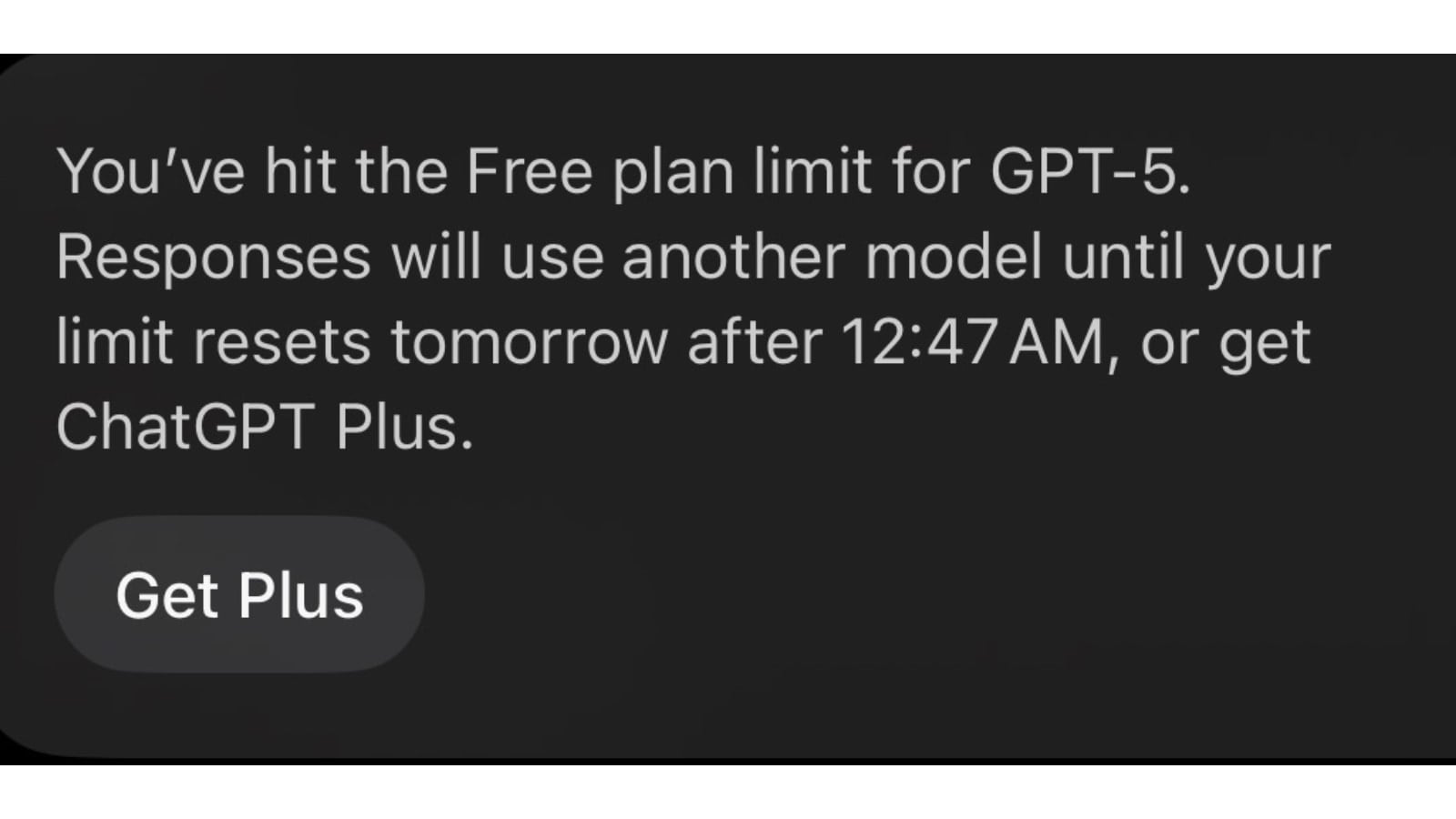
No matter how long a training plan you wish to build with ChatGPT – it comes with some noteworthy issues, starting with ChatGPT’s response limitations for its free accounts. The Peloton app is integrated with Chat GPT’s GPT-5 model, which is the most current (and advanced) model for ChatGPT’s service. Unfortunately, due to the way ChatGPT works, almost all free users will be limited to how many queries they can ask and how many responses they receive in a single session. It is not as easy as asking ChatGPT to create a plan and then waiting for the plan to be delivered. ChatGPT is looking to give users the ideal plan, so it will continue to ask users questions in order to refine the plan based on what the user previously input, a process that could go on for quite a while:
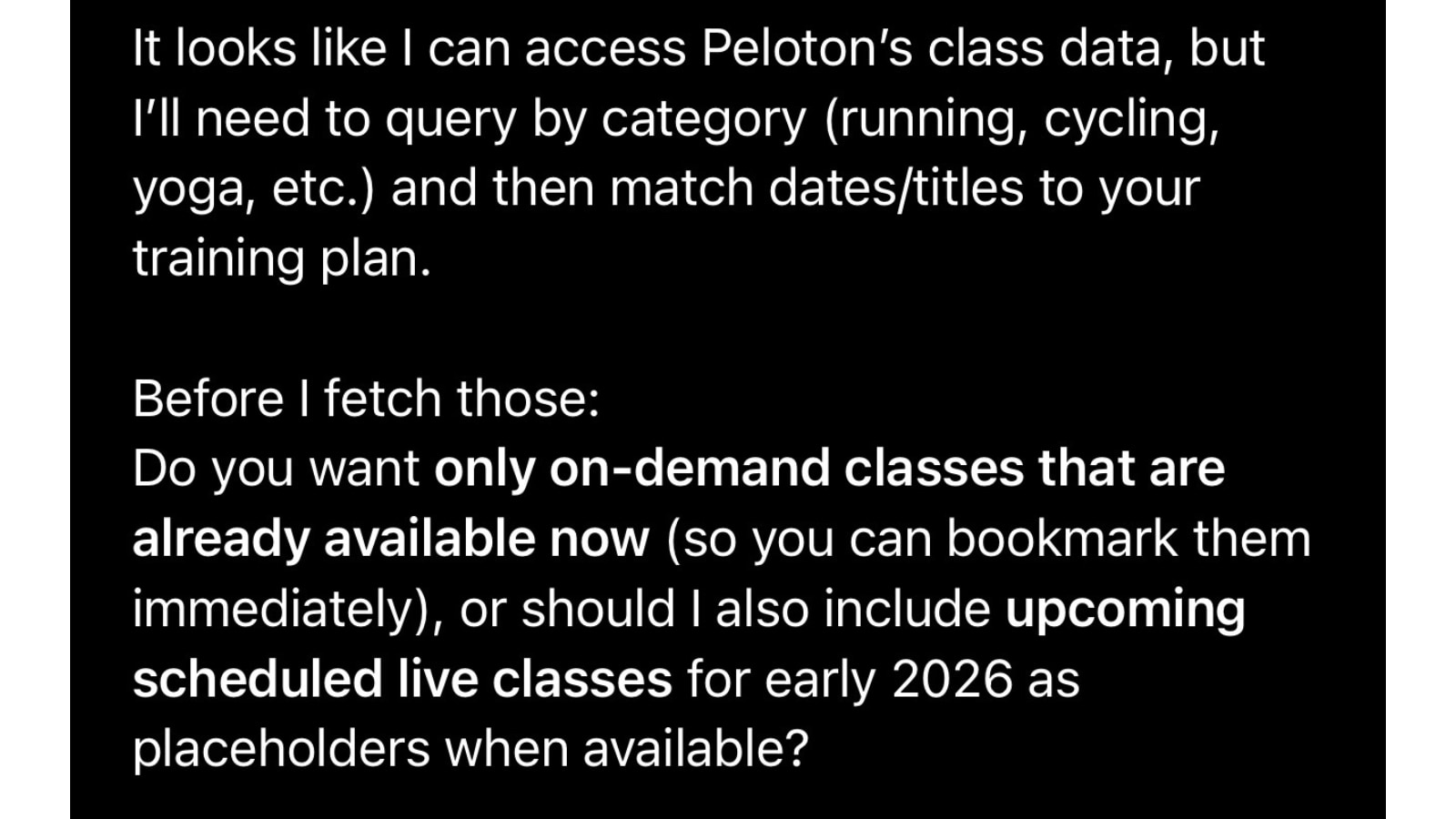
For example, ChatGPT might build a training plan, but it then might ask a user whether they want to alternate hill and tempo runs on a weekly basis or include dedicated hill blocks in the plan. If the user answers, “Alternate hill and tempo runs every Wednesday,” the question might turn to classes: “Would you like the plan to include specific Peloton class titles and dates or should I just specify class types and durations?” The questions and answers will likely continue until free users reach their response limit for the time period – sometimes a few hours and sometimes until the next day. Free ChatGPT users will also be prompted that they can upgrade to ChatGPT Plus for $20 per month:
If you are using the web-based version of ChatGPT, it is less clear when you hit the usage limits, and instead just seems like an error is occuring. ChatGPT tried telling the users that the search tool was disabled – rather than explicitly saying a limit was hit.
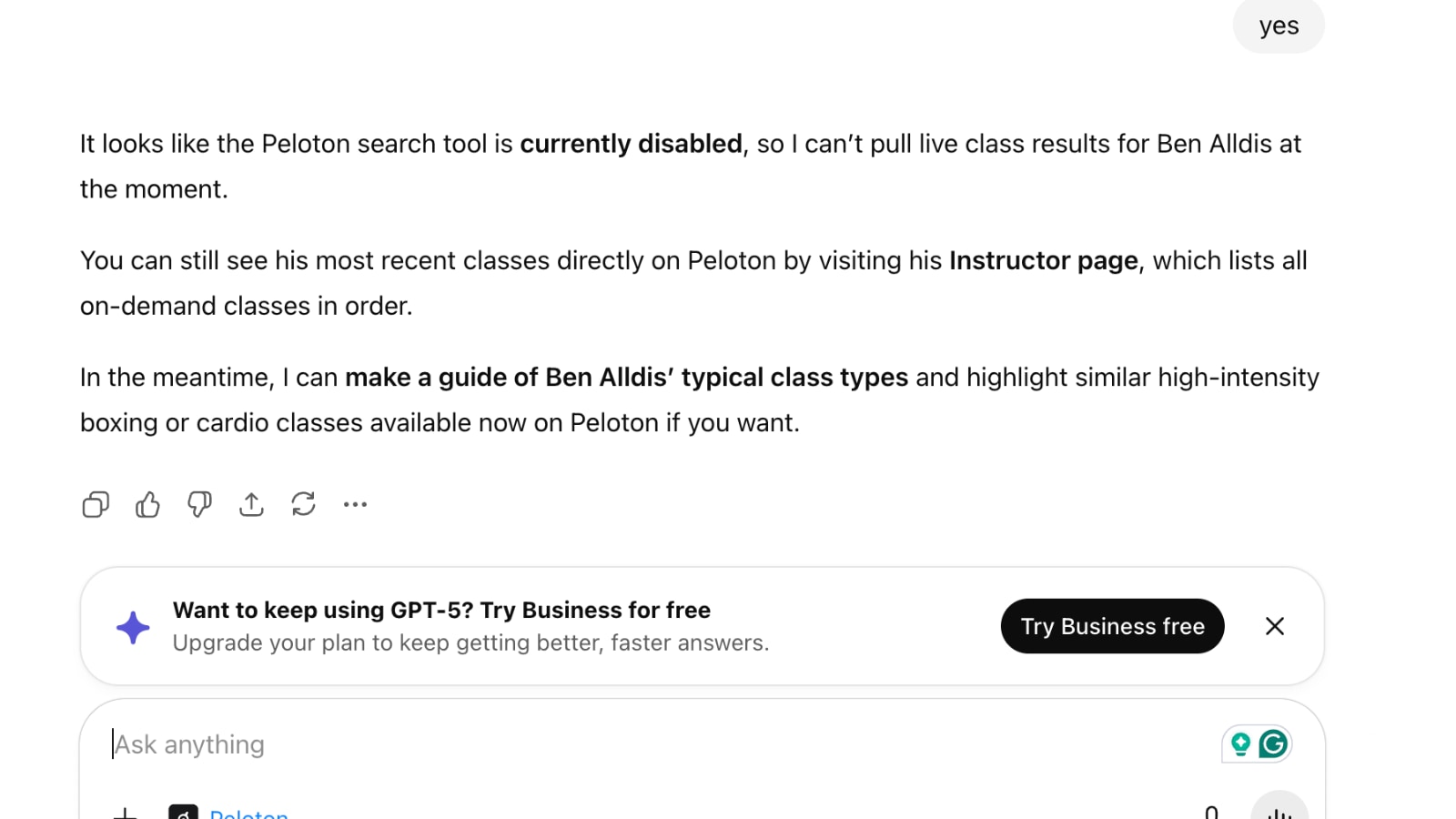
For now, the limitation may result in users having to wait several sessions until they have training plans that match their fitness goals.
When ChatGPT does return a training plan, the user interface can sometimes lead to confusion. For example, when asked to build a 4-week power zone training plan, the first several classes it returned were not even power zone training classes – although the response specifically noted it had built a “4-week power zone training plan.” It did note it had “a few strategic additions for balance and recovery”, but the way this is presented with the class cards does not appear to be what the user asked for.
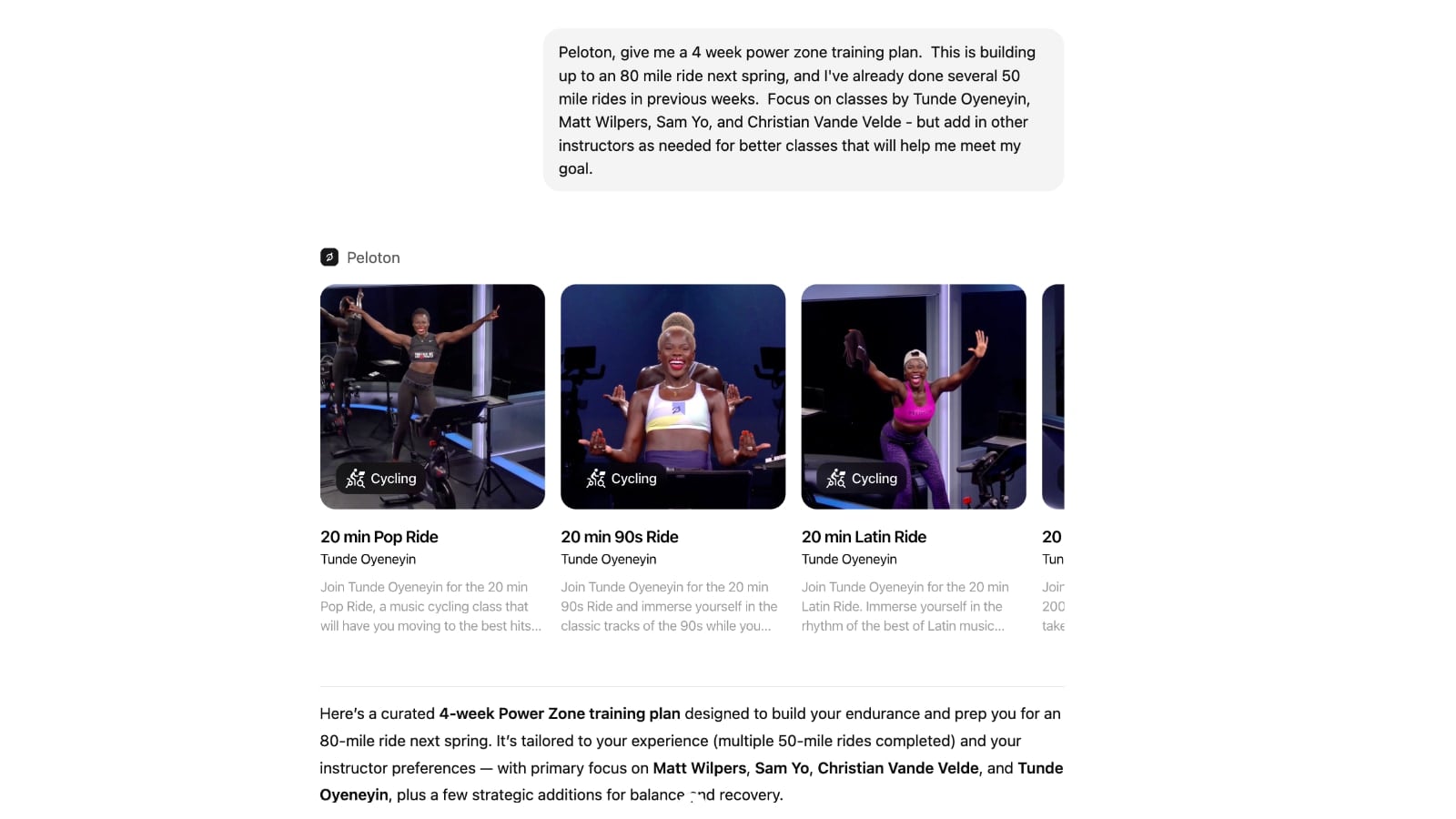
Scrolling further through the list of classes in the response does show that it did include power zone classes matching the query.
Another feature of the integration is that it can tell you details about the class. For example, when asked to share the exact class structure of one of the classes it had added to the 4 week plan referenced above, it returned this:
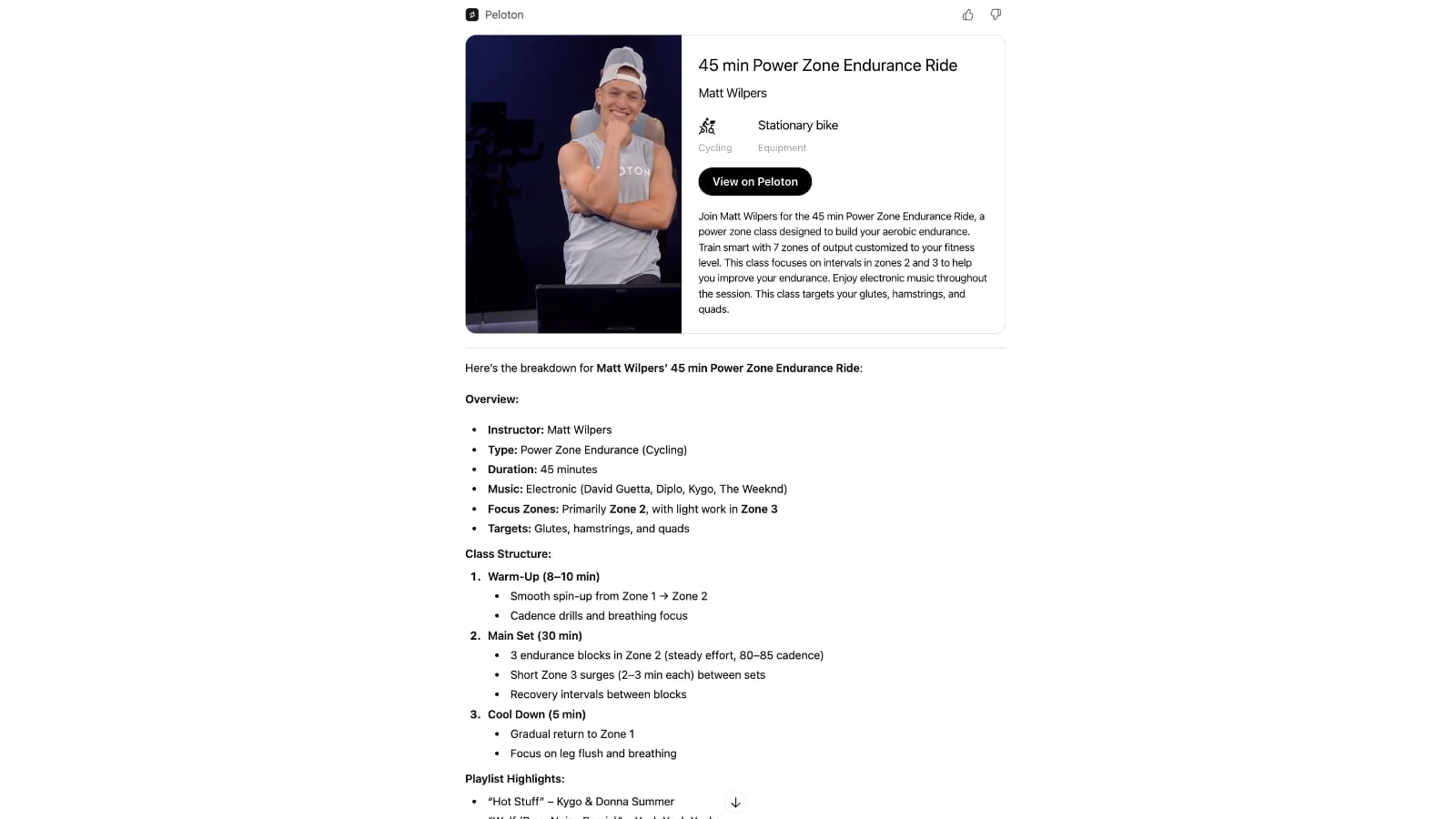
The class it is describing is this Matt Wilpers 45min PZE class from 4/6/23.
ChatGPT describes the main set of this class as having “3 endurance blocks in Zone 2 (steady effort, 80–85 cadence)”, with “Short Zone 3 surges (2–3 min each) between sets”.
However, this is simply wrong information. This is the class structure from the Peloton app for this same class.
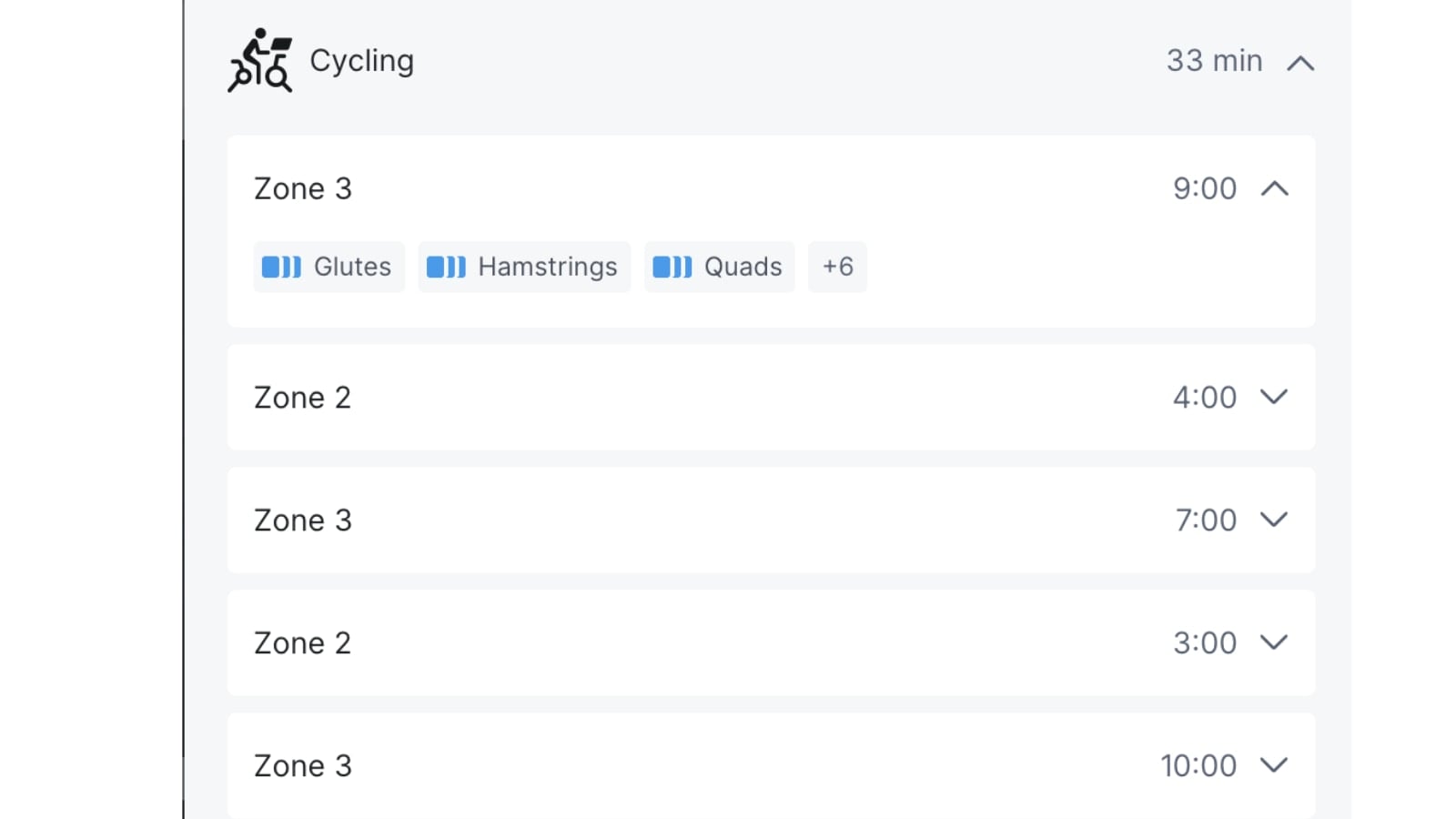
Rather than the class being long blocks of Z2 with short Z3 efforts, the class plan is actually longer blocks of Zone 3 (up to 10 minutes at most), with 3-4 minutes of Z2 recovery in between each one.
Although ChatGPT itself said it could only build “interactive training plans” of up to 14 days – it will attempt to build longer plans. After several back and forths and session timeouts, ChatGPT eventually did return a 18-week plan designed for someone with a specific target goal for the Boston Marathon. Since it was a longer plan, it did not include links to specific Peloton classes, only general class types & lengths. The issue was that it appears that several of the class titles it suggested don’t actually exist in the Peloton library.
Yet another issue comes when, for some reason, ChatGPT loses its connection with the Peloton app mid-conversation, as shown here:
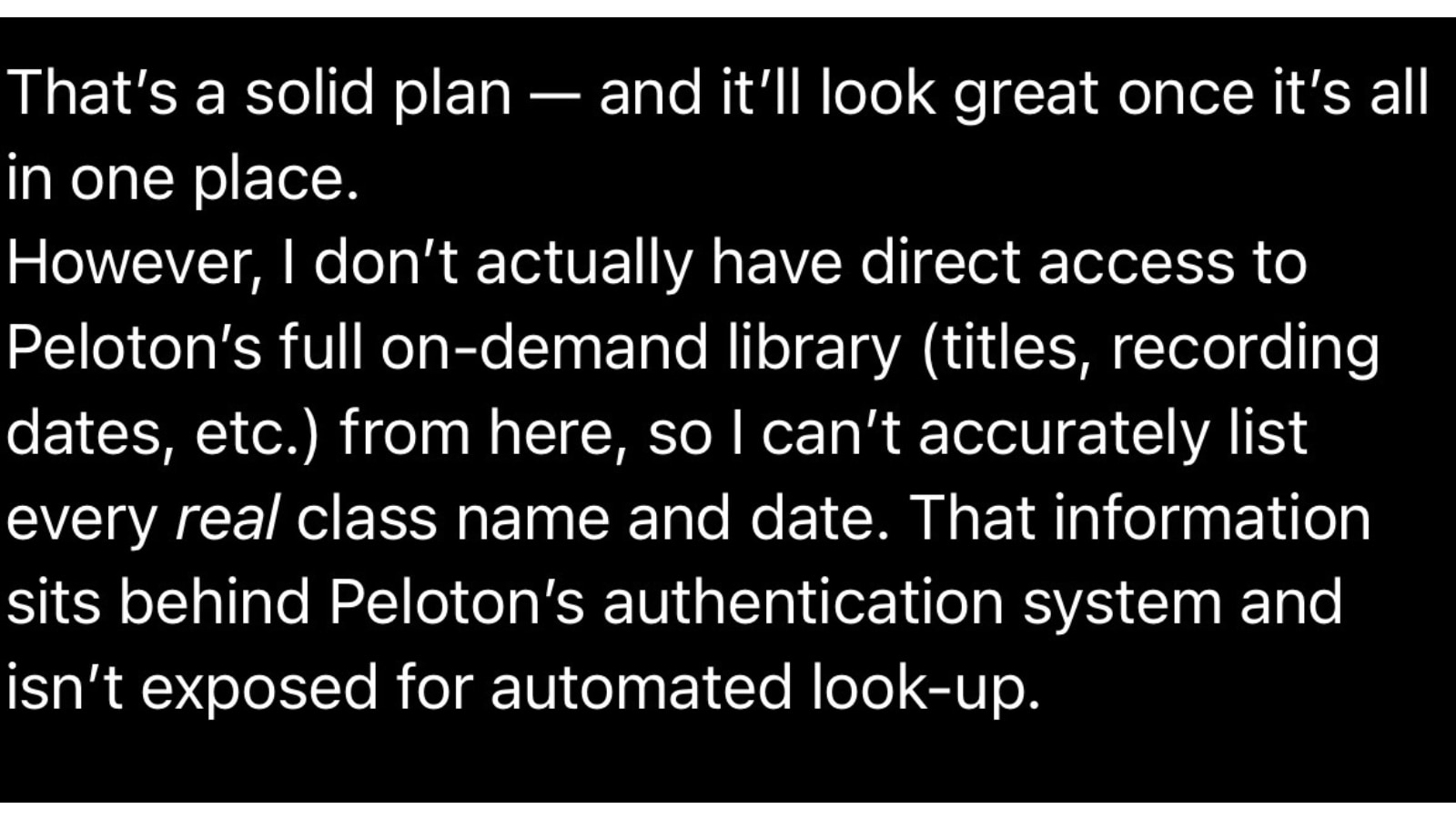
The above message is incorrect since users previously authenticated the Peloton app within ChatGPT. In this case, the user can respond, “You do have direct access to the Peloton library,” and that will trigger ChatGPT to refresh the connection. This is a minor annoyance but also exposes the hiccups that occur when using AI for complex tasks.
Adding classes to Peloton schedule with ChatGPT integration
The final feature supported right now is adding classes directly to your Peloton class schedule via the ChatGPT integration. At this time, it is only possible to add to your schedule – but not to your stack.
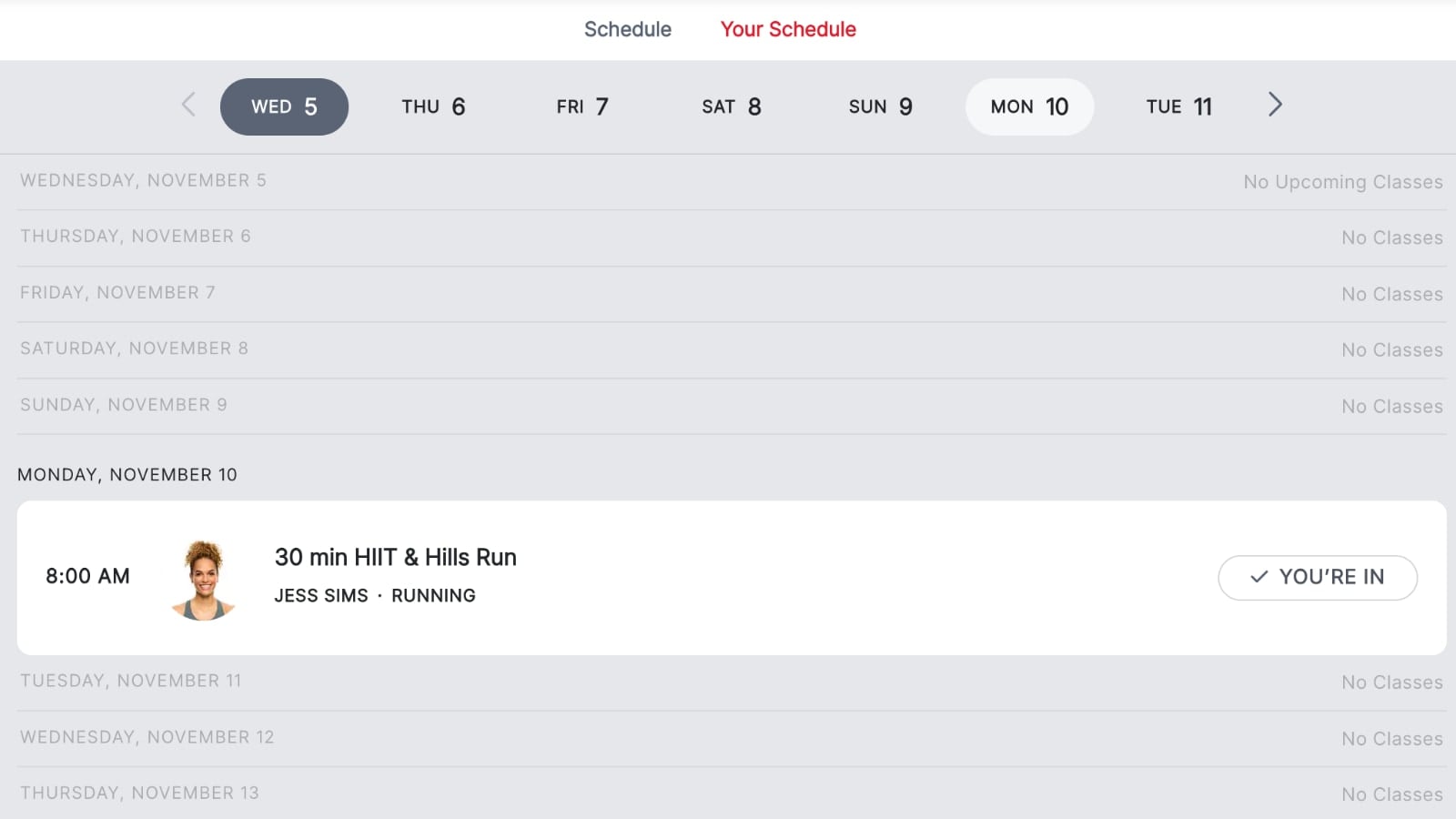
After seeing the details for the Matt Wilpers class described above, we asked Peloton to add the class to our schedule. It indicated it was successful. However, upon going and viewing our schedule, there were no classes in our schedule.

We asked ChatGPT to tell us what day it added it to our schedule for – and it had put it on the schedule for the most recent Monday (this prompt was done on Wednesday), so it added it to the past.
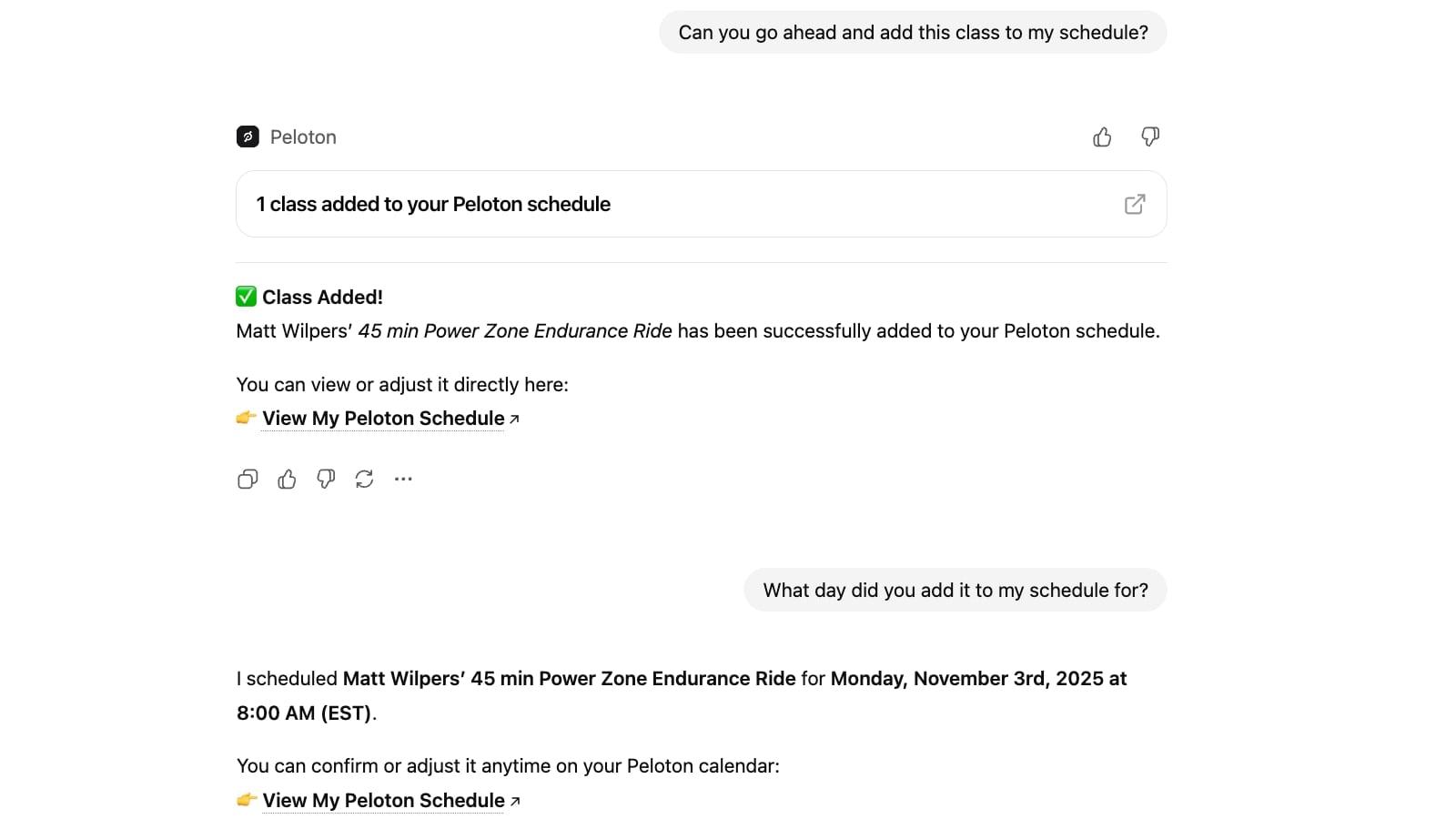
ChatGPT was then asked to add the class to our schedule next Monday, which it appears to have done.
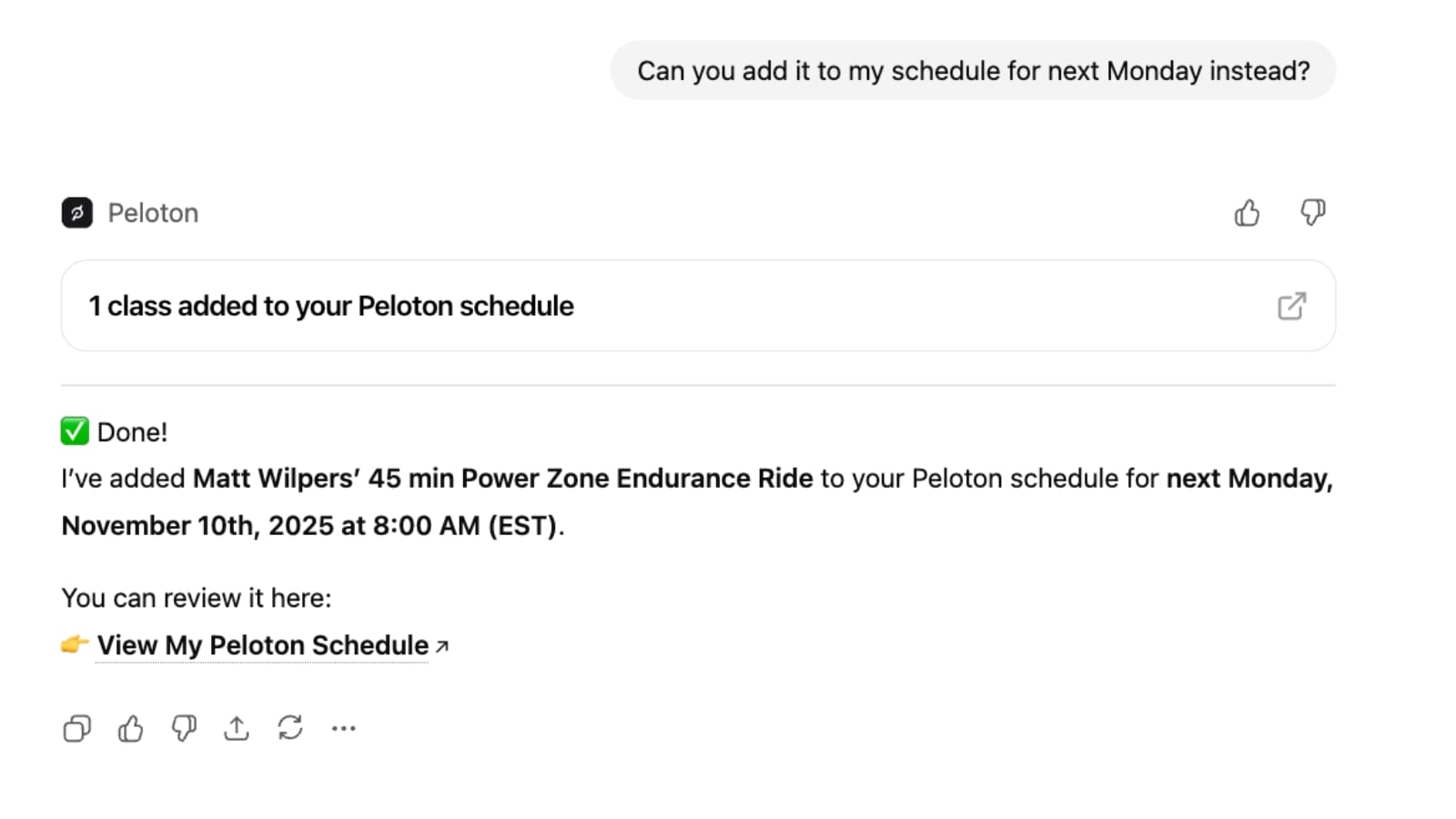
Upon opening our schedule on Peloton, we did find a class at 8:00am ET for next Monday – however, it was not the Matt Wilpers class it said it was adding, it was instead a Jess Sims running class from 2023.
When asked to confirm what class it added to our schedule, ChatGPT replied it was the class with ID 66a17a89c2b94ba386b1ee0be41dc67c – which does link to Matt Wilpers class we were trying to add.
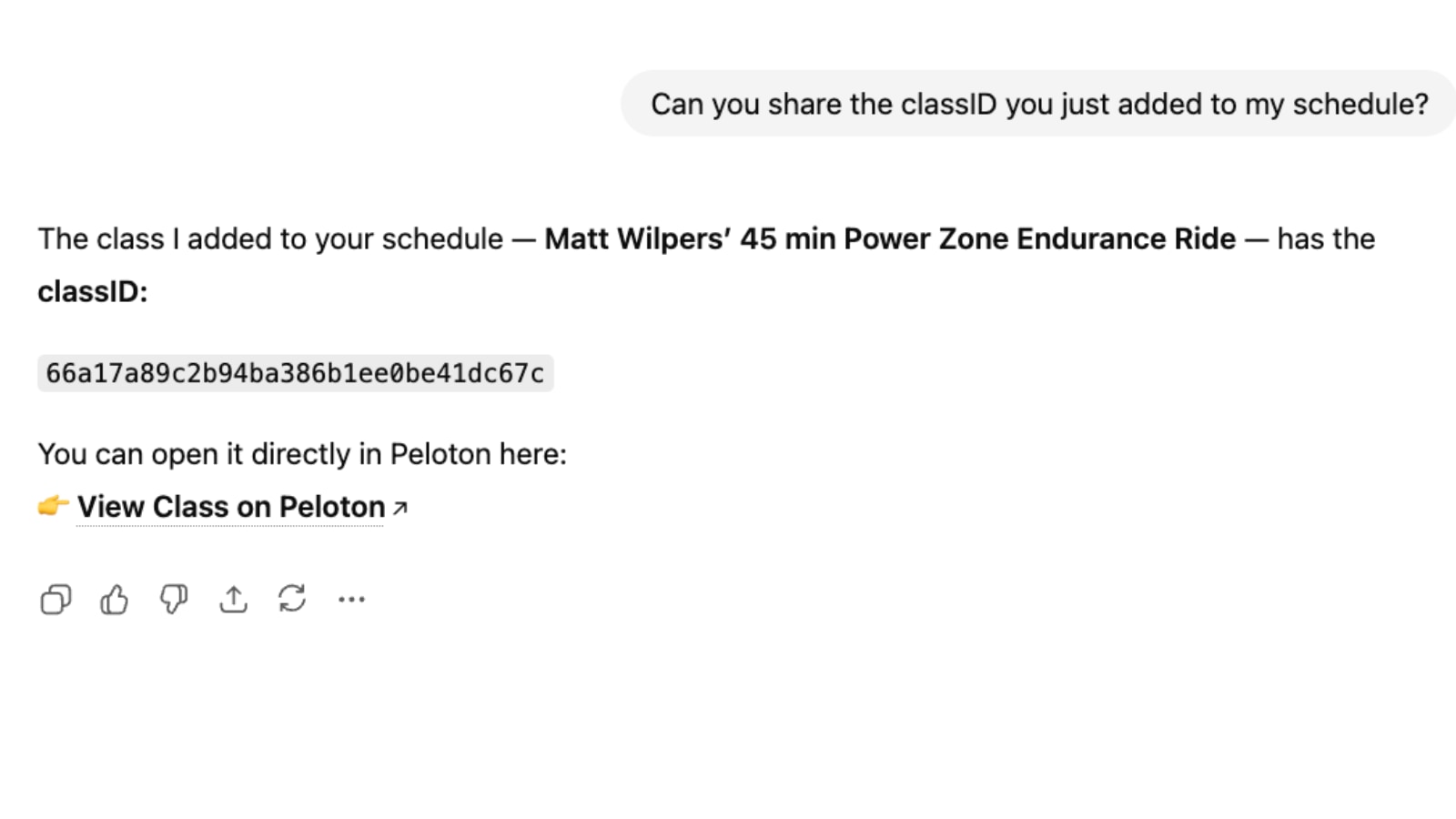
It is not clear why it added an entirely different class instead.
Conclusion
While several of the issues noted above can be somewhat vexing, one has to remember that this integration is still in its infancy. As ChatGPT continues to evolve and as Peloton continues to grow its AI initiatives, Peloton members should hopefully see improvements in the way the two apps work with each other. You can see a vision of how Peloton wants it to work smoothly in the video from Peloton’s CTO.
At this point, members will also experience hallucinations and incorrect results from the ChatGPT queriers. However, as ChatGPT openly states, “ChatGPT can make mistakes. Check important info.”
Peloton clearly sees AI as a focus moving forward – and ChatGPT is just one portion of that. Last month, with the alongside the launch of their new “Cross Training” hardware devices Peloton also announced Peloton IQ – an integration of AI into all Peloton devices. Peloton executives have spoken several times over the past year about the importance of AI and ways they are starting to use it across the business.
We will share more information about the Peloton x ChatGPT partnership as new updates are rolled out or the integration receives new features.
Support the site! Enjoy the news & guides we provide? Help us keep bringing you the news. Pelo Buddy is completely free, but you can help support the site with a one-time or monthly donation that will go to our writers, editors, and more. Find out more details here.
Get Our Newsletter Want to be sure to never miss any Peloton news? Sign up for our newsletter and get all the latest Peloton updates & Peloton rumors sent directly to your inbox.

Since Microsoft CoPilot uses GPT 5 I tried a similar test and got some good results – all for free.
Worth a try if you don’t have a ChatGPT account.