

Peloton is rolling out new features to the Peloton community: the ability to block members & hide leaderboard tags.
Earlier this week we shared Peloton was testing out blocking members & hiding tags with a only small percentage of Peloton users. However, these new features are rolling out now to all users via Peloton’s hardware, web browsers, and apps.
This feature may take a few days to roll out to everyone, as Peloton said “We’re rolling this out over several days and trying to get it to all our Members as quickly as possible.”

Explaining the logic behind adding these new features, Peloton said: “We are giving Members more control over their experience on the platform, including social interactions and the choice of what Tags they see on Peloton. ”
The block feature keeps any user you blocked from seeing you or interacting with you on Peloton. They can’t search or view your profile, see or interact with you on the Leaderboard, or send you class invites. Since they can’t interact with you, this also means they can’t give you high fives.
The hide tag features means you will not see any tags you have hidden on the leaderboard, or on member’s profile. You will still see the members – you just won’t see that specific leaderboard tag listed. This only hides that tag for you – not for other members.
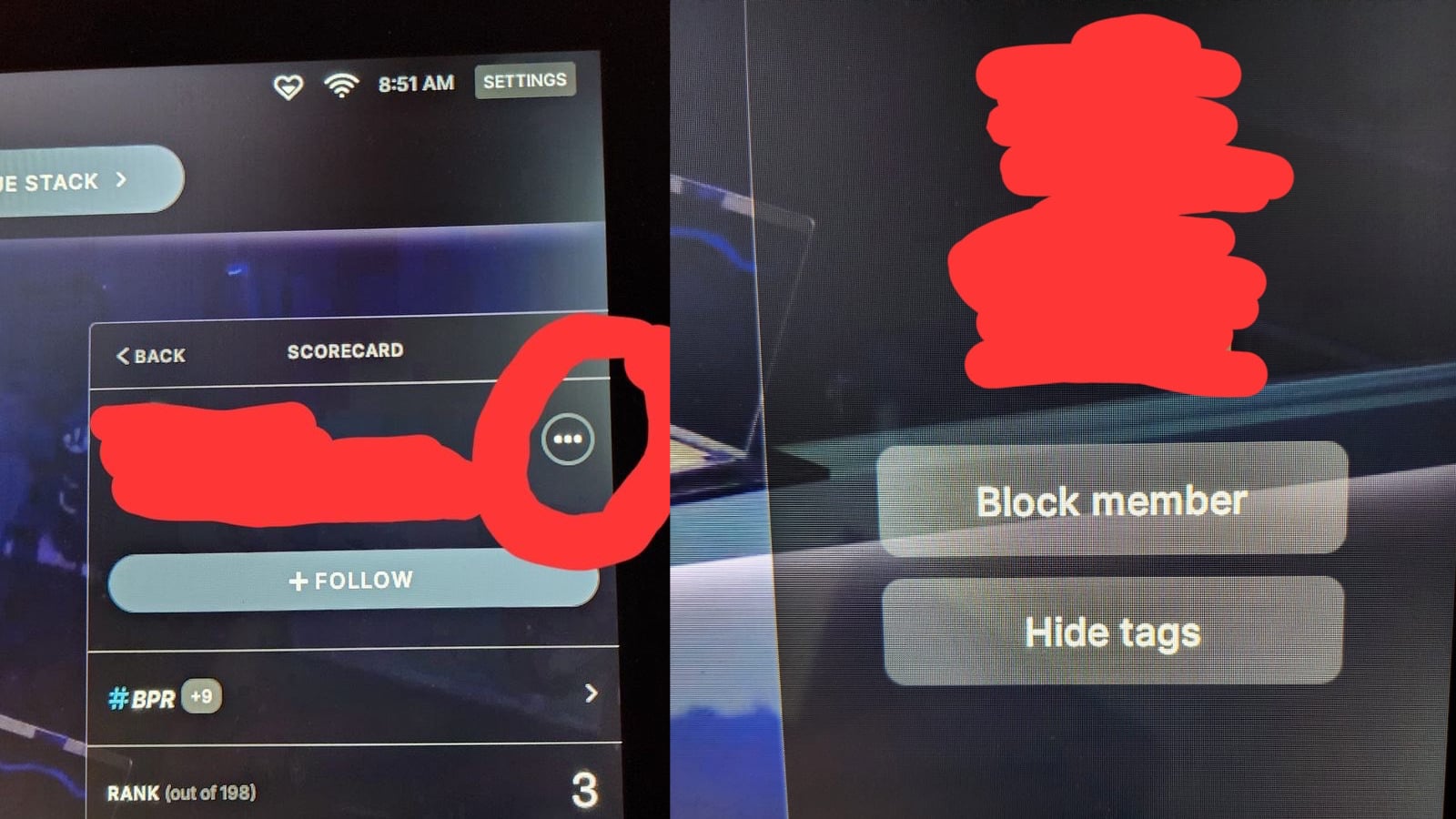
On your Peloton Bike, if you click on a member’s leaderboard name, and then the 3 dots on the top right, there are buttons to “Block Member” or “Hide Tags.” You can do this by finding their profile, or doing so directly from the leaderboard. Thanks to Darlene for sharing this image.
These actions are available via similar methods on the Peloton app, and Peloton website.
Members who you have blocked will not be notified of your action. There are limits to this feature: you can only block 1,000 members, or hide 1,000 individual tags.
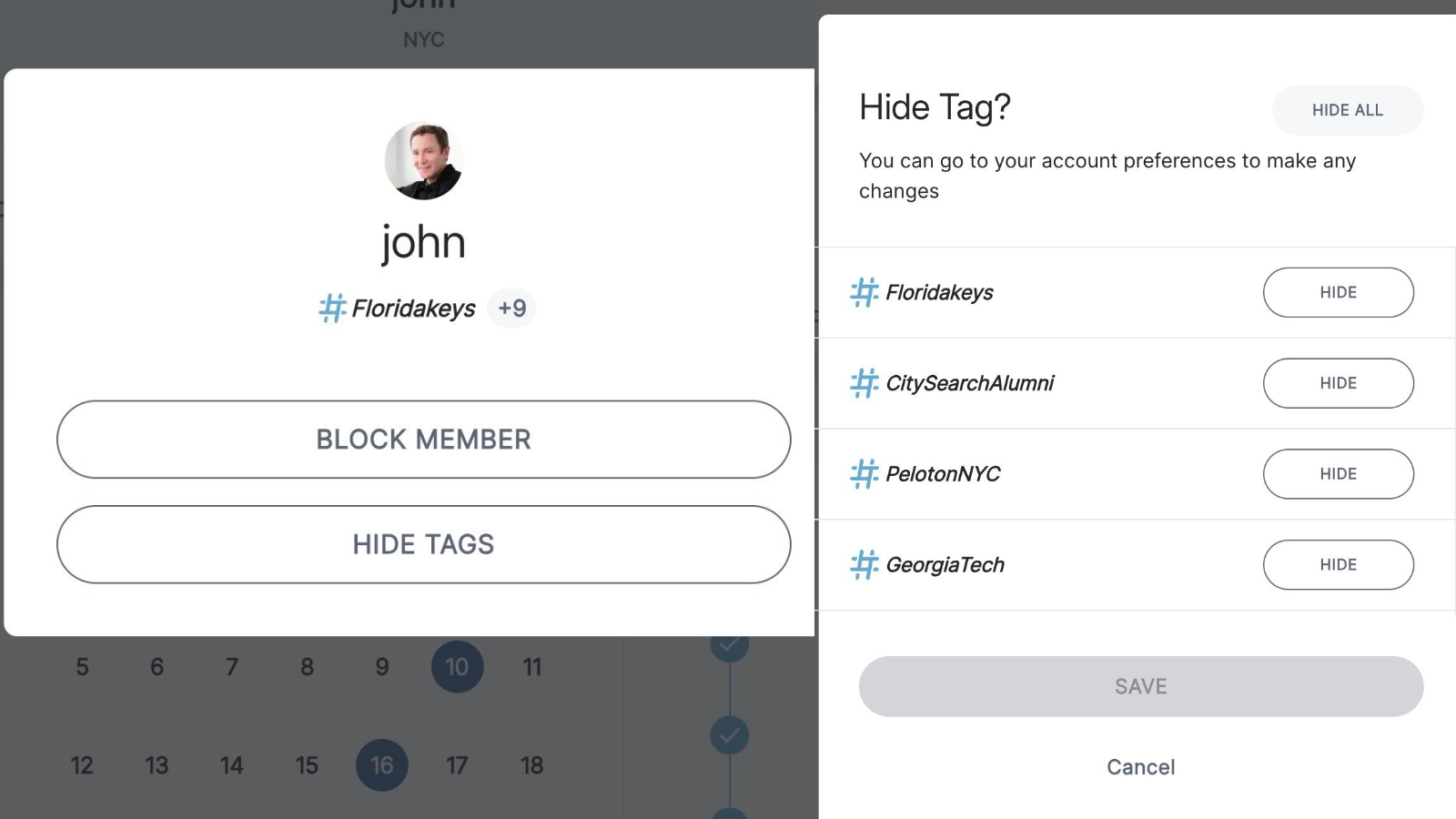
When hiding tags, you are given the option to hide all tags that user has, or just select individual tags.
Neither of these features is permanent. You will have the ability to manage your blocked users and hidden tags by going to your profile, Settings, and Privacy. There is a section called, “Blocked and Hidden” where you can unblock previously blocked users or unhide hidden tags. Currently, you can only unhide from your Peloton hardware or the Peloton website – you can’t do so from the app. You can find the option on Peloton’s website here.
If you have questions or issues with the feature, you can check Peloton’s new support page here.

The hide tag feature allows members to hide any Peloton leaderboard tags that you would rather not see. As these features roll out, we have additional images of how these features appear on the Peloton Bike and web browser.
What do you think about these new community features? Have you seen them on your Peloton hardware or your app? Stay tuned for more details as Peloton continues to roll this out to users!
Support the site! Enjoy the news & guides we provide? Help us keep bringing you the news. Pelo Buddy is completely free, but you can help support the site with a one-time or monthly donation that will go to our writers, editors, and more. Find out more details here.
Get Our Newsletter Want to be sure to never miss any Peloton news? Sign up for our newsletter and get all the latest Peloton updates & Peloton rumors sent directly to your inbox.

Leave a Reply