

Peloton is rolling out a new update to users who have the original series Peloton Bikes (and Bike+), Treads (and Tread+), and Rows.
Now, when taking floor-based classes (including strength, yoga, cardio, pilates, stretching, and more) – users will see the class plan.
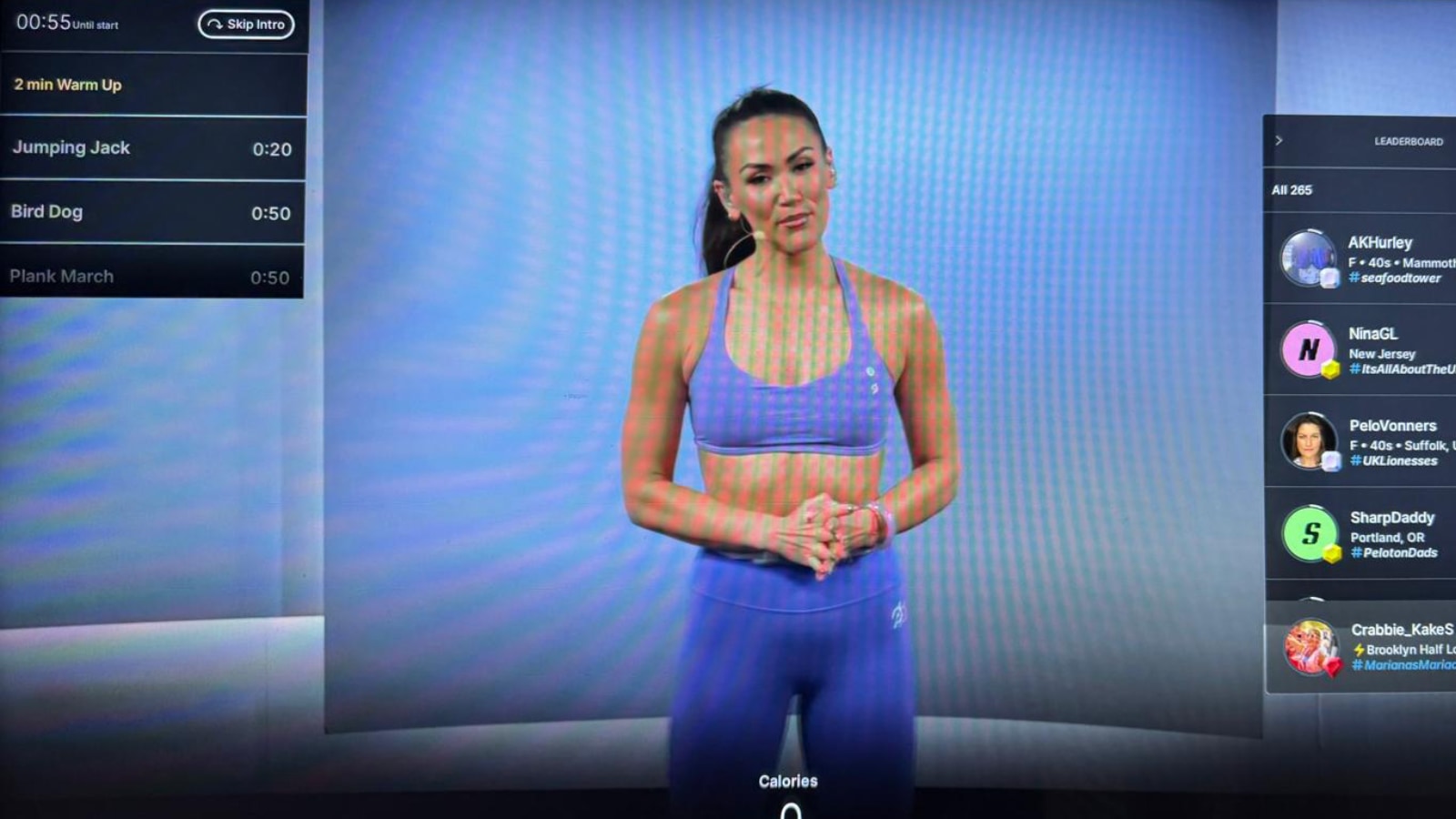
This is shown in the upper left hand of the screen. It shows the movement you are currently doing, the time left, as well as the next few movements.
Users still have the ability to skip the intro if they want, even with this new display.
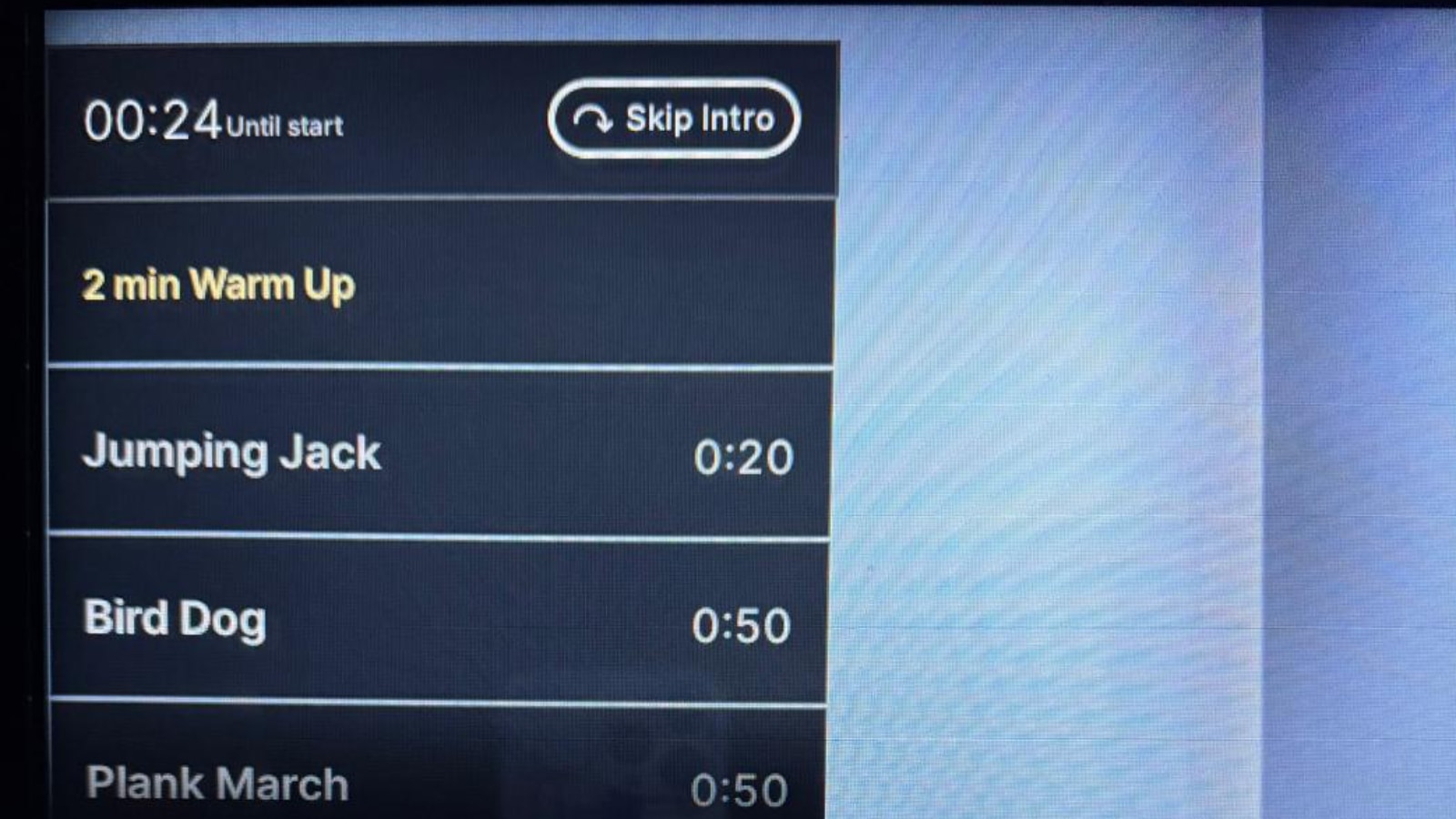
You have the ability to scroll the class plan, and see what is further in the class (beyond what is just shown on screen). You can then scroll back to the current point of class.
You do not have the option to click a movement name to see a demo – they are there just for reference only.
This class plan display feature first launched on the Peloton Guide, and was one of the most popular features on there, as it allows members to keep an eye on what is upcoming in the workout.
This class plan feature has been available in the new Peloton Cross Training Plus series devices as well since those launched.
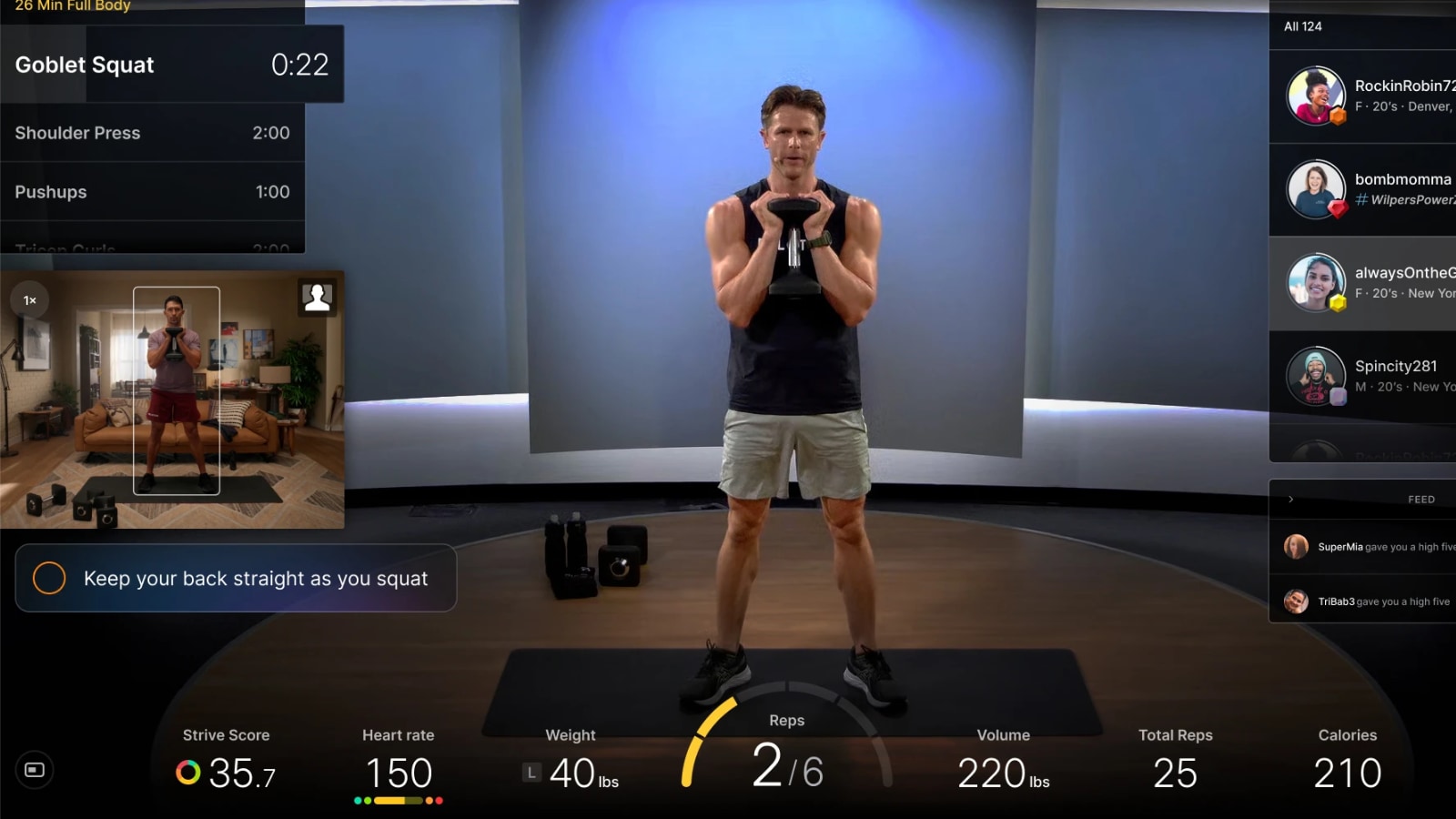
Since the Peloton Cross Training Plus devices have the Peloton Guide-like camera built in and can do movement tracking & rep counting – those devices have had the Peloton Guide like interface, including this class plan feature.
Now, that part of the user interface (showing the upcoming class plan) is rolling out to members who still have original series Peloton devices.
For users who don’t like this new feature, you do have the ability to press on the screen to hide it. However, that will also hide the class timer countdown & bar at the top of the screen. There is currently no way to independently hide the class plan display separate from the clock section.
At this time, it appears to only be showing for floor based classes like strength, yoga, cardio, pilates, stretching and others.
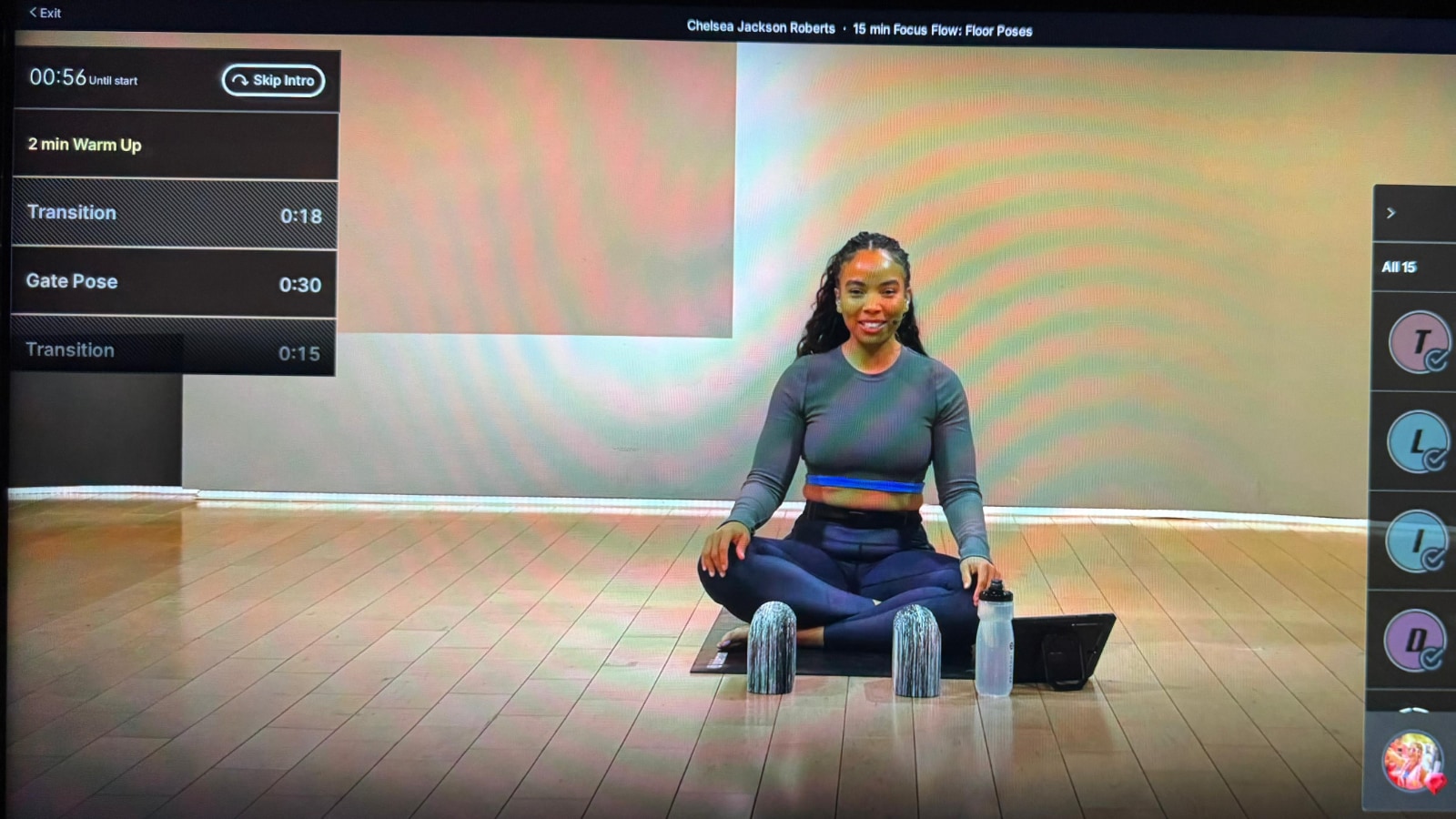
While it is not showing the class plan for traditional running, walking, cycling, and rowing classes – that could change in the near future.
Nearly 2 years ago, this same feature briefly popped up for hardware owners, though it was quickly removed.
Now, this appears to be a new feature that is here to stay.
As with many new features Peloton rolls out, this is not immediately available to everyone. Some people who have multiple devices have reported having it on one device, but not the other.
Support the site! Enjoy the news & guides we provide? Help us keep bringing you the news. Pelo Buddy is completely free, but you can help support the site with a one-time or monthly donation that will go to our writers, editors, and more. Find out more details here.
Get Our Newsletter Want to be sure to never miss any Peloton news? Sign up for our newsletter and get all the latest Peloton updates & Peloton rumors sent directly to your inbox.

It seems that with this update they’ve removed the ability to see the current music during class. When a new song starts, it briefly drops down from the top of the screen, but then disappears and I haven’t found a way to get it back to see or like the current music.
Absolutely hate this new look. No way to check the music selection, hard to see the clock, and I want to focus on the current move- not what’s coming up. Ugh.
I hate this update. I don’t need a class plan for yoga, but I do like to see the time. It sucks.