

Peloton is rolling out an update to the iOS app which redesigns the profile section of the app. This has moved some information around (and removed it in other places). However, these layout changes appear to have introduced a few bugs for some users as well.
Update – On Monday, April 14th, Peloton removed the updated profile and swapped it back to the old version. It is not known at this time if this is to fix some of the bugs, or for other reasons.
The profile section of the Peloton app is accessed by using the bottom right icon of the bottom tab bar in the app. Prior to this update this icon would use your leaderboard image. After the update, it now uses a standard stock image for everyone.
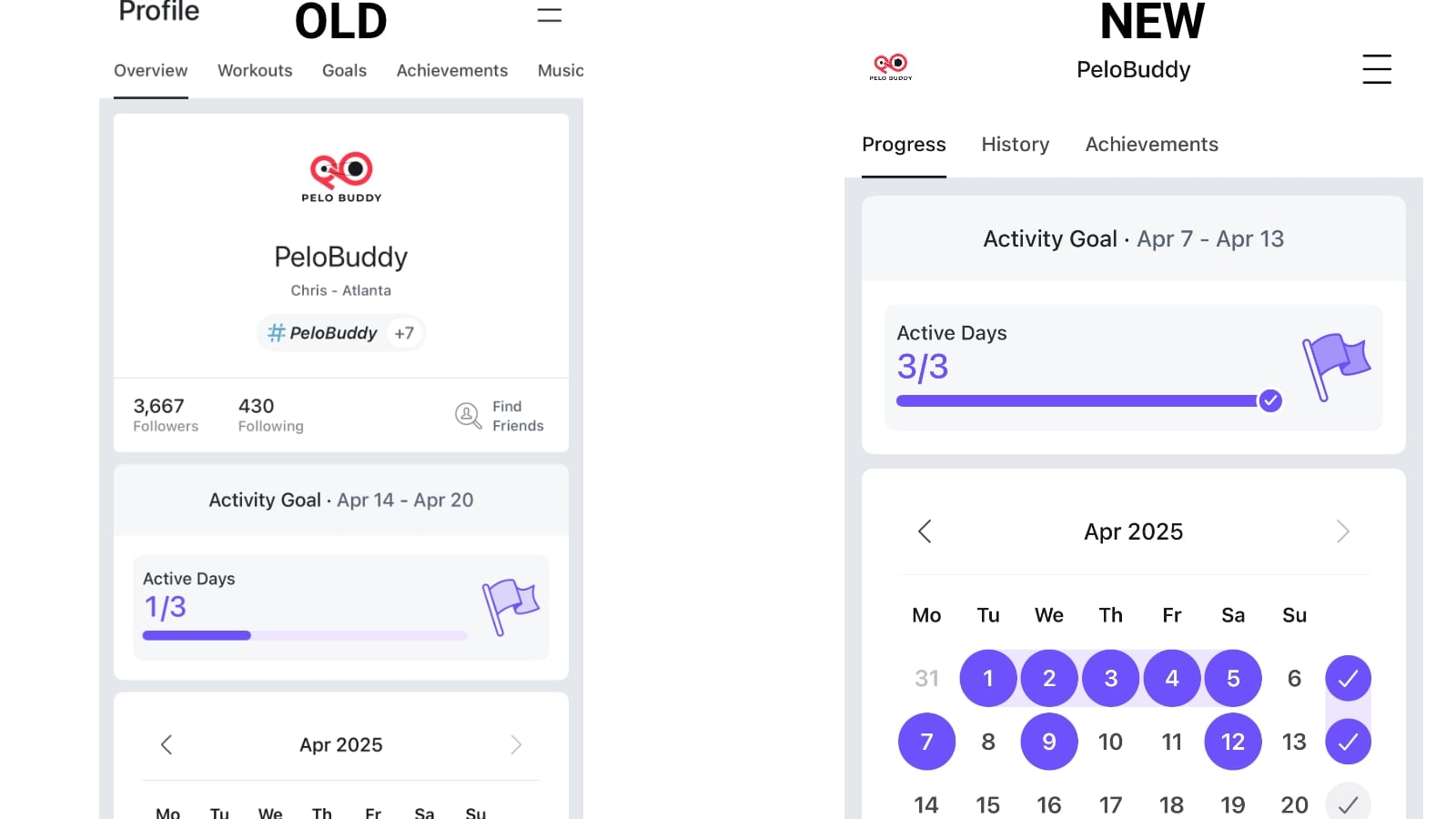
Once you have opened the profile page, the first thing you may notice is that the different tabs within there have changed. Previously, the default tab would be an “Overview” tab, with other tabs being “Workouts”, “Goals”, “Achievements”, and “Music.” Now, there are only 3 tabs – a “Progress” tab, “History”, and “Achievements.”
With the update, the default tab you get when you open the profile page is now called “Progress” – which is a pared down version of the old “Overview” tab. Before, the first things you would see at the top would be information about yourself (your leaderboard image, name, and hashtags) – and then counts of how many people you were following, and how many people followed you.
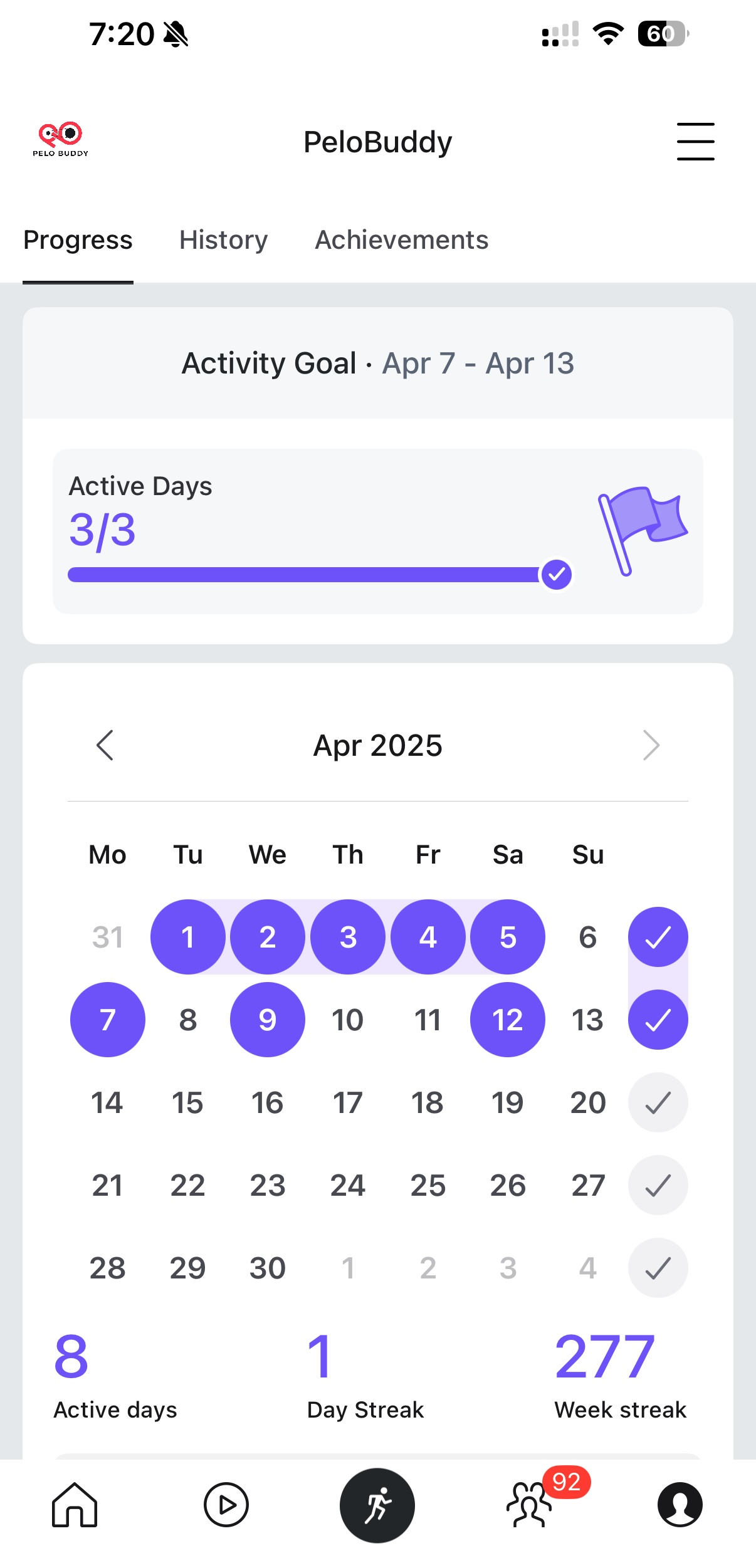
That information is no longer visible at all on this new Progress tab. And this does not just impact the view of your own profile – but when you view other profiles as well. This means if you are viewing information about one of your friends or followers – you’ll no longer see their bio, profile image, or other information you used to. You instead see the same pared down “Progress” tab you would see of your own profile.
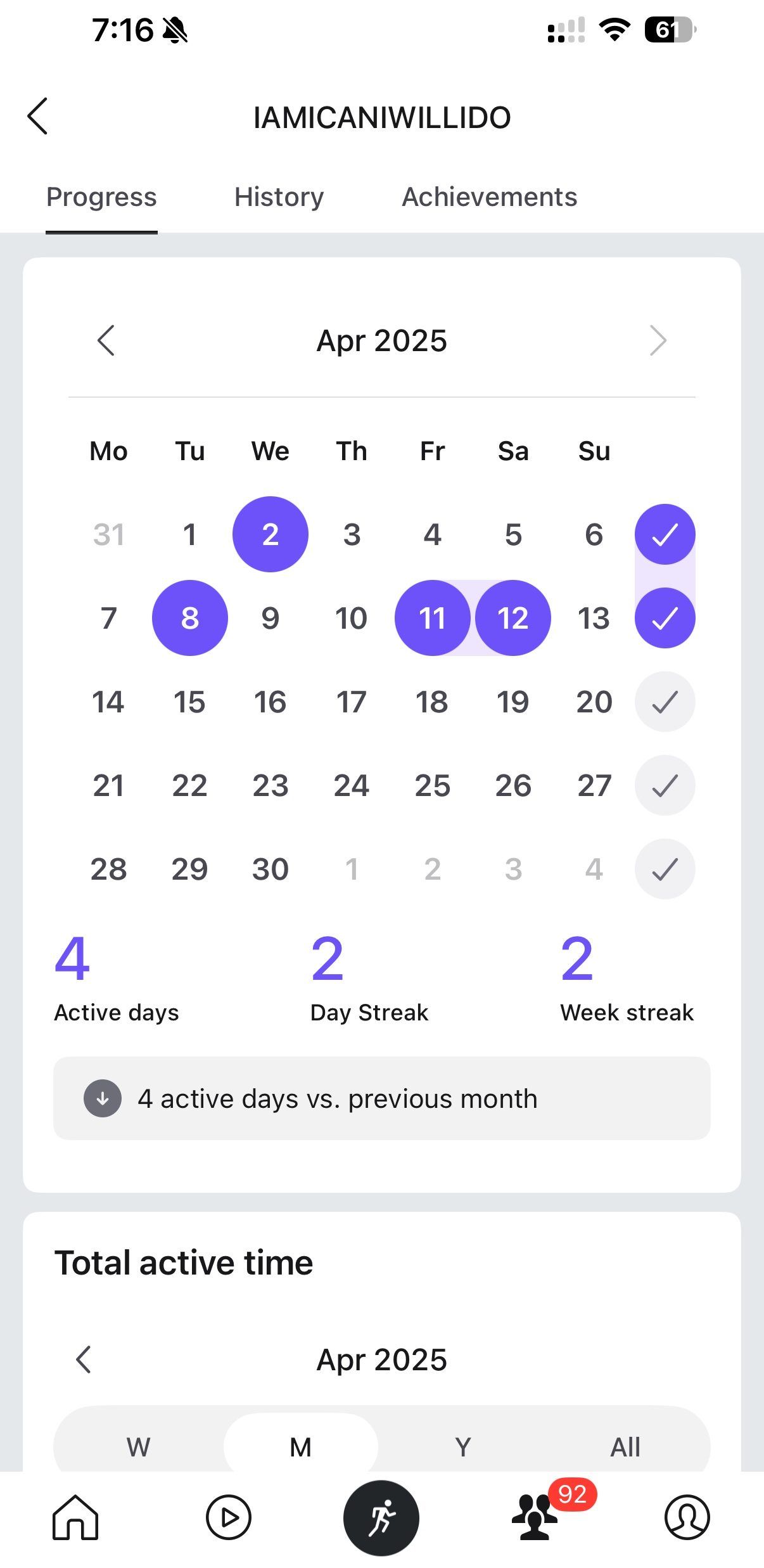
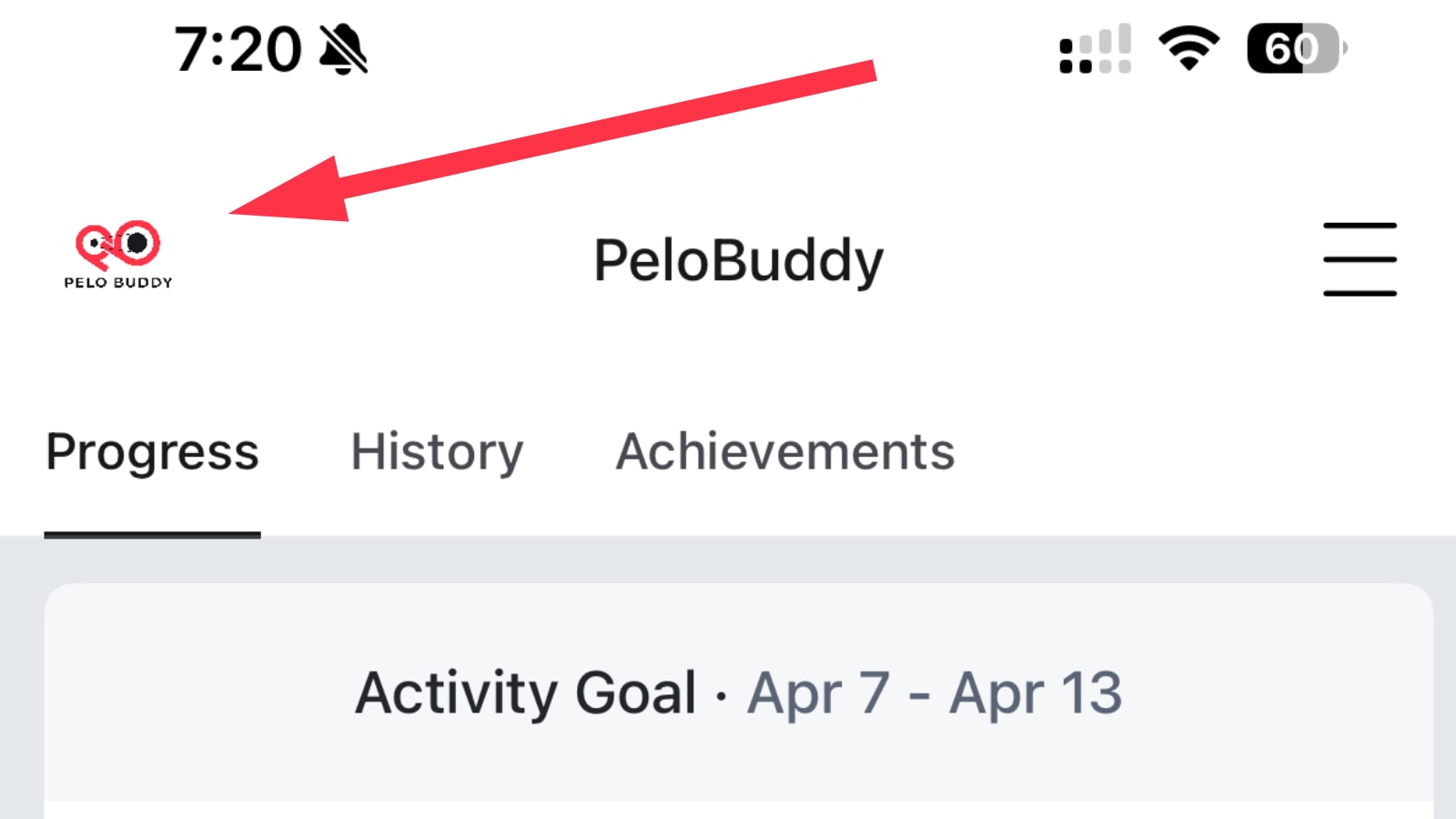
The one difference is that when you are viewing your own profile (but not any of your friends or followers) – you’ll see an icon in the top left of your leaderboard / profile image. You can click this, which will load a new popup, which displays information similar to what used to be at the top of the Overview page.
You’ll see your leaderboard name, description, and follower information. There is also a large carousel of images showing your most recent workouts, as well as an edit icon in the top right.
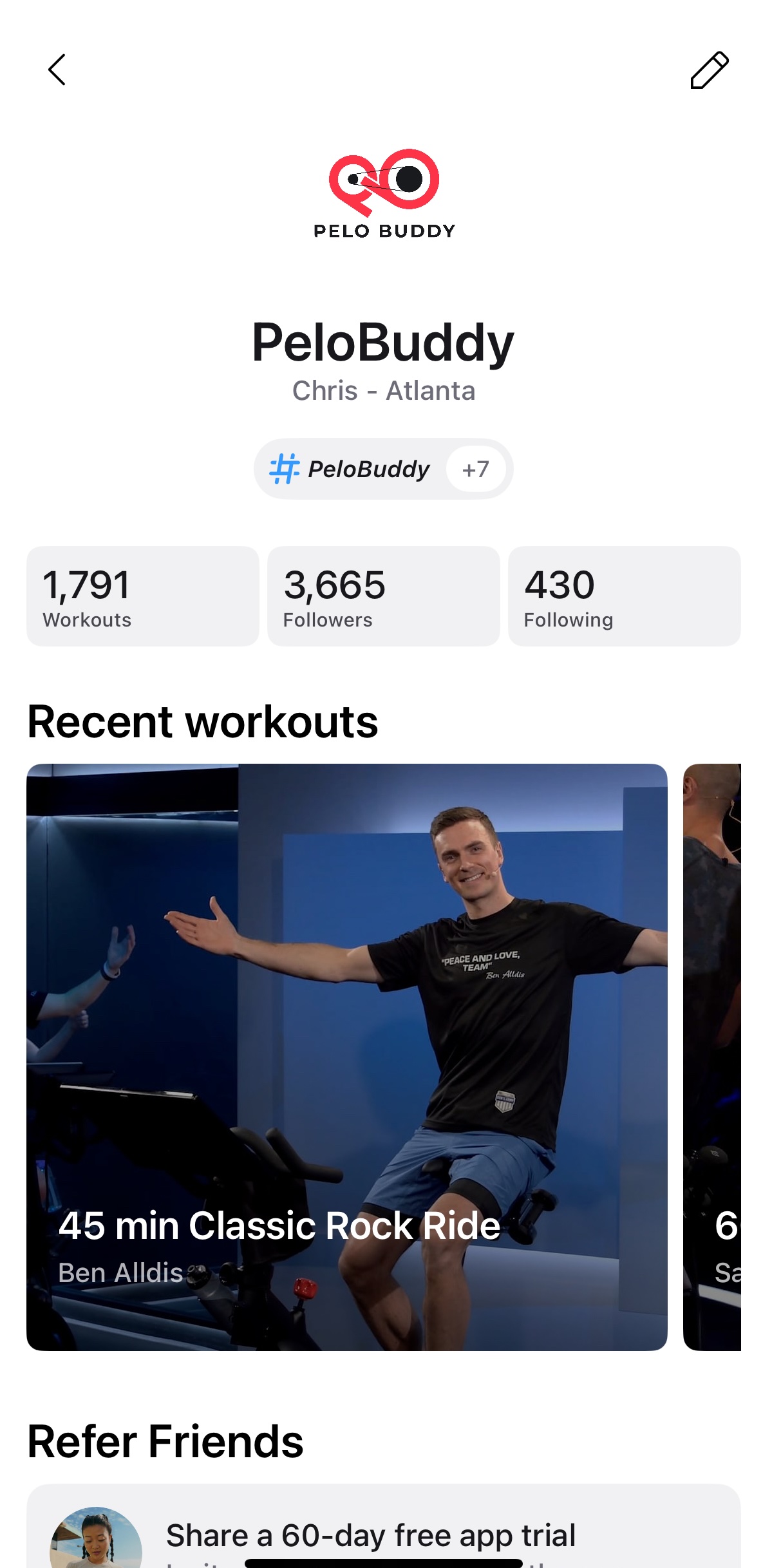
There appears to be bugs with this new page, as the edit icon is not clickable for many users and you are not able to edit your profile from here. In addition, this makes it impossible to click into the list of followers, or who you are following, to see the list of either of these people. Presumably, this is a bug and not a feature removal – and when the ability to click the edit icon is fixed, the ability to click into those lists will be restored as well.
Previously, you also had an easy shortcut to “Find Members” next to the list of your followers & who you followed. This allowed you to easily find specific profiles, or new people to follow. This shortcut has been removed. Instead you must now click the “More” menu icon / hamburger / three line menu at the top right of the app. This will bring up a long list of shortcuts under the “More” section, and within the “Social” section of menu items is one for “Find Friends.”
For everyone’s profiles, the “Goals” and “Music” tab has been removed. In addition, the old “Workouts” tab has now been renamed to “History” – which is where you can see the full list of your recent workouts. Outside of the name change of this tab, it mostly functions the same as it did before.
At this time, this update seems to have only been rolled out to the Peloton iOS app, and not the Android app.
As is the case with most of their updates in the app store, Peloton’s release notes for this version of the app simply says “Bug fixes and performance improvements” – without actually detailing what the specific updates or reason for the updates are.
Support the site! Enjoy the news & guides we provide? Help us keep bringing you the news. Pelo Buddy is completely free, but you can help support the site with a one-time or monthly donation that will go to our writers, editors, and more. Find out more details here.
Get Our Newsletter Want to be sure to never miss any Peloton news? Sign up for our newsletter and get all the latest Peloton updates & Peloton rumors sent directly to your inbox.

Peloton does “upgrades” like this but won’t spend the resources for something useful—like the ability for users to add notes to classes we’ve taken? So frustrating….